 Lumiya has gone through a series of updates recently, cycling rapidly through versions 2.4.0 and 2.4.1 (the latter to fix an OpenSim teleport issue) on January 31st, and arriving at 2.4.2 on February 4th to fix some issues with mesh clothing uncovered by yours truly.
These releases see Lumiya introduces key features users have been waiting for, and start paving the way for future SL support. Taken together, the core updates comprise:
- Support for mesh objects and clothing
- Support for RLV
- Support for server-side baking
Mesh Support
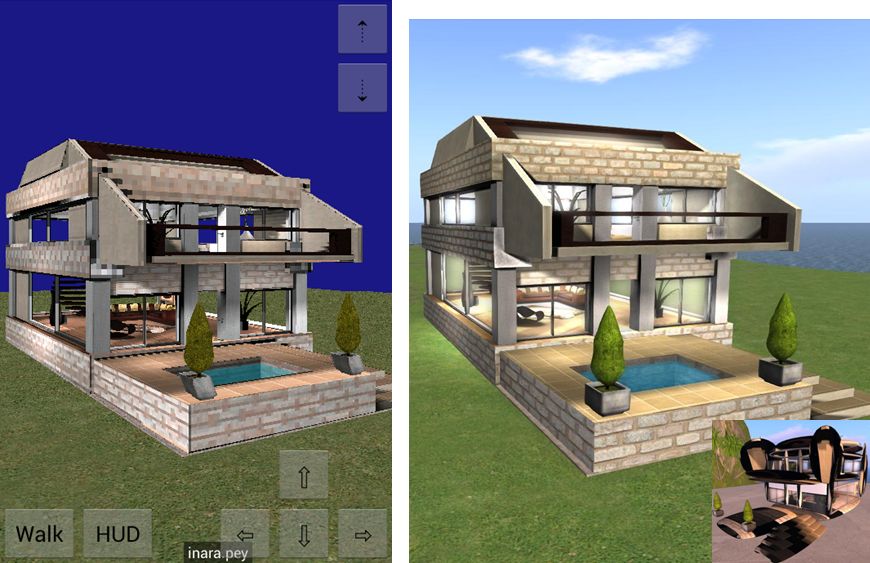
Mesh support works well with in-world objects, as the following image demonstrates.
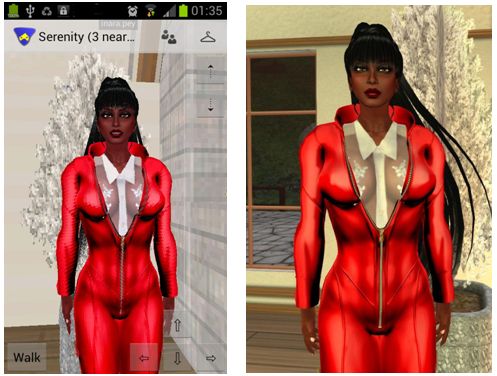
Mesh clothing was a little more problematic with the initial 2.4.0 / 2.4.1 release, for both rigged and non-rigged mesh clothing. While some would render correctly, other items would not, exhibiting issues with arms and / or legs, and even rendering as being worn back-to-front.
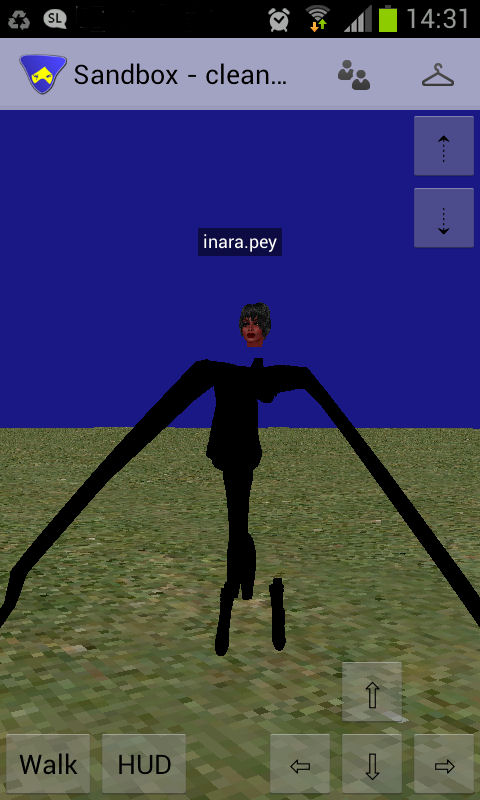
The issue appeared to be with how the SL software treats both rigged and unrigged mesh. I’m not a technical expert (as most know), but was able to carry out a series of tests which gave Alina Lyvette, Lumiya’s developer, a start on carrying out her own investigations which resulted in her fixing the issue – hence version 2.4.2 appearing.
With the latest release, it appears the majority of problems have been solved, although there have been some reports of mesh attachments such as hair still failing to render correctly.
Certainly from my perspective, and while I admittedly have what is a far less than extensive mesh clothing wardrobe, the issues which all gave me problems while using the 2.4.0 and the 2.4.1 releases of Lumiya all now appear to be resolved, and my mesh clothing now all renders correctly for me, and I’ve had no problems with the likes of mesh footwear so far.
One side effect of this is that the mesh support has slightly impacted the positioning of avatar attachments with Lumiya. Alina has had suspicions that there might be a problem with attachments and the avatar skeleton which may affect Lumiya, and now the issue has been confirmed, it’s on her list of things to update.
A new setting is also provided within Lumiya for users to define the quality of mesh rendering on their device – useful if using an older, less capable GPU. The options can be found under 3D View on the Settings menu (device menu key > Settings), and comprise five settings: High Quality, Medium Quality, Low Quality, Lowest Quality and Disabled.
RLV Support
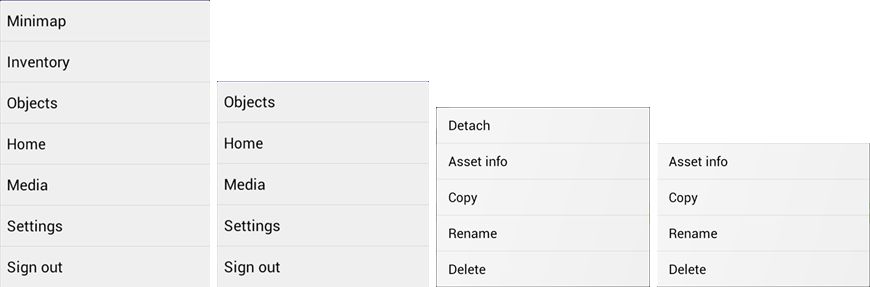
Lumiya, from version 2.4.0 onward, provides RLV / RLVa support. As with a traditional viewer, RLV must be explicitly enabled by the user via the Settings menu (device menu > Settings > Tap RLV enabled to check and turn on). Also, as with a traditional viewer, a restart is required once RLV has been enabled the first time.
Once enabled, behaviours are as seen with an RLV-enabled viewer: locked items are non-detachable; restricted options are removed from menu options; movement restrictions enforced etc.
RLV Support Notes
- As Lumiya does not currently support particle rendering in the 3D view, chain links, etc., will not be rendered
- Similarly, because Lumiya does not currently support windlight, any windlight controls / restrictions related to RLV will no be applied to the in-world view
- There is currently no #RLV shared folder support
- Disabling RLV in Lumiya will turn the functionality off without a need to re-log (all restrictions on detachment, menu options, etc., will be lifted).
Server-side Baking
Lumiya now provides support for Server-side baking (SSB, also referred to as avatar baking), and so is ready from when the new service is deployed to the main grid.
While there is a test area for SSB on Aditi (the Beta grid), I have encountered issues with logging-in to that grid using Lumiiya, and so have been unable to test and obtain images for this review.
Other Updates
Additionally. versions 2.4.0 through 2.4.2 add the following to Lumiya:
- Avatar direction indicator added to Mini-map (a small arrow is displayed over your avatar, indicating the direction it is facing)
- Animation requests are no longer auto-accepted
- Fixed display of outfit folders in inventory
- Fixed duplicate messages in chat
- Fixed inventory appearing empty after teleport
- Fixed broken teleports on OpenSim grids.
Feedback
Another series of updates which see Lumiya move even closer to matching viewer-based capabilities, making it even more a genuine alternative for those on mobile / tablet devices who wish to access Second Life / OpenSim while on the move. Both mesh rendering and RLV support are liable to be popular additions, and the server-side baking should stand it in good stead for upcoming changes to Second Life.
For those using an Android device, there simply isn’t a better means of access your virtual world.

 Inara Pey: Living in a Modemworld
I agree that the client is the best mobile offering on any platform. I hope that it signals new possibilities for a webclienton the future. One thing i am noticing is that i seem to be listing alpha layers when I go to lumiya. Or rather v when I go back to dolphin after using lumiya I have some alpha layers missing. Any one else seeing that?
LikeLike
I’ve noticed it on occasions in the past when swapping between viewers, not specifically with Lumiya. Has been a while since it has happened for me, however. Will have another play with Lumiya to see if I can repro.
LikeLike
I gave Allina an avatar that should help her with the attachment location issues. Hopefully, that’ll make it easier for the next release to look correct.
Lumiya was the reason I picked the Nexus 7 over other tablets. I’m quite pleased with it.
LikeLike
That’s great news, Tonya – and as a Lumiya user, thank you :). Lumiya is the reason I keep getting tempted by the idea of a tablet device…!
LikeLike