The “LeTigre event” and seeking to safeguard deployments

As reported last week, Wednesday October 3rd saw a massive problem hit the LeTigre Release Candidate channel, which impacted over 1200 regions. This most visibly manifested itself as a large number of items (including partial builds) being returned to people’s inventories as a result of regions being seen as “full” by the software as a result of an error in the prim accounting code. This saw disruption across the grid throughout Wednesday and into Thursday, partially because those regions impacted by the error not only required a corrective deployment of RC code (from BlueSteel), but also had to be manually restored to a state prior to the LeTigre deployment occurring.

Since the problem occurred, Linden Lab has not only been looking into the bug within the prim accounting software, but also at their internal processes in terms of why the error wasn’t picked-up prior to the LeTigre deployment going ahead, and also in terms of what steps can be taken to curtail such a massive disruption in the future, should ever a similar problem occur, and how regions can be restored in a less manually intensive manner. Even so, sorting out a solution which fits every possible scenario by which a deployment may go wrong isn’t easy.

Speaking at the Sim  / Server User Group meeting, Simon Linden commented on the matter thus, “The tough thing with SL testing is running it on all those combinations – it’s just never possible to have complete test coverage. The RC channels are actually designed to be representative of the whole grid, so we try to keep a mix of the different types of regions like full, mainland, Linden Homes, etc. On one hand, the system worked … we found a problem before it got to the whole grid, which might have been how this would have happened before we started the Release Channels. But it really was so bad we definitely want to catch something like that even earlier. So … we’ve had a bunch of meetings discussing what and why it happened, and have some better tests added to the regular test pass so this specific problem won’t happen again.”

Options to prevent a similar issue occurring again in the future which have apparently been discussed at these meetings include:

  • Improving the testing carried on Aditi. Part of the problem here is that as a representative testing environment, Aditi is very much smaller and much less diverse than the main grid, and as such it is harder to test for all possible failure conditions which may occur when deploying code to the main grid
  • Adding alarms to the deployment process so that when things do go wrong, such as a large number of object returns occurring, the process will automatically stop itself before the damage becomes widespread
  • Altering the deployment process so that code is initially rolled out to a subset of each Release Channel, prior to it being paused for a few hours to see if there are any reports from users of unexpected or undesirable results , and only resuming the deployments if it appears nothing untoward has happened
  • While it is the first time this particular problem has occurred in terms of selective region object returns, it has prompted the Lab into looking at ways and means to initiated an automated restore process in order to make the rollback of affected regions more time-efficient and less intensive.

It remains to be seen which of these – and any other ideas –  which have been discussed at the Lab are implemented. However, it should be remembered that even with the best will in the world, and given the dynamic nature of Second Life with all the user-created content and scripting, it is impossible for Linden Lab to take into account every single possible error which may occur with a server deployment, and provide a means of avoiding it. Even so, as a result of the LeTigre event, LL are looking to further improve how server code is both tested and deployed in the future, and provide the means to better flag any negative impact occurring during a deployment in order to allow remedial action to be determined and actioned in a more timely manner.

With thanks to Baz deSantis.

Lorca Linden provides data on pathfinding and simulator performance

It is fair to say that pathfinding has become one of the most controversial subjects in Second Life. While it has been the subject of a range of issues and problems, noticeably with vehicles, both before and after being deployed to the main grid, it has also become the most pointed-to bug-a-boo when people either are seeing, or believe they are seeing, simulator issues and problems.

Because of the levels of concern raised over pathfinding and its potential impact on simulator performance, Linden Lab has been carrying out comparative studies of simulator statistics recorded both before and after the pathfinding deployment. Speaking after the showing of a Designing Worlds special on pathfinding on Monday October 8th, Lorca Linden, the Pathfinding Producer at Linden Lab, gave the following high-level results of these comparisons:

Private Island simulator average sim fps:

  • Before pathfinding (Saturday, June 23, 2012): 44.43
  • After pathfiinding:
    • Dynamic pathfinding NOT enabled: 44.41
    • Dynamic pathfinding enabled, NO pathfinding objects: 44.29
    • Dynamic pathfinding enabled, at least 1 pathfinding object: 44.25
    • Dynamic pathfinding enabled, at least 10 pathfinding objects: 44.70

Mainland simulator average sim fps:

  • Before pathfinding (Saturday, June 23, 2012): 44.66
  • Dynamic pathfinding NOT enabled: 44.46
  • Dynamic pathfinding enabled, NO pathfinding objects: 44.44
  • Dynamic pathfinding enabled, at least 10 pathfinding objects: 44.79

These figures should not to be taken to mean there are no issues with pathfinding in terms of raised JIRAs relating to vehicles, etc.  However, as high-level as they are, and allowing for the size of the sample taken, they potentially show that pathfinding is not having as heavy an impact on simulators as many fear is the case. Commenting on them, Lorca said, “So in short, while there are certainly cases in which it’s possible for PF to have some performance impact, the data is showing that in the great majority of cases PF is not causing performance harm, since the grid-wide averages are within 1% pre and post PF.”

Also discussing the issue of perceived simulator performance during the Designing Worlds show itself, Falcon Linden acknowledged that part of concerns about simulator performance have been due to the way in which the Lab presented the potential for possible impact. “We didn’t communicate early on about the optimal performance of pathfinding,” he said. “We really wanted to take a conservative approach, so our communications, I think, were almost negative, in a way, where we were telling people what the worst case was, like we were making it seem that was what we expected to happen, but it wasn’t; and so people read from that that things could get bad.”

Lorca Linden (centre left) is joined by Maestro and Falcon Linden and Sandry Logan on a  Designing Worlds pathfinding special shown at the Designing Worlds studio on Monday October 8th (image courtesy of Designing Worlds / Wildstar Beaumont)

Also in the Designing Worlds programme, Lorca and Falcon, together with Maestro Linden, discuss Linden Lab’s thinking on pathfinding, why the Lab felt it to be a valuable resource to have in SL, and explain some of the additional features within it, such as the ability for pathfinding characters to navigate to a specific point in a region – or a point several regions away;  and a function which can be used both with pathfinding and independently of it (for example, it could be used within a HUD which can guide avatars to a specific store within a mall).

Overall, the programme helps to provide further insight into how pathfinding works and how it can be used, with a very practical demonstration by Sandry Logan of the Virtual Kennel Club. As such, for anyone who is curious / worried / may have a use for pathfinding, it is a recommended watch. Catch it on Designing Worlds at Tweet TV.

Related Links

Lumiya 2.3.1: avatars, animations, outfits and more!

Alina Lyvette is a miracle worker. There is no other way to describe her. Since its first release, her Lumiya client has developed into a mobile Second Life / OpenSim client which is truly remarkable.

From humble beginnings just seven months ago, Lumiya has quickly grown in both capabilities and stature, just some of the highlights being the addition of in-world rendering (with in-world object interaction quickly following), inventory management, OpenSim support and a whole new look also packed with goodies.

Version 2.3.1 raises the bar even further, adding:

  • Avatar and animation rendering
  • Camera control in 3D view
  • Avatar outfit control
  • Ability to change active group
  • Improved inventory update speed
  • Issue fix for ghost objects.

Avatar and animation rendering

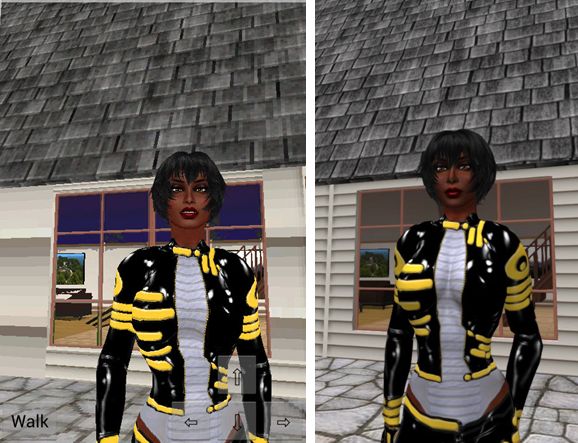
This is the most visible change to Lumiya with this release. Whereas previous versions only generated a greyed-out male avatar form, this version aims to render recognisable avatars and provide them with a decent walk animation. Now, the results aren’t 100% like-for-like with avatar rendering in a full viewer – and in fairness, you shouldn’t expect this to be the case. Even so, what is offered is really remarkable, and adds a huge depth to Lumiya in terms of offering mobile access to SL and OpenSim.

Avatar rendering: Lumiya (l) and an SL viewer (r)

There is a little of the Unity feel to the avatars, particularly in the exaggerated arm length, but overall the results really are impressive. And default walk animation is very good as well, and again adds a lot to the in-world experience; no more gliding ghost-like around.

Camera Control

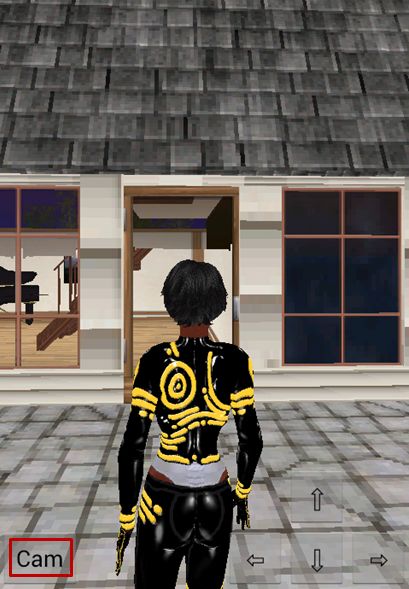
Camera button

Version 2.3.1 adds camera control to Lumiya’s 3D view. This is accessed using the CAM button located in the bottom left of the in-world view.

Tapping this allows you to alter your camera angle / position simply be dragging your finger across the screen or up / down.
When tapped, the button caption changes to WALK, indicating that the next time you tap it, it will toggle back to WALK mode, allowing you to move your avatar, and the camera will snap back to the default rear view.

You can also use the arrow keys to the right of the in-world view when in CAM mode . The left / right arrow keys will orbit the camera around your avatar, while the up / down keys will zoom your view in / out.

Outfits Folder Support

Alina is working towards providing compatibility with the upcoming new avatar baking service Linden Lab are working on. This work involves support for the Current Outfits folder, and as a first part of that, Lumiya incorporates Outfits Folder support within the 3D view. currently, the functionality doesn’t support sub-folders within outfits, which limits its effectiveness for those who have invested heavily in organising their (My) Outfits folders, but Alina is aware of this, and will be addressing matters in the future.

Change Group

You can now change your active group tag within Lumiya. Simply go to the Chat screen, tap GROUPS, and then long touch the name of the group you wish to set as your active group. A pop-up will be displayed asking you to confirm, and on doing so, your active group will be changed. Simples.

OpenSim Issues

There were reports of crash issues with 2.3.0 on OpenSim, and Alina issued 2.3.1 to fix this. Both 2.3.0 and 2.3.1 functioned very smoothly for me, although I did encounter an issue on Kitely in that the skin and system layer clothes on my avatar would not rez (although her prim hair did) and she remained a white cipher.  Other than this, however, Lumiya worked as well with Kitely as it did for SL, and I had a pleasant several minutes simply camming around and taking a look at Fallingwater, something which hasn’t been easily achievable on Lumiya in the past without a lot of walking aroundand looking over my own shoulder :).

Performance

Lumiya is doing a lot of work for an app designed to run on a mobile device  / tablet. As such, don’t expect performance to match a standard viewer when on a wifi connection. That said, as I’ve commented on my previous Lumiya reviews, this doesn’t mean it is a slouch. While there can be pauses when handling large updates, it still runs more that comfortably on my Galaxy S2, and others have reported it runs at least as well on a number of other modern phones. Rendering is not that slow (avatars can take time to load, and this does admittedly take time in a crowded location), but on a wifi connection, it is still possible to use Lumiya with ease and see people, chat, move around and interact.

When connected to a 3G network (UK O2 network), bandwidth usage was slightly up on previous versions, with 2.3.0 hitting 2.6Mb in five minutes, compared to an average of just on 2 Mb with previous releases. I assume the additional use is down to avatar rendering data – so if you’re using Lumiya on 3G and in a crowded space, you’d best keep more of an eye on bandwidth use.

Having several other avatars in mt draw distance also impacted performance (unsurprisingly – it does on all viewers), so if you are again in a crowded place, you might want to keep DD right down (although a cap on the number of avatars Lumiya will attempt to render might also be a good idea).

Opinion

Alina’s work on Lumiya never ceases to amaze me, and this release really is quite something. The avatar rendering is phenomenal, and the camera movement options are both intuitive and really do improve the in-world experience. There’s still more work to be done around Outfits Folder use, but that’s hardly likely to cause many issues. I’m not actually sure how widespread the use of (My) Outfits is; there are limitations with the implementation in the official viewer, and it can create a fair amount of inventory bloat. While I do tend to use it for NO COPY outfits from a couple of my favourite designers, friends do tend to respond with a “never bothered with it” when discussing using it.

Related Links

Viewer release summary 2012: week 40

This summary is published every Monday and is a list of SL viewer / client releases (official and TPV) made during the previous week. When reading it, please note:

  • It is based on my Viewer Round-up Page, a list of  all Second Life viewers and clients that are in popular use (and of which I am aware) and which are recognised as being in adherence with the TPV Policy
  • By its nature, this summary will always be in arrears
  • The Viewer Round-up Page is updated as soon as I’m aware of any releases / changes to viewers & clients, and should be referred to for more up-to-date information as the week progresses
  • The Viewer Round-up Page also includes comprehensive links to download pages, blog notes, release notes, etc., as well as links to any / all reviews of specific viewers / clients made within this blog.  

Updates for the week ending: 7 October, 2012

Largely a quiet week. SL releases halted while crash issues / meomory leaks within the beta branch are eliminated; most TPVs awaiting fixes to resume their code merges. Lumiya issued a significant update to the Android client which brings it closer to being a functional mobile viewer for Second Life / OpenSim.

  • SL Viewer updates:
      • Beta version rolled to 3.4.1.265434 on October 4 – core updates: stabilisation / crash fix test version with tcmalloc included; fix for Microsoft Skydrive (download pagerelease notes)
      • Group Services project viewer rolled to 3.4.1.265496 on October 4th – core update: code to allow for fetching the group list via UDP if the new 10K cap on the UDP service isn’t detected in the server-side code
  • Zen rolled to 3.4.1.4 on October 6, to be quickly updated with 3.4.1.5 to fix a serious crash isse with 3.4.1.4. Cor updates (other than 3.4.1.5 crash fix):spell check primary dictionaries updated; QuickTime updated to 4.8.1; removed logout music streaming shutodwn delay; removed SL Destination & Avatar Picker from OpenSim; various performance updates, including cached control optimisation.
  • Group Tools release version 2.2.13.0 ob October 7. No details on updates or fixes
  • Lumiya released 2.3.0 on October 7 – core updates:Avatar & animation rendering; avatar outfit control; camera control in 3D view; ability to change active group; improved inventory update speed; assorted fixes, including ghosted objects.
  • Libretto – note that the website for the Libretto client has been unavailable since mid-September.

Related Links

‘Twas a dark and stormy night….

Hidden in an ancient forest above the Miskatonic river deep in the Massachusetts wilderness is Arkhamville Manor. Constructed in the late 16th and early 17th century by Count von Ripanuvich on land shunned by the Mohegan it was a retreat and fortress for those investigating occult matters the like of which were considered blasphemous in Europe.

So begins the dark, perhaps treacherous tale of Arkhamville and its inhabitants. It is a tale of the occult, of people forced to flee their European roots lest the Church denounce them for their dark studies, and who settled in the relative seclusion of Massachusetts, establishing a fortress mansion and community of workers from which they continued their search for immortality, to be bestowed by one of the elder gods.

Arkhamville

With the mansion and the village came rituals and construction, carried out under the noses of the more Puritanical and God-fearing surrounding villages and coastal towns. On down the years the work continued – not always harmoniously –  with descendents of those original occultist immigrants ever seeking that elusive key to the secret of immortality.

Now, in much more recent times, one Jedediah Dexter, who previously left (or perhaps was forced to leave) the community 30 years previously, has returned – only to meet a violent end, and leaving you facing a question.

Who killed him?

Arkhamville

Arkhamville, which opened on October 1st and will continue through until November 1st, is a Halloween-hunt-murder-mystery, which encourages visitors to play a part in the forsaken community and discover the truth behind the murder.

It is a collaborative effort on the part of an impressive list of participants, lead by Kitto Flora and Rafe Holder, who came up with the story for the event, and  Shauna Bonetto, who has donated a full region for the project. Many of those who have contributed to the project are also active participants in the story, and help to bring both it and Arkhamville to life.

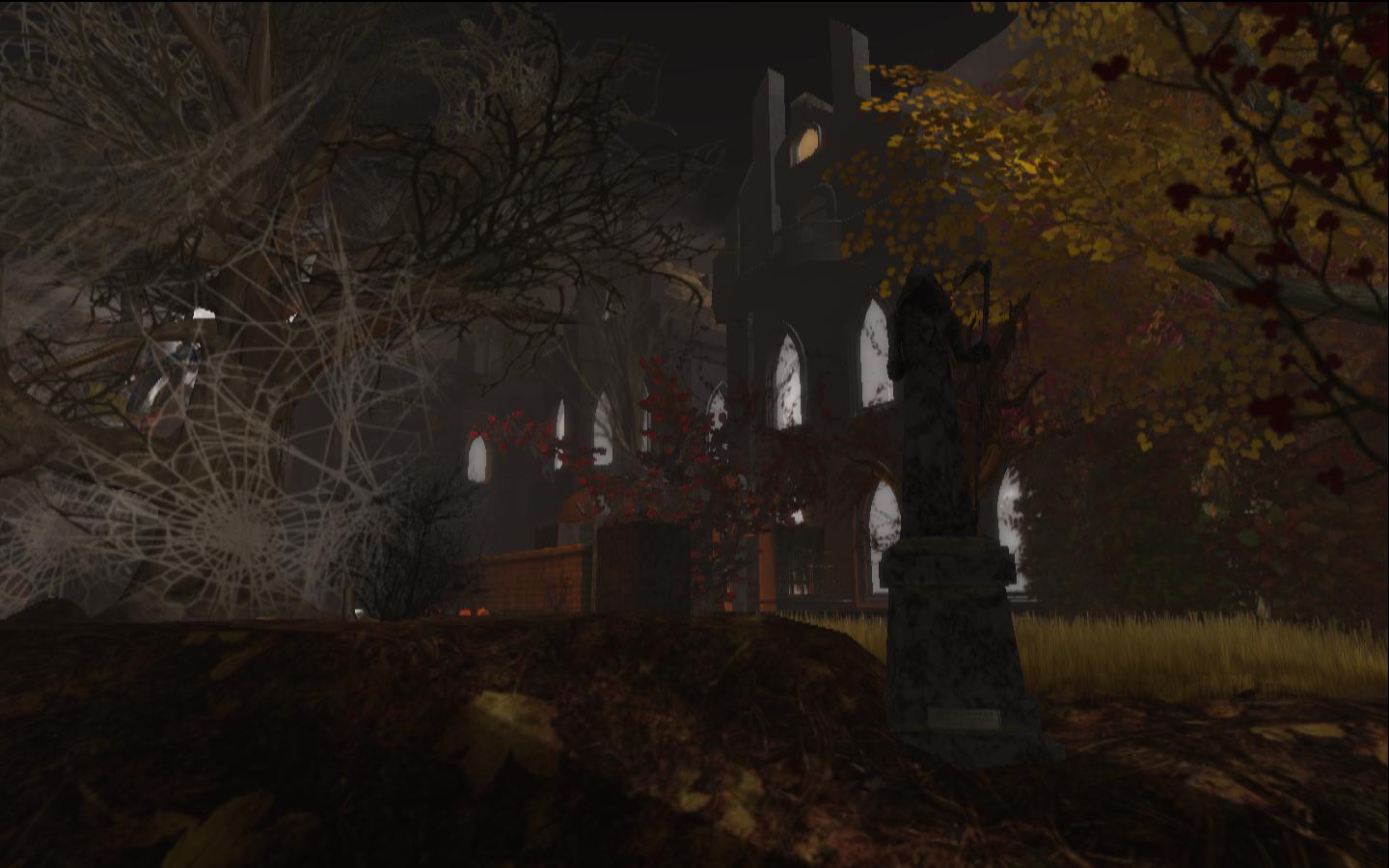
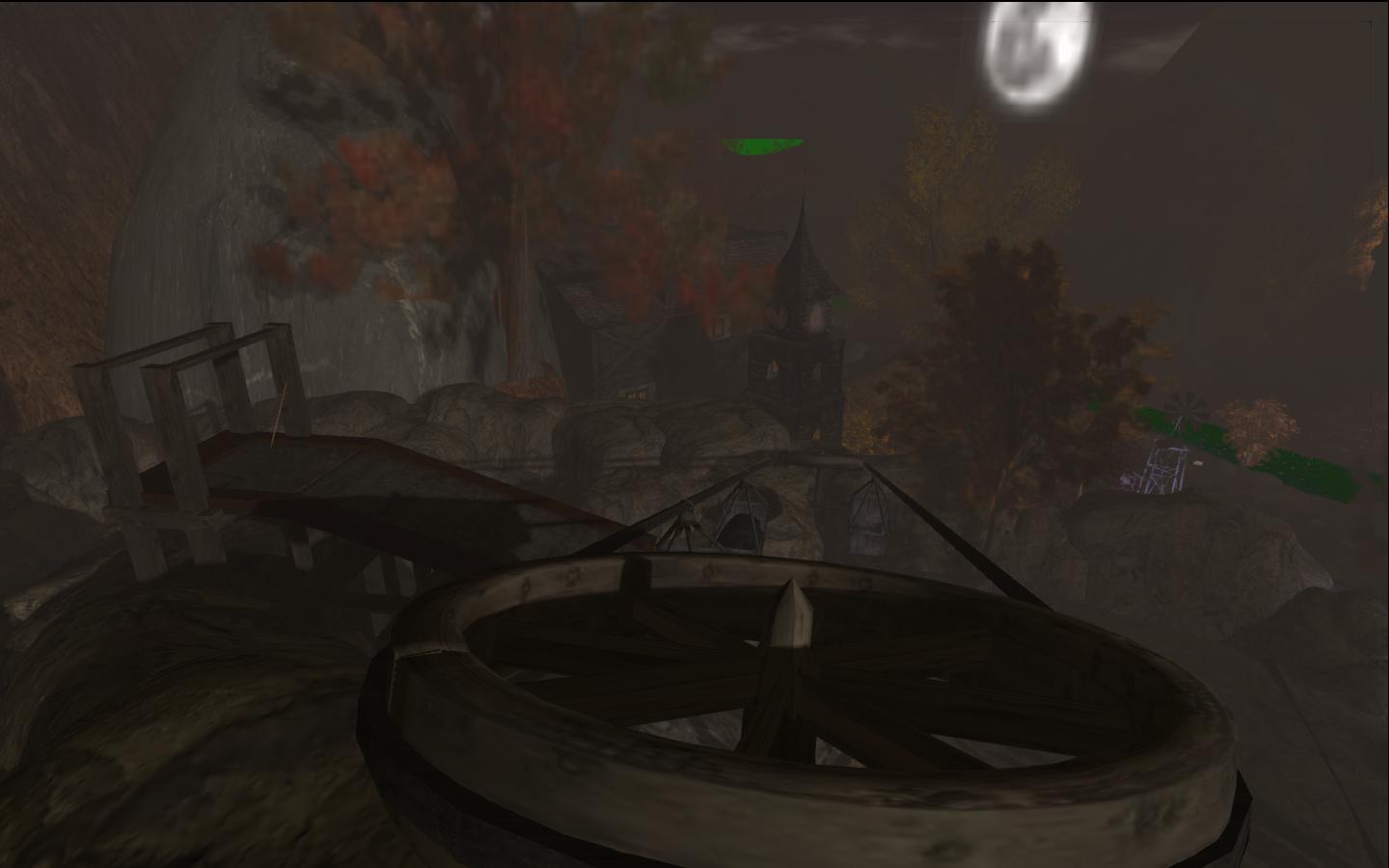
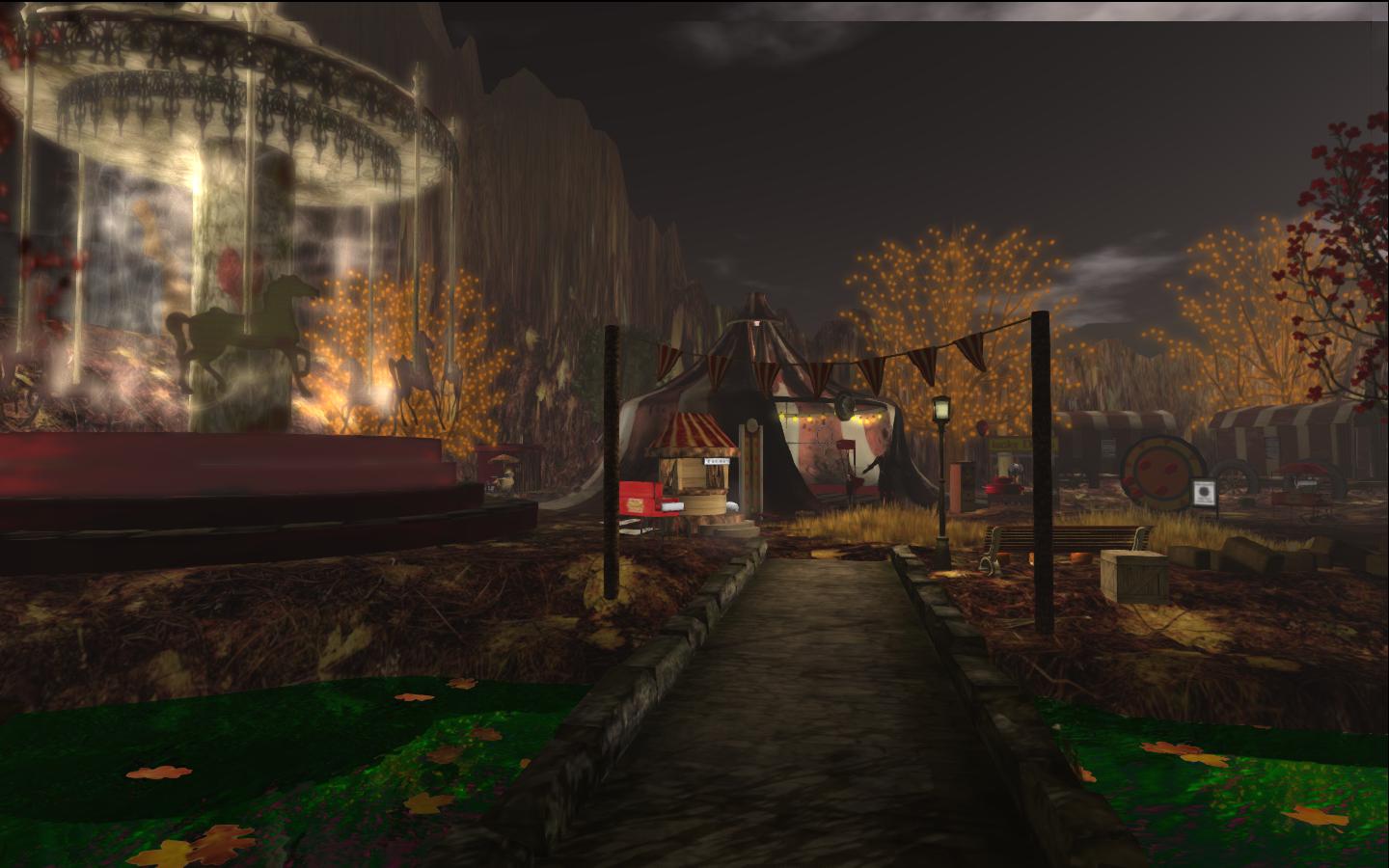
The region itself is all you’d expect of a murder mystery set around the time of Halloween. Beneath dark, brooding skies, beset with fast-moving clouds perhaps heralding a coming storm are all the required ingredients: mysterious manor house, lights all ablaze, on a hill, a mysterious and not altogether welcoming fun fair, a hunched church with dank graveyard beside it, and up on the hill, above even the wheels and bins of an old conveyor system, a place of dark magic, with cairns made of skulls and a blood-red ramp leading to a mysterious gazebo watched over – literally – by two gnarled white, and leafless, trees.

Arkhamville

When you arrive, make sure you collect your game items from Trooper Eddie. These comprise a notecard with the back story, a police pass, which will track your progress in your investigations, and a choice of optional Arkhamville costumes (one male, one female). Personal scripts are capped, so you may also receive a warning that you need to remove items or (I assume) face ejection if you don’t – those receiving the message have 6 minutes to comply, with reminders about every 2 minutes.

Warnings like this can dampen enthusiasm for a place, but at least this one is sedate, rather than a brief warning followed by the royal order of the boot. I was slightly over the limit, and removing a couple of HUDs I knew I’d not need while in the region solved the issue for me.

Arkhamville

There are no actual rules as to how you should proceed – although a good place to start is with the body (which I’ll leave you to find – it shouldn’t be that hard :)). From here it is a case of following the clues, meeting “residents” of the mansion and the village and finding out what you can.

I’m not going to give too much away, partly because that’ll obviously spoil things if you’ve not yet spent time in Arkhamville, but mostly because I haven’t yet solved the mystery myself. Suffice it to say that there is a fair amount of interaction with “people” and things in Arkhamville, and as an investigator, you don’t always get your own way – those who know anything about matters are prone to make demands of you first.

Arkhamville

Arkhamville is already proving very popular; during my visits, there were rarely less than 22 people in the region. This can make things a tad laggy, so if you tend to run in deferred with shadows, etc., active, you may want to consider setting your lighting options to NONE other than when taking snapshots.

Certainly, if you’re interested in sleuthing away an evening, Arkhamville can easily draw you in.

Related Links

Arkhamville was a featured build on the Beaverville region for Halloween 2012 and is now closed.

From Bathhurst Inlet to Rocknest

It’s been a busy week on Mars.

Following the identification of a further rock target for study, Curiosity spent Sol 54 (September 30th) conducting contact science with the rock, dubbed Bathhurst Inlet by mission personnel, using APXS and MAHLI.

These studies were concluded on Sol 55 when Curiosity used the ChemCam laser, telescope and spectrometer to analyse the chemical / mineral composition of the rock. Following this, the rover manoeuvred some 23.5 metres (77 feet) to an area of sand called Rocknest, which Mastcam images had revealed as a possible location in which to test part of Curiosity’s sample acquisition system.

Studying Bathurst Inlet, a raw image returned by Curiosity’s right Navacam system on Sol 54 (Sept 30th)

Rocknest, an area of wind-blown sand, had initially been imaged on Sol 52, and earmarked as a potential location for sample acquisition tests. The area is around 5 metres by 1.5 metres (16ft by 7ft), and the fact that it appeared to comprise wind-blown deposits suggested it would be an ideal target as the sand is liable to be relatively loosely packed and offer samples which can be acquired relatively easily and which could be used to perform an important task.

Rocknest as imaged by Curiosity’s 100mm Mastcam on Sol 52 (Sept 28). The images in this mosaic have been white-balanced so that colours appear as they would if seen in typical Earth sunlight conditions

Samples can be acquired by Curiosity in one of two ways: using a drill system or via a scoop, both of which are located on the turret at the end of the rover’s robot arm. The activities at Rocknest are focused on the use of the scoop, which can acquire around 20 grams of material at a time for delivery to SAM, the Sample Analysis at Mars system, and CheMin, the Chemistry and Mineralogy system, Curiosity’s two on-board sample analysis systems.

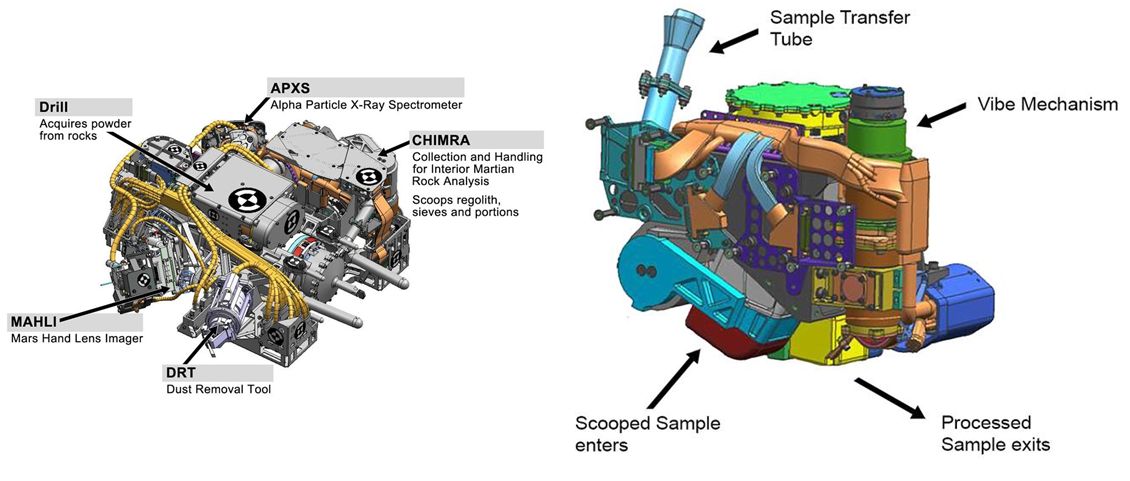
The scoop is part of a complex system called CHIMRA (Collection and Handling for In-Situ Martian Rock Analysis) contained within the turret. This processes samples gathered from both the scoop and the drill system, ready for them to be passed to the rover’s on-board systems. However, before the system can be used, it must be properly prepared and undergo a special “cleaning” process. It is this “cleaning” which is the focus of operations at Rocknest.

The turret science instruments (l) and an internal view of CHIMRA. Note the turret image is inverted in relation to the CHIMRA image (click to enlarge)

On Sol 56, Curiosity further manoeuvred itself a further six metres (20 ft) to get close to a ripple of sand within Rocknest which had been selected for the sample testing. The Dynamic Albedo of Neutrons (DAN) instrument was also used during Sol 56 to measure subsurface hydrogen levels, as was the Radiation Assessment Detector (RAD), designed to characterise the broad spectrum of radiation environment around the rover, and the Rover Environmental Monitoring Station (REMS) – Curiosity’s weather station.

In order to ensure the sand is suitable for the “cleaning” process, mission scientists and engineers needed to understand more about it. To this end, and on Sol 57, Curiosity was commanded to drive onto the ripple, rotate its wheels through 30-degrees and then reverse off. The Purpose of this was two-fold: firstly, it helped to confirm the sand’s consistency and that it is in fact packed loosely enough for the scoop to obtain samples. Secondly, it exposed material beneath the surface layer, allowing it to be further characterised.

Making a mark: a raw image captured by Curiosity’s right Navcam as the rover  roll onto the Rocknest sand ripple, prior to leaving a scuff mark designed to help mission scientists examine the particle-size distribution of the material forming the ripple. To give an idea of scale, Curiosity’s wheels are 40cm (16 inches) wide

Please use the page numbers below left to continue reading this article