Malcolm Dunne is the Chief Financial Officer of Linden Lab and is a chartered accountant with 15 years of experience in the interactive entertainment industry. Dunne joined Linden Lab from Trion Worlds Inc, where he was CFO and a board member. He was instrumental in growing the organization to 450 headcount, $100m+ revenues within a 12 month period and closing debt and equity funding exceeding $100 million during his 3 1/2 year tenure. Prior to Trion, he was Interim CFO at SCi plc (the former parent company of Eidos), where he was instrumental in raising £60 million to recapitalize the business. Malcolm has also held positions at Capcom and Electronic Arts.
Interestingly, Mr. Dunne’s LinkedIn profile notes a five-month stint at Clickatell between his time at Trion Worlds and joining LL. That Mr. Dunne also worked at EA Games might raise eyebrows among some, so it should be pointed out that there is no apparent direct EA link” between him and Rod Humble, as Mr. Dunne departed EA prior to Rod Humble’s arrival.
Update, October 9th, 2014: Linden Lab announced that development work on Patterns has been discontinued.
Update, 24th Sept: Linden Lab are now e-mailing those who have signed-up to the new product beta programme with news that Patterns is available to pre-order. Received my e-mail this evening!
Linden Research has announced the pre-release “Genesis” version of Patterns is now available to pre-order, and will ship “on or prior to” October 5th. The cost for the initial release is $9.95 (£6.32), and payment can be made via PayPal or credit card.
Pattens: Pre-order now (image courtesy of Linden Research Inc.)
The Genesis release is available for Windows and Mac OS, and has the following specifications:
Windows:
XP SP2 or later
2GB of memory
250MB free disk space
Any 3D graphics card with minimum 128 Video RAM and pixel shader 3.0 support
Mac:
Mac OS X: Intel CPU & “Snow Leopard” 10.6 or later
Intel Core 2 Duo 2.8 GHz (2 CPUs)
2GB of memory
250MB free disk space
Any 3D graphics card with minimum 128 Video RAM and pixel shader 3.0 support
The specification page notes that: “Patterns is a 3D intensive experience. By adjusting the quality settings we provide some flexibility to accommodate the performance experience based on your needs.”
Version 0.0.1 feature list – Genesis
Build with over 20 Unique geometric shapes.
A hand crafted world of substances and shapes.
Explore, discover and bust apart a world in a pure sandbox environment.
Shaping Stone workbench that enables you to craft and discover shapes.
8 collectible substances.
Clay
Bonestone
Starene
Nak
Limewood
Coralwood
Jasper
Gypsum
Emergent objects that explode or roll.
Simulated physics, gravity and tensile strength that plays upon substances and your creations.
3 Save slots.
Building tools that include shape repeating and shape rotation.
Two camera modes for building and exploring.
A controllable character with Run, Jump and Walk capabilities.
3 different quality settings to accommodate a variety of system specs.
Full screen and windowed mode support.
Windows and Mac version.
Public access to bug reporting.
Those purchasing the Genesis version, “Are entitled to have your name featured in the credits of the game in version 1.0.”
Over the course of the last week Curiosity has been busy. Sols 39 through 41 (September 14th through 17th) were driving days in which the rover continued on its traverse towards the area dubbed Glenelg. On Sol 39, Curiosity logged 22 metres (72 feet), and covered a further 37 metres (121 feet) on Sol 40.
Sol 41 saw the rover cover 27 metres (89 feet), during which the Dynamic Albedo of Neutrons (DAN) instrument was incorporated into the rover’s drive sequence. In its active mode, DAN can detect sub-surface minerals associated with water. The instrument has a high sensitivity for finding any hydrogen to a depth of about 50 cm (20 inches) directly beneath the rover. Use of the DAN experiment requires the rover to travel 10 metres (33 feet) before stopping to operate the DAN instrument for 2 minutes, then rolling forward another 10 metres and again operating the DAN instrument, and so on.
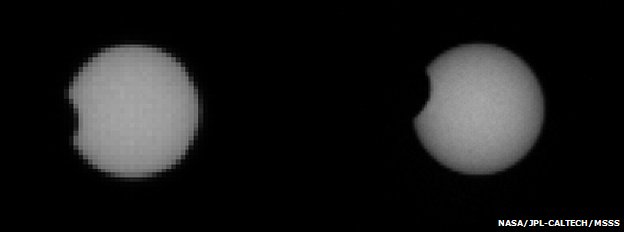
On Sol 42, Curiosity travelled a further 32 metres (105 ft), bringing the mission’s total driving distance to about 259 metres (850 ft), reaching the half-way point in the drive to Glenelg. DAN was used at two stops during the drive to check for hydrogen in the soil beneath the rover. During the drive, the rover also paused to take further images of both Phobos and Deimos as they passed in front of the Sun.
Transit of Phobos: had Curiosity been at the top of “Mount Sharp”, this would have been an annular eclipse; Phobos would have been entirely within the disk of the Sun (images from Sol 37 Phobos transit)
Imaging these transits provides accurate data on the orbits of the two moons; although both Phobos and Deimos are very small objects compared with the planet, they still exert a tidal influence on Mars. Having accurate information on their orbits assists scientists in understanding how this tidal influence affects Mars, giving additional clues as to its internal structure. Similarly, the data can also be used in helping to understand the internal structures of the two moons. In addition, measuring the orbits of the two tiny moons helps scientist determine the rate of decay within Phobos’ orbit (Phobos is very gradually slowing down in its orbit and will, at some point in the distant future, break-up and fall onto Mars), and the rate at which Deimos is accelerating in its orbit.
Because so much information can be gathered that can help scientists gain greater insight into Mars and its moons, observing transits by both Phobos and Deimos have previously been a regular activity for NASA’s MER rovers. In fact, Opportunity (as the one remaining operational MER vehicle on Mars) conducted transit observations from its location almost in parallel with Curiosity.
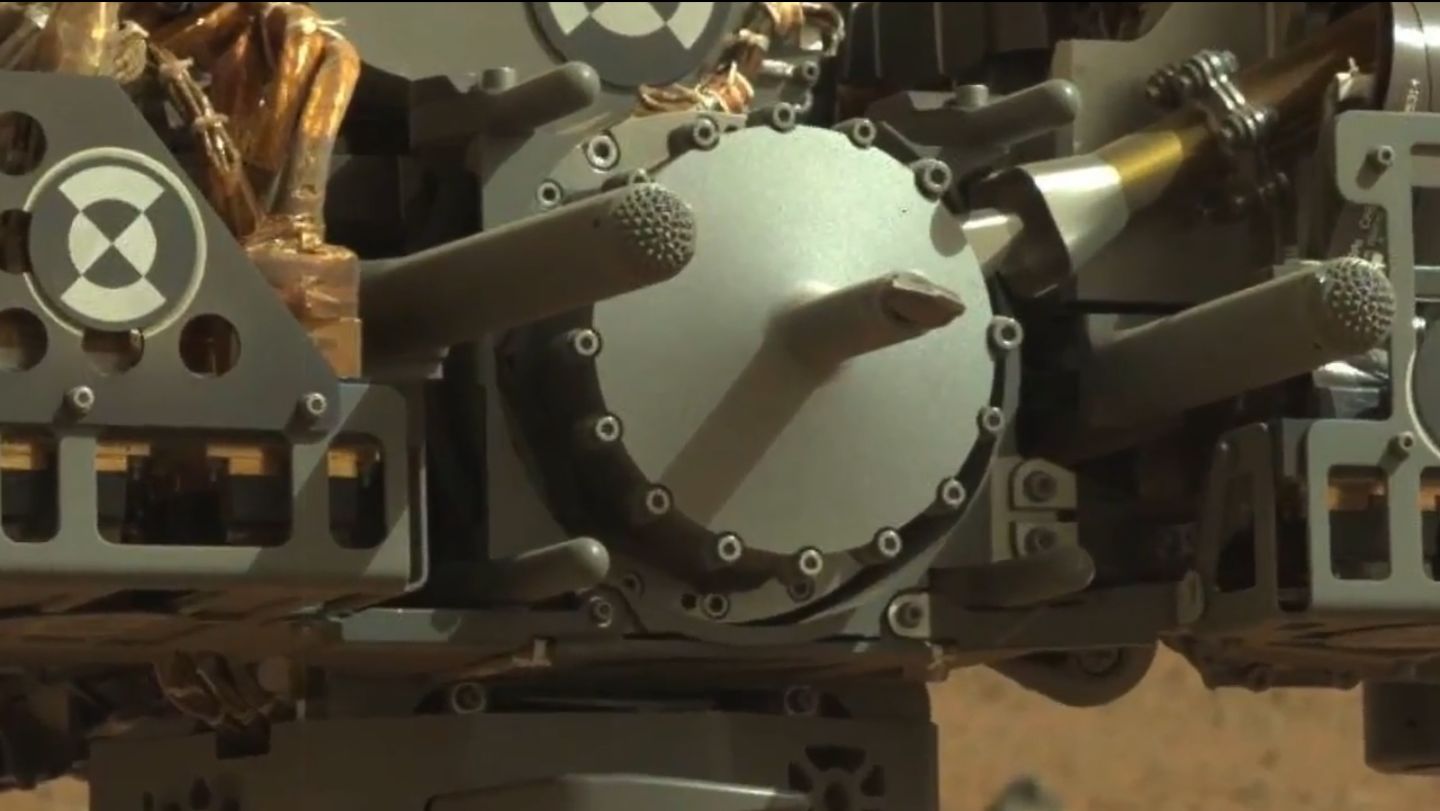
On Sol 43, an unusual rock was identified as a potential target for further tests of the rover’s arm-mounted science instruments – particularly MAHLI, the Mars Hand Lens Imager and APXS, the Alpha Particle X-Ray Spectrometer. During something of an abbreviated day due to the timing of downlink relays on Sol 44, Curiosity took a more detailed look at this rock, as well as observing the early morning atmospheric conditions in Gale Crater and capturing additional images of the instruments mounted on the turret of the robot arm.
A close-in view of the sample acquisition system mounted on the turret at the end of the robot arm
The target rock, roughly the size of a football, was christened Jake Matijevic, in honour of Jacob Matijevic, MSL’s Surface Team Chief Engineer, who passed away shortly after Curiosity arrived on Mars. Matijevic had worked on all three generations of NASA’s Mars rovers, from the tiny Sojourner-class mini-rovers of the 1990s, through the MERs to Curiosity.
Jacob Matijevic, 1947-2012
Please use the page numbers below left to continue reading
Height has always been an issue within Second Life. Not only are default avatars unusually tall compared to the rest of the in-world scaling (most top-out in the 7-8ft range), the camera is offset at a difficult – if not unnatural – angle – which forces people to build oversized structures in order to be able to accommodate it.
I’ve been solving the camera issue for the last couple of years using Penny Patton’s excellent camera offsets, which she first kindly allowed me to reproduce on this blog almost two years ago. Penny has also written extensively on getting a decently scaled avatar, and on the benefits of having realistically sized avatars in-world.
Avatar height issues have long been compounded by the fact that the height display in the viewer’s appearance editor does not accurately reflect the avatar’s height when compared to in-world scaling, with the avatar being around 15 cm (6 inches) taller in-world than is reported by the edit shape height display. This means that even when someone is trying to scale their avatar more realistically using the shape editing tools, they will, at the very least, invariably end up taller than they intend.
The good news here is that there is a good chance that the edit shape height issue may be addressed as a part of the avatar baking project. Nyx Linden will be “diving into” the code for the appearance editor as a part of that project, and may have time to do something about the inaccuracies in the height reporting. Assuming this does happen, it will still leave the problem of starter avatars still being abnormally tall / large, but it’ll certainly be a step in the right direction for those who do wish to size and proportion their avatars more realistically (something which is growing in popularity within SL).
I’ve actually been working on adjusting my own avatar since altering my overall appearance back in August 2010, gradually reducing my height to get down to something which might be regarded as relatively “normal”. Of late, however, I’ve noticed that even with my own downsizing, I’m starting to stand a good head or more taller than friends, and that at a touch over 2 metres in height in bare feet, I’m not always comfortable with my avatar’s height.
The problem is, how does one correctly scale one’s avatar, given the fact the editing tools are so very rough-and ready? Even allowing for the inaccurate height reporting noted above, the sliders are entirely abstract in meaning and at best relate only to an arbitrary start point. The abstraction is made worse by the fact that changes to one slider can impact the proportions controlled by several other sliders, reducing everything to a series of guessimates if using the sliders alone to define your shape.
Penny Patton again comes to the rescue here, providing a superb guide to defining a properly portioned avatar of almost any height and size, which in valuable whether you’re trying to get your avatar sized to realistic proportions or whether you wish to have an abnormally tall or short avatar that is properly proportioned of itself (such as a role-play giant or dwarf, for example). I’ve been meaning to try her tutorial out for a while, but after tripping over a couple of friends recently, thought it was about time I did so :).
I like to think my avatar wasn’t abnormally sized to start with – but I have to admit, the results did startle me, and I’ve yet to see how things stack-up as I wander in-world.
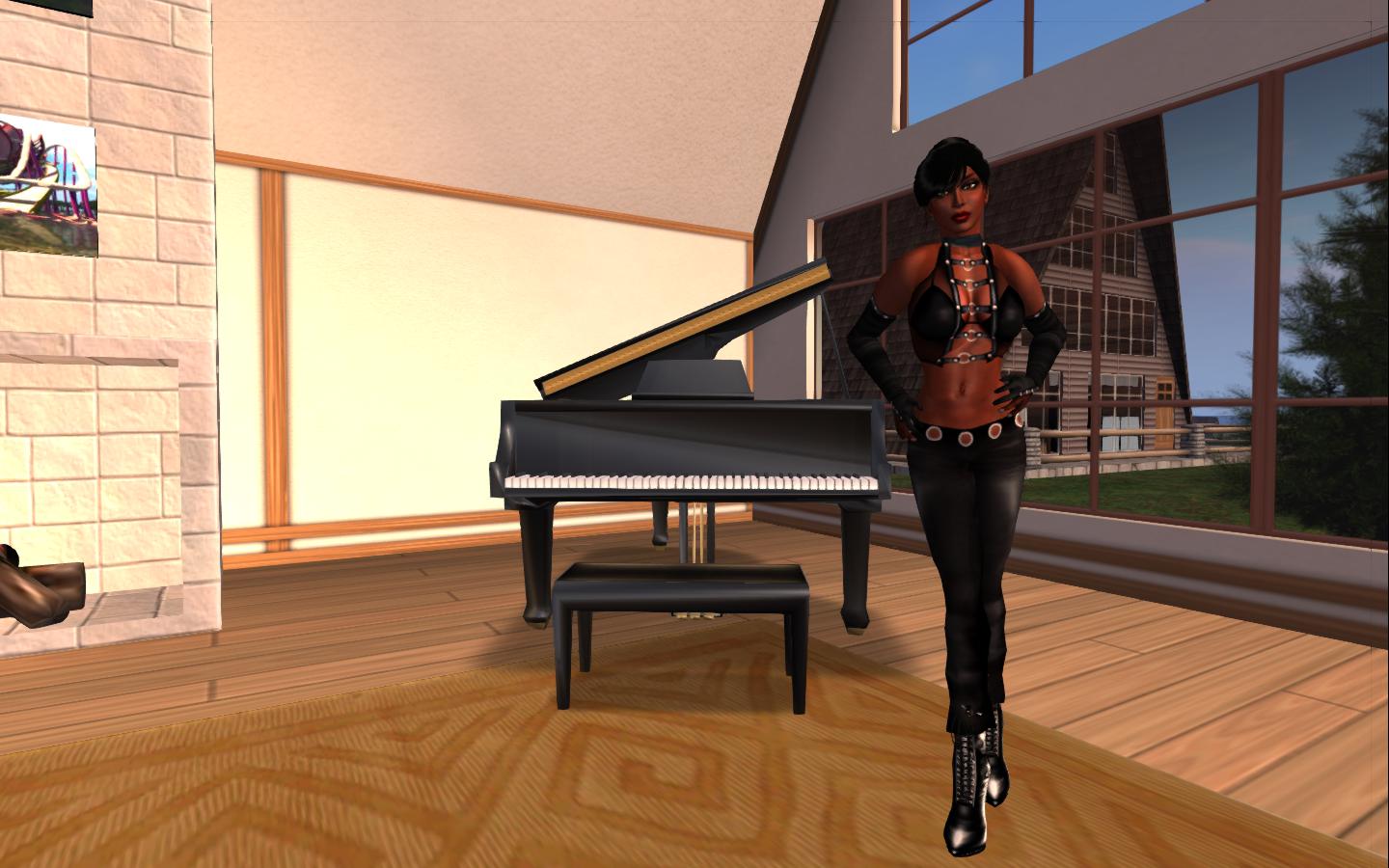
My “usual” height has been just over the 6-foot mark (6 ft 3in, in fact), as mentioned above, and has been that way for a while. This is actually quite moderate in SL terms – or has been – a height which mostly leaves me looking reasonably-well proportioned against many in-world objects.
Me at 6ft 3in (+ heels…)
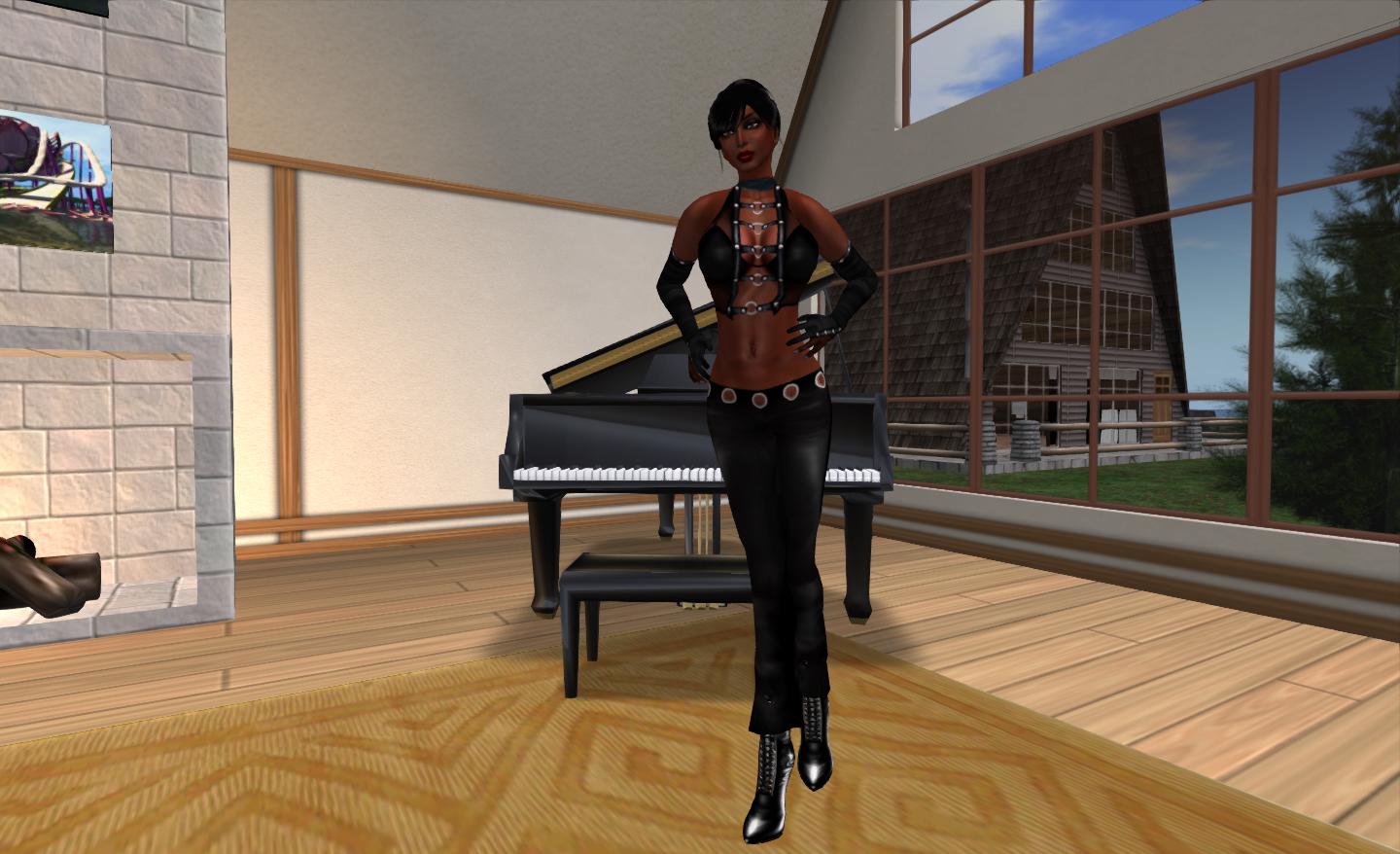
Using Penny’s tutorial I opted to scale my avatar to something approaching my real-world height and size (I’m 5ft 8in in real life, so a little bit on the tall side here as well :)). If I’m honest I did have a small problem with one section of the instructions, which I found a tad confusing to read (but then, put three shovels against a wall then ask me to take my pick, and I’m confused; so the fault is as likely to be mine as much as anything else), but, with a little trial and error, I ended up looking like this…
Me at 5ft 8in
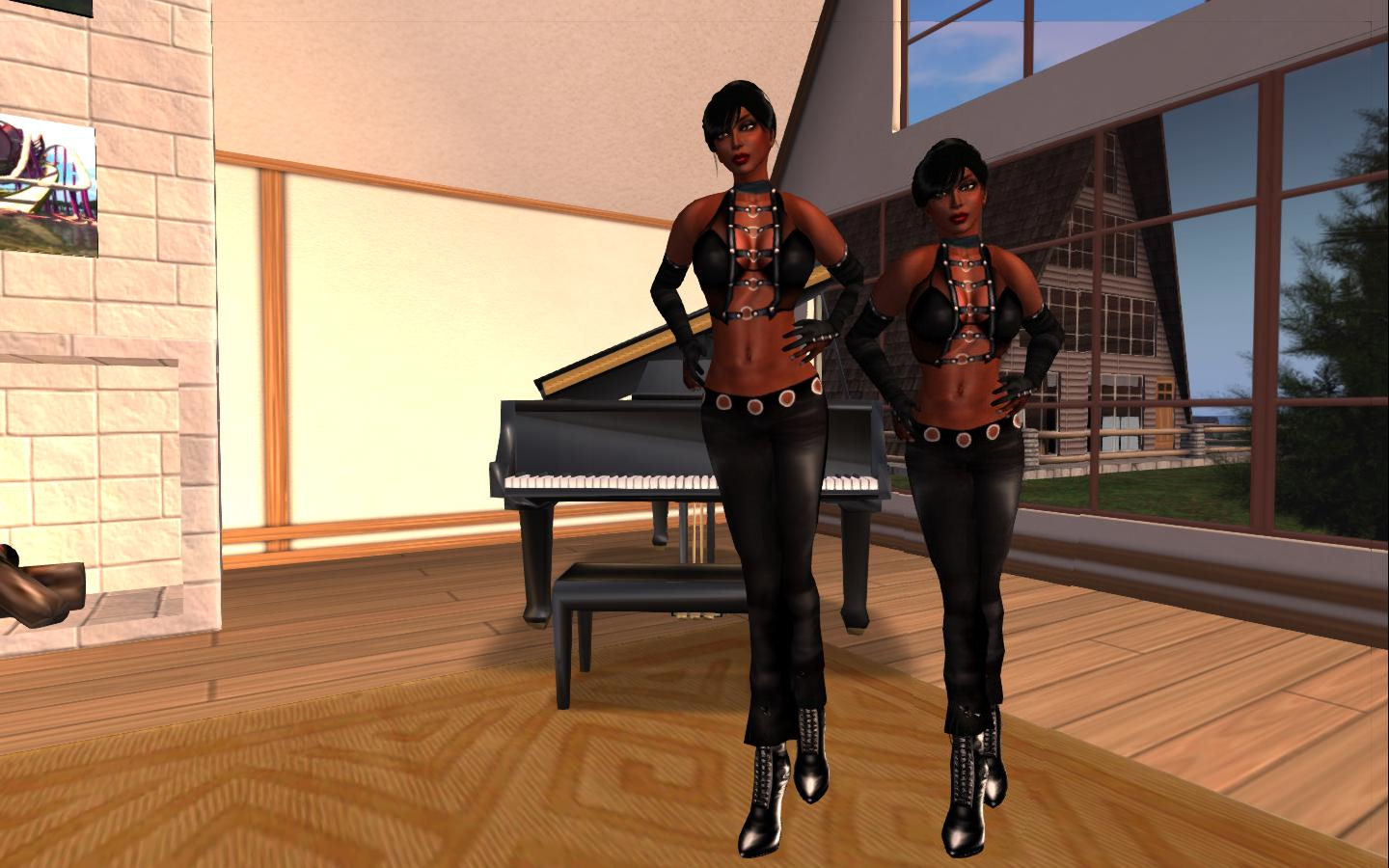
The difference is perhaps a little hard to see, until one compares the two side-by-side (and allows for a slight perspective issue which does actually exaggerate the difference somewhat).
Me at 6ft 3 and me at 5ft 8 (there is a slight perspective exaggeration in the two photos when combined like this)
The finished result, if I’m honest, has me leaning two ways at once. On the one hand, and combined with Penny’s camera defaults, It does give a much better perspective of things in general, and does have major benefits building-wise; were we all properly scaled in-world, we wouldn’t need houses the size of the Royal Albert Hall in which to live. Even my Linden Home now has church-sized proportions about it from my new perspective!
However, on the other, realistic avatar heights open up a world of issues of their own. Take no mod furnishings, etc., for a moment. Adjust your avatar height and proportions and it’s easy to find you have a bed you need a car and a guide-book in order to find your way across from one side to the other. That said, I do more naturally “fit” my piano now, and my feet don’t vanish into the floor when seated…
I’m still adjusting to my new height, and confess to having my “old” shape sitting ready for recall. Even at 6ft+, it still works with Penny’s camera offsets; but I’m going to see how things go with the new economy-sized me for a while – and see how people react as I let her be seen more in-world.
Last week I implemented further changes to this blog as part of my ongoing attempts to improve readability and finding information. At the time, I included a little poll to help gauge feedback, which I set to run for a week.
As the week is now up, here are the results. A total of 40 people took the time to vote. Of these:
33 people (82.5%) liked the new look overall, with 27 indicating they found the layout easier to navigate, and six stating they like it
3 people (7.5%) felt the layout is an improvement, but were not fond of the sidebar appearing on every page
3 people (7.5%) preferred the older layout
1 person had no opinion on the new layout either way.
Poll results
One person remarked that they were having issues with the layout at a resolution of 1920×1080, with white space and problems with random characters appearing in bold. Feedback was requested from several people using the same resolution, and resolutions similar to it (all of which were beyond the range of my own screen output), and while some did remark on the borders around pages, they didn’t feel it was a problem to them, and none reported any issues with random character emboldening.
I don’t intend to make any more substantial changes to the blog for the time being, although I’ll be continuing to tweak things in small ways. However, I would like extend my thanks to everyone who took the time to provide feedback.
Update, October 9th, 2014: Linden Lab announced that development work on Patterns has been discontinued.
On Wednesday 19th September, LL issued the trailer for “Patterns”, one of the two new products announced this week that are completely separate from SL and which represent the company’s first steps in diversification.
Watching the video, again narrated by LL’s CEO, Rod Humble, it is clear that Patterns (apparently the product of a partnership with Free Range Games) is a much more involved product than Creatorverse – and one that is perhaps even more built on LL’s experience in developing world-building tools.
When the new first broke, Lomoco Binder, speaking at an in-world User Group, referred to it as “Minecraft with triangles and physics” – which should not be taken negatively. He was perhaps the first outside of LL to draw the line connecting Patterns with Minecraft in terms of similarity of approach, although it is something that was clearly not lost on LL. The Minecraft parallel is mentioned pretty much front-and-centre by Rod Humble himself in an interview with IGN: “The notion was you take a very simple 3D creation tool, you take that lovely elegance of the resources that’s in Minecraft, and then make the whole thing have physics right from the ground up,” Humble said in describing Patterns.
The core aspect of the game is that of “shared creativity”; people working individually or collectively, developing their own work, sharing it with the world at large so that others can enhance or modify creations and everyone learn from one another. Two additional aspects of the gameplay in Patterns are an element of discovery and the use of a physics engine from the ground-up.
The discovery element is designed to lead people naturally from the basic triangle through to creating more and more complex shapes, using a variety of materials, including wheels and the like. Creations can then be manipulated using the physics engine and can also be naturally affected by the physics engine. For example, build upwards without providing the proper foundations or bracing, and your tower (or whatever) could collapse as a result of the ground giving way beneath it, or simply as a result of its own mass. Similarly, build outward (such as with a bridge) without the proper support, and your structure may collapse before you complete it. Even the materials you chose to build with have different properties and react differently with the physics engine.
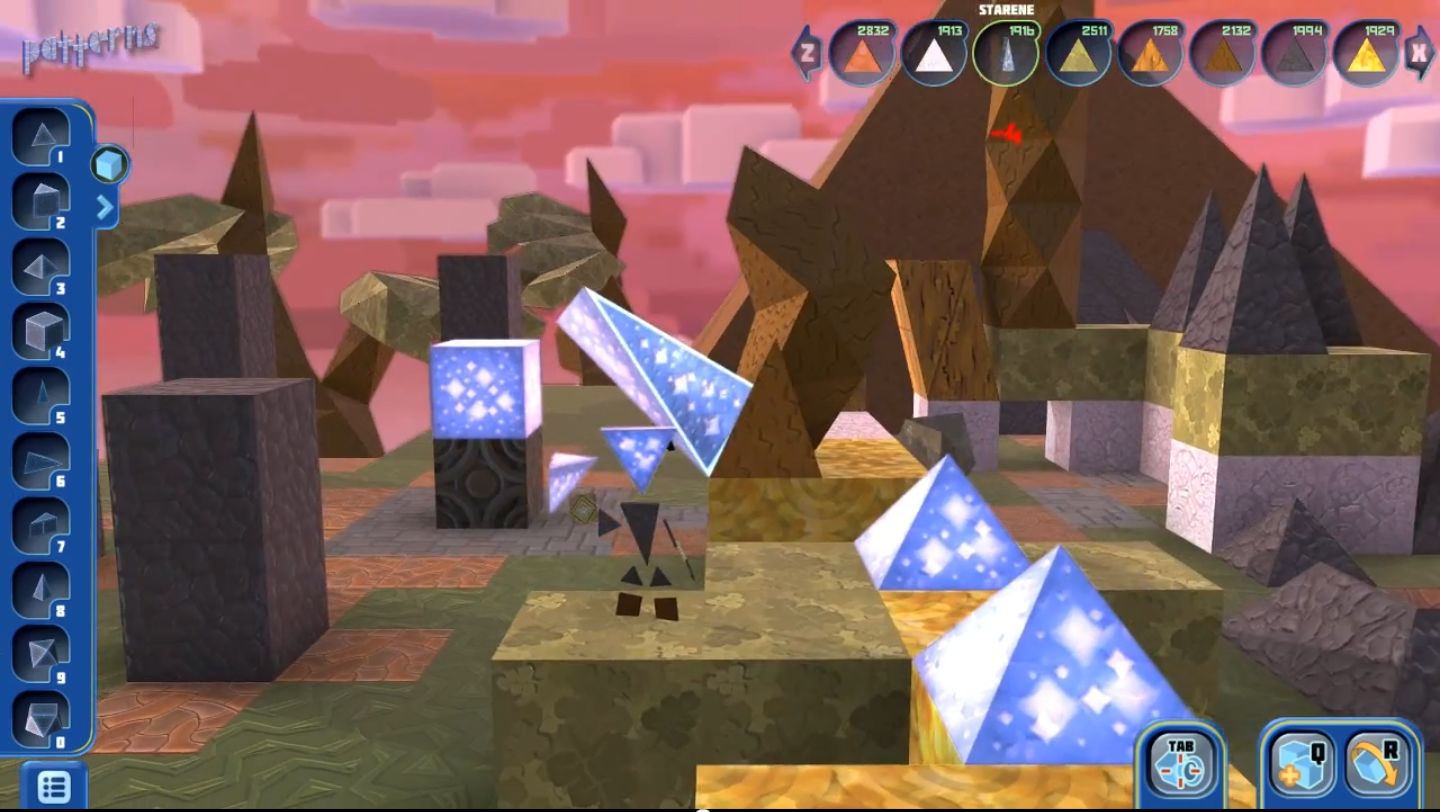
Pattens
While it is going to be a while yet for Patterns to make a formal debut to the world at large, it will shortly be open in what Linden lab is calling a “Genesis Release” program – effectively a pre-alpha release – available to early adopters (Founders) for $10. This is aimed, according to the video, at helping to develop enhanced features within Patterns which can in turn be a part of the launch product and form the basis of on-going collaboration both between users and between users and the company to enhance and develop the product over time. Founders will apparently get all future updates to the game in return for their input.
Patterns
Details on the Genesis Release have yet to be fully release (although IGN state it is happening this week) and neither the video nor the IGN interview hint at the platforms on which Patterns can be used. However, given the pricing of the Genesis Release (which is described as being “low” by OGN, suggesting the released version will cost more), it would appear the game is perhaps not initially aimed towards mobile devices. In the meantime, those interested in gaining further news can try their hand signing-up to the Beta Release form on the Lab’s website.
Patterns also appears as if it will be getting its own dedicated website in the future – buildpatterns.com. At the moment, this resolves back to the Linden Research promo webpage for the product, but it’ll be interesting to see if this remains the case once Patterns is launched and is being used creatively and collaboratively.
 Bob Komin’s departure from Linden Lab at the start of August was widely reported, With Tateru Nino first confirming he had in fact left after a couple of months of speculation he was set to depart.
 His official bio from the management / board page of the new corporate website reads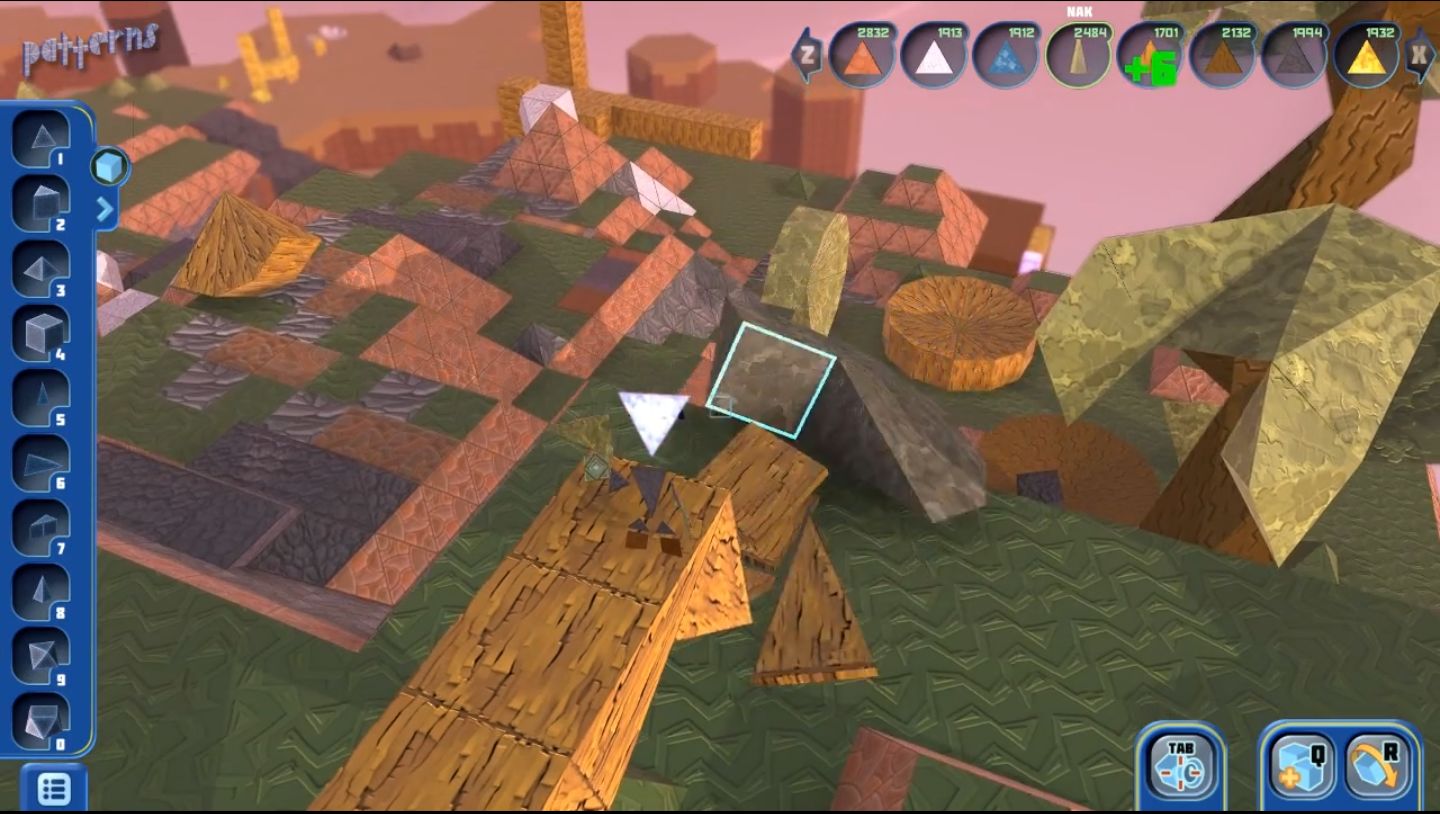





 Inara Pey: Living in a Modemworld