Currently open at Sisi Biedermann’s Gallery and Garden, where it will remain through most of January, is an exhibition of art and words by the Second Life partnership of Ladmilla and Eli Medier, who between them also curate and manage THE EDGE Gallery.
On display are nine images by Ladmilla, each accompanied by a poem by Eli – part of a growing portfolio of joint pieces by the couple, who complement one another perfectly in brining words and images together to create a story from both.
Sisi Biedermann’s Gallery and Garden: Ladmilla and Eli
A photographer in the physical world, Ladmilla admits to initially finding it hard to adapt to taking photographs in Second Life. However, with time and practice she has developed a style of her own, one that is notable in two major ways. The first is in the post-processing of images, in which she often layers-in textures, most of which she has made herself, to give special emphasis to her work, focusing the eye on specific aspects of a piece. The second is the way in which she uses such post-processing, together with the original image, to paint a story rather than just creating a scene; to set the stage our imaginations and emotions are invited to explore.
Eli is a gifted poet who writes mainly in a form of unstressed blank verse to cast a story of its own, allowing each poem to exist independently from the image with which it is presented as well as partnering it. In this way, the poems stand as their own artistic statement, whilst also adding to the narratives to be found within the images – or indeed, having their own meaning caught in time and illuminated by the images. Thus, within the combination of words and art we are effectively given two exhibitions for the price of one, so to speak.
Sisi Biedermann’s Gallery and Garden: Ladmilla and Eli
Ladmilla and Eli are presented on the lower floor of Sisi’s gallery, sharing the December January exhibition time with a collection of Silas Merlin’s utterly superb pastel paintings of children in period costume (see: The pastel world of Silas Merlin in Second Life for more on Silas’ pastel work), which can be found in the hall facing Ladmilla’s and Eli’s exhibit. And, as always, the upper floors of the gallery offer an opportunity to share in Sisi’s own art (see: Dropping into Sisi’s gallery in Second Life for an introduction to her work, if needed).
It’s time to highlight another week of storytelling in Voice by the staff and volunteers at the Seanchai Library. As always, all times SLT, and events are held at the Library’s home unless otherwise indicated. Note that the schedule below may be subject to change during the week, please refer to the Seanchai Library website for the latest information through the week.
Monday, December 23rd
14:00: A Child’s Christmas In Wales – Encore
Aoife Lorefield presents an encore reading of Dylan Thomas’ A Child’s Christmas in Wales in collaboration with musician Grace McDunnough, at the Dickens Opera House.
19:00: Grey from The Wizard of London
Gyro Muggin’s reads an extract from Mercedes Lackey’s The Wizard of London, the 4th volume in the Elemental Masters series.
Set in a Victorian London where magic is real and Elemental Masters control the powers of Fire, Water, Air, and Earth, the novel follows Lord Alderscroft, Master of the British Elemental Masters Council-the most powerful Fire Master ever to lead the Council. Loosely based on The Snow Queen, The Wizard of London delves into Lord Alderscroft’s youth, when he was bespelled by an evil Elemental Master who hoped to use him for political gain.
In Grey, Sarah Jane is sent from her home in Africa to school in London because her parents felt it would be better for her health. But given the conditions in London, however, she might have been safer in the African jungle.
Logos representative only and should not be seen as an endorsement / preference / recommendation
Updates for the week ending Sunday, December 22nd
This summary is generally published every Monday, and is a list of SL viewer / client releases (official and TPV) made during the previous week. When reading it, please note:
It is based on my Current Viewer Releases Page, a list of all Second Life viewers and clients that are in popular use (and of which I am aware), and which are recognised as adhering to the TPV Policy. This page includes comprehensive links to download pages, blog notes, release notes, etc., as well as links to any / all reviews of specific viewers / clients made within this blog.
By its nature, this summary presented here will always be in arrears, please refer to the Current Viewer Release Page for more up-to-date information.
Note that for purposes of length, TPV test viewers, preview / beta viewers / nightly builds are generally not recorded in these summaries.
Official LL Viewers
Current Release version 6.3.5.533275, formerly the Wassail RC viewer, dated November 5th, – No change.
Release channel cohorts:
Xanté Maintenance RC viewer, version 6.3.6.533748, released on December 19th.
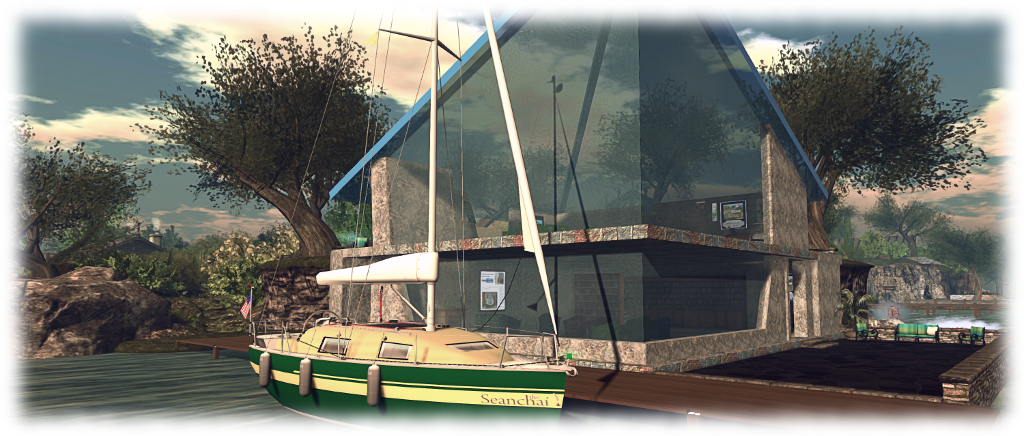
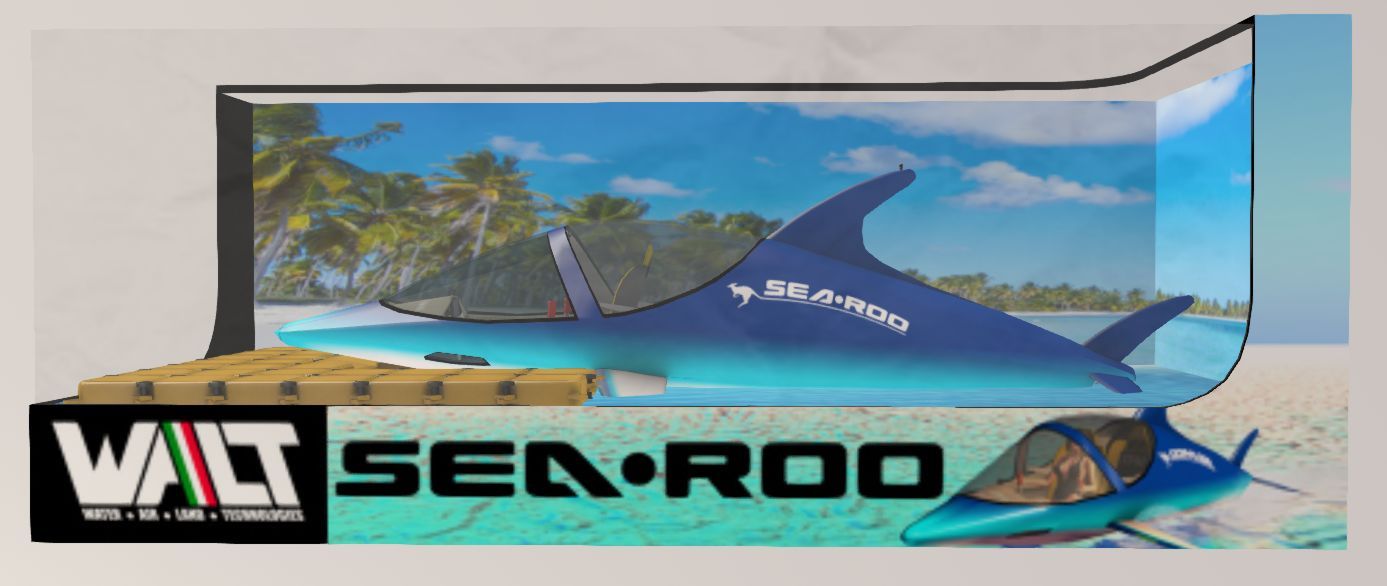
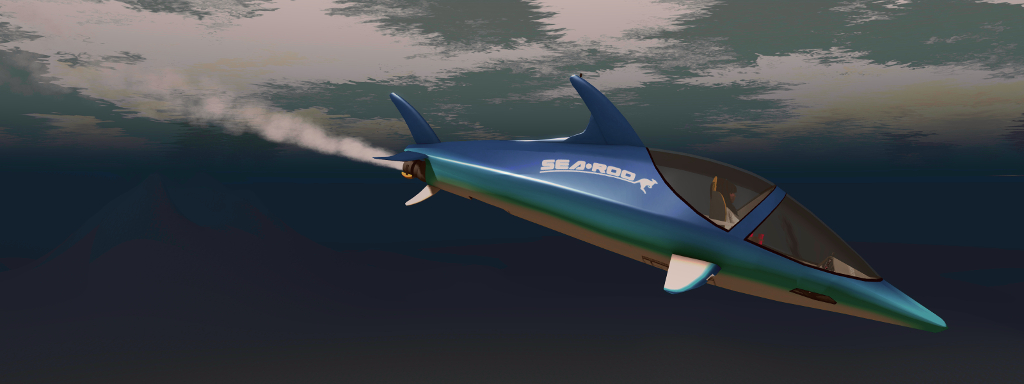
It’s taken a while to reach the market place since I first wrote about it under the prototype name of WaveHopper (see Previewing a little wave hopping in Second Life), but Ape Piaggio’s WALT (Walter, Air Land, Technologies) branded SeaRoo has reached the market. The delays in the release have been due to some final fine-tuning of the vehicle and its scripting – and have also allowed Ape to add further animations as well as a number of further options for the vehicle.
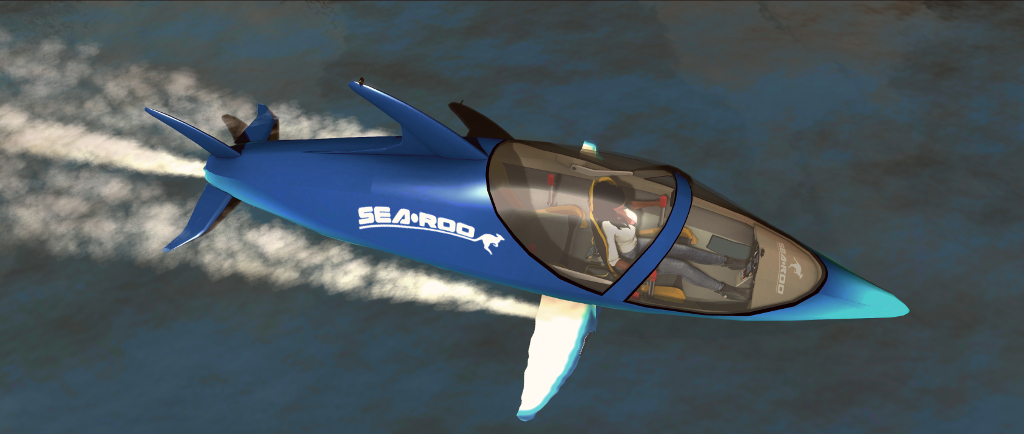
Based on the physical world Innespace Seabreacher, a two-seat semi-submersible personal watercraft that is shaped like a Dolphin and mimics its movement on and under the water, the SeaRoo behaves like a speedboat and can make short dives (up to 60 seconds at a time) underwater. It can be piloted in both Mouselook (the dashboard has working instruments) and third-person views, making it an all-around leisure craft.
Priced at L$3,000, the SeaRoo is delivered in a package that comprises the vehicle, a system to build one or more SeaRoo mooring points (and which includes a fuelling station), an obstacle / race course building set, the SeaRoo Key (described below), a tool kit for adding custom animations (it comes with a range of single and couple animations for when it is not being piloted) and a comprehensive set of manuals, the main user guide of which includes a link for downloading a set of .PST files should you wish to create paint schemes for the vehicle.
The SeaRoo can be touched for a menu system. If touched when outside the vehicle, the menu is more limited in scope (l) than when seated in the vehicle (r). When seated, the full menu is displayed, providing access to all of the vehicle’s options and settings. Refer to the SeaRoo’s user manual for full details
I’m not going to run through absolutely everything with the SeaRoo – the user guide is comprehensive in that regard, but it is worth covering come of the highlights.
SeaRoo Controls and Operation
By default, the SeaRoo’s controls match those of an aircraft:
The ◀ and ▶ or A and D keys turn the SeaRoo left or right when in motion.
The ▲ and ▼ or W and S keys pitch the nose down (dive) or up (surface / jump)
The PAGE UP and PAGE DOWN keys or E and C increase and decrease the throttle respectively, with PAGE DOWN / C putting the vehicle into reverse from 0% throttle.
A double tap on PAGE UP / W will set the throttle to 100%.
Pressing PAGE UP and PAGE DOWN (or E and C) simultaneously will cut the throttle to 0%.
Those who prefer a boat-style layout for the main controls, with the ▲ and ▼ (W and S) keys controlling the throttle, can switch to this mode of operation via the menu → Settings → Tuning → CTRL Style. In this mode, the PAGE keys and E/C will control the SeaRoo’s pitch down/up.
To sit in the vehicle, right click on it and select Sit Here from the context / pie menu. Once seated, and as with most vehicles, the SeaRoo’s engine can be turned on / off using “s” in local chat, or “start” / “stop” – note that all of the SeaRoo’s chat commands are entered in lower case.
Zipping along above the waves
Key Vehicle Features
“Keyless Activation”
Enabled by default, this causes the canopy to open and the dashboard to engage when you are with a few metres of your SeaRoo. Similarly, when moving away from the vehicle, the dashboard will turn off and the canopy canopy automatically close. This option can be disabled / enabled via the menu: Settings → Keyless.
The HUD
The Sea Roo HUD
By default, those sitting in a SeaRoo (pilot or passenger) get offered a HUD. It is not vital to piloting the SeaRoo, but provides an informational display (shown on the right) for fuel, speed, heading, engine temperature and power settings. It also includes three buttons:
Resize: increase / decrease the HUD’s size via a dialogue box.
Menu: access the main menu.
Colors: set the colours for the SeaRoo’s dashboard.
Note that the HUD is inactive whenever the SeaRoo’s engine is not running, and further details can be found in the user guide.
Hovertext Information
When the SeaRoo’s engine is on, information on the vehicle’s speed, engine power level and temperature, and the fuel level is displayed over the SeaRoo’s tail. It can be disabled / enabled by typing “hud” in local chat.
General Handling Notes
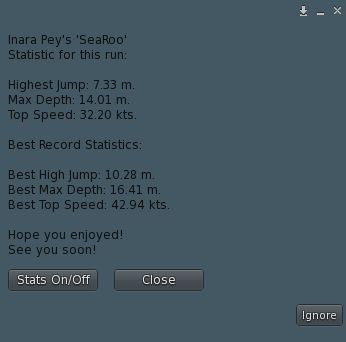
After any trip, the SeaRoo can report a set of statistics for you. Toggle off via the button, if required
Like many vehicles, the faster the SeaRoo goes, the more responsive it becomes. As such, I recommend handling it at low to mid-range speeds to get familiar with it, rather than leaping in and going flat out; but keep in mind some capabilities work best at mid to higher speeds, such as diving / staying underwater, and performing jumps and acrobatics.
As speed is increased, the SeaRoo also takes on a nice Dolphin-like movement as if responding to the waves as it moves. Also, like a real boat, if it is moving at speed and you press both throttle keys to drop the throttle to 0%, it may take time to come to a complete stop.
The vehicle’s time underwater is – as noted – limited to 60 seconds. This is because the air intakes must be closed when submerged. A timer is displayed with the stern hovertext to help keep track of submerged time, and an audible alarm will sound when 20 seconds of submerged time remains. Try to stay underwater beyond 60 seconds, and the engine will cut out to prevent damage, and the SeaRoo automatically surfaces. Once there, and providing the AutoRestart option has not been disabled, the engine will automatically restart.
Jumps are achieved from underwater by making sure you have sufficient speed, then pitching the nose up by about 30-45°. As you clear the water, gently pitch the nose forward to re-enter the water. Note that if you are moving too slow or pitch the nose up too high, the SeaRoo might either stand on its tail and fall backwards into the water, or perform a belly flop. You can also use SHIFT+ ◀ or A to roll left or SHIFT+ ▶ or D = roll right for both underwater acrobatics and to help level the SeaRoo after turning.
Taking a dive under the sea – note the bow light will, be default, come on automatically when underwater and turn off when on the surface
Refuelling
The SeaRoo has a limited fuel supply, and can be refuelled in a couple of ways:
Using the fuel pump supplied with the SeaRoo dock system or any Bandit / TMS compatible gas station – see the user guide for details.
Using the SeaRoo’s fuel canister when at sea: with the engine stopped and type “f” in local chat (no quotes) to trigger the refuelling animation. Note you may have to repeat this to completely fill the tank.
Lambie, December 2019 – click any image for full size
Update, December 29th: Lambie has closed!
Lambie is a new Homestead region design by marinestella that offers something of an escape from the deep snows of winter, with a minimalism that – at the time of our visit – was still so new it was still being worked on, so details may have changed a little between what you see on a visit and what is noted here.
The simple aesthetic of the design in some ways offers a distant echo of one of SL’s popular and missed regions: Roche, in its original form (see this article from 2012 and this one from 2015); although this echo is purely coincidental, rather than anything deliberate.
Lambie, December 2019
This echo comes from the lay of the land: the large central lake surrounded by a path running around it bordered here and there by buildings. However, It is only in this similarity of the design that the echo of Roche can be found; for the rest, Lambie is its own design.
Sitting between the path, with its smattering of snow, and the lake is a ring of denuded trees, their lack of leaves and the colour of the water pointing to this being something of cold place, if not one caught in the depths of winter. The trees are broken in four places by broad gaps that sit almost like the cardinal points of a compass to allow unhampered access to the waters of the lake.
Lambie, December 2019
The buildings around the ring of the island comprise a little farm hut, an open-sided barn and outhouse and a bus stop shelter. To the east of the island is a small, time-worn beach, little more than a ribbon, the fence-like line of concrete flood barriers separating it from the rest of the landscape (other than for a single gap), while just offshore stand the remains of overhead power cable pylons. These are mirrored on the west side of the region by more broken pylons, the positioning of each set suggesting the land once extended much further outwards than is now the case.
The overall setting is both suggestive of cold air and passing gusts of light snow, and also of warm times and sunlit opportunities for photography. It’s the kind of place that encourages people to cuddle up to share one another’s warmth – or perhaps share a warming drink of hot chocolate or similar.
Lambie, December 2019
There’s also a feeling of age to the setting: the building look careworn, the grass and trees have a sense of being long used to the changing seasons, while the lake offers its own detritus to match the broken outlying pylons: a Ferris wheel car long separated from its wheel, an old pier with a broken section that lies canted and partially sunk a few meters away.
Lambie does suffer from some issues in its design: the track around the island doesn’t feel like a natural part of the landscape and has physics disabled, causing visitors to sink into it for example. However, finished with a subtle sound scape and with a smattering of sea birds wheeling in the sky, this is a region that is easy on the viewer as well as on the eye. For those in the mood, a pedal boat rezzer is available on the west side of the island for trips around it.
Ignition: the United Launch Alliance Atlas V topped by an uncrewed Boeing CST-100 Starliner vehicle lifts-off from Space Launch Complex 41 at Canaveral Air Force Station on its uncrewed Orbital Flight Test mission. Credit: ULA / Boeing
On Friday, December 20th, 2019, NASA and Boeing, together with launch partner United Launch Alliance (ULA), attempted to undertake the first flight of the Boeing CST-100 Starliner commercial crew transportation system to the International Space Station (ISS).
I say “attempted” because while the first part of the mission went precisely to plan and the Starliner successfully reached orbit, a software issue left it unable to reach the ISS. However, while this prevented a core mission objective from being met – that of rendezvousing and docking with the ISS – it did not leave the mission a failure: the ascent to orbit was successful, with a lot of data gathered on the vehicle’s performance, and further data could be gathered while on-orbit and during the vehicle’s return to Earth – also a critical part of the test.
The vehicle was uncrewed for this test flight, but is carrying a range of cargo – including Christmas gifts for the ISS crew; tree seeds that will be planted on Earth after the mission to mark it; a mannequin fitted with a host of sensors to measure the stress placed on a human body during the flight to orbit (the mannequin is called “Rosie the Rocketeer” in reflection of “Rosie the Riveter”, the iconic role model for U.S. women working in factories and on production lines in WWII, and a Snoopy soft toy “zero gee indicator” – Snoopy is the mascot for NASA’s Artemis programme to return humans to the Moon.
The Atlas V, dual Centaur and CST-100 vehicle stack. Credit: ULA
Things started off well enough: following a near-perfect count down, the core booster of the Atlas V and its two strap-on solid rocket motors ignited precisely on time at 11:36:43 UT (06:36:43EST) on the launch pad of Space Launch Complex 41 at Cape Canaveral Air Force Station, and the vehicle lifted off smoothly into the still-dark early morning sky.
Due to the need to keep the vehicle within a 3.5 G limit during ascent, the Atlas V rose into a “flat” trajectory during its climb, the two solid rocket boosters being jettisoned some 2 minutes into the flight, the core stage motors continuing to burn for almost three more minutes before BECO – Booster Engine Cut-Off – was called. Shortly after, the core stage of the Atlas V separated from the Centaur upper stage, allowing it to fire its twin RL-10A motors – marking the first time a twin-engined Centaur had been used with the Atlas V booster. Again, the additional power provided by the additional motor was required to push Starliner toward orbit, running for seven minutes in the process.
It was after the Starliner has separated from the Centaur upper stage that the major problem occurred. At this point, the vehicle was supposed to orient itself and then fire the main engine on the service module to push itself into an initial orbit that would allow it to complete further engine burns to both raise its orbit and circularise it, allowing the Starliner to catch-up and rendezvous with the ISS.
However, that initial burn failed to occur on time. Instead the vehicle continued to fire its attitude control thrusters while ignoring commands from Earth to fire the the service module’s motor. Some seven minutes passed before the engine was ignited, allowing Starliner to achieve its initial orbit – but by that time its was “off course” in relation to where it needed to be in order to catch up with the ISS, and had used too much attitude control system fuel to be able to make necessary course corrections and achieve any form of rendezvous with the ISS.
The Boeing Starliner space vehicle experienced an off-nominal insertion. The spacecraft currently is in a safe and stable configuration. Flight controllers have completed a successful initial burn and are assessing next steps. Boeing and NASA are working together to review options for the test and mission opportunities available while the Starliner remains in orbit.
– Kelly Kaplan, Boeing’s spokesperson, after the planned automated engine burn failed
According to initial investigations, it is believed that the mission clock aboard Starliner overseeing all of the vehicle’s automated flight operations – including triggering the engine burn – had incorrect data, causing it to believe the service motor had fired, and thus triggering the use of the attitude control system. While the issue left Starliner unable to reach the ISS, mission controllers were able to order the vehicle to complete two additional engine burns to put it into a near-circular 250km high orbit, where a range of tests on the vehicle have been made, and from which it could complete its planned EDL – entry, descent and landing.
A couple of important points to highlight here is that had the vehicle been carrying a crew, they would not have been in any danger – in fact, they would likely have been able to correct the initial burn failure, allowing the rendezvous with the ISS to take place.
The stages of a Starliner’s return to Earth. Credit: Boeing
With the issue understood – if not the cause known – the decision was taken to complete the planned orbital tests and then bring the Starliner back to Earth and a landing at the White Sands Missile Range, New Mexico on Sunday, December 22nd. These orbital test included testing the navigation systems and the vehicle’s flight handling, and communications (including establishing a link with the ISS).
Landing commenced with Starliner turning itself around and using the service module’s motor in a de-orbit burn. This took place at 12:23 UT (06:23 CST at the White Sands landing ground) on December 22nd, slowing the vehicle sufficiently for it to start a decent into the denser part of the Earth’s atmosphere. Three minutes after this, the service module was detached and left to burn-up in the upper atmosphere.
The capsule, protected by a double heat shield system – referred to as the forward heat shield (protecting the upper part of the vehicle: the airlock and the landing system parachutes) and the base heat shield (at the base of the capsule and designed to protect it from the full heat of atmospheric entry) and covered in a thermal protection system – reached “entry interface” some 20 minutes later. This is the point where the atmosphere becomes dense enough to generate friction around the vehicle, both heating up and slowing the vehicle down. At this point, Starliner was some 15 minutes away from landing.







 Inara Pey: Living in a Modemworld