SL project updates 16 15/1: server, viewer, Aditi inventory syncing

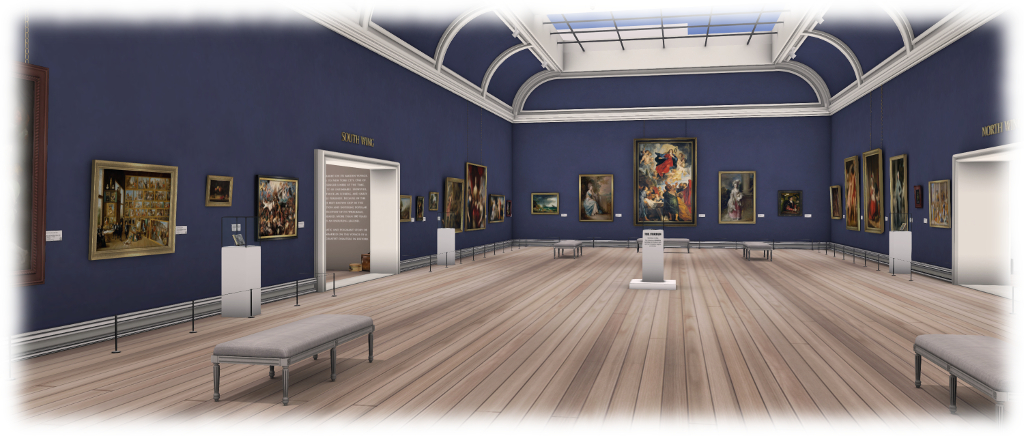
Tatakai Tochi; Inara Pey, April 2016, on Flickr Tatakai Tochiblog post

Server Deployments

On Tuesday, April 12th, the main (SLS) grid was updated with the server maintenance package previously deployed to the three RC channels in week #14. This comprises a fix for (non-public) BUG-11163 llHTTPRequest returns 400 from some sims and not others, and some minor internal fixes.

Commenting on the llHHTTPRequest update at the Simulator User Group meeting on Tuesday, April 12th, Oz described the reason for the update as follows:

Some time ago I changed the code so that when LSL sends an HTTP request it is more explicit about what MIME types it will accept. That uncovered a much older bug in how the list of acceptable types was maintained; when a region updated its configuration, the list got duplicates. When all we were using the list for was checking a response, all that cost was a tiny bit of extra time, but when we started sending them it caused requests the servers sometimes didn’t like.

SL Viewer

There has been no change to the current list of official viewers since my last update.

  • Current Release version: 4.0.3.312816 (dated March 23), April 1 – formerly the HTTP / Vixox RC viewer download page, release notes
  • Release channel cohorts (please see my notes on manually installing RC viewer versions if you wish to install any release candidate(s) yourself):
    • Maintenance RC viewer 4.0.4.313759 release on April 8 – fixes for iewer crashes, memory leaks, input/cursor issues, graphics bugs, invisiprims, formatting and notifications (download and release notes)
    • Quick Graphics RC viewer updated to version 4.0.2.312297 on March 11 – provides the new Avatar Complexity options and the new graphics preset capabilities for setting, saving and restoring graphic settings for use in difference environments / circumstances (download and release notes)
  • Project viewers:
  • Obsolete platform viewer version 3.7.28.300847 dated May 8, 2015 – provided for users on Windows XP and OS X versions below 10.7. This viewer will remain available for as long as reasonable, but will not be updated with new features or bug fixes and will not be promoted to release status (download and release notes)

Aditi Issues

Inventory Syncing

Work is continuing on the Aditi inventory syncing issues (see here for details). In terms of the local caching issues previously reported (see also BUG-11651) , the Lab is testing a build of the viewer which will create separate inventory .gz files for Agni and Aditi, and which appears to overcome the issues of “phantom” Aditi assets appearing in Agni inventory and Aditi assets apparently “vanishing” from Aditi inventory, both until such time as the viewer cache is cleared.

The updated test viewer creates individual inv.gz files for Aditi (red) and Agni (blue) inventories, thus avoiding the issues og BUG-11651 (with thanks to Whirly Fizzle for the pointer)
The updated test viewer creates individual inv.gz files for Aditi (red) and Agni (blue) inventories, thus avoiding the issues reported in BUG-11651 (with thanks to Whirly Fizzle for the pointer)

The Calling Card and Favourite folders are also being synced at the moment, although it looks like these will be excluded (as had been the plan) alongside the Current Outfit Folder.

Aditi log-ins

Some people are still having issues logging-in to their last location on Aditi. When attempting to log-in, people either have to wait an age or, when eventually logged-in, arrive an a random location on the Beta grid. Not all users logging-in to Aditi are affect, but for those who are, the problem is persistent, and has been for a number of months.  There is some speculation that the issue might be inventory related, as was the case a couple of years back (see BUG-7707), and the Lab are going to poke at this to see if something similar is again occurring.

SL project updates 16 14/1: server, viewer

Noire'leans; Inara Pey, April 2016, on Flickr Noire’leans – blog post

Server Deployments Week #14

There was no scheduled deployment to the Main (SLS) channel this week. All three RC channels received the same server maintenance package, comprising a fix for (non-public) BUG-11163 llHTTPRequest returns 400 from some sims and not others, and some minor improvements. Assuming nothing goes sideways with this update, it should be promoted to the Main channel in week #15 (commencing Monday, April 11th).

It is currently not clear if there will be a further update to the TC channel in week #15; this will apparently be determined on work being carried out over the next few days.

SL Viewer

Current Release Version – HTTP / Vivox Updates

The HTTP  / Vivox RC viewer was promoted to the de facto release viewer at the end of week #13. Version 4.0.3.312816 (dated March 23rd) presents a complete replacement of the under the hood HTTP infrastructure, replacing the self deleting responders with coroutine implementations for improved performance and stability, and to provide finer grained concurrency allowing the Viewer greater control over the numbers and types of HTTP requests that can be simultaneously outstanding.

The HTTP changes affect all areas of the viewer that use Sim Capabilities. These include, but are not limited to:

  • Asset upload (Images, Meshes, Animations)
  • AISv3 inventory manipulation
  • Viewer Managed Marketplace
  • Simhost event polling
  • LSL script compilation
  • Experience management (blocking, allowing, creating)

Alongside of this work, undertaken by Rider Linden to extend Monty Linden’s previous work on HTTP, this viewer sees the removal of  a considerable amount of deprecated and unused code, and a range of Voice fixes and improvements.

Remaining Viewer Channels

The promotion of the HTTP / Vivox viewer leaves the remaining viewer channels as follows:

  • Release candidate cohorts:
    • Quick Graphics RC viewer, version 4.0.2.312297, dated March 11th – awaiting update to bring it to parity with the release viewer
  • Project Viewers:
    • Oculus Rift project viewer updated to version 3.7.18.295296 on October 13, 2015 – Oculus Rift DK2 support (download and release notes)
  • Obsolete platform viewer, version 3.7.28.300847, dated May 8th, 2015 – provided for users on Windows XP and OS X versions below 10.7 – expect this viewer to potentially vanish once TLS 1.2 is implemented.


SL project updates 16 13/1: Aditi inventory, invisiprims

[G]aio; Inara Pey, March 2016, on Flickr [G]aioblog post

Server Deployments Week #13

There are no scheduled deployments or restarts planned for the week. The next deployment should occur in week #14 (week commencing Monday, April 4th, when the release candidate channels should receive a server maintenance package containing some (as yet)  unspecified fixes.

SL Viewer

The Project Bento viewer, containing the new avatar skeleton extensions, updated on Tuesday March 29th to version 5.0.0.313150. The remaining viewer channels remain unchanged from the end of week #12:

  • Current Release version: 4.0.2.312269, dated March 17th – formerly the Maintenance RC viewer
  • Release candidate cohorts:
    • HTTP updates and Vivox RC viewer, version 4.0.3.312816, dated March 23rd – probably the next viewer in line to be promoted to the de facto release status
    • Quick Graphics RC viewer, version 4.0.2.312297, dated March 11th – possibly to go through a further update (tests were being carried out with  the Avatar Complexity settings in week #12)
  • Project viewers:
    • Oculus Rift project viewer updated to version 3.7.18.295296 on October 13, 2015 – Oculus Rift DK2 support (download and release notes)
  • Obsolete platform viewer, version 3.7.28.300847, dated May 8th, 2015 – provided for users on Windows XP and OS X versions below 10.7.

Aditi Inventory Problems

As noted in part #2 of my last project update, there are issues with the new Aditi inventory syncing mechanism.

One issue is that items created on Aditi following one inventory syncing process will disappear from inventory when logging into Aditi following the next inventory syncing run (see BUG-11651).

This is likely the result of the viewer using the same cache, regardless of the grid you log-in to. The current fix is therefore to clear the viewer cache completely or to delete the inventory .gz files from your cache folder), and then log back into Aditi.

However, this approach in turn causes an issue of its own.

When logging back into Agni (the main grid) after clearing cache as described above, the Aditi assets will appear to be listed in your Agni inventory. However, any attempt to rez or wear or share the assets from Aditi will result in an error message, because the assets themselves are not physically part of your Agni inventory. Again, the solution is to clear cache  / remove the inventory .gz files from your viewer cache and re-log into Agni.

Also noted in the JIRA is this issue results in some very odd duplication of Calling Cards on Aditi.

The Solution

The desired fix is to have different inventory caches for each grid visited, and as noted in the JIRA report, this is how the Lab intends to proceed.

Invisiprims

As noted in the part #3 of my last project update, there is a new issue with invisiprims, which sees any object, worn or in-world, using the texture UUIDs associated with them rendered at a solid grey or black surface or object, regardless of whether ALM is enabled in the viewer or not. Prior to this issue occurring, the result of a change made in the current release viewer (version 4.0.2.312269), invisiprims would either mask whatever was behind them with ALM off, or simply be ignored if the viewer was running with ALM enabled.

The new invisiprim issue is that regradless of whether a viewer is running with ALM disabled (l) or enabled (r), worn or in-world objects using them now appear either solid grey or black (click image for full size, if required)
The new invisiprim issue is that regardless of whether a viewer is running with ALM disabled (l) or enabled (r), worn or in-world objects using them now appear either solid grey or black (click image for full size, if required)

As having grey surfaces and objects appearing on avatars in in-world (remembering that there is a lot of old, No Mod content in-world which makes extensive use of invisiprims and their associated textures, and this approach makes them look very unsightly to anyone viewing them), the suggestion has been put forward that the viewer should be modified to simply ignore the invisiprim texture UUIDs or treat them simply as “normal” transparent textures regardless of whether or not ALM is enabled in the viewer, and a fix has been submitted to the Lab to achieve this.

Asked during the Simulator User Group meeting on Tuesday, March 29th, if the Lab had reached a decision on adopting the fix, Simon Linden said, “We were talking about it earlier … nobody wants to do anything to break content; so we have the hole-in-the-water use, which is nice for boats and such.”

Oz Linden then added, “We’re going to do some testing of alternatives… so I guess the answer is that we don’t have a final decision yet.”

SL project updates 16 12/3: invisiprims

Invisiprims: as they were with ALM disabled (left) and ALM enabled (right) and as they appear now, with or without ALM enabled (LL official viewer)
Invisiprims: with ALM disabled (left) and ALM enabled (right); and as they appear now in the official viewer, with or without ALM enabled (click for full size, if required)

As noted in my week #11 update, the current release of the LL viewer now effectively “breaks” the remaining invisiprim capability in the viewer, with any object or surface using them rendered as either solid grey or black, something which is seen as less than optimal with regards to long-standing in-world content, prompting some debate as who should be done with invisiprims going forward.

To understand what has been discussed, and what is likely to be done, it is necessary to dip back into some history.

Background

One upon a time, Invisiprims were the means of achieving an alpha mask effect. For example, their use in footwear meant that an avatar’s feet could be masked to prevent them showing through shoes and boots. They could also be used in-world as well, a typical example being their use to mask Linden Water from being seen inside boat hulls or things like dry docks – one of the most famous examples being the dry dock at Nautilus (shown below).

As it used to be: the Nautilus dry dock uses an invisiprim to mask the Linden Water - but for the last few years this has onlt worked for viewers with Advanced Lighting Model (ALM) disabled
As it used to be: the Nautilus dry dock uses an invisiprim to mask the Linden Water. For the last several years, this has only worked when the Advanced Lighting Model (ALM) in the viewer is disabled

Invisiprims were able to do this by making use of two unique texture UUIDs within the viewer which, when called, would act as alpha masks. However, this always came as a cost to rendering, and could lead to unpredictable results (e.g. glitches with rendering, odd interactions between the invisiprim textures and other textures, etc.). Because these issues became particularly problematic when using some of the advanced rendering capabilities (what is now called the Advanced Lighting Model or ALM) in the viewer, a decision was taken a number of years ago to have ALM ignore the alpha masking effect of the invisiprim texture UUIDs.

Thus, anyone running the viewer with ALM enabled for the last several years  has not seen the masking effects of invisiprims; avatar body parts show through wearable items which use them, for example (hence the adoption of more efficient alpha layers by clothing and accessory designers). Nor do in-world invisiprims act a masks for things like Linden Water when viewed with ALM active (as illustrated below), although they would still alpha mask if ALM was disabled in the viewer.

As it has tended to be: the Nautilus dry dock uses an invisiprim to mask the Linden Water, the texture of which is completely ignored by the viewer when rendering with ALM enabled.
Following the changes made a few years ago to the Advanced Lighting Model, the “magic” invisiprim texture UUIDs are ignored during rendering, with the result that they no longer mask things like Linden Water when seen in a viewer with ALM enabled

While this latter point – the lack of ability to hide things like Linden Water from view – may have appeared less than perfect at the time the changes were made, it has over the ensuing years become accepted behaviour when seen in-world.  So what has now changed to once again make invisiprims a subject of discussion?

The New Problem and Its Proposed Solution

In short, a recent change to the viewer rendering system, (found in the current release viewer, 4.0.2.312269) means that anything using the invisiprim texture UUIDs is now seen as a sold grey or black surface / object regardless as to whether ALM is enabled in the viewer or not. This has led a lot of long-standing, No Mod in-world content looking distinctly odd and unsightly (shown below, again using the Nautilus dry dock).

The new invisiprim issue is that regradless of whether a viewer is running with ALM disabled (l) or enabled (r), worn or in-world objects using them now appear either solid grey or black (click image for full size, if required)
A change to the 4.0.2.312269 release viewer means that invisprims now render as solid grey or black surfaces / objects whether or not ALM is enabled in the viewer. With in-world content, this has led to some unsightly results, such as the Nautilus dry dock looking like it has been filled with cement (click image for full size, if required)

BUG-11562 was raised highlighting this latter impact to in-world content, with a request that the change be updated so that any surface using the “magic” invisiprim UUIDs is simply rendered as “invisible” (i.e. transparent, as is the case when running with ALM enabled). There has also been some debate among TPV developers about how to adopt the Lab’s code change, as well as the matter being discussed at both the Open-Source Developer meeting and the TPVD meeting held on March 25th, 2016 (audio extract below).

The latter discussions have resulted in both the Lab and TPV developers agreeing that the best solution would be to follow the BUG-11562 suggestion, and have surfaces and objects using the invisiprim UUIDs render and transparent objects whether or not ALM is enabled in the viewer.

A change to support this has already be submitted to the Lab to achieve this. Subject to further testing, it, or a solution similar to it, is likely to be integrated into a future viewer update.

SL project updates 16 12/2: viewer, Aditi inventory, TLS 1.2

Nusquam; Inara Pey, March 2016, on Flickr Nusquamblog post

The following notes have been taken from the Open-Source Developer meeting held on Wednesday, March 23rd, the Server Beta User Group meeting  held on Thursday, March 24th, and the Third-Party Viewer Developer (TPVD) meeting held on Friday, March 25th (for which audio extracts are included). My thanks to Yuzuru Jewell for sending me the notes from the Open-Source Developer meeting.

SL Server Deployments – Recap

On Tuesday, March 22nd, the Main (SLS) channel was updated with the improved server maintenance project previously deployed to the three RC channels. This comprises server script fixes (not LSL changes) and internal improvements. There were no planned deployments to the RC channels.

SL Viewer

There have been no further updates to any of the official viewers since the recent promotion of the former Maintenance RC viewer to release status. This viewer has already demonstrated a much lower crash rate than previous release viewers, thanks in part to the contributions made to the Lab by TPV / open-source developers.

HTTP / Vivox Viewer

It is anticipated that the HTTP / Vivox RC viewer, version 4.0.3.312816 dated March 23rd, 2016 at the time of writing, will be the next RC to be promoted to the de facto release viewer.

Quick Graphics RC Viewer

The Quick Graphics RC viewer, version 4.0.2.312297 dated March 11th, 2016 at the time of writing, further testing has been going on with a hard limit on the number of avatars rendered:  anyone outside the closest N will simply be invisible./

64-Bit Viewer Builds

The 64-bit official viewer project is continuing. As a part of this work, the Havok sub-library will be updated to 64-bit as well (allowing 64-bit versions of TPVs to including the sub-libraries, and will see CEF updated to that Mac users can utilise PPAPI should they wish to continue to use Flash driven devices for in-world media (currently, Mac users must use the less secure NPAPI – see here for more on installation requirements).

Inventory Updates

Once the HTTP viewer has reached release status, the Lab will be shifting viewer focus back on the inventory improvements work Aura linden has been working on. This includes switching all of the old UDP inventory messaging paths over to HTTP, and to deprecate old inventory messages and the removal of server-side support for such messaging.

Once live, this means that older versions of viewers which still rely on the old inventory messaging paths will no longer have functional inventories.

Aditi Inventory Syncing

As I’ve previously noted, there is a new system in place for synchronising Aditi (Beta) grid and Agni (main) grid inventories for avatars. Rather than requiring a password update in order to force your Aditi inventory to be overwritten with the contents of your Agni inventory (generally around 24 hours after the password change), the new process simply requires you to log into Aditi.

Whenever you do so, your inventory is flagged so that the contents of your Angi (main) grid inventory is merged with your existing Aditi inventory  (in theory preserving most of your Aditi inventory, rather than simply overwriting / deleting it) the next time an update process is run (at around 06:00 SLT daily). This process works one way: the contents of your Agni inventory is merged into your Aditi inventory – it doesn’t merge anything you have on Aditi into your Agni inventory.

The “in theory” statement above is important, as some issues / potential confusion has arisen with the way the process operates.

Syncing, Cache Clearance and Slow Inventory Load

Whirly Fizzle reports that following an inventory sync, items created on Aditi (and therefore unique to it) prior to the sync may seem to be missing from your Aditi inventory the first time you log-in to Aditi following the sync process. As the viewer uses the shame cache location regardless of which grid you log-in to, logging off and clearing cache corrects the problem (fresh inventory download from the correct grid asset servers) but it can lead to exceptionally log log-in times when trying to get back into Aditi (Whirly indicated in her case, it took two hours for her to log back into Aditi after clearing cache).

“Shared” Asset UUIDs and Agni Precedence

A further issue appears to be that worn items are essentially treated as “shared” assets between Agni and Aditi. This can led to problems on Aditi when editing the contents of a worn object there.

For example: Lucia Nightfire had her Agni inventory merged into Aditi. She then modified a script for a HUD which originally came from Agni. This was fine until the next time her Agni and Aditi inventories were synchronised (remembering that your Aditi inventory is flagged for update each time you log-in to the beta grid, unless it is flagged already). following this further merge, she discovered that the changes she’d made to the script on Aditi had been reverted due to the Agni data relating to the HUD and its contents overwriting the Aditi information.

The issue appears to be the result of the respective Aditi and Agni versions of the asset having the same UUID, with the Agni version of the asset taking precedence over the Aditi version during an inventory merge. It’s currently not clear if the same issue will occur with the contents of objects which are rezzed in-world as well; further tests are being carried out to check on this.

Two-Factor Account Authentication

As recently indicated by the Lab, phishing issues are still a problem in Second Life. These issues led to a request during the TPVD meeting that the Lab look to implement two-factor authentication on accounts.

The lab has been carrying out back-end infrastructure work, which has involved some changes – transparent to users – in the log-in and authentication process, and going forward, further work is to be carried out, which may include a move to two-factor authentication, although the Lab is still looking at options and time frames.

Continue reading “SL project updates 16 12/2: viewer, Aditi inventory, TLS 1.2”

SL project updates 16 12/1: server, viewer, Aditi inventory

The Trace; Inara Pey, March 2016, on Flickr The Traceblog post

Server Deployments

On Tuesday, March 22nd, the Main (SLS) channel was updated with the improved server maintenance project previously deployed to the three RC channels. This comprises server script fixes (not LSL changes) and internal improvements.

There are no planned deployments for the RC channels for week #1. However, there will be a new RC deployment in week #13 (week commencing Monday, March 28th). the Slow-down in updates remains due to ongoing infrastructure and OS updates occurring across the servers.

SL Viewer

Current Release Viewer

As noted in my last update, the most recent Maintenance RC was promoted to the de facto release viewer on Thursday, March 17th. What I didn’t mention then, and should have done, is that this viewer, version 4.0.2.312269, includes the Lab’s fix for issues of Calling Card duplication.

This means that anyone using as version of the official from this version forward should no longer have issues with calling cards being duplicated, although an initial deletion of cards may be required to clear away any current duplicates with the Calling Cards inventory folder (and any sub-folders within it).

There have been no further updates to the official viewers so far this week, leaving the list of RC cohorts and project viewers as:

  • Current RC cohorts:
    • HTTP updates and Vivox RC viewer, version 4.0.3.312684, dated March 18th
    • Quick Graphics RC viewer, version 4.0.2.312297, dated March 11th, providing the new Avatar Complexity options and graphics preset capabilities
  • Current project viewers:
    • Project Bento (avatar skeleton extensions) viewer, version 5.0.0.311861, dated March 2nd
    • Oculus Rift project viewer, version 3.7.18.295296, dated October 13, 2015
  • Obsolete platform viewer version 3.7.28.300847 dated May 8, 2015.

Aditi Inventory Syncing

The new process for syncing inventories between Agni (the main grid) and Aditi (the Beta grid) is now live.

This means that, going forward, a user’s Aditi inventory will no longer be overwritten when they change their password and log-in to Aditi, nor will a password change be required to trigger an Aditi inventory sync.

Instead, anyone logging-in to Aditi will automatically have their inventory copied from Agni to Aditi a part of a new process (run at about 06:00 SLT each day). This will happen each time a persona logs in to Aditi, unless their inventory is already flagged for copying, and instead of overwriting a person’s existing Aditi inventory, the incoming Agni inventory will be merged with their existing Aditi inventory, with checks to avoid unnecessary duplication of items each time this occurs and to ensure thing like Trash contents and COF aren’t copied as well.

There does appear to be a possible issue with the syncing, however, with some reports that textures and snapshots unique to Aditi inventories may be getting deleted as a part of a merge between the two. Further investigation is being carried out to see if this is actually the case.