Lab issues Experience Keys release candidate viewer

The cornfield (game play area iuses a much darker and more atmospheric windlight)
The Cornfield: the Lab’s Experience Keys demonstrator (game play area uses a much darker and more atmospheric windlight)

On Wednesday, December 17th, the Lab issued a release candidate version of the Experience Keys viewer. Alongside  the promotion comes a new blog post promoting the availability of the viewer and the Experience Keys / Tools beta programme.

For those not previously aware of Experience Keys, the blog post provides some explanation:

Experience Keys are a powerful feature that allows creators to build more seamless and immersive experiences in Second Life. Without this feature, you need to grant individual permissions to every single scripted object included in an inworld experience, and that can mean a lot of dialog boxes interrupting the fun! Experience Keys make it possible for creators to build experiences that ask your permission just once. In other words, you can opt-in to the entire experience, rather than having to grant individual permissions to every single scripted object included in it.

I provided an overview of Experiences, Experience Keys and the the viewer-side updates when the Experience Keys viewer first appeared as a project viewer. While there have been some updates since then, the core of that article should still be valid where the viewer is concerned, and finding actual Experiences is now a lot easier given they are now listed in the Destination Guide. You can also try-out the Lab’s own Experience Tools activity, the Cornfield via the LR Portal Park1 (and it looks like another one might be opening soon!).

As to the viewer, this essentially gives you all the tools you need in order to track and manage those activities you opt to participate in or those you opt to turn down – again, the key thing with Experiences is that you retain overall control; if you don’t want to participate in something, you can decide not to opt-in. So, for example, is a region has an Experience associated with it, but you’d rather just explore, you can decide not to join the Experience when prompted, but do so at a later time. There’s also a Search option (with its own Maturity setting) that allows you to locate Experiences from within the viewer.

The Search tab on the new Experience floater - part of the Experience Keys project viewer
The Experience Keys RC viewer provides you with the tools you need to manage the Experiences you decide to participate in, or decide not to join. (the Allowed / Blocked tabs, above right), while the Search tab makes it easy to locate in-world Experiences (click for full-size)

As well as the tools for those wishing to find and participate in Experiences in SL, the viewer also includes tools and options which allow those wanting to build their own experiences – but you’ll need to refer to my preview article for more information on that.

You can, of course, still participate in those Experiences which are already available in-world with any viewer – you just won’t get the same richness of information and options that the Experience Keys RC viewer provides.

An Experience dialogue box. On the left, as it appears in an Experience Keys enabled viewer, with options to display the Experience Profile (by clicking the Experience name link) and to accept / refuse the Experience and to block the Experience (so you'll never see a prompts anywhere for it again) or to block just the current inviter. On the right, how the same dialogue appears in a viewer that is non Experience Keys enabled - you can only opt to accpt or refuse the invitation
You can use a “regular” viewer to join Experiences in-world, but you don’t get the same richness of information and options as presented by the Experience Keys RC viewer. Information displayed by the latter is shown above left, compared to a “non-Experience Keys” updated viewer on the right. While the “non” viewer still gives you basic information on the Experience you might be about to enter, the RC viewer provides a lot more – including a link you can use to display additional information on the Experience, which may additionally help you decide if you want to join in or not

Also, when you leave a region in which an experience is running, you needn’t worry about anything untoward happening to you – all permissions, etc., associated with the Experience are revoked when you leave.

As the official blog post notes, Experience Keys are, from a creation standpoint, still in beta, but the signs are the first set of capabilities will be rolled out in the very near future, hopefully not too long after the Christmas / New Year break. After that, and depending on uptake / feedback, etc., it is likely the system will be enhanced and extended.

One thing to note with Experience Keys and Tools, is that while the emphasis is primarily on game-base activities, they offer a lot of potential in other areas as well – guided tours, store demos, and more. All of which will potentially make the capability a very flexible addition to Second Life.

There will be more to come on Experience Keys and Tools, but in the meantime, and like the official blog, I’ll leave you with Torley’s explanatory video.

Related Links

SL project updates week 51/1: server, viewer

Umbral Photography, Hydra Isles (Flickr) – blog post

A little late this week – holiday preparations and being a little under the weather are to blame.

Server Deployments Week 51

On Tuesday, December 16th, the Main (SLS) channel was updated with the server maintenance package deployed to the three RC channels in week #50. This update comprises:

  • A fix for BUG-7595 “Allowed & Blocked experiences persist with parcel owner change after purchase or abandoning”
  • A fix for (non-public) BUG-7036 “Experience based scripts in attached child prims reference their operation by region position instead of root position like non-experience based scripts”
  • A fix for (non-public) BUG-7048 “llGetExperienceDetails() returns 4 for state and “operation not permitted” for state message while over mainland parcels that have the experience allowed”
  • A fix for BUG-6757 “Different error code returned for an Experience that is not permitted to run on a parcel / region OR a user clicked No on the permission request dialog”
  • Additional internal Experience Key fixes
  • To find experiences with all unicode names you have to leave the search field blank and page through all results.

This deployment marks the last planner server deployment for 2014. There will be no deployments to the RC channels on Wednesday, December 17th, and no further planned deployments until January 2015.

SL Viewer

The new build tool chain for Windows is moving close to being implemented. Commenting at the open-source Developers meeting on Monday, December 15th, Oz Linden said:

We’re very close to having the new tools builds working on Windows… once we’ve done that, I’m going to merge them to the Snowstorm repository as well and all open source contributions will be on that base.

This means that self-compilers will have to update their tools, and work with the new autobuild  process.  As Microsoft recently issued Visual Studio Community 2013, which allows developers to create non-commercial applications for free, it is hoped that over time, many (or all) of the differences between the open source build configurations and the Linden versions can be eliminated, other than when using the proprietary packages.

Other Items

Windlight Assets

We all love windlight settings – so much so that since the arrival of windlight and wiki instructions on how to create our own windlights, it is fair to say that many hundreds of windlight settings have been created and circulated, and many of them have been incorporated into viewers (I actually keep a folder of my favourite windlights I use to replace the “default” offerings in the viewers I routinely use, and add new ones to it that I find and like or tinker with as I go along).

Now it looks like there may be some movement on the subject of windlight and environmental assets from the Lab. “I’m hoping that doing a new round of development on environment settings will get to the top of the list before too long,” Oz Linden said, during a general discussion on windlights during the Open-source developer’s meeting. If the work is taken up, it could led to the introduction of windlight assets which could help make things like ll-supported  parcel windlight settings a lot easier.

Firestorm is (SL) Go – and across multiple grids!

SL go logoImportant note: The SL Go service is to be shut down on April 30th, 2015. For more information, please read this report.

On Tuesday, December 16th, 2014, OnLive, the providers of the Second Life streaming service, SL Go, announced a new addition to the SL Go service: The Firestorm Viewer.

The announcement follows several months of collaboration between the Firestorm Team, lead by Jessica Lyon, and the folk at OnLive, lead by Dennis Harper, the results of which now mean that with immediate effect, SL Go now provides a choice of TWO viewers to subscribers and users:

  • The existing SL viewer – which OnLive are referring to as “SLV” – can be used from any Mac computer, PC, and from Android devices and iPads to access Second Life
  • AND The Firestorm viewer, initially available for Mac computers and PCs, which can be used to access Second Life and OpenSim grids.

SL Go’s pricing options remain the same whichever viewer you opt to use, and you can swap between them at any time you like, should you wish. Simply make your choice from the SL Go selection screen.

SL Go users access the service via PC or Mac now have a choice of viewer: the SL Viewer (SLV, as OnLive refer to it) or Firestorm
SL Go users accessing the service via PC or Mac now have a choice of viewer: the SL Viewer (SLV, as OnLive refer to it) or Firestorm (image via OnLive)

Since its launch in March 2014, which I covered in-depth at the time, the SL Go service has proven to be very popular with people who are using low-end systems which traditionally have problems when trying to run the viewer locally. Because the viewer is streamed from OnLive’s dedicated servers,  it’s the servers that do all the heavy processing, delivering a fast, smooth service to users, thus helping to give a new lease of life to older hardware.

Of course, because SL Go is streamed, it means that – like the SL viewer offered by OnLive – certain functionality within the Firestorm offering has either been removed for security reasons (such as the Develop menu, and no access to debug settings and content cannot be uploaded), or has been disabled (such as the option to save snapshots to a hard drive – as that would effectively mean saving them to the OnLive server).

Firestorm viewer on SL Go from OnLive - click for full-size
Firestorm viewer on SL Go from OnLive (click for full-size)

The big benefit in using Firestorm through SL Go is that – with the noted exceptions due to security issues, etc., – it brings the richness of Second Life’s most popular third-party viewer to those on older systems who have perhaps felt themselves to be increasingly edged out of Second Life, something Firestorm Project Manager Jessica Lyon commented on when discussing the release with me.

“I’m really happy about this,” Jessica said. “For years folk on lower-end systems have seen significant improvements to Second Life, particularly with how the world looks, pass them by because their systems are unable to run them. We’ve even heard from many that they simply cannot use Firestorm or any other viewer and as being pushed out of SL completely.

“This release of Firestorm through OnLive, together with the existing SL viewer, hopefully gives those people a new way to enjoy Second Life. I really hope this works for them!”

I can personally attest to that. In 2010, I purchased an Asus PC EEE 1201N notebook, which has found running a viewer like Firestorm increasingly heavy going. With Firestorm through SL, with all the bells and whistles turned-up, I’m averaging around 60 fps!

Firestorm on SL Go from OnLive: almost 60 fps on a Asus PC EEE 1201N notebook with all the bells and whistles active! (this image replaces an earlier version, after I realised I'd uploaded the wrong screen cap - one with shadows disabled)
Firestorm on SL Go from OnLive: almost 60 fps on a Asus PC EEE 1201N notebook with all the bells and whistles active! (this image replaces an earlier version, after I realised I’d uploaded the wrong screen cap – one with shadows disabled)

That SL Go does bring a new lease of life to older hardware can be seen in the fact that since the launch of the service in March, 2014, the largest take-up among users has been by those using the service through the OnLive PC and Mac clients. But those who want Firestorm on their mobile devices need not fear – it will be coming in 2015.  This is something Jessica is also looking forward to.

“A could of years ago we fooled a great many people with our April Fool’s joke of a Firestorm Mobile client,” Jessica said. “The excitement over the announcement, and the outcry when it turned out to be just and April Fool’s joke, was overwhelming. The great news is – and no joke this time! – that OnLive will be making this capability real very soon!”

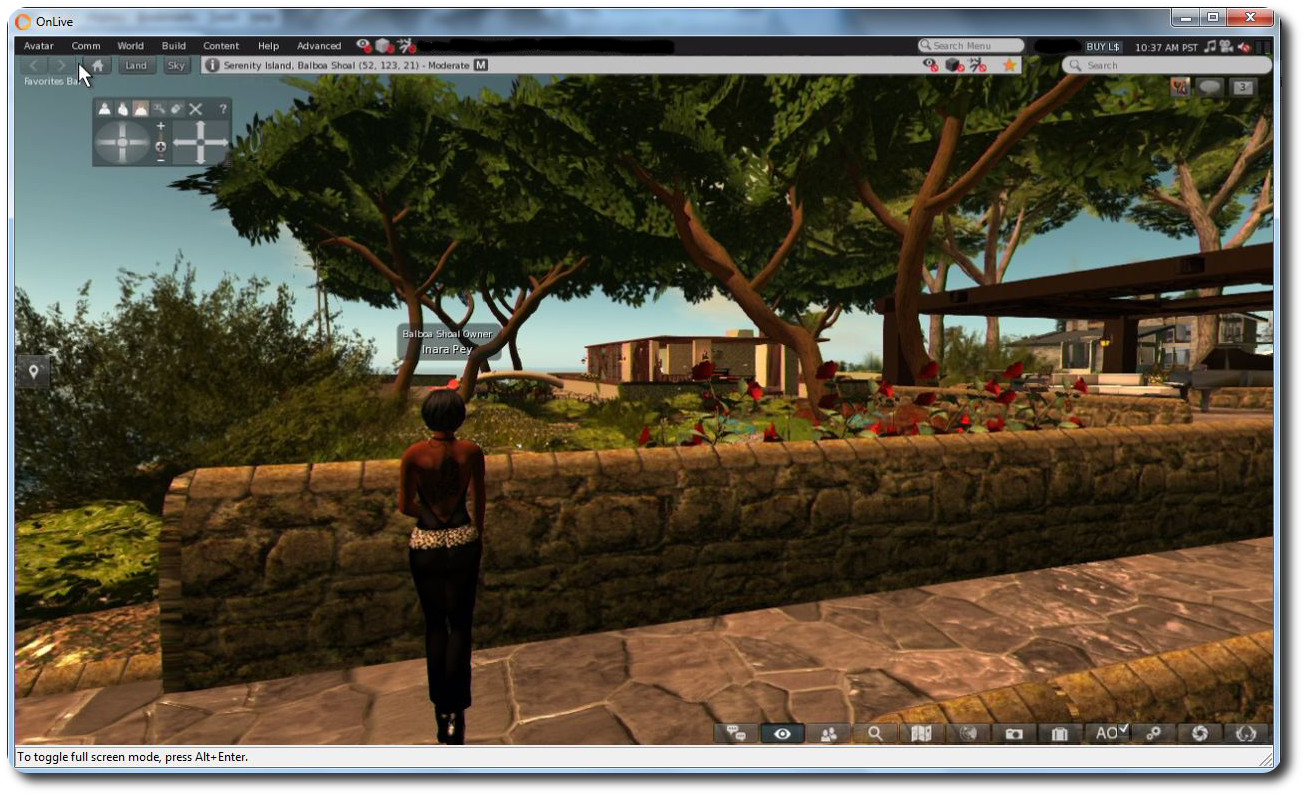
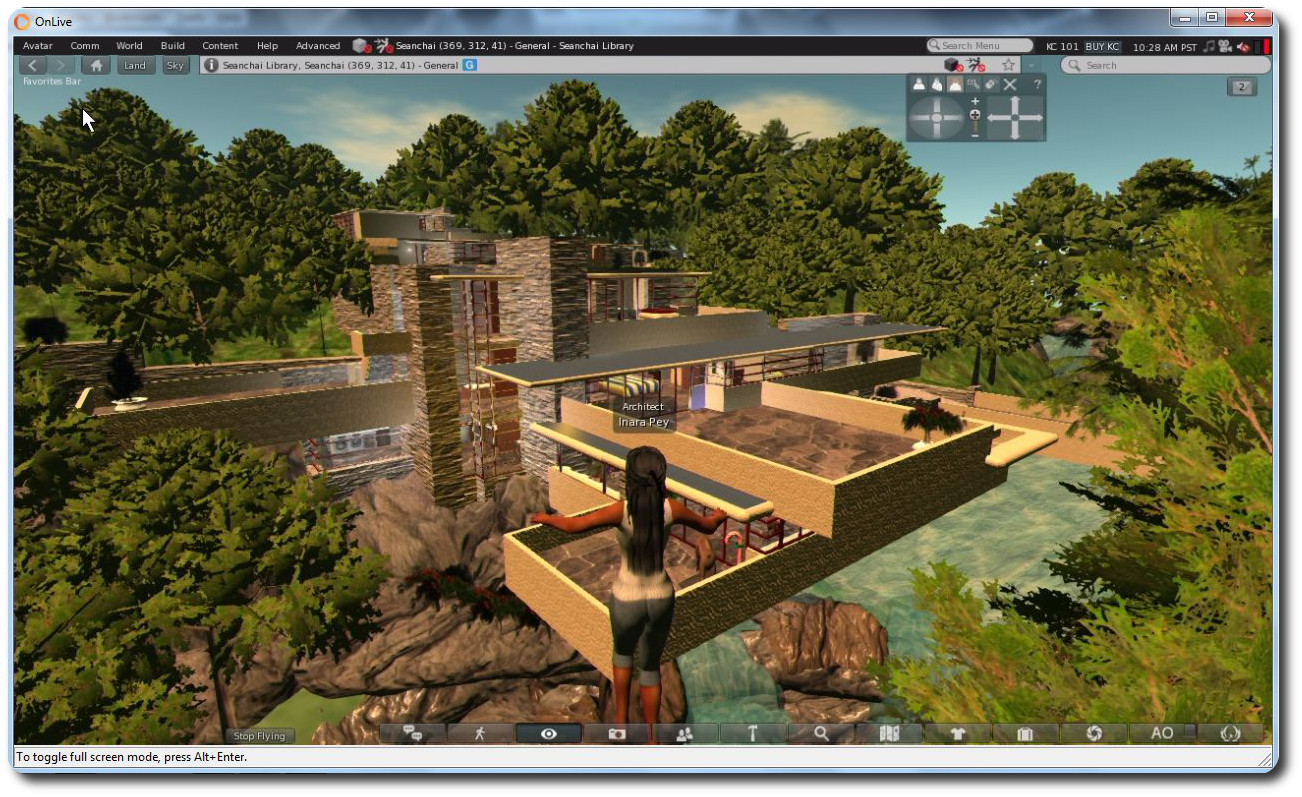
And it doesn’t end there. One capability that Firestorm brings to OnLive and SL Go  users is the ability to log into other grids as well as Second Life. The version of the viewer supplied to OnLive is the OpenSim version, which means it is complete with the grid manager and start-up grid selection drop-down, allowing you to log into all your favourite grids – as I did, logging-in to Kitely and Fallingwater at the Seanchai Library.

Use Firestorm on SL Go and any PC / Mac / laptop to access your favourite OpenSim grids (click to enlarge)

Thus, with a single subscription to OnLive, you gain access to the entire metaverse from any low-end PC or Mac in your home.

“We’re happy to be able to empower SL Go users with more choice. They’ve told us they want a choice of viewers, so offering the popular Firestorm viewer was a natural next step.” said Rick Sanchez, VP of Product and Marketing at OnLive, at the launch of the new offering.

I’ll have a more in-depth look at Firestorm on SL Go available shortly.

Viewer release summaries: week 50

Updates for the week ending: Sunday December 14th, 2014

This summary is published every Monday, and is a list of SL viewer / client releases (official and TPV) made during the previous week. When reading it, please note:

  • It is based on my Current Viewer Releases Page, a list of all Second Life viewers and clients that are in popular use (and of which I am aware), and which are recognised as adhering to the TPV Policy. This page includes comprehensive links to download pages, blog notes, release notes, etc., as well as links to any / all reviews of specific viewers / clients made within this blog
  • By its nature, this summary presented here will always be in arrears, please refer to the Current Viewer Release Page for more up-to-date information.

Official LL Viewers

  • Current Release version: 3.7.22.297128 (no change) –  release notes
  • Release channel cohorts (See my notes on manually installing RC viewer versions if you wish to install any release candidate(s) yourself):
    • Maintenance viewer RC updated to version 3.7.23.297296 on December 10 – core updates: a broad range of fixes for for voice, rendering, avatar distortion, inventory, sounds, the viewer UI, and more, plus a series of fixes for avatar attachments (download and release notes)
    • HTTP Pipelining RC viewer updated to version 3.7.23.297272 on December 10 – core updates: reduced pipelined texture and mesh fetching timeout so that stalled connections fail quickly allowing earlier retry. Timeout value changed from 150 seconds to 60 seconds (download and release notes)
  • Project viewers:
    • No updates.

LL Viewer Resources

Third-party Viewers

V3-style

  • CtrlAltStudio Oculus Alpha updated to version 1.2.2.41224 on December 12th – core updates: a new Mac build and parity with the Oculus Rift SDK 0.4.4 (release notes)
  • Firestorm updated to version 4.6.9.42969 on December 10th with a hotfix release (4.6.9.42974) on December 11th – core updates: many new features and updates, fixes and improvements (change log).

V1-style

  • Cool VL Viewer stable branch updated to version 1.26.12.25 and Cool VL viewer legacy branch updated to version 1.26.8.83, both on December 13th (release notes).

Mobile / Other Clients

  • LightSight updated to version 1.6.0.5 on December 13 – core updates: unknown, no details given.

Additional TPV Resources

Related Links

CtrlAltStudio provides Oculus SDK 0.4.4 support and Mac build

CAS-logoOn December 4th, Oculus VR released the latest software version for the Oculus Rift, version 0.4.4. A beta release, it includes an number of bug fixes and improvements, while retaining  experimental support for Linux.

As a result of this update, Strachan Ofarrel (aka Dave Rowe in the physical world) released an updated version of the Alpha version of his CtrlAltStudio viewer on Friday, December 12th. Version 1.2.2.41224 Alpha 5 brings with it not only support for the SDK update but also, courtesy of Mac viewer developer Cinder Roxley, a Mac build as well.

As usual with the Alpha version of the viewer, this release is installed into its own directory / folder, and so can be installed alongside the current release version of the CtrlAltStudio Viewer. A clean install is not required if you have been running previous alpha versions.

Core updates in this release comprise:

  • Updated to Rift SDK 0.4.4. This fixes the overdone vignette (fading to black) around the Rift barrel image’ edges edges.
  • Updated position of notification messages and script dialogue boxes so that they’re visible and usable in Riftlook.
  • Modified Start+Back key behaviour on Xbox controller if Rift display is configured: if you’re not in Riftlook then you enter Riftlook the same as before; however if you’re already in Riftlook then it zeros sensors the same as Ctrl+Spacebar (instead of exiting Riftlook). To exit Riftlook with the Xbox controller, press the yellow ‘Y’ button.
  • Updates for Mac OSX build.

Hints and Tips

Also, don’t forget that each set of release notes for the Alpha version of the viewer includes a set of hints and tips for getting the best results when using the viewer with the Rift.  These include tips from Strachan and also discoveries made by other users, and are being added to over time. They include, but are not limited to:

  • If you have good frame rates, including while turning, set your Rift display to 75Hz: Control Panel > Display > Screen Resolution > Advanced Settings > Monitor
  • If you’re experiencing judder while turning then try to try disabling one or more of the “Dynamic prediction” … “Pixel overdrive” Oculus Rift options, consider configuring your Rift display to 60Hz, and possibly try enabling triple buffering in your display driver
  • Setting your Rift to be your primary monitor may also reduce judder [Estelle Pienaar]
  • If you have a stereoscopic 3D system, you may need to disable stereoscopic 3D display in order to stop the Rift’s display rate being reduced from 75Hz to 60Hz. [Estelle Pienaar]
  • If you have an Nvidia graphics card, adding an entry for the viewer in the Nvidia Control Panel 3D Settings and setting the preferred refresh rate to unlimited may let your Rift run at 75Hz without needing to make it your primary monitor [Phoenix]
  • If using Windows 7 and you’re experiencing juddering, try turning off Windows 7’s Aero. [Phoenix]
With floating text you may want to adjust the distance the floating text fades at so that distant text is not so annoying in Riftlook - one of the tips from Strachan
With floating text you may want to adjust the distance the floating text fades at so that distant text is not so annoying in Riftlook – one of the tips from Strachan

 Related Links

Firestorm 4.6.9.42974 hotfix released

firestorm-logoAs indicated in my update to the Firestorm 4.6.9.42969 release review in this blog, a couple of issues have been found within that release, which may affect some Firestorm users.

As a result, the Firestorm team have released a hotfix update to the viewer, which includes fixes for those issues and offers three more the team has also implemented.

The blog post on the fixes reads in full:

After releasing 4.6.9.42969 we discovered a few bugs that affect just enough users to warrant a hotfix update. However, if none of the issues addressed in this hotfix affect you personally there is no need for you to update to it.

The issues are listed below.

We have replaced the 42969 links with the new version 42974 on our download pages.

As per the blog post, unless one of the issues addressed by the fixes above affect you, there is no need to update your version of Firestorm. None of the fixes should directly impact on the elements of the viewer included in my 4.6.9.42969 review.