Firestorm 4.6.9: a Christmas feast of features and fixes!

firestorm-logoUpdate Thursday, December 11th: There will be a hotfix update for Firestorm, which will likely be made available on Friday, December 12th. This is to correct a couple of issues related to voice and RLV/a discovered with the 4.6.9.42969 release, and will likely add some additional fixes as well. I’ll have a further report available once the update is available.

On Wednesday, December 10th, the Firestorm team announced the release Firestorm 4.6.9.42969.

This is a hefty update which brings with it a lot of new functionality, together with bugs fixes and assorted improvements and updates.

As always, the complete list of changes, together with all attributions,  can be found in the release notes / change log, and I refer readers to that document for specifics on all contributors, FIRE JIRA links, etc. The following is intended as an overview of some of the more major / interesting changes, updates and  fixes to be found in the release.

The Before We Begin Notes

For best results when installing this release:

Firestorm Blocking

Note that as a result of the Firestorm team’s policy to keep only 3 versions running, version 4.6.1 will be blocked, most likely early in the new year. The advice from the team is that If you are on 4.6.1, to please update now. Version 4.4.2 will continue to remain for Mac users until all the major Cocoa Mac bugs have been resolved. However, if you are not a Mac user, then there really isn’t any reason for you not to have updated, and the team again ask that you update as well. 

Lab Updates

This release sees Firestorm remain on a parity with the Lab’s 3.7.8 code-base. However, a number of updates and fixes have been cherry-picked from upstream (such as the group ban functionality – see below), particularly bug fixes and stability improvements – please refer to the change log for details.

Building and Scripting Updates

The new buttons for cycling through objects in a linkset

Some additional updates and tweaks have been made to assist builders and scripters:

  • There are two new buttons located in close proximity to the Edit Linked check box.
    These buttons cycle forward or backward through a selected linkset, in the same way as the existing keyboard short cuts. note the buttons will only be active when Edit Linked is checked
  • The issue of the script editor failing to open scripts in copied objects (see VWR-27512), which has affected v2 and v3 viewers, is corrected with this release of Firestorm, and the fix has been contributed to Linden Lab for inclusion in the official viewer code
  • The build toolbar button should no longer be disabled when it shouldn’t be.

Communications Updates

Firestorm 4.6.9 brings with it a large number of features, updates and improvements to communications. These include, but are not limited to, the following.

Audio / Voice

  • Parcel media and audio now have a separate auto-play option (Preferences > Sound & Media > General > Allow audio to auto-play/Allow media to auto-play). Parcel audio should now auto-play correctly on logging-in
  • A reset voice button has been added to Preferences to help with fixing voice issues (Preferences > Sound & Media > Voice Settings)
The new voice reset button to help fix voice issues
  • You can now “zoom in” on a speaker using voice to hear them more clearly (Comm > Nearby Voice > Right click a name >Zoom in)
  • Voice level icons in the radar are now independent from other voice level icons
  • Sounds used for opening scrip dialogues can now be customised (Preferences > Sound & Media > UI Sounds 2 > Script Dialog)
  • The viewer now automatically adds http:/ to the music URL in the parcel audio panel.

Auto-response Updates

With Firestorm 4.6.9, auto-response messages are now localised. There is also a new option for an item of inventory to be automatically sent with your auto-response messages, when set. The selected item must be COPY / TRANSFER in order for this capability to work, and will be sent when one of the following is set:

  • Busy / do not disturb
  • Away
  • Autorespond
  • Autorespond to non-friends.

To set an item of inventory to be sent with auto-response messages, drag and drop a suitable item from your inventory and into Preferences > Privacy > Autoresponse > Autoresponse Item.

Firestorm 4.6.9 allows you to send an inventory item when auto-responding into incoming IMs. The item must be COPY / TRANSFER in order for this to work

In addition, this release fixes getting an IM from yourself to yourself saying “Autoresponse sent” if somebody answers from an off-line IM via email. Also, having both “Autorespond to non friends” and “Only friends and group can call me or IM me” set no longer results in you getting two new IM sound alerts for every non-friend IM plus the non-friend receives your auto-response twice for each IM sent.

Contacts List

The Contacts List floater has been revamped to match the look of the nearby chat and IM session floater, for a smoother and unique appearance. In addition, an option to pay someone directly from your Contacts List has been added to the right-click context menu (Comm > Contacts > Right click a name > Pay).

New to Firestorm 4.6.9 as well is the ability to choose which name columns should be displayed in the Contacts List. You can now choose between choose between user name, display name, full name, or a combination of these, and you can now display full names in your Contacts List as “Username (Display name)“. Finally, a option has also been added to hide the permissions columns (whether those in your Contacts List can see when you’re on-line, map you, etc.). 

All of these options can be found under Preferences > Firestorm > General.

The Contact List display options in Preferences

Continue reading “Firestorm 4.6.9: a Christmas feast of features and fixes!” →
SL project updates week 50/1: server, viewer, misc

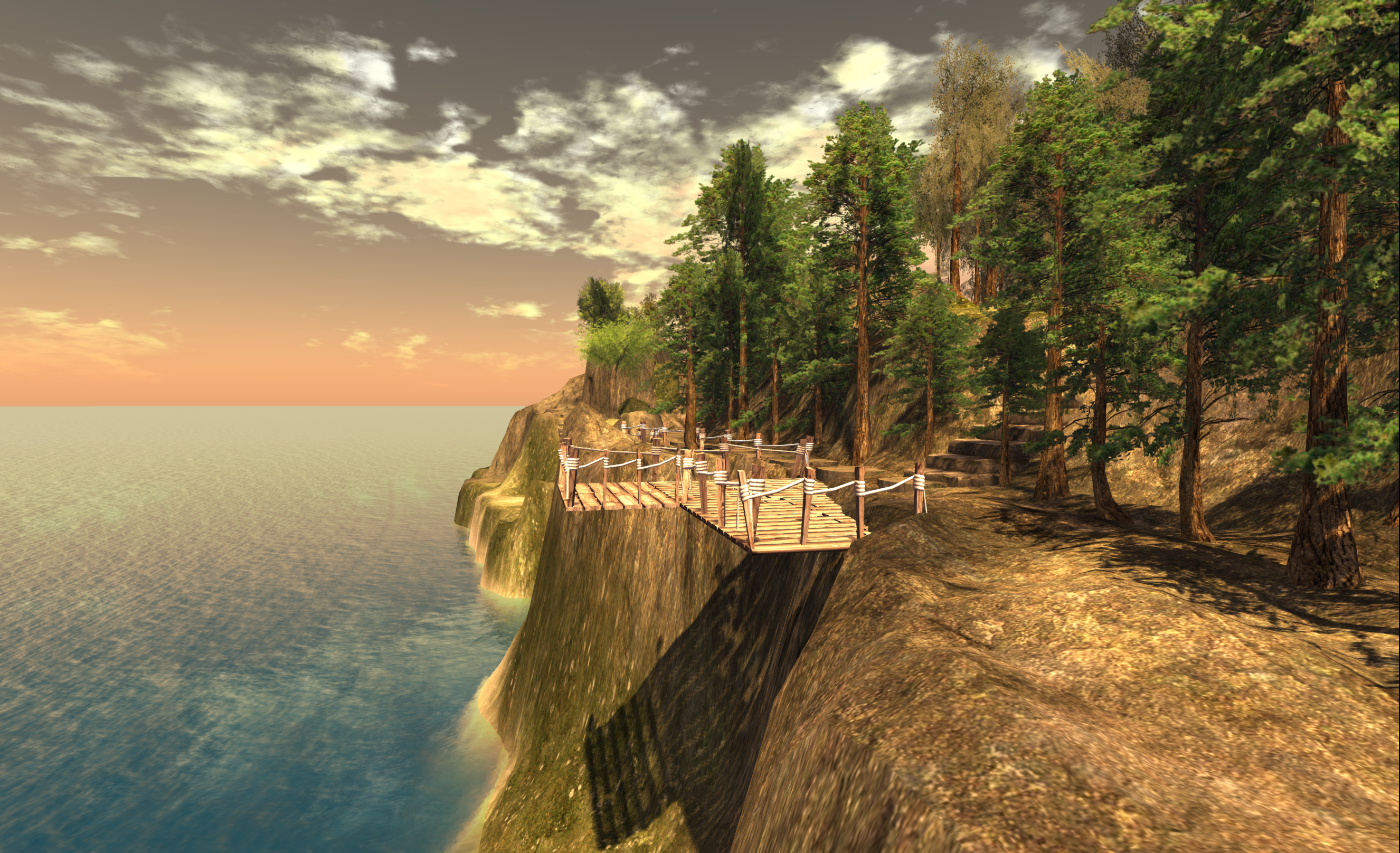
Black Basalt Beach; Inara Pey, August 2013, on FlickrBlack Basalt Beach, August 2013 (Flickr) – blog post

Server Deployments – Week 50

As always, please refer to the server deployment thread in the forums for the most recent news and updates.

On Tuesday, December 9th, the Main (SLS) channel was updated with the server maintenance package deployed to the three RC channels in week #49. This update comprises:

  • A fix for BUG-7515 “Restarting region turns off ‘block parcel fly over’”
  • A fix for BUG-4949 (non-public) “Cannot manage block list with certain object names”
  • A fix for BUG-7850 “Experience tools: ‘Script trying to teleport other avatars!’ script error” appears incorrectly
  • A fix for BUG-6789 “Spelling mistake in llGodLikeRezObject”
  • Minor server change to help configure the texture and mesh CDN.

On Wednesday, December 10th, all three RC channels should receive a new server maintenance package comprising:

  • A fix for BUG-7595 “Allowed & Blocked experiences persist with parcel owner change after purchase or abandoning”
  • A fix for (non-public) BUG-7036 “Experience based scripts in attached child prims reference their operation by region position instead of root position like non-experience based scripts”
  • A fix for (non-public) BUG-7048 “llGetExperienceDetails() returns 4 for state and “operation not permitted” for state message while over mainland parcels that have the experience allowed”
  • A fix for BUG-6757 “Different error code returned for an Experience that is not permitted to run on a parcel / region OR a user clicked No on the permission request dialog”
  • Additional internal Experience Key fixes
  • To find experiences with all unicode names you have to leave the search field blank and page through all results

SL Viewer

No further updates to any of the SL viewers (release, RC or project) since my last viewer release summary. Please refer to my Current Viewer Releases page for the current status of SL and TPV viewers.

However, as I noted in a separate report, the most recent AMD update to their Catalyst™ drivers, version 14.12 does not resolve the problem of failing to display rigged meshes unless the viewer’s hardware skinning is disabled. I’ve also been informed that this issues also extends to the most recently AMD / Nvidia Omega driver update.

Experience Keys / Tools

the RC deploy due on Wednesday, December 10th, sees a number of fixes and updates for the Experience Keys / Tools project. Again, commenting on the status of the project at the simulator User Group meeting on Tuesday, December 9th, Simon Linden said:

 We’re getting close on that … there are some last-minute things to take care of, and we’re being extra careful that we have the systems in place to handle the key-value storage usage.    How much load that will create is some interesting guesswork, but it’s better to be over-prepared.

However, with the holiday season now fast approach, and with it no change windows for server and viewer updates popping-up, it may be that the project doesn’t make it to a deployment beyond its current beta status until the new year.

Once Experience tools are deployed, the Lab will seek to address issues through the Simulator User Group meetings. However, if there is sufficient demand in terms of issues raise for discuss, etc., during the Simulator UG meetings so a to warrant a separate meeting, they will look into doing so.

Group Chat

Commenting on his recent group chat work, Simon had this to say:

There’s another chat server update this week.   It’s pretty minor, but you shouldn’t see the problem where it gets way behind and then starts delivering ancient (more than 5 minutes old) messages.  I’m still chasing the main bug but this should make the recovery faster and less confusing. The new code is on only one of the server cluster machines but will go to more this week, assuming we don’t see new problems.   So far it’s looking good.

He went on to comment that, while a complete overhaul of the group chat system is unlikely, simply because it is unlikely to result in a significant enough improvement in things, despite recent improvements. “the servers still spend more work updating your chat member lists than it does sending messages. That’s just not right.” So it would seem further tweaking of things will continue in 2015.

Tuesday, December 16th will be the last Simulator User Group meeting for 2014.

Viewer release summaries: week 49

Updates for the week ending: Sunday December 7th, 2014

This summary is published every Monday, and is a list of SL viewer / client releases (official and TPV) made during the previous week. When reading it, please note:

  • It is based on my Current Viewer Releases Page, a list of all Second Life viewers and clients that are in popular use (and of which I am aware), and which are recognised as adhering to the TPV Policy. This page includes comprehensive links to download pages, blog notes, release notes, etc., as well as links to any / all reviews of specific viewers / clients made within this blog
  • By its nature, this summary presented here will always be in arrears, please refer to the Current Viewer Release Page for more up-to-date information.

Official LL Viewers

  • Current Release version updated to version 3.7.22.297128 December 5th (formerly the Benchmark RC update.) –  release notes
  • Release channel cohorts (See my notes on manually installing RC viewer versions if you wish to install any release candidate(s) yourself):
    • Maintenance viewer RC updated to version 3.7.22.297131 on December 3rd – includes a broad ranges of fixes, including merges from the Attachments RC (3.7.21.296904) (download and release notes)
    • Attachments viewer RC version 3.7.21.296904 withdrawn December 3rd – merged with the Maintenance RC, above
  • Project viewers:
    • No updates.

LL Viewer Resources

Third-party Viewers

V3-style

  • Black Dragon updated to version 2.4.1.3 on Tuesday, December 2nd and then to version 2.4.1.4 on Wednesday, December 3rd – core updates: bug fixes (change log).
  • Kokua updated to version 3.7.22.35091 on Friday, December 5th – core updates: bug fixes (release notes).

V1-style

  • No updates.

Mobile / Other Clients

  • No updates.

Additional TPV Resources

Related Links

SL project updates week 49/3: TPV Developer meeting and VMM

The following notes are drawn from the TPV Developer meeting held on Friday, December 5th, as shown in the video below. Where relevant, timestamps are included in the article to allow for referencing to the video. My thanks as always to North for the recording.

SL Viewer

[00:30] The Benchmark viewer RC, containing the fix for the crash-on-start-up issue (see BUG-7776, BUG-7783), version 3.7.22.297128, was promoted to the de facto release viewer on Friday, December 5th – release notes.

[21:15] One change that has come from the move away from the GPU table to benchmarking is that GPUs that may have been previously blocked (e.g. because they simply aren’t supported) are no longer blocked. This is because the Lab is no longer attempting to spend time on identifying GPUs that don’t work with SL. Instead, best efforts are made on the basis of the data obtained from testing a system’s GPU and applying the Lab’s own heuristics, but if a card doesn’t work with SL, the view being taken is that – it doesn’t work. A suggestion has been made where this is the case to provide some kind of feedback to the user informing them that their GPU cannot support SL.

[01:10] Data from the HTTP Pipelining RC, version 3.7.21.296736, is still being being studied; however, it may not progress to release status. Whether this means further updates may be made or not prior to the viewer progressing further, isn’t clear.

[01:30] The Attachments RC, version 3.7.21.296904, was withdrawn from the release channel on Wednesday, December 3rd, after being merged with the Maintenance release RC, 3.7.22.297131. However, the repository for the viewer which contains just the attachment fixes is being kept open for the time being to allow those TPVDs who wish to cherry-pick the fixes and incorporate them into their viewers.

[02:15] It is anticipated the the Experience Tools project viewer (currently version 3.7.16.293901) and the Viewer-managed Marketplace viewer (currently version 3.7.21.296858) will both be moving to release candidate  status “soon”.

Tool Chain Update

[13:24] The Lab is now “very close” to being able to build on both Mac (e.g. Xcode 6.1. with clang on Yosemite) and Windows (e.g. Visual Studio 2103) with the new Autobuild process “cleanly and with all the right stuff”.

[16:26] Linux is lagging well behind Windows and Mac in terms of the new tool chain, and the Lab welcomes any help TPV developers are willing to provide to help get it updated. In the meantime, it looks likely that the Windows and Mac versions of the viewer built using the new tools and process will start to be deployed once everything is ready, rather than being held-up while the Linux version of the viewer is brought up to speed.

CDN Update

[02:45] The Lab is continuing to “play with” how the CDN is working, making tweaks and changes, some of which have helped Highwinds make improvements to the service, and monitoring of the service is continuing. Thanks is again expressed to all those users who have helped the Lab pin-down issues.

Viewer-managed Marketplace

If you're a merchant or creator using the SL Marketplace, and haven't already done so, you might want to check-out the Viewer-managed Marketplace beta
If you’re a merchant or creator using the SL Marketplace, and haven’t already done so, you might want to check-out the Viewer-managed Marketplace beta

[03:20] Testing of the new Viewer-managed Marketplace (VMM) functionality is continuing on Aditi.

Various issues have been logged against the project, and the Lab has been addressing them. The testing facilities on Aditi will remain available through the holiday season to January – although, as noted above, the viewer may move from project to RC status in that time.

Beta testing is still very open to anyone with an interest in trying VMM out for themselves – particularly content creators and merchants who use the SL Marketplace, obviously. If you haven’t already availed yourself of the opportunity, the Lab encourages you to do so over the holiday period. Note that you must have the VMM project viewer and be on the VMM regions on Aditi in order to do so – see my VMM beta test and viewer overview.

In-world Meeting

Also, merchants and content creators should note that the Commerce Team is liable to hold a meeting to discuss VMM in the near future. This will mostly likely be held on Aditi, and Brooke Linden is organising it. So please watch for notice of the meeting via the forums, blogs, etc.

Avatar Z-offset Height Adjustment

[11:11] No major news here, other than “work is continuing”.

Other Items

Wiki Editing

[14:27] In October, the SL Wiki was made read-only (editable by LL staff only) while it underwent maintenance, and has remained that way since. However, updates are now being tested, and it is hoped that the wiki will be unlocked to allow users to edit (where applicable) soon.

Viewer Stats and GPU Frame Rates

[17:24] Some stats on viewers are being to be produced for TPVs once more, related to operating systems, and some have been produced (for the SL viewer) by GPU. This led to a request for the Lab to update an old Frame Rates by GPU table (bear in mind the table shown is very old, and doesn’t take into consideration a lot of more recent updates to SL which affect frame rates). This also came up at a recent Open-source development meeting, and Oz has passed a request onwards within the Lab to see if an updated for of the table could be produced.

Firestorm Release

The next Firestorm release is scheduled for 18:00 SLT on Wednesday, December 10th, 2014. This release will, among other things, include the group ban capability. I’ll have my usual review available when the viewer is issued.

SL project updates: week 49/2: viewer, group chat

Let it snow! Isles of Lyonesse; Inara Pey, December 2014, on FlickrLet it Snow! Isles of Lyonesse (Flickr) – blog post

Note: most of the following notes are taken from the Server Beta User Group meeting held on Thursday, December 4th, 2014.

Server Deploys for Week 49 – Recap

  • There was no deployment to the Main channel, following-on from the lack of any deployments to the RCs in week #48.
  • On Wednesday, December 3rd, all three RC channels received the same server maintenance package, comprising the following updates:
    • A fix for BUG-7515 “Restarting region turns off ‘block parcel fly over’”
    • A fix for BUG-4949 (non-public) “Cannot manage block list with certain object names”
    • A fix for BUG-7850 “Experience tools: ‘Script trying to teleport other avatars!’ script error” appears incorrectly
    • A fix for BUG-6789 “Spelling mistake in llGodLikeRezObject”
    • Minor server change to help configure the texture and mesh CDN.

SL Viewer

On Tuesday, December 2nd, the Lab released a new Benchmark release candidate viewer, version 3.7.22.297128, which should address the VFS crash-on-start-up issue some users were experiencing following the promotion of the original Benchmark viewer as the de facto release viewer on November 10th (see BUG-7776, BUG-7783). If you are still experiencing issues with the SL viewer on start-up, please give this RC viewer a try, and report your experiences via BUG-7783.

The Maintenance RC viewer was updated on Wednesday, December 3rd to version 3.7.22.297131. This viewer includes a range of updates and fixes for voice, privacy, rendering, texture animation, avatar distortion, inventory management, sounds, mouselook in Mac, multiple UI fixes in script editor, pay flow, chat, stats floater, edit menu, etc.

The attachment fix RC viewer (version 3.7.21.296904) has been withdrawn from the release channel, possibly pending further fixes to be incorporated into it.

Group Chat

Simon Linden has carried out further work on group chat, so that if a server ever gets to the point where there is a bad message backup, instead of sending potentially “sale” messages, the server will drop those messages that are 5 minutes or more old which are sitting in the queue.

The focus on this change is to eliminate issues where – as recently has been the case – back-end issues (rather than simply the weight of messages being handled by the chat servers), mean that messages stop getting sent out and start building up in a held queue; then when the back-end issue is fixed, users suddenly receive a flood of old and outdated messages that they likely have no interest in, due to the length of time that has passed while the chant server is “down”.

Simon has also been working on the logic the chat server use to send messages to people, which should mean that as long as the chat service knows where you are, messages should now reach you somewhat faster.

However, the logic behind what happens should you move between regions while engaged in a group chat still means that the group chat server to which you are connected will send message to the last region it knew you to be on; if you’ve moved on, then the simulator will inform the chat server of this, and the chat server will then perform a look-up to find out where you are. Even so, and while it may have been placebo, during a test at the end of the Server Meeting, it did seem there was less delay in receiving messages when moving between multiple regions & closing and re-opening group chat windows.

Experience Keys / Tools

Server-side updates are anticipated as being in the RC channel deployment for week 50 (week commencing Monday, December 8th). As noted in part 1 of this week’s report, there is a hope the the project may be released by the end of the year – although the project viewer is still awaiting update to RC status (and parity with more recent viewer updates), and there apparently is further QA work to be completed. Speaking about the project during the Server Beta meeting, simon again re-stated the overall intent with the initial release, when it does occur:

We know this first release isn’t perfect and doesn’t have the full feature set we’d love to build, but it’s a start.  Hopefully we’ll see some usages and those will show it’s promising for more attention and features.

Black Dragon 2.4.1 – steaming ahead

Update, Thursday, December 4th: Black Dragon 2.4.1.4 bug fix update released on Wednesday, December 3rd.

It’s been a busy week for Niran V Dean and his Black Dragon viewer, with no fewer than four updates between Thursday, November 27th and Tuesday, December 2nd.

The first of these updates – which lifted the viewer from version 2.4.0.4  to 2.4.1 came on Thursday, November 27th, and was quickly followed by two bug fix updates, 2.4.1.1 on the 27th and 2.4.1.2 on Friday November 28th. Then version 2.4.1.3, also a bug fix update, appeared on Tuesday, December 2nd.

The major part of these updates, appearing in version 2.4.1, is a complete overhaul of the UI. Gone is the ability to place toolbar button up in the top left of the menu bar area, the ink blots surrounding floaters and panels, etc. Instead, the UI presents a look heavily influenced by Valve’s Steam client.  The result is a striking, charcoal grey finish to floater and panels, on which the white text shows up somewhat better than it did with the previous UI, together with bold white lines denoting fields, input boxes, etc., and individual headings to sections within a floater or tab highlighted in blue, all in a manner that works quite well.

Black dragon's 2.4.1 UI design
Black dragon’s 2.4.1 UI design

There are a few immediately noticeable “Niran-isms” on display: the Favourites bar, for example, is now above the Navigation bar, rather than under it, as with most viewers. There’s also a nice incorporation of the notifications icon into the navigation bar area as well, over to the right of the screen. And, of course, the Dragon menu single point-of-access to the viewer’s menu tree is retained.

Given this release was an extensive overhaul of the UI, 2.4.1 and its subsequent releases didn’t bring too much in the way of new features to viewer, which is unsurprising – there’s work enough involved in getting the UI sorted for a release.  There were a few issues following the initial 2.4.1 update – hence the release of 2.4.1.1 through 2.4.1.3, but looking at the release notes, most of these seem to have been nips and tucks rather than major “oopsie” fixes.

The updated preferences panel showing the crisper layout of the new UI

In terms of LL code updates, Black Dragon 2.4.1 through 2.4.1.3 see the viewer again reach parity with the Lab’s viewer, including implementing the benchmark viewer code and HTTP pipelining (I believe).

As always, for a full breakdown of updates, please refer to the Black Dragon change log, which lists changes from the most release release (in this case, 2.4.1.1) on down.

I did encounter a couple of minor problems with the viewer – although these may well be operator induced. Setting neither the “Show Network Stats” and “Show L$ Balance in Statusbar” options in Preferences > Interface seemed to do anything for me. I was particularly keen to try the latter, as I personally find having my account balance displayed in the Inventory floater nothing short of the PITA. But, other than these, the  – admittedly brief – drive I did take with the viewer revealed nothing exasperatingly unpleasant or unexpected.

Overall, and interesting and clean UI update; one which I personally prefer to the last outing.

Related Links