SL Go has officially gone. The service ceased functioning on Friday, May 1st, after some considerable speculation on exactly when the service would stop.
As most, if not all, SL Go users are aware, notice that the service – along with OnLive’s other cloud services – would be coming to an end was given early in April, after OnLive decided to sell its portfolio of patents to Sony Computer Entertainment America. Way this came about is explained in a blog post from OnLive’s main investor (and former Chairman), Gary Lauder, and I also covered the reasons in a blog post of my own.
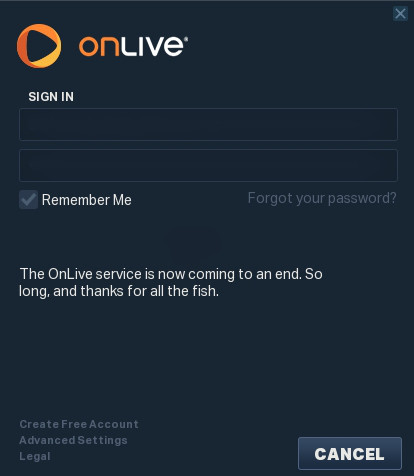
OnLive gave notification that their services had come to an end with a message borrowed from Douglas Adams, seen by users as they attempted to log-in via the OnLive clients
While it has originally be thought that SL Go would be popular as a means of access Second Life from tablets and while on the move in the physical world, it actually turned out that the service gained significant traction among those users accessing Second Life (and OpenSim, with the arrival of Firestorm as a supported viewer within SL Go), from low specification computers and laptop, as it enabled people to enjoy the full graphical richness of Second Life in a manner that would otherwise be beyond the capabilities of their hardware, and with few significant issues.
So what now for those people?
At the moment, the most likely alternative on the horizon is Bright Canopy, which will allow users to access Second Life and OpenSim through a conventional web browser. Again, as many people who have used SL Go know, Bright Canopy is currently undergoing beta testing, and it is hoped that a broader, invitation-only pre-launch testing phases will be starting soon, with a formal launch to follow thereafter.
Like SL Go from OnLive, it is important to recognise that Bright Canopy is not endorsed by Linden Lab, but is effectively a third-party viewer service. As it is also being streamed (via Amazon G2 servers initially), there will obviously be a cost involved in using it, and prices have yet to be confirmed. Also, the service is likely to take time to grow – initially, it will be run using Amazon’s servers in the USA, although the plan is to leverage other data centres as time progresses (Bright Canopy is facilitated by Frame, who already use Amazon’s data centres on both the west and east coasts of the USA, plus Ireland, Australia, Singapore and Japan).
Those interested in learning more about Bright Canopy can sign-up for news on the official launch via the website, and and learn more about the service via the Bright Canopy blog.
In the meantime, and once again – as an SL go user myself, particularly when my main PC was in hospital for an extended period earlier this year, my thanks once again to Dennis, Jeff, Shae, Jersey, Robby and everyone else at OnLive involved in SL Go – including Jane Anderson in the US and Mark Bevan here in the UK – for striving to make it an outstanding service.
In the interests of disclosure, I am involved in providing support to Bright Canopy and in helping to administer the Bright Canopy blog. However, I am not officially involved in the management and operation of the company itself.
“agent_limit”- get the maximum number of avatars normally allowed on the region (teleport home, and login to last location, are allowed to exceed this).
“estate_name”- returns the name of the estate (e,g, “mainland”, “Linden Homes”, “My Happy Estate”, etc. )
“region_cpu_ratio”- returns the number of regions per CPU for this region type (i.e. “1” or “4”)
“region_product_name” – returns the type of region this is: “Estate / Full Region”, “Mainland / Homestead”, “Estate / Openspace”, “Estate / Full Region – Skill Gaming” etc.
“region_product_sku” – returns the region’s product number as a string
“region_start_time” – returns the time the region was last (re)started, in llGetUnixTime format
“simulator_hostname” – returns the simhost running this region. Same as llGetSimulatorHostname but without the script delay.
Commenting on the llGetEnv() updates at the simulator User Group meeting on Tuesday, April 28th, Simon Linden, who made the updates, said, “these are all pretty simple ones … I went for the easy pickings. Basically, information we already sent to the viewer, or was readily available, and thus not a privacy issue.”
He continued, “There was one [further option] for the max number of agents that was in the original list but that one got skipped … not part of a sinister plot but I overloooked it. want to do some other things with that limit sometime soon as well 🙂 … I’d like to see how the region and viewer performs with bigger numbers. Things go bad with many AVs for a variety of reasons … the server has more updates to send to more people, all wearing more scripts and AOs and HUDS [and] the viewer gets overwhelmed with too many complex avatars and too many textures in the download and graphics pipeline.”
SL Viewer
The Avatar Layer Limits RC viewer updated to version 3.7.29.301305 on April 28th, bringing it to code parity with the current release viewer. This RC allows users to wear up to 60 wearable layers (jackets, shirts, tattoo, alpha, etc.) in any combination – so you can wear 60 tattoo layers with it an nothing else, if you want – rather than being restricted to wearing a maximum of 5 of each type of layer.
Other Items
Online / Offline Indicators
People are noticing that the group chat list (the list of group members in the Group panel), is now much slower to update as people’s status changes (i.e. whether they are on-line or off-line). This is intentional, and comes as a result of the recent improvements made to group chat.
In particular, and as I reported in these pages as work on group chat commenced in 2014, the volume of people logging-in to and out of SL can generate a huge amount of updates for the group chat service (given your status has to be sent to every group of which you’re a member, and to over member of that group who is online to update the group list in their viewer with your new status), meant that more time was being consumed by the group chat servers in handling these update messages than in handling actual messages. The fix for this problem means there is a natural delay in group list updates, as they are now processed differently to reduce the impact they have on message handling.
However, some people have started noticing that some group chat lists with 20+ members seem to take a very long time to update – times of 5-10 minutes have been mentioned, and this is causing some confusion when seeking things like assistance from group owners / moderators (as they can appear to be logged-in long after they have logged-off). It’s also bee reported that at times the list seems to get stuck with no updates until the group chat itself is closed and re-opened, although this appears to be somewhat intermittent.
Updates for the week ending: Sunday, April 26th, 2015
This summary is published every Monday, and is a list of SL viewer / client releases (official and TPV) made during the previous week. When reading it, please note:
It is based on my Current Viewer Releases Page, a list of all Second Life viewers and clients that are in popular use (and of which I am aware), and which are recognised as adhering to the TPV Policy. This page includes comprehensive links to download pages, blog notes, release notes, etc., as well as links to any / all reviews of specific viewers / clients made within this blog
By its nature, this summary presented here will always be in arrears, please refer to the Current Viewer Release Page for more up-to-date information.
Avatar Layer Limits RC viewer updated to version 3.7.28.301019 released on April 20 – allows users to wear up to 60 wearable layers (jackets, shirts, tattoo, alpha, etc.) in any combination (download and release notes)
Project viewers:
Importer project viewer updates to version 3.7.28.300878 on April 22 – this viewer uses a modified mesh uploader which can (optionally) improve debug output, perform name-based LOD association, and handle models with many materials, allowing models with more than 8 unique faces to be imported (download and release notes)
Black Dragon updated to version 2.4.2.2 on April 25 – core updates: bug fixes, post effects added to Preferences, chromatic aberration rendering, keybindings (change log)
Kokua updated to version version 3.7.27.35441 on April 23rd – core updates: parity with LL 3.2.27 code base and RLV 2.9.9; fixes and tweaks (release notes)
Cool VL Viewer Stable branch updated to version 1.26.12.40, the Experimental branch to version 1.26.13.9 and the Legacy branch to 1.26.8.93 all on April 25th (release notes)
The following notes are primarily taken from the TPV Developer meeting held on Friday, April 24th, a video of which is included below (my thanks as always to North for recording it and providing it for embedding), and from the Server Beta meeting held on Thursday, March 26th. Any time stamps contained within the following text refer to the TPV developer meeting video.
Server Deployments, Week 17 – Recap
As always, please refer to the server deployment thread for the latest updates.
On Tuesday, April 20th, the Main (SLS) channel received the server maintenance package deployed to all three RC channel in week #16, which comprises internal server logging changes and new flags for llGetObjectDetails()
OBJECT_BODY_SHAPE_TYPE – returned list entry is a float between 0.0 and 1.0. Anything > 0.5 is male, otherwise female; -1.0 if the avatar is not found
OBJECT_HOVER_HEIGHT – returned list entry is a float, -1.0 if the avatar is not found.
There were no deployment or restart on the three RC channels on Wednesday, April 22nd.
SL Viewer Updates
[05:50] The Tools Update viewer, version 3.7.28.300918, was promoted to the de facto release viewer on April 23rd – see my article here for details. During its run as an RC viewer, this release had around a 2% lower crash rate than the release viewer built using the “old” tool set and processes.
As a result of this, all the remaining RC and project viewers are being updated to match the release viewer code base, and updated versions should be appearing soon.
Attachment Fixes Viewer (Project BigBird)
[07:42] This viewer, current available as a project viewer – version 3.7.28.300856 – and which fixes a range of issues related to avatar attachment failures, is in the process of being updated to a Release Candidate status, and should be appearing in the release pipeline as such in week #18.
[29:28] The Lab believes that these fixes resolve all of the viewer-side issues related to attachment problems which are related to AIS v3. However, a number of the more noticeable issues – such as problems with attachments being detached on teleporting – are server-side, and require further investigation / fixing. Similarly, failures with requests to attach multiple items (such as during an outfit change) also appear to be simulator-related, rather than anything within the viewer or linked to AIS v3.
Oculus Rift Viewer
[07:55] The Oculus Rift viewer is now on the schedule to be updated and brought into line with more recent viewer code releases. There is no set time scale for this project (and the Oculus Rift itself, according to Oculus VR, is unlike to reach a consumer release in 2015), but the aim is to bring it back to a “more active” state.
Viewer-Managed Marketplace
[00:08] Brooke Linden gave an update on VVM – as this is of interest to a potentially wider audience than those interested in viewer development, I’ve provided a separate article on it.
Web Media (Webkit and CEF)
[08:41] The Lab is making “pretty good” progress on replacing webkit, an increasingly outdated third-party library used within the viewer for powering the built-in web browser, displaying web profiles and powering in-world media (TVs, MOAP, etc.), with the Chromium Embedded Framework. The Mac work is lagging a little behind this, but the Lab has now called-in external expertise to help move the project forward as a whole.
Request for TPV / Open-source Support for Linux
[09:17] The Lab is seeking support from TPV developers and the open-source community to help maintain and move the Linux flavour of the viewer forward. For details, please see my separate article in this blog, complete with an audio extract from the meeting.
Snapshots to E-mail
[12:27] The send snapshot as e-mail capability is in the process of being removed from the viewer.
The main reason for this is that wherever possible, snapshots are sent via the “secondlife.com” domain, but use the sender’s own e-mail address as the originating address in the “from” field of the sent e-mail which appears as if the “from” address is being forged. This, and other ways in which e-mails flowing out from “secondlife.com” are handled, has resulted in some ISPs regarding the domain as a spam domain, and have been pro-actively blocking it (Germany-based GMX is one such example).
To rectify these problems, the Lab is reviewing how e-mails from “secondlife.com” are being managed as a whole, and eliminating those uses which may conceivably lead to the domain In the case of the snapshot floater, the Lab’s perspective is that the easiest way to fix the problem is to remove the option from the snapshot floater; however as was pointed out to them in the meeting, this will break content such as wardrobe HUD systems which utilise the snapshots to e-mail functionality.
Other Items
HTTP and CDN Use Expansion
[20:35] The Lab is working on increasing the number of assets such as animations, sounds, and gestures, consumed by the viewer to being delivered via HTTP the CDN, and removing the reliance on UDP. This is for a number of reasons:
It further fees-up resources on the simulator to do what they do best – simulate the world around us, rather than using them for managing UDP file transfers
The use of UDP is not the most efficient or robust means of carrying out these transfers
UDP is bad for the network; there’s no flow control packet or congestion control behaviour, it can result in high packet losses which may occur anywhere between the the server and the viewer, and thus be hard to identify and prevent in future, etc.
As this work progresses, the Lab will be removing the server-side support for the UDP messaging currently used by such transfers. This has already happened with inventory fetching (and the option to disable HTTP Inventory is due to be removed from the viewer), and will be happening soon with texture fetching (which will also see the removal of the option to disable HTTP Textures in the viewer).
To help with this, TPVs are being encouraged to work with the Lab to identify specific / reproducible issues users are encountering vis HTTP, etc., so that more work can be put into fixing them, and the Lab is asking TPVs not to recommend to users to switch back to the “old ways” of doing things when potential HTTP problems are encountered, as the 2old way may not be around for much longer.
On April 23rd, 2015, the Lab updated the de facto official viewer to version 3.7.28.300918, formerly the Tools update Release Candidate viewer.
As regular readers of this blog know from my regular SL project updates, this release is primarily focuses on a change to the tools used to build the viewer (to Visual Studio 2013, Xcode 6.1, and some other tools improvements).
Two important aspects of this update are that:
The Windows version of this viewer will not install on Windows XP systems, regardless of the Service Packs also installed (previous versions of the release viewer would install on Windows XP system which had Service Pack 3 installed)
The Mac version of the viewer will not install on any version of OS X below 10.7.
Note that this is not a deliberate attempt to block XP users or those on older versions of OS X from Second Life; it is purely the result of the Lab using up-to-date tools for building the viewer (and which will yield positive benefits elsewhere. for example, during its time as an RC viewer, the new build version has had a crash rate some 2% lower than than of the official viewer built using the “old” tool chain. There have, however, been some reported issues of Linux users experiencing problems using this version of the viewer.
A further benefit of the tools project is that it offers the Lab and TPVs the opportunity to work with a more common set of viewer building tools due to the removal of some licensing issues. It is therefore more than likely that at least some TPVs will move over to using the new tool chain as well.
This viewer also introduces the updated log-in options at the top of the viewer’s splash screen. The three button approach seen by most users has been replaced with a log-in area with a single button (note that users logging-in to SL for the first time or after a clean install will still see the “first time user” log-in splash screen).
LL viewer log-in updates: as they first appeared after an initial log-in following the 2014 revisions to the log-in / splash screen (top); and as the log-in options are displayed in the updated release viewer (bottom) – click for full size, if required.
UKanDo, Kokua and the Restrained Love Viewer (RLV) have all seen recent updates in April 2015, bringing them up-to-par with the Lab’s 3.7.27 code base, which features the most recent maintenance updates from the Lab. In the case of UKanDo and Kokua, this means that Avatar Hover Height (AHH) is now available in the viewers, while RLV sees a couple of tweaks to AHH.
Core updates to the three viewers are summarised below.
UKanDo Viewer
UKanDo updated to version 3.7.27.28099 on April 16th. As well as incorporating AHH and the maintenance updates from the Lab, this release also brought with it:
Develop > HTTP Inventory now permanently enabled in UKanDo viewer, in line with recent LL server-side updates
An update to RLV release 2.9.8
Complete disabling of the Develop menu option allowing people to turn off HTTP Inventory loading. This is to ensure people do not encounter issues with avatar and / or inventory loading as a result of the Lab removing UDP inventory messaging support for the simulator code – see my notes on this for further information
The addition of a new debug setting, EnvironmentPersistAcrossLogin. When set to True, will to counter MAINT-2477 Feature Request – Sun position override should not persist across logins
The ability to toggle the Paste As Link option in the Inventory right-click context menu on or off, according to your personal preference (Preferences > General > Inventory Show ‘Paste As Link’ Option
A change to allow copy of worm items – So links for worn items can be created
Don’t show inventory item links or folder links in Recent Tab.
Kokua Viewer
Kokua updated to version 3.7.27.35441 on April 23rd. As well as incorporating AHH and the maintenance updates from the Lab, this release also brought with it:
AHH in Kokua’s pie menu can be found under the Appearance … option in the main pie menu
The most recent RLV 2.9.9 updates
Fixes for:
In-world Flash playback issues on Linux – Ticket #333
Fix to top bar Draw Distance slider showing distance – Ticket #338
Upload fee not reflected on menus for OpenSim – Ticket #340
“compile as mono” option does not work – Ticket #342
File -> Upload -> Set Default Upload Permissions does nothing – Ticket #344
Changing the grid-selection option in preferences crashes viewer – Ticket #346
Determine correct webkit libraries that need delivered with the Linux version of the viewer – Ticket #347
Kokua 3.7.26.36845.x86_64 Linux Fails to start – Ticket #348
Chat history compact mode does not convert the Avatar Name in OpenSim – Ticket #351
Issues and feature requests can also be found in the release notes.
RLV Updates
RLV updated to version 2.9.8 on April 8th and then to version 2.9.9 on April 21st. The 2.9.8 release saw the existing avatar height slider in the RLV top bar tied to the Lab’s new Avatar Hover Height functionality, so that using either the top slider or Avatar Hover Height from the Avatar right-context menu will use the same code and result in the same adjustments.
The RLV avatar height slider (top bar) is now tied to the Avatar Hover Height functionality. Notice the top bar operates to 2 decimal places and AHH to 3, so small rounding differences are to be expected when comparing the two
In addition, the 2.9.8 update saw a tweak the viewer so that HTTP Inventory is enabled by default in the viewer, again in line with the Lab’s recent move to deprecate the UDP messaging for inventory loading server-side. As RLV previously had HTTP Inventory disabled by default, this meant RLV users were no longer seeing their own avatars render in-world, and could lead them to experiencing inventory load issues as well (see my nots, linked-to in the UKanDo section above for further information). The release also saw some nips and tucks to RLV functionality.
Version 2.9.9 added a small fix to the linked AHH functionality and incorporates the Lab’s 3.7.27 maintenance release updates, as noted at the top of this article.
 SL Go has officially gone. The service ceased functioning on Friday, May 1st, after some considerable speculation on exactly when the service would stop.