Lab blogs about web and Marketplace updates

On Friday, November 4th, Grumpity Linden posted news via the Tools and Technology blog, on the recent updates to the Lab’s web services which support Second Life, and improvements / updates recently made to the Second Life Marketplace.

It was the updates to the SL Marketplace which made up the bulk of the summary, which has been listed chronologically rather than via service. However, as people might prefer reading thing by subject matter, I’ve split the list of updates / improvements between the Marketplace and the Lab’s other web services.

The SL Marketplace updates and improvements, implemented in September and October 2016, comprise:

  • Fixes:
    • A fix for sorting reviews by rating.
    • A fix for duplicate charging of PLE subscriptions.
    • Fixes for some remaining hangers-on from the VMM migration (unassociated items drop down + “Your store has been migrated” notifications.
    • A fix to Boolean search giving overly broad results (BUG-37730)
    • A fix to the Marketplace for an issue where a Firefox update was ignoring browser-specific style sheet settings on Marketplace.
  • Disabling of fuzzy matches in search on the Marketplace so that search results will be more precise (+ a switch added to allow the Lab to enable or disable fuzzy matches in search).
  • Archived listings are no longer indexed.
  • If a store is renamed, all of its products are now re-indexed.
  • Blocked users can no longer send gifts through the Marketplace.

In term of the remain web services, Grumpity notes that the Lab has recently:

  • Provided a number of unspecified bug fixes for the support portal
  • Provided a fix for the “Create Your Own Map” link, which used to generate an invalid SLurl
  • Updated the new user sign-up flow to give more consistency in password requirements
  • Updated the Second Life System Requirements.

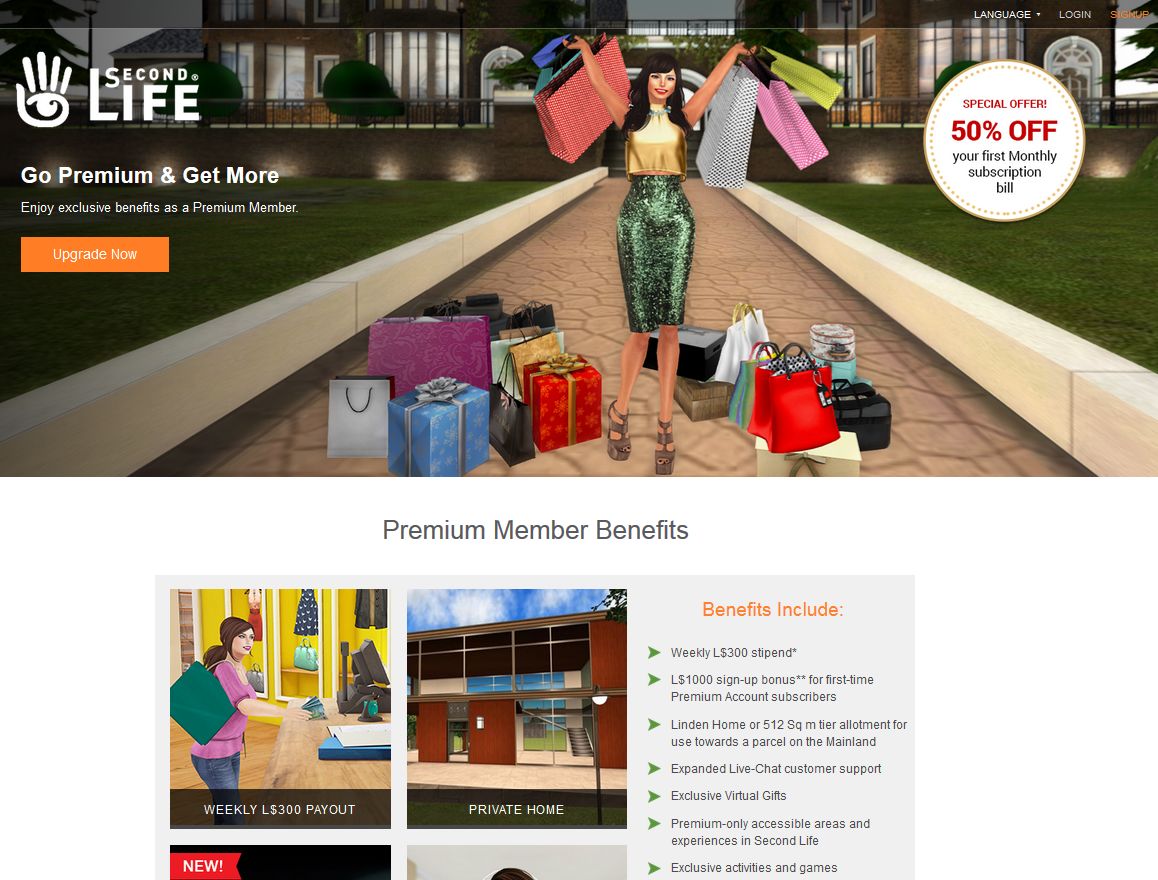
Finally, and launched just ahead of the November 2016 premium subscription offer, is a  Premium Membership landing page aimed at potential incoming new users as a part of the Lab’s rotating series of landing pages, and which currently features the premium subscription offer.

The new Second Life Premium landing page, highlighting the current Premium subscription offer, and launched on October 31sst, 2016
A part of the new Second Life Premium Membership landing page, highlighting the current Premium subscription offer, and launched on October 31st, 2016


Lab reveals LI / prim allowance changes in Second Life – in full

Note: An earlier version of this article appeared in error whilst still being drafted on-line, as a result of a mistake on my part and to my own embarrassment. Once again, my apologies to Linden Lab and readers of this blog for my carelessness.   

It is something Second Life users have long wanted / wished for / desired / demanded: an increase to the basic land impact (or prim count, if you still prefer) available for regions.

And now the wish is being granted – although word came out a lot sooner than the Lab had anticipated (thanks in part to my aforementioned mistake).

However, on Thursday, November 3rd, the Lab officially announced that they are increasing the Land Impact allowance for Second Life regions. The new allowances are:

  • Full Regions:
    • Mainland: 22,500
    • Private estates:
      • 20,000 at the same tier price OR
      • 30,000 for an additional US $30 a month (+a one-off US $30 conversion fee to add / remove the extra 10K allowance)
  • Homesteads: 5,000 (Mainland and private)
  • OpenSpace: 1,000 (Mainland and private)

All of the changes filter down to the parcel level, according to parcel size.

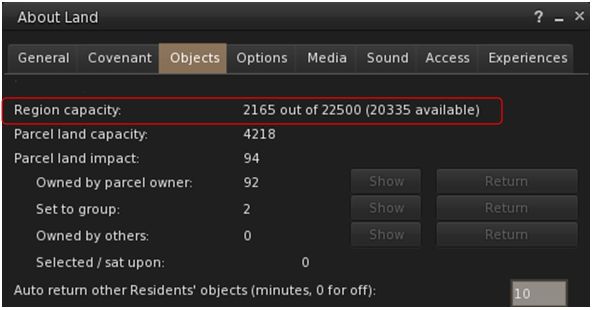
Mainland full regions now have a 22,500 Land Capacity / prim allowance as standards
Mainland full regions now have a 22,500 Land Capacity / prim allowance as standard. Those with prim bonuses will be based on the new LI / prim allowance

The changes to Mainland regions were made during the regular weekly deployments on Tuesday November 1st, and Wednesday, November 2nd, with official confirmation being given in part in a blog post from the Lab which indicated the increase to Mainland full regions alongside the most recent Premium subscription offer (note: that blog post from the Lab has now been updated).

So why has this change come about?

“We’ve finally reached the point where we have the equilibrium between technology and software performance on our side,” Patch Linden, Senior Director of Product Operations at Linden Lab informed me, as we sat down to discuss this and other aspects of Second Life. “The hardware we use to run the simulators is in a really good place right now, and will continue to be. Of course, as time goes on, things will continue to get better in that department. And the simulators are running so efficiently now, with all of the back-end work that we’ve done with them over the past several years that we can now do things like this.”

Patch Linden
Patch Linden

“We started with Mainland being it’s obviously ‘ours’ to directly influence,” Patch said. “We could deploy, and watch, and listen to the metrics to see what they tell us. Then providing everything behaves, we’ll go out to the rest of the grid and all private regions shortly thereafter. It is such a fundamental change to the simulator that we want to make sure we do it right, and we don’t cause unnecessary harm in the process. So the more controlled we could do it, the better we felt.”

It was this need to watch and wait following the initial deployment which had caused the Lab to decided to hold back on a public announcement until Thursday, November 3rd. However, users noticed the change almost as soon as mainland regions came back on-line following the Tuesday rolling restart, prompting forum posts and support enquiries as to whether there had  error. As a result, Patch issued a short forum post reassuring people there wasn’t an error, although the decision was made to hold off on any official announcements until November 3rd, due to the arrangements already in place – including a live Designing Worlds session featuring Patch, who would reveal more and take questions.

So given the Mainland changes are now deployed, a key question I had for Patch was: when would Private regions see their update. “We should have them up and running within the next couple of months,” he replied. In essence, the precise roll-out to private islands will depend upon the metrics gathered following the Mainland roll-out.

And the reasons for the differences in the full region allowances between Mainland and private estates?

“There are  2 reasons,” Patch explained. “The first is that Mainland regions have long been a slightly less costly, but also less feature rich product than private islands. But recently we rolled out the private region buy-down offer, which somewhat levelled the pricing between the products. So, we wanted to give a little something back to Mainland, and choose to give full regions there a slightly higher prim limit increase than private estates.

“The second reason  is that private estate full regions have an additional advantage over all the other region types,” Patch continued. “This allows us to offer the additional 10,000 LI allowance to private estate full regions, for a total of 30,000. There is some additional maintenance work that comes with this, hence the US $30 a month fee (per region), together with a one-off  US $30 conversion fee to add or remove that option; but the offer will be available for any price level full region, whether it be an older grandfathered region, a newer bought-down region, or a regular priced full region, immediately the increase in land impact / prim allowance is rolled-out to private estates.

“So you might say, it’s a little give, a little take, and a bit of balance between the advantages of the differing products  :).”

Linden Home holders should now find they have 175 LI as their own to play with
Linden Home holders should now find they have 175 LI as their own to play with – as will users with 512 sq metre parcel on the Mainland, with other parcel sizes adjusting accordingly. The same will be true of private islands, once the update is fully deployed.

In the meantime, the change to the Mainland was warmly received by most, with many land holders and content creators pointing to the home and garden / landscaping markets potentially gaining a significant shot in the arm as a result. This is significant, as a hope at the Lab is that rather than everyone simply adding more objects to their land, the extra capacity will encourage more content creators to make use of optimised levels of details on their mesh creations, rather than using very high LOD values across all viewing distances, thus helping to lighten some of the current load on older systems.

As we closed the conversation, I asked how Patch, as a long-term Lab employee and as a former resident, felt about the change.

“This is something I’ve wanted to do for several years now,” he replied. “And we’re pleased to be able to do something as fundamental as this to change the product in a good way.”

With thanks to Patch Linden, Pete Linden and Linden Lab.

Lab posts about latest Premium offer and Mainland LI increase

secondlifeUpdate, November 3rd: the changes in prim allowances in full are now available in this post.

On Thursday, November 3rd, the Lab blogged about their latest Premium subscription offer for Second Life, and in doing so gave confirmation of the Mainland LI / prim allowances people had been noticing following the weekly deployments on Monday, November 1st and Tuesday November 2nd – and gave a tease for more news to come:

In regards to the latter, the blog post  – Go Premium for 50% Off* & Enjoy Our Newest Perks Plus an Exclusive Gift – noted:

Premium members are entitled to a Linden Home and can own parcels on the Mainland. Now, we’re raising the limit on the number of prims you can use in those spaces. This means you will have more prims and creative flexibility to decorate and customize your own space.  Land impact (object) capacity on Mainland Regions will go from 15,000 to 22,500 – that’s a lot more building capacity!

In addition to this, we will further carry the prim limit increases to the private estate regions shortly.  Keep your eye on our blogs for more information!

An episode of Designing Worlds comes out later this afternoon which talks more in-depth about this new perk. We’ll update this blog once it’s available.

(My emphasis on the last part of the statement). All things being equal, I’ll also have more to come around 14:00 SLT see the link at the top of this article.

The blog post from the Lab confirms that Mainland full regions now have a standard Land Capacity / prim allowance of 22,500.

The rest of the post concerns itself with the Premium subscription offer, which started on Wednesday, November 3rd, 2016 at 08:00 SLT and will expire on November 10th, 2016 at 08:00 SLT. It offers the usual 50% discount – which for this offer is applied to the first month of the monthly subscription plan, as the small print explains:

TERMS & CONDITIONS This offer begins on November 3, 2016 at 8AM Pacific Time (PT) and expires on November 10, 2016 at 8AM PT. To qualify for this promotion, you must 1) have an existing Second Life (“SL”) basic account or create a new account, and 2) select monthly (every one month) billing for your SL account. The fifty percent (50%) discount will be applied to your first month’s bill and future months will be billed at the standard Premium Membership price (currently US$9.50 per month). For new accounts or accounts not previously upgraded to Premium Membership, after initial login through the Second Life viewer following upgrade to Premium Membership and: 1) following your first full week, the L$300 weekly stipend will be deposited to your account every Tuesday for the duration of your Premium Membership; and 2) after your account has been active for forty-five (45) consecutive days, the L$ sign-up bonus will be deposited to your account.

As well as the discount, Premium members are also offered a new gift in the form of a laser-shooting Alpha Robot Avatar.


What are you doing the rest of your Second Life?

Paper Dinosaur, 2015
Sorrow for Paper Dinosaur, 2015; image – Caledonia Skytower

By Caledonia Skytower

Last October 24th’s article in Wired by Rowland Manthorpe, entitled Second Life was just the beginning. Philip Rosedale is back and he’s delving into VR ignited the usual round of reactions from fans and critics of Philip Rosedale, Ebbe Altberg, and virtual worlds in general.  Guaranteed, there would be opinions and plenty of “should-haves”, “could haves”, and speculations about machinations we may never fully understand, and to which uncertain credit can be given.  

Philip Rosedale’s particular dream of virtuality is reflected in Second Life, written as deeply as the original code, which continues thirteen years after the first pixels clicked on for the public.  As such, it seems like a democracy and the term “resident’ only reinforces that. Let’s be clear, residents in virtual worlds are not citizens in democratic societies, we are consumers.  We don’t have any more of a “right to be heard” than any other consumer does by a corporation or creator.  

Smart companies listen to their consumer base – it is called good business. Linden Lab has waxed and waned on that over the years, better more recently I think.  Yet no one will ever know their product the way they do.  No one will understand their finances, their market standing, the pressure of industry innovation and its impact on their company the way they do. As a consumer, with a free account, the Lab doesn’t owe me a vote in their decision-making process.  Virtual worlds are not a public entitlement.  Yet it is surprising how many people disagree with that – passionately, vitriolically disagree. The funny thing is, that state of entitlement has been there as long as I have been in SL.

Invictus by Storm Septimus
Invictus by Storm Septimus; image – Inara Pey

I entered Second Life in 2008, which makes me older than some, not as old as others.  In those eight years I have seen a procession of public doomsday fests boil up to a frenzy, and then cool down.  Always, the perceived calamity is touted as the Lab’s fault. Even at five years old, Second Life was doomed, dying, already deceased. An average of 67,000 users on-line from all over the world at any one moment, which would fill my local “home field”, Centurylink Field in Seattle, to capacity but with a lot fewer parking hassles.  Think of that: a football stadium full to the brim twenty-four hours a day. Here we are in 2016 and the averages have dropped to the low 40,000s. That’s still enough for the food vendors to make a tidy profit on game day! And when I think of the things that have happened in those eight years, doom, death, and extinction are not what come to mind:

  • There have been some fascinating educational studies, my favourite being the National Science Foundation funded study in a collaboration between Texas A & M and the Florida Institute of Technology involving college chemistry students and on-line learning.  
  • There is incredible work ongoing with the disabled and people suffering from different medical conditions.
  • Charitable organizations have benefited from the fund-raising efforts that engage a global volunteer and donor base in one of the most cost-efficient fund-raising endeavours in existence.  Relay for Life in SL has raised 2.7 million U.S. dollars for the American Cancer Society in just a decade.
  • Businesses have grown, with individual content creators stretching their wings and flexing their artistic muscles: everything from publishing to fashion, animations, buildings, and furnishings of all kinds.  
  • There have been some amazing creative achievements using the virtual world as a dimensional palette, too many to name.  

In all cases, some enterprises have endured, and some have termed out.  But there has never been a lack for them.  There is always someone charging the fence of what is possible in the platform. Where the platform limits them, people have found workarounds that are clever and industrious.

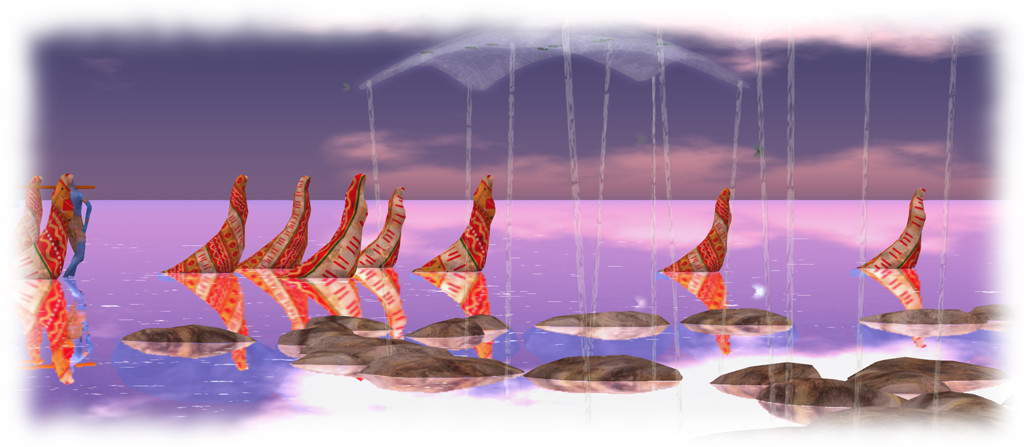
Sapphire Mirror Lake, Fantasy Faire 2016
Sapphire Mirror Lake, Fantasy Faire 2016; image – Caledonia Skytower

The Wired article refers to a 2006-ish review of user analytics; “Second Life was a retreat for escapists, an outlet for pent-up creativity – a place, as Rosedale once put it, for ‘smart people in rural areas, the disabled, people looking for companionship.'” Hello!  Just by mentioning rural areas and the disabled you just hit upon a huge under served percentage of the general population.  Virtual worlds break down barriers of proximity, and of ability.  That may not be Rosedale’s vision of egalitarian virtuality, but it is a notable accomplishment nonetheless.

Phillip Rosedale is a sprinter.  He gets excited and he sparks new ideas, opens up the Pandora’s Box of possibilities and lets the creativity flow. He sees things and expresses himself in terms that are limitless. Sprinters are essential to innovation.  But you can’t sprint forever. At some point that spark has to transition into something sustainable, based on something more than enthusiastic creative juices.  

That’s where someone like Ebbe Altberg comes in.  No less creative, Ebbe’s temperament is different. He uses limitations to propel rather than obstruct. He is a distance runner – eyes on the long road, not so dazzled by the big picture that he can’t keep moving forward.  Healthy industries need both those who can sprint, and those who can sustain distances. We need them both, and the future of virtual worlds is more promising for the different directions they are taking.

Nothing lasts forever. In that, Second Life is not unique.  It’s possible that those early delvers into on-line virtuality in 1995 thought that Worlds Chat would last forever. Did they even think about Virtual Reality in those days?  Yet with the bubble of VR expanding before our eyes, people are still feeling threatened in what has been one of the most successful, stable endeavours in the evolution of this form of social engagement.  Even though it still turns a profit for its owners, people are determined that Linden Lab has nothing better to do than throw over its consumer base. In some ways, the very openness and lack of restrictions that we value – the legacy of Rosedale – is our own worst enemy.

Wounded Angel by SistaButta. Image - Caledonia Skytower
Wounded Angel by SistaButta; image – Caledonia Skytower

So, what have you been doing with your virtual life?  Have you been learning? creating? exploring?  Have you used the tool – because that’s what it is – to make your life as a whole enriched?  Because in a free and open community, the quality of life is defined by the creativity and industry of that community.  

We all had that thrilling moment when we got past the initial boggle-ment of functioning in the platform, and discovered that our avatars could be a reflection of our emotional selves.  I could wear high heels and run on the sand! I could fly, walk among ancient ruins, meet and work with people who will never breathe the same salt water, pine-scented air that I do.

I suggest that people get burned out on Second Life for any number of reasons.  Some like to blame it on the Lab, and maybe there is some truth in that.  But people also get bored with the same old thing.  For those who do not see SL as a tool, but as a game, it will always become passé at some point – when something newer, faster, and sexier comes along. Whose fault is that?  Is it really the Lab’s fault that they cannot alter enough decade-old code to keep people’s attention? Especially when you know that the entrenched in SL will squawk loudly and painfully at any change that disrupts their  status quo. So the very stability that we crave works against us, for once the thrill of virtual freedoms are over, those who are consumers only will grid fade.

So, we come back to this: what are you doing the rest of your Second Life? The potential for personal and communal enrichment has not been tapped out. Will virtuality expand to embrace the entire earth’s population as Rosedale envisions? Probably not.  Someday, the ship of Second Life will hit the iceberg.  You get to decide what you’ll do now, and when that happens.  Will you wring your hands and cry out “the end is nigh” as you may well have been doing for years?  Will you lob deck chairs at the lifeboats screaming “I told you so!”?  Or will you take your place with the band and go down profoundly playing “Nearer My God to Thee”?  In an open community, you have a choice about how you conduct your virtual life, and what you make of it.

SS Galaxy; image - Inara Pey
SS Galaxy; image – Inara Pey

Years ago a well-respected teacher and legislator in my community was known for saying “life is like a sack lunch.  If you pack it carefully with all your favourite things, lunchtime with be a joy.  If you just carelessly throw any old thing you find in it, there’s a high probability that something will not be very tasty.”  Your virtual living is no different from the rest of your life.  If you treat it as a recreation, you are destined to get bored with it, grow out of it, have it lose relevance, and you will move on.  That’s no one’s fault.  That’s life. If you treat virtuality as an opportunity, no platform, no grid format, no change in terms of service will get in your way because you will always be questing, always be seeking, always be looking for new challenges.

The one notable difference between corporeal and virtual lives will always be the white X in the red box in the corner of your viewer.  You can always turn your virtual life off, re-invent it, reboot it, or just walk away and let it die.  The repercussions are limited. In the corporeal world, such flexibility of change is much harder to manage, and you only really hit that big X once.

Second Life Mainland LI / prim allowance increase

The change in land impact (/ prim allowance) was noted in Mainland Full regions on the SLS channel as they started coming back on-line following the November 1st deployment restarts

Update, November 3rd: following the complete announcement on the prim changes and the timeline, full details on the changes for Mainland, and those to be applied to private regions are now available in this post.

The forums  in Second Life and elsewhere were agog on Tuesday, November 1st when Mainland users started noticing something amiss following the weekly Main (SLS) channel deployment and restart.

Region Land Impact / prim allowances for Mainland regions on the SLS channel had all increased!

Was it an error? Or if not a mistake, what was going on?

People started asking after the change almost as soon as Mainland regions on the RC channels were restarted

People started calling support to find out more, while speculation spread from the official forums to places such as SL Universe. The speculation prompted Patch Linden to issue a short statement:

Hi!  Over the next couple of days there will be some changes coming. The deploy will happen in stages. So as you see these changes rest assured it is normal and is happening as intended.

On November 3, we will post an official blog along with a video where I will have all of the information and details regarding these changes.

Keep an eye on the Official Blog, on Thursday for more info.  

So does this mean that Mainland LI / prim allowances have increased?  It does.

Does it mean that other increases are liable to follow? That is something you’ll have to wait until Thursday, November 3rd, to find out. I’ll have more at that time as well, including a chat with Patch, once the official announcement has been made.

With thanks to Patch and Pete Linden.

Hands-on: Second Life 360-degree snapshot viewer

Credit: Linden Lab
Credit: Linden Lab

On Wednesday October 26th Linden Lab announced the release of the 360o snapshot viewer, which I’ve had the good fortune to be able to play with for the last week.

The viewer is still very much under development, and has been released as project viewer with a number of caveats against it as development continues. Essentially, it allows you to take a set of images (6 in total) of the location around your camera, and then produce these as a scrollable 360o view – you can see the results in action on this sample page. Just click drag on an image to manually scroll around it.

The viewer is available via the Alternative Viewers wiki page as project viewer, with documentation on the wiki. As noted there are some caveats concerning it, which need to be kept in mind:

  • The 360o capture operates all around your field of view simultaneously. This can lead to conflicts with the viewer’s Interest List, so that objects which may be “behind” your camera position may not be properly rendered, etc. To avoid this, always pan your camera around  (or turn your avatar around if you are taking a picture from your avatar’s position) to completely view the scene and allow things to initially load, before taking a shot.
  • The current viewer saves the resulting image to your local disk as a zip file. You’ll need to set-up your own local web host in order to view them (or if you have your own website, you could set one up there). Again, this will be changing as the project develops
  • However, even in this format, once you are viewing an image, you can download it in a 2:1 aspect ratio suitable for upload to Flickr for sharing with friends and viewing in 360o.

As I’ve covered three of the 360o camera HUDs available in Second Life, I’m offering the rest of this article as a walk-through in using the new viewer and viewing your photos.

Note – these instructions apply to Windows, I don’t have access to a Mac to provide guidelines for that platform.

Setting Your Viewing Environment

Before taking your photos, you’ll need – for the time being at least – to set-up a simply local web server. Callum Linden has made this relatively easy.

  • Download Python from the Python website. You can select to install either Python 3.5.x (latest) or Python 2.7.x (the Lab uses Python 2.7 as a point of reference).
  • When installing Python, make sure you add the installation to your Windows path.
    • If you are installing Python 3.5.x, simply check the box in the installer
    • If you are installing Python 2.7, click the Advanced button in the installer, scroll down the list of customisable options and set Add Python .EXE to Path to Will be installed on local hard drive.
Adding the Python 2.7 EXE to the Windows path
  • Download the Lab’s 360 snapshot web viewer ZIP file from the Lab’s 360 snapshot wiki page.
    • If you are familiar with Mercurial, you can clone the existing web framework via the link given in the wiki page. I found going the ZIP file route easier.
  • Unzip the web viewer files to a location on your hard drive.
Web you have unzipped the web viewer package, you should have a folder looking like this - note the SHOTS folder, this is where you'll be wanting to save your snapshot sets
When you have unzipped the web viewer package, you should have a folder looking like this – note the SHOTS folder, this is where you’ll be wanting to save your snapshot sets (Windows environment)

Using the Viewer

When you have downloaded and installed the 360o snapshot viewer, proceed as follows:

  • Position your avatar  / camera at the centre of the area you wish to photograph. If you are using your avatar, not that you should “hide” it via removing all attachments and alpha-masking, or by using something like a “vanish” gesture.
    • Note that you can positioning your camera for a 360o snapshot simply by positioning your camera (e.g. using ALT-zoom or by flycamming).
  • Make sure you freeze the clouds in order to assist the image “stitching” process, and to avoid visual discontinuities in the finished image. Use Menu > World > Environment Editor >Sky Presets > Edit Presets. You should also avoid using Depth of Field.
  • Set your preferred windlight / time of day setting.
  • Turn your camera / avatar slowly around in a circle to view everything in the field of view around it, and allow everything to render.
  • Open the Snapshot floater and click on the 360 option – not that although this displays the filter options for snapshot, the filter effects are not currently captured when taking  360o shots.
  • When you are ready, Click Save to save the image set – you will be prompted to save a ZIP file to your hard drive.
    • Navigate to the location where you unzipped the web viewer files (above) and then save the ZIP file (with a suitable file name) in the SHOTS folder.

Continue reading “Hands-on: Second Life 360-degree snapshot viewer”