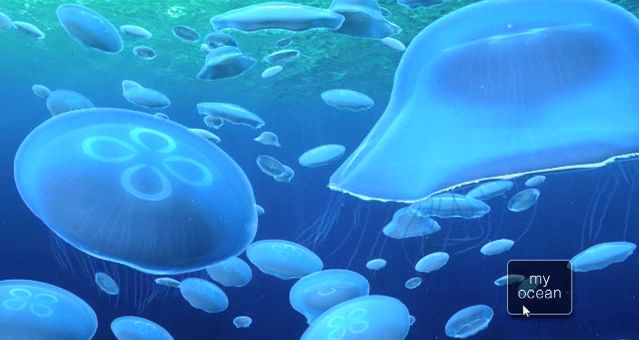
Dipping into The Blu

Last month I reported on a new virtual environment being created by Wemomedia, called The Blu. The Blu presents itself as project that brings together digital media, social networking and collaborative workspaces into a global shared creative space. Neville Spitieri, co-founder of WemoMedia, the company behind The Blu, describes it thus:

“The Blu is a global mission to create the ocean on the world-wide web. It’s an interactive world where every species and habitat is a unique work of art created by digital artists and developers from all over the world.”

Which sounds very exciting, and the project certainly seems to have the support for various visual effects luminaries and digital artists. Given my fascination with ocean exploration, it was enough to pique my curiosity and get me to register for the Beta. Today I received an invitation to register The Blu and start exploring.

Registration is very straightforward, requiring the usual – name, username, e-mail, password. For the Beta at least, there is no e-mail verification process, and once you’ve completed the registration process you can log-in to the main website.

Your Home Page

The Blu home page

This is pretty straightforward, comprising your current status, access to your profile page and credit standing (you get 100 Blu Credits to start) right at the top of the page. Beneath this is a simple menu bar:

  • Home is your personal home page (the one you’re on)
  • The Blu launches the virtual world itself in a separate browser window
  • My Collection takes you to a page listing the various species you have collected in-world or purchased
  • The Store take you to the online store where you’re able to purchase species
  • Community take you to a list of The Blu Users – clicking on a name / icon here take you to their Home page, where you can connect with them, or become a Friend / Fan.

Beneath this is a map of the currently available “spheres” you can explore, with your home location indicated by a star. As I’m in the UK, my home sphere is Europe, landscaped as an undersea cliff environment.

The lower section of the page is split into two. Your Event Stream is on the left – what you and anyone you are connected to has been up to (fish collected / purchased, messages posted, etc.)  – think Twitter page / Facebook Wall. The right side features various other elements – including the opportunity to become a Maker for The Blu. When your Home page is viewed by others, the Event Stream moves to this side of the page, and the species you have collected appear on the left side.

Entering The Blu

Clicking The Blu from the menu bar, or clicking on DIVE next to your Home page map launches a separate Viewer window and loads the Unity 3D Viewer (the first time you run The Blu, it will prompt you to download the Viewer, which installs seamlessly with your Viewer. Here is where things get interesting / confusing.

Music greets you as the Viewer completes loading and you slip gently beneath the waves to arrive at your default environment. The question then becomes, “OK, so what the bloody hell do I do now I’m here?”

The short answer is – explore!

Moving the mouse cursor around the Viewer window will allow a limited amount of camera movement – so pointing over to the left side of the window will cause the camera to pan left, etc., and there’s no need to press any key. Note that in some views, the camera will proceed on its own, and you can make only minor adjustments to your course.
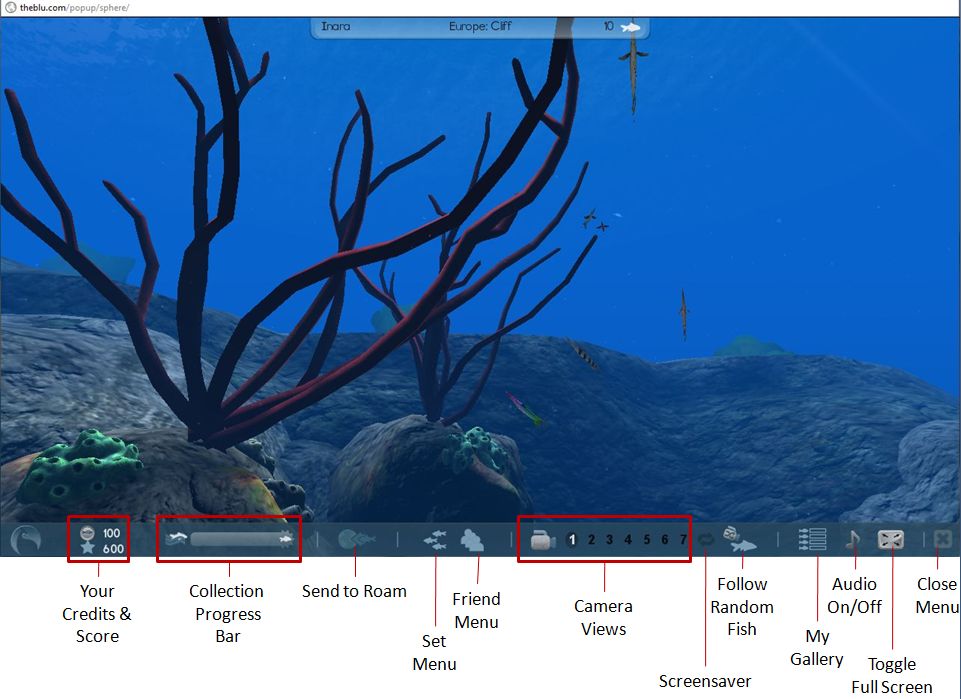
Hover the mouse at the bottom of the screen and a toolbar will fade-in (above). You can change the camera view of your location by clicking one of the 7 pre-set camera positions. In some of these you will see fish, sponges, anemone, etc. Clicking on any of the latter will display two floaters – one providing a brief description of the plant / item, the other details of the item’s creator, with a link to view their profile.

Clicking on a fish for the first time will display a floater asking you to collect the remaining fish in the “collection” to which the one you clicked belongs, and will open an additional Information Bar under the toolbar, listing the fish you need to find to collect the set. If you close this bar, the collection progress bar in the main toolbar will activate, indicating your progress in locating and clicking on fish.

Clicking on a fish you’ve already collected will bring up the two information floaters for the fish and its creator. You can view the creator’s profile in summary in the Information Bar when you click on Viewer Maker’s Profile, and you can ask to be a fan / make contact with them / view their web page.

Fishes in a set you have yet to collect generally show-up in one or other camera views, and tend to have a luminescent glow around them – an audio tone will also sound when a fish from the set you’ve yet to collect enters your sphere. Alternatively, rather than use the camera controls to hunt down fish, you can use the FOLLOW RANDOM FISH button, and see where you end up.

Collecting a set

When you have collected a full set, each fish in the set gets a cameo appearance on-screen, and you can then elect to move on to collecting your next set – or if there are no remaining sets, you can click on a fish and then use the SEND TO ROAM button to select another ocean sphere. The fish will then take you there in a manner similar to (but far smoother than) an SL teleport minus the progress bar. Once you have arrived at a new location, you can start collecting more fish – with everything you collect appearing on your Event Stream and each fish you#ve collected appearing on your My Collection webpage.

Buying Fish

Fish can also be purchased using your credits. This can be done one of three ways:

  • When collecting them in the Viewer – click on the shopping trolley for a fish in the set display (see image above)
  • By going to your My Collection webpage
  • By visiting The Blu’s store.

In the case of the latter two – use the links in the menu bar of your Home page to display the relevant webpage. Both will display the available fish as icons. Hovering the mouse over a fish brings up additional options (see right) including price, a purchase button and a link to the species’ web page. Alternatively, you can double-click on a fish to go directly to the species’ webpage, which also has a purchase button.

A word of warning here: if you click on the shopping trolley within the Viewer, or any purchase button in a webpage, that’s it – you’ve bought the fish. There is no confirmatory pop-up warning prior to completing a purchase. Instead, you are given the options to continue browsing or “dive in” to the Viewer window once more. The lack of any form of confirmatory pop-up is, I feel, an oversight – I was forced to buy a fish while simply checking-out what options are displayed during a purchase; people “clicking to see” may equally find this a little annoying.

Should you run out of Credits, you can purchase more via your Home page. They come in packs ranging from 20 for $3 USD through to 1700 for $100 USD. Fish themselves range in price from 20 Credits upwards; how they are priced (by the user or the vetting team and / or based on some scale related to size / complexity) is unclear.

Species’ Webpages

The species’ webpage for a fish allows you to read-up on the fish (click on the + under the fish name area on the page), and also see how many variants on the species have been created for The Blu (click on the + below Variants to expand the bar) and you can display each of the available variants by clicking on each of them in the drop-down bar.

Species information expanded in the species webpage

You can additionally mark a fish as a “favourite” and /or leave a comment about it for others to read when they visit the page.

Playlists

You can also use the fish you collect to create your own “playlists” – these appear to be screensaver-like movies that feature the fish you have collected and placed into an ocean sphere of your choice.

Playlists are created using the MY GALLERY button on the Viewer toolbar, with opens up the Playlist display.

Clicking on the NEW button in the display allows you to create and name a playlist, select the ocean sphere you wish to use, and then select the fish you wish to add to the playlist. Clicking on SAVE saves the playlist, which is then displayed in the playlist area. Double-clicking on a playlist will cause it to play in the Viewer window until the window itself is clicked, and you are returned to the “main” ocean, and can resume your search for more fish.

Creating Content

Creating content requires you re-log into the site (without signing-out first) by clicking on the BECOME A MAKER button on your Home page. This takes you back to the login screen where you use the same username / password combination to log-in to the Maker platform and get delivered to your Maker Home page.

Maker home page

Here you can review existing assets (creations), select a species you want to create, request permission to create an entirely new species, etc. Clicking on a species brings up the template page, which allows you to download any available template you can use to create the fish in question, and provides LOD (Level of Detail) and texturing  information. Templates are in Autodesk .FBX format. I’m no 3D modelling expert, so am unsure as to how well this sits with the likes of Blender and Wings3D in terms of pulling the template into the application for use, although it obviously works with high-end applications.
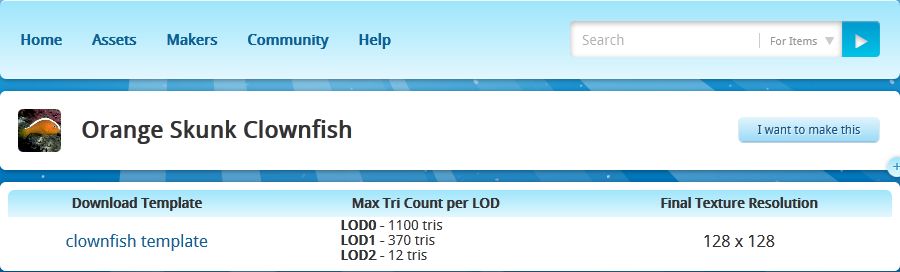
Template and information for creating a species / variant

.FBX is also the file format for uploading a species for review / acceptance for use in The Blu. Makers of accepted species / variants get paid each time a copy of the species is sold.

Thoughts and Feedback

Currently, The Blu is a bit of a curate’s egg – at least from a user’s perspective. When all is said and done, there is little to do but splash around various ocean scenes and collect fish – but even this is mildly addictive.Once you’ve started gathering a set of fish, there is something oddly compelling about having to get all the fish in the set – and then move on to the next set. Or maybe it’s just me developing a virtual form of OCD! Either way, it’s engaging – but I’m not entirely sure exactly how engaging, or shake the feeling that the novelty will wear off sooner rather than later.

Graphics-wise The Blu is crisp and sharp. Being made up of mesh creations, it is streets ahead of Second Life in many respects – but then, it is an entirely different environment when it comes to content creation (the environments are pre-designed and all fish and other species are vetted prior to being added to the system). It might also be a promise of what is to come, to some degree, within the likes of SL as mesh creations become more widespread.

The Viewer itself is very functionally smooth and the animations are for the most part very realistic and movement is superb. Some of the larger fish occasionally exhibit odd “folding” motions if you happen to catch them from certain camera positions, but on the whole the visual experience is quite immersive.

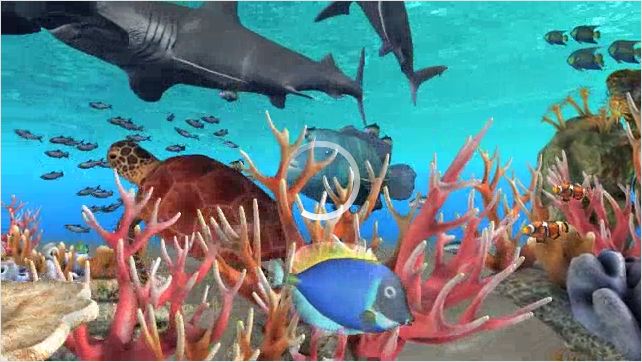
The Blu: a typical scene

The Viewer appears to suggest there will be more on offer as things develop – what is the purpose in having points, for example? Why have undersea “flora” clickable? Is it simply to provide information about the item and its maker, or will there be more in time? The lack of any clear information on the main website both adds to the desire to dive in and try things – but is also maddingly frustrating in some areas – the above being cases in point.

Something I have found disappointing lay in the information presented within the Viewer when clicking on a fish: generally a couple of lines (written by the maker?) which tend not to reveal that much. To get any detailed information on the species, one has to swap over to one Home page, then look the fish up via the My Collection or Store pages, call-up the species’ webpage and then expand the information drop-down. This tends to ruin any semblance of an immersive experience. While one doesn’t want the Viewer unduly cluttered-up, it would be better of the species information could be displayed when clicking on the fish itself.

It would also be nice to see more information on the various habitats and environments under the sea as well. Maybe this is on the cards for the future.

As a social medium, The Blu is currently lacking the ability to – well, socialize. There is the Event Stream, there are options to make friends / become a fan / connect (not entirely clear on what the differences are and no explanation given)  – but no real means of directly interacting with other people. There is no clear way of exchanging messages openly or in private, etc. Again, there is every possibility that this is coming – but it seems odd that some greater ability to interact with others is lacking even at this stage, given The Blu’s stated goals.

You may touch a fish that “belongs” to someone else during your travels. When this happens you have the opportunity to Connect to them if you are not already friends, or you can use their fish to roam to another ocean sphere, etc.

I’m not sure how popular The Blu is going to be among the general populace. As a collaborative project, it holds possibilities for digital artists, but more needs to be done on the communications side of things to allow greater interaction between Makers. Similarly, more needs to be built into the system to sustain the interest of the “casual” user. Frankly, it is hard to see why people will want to buy the fish available. While artists may understand the appeal of supporting one another, the greater population probably isn’t – to be brutally honest – really that interested. There simply isn’t anything (at present) that compels someone to collect and then buy the fish on offer – you can’t do anything further with them once purchased, for example. This needs to be addressed in some way, I would venture to suggest, if doing so is not already on the cards.

For a Beta, an novel experiment. It’s going to be interesting to see how this develops.

Inworldz: Homes and Residences exhibition

Running throughout September, the Inworldz Homes and Residences exhibition covers four sims within InWorldz and provides some 42 exhibits to explore on foot or in the air. The exhibition offers InWorldz residents the chance to take a look as homes, pools, garden items and furniture  from some of the grid’s top creators.

The Homes and Residences sims

The setting is somewhat rural in styling, with exhibitor plots neatly laid out in plenty of greenery, while the central area where the four sims meet incorporates a grid system of roads and foot paths.

Each exhibition plot has a large sign out front for displaying the creator’s logo / image, and which includes a giver for both the creator’s notecard and a landmark to their main store / sim.

A typical display

You can wander around the sims, or fly on your own or – in a marvellously refined option – take a hot air balloon around each of the sims, with up to three fellow passengers. The balloons can be flown, rather than running on a scripted route, with PAGE UP / DOWN controlling height, and the ARROW keys controlling direction. You can even get a glass of champers to enjoy during your flight. When you’re done, simply STAND UP and the balloon with auto-return to its start-point, leaving you free to roam on foot.

Drifting over the exhibition

There is a slight caveat to taking a balloon, however, Currently, InWorldz doesn’t support scripted objects crossing sim boundaries Twhich might or might not still apply when you visit. During my preview visit (September 1st,) the balloons were scripted to stop at sim boundaries. An explanatory notecard stated this was to do with issues with scripted objects crossing sim boundaries. As you can see from the comments at the end of this piece, this is apparently no longer the case, but the balloons within the exhibition sims had not be updated with revised scripts, etc. Hopefully, this will be corrected now it has been noted.

There are a few “special” landmarks to visit as well, including a live events stage and dance area, and the Bates Motel of Psycho fame (once a common find within Second Life many years ago, and thus something of a memory-jogger).

Sim crossing may be an issue with scripted objects, but they don’t present any problem when on foot. InWorldz has some of the smoothest sim crossings I’ve encountered, and this was certainly true wandering around the exhibition.

The exhibits themselves demonstrate a range of styles and approaches, from “traditional”  house designs through to the more esoteric – tree houses, etc., – and the futuristic.

A more futuristic build

Overall the exhibition presents a good opportunity for InWorldz content creators to showcase their wares, and for residents to take a look at what is on offer and gain landmarks to stores to check-out more. The balloon rides are a pleasant experience, and there are some well thought-out plots in the sims that encourage exploration.

Why not take time out and go see for yourself?

Sim Landmarks

A personal favourite

Making the ocean a shared creative space: The Blu

Shared creative space and shared creativity tool – they’re becoming popular terms. Not only does Rod Humble refer to Second Life as a shared creativity tool, he suggested that shared creative space might be a Good signpostfor his thinking around at least one new product that will be coming out of Linden Lab.

Now it seems another organisation is moving into these areas, offering a web-based shared creative space and a shared creativity tool by which artists the world over can collaborate and, it would seem, make money.

The Blu presents itself as project that brings together digital media, social networking and collaborative workspaces into a global shared creative space. Neville Spitieri, co-founder of WemoMedia, the company behind The Blu, describes it thus:

“The Blu is a global mission to create the ocean on the world-wide web. It’s an interactive world where every species and habitat is a unique work of art created by digital artists and developers from all over the world.”

One of the aims of the project is to see if the Internet can be a new medium for artistic expression, storytelling and interactive media on a global scale – one which touches on the nature of ecosystems,  conservation and other key issues. Or as The Blu’s website words it, “A global geosocial experience where your participation in the curation of the “ocean on the web” influences everyoneʼs experience of it”.

There are some impressive names linked to The Blu, including:

  • Andy Jones, the Academy Award-winning animation director of Avatar, who describes his attraction to The Blu as arising from, “The possibility to work with thousands, tens of thousands, of artists around the world, that can contribute and make this environment amazing.”
  • Joichi Ito, Director of MIT’s Media Lab
  • Louis Psihoyos, the Academy Award-winning director of The Cove
  • Kevin Mack, the Academy Award-winning VFx Supervisor on What Dreams May Come
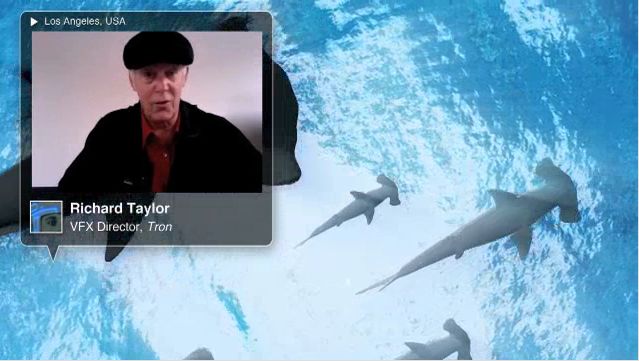
  • Richard Taylor, VFx Director, Tron
  • Takahiko Akiyama, CG Director, Final Fantasy.
Richard Taylor talks The Blu

For digital artists wishing to get involved in the project, the benefits are described as:

  • The ability to showcase work across the web
  • Connecting with a global commuinity of peers
  • Direct feedback from Academy Award-winning film makers
  • The opportunity to get paid for creations

The Blu will utilise WemoMedia’s own Maker Platform, described as “An online creative collaboration platform enabling digital artists and developers around the world to peer-produce innovative digital media”. As such, it will be the first such project / product the company will be developing using the Maker Platform.

It’s an ambitious project, and a lot of details – such as how artists get paid for their efforts  – are not presently clear. However, it is certainly intriguing – and it is starting to generate interest; as such, it’s worth keeping an eye-on.

To find out more  – and both see a video outline of the project and sign-up to get invovled – visit The Blu. There’s also a Twitter hastag for those curious  / involved in the project: #theblu

All screencaps used in this piece, ©WemoMedia / The Blu.

SpotON3D: Losing patience around patents

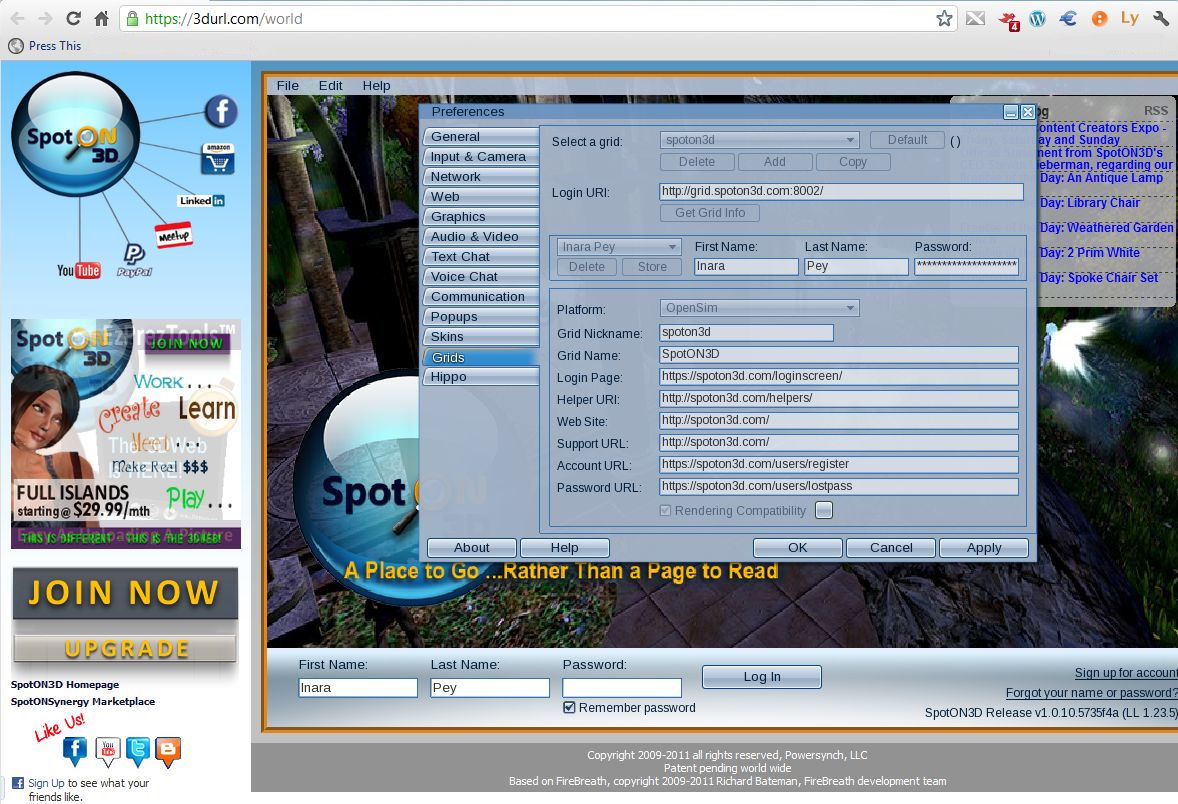
There has been much to-do around SpotON3D’s plugin to present the Viewer through a browser / Facebook page.  Specifically, the furore has been around SpotON3D’s revelation that they have filed a patent application for the technology. A lot of this furore has been on the matter of prior art existing around the concept of a web browser plugin (the inDuality product is frequently pointed to), and the fact that others in the OpenSim environment have been working towards similar capabilities. Another cause for upset has been the perception that SpotON3D are using the fact that they have filed for a patent on the technology as an anti-competitive roadblock to discourage others from working on the same idea out fear of facing financial penalty should the SpotON3D patent in fact be granted at some point in the future.

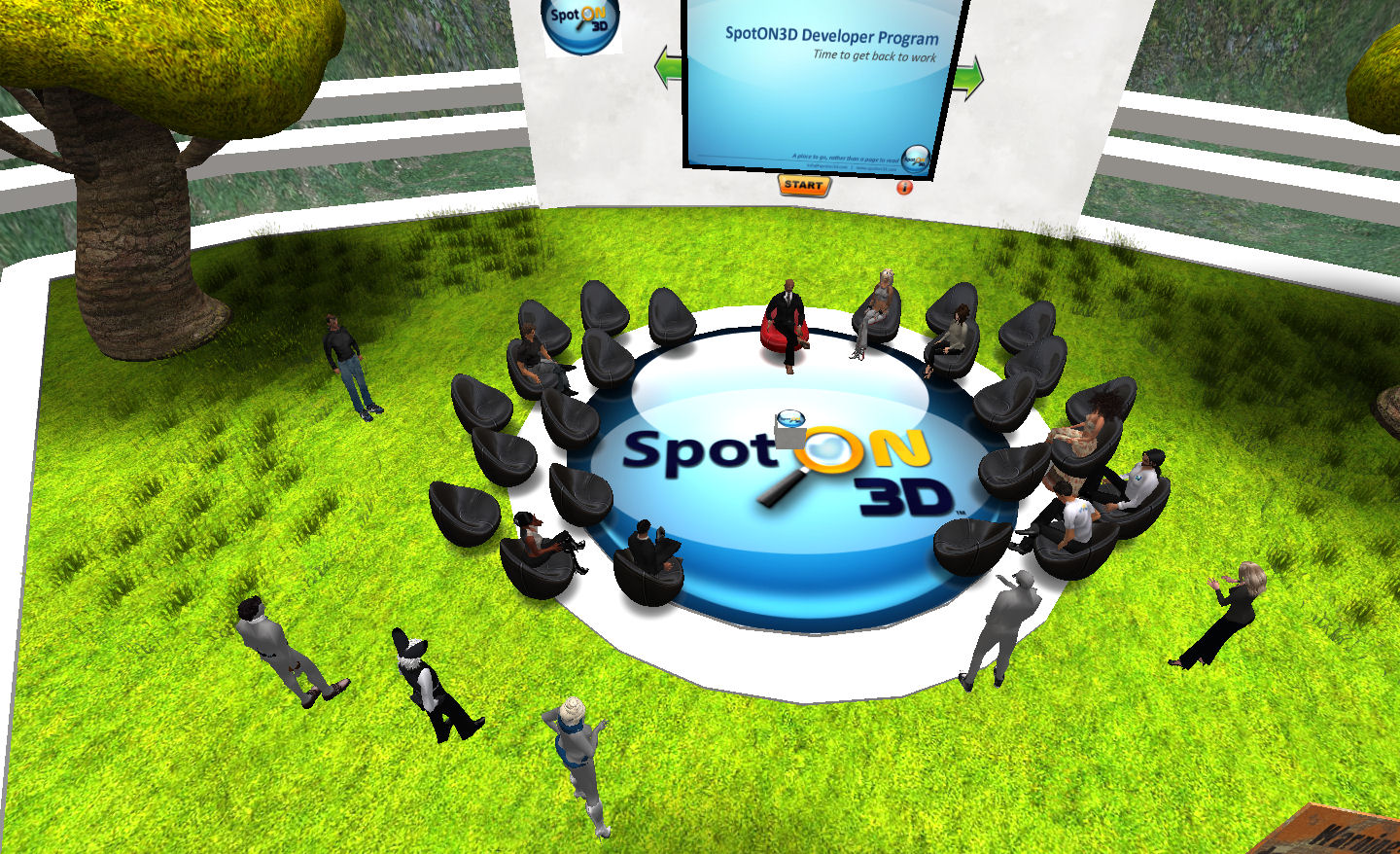
SpotON3D have twice made efforts to directly address concerns in these matters through face-to-face group meetings. The first of these was held on their own grid, and was not a roaring success due to a number of reasons. The second attempt was held last night at their Content Creator’s Expo being held in Second Life. Hosted by Tessa Kinney-Johnson, SpotON3D’s COO and Stevan Lieberman, SpotON3D’s CEO, this also wasn’t an inspiring success.

A major reason for this was the seeming unwillingness for those at SpotON3D to actually engage with others on specifics (i.e. what area(s) of technology they are patenting), repeatedly deferring such discussions until the patent is published. Instead, they would only go so far as to circle around what the patent may not be, and the patent process itself. I say “may not” here, because the answers Stevan Lieberman gave last night were vague because as he himself put, it, “I don’t fully understand all of the technology”.

While this may well be true, it also came across to some as evasiveness: SpotON3D called the meeting, have seen the questions that have been asked repeatedly in public forums (which they’ve previously refused to answer), and so should have been somewhat better prepared to deal with this kind of question a little more openly.

Obviously, there are reasons for SpotON3D not to go into specifics – just as any company filing a patent application would avoid discussing precise details, simply because doing so would tip-off “the competition” and lead to complications through the patent process etc. However, while this attitude may well appear to be right and proper from a legal perspective (Lieberman is himself an intellectual property attorney), it tends to demonstrate a lack of understanding of the environment in which his company is working. This was exacerbated by his refusal, as the conversation broadened, to indicate two further patent applications SpotON3D is in the process of filing.

In many respects, what we have here is both a failure to communicate – and in fairness, this is not just SpotON3D’s fault, although they do carry the brunt of responsibility and they’ve managed to turn this entire situation into something of a PR disaster as a result. I could go on at length as to why, but Maria Korolov has been me to the punch in expressing why this is so, and her comments are an excellent read on the matter.

Simply put, SpotON3D are doing themselves no favours – not so much by filing this (and other patents), although some may well differ within me in this opinion – but in the manner in which they are both interacting with, and reacting to, the OpenSim community as a whole. In this regard, were I to point out just one aspect of the advice Maria gives to SpotON3D to help alleviate matters, it would be this:

Give something back to the community. Now.

Much of the damage SpotON3D have done to themselves stems from the fact that they appear to constantly come up with reasons not to give back to the community they claim to be a part of. Yes, they have plans to do so “next year”, but that simply isn’t enough. They need to be seen to be contributing now, and moving away from what appears to be repeatedly citing reasons why they cannot.

In this, SpotON3D further haven’t helped generate a feeling that they are working openly with the rest of the community as they’ve recently taken steps to lock-down the plugin so that the Viewer no longer supports the ability to access other grids when displayed through the plugin. Whatever the reasons for doing so, it doesn’t really measure=up to SpotON3D’s claims of openness towards the greater community.

Beyond this, the company needs to offer more of an olive branch if they want to be be seen as being genuine in their efforts to broker greater understanding and cooperation. This may sound unfair to those at SpotON3D, who may well feel as if they have attempted to reach out on at least two occasions, only to receive a rap across the knuckles, and had to face-up to placard-wavers and the like. But the move really has to come from them, and demonstrate they themselves are willing to bring something to the table that can be discussed.

And with the greatest of respect to Tessa and Stevan, they need to ensure that whoever does this is a) fully briefed on all aspects of the technology and the kind of questions they are liable to face – and be prepared to provide answers; and b) is able to engage with people positively and with both openness and empathy.

Further Reading

SpotON3D to host content creator’s workshop – in SL

This weekend will see SpotON3D, who have been the source of much controversy around patent issues of late are holding a 3-day exposition this weekend at their sim in Second Life.

The aim of the weekend is to enable people to: “Learn more about our products and services, on how to expand your business to SpotON3D, the SpotON3D Developer Program and much more!”

Schedule of Events

The weekend’s programme is as follows (all times SLT):

FRIDAY – August 19th, 2011

  • 11:00: CCEXPO INTRODUCTION with Tessa Harrington
  • 12:00: SpotON3D’s GEEKSPEAK: Ask the SpotON3D TechTeam Your Questions
  • 13:00: Developer Discussion Group with Philippe Pascal
  • 14:00: Concurrency: Should the number of users be your sole reason for expanding?
  • 15:00: Scotty Bevill of Bevill Edge®
  • 16:00: Music
  • 17:00: SpotON3D ‘s Patent Pending Plug-in: Is it a threat or a benefit?

SATURDAY – August 20th, 2011

  • 11:00: CCEXPO INTRODUCTION by Tessa Harrington:
  • 12:00: Reserved
  • 13:00: Amleth McCallen performing
  • 14:00: Vardasilver Spearsong about RP
  • 15:00: SpotON3D Office Hours
  • 16:00: Sunny Salamander, SpotON3D Chief Developer, Business Tools : HOTSWAP
  • 17:00: AgileBill Firehawk/ AgileBill Krebs – http://www.agiledimensions.com

SUNDAY – August 21th, 2011

  • 11:00: CCEXPO INTRODUCTION by Tessa Harrington
  • 12:00: SpotON3D Chief Developer – Business Tools :: BoostCLOUD Severs
  • 13:00: Lesley Scope aka Light Sequent :: Cybergogy for a 3D Educational
  • 14:00: Maxmillion Kleene performing
  • 15:00: Phoenix DaVinci – What I like to create: HotSwap Scenes?
  • 16:00: GridWrap – Hosted by Tessa Harrington & Wildfire/Raine Morgwain, Guest Sandy Adams.
  • 17:00: Wildfire Morgwain – Virtual Entertainment- The Next Great Cinematic Frontier?

Patent Discussions

Most interestingly, SpotON3D have decided to open part of the event to discussions around their move to patent the wrapper they’ve developed to present the Viewer thro popular web browsers. This is scheduled for Friday at 17:00 SLT.

In all, SpotON3D has filed five patents for technology linked to their Virtual World offering, although it is the wrapper patent that has so far gained the widest coverage, and it is this that appears to be the focus of the discussion planned for Friday.

The company have already attempted to hold one discussion around their actions, but this didn’t go very well, as Maria Korolov reported at the time. Whether this attempt is any more or less successful is open to question; but at least it is leaning a little more towards “neutral ground”. The last meeting was boycotted for a number of reasons – one being it was held on SpotON3D’s own grid. Given this meeting is still going to be held on SpotON3D’s own region (SLurl) in SL, it remains to be seen as to whether it is regarded as “neutral” enough. The other aspect of the discussion is, of course, just how open the SpotON3D folks are prepared to be in relation to their patents; on the strength of their last meeting, some observers might be prone to say, “not very”.

For more information on the expo, see:

(With thanks to Maria Korolov)

SpotON3D put themselves on the spot

Today, those behind SpotON3D attempted to host an Q&A session concerning their plans to patent code they use to to display the Viewer through a number of popular browsers.

I say attempted because, as Maria Korolov explains, things didn’t turn out too well. Part of the problem is that the event was announced at very short notice for many, although I actually received notification by way of a comment on this blog at 07:53 BST (23:53 PST Saturday), some eight hours prior to the event being held; unfortunately – and possibly due to the links included in it – WordPress fed the comment to my spam folder without issuing any notice to myself & I failed to see it until several hours after the meeting had taken place. Had I managed to see it ahead of time, I would have certainly posted and Tweeted about it.

The announcement / comment in full read:

This is an official statement from SpotON3D

Due to the reaction of the OpenSim community about our World on the Web plug-in and the pending patent, we’ve decided to take the debate to another level and give everyone – BOTH SUPPORTERS AND NON-SUPPORTERS, the chance to bring their ideas and questions directly to us one-on-one. Our goal here is not to win anyone to a particular way of thinking, but to try answer the biggest questions and at least understand each other’s POV. And who knows? Maybe this can help start a continuing dialog between the OpenSim community, SpotON3D and the many other grids out there.

Stevan and I will try and answer as many questions as possible in a 1-1.5 hour period of time. Due to a previously schedule business trip, Stevan will most likely only have one hour. I will be staying an extra half hour or more if necessary. I can not answer any legal questions, because … well, I’m not a lawyer! Any questions about the legal aspects of the patent, plug-in or other legal matters not answered at this event can be addressed directly to Stevan via email at Stevan@spoton3d.com.

THE VENUE< TIME< DATE – August 7th at 8 am PDT/SLT/MVT
The meeting place will be in SpotON3D in a Quad MegaSim called OUTREACH. Any and all voice chat in the main sim will be relayed over all four sims, so please be patient and fair to everyone else. This mega sim will hold about 150 people, so it will be on a first come first serve basis. Below you’ll find some general guidelines

This event will be filmed, archived and uploaded to our media page, as well as the usual web sites for everyone, so that everyone will have something to review and point others to.

We are looking forward to this being a productive event for both SpotOn3D and the community. You can teleport directly into OUTREACH ISLAND, if you have the World on the Web Plug-in installed on your Windows PC, (sorry MACers and Linux guys … that’s next on our to do list) and just click on the 3DURL below – works just like a SLurl. http://3durl.com/map/veesome/Outreach%20Island/135/126/22

Thank you!
Tessa & Stevan

Quite why other announcements appear to have been issued much later is unclear; Maria reports some did not receive notice until just four hours ahead of the event, or 05:00 EST / 02:00 PST – times hardly conducive to gaining someone’s attention.

SpotON3D put the short notice for the event down to wanting to hold it before Stevan Lieberman had to depart for a week to attend a conference; however, given their press release responding to community concerns on the matter went out on Wednesday, and has continued to garner negative feedback in the interim, one cannot help be feel the company could have worked to ensure more advanced warning could possibly have been given.

Another problem with the event, apparently, was that SpotON3D opted to host it on their own grid, rather than a “neutral venue”, which put some of their critics off, with some suggesting that SpotON3D might seek to censure their views / comments. As a result, they refused to attend; others actively called for a boycott. Therefore, whether their attendance at the meeting might have resulted constructive dialogue taking place was sadly rendered moot.

That said, SpotON3D appeared unwilling to move beyond the position they’ve established through Wednesday’s press release, nor discuss much in the way of specifics – thus rendering the stated aim of the meeting, “to try answer the biggest questions and at least understand each other’s POV”, also somewhat moot.

The controversy is set to continue.

Addendum

The video of the meeting is now available on the SpotON3D livestream; unfortunately, not all questions can be heard (thanks to Maria Korolov for the link).