The following notes were taken from the Tuesday, November 7th Simulator User Group (SUG) meeting. They form a summary of the items discussed, and is not intended to be a full transcript.
Meeting Overview
The Simulator User Group (also referred to by its older name of Server User Group) exists to provide an opportunity for discussion about simulator technology, bugs, and feature ideas.
They are open to anyone with a concern / interest in the above topics, and form one of a series of regular / semi-regular User Group meetings conducted by Linden Lab.
Dates and times of all current meetings can be found on the Second Life Public Calendar, and descriptions of meetings are defined on the SL wiki.
Server Deployments
No deployments for SLS Main channel, but the simhosts were restarted.
The planned Wednesday, November 8th deployment of the PBR Material simulator support to all RC channels has been put on hold pending the resolution of a late-breaking issue.
At the time of the meeting, the proposal was to restart simhosts on the Ferrari and Magnum RC channels, whilst BlueSteel and LeTigre (the two currently with the PBR support) to receive updated code before the end of the week.
Please remember: if you have anything that uses PBR materials and you rez that object (or wear it) on a non-PBR simulator, the PBR Materials will be stripped from the object and forgotten.
As it turns out the new message introduced by Materials was generating unacked packets back to the simulator. In groups of one or to agents this isn’t a big deal… but add a user here and a user there and pretty soon you’re talking about real data, and this extra overhead was causing some performance issues on our end that would eat into script time. We have a solution to it and we are just trying to reach a consensus on how best to roll that onto the grid.
– Rider Linden, describing the issue which prevented the simulator-side PBR code deploying to all RC channels
Viewer Updates
No updates to viewers for the start of the week, leaving the official viewer pipelines as:
Github Actions (GHA) RC viewer, version 6.6.16.6566955269, issued October 20 (with major CEF update and number version numbering) and promoted on October 25.
Release channel cohorts:
glTF / PBR Materials viewer updated to version 7.0.1.6658224456, November 2.
Maintenance V(ersatility) RC viewer, version 6.6.16.582201, October 16.
Maintenance-W RC viewer, version 6.6.16.582075, October 5.
Puppetry project viewer, version 6.6.12.579958, May 11.
SL Combat
Regarding the “Combat Committee” and requests for capabilities for combat in Second Life, Rider Linden stated:
I don’t have news on any sort of when for that. I am actively working on a proposal that I’m going to float around the lab and then bring to the community. That may end up involving creating what I’ve been calling a “Combat Committee”… because I love alliteration. I don’t think I’m going to have anything useful to report on that though until January next year. I would really like to get some tools in that would allow people to create some interesting combat systems.
– Rider Linden
In Brief
Requests from users:
An update on the recent region crossing tests (see October’s SUG summaries). Monty Linden is working on this, but has been out-of-office, so a further update may be forthcoming at an upcoming meeting once he is back.
Custom pivot points – a capability being considered as a further part of the glTF project, as this will enable hierarches that will make arbitrary pivots a lot easier.
Animation priority updates: these was going to be looked at as a part of the on-hold Puppetry project. However, any such work is unlikely to include things like changing priorities by script, as these are seen as problematic.
A request for new sensor functions which could better enable RP functions (e.g. detacting NPC, casting speeling), together with further requests for Feature Requests such as BUG-4329 “Feature Request: New sensor functions that are not bound to a prim’s position & rotation plus inclusion of an Owner filter” and BUG-233784 “Add sensor type LOW_SCRIPTED as an option”, and also increasing the number of objects a sensor can report on from 16 to 32.
Rider Linden is developing ideas for possible scripted camera control updates, and is adding BUG-6325 “More Flag parameters for llSetCameraParams()” to the list.
Requests are being made for those with games controller to try the pre-release Game Controller viewer and offer feedback. This is still currently Windows only, but a MacOS version is coming Soon™.
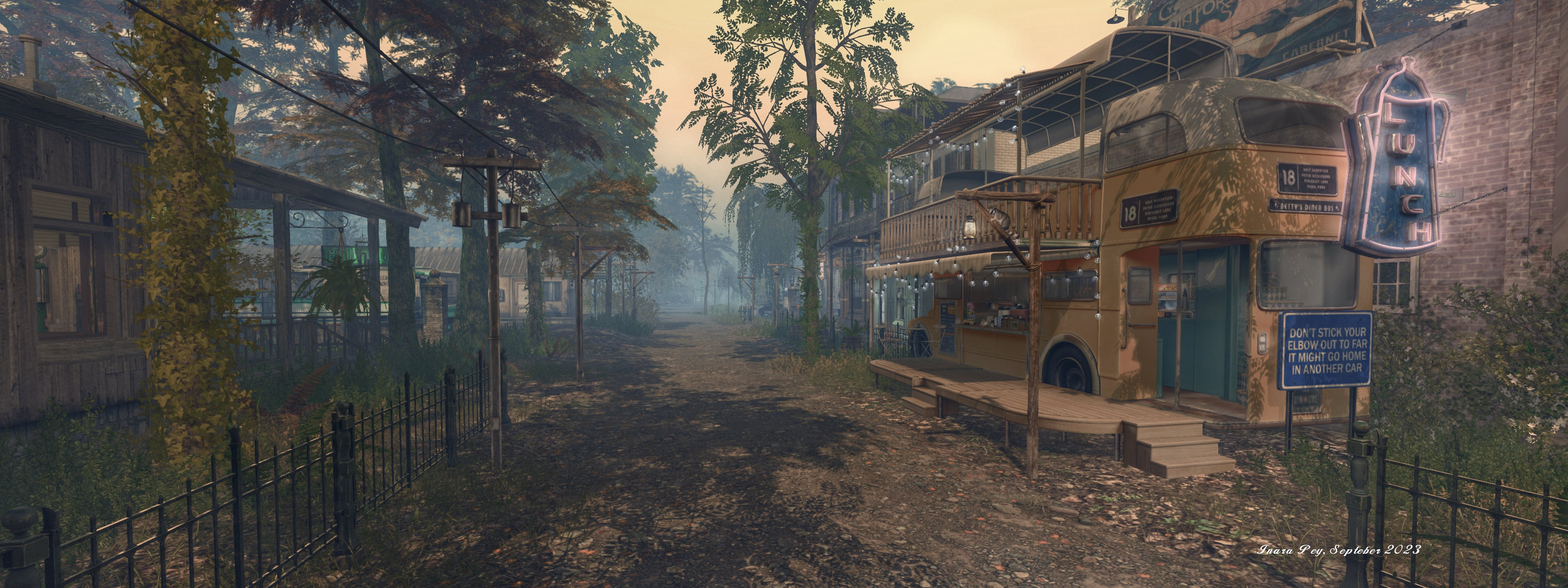
† The header images included in these summaries are not intended to represent anything discussed at the meetings; they are simply here to avoid a repeated image of a rooftop of people every week. They are taken from my list of region visits, with a link to the post for those interested.
Nom Nom Café Library, November 2023 – click any image for full size
So, Halloween has now passed, and we’re in the end-of-year headlong rush into winter, snow, sledding and suchlike, pausing briefly along the way at US Thanksgiving before we resume the annual end-of-year surge of wintertime activities. Because this time of year can feel like a whirlwind of Things To Do And To See, it is sometimes good to find the time to take a little breather and decompress – and that’s exactly what the Nom Nom Café Library allows us to do.
Occupying an 8192 square metres parcel towards the western end of Corsica, this is a place which literally stands head-and-shoulders above its surroundings, sitting as it does atop a flat-topped mesa rising some 90 metres above the nearby sea floor. The creation of Spooky Treat, Nom Nom Café Library is a cosy, autumnal (at the time of my visit – not sure if it get redressed with the passing seasons) setting some may recognise from the official Linden Lab June 2023 video demonstrating the upcoming SL Mobile viewer (as shown during the SL20B celebrations).
Nom Nom Café Library, November 2023
Between lush green trees, grass, and an abundance of flowers the Nom Nom Cafe Library awaits you. Relax inside with some delicious cake, a book, cats, or cuddle up at one of the various spots surrounding the Cafe. Bring your friends and loved ones over for a night at the campfire or simply enjoy some alone time. A refuge for not only the LGBTQIA+ community but also all allies, created with love. ♥
– Spooky Treat describing Nom Nom Café Library
Given its perch, the best way to reach the café is via SLurl / LM to the landing point, which will drop you onto the path leading up to the café itself. This takes the form of the Nicolina Pavilion by Cory Edo, which Spooky and modded a little to provide a comfortable main café space to the front, the walls to either side carrying a multitude of books which allow the café to more than adequately live up to the “library” part of its name.
Nom Nom Café Library, November 2023
A little service area towards the rear of the pavilion separates front from back, the latter providing something of a fireside snug overlooking the grounds behind the café. This view is also shared by a balcony area directly over the snug and reached via a little staircase to one side of the service counter. Within both the snug and on the balcony above, more books await avid readers as they sip their coffee or nibble on some of the treats also available.
Flanking the café to west and east, both close enough to be within easy reach but far enough to offer their own circles of restfulness, sit two outdoors spaces. One, reached via the cobble surrounding the café’s fountain, presents a little storytelling / reading circle around a warm fire pit, marshmallows ready for roasting. A chalkboard to one side offers the opportunity for a little self-expression; just click on one of the pieces of coloured chalk and start drawing (and click between the colours to change them or click the eraser to wipe the board), and the place is friendly enough to have encouraged a couple of local crabs to forward the waterfront down below the café’s mesa and scale the rocky heights to enjoy a little fireside dance!
Nom Nom Café Library, November 2023
To the west, and reached by passing through a little arch arcing between two short walls, is a place of promised mystery: a circle of standing stones, some with hollows cut through them so small torch-like fires might be lit. A table in the middle offers a chance for repast – or it would, barring the fact turkeys and squirrels appear to be availing themselves of the meal; better then, perhaps to retire to the hammock on one side of the circle and partake of the cookies on offer there!
A further path leads outwards from this circle to reach another little round pavilion. It’s roof fitted with glass to ward off any rain that happens by, it encompasses wicker chairs and a sofa, all with plump cushions, being one of a number of additional places awaiting discovery among the trees and grasses covering the mesa’s head. So of these are easy to find, others might actually be easy to miss – so do take time to look around (and up!) carefully during a visit. For those who enjoy a friendly table-top game, the open space between the camp fire circle and the café (complete with its little celebration of Moles) might be just the ticket.
Nom Nom Café Library, November 2023
Finished with an accompanying soundscape and rich in the company of pets and critters, the Nom Nom Café Library makes for an engaging and relaxing visit!
Starborn Gallery, November 2023: Gabriel Chamerberlin – The Traveller
How we might describe Second Life to someone unfamiliar with the platform is can often be something of a conundrum. Leaving aside the hoary old “is it or isn’t it a game” element of such discussions†, Second Life can be hard to quantify because it is so utterly diverse in terms of content, opportunity and attitude (on the part of those of us using it). The third of these points will always be a primary influence on how we each opt to define the platform, simply because it is so personal; however, the first two – content and opportunity – do offer a richness of scope in helping to describe Second Life.
This richness is at the heart of Gabriel Chamerberlin’s exhibition the Traveller, which opened on November 5th, 2023, at the Starborn Gallery operated and curate by Lizbeth Morningstar. This cosy selection of pieces spread cross the two levels of the gallery’s guest exhibition space is a visual narrative of one man’s journey through Second Life, exposing many of the elements which can make it so engaging a place in which to spend time.
Featuring the titular individual, as played by Gabriel himself, the dozen pieces within the collection illustrate – generally in a very subtle manner – the rich diversity of Second Life, complete with touches here and there of metaphor, whilst also presenting a short visual story of the experiences and encounters of the part of The Traveller as he goes about – well, his travels!
Starborn Gallery, November 2023: Gabriel Chamerberlin – The Traveller
The metaphor is visible from the start – The Traveller and the Tunnel – the tunnel with its dark interior representing the “great unknown” of Second Life one might face when launching the viewer for the first time. Alongside of it, The Traveller and The Train uses the comedic metaphor of hanging on for dear life to a speeding train to represent the whirlwind of sensations and experiences which can be felt and had on entering Second Life and being overcome with the desire to See It All. Now!
Continuing on around the pieces in order and to the upper level of the gallery, we are offered views familiar to travellers in the physical world which offer subtle hints and the niggles we can have with SL as a platform, such as at times having to sit and wait for things to happen / update, or having to deal minor irritants (The Traveller and Airport Security and The Layover), through to the more obvious facets of SL’s uniqueness – encounters with haunted houses and aliens, the opportunity to be involved in the performing arts, the marvels of creativity.
Starborn Gallery, November 2023: Gabriel Chamerberlin – The Traveller
Following the images around the walls and back towards the stairs connecting the two floors, we come to The Edge, which although the gallery’s layout means it is initially encountered mid-way through a walk through the exhibition, I take to be the conclusion of the story. I say this because it features our Traveller standing on the edge of the precipice, the path he’s been following literally breaking up at the edge.
This is again an perfect metaphor, reflecting the idea that the Traveller’s journey is far from over, and that while possibly unknown (as symbolised by the cliff edge), more awaits, together with the idea that through these images, Gabriel has only hinted that all that Second Life might be and there is more to be discovered and appreciated when we take a leap of faith into the platform.
When visiting, do also take the time to visit the other half of the gallery, in which Lizbeth presents her own Second Life photographic art. this section has been expanded since my last visit to incorporate an selection of night / early morning images Lizbeth has produced under the title Before Dawn and which offers a further engaging set of reflections on time in Second Life.
Starborn Gallery, November 2023: Lizbeth Morningstar – Before Dawn
† Just in case you’re curious – no, I don’t believe Second Life is “a game”, but I do agree it can be used as a platform on which games can be created. however, this should not be taken to mean that people cannot opt to treat it the entire platform as a game through their desire to utilise it in a particular manner – such as adopting a persona other than their own for whatever reason (such as role-play) and then only interact within the platform and with others through the lens of that persona, rather than as themselves.
Logos representative only and should not be seen as an endorsement / preference / recommendation
Updates from the week through to Sunday, November 5th, 2023
This summary is generally published every Monday, and is a list of SL viewer / client releases (official and TPV) made during the previous week. When reading it, please note:
It is based on my Current Viewer Releases Page, a list of all Second Life viewers and clients that are in popular use (and of which I am aware), and which are recognised as adhering to the TPV Policy. This page includes comprehensive links to download pages, blog notes, release notes, etc., as well as links to any / all reviews of specific viewers / clients made within this blog.
By its nature, this summary presented here will always be in arrears, please refer to the Current Viewer Release Page for more up-to-date information.
Note that for purposes of length, TPV test viewers, preview / beta viewers / nightly builds are generally not recorded in these summaries.
Official LL Viewers
Release viewer version 6.6.16.6566955269, formerly the Github Actions (GHA) RC viewer, version , issued October 20, promoted October 25 – No Change.
Release channel cohorts:
glTF / PBR Materials viewer updated to version 7.0.1.6658224456, November 2.
Cool VL viewer updated to version 1.30.2.35 (Stable) and version 1.31.0.13 (Experimental) on November 6 (hotfixes for the Nov 4th releases) – release notes.
The last several days have seen the circulation of news regarding what is patiently a scam viewer. The item in question is being “promoted” by means of an IM circulating to users promising all sorts of goodies and advantages: free Linden Dollars! Freedom to build where you please! And so on.
Most established users are a little too wily to fall for such promises – and the IM has apparently given rise to a number of Abuse Reports being filed, with additional warnings going out via social media. However, those not so familiar with such schemes might be tempted by promises of free L$ and so on, and others might be tempted to “just give it a quick try” to “see what it is all about” – neither of which would be especially wise, as the “viewer” in question does far more than might initially be suspected.
To discover the threats posed by the “viewer” in question, programmer and Firestorm Bug Hunter (and also animator and modeller) Chaser Zaks risked taking a look under the covers of the code that is supplied, and published his findings on Github Gists. So as to (hopefully) help spread the word more generally, I asked Chaser if I could repro his notes here, to which he agreed.
In his document, Chaser neatly encompasses the high-level claims of the “viewer” before dismantling them, before going on to describe the threats posed by installing it. For ease of reference, I’ll summarise the realities behind the claims made by the “viewer” in my own words in the table below, and then turn to Chaser’s notes directly on the threats posed by the “viewer”, if installed on a computer.
Claim
Reality
Unlock unlimited Linden Dollars (L$)
This isn’t possible. Linden Dollars are created and controlled by Linden Lab through the LindeX mechanism, which is not a part of the viewer. Therefore, any claim of being able to access / generate unlimited Linden Dollars outside of this mechanism constitutes the crime of fraud and is a violation of both the Terms of Service and (among others) US federal law. Further:
Linden Lab has the capability to immediately identify and track fraudulent transactions – and to take action (up to and including) banning accounts engaging in such transactions, as well as reporting such activities to the relevant authorities.
The Lab can also identify and block malicious viewers (and similarly take action against accounts using such viewers).
Fly to Unlimited heights
This is already possible; Linden Lab removed the limit on flying to any altitude a fair while ago, and most third-party viewers allow users to fly as high as they like (Building, however does remain constrained to below 4096 metres – but’s that’s a different matter).
Build on any land
Not possible; land permissions are checked by the simulator, not the viewer, the the permissions set by a land holder as to what can / cannot be done on their land cannot be overridden.
For the rest, I’ll refer directly to Chaser’s notes.
So What Does It Actually Do?
A lot of stuff you don’t want happening. I’ll break it down into steps:
You are instructed to download viewer.exe, upon execution it will pretend to install a viewer so that it looks legitimate.
Upon running the newly installed program, it will run builddata.bat.
This script elevates the permission to administrator permissions on your computer! This is incredibly dangerous as it allows whatever is running to do what it wants. In specific, this script will download and execute the files called “V1”, “Q”, and “A”.
“V1”, will install files “1” and “2”.
“1” is Trojan.CobaltStrike, which is a penetration testing toolkit which cybercriminals often abuse in order to do remote administrative access.
“2” will install Trojan.Molotov/Reflo. While I am not 100% sure about what it does, it is very likely another remote administration toolkit.
“Q” will install Quasar, which is also a remote administration toolkit.
“A” will install AsyncRAT which is also a remote administrative toolkit.
Some of these toolkits will automatically install additional stuff not included in the script, such as a crypto-miner.
The script will execute start.vbs – which shows a fake dialogue saying that there was an error.
Why So Many Remote Administrative Toolkits?
Attackers will intentionally install as many backdoors as possible so that it becomes increasingly difficult to remove to the point where you should probably just wipe your hard drive and re-install your operating system.
What Does a Remote Administrative Toolkit Do?
A remote administrative toolkit(also known as a RAT), is basically like giving someone physical access to your computer. They can, but are not limited to, do the following:
Steal your username / passwords.
Steal your browser cookies.
Steal your files.
Steal your banking information.
Steal your L$.
Steal your REAL WORLD money (through credit / banking / wire fraud).
View your webcam and take pictures/videos.
View your desktop.
Install additional software.
Encrypt your files.
Delete your files.
What Does a Crypto-miner Do?
A crypto-miner abuses your GPU to mine cryptocurrency such as bitcoin. This wastes electricity, computing power, and also degrades your graphics card. And you do not see a dime of what they make. It’s basically turning your computer into a mining slave.
Does it Install Anything Else?
Yes and no:
No: The script it’s self doesn’t install anything else
Yes: However, when each of the remote administrative toolkits are installed, it pings as server, which that server can tell the toolkit to install even more stuff.
While I could do further investigation, it involves going further than I feel reasonably safe doing so.
Help! I installed it! What do I do?
Turn the computer that you installed it on OFF immediately! If the computer is off, they can’t access it. Make sure you do not put it in a “sleep” state where the CPU is still operating in a lower power mode, make sure it is OFF off!
Take your device to a computer technician who is specialised in removing viruses and malware. Be prepared to have to have your files backed up and system re-installed.
Do not be tempted to use it until it is cleaned! Malware can spread over internal networks, and every moment it is on is a chance that the hacker will be able to steal any or more data from you!
Closing Notes (from Inara)
“Viewers” like this are not a new phenomenon, although not all of them are as blatantly suspicious in terms of up-front claims as this particular example. Some are extremely subtle, seeking to trick users into downloading them (such as by spoofing the genuine download address in a manner which makes it look like you’re going to the official website when you are not). To this end, when it comes to installing viewers:
While the latter are self-certified and not validated directly by the Lab, the fact that they have registered for inclusion on the Directory generally means they are regularly updated, ensuring stability, security, and compatibility with the platform.
Only download such viewers directly from their “official” websites. Do not use links supplied via random IMs or notecards, and carefully check the links provided by other website and blogs (even this blog!) to ensure they are pointing to a valid download page for a viewer.
If you are on X (or as most of us – and quite frequently, the platform itself – still prefer, “Twitter”), then follow Soft Linden for news and information on dealing with malware in general.
Keep an eye on the Second Life forums for warnings about bad faith viewers, etc. These may be posted in the General forum or within the Technology forum.
My thanks to Chaser Zaks for allowing me to reproduce his work here and for his work in investigating the “viewer” in question; also thanks to Soft Linden for pointing me towards Chaser’s Github document. Do be sure to read the latter as well, as it also includes code snippets for those with a more technical interest.
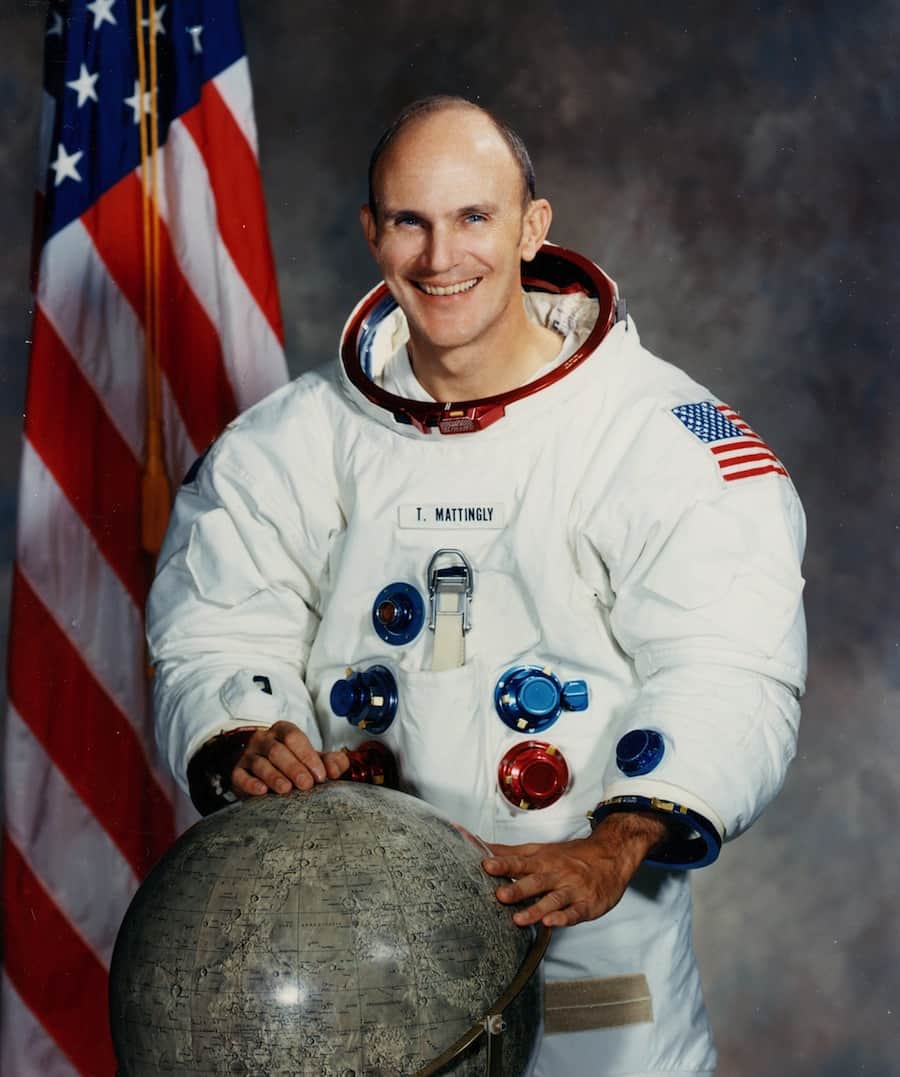
As it might have been: a NASA portrait of the original Apollo 13 crew with Ken Mattingly flanked by Jim Lovell, the mission commander (l) and Fred Haise, the Lunar Module pilot (r). Mattingly was later dropped from the mission ahead of launch due to fears of illness. Credit: NASA
On November 3rd 2023, NASA announced that Apollo and shuttle era astronaut Thomas Kenneth “Ken” Mattingly II, had passed away on October 31st, 2023 at the age of 87.
Perhaps best known, courtesy of Ron Howard’s film and his portrayal by Gary Sinise, for the mission he never actually flew, that of Apollo 13, Mattingly did participate in the penultimate Apollo mission to the Moon – Apollo 16 – and also flew two space shuttle missions in the 1980s.
Born on March 17, 1936, in Chicago, Illinois, Mattingly grew up with aviation in his blood, his father being employed by Eastern Airlines, and came to see it as a natural choice of career, opting to study for and achieve a BSc in aeronautical engineering prior to joining the US Navy in 1958 and applying for flight school.
Graduating as an attack aircraft pilot in 1960, Mattingly served first in VA-35 based out of Virginia, with an at-sea rotation aboard the USS Saratoga. Following this he was assigned to the heavy attack / reconnaissance squadron VAH-11 with his rotations split between the USS Franklin D. Roosevelt and Naval Air Station Sanford, Florida. It was whilst at the latter that Mattingly accepted an invitation to share a flight an a fellow aviator in his squadron had been ordered to take in order to gather aerial photographs of the launch of Gemini 3 out of Cape Canaveral in March 1965.
Shortly after this, and having being refused admission into the Navy’s Test Pilot School due to his assignment at VAH-11 finishing after the class of ’65 had commenced, he accepted a slot with the US Air Force Aerospace Research Pilot School. While primarily a USAF school, this also took on pilots from both the Navy and the civilian sector for courses, and in joining, Mattingly found himself training alongside future astronauts “Ed” Mitchell and Karol Bobko whilst receiving instruction under future astronauts Charles Duke and Henry W. “Hank” Hartsfield Jr.
Ken Mattingly posing for an official Apollo 16 photo. Credit: NASA
All of this had an impact on Mattingly, who applied for and was accepted into the NASA Group 5 astronaut intake of 1966. Coincidentally, his final selection interview was chaired by John W. “Jim” Young – one of the crew of the Gemini 3 mission he had watched launch whilst riding the photographic mission – and Michael Collins. It was an event he didn’t feel he’d fared well at, thinking he annoyed Collins and felt “perplexed” by Young’s attitude.
Following initial training, Mattingly was selected as part of the back-up crew for Apollo 8 and served as CapCom (capsule communicator – the individual charged with communicating directly with a crew in space) for that mission. He then worked with Michael Collins during the training cycle for Apollo 11, having being assigned as Collins’ “second” back-up after Bill Anders. As there was a risk that the mission could slip from July 1969 and into August – and Anders would be leaving NASA during that month – Mattingly was put on the back-up roster and training in case the mission did slip beyond Anders’ departure and Collins was unable to fly for some reason.
That he was assigned the joint back-up position on Apollo 11 also meant Mattingly took over Anders’ spot as Command Module pilot for Apollo 13, continuing the loose partnership started with Jim Lovell (Apollo 13 commander) and Fred Haise (Lunar Module pilot). They formed a particularly good team together, but plans had to change three days ahead of the launch after Mattingly revealed he’s be exposed to someone with rubella. Standard policy called for his back-up for the mission (John “Jack” Swigert) to replace him to avoid any complications caused should he fall ill during the mission.
As a result of this, Mattingly was on the ground following the explosion which crippled Apollo 13’s Service Module. He immediately joined the teams ordered to recover the mission, using his knowledge of various simulations to suggest who could be called upon to provide specific expertise – such as cobbling together an air circulation system between command module and lunar lander.
After the command module had to be completely powered-down in the hope of conserving the battery power it would need in order to successfully re-enter the atmosphere and deploy its parachutes, Mattingly was assigned to the team charged with working out exactly how to re-start the command module’s electrical and guidance systems, given this was part of their design parameters – and to do so with a very limited power budget.
In the film Apollo 13 this saw Mattingly – as played by Gary Sinise largely leading the way in this work and bouncing in and out of the simulator. However, as the real Mattingly was quick to point out after seeing the film, reality was a lot less dramatic, comprising working through reams of documentation and data on the Command Module with a team led by Flight Controller John Aaron, and using the information to slowly and methodically write-up a clear set of procedures to bring the Command Module back to life. Only after this was all done was there any simulator hopping
We said, “Let’s get somebody cold to go run the procedures.” So I think it was [Thomas P.] Stafford, [Joe H.] Engle — I don’t know who was the third person, might have been [Stuart A.] Roosa. But anyhow, they went to the simulator there at JSC and we handed them these big written procedures and said, “Here. We’re going to call these out to you, and we want you to go through, just like Jack will. We’ll read it up to you. See if there are nomenclatures that we have made confusing or whatever. Just wring it out. See if there’s anything in the process that doesn’t work
– Ken Mattingly on developing the restart procedures for the Apollo 13 Command Module
Mattingly, at the CapCom desk in the Apollo Mission Operations Control Room, watches the screens after the successful splashdown and recovery of the Apollo 13 crew, April 17th, 1970. Credit: NASA via Getty Images
That the vetting of the procedures went smoothly and afterwards, Fred Haise on Apollo 13 was able to receive them over the radio and follow them without major hiccup is testament to the speed and care with which Mattingly, Aaron and their team were able to work, bringing together the final vital part of the puzzle together in order to bring the crew home.Mattingly finally got to orbit the Moon in April 1972 as the Command Module pilot for Apollo 16. By another of the quirks of fate which seemed to mark his entire career, his commander for that mission was Jim Young and the Lunar module Pilot was fellow Aerospace Research Pilot School instructor Charles Duke. While the latter went down to the surface of the Moon, Mattingly remained in orbit, performing a battery of experiments – some of which required he complete a EVA during the return leg to Earth in order to collect film and data packages from equipment in the science bay of the Service Module.
Mattingly (l) with Mission Commander Jim Young (c) and Charles Duke (r), in training for Apollo 16. Credit: NASA via Getty Images
Opting to remain with NASA as Apollo’s lunar missions were rapidly wound-down (causing a number of his colleagues to depart the agency to go back to their military careers or the private sector), Mattingly rotated through a number of key positions in managing the development of the space shuttle. This led to his first shuttle mission assignment as commander of STS-4 in 1982.
This was a week-long mission – the final in a series of four so-called “test flights” – timed to end on Independence Day 1982, with the landing at Edwards Air Force Base, California serving as the backdrop for then President Ronald Regan to announce the Space Transportation System was to henceforth be regarded as “operational”. In another twist of fate the man selected to fly with Mattingly as the vehicle’s pilot, was none other the Hank Hartsfield, Mattingly’s other instructor from the Aerospace Research Pilot School and who was now subservient to Mattingly’s overall command (confusingly, and in difference to aviation, the pilot on most NASA missions is not the commander for the mission but rather the “co-pilot”).
Mattingly (second from left after Hartsfield) chats with former US President Ronald Regan on July 4th, 1982 following the fourth – and last – test flight for the shuttle programme, whilst former First Lady Nancy Regan admires the imposing bulk of the shuttle Columbia. Credit: NASA
Mattingly’s last flight to orbit came in January 1985, when he commanded the shuttle Discovery on mission, STS-51-C. This flight is chiefly remembered for two reasons: it was the first shuttle flight to be classified by the US Department of Defense, and it is the shortest shuttle mission on record – just 3 days. However, it also has two haunting links with the loss of the shuttle Challenger on mission STS-51-L just a year later. The first being that 51-C was the first (and tragically last) on-orbit mission for Ellison S. Onizuka, one of those killed during 51-L.
The second was that 51-C revealed the dangers inherent in launching a shuttle during extremely cold weather – if people had been willing to see the signs for what they were. At the time of its launch, Discovery lifted-off in the coldest temperatures recorded for a shuttle flight up to that time: just 12 ºC. Following the recovery of the mission’s solid rocket boosters, it was found that all of the o-rings on both boosters showed signed of charring as a result of exposure to flame – with one of the primary rings entirely burnt through and its secondary badly burnt.
Tests subsequently showed that in low temperatures, this rings – designed to seal the joints between the major segments of the solid rocket boosters – both lose their ability to flex in response to dynamic pressures exerted both from within the boosters as they burn their propellants and from the surround air through which the shuttle system is trying to punch its way, and they become brittle and subject to burn-through. Despite these findings, Challenger was allowed to launch on mission 51-L after it had been exposed to temperatures fifteen degrees lower than those experienced at the launch of STS-51-C – and tragedy followed.
The crew of STS-51-C. Back row (l to right) Gary E. Payton, payload specialist; and mission specialists James F. Buchli, and Ellison L. Onizuka. Kneeling: mission pilot Loren J. Schriver, pilot; and Thomas K. Mattingly, II, commander. Credit: NASA