Sansar: experience counts increased for creators

Courtesy of Linden Lab

In something of a (to me, at least) surprising move, Linden Lab has announced across-the-board increases in the number of experiences each subscription level of users can have published.

The new limits come into immediate effect and are as follows:

  • Free users: Increased from 3 to 20 experiences.
  • Creator (US $9.99 per month): Increased from 5 to 25 experiences.
  • Super-Creator (US $29.99 per month): Increased from 10 to 30 experiences.
  • Professional ($99.99 per month): Increased from 20 to 40 experiences.

The major surprise in the announcement is its sheer scale, with free accounts seeing the limit on the number of allowed experiences increase almost 600% – huge by any standard (the others being 400%, 200% and 100% respectively).

Give the scale of the increases, during the July 20th, 2018 Sansar Product Meeting, questions were asked about whether the Lab was looking to increase transaction fees off the back or these changes, and what will be done to maintain the attractiveness of the paid subscription levels, given the 20 experiences available with free accounts will likely meet the needs of most active creators.

In addressing the fees issue, Landon from the Sansar Product team indicated that it is not the intent to make any alternations to other fees being charged by the Lab as a result of these changes, although he could rule out future possible changes as Sansar continues to develop. Eliot, the Sansar Community Manager also made it clear the increases to allowed experiences are not part of any bigger plan to increase fees or anything else.

In terms of maintaining the value of Sansar paid subscription options, Landon indicated the plan will most likely be to make them more attractive by adding further practical benefits and perks in addition to the current Marvelous Designer free trial and subscription discounts.

The initial response to the announcement among those actively engaged in Sansar has been positive. However, and from more of an “outsiders” perspective, I found myself considering both the strengths and the possible weaknesses of the move.
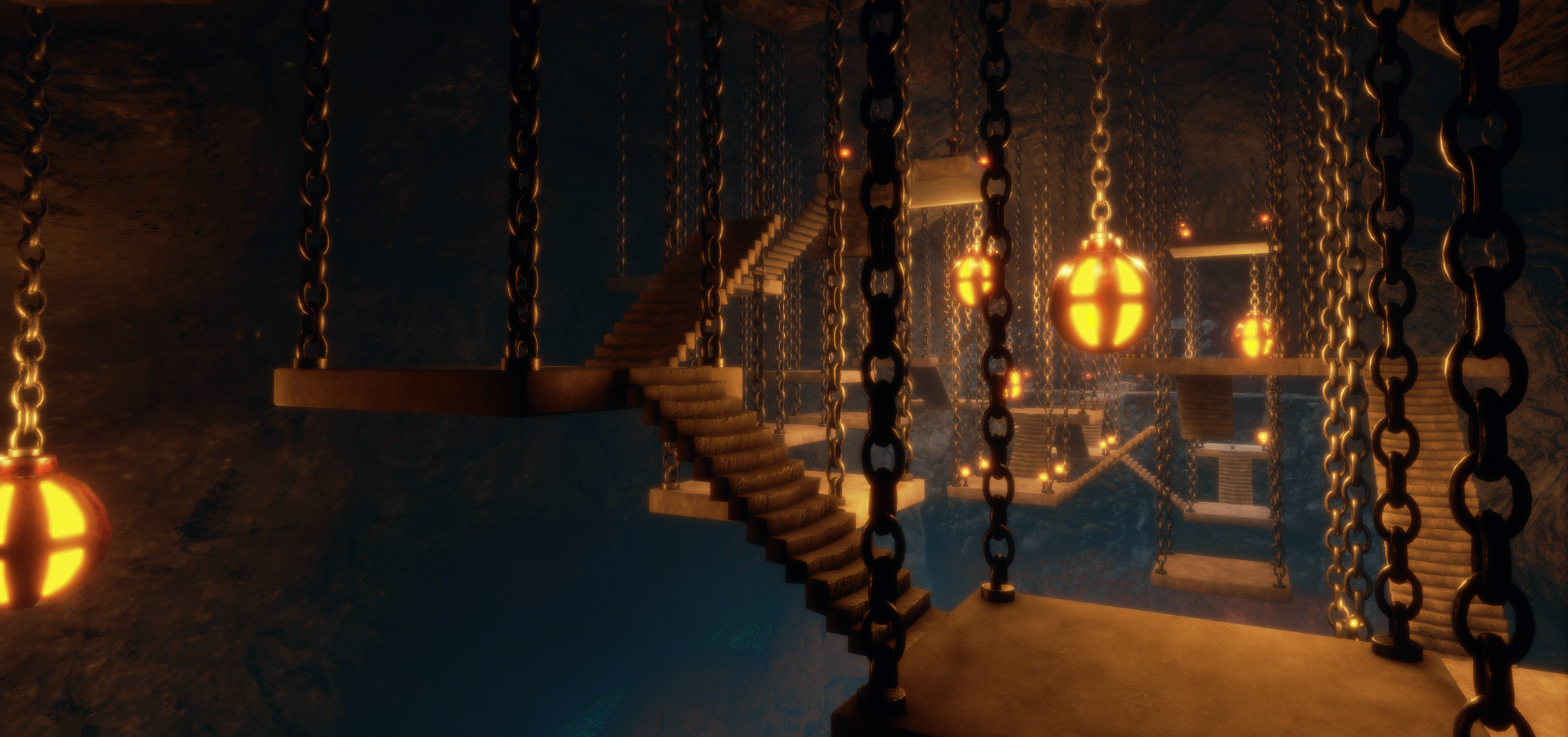
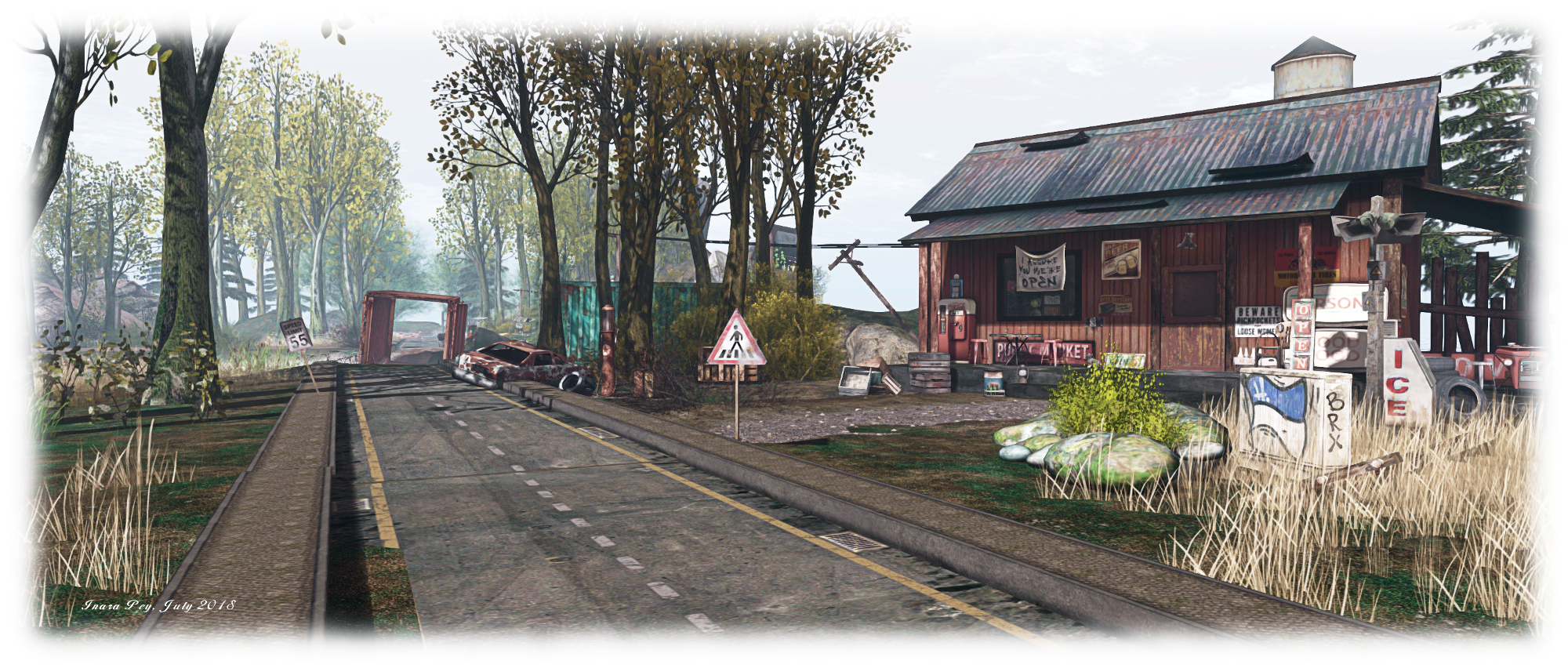
The Secret Of Mount Shasta; Inara Pey, July 2018, on FlickrQuality experiences within Sansar – such as The Secret Of Mount Shasta – are a major means of encouraging engagement in the platform. The increased limited on published experiences could encourage a new push in experiences – perhaps more multi-part / linked experiences for games or learning

On the strength side, it could well – and the Lab hopes – up the ante for creativity in Sansar. More experiences means the opportunity to be more creative – and potentially more adventurous. How about something like a true multi-chapter (experience) quest or adventure (capabilities and functionality, of course, allowing).

On the minus side the Atlas – still the main gateway into Sansar experiences –  is dogged by the fact that of the 1,000+ experiences within it, only a couple of dozen might be regarded as actually engaging to an audience. Also, with just the first 8 or 10 in the list tending to show people in them, scrolling through the Atlas tends to suggest that Sansar is actually a very empty / lonely place. Simply having people add more experiences to the list  – especially things like testing environments, sandboxes, etc., could actually both further “hide” then worthwhile experiences and increase the feeling that Sansar is “empty” when browsing the Atlas.

1,017 public experiences with just 8 apparently having visitors  – if the increase in published experiences causes a further upswing in the total count of experiences in the Atlas, it could make Sansar appear even “emptier”

But, growing something like Sansar is difficult, particularly when many core capabilities  – a permissions system that would enable commence on the platform, for example – seem no closer today than they did when the Public Creator Beta launched a year ago. But while such observations might reinforce the case for Sansar perhaps having been launched prematurely, the fact is it is here, and efforts need to be made to try to grow the level of interest in the platform – and offering a greater range of experiences might be one way to do this.

However, even if it doesn’t encourage people to come take a look at Sansar (and my feeling is that any growth in platform usage requires a far more concerted campaign on the part of Linden Lab), offering more experiences to creators is meeting a long-standing request. As such, it’ll be interesting to see how people opt to make use of the increase in the coming weeks / months.

2018 SL UG updates #29/2: CCUG summary

A razzle of raptors? Animesh

The following notes are taken from the Content Creation User Group (CCUG) meeting, held on  Thursday, July 19th, 2018 at 13:00 SLT.  These meetings are chaired by Vir Linden, and agenda notes, meeting SLurl, etc, are usually available on the Content Creation User Group wiki page.

Note that the audio presented here may not be in the exact order of discussion during the meeting; as subjects were at times returned to following their initial discussion, I have attempted to bring together key points of discussion by topic / subject matter. Also, please note that audio drop-out when Vir is speaking appears to be an ongoing problem at his end.

Animesh

Project Summary

The goal of this project is to provide a means of animating rigged mesh objects using the avatar skeleton, in whole or in part, to provide things like independently moveable pets / creatures, and animated scenery features via scripted animation. It involves both viewer and server-side changes.

Resources

Rotation Issues

These cover a couple of issues:

  • In one (BUG-139251), when some static mesh objects are converted to Animesh, the visual mesh is rotated through 90 degrees when seen in the Animesh viewer, but the physics mesh isn’t, leaving it perpendicular to the model. This is possibly an orientation issue, with the viewer expecting the mesh to be aligned to +x=forward – which not all mesh modelling tools follow.
  • The second problem is that when linking a series of objects into a single Animesh, then are visually located where the avatar skeleton supporting them is located, but the physics shapes remain in the original location of the objects prior to linking / converting.

Both of these problems pre-date Animesh, but have been effectively “hidden” because until now, rigged meshes could only be attached to an avatar, effectively masking the issues.

As a part of the approaches to fix these issues, Beq Janus and Elizabeth Jarvinen (polysail) have contributed code to correctly apply the bindpose matrix within the viewer. This code is in the latest version of the Animesh project viewer, which should be available soon, and should cover legacy content not corrected by similar fixes incorporated into Avatasr for new uploads (see my week #26 CCUG summary for more on this).

LOD Issues

Vir is currently working on the server-side issues, but once those have been resolved, his plan is to work on the viewer-side LOD issues, including BUG-224971 and the Dynamic bounding box issues (see my week #25 summary). Once he has completed testing the fixes for these, the hope is that the Animesh viewer can move to RC status.

Mesh Physics Shapes Issues

The deployment of Animesh to the RC server channels has revealed a couple of issues which need to be resolved:

  • Not all of the mesh information the server is required to “remember” is being properly retained.
  • Code within the Animesh update appears to be causing some in-world mesh objects to use the wrong physics shapes.

In Brief

  • Concern was raised whether Maya could be used to produce Animesh, given the rotation fixes seem to apply to Blender / Avastar. As Far as Cathy Foil (creator of Mayastar) is aware, meshes created in Maya / Mayastar can be converted for use as Animeshes.
  • Animesh does not support custom bones – it works purely with the Bento skeleton, which does allow for bone re-purposing.
  • BUG-225063 reports that the latest Animesh project viewer fails to display meshes at times, while older Animesh code can cause meshes to display incorrectly. Vir believes the issue may be linked to one he has been addressing, and believed to be caused by an uninitialised variable. The fix for this should be in an upcoming release of the viewer.

  • BUG-216352 “[Animesh] Issue with animations not rendering if they were stopped and started while host object is selected” – this is still being investigated. However, as it only applies to the same animation, rather than all animations, the issue isn’t regarded as a blocker for Animesh.

Bakes On Mesh

Project Summary

Extending the current avatar baking service to allow wearable textures (skins, tattoos, clothing) to be applied directly to mesh bodies as well as system avatars. This involves server-side changes, including updating the baking service to support 1024×1024 textures, and may in time lead to a reduction in the complexity of mesh avatar bodies and heads.

This work does not include normal or specular map support, as these are not part of the existing Bake  Service.

Resources

Current Status

Some people have been reporting some “excitement” when using the new universal bake channels for Bakes on Mesh in regions that don’t have the server-side support for Bakes on Mesh. These issues will likely require further viewer and server-side changes to fix them.

At a recent LL meeting on Bakes on Mesh it was decided not to implement any additional features at this point in time – so no LSL support prior to the initial deployment. Rather, the Lab would like to get a basic capability out that can be used and tested, then potentially improve on it with further features in time.

As it is, even moving Bakes on Mesh to release candidate status is dependent on a large number of back-end service changes (e.g. the inventory system must be updated to handle the new wearable types; the Appearance and Bake services must be updated, as well and the simulator and viewer updates.

Asa reminder, it will not be possible to use Bakes on Mesh with Animesh creatures / creations, primarily because Bake On Mesh uses the Outfit system, which Animesh currently does not – but may be extended to use in the future.

The question was asked if Bakes on Mesh could be used to texture an Animesh attachment to an avatar, and in theory it would be – but how useful / practical this might be is open to debate.

In Brief

  • There will be a CCUG meeting on Thursday, July 26th, however, it comes on top of the SL summit meeting at the Lab (to discuss the SL development roadmap) and  so Vir believes there won’t be too much to report on additional work at the meeting.
  • Concern has been raised over the recent DMCA situation involving around 3 makers of mesh heads, and whether Bakes on Mesh will see changes to the SL Terms of Service / guidelines specifically for UV maps (e.g. what is allowed, what isn’t), given that Bakes on Mesh could encourage the use of the basic SL UV maps and result in multiple claims of people “using” someone else’s maps. This concern is being passed back to the Lab’s legal team.
  • The latter part of the meeting included a lengthy discussion on animations (adding a function to “instantly” stop an animation / being able to modify animation speeds / priorities in-world; the legitimacy of modifying animations) which also spread to the permissions system (providing  “export” permission to allow people to export “full perm” meshes for direct editing and re-upload and / or implementing a “derivative” permission.
    • Some of the animation discussion touched on the animation discussion may surface as a specific feature request(s).
    • It’s unlikely there will be any large-scale changes to the permissions system in the near future.

Sansar: Express Yourself release

Courtesy of Linden Lab

Wednesday, July 18th saw the release of the the Sansar Express Yourself update. As per my preview, this brings a lot of new capabilities to Sansar, including the ability for creators to upload custom (and pre-dressed) avatars, user interface improvements, script updates, and more.

This article highlights some of the more visible new features and updates with the release. As always, full details of the updates in the new release are available in the release notes.

Initial Notes

  • As with the majority of Sansar deployments, this update requires the automatic download and installation of a client update.
  • Updates in this release mean that on logging-in for the first time following the update, users will be placed in the Look Book (Avatar App).

Avatar Updates

Custom Avatars

Sansar now permits the uploading of custom avatars, although there are some caveats / things to note:

  • Custom avatars have a maximum tri limit of 40K (compared to 16K for the default avatars).
  • It will not be possible to clothe custom avatars or add attachments, etc., via the Look Book – they must be outfitted prior to upload, hence the higher tri limit compared to the default avatars.
    • The option to change outfits on custom avatars through Look Book might be added in the future.
    • The base tri count limit is seen by the Lab as being for testing purposes, and a balance between allowed custom avatars to be pre-dressed and potentially allow for future outfitting of avatars through Look Book without have to adjust the tri count downwards in order to do so.
  • Custom avatars must use the .FBX file format and be developed using the male or female skeleton provided by Sansar, available via the Sansar skeleton and skinning details knowledge base article
  • If custom avatars are to be sold, they must adhere to the Sansar Store listing guidelines and must also include a thumbnail asset upon import and which itself adheres to the Sansar Store image guidelines.
  • All new avatars must comply with the Sansar Avatar Guidelines, which include no nude avatars and no use of avatars / characters that infringe on the Intellectual Property rights of others.

Uploading custom avatars is handled through Sansar’s Look Book, as shown below.

Custom avatars are uploaded via Look Book via the Customise button and the Avatar Tab in the appearance editing panel, which has a new Add Avatar button that opens the upload panel (shown on the left). The Browse buttons in this panel can be used to select the avatar .FBX file (1) and  the associated thumbnail image (2). The name field (3) set the inventory name for the avatar – if left blank, this will default to the uploaded file name. The optional Materials settings button (ringed in the upload panel) can be used to choose specific shaders and textures for the avatar model. Upload will upload the model

Once imported to Look Book, custom avatars can be worn from the avatar panel and / or listed in the Sansar Store (right-click the thumbnail for the avatar and select List).

Custom Avatar Competition

To mark the launch of custom avatars, Linden Lab is running a Sansar Custom Avatar contest with a first prize of US $50 (approx. S$5,000). See the competition page for more.

New Avatar Looks

A series of new outfits / looks have been added to Sansar with this release:

  • Female:
    • Lolita outfit: clothing, hair and shoes.
    • Punk outfit: clothing and shoes (shown on the right, with Lolita hair and wearing system sandals rather than outfit footwear).
  • Male:
    • Goth outfit: clothing and shoes.
    • Adventurer outfit: clothing and shoes. (shown on the right).

These are available directly from the avatar panel’s outfit and hair tabs in Look Book.


Improved Avatar IK – VR Mode

Ikenema has been improved to improve avatar movement in VR. These updates include improved handling of forearm twist bones, better clavicle motion and less droopiness in clavicles, and better constraint handling in shoulders.

Scripting Updates

The Express Yourself release has two core sets of scripting updates: HTTP support, Simple Scripts and .FBX animation support. All of these options are covered in-depth in the Script API updates notes available in the Sansar knowledge base, and which include links to detailed HTTP documentation in the case of the HTTP API.

HTTP API

The HTTP API allows objects within experiences to communicate with external services. This is a two-way communications capability – meaning data from experiences can be exported a stored externally (as might be the case for game / adventure progress); and data from the physical world can be used to drive what happens within a scene (so an experience can reflect the weather in a physical world location, for example).

The addition of the API means that certain personal data can be exported from Sansar (just as it can from Second Life):

  • Avatar name and the user’s unique avatar identifier.
  • When an avatar enters or leaves an experience.
  • Where within experience avatar exists whilst visiting.
  • Public chat of avatars whilst in the experience.

Simple Scripts

This is a set of 14 basic scripts intended to make it easier for non-scripters to add functionality to their scenes and experiences. They have been automatically added to the Exit Mode inventory.

The new simple scripts library

Some examples of how these scripts might be used include:

  • SimpleInteraction: allows direct interaction with any object in a scene, can be used with buttons, switches, etc., so turn lights on/off, etc.
  • SimpleMover: moving objects from point-to-point, changing their specified position and/or orientation, such as moving platforms, opening / closing doors, etc.
  • SimpleSound: trigger a sound effect heard with other interactions.

The scripts can be “stacked” together for more complex interactions, so SimpleInteraction might be used for a button to call an elevator that is moved by SimpleMover, and SimpleSound pays a sound as the elevator arrives.

.FBX Animation Support

.FBX files containing multiple animation clips can be imported and then manipulated via scripts.

Continue reading “Sansar: Express Yourself release”

The art of words in Second Life

Lin C Art Gallery: Tim Timaru

When thinking about art is Second Life, the mind perhaps tends to focus on thoughts of paintings and photographs and sculptures and 3D models. It’s rare that why immediately think of the written word as a form of art in SL, despite the extensive use of the spoken word in readings and performance pieces like plays and musicals.

So it was with a degree of pleasure I found myself at the Lin C Art Gallery, which is – through until the 10th of August, 2018 – hosting an exhibition of the poems of Tim Timaru.

Lin C Art Gallery: Tim Timaru

Occupying two levels within the gallery, Tim’s poems are presented framed within images that help define the mood and tone of the written word. Most of these images have been taken from the physical world, but some have come from Second Life.  In terms of subject matter, many of the poems are focused on a subject close to many a poet’s heart: love and relationships (and loss). Others are perhaps more philosophical in nature, questioning or seeking to challenge our perspective. All cause the grey cells to cogitate as the eye appreciates the accompanying images.

Most of the pieces here stand as a perfect fusion of image and words giving rise to a response from within us. But some reveal just how liberating the medium of Second Life might be for a poet as much as a photographer, painter or builder. Words are, by their nature, static. Once arranged and written, their metre and measure generally points towards a single interpretation. But within Second Life, the poet has a certain freedom: words unchanged can be presented side-by-side, but with different images to underpin them, rendering their interpretation dynamic.

Lin C Art Gallery: Tim Timaru

Take The Deck and The Deck 2, in this exhibition, for example. Both are the same poem, but where the image of one presents a couple walking hand-in-hand up a crystal-like staircase leading to a cabin floating idyllically against a night sky, the second offers images of a coastal setting behind a wind-blown sky coloured by a sunset. Thus, with the first image, we’re encouraged to think of the poem in terms of togetherness and what is and what will be; poem and image are together, uplifting. However the second leads us in a different direction. Here, perhaps, is not promise, but regret; no looking forward to what is now beginning and will grow, but what has passed and what was – and will never be again.

With playful tickles of humour, considered reflections on life and love, echoes of Eliot and even Shakespeare (in form if not in words), this is an enchanting collection of poems and images; an absolute delight for any lover of the written word.

Lin C Art Gallery: Tim Timaru

SLurl Details

2018 SL UG updates #29/1: Simulator User Group

Abandale; Inara Pey, July 2018, on FlickrAbandaleblog post

Sever Deployments

Please refer to the server deployment thread for the latest updates.

  • There was no SLS main channel deployment or restart on Tuesday, July 17th, 2018, leaving regions on that channel running on server release 18#18.06.14.516450.
  • On Wednesday, July 18th, the release candidate channels should be as follows:
    • Bluesteel and LeTigre will remain on server release 18#18.07.03.517389 and will not be restarted.
    • Magnum should receive a new server maintenance package, 18#18.07.11.517746, comprising “internal fixes”.

The Main channel roll – which was to have included Animesh – was postponed, as Simon Linden explained at the Simulator User Group on Tuesday, July 17th:

We unfortunately held back this morning’s update with the Animesh roll. Late last week we found some code that is probably causing problems with the physics shapes of mesh bodies … not Animesh, but other normal mesh stuff …  Not using the correct physics shape. When building with mesh, there are a few ways to set that shape, and the Animesh code changes affected that code.

Simon Linden, SUG meeting, Tuesday, July 17th 2018.

It should be pointed out that in the context of Simon’s comments, “mesh bodies” means “in-world mesh objects, as worn mesh items doesn’t have a physics shape per se.

Deployment of the Animesh code to the SLS channel will therefore likely await the deployment of a fix for the issues encountered.

SL Viewer

There have been no Sl viewer updates / changes to mark the start of the week, leaving the pipelines as follows:

  • Current Release version 5.1.6.516459 and dated June 15, promoted June 21 – formerly the Pálinka Maintenance Release Candidate – No Change
  • Release channel cohorts:
    • Quinquina Maintenance RC viewer updated to version 5.1.7.517594, on July 12.
  • Project viewers:
  • Linux Spur viewer, version 5.0.9.329906, dated November 17, 2017 and promoted to release status 29 November – offered pending a Linux version of the Alex Ivy viewer code.
  • Obsolete platform viewer, version 3.7.28.300847, May 8, 2015 – provided for users on Windows XP and OS X versions below 10.7.

Attachment Loss / Ghosting on Teleport / Region Crossing

Some people are reporting loss / ghosting of attachments on teleporting. The problems sees to vary in the number of teleports taken before it is noticed, and tends to take the form of others noticing an avatar is missing parts, rather than the wearer (for whom everything still appears to be worn).

It’s not clear how widespread the issue is, although it seems it has been reported a lot through the Firestorm support groups. Mazidox Linden did confirm some attachment / region crossing testing was occurring on Aditi, but it’s not clear if this is in reference to this specific problem, or to with examining / improving region crossings in general.

Firestorm has a Refresh Attachments option (Advanced menu), however, addressing the issue from the viewer is seen as a less than optimal approach, a server-side fix being preferable.

Commenting on region crossings and attachments in general, Simon Linden said, “From what I can tell with my investigations so far, most attachment problems with region crossings come down to messaging failures, and then the viewer and region(s) get out of sync and don’t recover. ” He also noted that his own testing of “double” region crossings (e.g. cutting across the corner of a region while moving between two others) lead him to want to say “stop!” at the first, and not even attempt the second until the first hand-off have completed.

At this point I want to improve the code and communications so after a crossing, both regions and the viewer can agree that everyone is on the 2nd region with all attachments and vehicles and, when something goes wrong, try to recover … At both ends, viewer and region, it should be able to realize it’s been a few seconds and things are missing or not, and then re-try.

Simon Linden on investigating region crossing, Tuesday, July 17th, 2018

As an aside, one of the reasons the Lab is working on region crossings and attachment issues beside trying to make region crossings smoother and more predictable in general, is so that they might increase the limit on the number of attachments that can be simultaneously worn (currently 38). However, as Oz Linden noted at the Simulator User Group meeting, this won’t happen until such time as attachments can remain reliably … attached.

Adding a little vehicle space with a rezzing system

Having room to moor / park all your boats and planes at home can be a problem (if you have room at all!) – so why not use a rezzing system?

Being into planes and boats in SL can be a little taxing. Not just on the purse / wallet, but also in where to park things. Even if, like us, you have a place near water where you can moor your boats and seaplanes, providing space for all of them can be a little hard – every LI given over to vehicles, moorings and so on, is one less for the house, furnishings and garden. Sure, you can always putt things out of your inventory when you want them – but where’s the fun in that? Having at least something out on your docks or slipway is part of the pleasure in owning vehicles.

In our case, we have numerous vehicles, some of which get considerable use – notably our two DSA G58 Barons and M33 Debonair, plus the Little Bee and FoilStream by Ape Piaggio, and the Bandit 210. Having all of these rezzed at any one time along with our Loonetta 31, which tends to be permanently rezzed, gobbles up 263 LI – and quite a lot of space. Add to that some of the vehicles have multiple finishes to them (different registrations or colour schemes), and of which we might want to use at any given time, even more LI can get eaten in trying to have all of them out at once.

Of course, hauling some of them of inventory when needed is always an option, it’s still a little boring and negates the idea of having “home space” for vehicles. So is there a compromise that allows for a quick swapping between vehicles while allowing some to be parked / moored and ready to go? If your vehicles have both copy and modify permissions, there is: a simple scene rezzing system.

A system like the RF Device / Multi-Scene Rezzer lets you quickly choose which (and how many) of your copy / modify vehicles you have rezzed and parked at home, and lets you swap between different types – note how I can swap between the two different ‘planes occupying the same mooring. Thus, you don’t have to keep everything rezzed at the same time, saving LI, and you don’t have to bother with manually hauling things out of inventory when you want to use them.

This is pretty much what we’ve had at Isla Pey for a good while – and note I am not talking any kind of temp rezzer here; they are a blight that should really be avoided. There are several scene rezzing systems available that fit the bill for vehicle rezzing, and I’ve been using a couple for the last few years. However, my unit of choice at the moment is the RF Device / Multi-Scene Rezzer.

Priced at just L$250, this is a low-cost, very easy-to-use system, comprising a “control panel” object and a single script. Simply rez the “control panel” object, rez and position your copy / modify vehicle(s) where you want it / them to be parked / moored when rezzed, drop the script inside the contents, then take the vehicle(s) and drop it / them into the contents of the “control panel”, and you’re done. Touching the “control panel” then displays a list of objects within it, with a corresponding set of buttons used for rezzing the vehicle(s) of your choice. You can even move the control panel around within your parcel / region and the vehicles will still rez correctly in their original places.

We have various vehicles stored in the rezzer (shown on the left with a custom finish) – including different variants of the same vehicle (indicated by the small arrows on the menu), any of which can be rezzed at the click of a button whenever it is required. Those rezzed can then remain parked / moored until needed or replaced by an alternative

Thus, using this system, we have direct access to a fair number of my boats and planes (some of which are copies with different registrations / paint finishes) which we can swap between quickly and easily, and without messing around with inventory and positioning things manually (particularly handy if you can’t use RTLP on your parcel).

The RF system, like many others, includes an “auto clear” function. So, if you only have space to rez one vehicle at a time, this will remove any currently rezzed vehicle before rezzing the next. But if, like us, you have room to have several (but not all) of your vehicles out at one time, the “auto clear” can be disabled, and you can manually delete any individual vehicle before  using the rezzing system to display another that might occupy the same spot when rezzed.

Easily use a single mooring / parking space to swap between vehicles or between different versions of a vehicle with different finishes (as seen above, where I’m swapping between two versions of my Little Bee), all without any tedious mucking about with inventory. 

Obviously, using rezzing systems like this isn’t a new idea – it’s actually as old as the hills in some respects. But, if you haven’t considered it before, and do have limited space for your vehicles and would like a more convenient way of displaying them / swapping between them in-world than having to refer back to your inventory – trying out something like the RF Device / Multi-Scene rezzer might be worth considering.