SL14B Meet the Lindens: Landon Linden

Landon Linden with Saffia Widdershins

Meet the Lindens is a series of conversations / Q&A sessions with staff from Linden Lab, held as a part of the SL Birthday celebrations in-world. They provide opportunities for Second Life users to get to know something about the staff at the Lab: who they are, what they do, what drew them to Second Life and the company, what they find interesting / inspirational about the platform, and so on.

Tuesday, June 20th saw Landon Linden sit down with Saffia Widdershins, and this article hopefully presents some “selected highlights” of the chat, complete with audio extracts from my recording of the event. The official video of the event is embedded at the end of this article.

About Landon Linden

Landon Linden joined Linden Lab in August 2008, and is currently VP of Operations and Platform Engineering, based in the Lab’s Virginia offices. He has led the transition of live operations and the production platform to support the company’s new products. With a BSc in chemistry. he worked as a research chemist before moving into the IT sector. Since then, he has worked in telecommunications, launching numerous products.

For SL users, he’s possibly most recognised as the man responsible for re-opening the technology blogs the Lab publishes after major issues / outages occur. These had dried up after FJ Linden departed the Lab in 2011, and Landon revived them in 2014. April Linden has since taken over core responsibility for these posts since then.

Landon loves building large-scale systems, and says his passion for virtual worlds is fuelled by his interests in sociology and economics. As he notes, the nature of the work his teams undertake  – running the services, architecting them, improving them, migrating them where appropriate, etc., – is such that most of it goes sight unseen by users, unless there is a problem.

The Discussion

the initial part of the discussion looks at Landon’s background, his interest in sociology and economics – he notes that by working with the Linden Dollar and the Lab’s transactional services he’s learned a lot about economics – and touches on the Lab’s own studies with users.

In this latter point, Landon makes it clear that the Lab does not conduct direct social experiments on users, but obvious does monitor the use of services and capabilities such as the user on-boarding process, games like PaleoQuest, etc., to see how they are being used, where points of weakness lie which might be improved, what kind of metrics are being generated, and so on.

In terms of general SL trends, he makes the point of noting that – and contrary to claims otherwise – the Lab has seen a “considerable strengthening” of the Second Life economy over the last six months, probably sponsored in part by the arrival of Bento, which the Lab is obviously pleased to see.

This moves into a broader chat about the evolution of things like mesh and breedables, and how that helped grow Second Life, the way in which the Lab cannot always anticipate how new features will be used – but do try adapt to how users take them on and start using them.

Using Amazon  Services

One of Landon’s responsibilities has been to oversee and drive the evolution and enhancement of these supporting services and the infrastructure which supports them and Second Life. Most recently, this has included moving various services in to Amazon cloud.

The Lab has been a long-time user of Amazon services, and this current work not only involves moving services to Amazon, but also moving them to a container model, making them easier to test and deploy, whilst leveraging the flexibility offered by cloud-based services. These include reducing the complexity of having to manage a dedicated data centre environment to run the services, the complexities of having to manage capacity, plan ahead for growth and the purchase, delivery, installation and testing of new hardware, etc., in order to meet specific demands (as the cloud provider can “simply” turn on additional servers and facilities as they are required, and add them to the current billing.

Right now, the intention is not to reduce costs per se  in making the move – Landon rather describes the Lab and trying to break even – but is rather geared to leveraging AWS (and ECS?) and thus doing more, infrastructure-wise with the money the Lab has coming in.

Lab Working Environment

While he is based in Virginia, Landon spends a good deal of time at the Lab’s head office in San Francisco, and notes that while the Lab operates a number of office – Virginia, Boston, Seattle, San Francisco – a lot of people actually work from home, and the Lab has a relaxed approach to office-based work requirements – if it is possible to work from home and be more productive in doing so, there is no problem with doing this.

From his personal perspective, Landon views the Lab as the best place he has ever worked, describing his colleagues as “an amazing group of intelligent, passionate people”. Like others at the Lab have said, it is also a place where he tends to learn something every day, whether about technology, how SL is being used by the residents or about people.

This topic touches on the Lab’s history, going back to the late 1990s and attempts to build a VR / haptics system (aka “The Rig“).

General Q&A

What is being done to improve platform stability and performance?

Landon: We’re always working on these problems. One of the things that is frustrating for residents  – and it’s frustrating for me too – is that lag and crashing out seems to be like a perennial problem. And it is, but the reason it’s a problem is that it’s never, ever just one thing. It’s a near-infinite number of issues and problems, and we’re always working on trying to smooth those things out and reduce them, but it’s always ongoing work. And we’re always trying to balance being able to do new features versus performance improvements and stabilisation work, and I think we strike a pretty good balance there …

… This is going to come dangerously close to sounding like I’m blaming the residents for some of this stuff – and I’m not. But I think … it’s a very creative and expressive place, Second Life, and we really like people to be able to express themselves  in whatever way possible  – and within the confines of the law, at least! But that also means that the complexity of whatever it is that you’re doing, whether it’s in your region or in your parcel or on your avatar, can impact the people around you.  And so we’re trying to strike this balance of how can you express yourself without negatively impacting the people around you. And I think [Jelly Dolls] were a pretty good solution. And it also had the added benefit of feedback to the users, “Hey! Your avatar looks great, but maybe you should tone it down a bit.

Why can we have an unlimited inventory but only 60 groups?

Landon: Inventory is relatively cheap, you’re talking about a very small amount of storage when you have something sitting in inventory, and probably more importantly in the context of this question is the inventory doesn’t necessarily have to interact with other pieces of inventory. So you can pretty much just add anything in your inventory without bound, and UI problems notwithstanding, it doesn’t really have any negative impact on your experience and it certainly doesn’t impact anyone else.

When you’re talking about groups, you have this exponential impact on performance with the number of people who you’re adding into the group [particularly all the Group data which needs to follow you around SL so you can receive group notices, remain part of a group chat, etc.] … I think that’s the kind-of short and long of it. [Groups] have an impact on you and the people around you.

What is the number one cause of lag, and will improved server hardware improve SL?

Landon:  We’re always beefing up the hardware we’re using, and I can tell you the hardware is not a big factor at all in terms of lag. And this is going to be a really unsatisfying answer, but I can tell you that in my experience the single greatest contributor to lag is the network between you and wherever the server is.  So if you are physically far away from the server, you’re going to have a much more laggy experience. Most of our equipment – I dare say all of our equipment is in North America, and the west coast of North America at that. So if you’re in South America, you’re going to have more lag than some that’s sitting in Seattle, Washington. Likewise people who are in Europe and Africa are going to have a more laggy experience than people in North America.

… This is where I’m really going to get into trouble, because I don’t want to come out here and make a bunch of promises, because the things that I’m talking about are going to take probably years to do. But one of the things I absolutely have in the back of my mind is that once we get Second Life fully functioning on cloud services there is the possibility – and I will stress “possibility” – but there is the possibility we can co-locate regions more easily in other parts of the world, in south America or in Europe or in East Asia or Australia. And that would make the experiences for the people who are in those regions a lot better. The flip side to that is, if I’m moving the simulation closer to you and further away from somebody else, you’re making the lag worse for someone else.

… We did some analysis several years ago, regarding this. And what we saw was not a lot of geographic affinity for regions. One of the amazing things about Second Life is that people from all over the world come together and talk and get to know one another and chat and experience Second life together, and there’s not a lot of geographic affinity. There are a few notable exceptions to that, and I think language is one of those things; I think one of the exceptions is people who speak Portuguese, and then tend to almost exclusively come from Brazil. So we can say that if you have a region that caters to, or is attracted to Portuguese speakers, we would probably want to co-locate that region in Brazil.

This is just really stuff that we’re thinking about, there’s no hard plan to do any of this; I think we’ve got a lot of work to do before we can even considering doing something like that, but I’ve absolutely got that in the back of my mind.

Would LL ever consider adding any of the reliable language translation tools back into the viewer?

Landon: For what it’s worth, I’ve actually looked into some of that. I mean … there’s just some amazing tools that are becoming available now using AI machine learning, and I’m really interested in doing some things along those lines. That said, no promises, no commitments; I don’t control the product direction, so I’m looking at it just out of more-or-less professional curiosity and not something I’m actually planning on implementing.

But I think, to try to answer your question as best I can, I think it’s getting easier and easier to put translation and text-to-speech and speech-to-text services into your products, and I would hope that we get back to doing some of that – but no promises and no commitments, and I don’t control it anyway … I don’t make that call.




Sansar: thoughts around Kotaku’s hands-on

The Sansar Apollo Museum, unveiled LOOT Interactive’s The Art of VR event in New York on June 22nd, allows visitors to virtually explore true-to-scale models of the Saturn V rocket, Command and Service Module, and Lunar Excursion Module used to reach the Moon, then walk the entire mission from launch to re-entry via a Museum-length mission map; and teleport to a recreation of the Apollo 11 lunar landing site. Credit: LOOT Interactive / Linden Lab

While it doesn’t offer any revaluations of epic proportions about Sansar, and is headlined by the somewhat misleading Hands On With Sansar, the New Second Life, Cecilia D’Anastasio’s June 21st, 2017 piece for Kotaku, still makes for an interesting read, offering as it does further looks inside Sansar for those keen to get a look at environments there, and some food for thought.

Cecilia is a journalist I greatly admire, and who has excellently covered Second Life in the past (see A Perspective On Avatars and Identity and Motherboard Looks at Second Life). She got to spend time in Sansar, which appears to be currently on the road, visiting various events (Canada last month, now New York City) in which might be part of the Lab’s efforts in ramping-up public awareness of the platform as they roll towards an “open beta” phase with the platform.

Cecilia D’Anastasio: a hands on and thoughts about Sansar

Along the way, she visited several spaces within Sansar, and while treading the familiar ground of Sansar being the “WordPress of VR”, a “VR first” environment, etc., she also took time to point out the side of the platform which isn’t perhaps pushed quite so hard by the Lab: that it can be access and experienced by anyone using a PC system, regardless as to whether they have a VR headset.

True, the focus of development in Sansar thus far has leant towards the VR end of the scale because the Lab is convinced VR will be a major factor in people’s lives (and as readers know, I’m not so convinced of that argument), and the desktop side of things still needs work. However, that Sansar can be accessed via a PC sans headset, is something that perhaps should be underlined more, simply because sales of PC-based VR headsets really aren’t that stellar right now, and are likely to remain less-than-exciting for the next few years – something I’ll come back to in a moment.

Early in the piece, Cecilia drops a couple of comments which, while interesting, might require reading with care. For example, in one she references Sansar being subscription based. However, given the Lab hasn’t really been that forthcoming about the revenue model for Sansar, it’s impossible to determine what is meant by “subscription” in the article. Does it really mean anyone wishing to use Sansar will have to subscribe first, or is it a reference to that fact things like hosting space for Sansar experiences will have an associated fee?

But rather than nitpick, let’s come back to the “Sansar from a desktop” aspect of the piece. I found this particularly interesting because while the Lab has pointed to Sansar being “PC accessible” without a headset, many of those aware of it still see it only as a VR platform – and this could be a problem for Sansar, at least in the near-term.

Now, to be clear, and as I’ve tended to say in the past, there are vertical markets where VR – and thus, by extension, Sansar –  has exceptional merit and could gain significant traction in the near-term:

  • Gaming
  • Education – both for practical teaching, and for the ability to visit / recreate historical environments and bring them to a broader public. Hence the recreation of an Egyptian tomb created from LiDAR mapping, while the real tomb can only be accessed in the physical world with permission from Egypt’s Ministry of Antiquities,  and the just unveiled  Apollo Museum and the Harold Lloyd Stereoscopic Museum.
Another look at the Sansar Apollo museum, showing the complete “Eagle” Lunar Excursion Module (LEM) sitting on the Sea of Tranquillity (and with visitors!). Credit:  LOOT Interactive / Linden Lab
  • Architecture and design: allowing companies large and small work in VR to develop immersive models for clients, which can be toured, examined for issues or things like changes clients would like to see, all before any work is undertaken. Hence why (as I’ve previously pointed out), it was no accident that the first public demonstration for Project Sansar came during San Francisco’s month-long 2015 Architecture and the City Festival.
  • Simulation and Training: Sansar could again offer significant benefits to those requiring immersive and flexibility VR-based training and simulation without the need to heavily invest in dedicated work spaces / environments.
  • Healthcare: VR is already demonstrating its value in a wide variety of applications, including helping with post traumatic stress disorder, pain relief for burns victims, cancer care, and more.

BUT, the fact is that many of these sectors work just as effectively sans a VR headset. OK, so the depth of immersion would be lost, but that doesn’t mean they cannot be practically used. Thus, by pushing the VR-centric aspect of the platform so aggressively, the Lab could risk turning those institutions, companies, etc., that might be interested in exploring Sansar away from the platform, simply because they are unwilling to make the investment in VR systems, but are waiting to see how the market growth and what products appear.

No, it’s not a home in Second Life, it’s a home in Sansar. Credit: Linden Lab, via Kotaku

Within the mass market of home users, this focus on VR hardware could impact Sansar’s reach even further. Simply put, the “humble” PC with its “barriers” (as Philip Rosedale from High Fidelity would call them) of the mouse and keyboard, still has a far, far greater reach into people’s homes than VR is likely to achieve for several years at least. So again, putting the heavy emphasis on Sansar “being about the VR” could so easily turn people away from trying it, simply because they are also unwilling to put money into headsets and associated hardware, and won’t be until they see prices come down to the level of “affordability”.

Of course, the Lab state they are in Sansar for the long haul – pointing towards Second Life’s longevity; and as noted above, there are market sectors where VR perhaps is starting to gain traction and which Sansar could comfortably leverage. Even so and as Cecilia suggests, a more open approach to how Sasnar can be used with or without VR headsets and hardware, could broaden the new platform’s appeal even as VR goes through its own growing pains.

SL14B Meet the Lindens: Patch and Dee

Dee Linden (l), Patch Linden and Saffia Widdershins at the first SL14B Meet The Lindens session

Meet the Lindens is a series of conversations / Q&A sessions with staff from Linden Lab, held as a part of the SL Birthday celebrations in-world. They provide opportunities for Second Life users to get to know something about the staff at the Lab: who they are, what they do, what drew them to Second Life and the company, what they find interesting / inspirational about the platform, and so on.

Monday, June 19th saw Dee and Patch Linden sit down with Saffia Widdershins, and this article hopefully presents some “selected highlights” of the chat, complete with audio extracts from my recording of the event. The official video of the event is available at the end of this article.

About Dee and Patch

Dee Linden is the Land Operation Supervisor for the Lab, and her introductions often includes the phrase, “older than the terrain itself”, reflecting her experience from the physical world realty market. She discovered Second Life in 2003, and quickly decided she wanted to be a part of the Lab’s and of Second Life’s growth, taking to dropping note cards on various Lindens, including Char and Philip, encouraging them to consider hiring her.

This happened in around 2005, when she was recruited as a liaison, prior to joining the concierge team, where she was responsible for training Patch. When he moved to set-up the land team, she lobbied him to join the team, where she has a particular interest in supporting non-profits and groups seeking land for events.

Patch Linden started as a Second Life resident, first joining the platform in 2004, and has been a male fashion designer, mentor, and community lead. His efforts with the latter brought him to the attention of the Lab, and in 2007, it was suggested he consider applying to work for the company.

Initially working as a support agent, he worked his way up through the concierge team, eventually becoming the team’s manager. He later moved to the role of Operations Support Manager for a year prior to pivoting away from support entirely and joining the Product group at the Lab, the group responsible for defining the features, etc., found within Second Life. Here he developed the land operations team, which includes the Land Department of Public Works (LDPW) and the Moles. He’s now the Senior Director of Product Operations, a role in which he is also responsible for the Lab’s support organisation.

Dee is wearing one of the new Bento-supporting starter avatars which will be appearing “soon”TM

Recalling the Early Days

The first part of the interview focuses on Patch and Dee’s time before Linden Lab, on-boarding with the Lab: Patch through his men’s fashion business mentoring new starters, Dee through working with hosting events, mentoring new starters, etc. In discussing their backgrounds and joining the Lab, Dee brought up the very early days  of Second Life, mentioning two things in particular those of us with long memories are likely recall.

The first of these was the avatar rating system. Back then, the old-style profile floater (still used by some TPVs) had a tab in it called Ratings, which had five categories in it: appearance, behaviour, building skills, and two others I now cannot remember (age does that…).

These rating categories were open to others to vote on  – so as Dee said, became a kind of “popularity contest” among users (and one that tended to be gamed – “you rate me and I’ll rate you!”).  Ratings could only be awarded once per avatar per category, and cost L$25 to award, the money  going to Linden Lab.

Also recalled was the original means for the Lab to raise revenue – the “prim tax“. This started when Second Life entered its “closed” Beta phase in late 2002 and ran through the “open” beta which started in April 2003. Initially, this saw a fee of L$10 charge for rezzing a prim, with a flat weekly fee of L$3 (I think) to keep an object in-world. Over time, this system evolved to calculating taxes based on each prim’s volume and also its altitude, and with a sliding scale of fees for objects using prim lighting (starting at L$5).

These changes gave rise to the infamous tax revolt during the latter half of 2003, when users who were working to build infrastructure in SL for other to enjoy – communities, roads, event centres felt they were being unfairly penalised against. This revolt in turn brought about the shift in the economic model of Second Life from the “prim tax” to land tax (tier), with the release of version 1.2 of the service, in December 2003 – although this also wasn’t without its own controversy.

A teleport hub, restored and presented at Sniper Siemen’s Second Life 1999 / 2017 – The Story, on display from March through June 2017 (reviewed here)

Patch also discusses the teleport hubs (“telehubs”) and their impact on community and immersion in Second Life. Again, for those who don’t remember, in the early days of SL there was no direct teleporting. Everything was mainland-based, and teleporting was via teleport hubs, with a free payable to LL. These hubs naturally became the focal points for people to build around, so they’d get traffic / an audience. Thus, the hubs in turn encouraged people to hop around the mainland and then go and explore what lay around each hub and get involved in activities they discovered.

He went on to say the Lab may be looking at the surviving telehubs and doing something with them. Whether this means re-establishing the network in some manner than encourages people to use it, or whether it is a case of “restoring” them as museum pieces is something he and Dee refused to offers further hints about, other than in the most general terms.

Selected Q&A Items

Most Interesting / Challenging Projects To Work On

Patch: There’s PaleoQuest, learning island and social island, I think rank right up there with it; you know, coming from the whole mentor, “I like to help people, I walk in the residents’ shoes every day” perspective that I put on all of our projects, I’d have to say that one’s very important to me.

Probably the Portal Park would be my third favourite … as far as most challenging, I would say Linden Realms. You know, it’s the grandfather of the Experience Keys system [aka “Experiences” today] … it’s basically what experience tools were built upon / along side of or in parallel with, were developed for. We basically set out to say, if we were to try to give people a way to create games or put a gaming engine creation tool within Second Life, what would we do? And out of that was born both experience tools, the tool set and Linden Realms at the same time as demonstrator for it.

The interesting thing about that is, that over all of the years it’s been running it is still one of the most popular experiences, with a very high number of unique visitors daily. And it keeps us on our toes! Again, with ageing content and such, more maintenance tends to go into it to keep it running over time; so we want to make sure it doesn’t break down, and with that, we also have to have the agility to be able to respond to any changes to the tool set that it runs on, as that may occur. So keeping up with all of that over the years has probably been the primary challenge, because just short of rewriting the whole thing or just scrapping the whole thing, we’ve found some pretty interesting ways to keep it going.

Dee: Linden Realms will always hold a very special place in my heart. It was one of the first really big one that I worked on; Linden Homes as well, the originals. PaleoQuest is still my favourite to play, and Horizons, I think, was probably the most challenging of the more recent ones … Unlike Linden Homes, with Horizons parcels you can deed your parcel into your group, and we had to make the mailbox [configuration controllers] and the houses work for the group, where we didn’t have to worry about that with Linden Homes … there are now a few businesses in Horizons, but it is predominantly residential.

Continue reading “SL14B Meet the Lindens: Patch and Dee”

Firestorm 5.0.7: tight and tidy

On Tuesday, June 20th, the Firestorm team released Firestorm 5.0.7.52912.

This is something of a maintenance update than a major feature release, covering as it does the more recent updates from Linden Lab – the improved region and parcel access controls, updated Trash behaviour to try to help control risks of inventory loss, custom folders for uploads, the avatar complexity updates, and a host of smaller fixes and tweaks.

Most of these have been adopted directly from the Lab’s code, others  – such as the avatar complexity updates – have been folded-in to existing capabilities in Firestorm. There are also numerous updates and improvements from the Firestorm team as well.

In keeping with my usual approach to Firestorm releases, what follows is  not an in-depth review of everything new  / updated in version 5.0.7.52912, but rather an overview, highlighting some of the more significant / interesting changes, updates and  fixes, which I feel will be of most interest to users.

For details of all changes, and all due credits to contributors, etc., please refer to the official release notes.

The Before We Begin

  • There is no need to perform a clean install with this release if you do not wish to.
  • Do, however, make sure you back-up all your settings safely so you can restore them after installing 5.0.7.

Major Lab Derived Updates

Firestorm 5.0.7 brings the viewer up to parity with the Lab’s 5.0.5 code base. So, as noted, this release supports the updated region and parcel access controls, the latest avatar rendering updates, custom upload folders, etc..

Updated Region / Parcel Access Controls

The updated region / parcel access controls, introduced by Linden Lab in May 2017  mean that when a region holder / manager explicitly sets a region for open access to visitors (via the Region / Estate floater), parcel holders on the region can no longer override the setting at the parcel level and create ban lines around their parcel (although they can still use the parcel ban list and scripted security systems if they wish and subject to any covenant).

These updates mean that both the Estate tab in the Region / Estate floater has been updated, and the behaviour of the Access tab in the About Land floater has changed.

In the case of the Estate tab in the Region / Estate floater, the check box Allow Public Access has been removed, and a new option, Parcel Owners Can Be More Restrictive, has been added (see below).

The new Parcel Owners Can Be More Restrictive option on the Region / Estate > Estate tab and its Apply button. Used to determine whether or not parcel owners can set parcel access restrictions through the About Land floater

By default, Parcel Owners Can Be More Restrictive is checked, which means that parcel owners should see no difference in behaviour for their parcels unless an estate holder / manager opts to make changes at the estate level.

Should the option be unchecked, the estate holder / manager making the change will receive a warning that they are about to make a change that could affect parcel settings in the estate:

The new warning estate holder / managers will see when changing the new access settings

To set the change, the region holder / manager must then clear the warning (OK) and click the Apply button on the Region / Estate floater – failure to do so will leave the option unchanged.

UNCHECKING the option will result in two things happening at the parcel level:

  • Parcel owners will receive a new system notification for every parcel in the region they hold which has been affected by the change:
The new system notification displayed to parcel holders for every parcel in the region they hold which has been affected by a change to the region’s access settings at Estate level
  • Any previously active banlines around affected parcel will be removed, and parcel owners will no longer be able to set parcel access restrictions via About Land > Access, as the options to do so will be greyed out:
When the Parcel Owners Can Be More Restrictive option is checked, the parcel-level access options in the About Land floater will be greyed out for parcel holders, preventing them from overriding the region-level access

If a region which previously allowed parcel holders to set their own access restrictions is set to public access (by unchecking Parcel Owners Can Be More Restrictive and clicking APPLY), and then is reverted again (by checking Parcel Owners Can Be More Restrictive and clicking APPLY), all parcels on the region will revert to the access settings applied to them before any changes to region access were made at the estate level.

Trash Behaviour Changes

To try to help with inventory losses through accidental deletion of objects which have mistakenly been moved to Trash, the Maintenance RC viewer has the following Trash related behaviour changes:

  • The prompt displayed when you have over 5K items in Trash is amended to show the trash folder when you’re ready to purge it, and before you can purge it.
  • Backspace will now only delete on Mac systems (as it’s the only option available), it will no longer delete on windows.
  • The purging Trash notification now gives a count of items in Trash.
The Trash purging warning now gives a count of the items about to be permanently deleted from the Trash folder – one of the new behaviours in the Maintenance RC viewer designed to help combat accidental inventory loss through Trash deletions
  • The “Are you sure you want to delete this thing” warning will be seen at least once per session.

Note: Firestorm have included a debug setting to disable the trash purging warning – FSDontNagWhenPurging. This is set to FALSE by default (the warning will be displayed). It is recommended you do not change this setting unless you have complete confidence that you are unlikely to accidentally purge wanted items from trash / you viewer is unlikely to incorrectly move folders to your Trash.

Continue reading “Firestorm 5.0.7: tight and tidy”

SL project updates 25/1: server, viewer

SL14B Stage Left; Inara Pey, June 2017, on Flickr SL14B Community Celebrationblog post

Server Deployments Week 25

As always, please refer to the server deployment thread for the latest updates.

  • On Tuesday, June 20th, the Main (SLS) channel was updated with a new server maintenance package (#17.06.12.327066), containing fixes to help with the caps (capabilities) router, particularly with reference to trying to teleport to regions which have a heavy avatar load (see here for details),. These were essentially the same fixes as deployed to the Main channel on June 6th (server maintenance package #17.05.26.326655), together with additional internal fixes.
  • On Wednesday, June 21st, the RC channels should be updated as follows:
    • BlueSteel and LeTigre should receive the same server maintenance package (#17.06.19.327206) containing internal fixes
    • Magnum should receive a server maintenance package (#17.06.19.327192) intended to fix BUG-100830 (“HTTP_CUSTOM_HEADER no longer works on RC 17.06.13.327111”) and BUG-100831 (“Lelutka Simone bento head spits a script error when attached on 17.06.13.327111 regions (Magnum & Cake)”).

SL Viewer

The Asset HTTP RC viewer, version 5.0.6.326593 dated May 23rd, was promoted to de facto release status on Tuesday, June 20th.  This viewer includes avatar rendering updates – see my RC overview for more.

The snapshot viewer updated to version 5.1.0.506488 on Monday, June 19th. This version should include all the necessary metadata in 360-degree shoot to play them as 360 images on suitable websites. However, in testing, it does not appear to work with Flickr.

Otherwise, the current viewer pipelines line-up as:

  • Release channel cohorts:
  • Project viewers:
    • Project Alex Ivy 64-bit viewer version 5.1.0.505089 dated May 11th
  • Obsolete platform viewer version 3.7.28.300847 dated May 8th, 2015 – provided for users on Windows XP and OS X versions below 10.7.

The art of SL14B in Second Life

SL14B Community Celebration; Inara Pey, June 2017, on Flickr SL14B Community Celebration

Art in all its forms has always tended to be a part of the SL14B Community Celebration, and this year is no exception. In fact, art is well represented, with the familiar four art parcels around the Cake Stage, and further art parcels within each of the exhibition regions, all of which are in addition to the individual art displays to be found among the exhibitor spaces.

In the run-up to the SL14B gates opening, I was able to visit many of the art displays and installations on offer, and while this is not intended to be an extensive list / set of reviews, I thought I’d highlight those I particularly enjoyed visiting.

Illusion by Solkide Auer and Magda Schmidtzau

Location: SL14B Spectacular art parcel.

You’ll need a little viewer set-up to appreciate this piece, but the effort is more than worthwhile, as the installation is a grand demonstration of projected lights and images. In short, set your time of day to midnight and make sure Advanced Lighting Model (ALM) is active via Preferences > Graphics. If the latter gives you performance issues, try ramping down your draw distance (note you do *not* need to have Shadows enabled as well; but ALM is required to see the effects – without it, you’ll just see blank walls).

Illusion by Solkide Auer and Magda Schmidtzau – SL14B Spectacular

Before you step through one of the four Anywhere doors ranged before you at the landing point, make sure you cam up and catch the play of projected lights on the structure. Then when you’re ready, pick an Anywhere door, click it to open it, and click on the exposed wall to teleport up into the structure. The doors deliver you to the various levels, where you can enjoy the marvel of projected images set within individual “rooms”, each group of images offering glimpses of a setting / story.

A clever and vibrant use of projected lights and images, wrapped around an imaginative means of presenting art.

TJ’s Mediamagic – Thoth Jantzen

Location: SL14B Captivate art parcel.

Full disclosure time: I think Thoth is one of the most engaging and imaginative multi-media artists in Second Life; as such, his installations tend to be a must-see, although some caution my be warranted with this one if you can be adversely affected by flashing images and lights.

TJ’s Mediamagic! by Thoth Jantzen – SL14B Captivate

There is a certain amount of set-up to be done to properly appreciate Mediamagic! Information boards provide the full details, but the essentials are: set your time of day to Midnight, make sure you have Advance Lighting Model enabled  (Preferences > Graphics), set media to autoplay, and allow scripts to play media. An information kiosk will also provide you with the information needed to enjoy the installation as well as some gifts from Thoth.  Once you are set, explore, enjoy the use of light and sound, and do make sure yo visit the upper levels (steps and then TP). If you can, be sure to cam  / flycam out from within the build to fully appreciate the play of lights.

Tornado To Oz by Noke Yuitza

Location: SL14B Enchant

Another piece best seen at Midnight and with ALM enabled, this is a beautiful piece in both its execution and its simplicity. Description isn’t necessary – just enjoy.

Tornado To Oz by Noke Yuitza – SL14B Enchant

What is SL Without Artists? – The Dirty Grind

Location: SL14B Beguile art parcel.

While not the easiest environment to navigate at times (blame that on the people teleporting in and out of these busy regions more than anything else), the Dirty Grind’s homage to art – visual and musical – might seem self-centred, but as a community it cannot be denied they’ve done a heck of a lot to promote arts over the years. As such, this retrospective, carrying with it a reminder that SL is unique among all forms of artistic presence / expression, simply because it can instantly and immersively bring people from all over the world together to enjoy a moment of that expression.

CarnivALL Boudicca Amat

Location:  SL14B Wonderous.

“Second Life is a place that allows us to spread the wings of our imagination and let it take flight…” Boudicca tells visitors who enter her gallery space. “Our only limit is our imagination.”

Having a little fun with myself at Boudicca Amat’s CarnivALL – SL14B Wonderous

Within the gallery, Boudicca offers her take on the ideals of carivalesque – the literary style that uses humour and chaos to subvert the more dominant style or approach of a piece – through a series of trompe l’oeil art displays.

This approach to SL art is perhaps most famously exemplified in the works of Molly Bloom (whom I’ve covered extensively in the blog, and offer this link as a reminder of her work). It’s not necessarily an easy art form to bring together in Second Life, but Bou does so with grace and panache. What’s more, she offers a studio within the gallery where you can have a go yourself ! I had fun (with a quick bit of post-processing) in duplicating myself with two of the displays available to visitors, rather than going for a single 3D look to an image 🙂 .

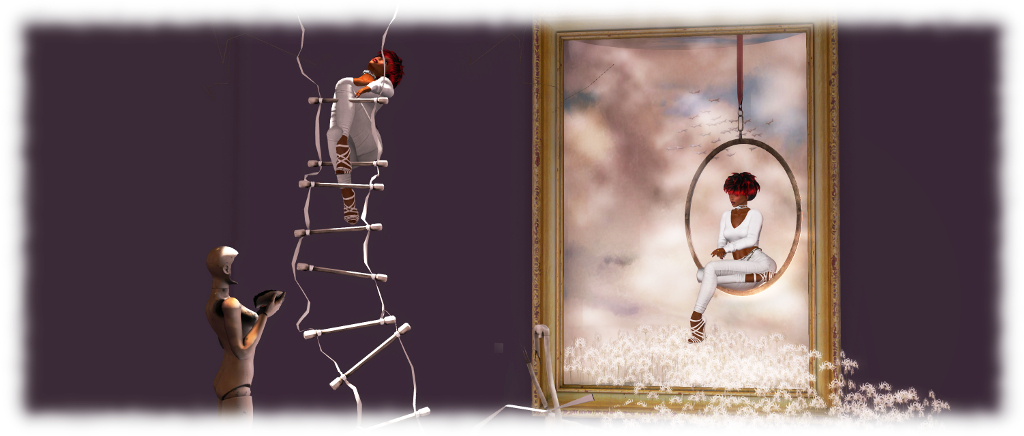
Inside Art by Ginger Lorakeet

Location: SL14B Spectacular.

On the subject of the trompe l’oeil style of art, Ginger Lorakeet has been a part of the SLB scene for as long as I can remember. She’s back this year, once again offering her interactive art pieces – some of which have been seen at past events, others of which are new.

I always like to mention Ginger’s work at SLB events as her art is fun and interactive. Simply find a picture you like, click it, and add yourself to it. With a little camera jiggling, you can grab a photo of yourself in a photo / picture. In addition, this year Ginger offers visitors the chance to fully immerse themselves in a scene.

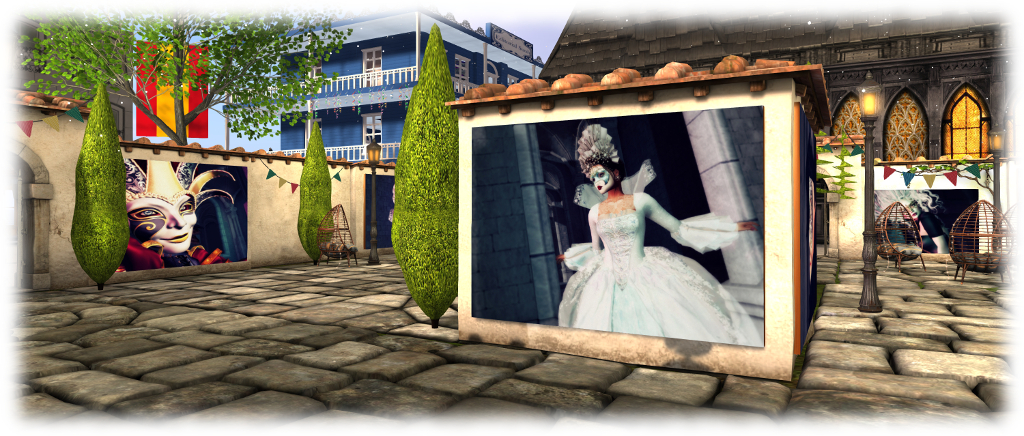
Masked: Carnevale di Venezia by Catalina Staheli – SL14B Beguile

These are far from the only art exhibits to be found at SL14B, and as much as I’d like, I don’t have the room to go through them all. I would, however, just like to mention in passing Kody Meyers, Anibrm Jung, Catalina StaheliJohn Brianna and Graham Collinson, all of whose work I appreciate, and all of whom are also exhibiting at SL14B. Be sure the check-out the SL14B Art Parcel SLurls and the complete list of exhibitors to make sure you catch everyone.