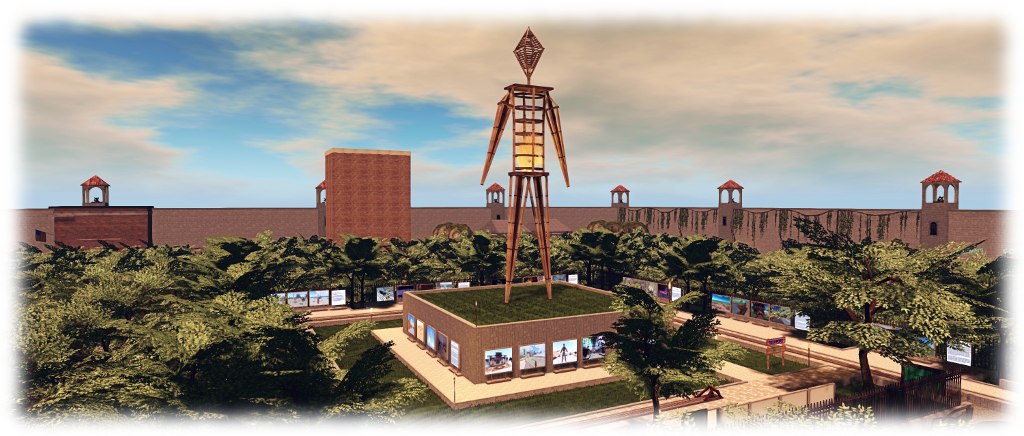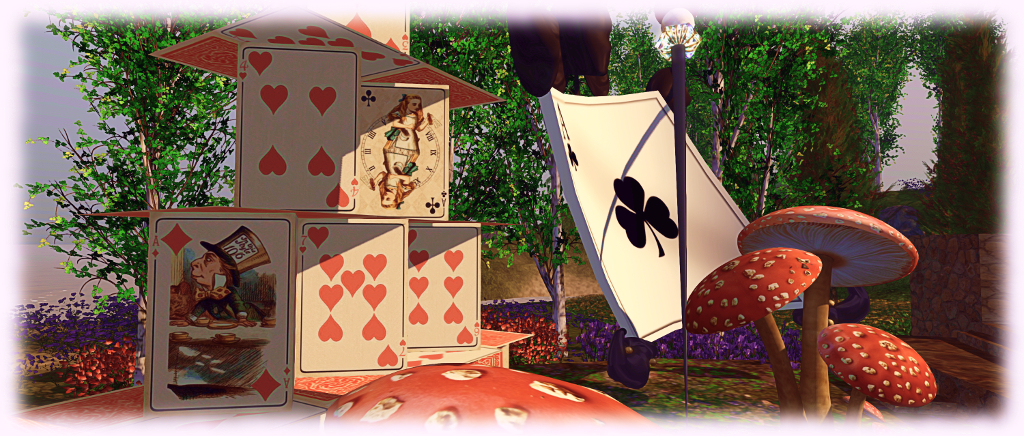
Seanchai Library Reaches 9 in Second Life

Recalling Seanchai Library’s Big Read of Alice in Wonderland, from May 2016

It’s time to kick-off another week of storytelling in Voice by the staff and volunteers at the Seanchai Library. As always, all times SLT, and events are held at the Library’s Second Life home at Bradley University, unless otherwise indicated.

This week starts with a very spacial celebration – the Library’s ninth anniversary!

Sunday, March 26th Volume IX: Seanchai Library Anniversary

From the Seanchai Library website:

Nine years ago someone had an idea.  That someone was Derry McMahon, founder of Seanchai Library, which began its life at the West of Ireland Library and Cultural Centre in March 2008.

Nine years ~ 108 months ~ 3,287-ish days ~ Thousands of hours of stories ~ Hundreds of Authors ~ Dozens of Genres, and over $4000 in small cash donations to non-profits doing good works all around the world.

Seanchai Library have brought – and continue to bring – stories from all genres to life as part of the weekly readings at their centres in Second Life, Kitely and Inworldz, through to special events – such as this 2011 re-creation of the Orson Welles 1938 radio broadcast of War of the Worlds – to entire immersive experiences such as The Dickens Project and their Explore the Arts series on Kitely.

“We are not large-scale philanthropy, ” Library lead Caledonia Skytower discloses, “Giving back to the world community through small charitable gifts is just one aspect of what we do. Job #1 here is to inspire people with stories and literature, to enable or encourage them to read and to share the stories they love with others.  Stories are an intrinsic part of the human experience.”

It’s a little hard to conceive how to acknowledge such an achievement. The Library looked to polite society to see if there was a guide as to how to celebrate a ninth anniversary: willow and pottery in traditional observance, and leather in the modern.  “That’s it!” they cried, “It’s obvious! A virtual Chili Cook Off!” . . . and that, friends, is what they will present today in both Kitely and in Second Life.
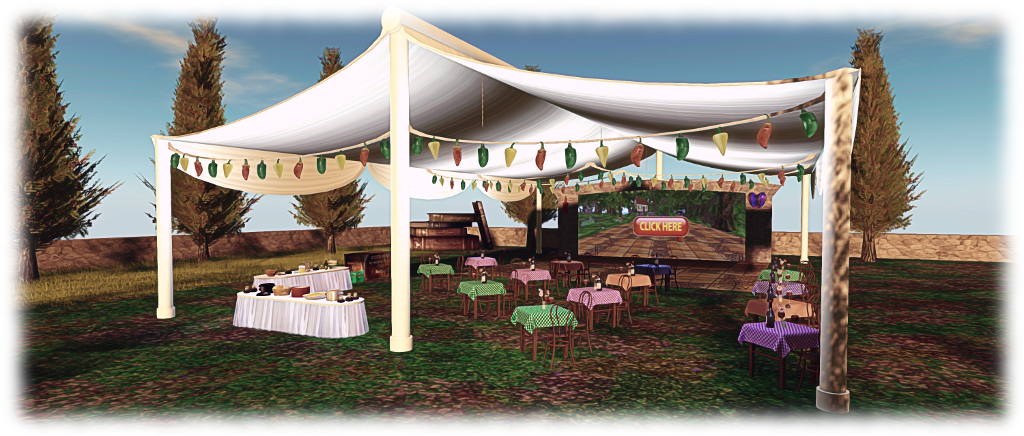
The party marquee and video links connecting Seanchai in Second Life with Seanchai in Kitely

Dual Video feeds and Local Chat “Simlinks” will connect the two parties, enabling celebrants in both grids to see the other party, and to communicate in local text chat.

Schedule

  • 13:00 – Chili Cook Off: Stories and Recipe Exchange: drop a note card with your favourite chili recipe ahead of the event, or bring it with you and hand it to Caledonia
  • 14:00 – Dancing under the Cook-Off Marquee: two hours of partying to the music of DJ Dano Bookmite.

SLurl and Grid Details

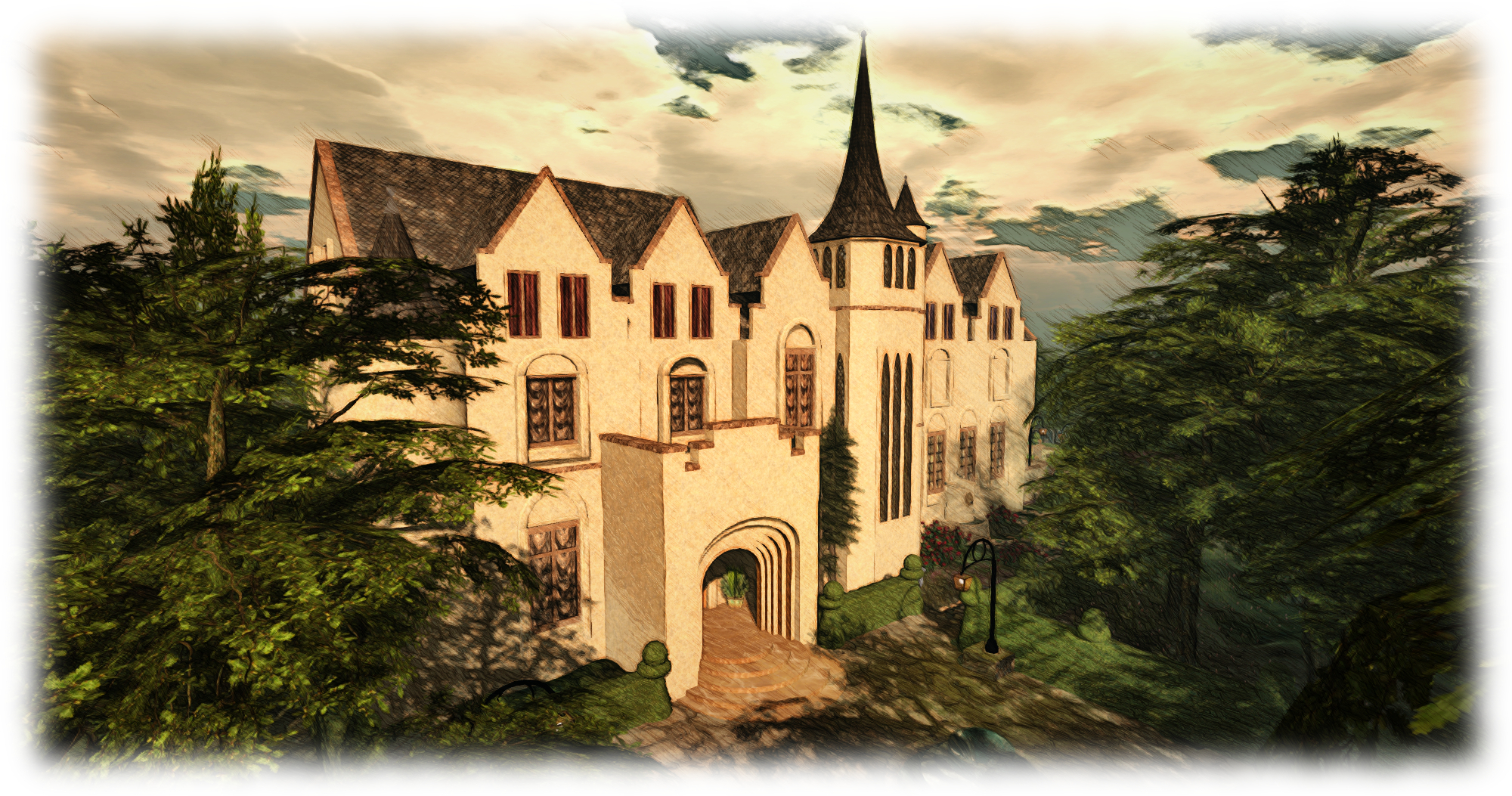
Jay Gatsby’s mansion, as produced by Seanchai Library for the 2015 Explore the Great Gatsby season, held in Kitely in conjunction with Tacoma Little Theatre’s real-world production for the stage adaptation of the novel

Monday, March 27th 19:00: Enemy Mine

Gyro Muggins continues reading Barry B. Longyear’s novella which first appeared in a 1979 issue of Isaac Asimov’s Science Fiction Magazine, before becoming the basis of the of the 20th Century Fox film of the same name, starring Dennis Quaid and Louis Gossett, Jr. This led to Longyear producing an expanded version of the story, written with David Gerrold.

In the midst of an interstellar war between humans and Dracs (a race of humanoid reptilians), Willis Davidge, a human fighter pilot, crashes on a hostile planet after a dogfight with a Drac – who is also forced down on the same planet.

The two initially continue their hostilities towards one another. But the planet proves so hostile that Davidge and the Drac, Jeriba Shigan (whom Davidge nicknames “Jerry”), are forced to join forces in order to ensure their survival. Then Davidge learns Jeriba is pregnant – Drac being entirely asexual …

Tuesday, March 28th 19:00: Of Mice and Magic

Faerie Maven-Pralou reads the forst in the Ravenspell series by David Farland

More than anything, Benjamin Ravenspell wants a pet. But when he buys a mouse named Amber, he gets more than he bargained for. No sooner does Ben take her home, than Amber turns him into a mouse too.

You see, Amber has magical abilities, and it so happens that Ben is a familiar, a creature that stores magical energy. Together they each form half of a powerful wizard. Alone, they’re just vermin.

Soon Ben and Amber find themselves pitted in an epic battle against a magical enemy who is as crazed as he is evil, and the fate of the world will rest on them learning to work together.

Wednesday, March 29th 19:00: Wild at Heart (Explorer’s Club Romance #1)

Aoife Lorenfield reads selections from Clare Alexander’s2017 novel.
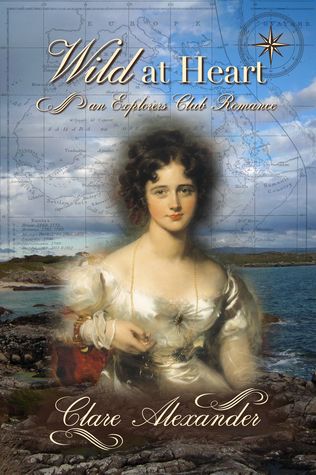
At 26 and unmarried, Nora Nicholson believes she has little choice but to follow her brother Edward away from England to West Africa. So it was that, having never set foot outside of the village where she had been born, she found herself boarding a Royal Navy frigate about to set sail for those exotic, distant lands.

Little did she know that she would find work illustrating birds for the naturalist and ship’s surgeon, John Sharples, or form the unlikeliest of friendships with Senhora Morena – or that she would meet Hugh Beaumont, naturalist and explorer, late of the 95th Rifles.

Once he led men in war, many of whom died in the field of battle. Now he desires to explore the rivers and forest of West Africa. But for Hugh Beaumont, leaving duty behind does not come easy. So it is he finds himself bringing criminals to justice and protecting Miss Nicholson, who is sorely in need of help. Then love enters the picture.

Thursday, March 30th 19:00: Scary Stories for Sleepovers

With Shandon Loring – sleeping bags provided! Also presented in Kitely.


Please check with the Seanchai Library’s blog for updates and for additions or changes to the week’s schedule.

The featured charity for March April is Project Children, building peace in Ireland one child at a time.

SL project updates 2017 12/2: TPV Dev and Content Creation meetings

The Heart of the Seablog post

The notes in this update are taken from the following sources:

  • Content Creation User Group meeting, held on  Thursday March 23rd, 2017 at 1:00pm SLT
  • The TPV Developer meeting held on Friday, March 24th, 2017 at 12:00 noon SLT.

A video of the TPV Developer meeting is included, and timestamps to it are included in the text, where relevant. Notes from the Content Creation User Group appear towards the end of this update.

SL Viewer Pipeline

Maintenance RC Re-issue

On Thursday, March 23rd, the Lab released a new Maintenance RC viewer – version 5.0.5.324882 – to replace the faulty March 16th release.  As such, it includes the same set of updates, and I’ve written an overview of the core changes.

Voice RC

[0:19] The Voice RC viewer, version 5.0.4.324770, has a problem with the SSL Certificate Authorities update included with it. This triggers some code deep within the viewer which should not be triggered. This tends to affect TPVs for than the official viewer (the issue was actually noted by Firestorm). It’s be at least a couple of weeks before this matter is resolved, and until it is, the Voice RC viewer will not be progressing, and the Lab is unlikely to expand the cohort of users running it. Alongside of this, but separate to is, is an issue which is giving the viewer a higher than expected crash rate. which is also being looked into. Additionally, among the updates to this viewer and not included in the release notes, is support for the Opus Interactive Audio Codec, although server-side support is still required. This should eventually see further Voice quality improvements.

64-bit Project Alex Ivy

[3:10] As noted in part 1 of this week’s update, the 64-bit viewer was updated on Friday, March 17th to version 5.1.0.503537. This viewer is showing a significantly lower crash rate, although it does have some other issues. It should have a further update in the next two weeks.

360 Snapshot Viewer

[4:06] It appears unlikely that the 360 snapshot viewer will be update in the next week due to the ongoing work with the 64-bit viewer.

Asset Fetching Via HTTP

Vir Linden has been focused on the viewer side of this work, which will see the remaining inventory asset classes – landmarks, gestures, animations, shapes, sounds and wearables (system layer clothing) – switch from UDP delivery through the simulator to HTTP delivery via the via the Content Delivery Network(s) the Lab uses.

[4:42] The viewer for this work may be appearing in week #13 (week commencing Monday, March 27th). However, this is dependent on some back-end web configuration work being completed so that the required simulator changes can be correctly enabled on the Main grid.

Once these remaining assets have been shifted to delivery to the viewer via HTTP / CDN, the remaining UDP messaging for asset delivery will be turned off on the simulator end. This may be around July / August time (to be confirmed once the HTTP updates have reached release status), and will mean any older viewers still using UDP messaging for asset data fetching will be unable to do so.

New JIRA – Soon

[14:35] There is a new JIRA update coming, in line with recent updates made by Atlassian. It is currently on internal testing at the Lab, but there is no time frame as to when it will make a public appearance.

FMod Studio

[16:00] Around the start of the 64-bit viewer project there was a potential for an open-source contributed project for using Fmod Studio with viewer audio. This is likely to be re-examined, and if found suitable it may be up for adoption. However, given it will require a licence, which is likely to take a while to be processed by the Lab, it will not prevent the 64-bit viewer progressing forward toward release. Instead, the code module will be integrated as and when the licence has been obtained.

Content Creation Meeting Round-up

Animation Transitions: as noted in my March 9th CCUG meeting notes, people have been noting issues with animation playback, some of which appear to be related to llSetAnimationOverride, one of the server-side functions for controlling your animation state (see  BUG-7488 as an example).

Vir has been looking at this, but no definitive cause has been found. One suggestion is that it might be related to  Walk Adjust cutting in, which can occur when transitioning from standing to almost any other state when using llSetAnimationOverride. Although is that some transitional animation, such as a pre-jump or landing might be accidentally set to loop, causing an apparently freeze / lock. Vir will continue to poke at this.

Avatar Rendering Calculations:  work continues on refining the rendering cost calculations for avatars. However, this work is still not ready for shipping. Theses adjustments are twofold: to account for more “recent” changes which have been made since the system was last properly evaluated, and to address known issues in how the calculations are made.

Applying Baked Textures to Mesh Avatars: this is still on the short list, but is not an adopted or active project within the Lab as yet.

Rigging Animated Attachments to the Skeleton: there are issues trying to rig animated attachment to the avatar skeleton (e.g. a set of nunchaku or a gun that twirls before being holstered). While they may work OK using a specific avatar shape, problems can occur should the shape be changed (e.g. the nachaku  / gun no longer accurately positions relative to the hand). Medhue Simoni suggests items like this might be rigged and animated to the relevant attachment point instead.

NPCs / Animated Objects: this is still not a formal project at the Lab, but there has been some discussion on the potential feature set, were it to become a project.

Scripted method to position bones: see BUG11407. VIr’s concern with this approach would be the level of complexity / risk of conflicts with animations / need to expand the scripting capabilities on the back-end in order to make full scripted positions of bones useful. However, within the meeting, it was seen as being more useful in being able to fine tune poses for things like photography (e.g. to prevent hands vanishing into breasts or thighs), and thus supplant something like Anypose. As a result, Vir’s agreed to look at tools like Anypose and have a fresh look at the JIRA.

Other Items

Bento Ridable Horse

Strawberry Singh has all the information on a new Bento Rideable horse, which has a release had of Saturday, March 25th. As the name implies, this is a horse which makes full used of the Bento skeleton extensions (so when worn, it is an extension of your avatar).  Berry has produced a tidy video on the horse, and I’ll finish this update by embedding it – read Berry’s blog post for the specifics.

Beaming into the 2017 Second Life Sci-Fi Convention

2017 SL Science Fiction Convention – “Life

The 2017 Second Life Science Fiction Convention touched-down safely on the main grid on Friday, March 24th, ready to embark Second Life residents on flights of intergalactic adventure and fancy which will continue through until April 2nd, 2017.

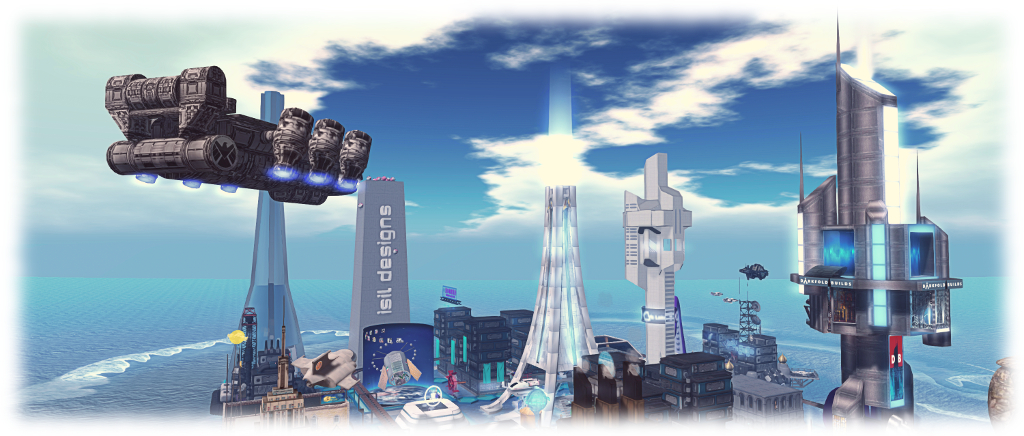
Active across six elemental themed regions, the convention this year celebrates its 10th anniversary. Once again, it presents the best in Second Life science-fiction related role-play, with some of the top sci-fi role-play groups, content creators and designers represented  within the regions, all bound together in the aim of raising funds for Relay for Life of Second Life and the American Cancer Society.

2017 SL Science Fiction Convention – “Fire

As well as the role-play group, designers, visiting folk, and intriguing region layouts, the event features a range of entertainment and presentations. So much is going on through the week in fact, that the best way of staying up-to-date on things is to check the convention’s event calendar. This can also be found at strategic points scattered throughout all of the convention’s regions on browsable display boards, so keeping up-to-speed on where to go and what to see is pretty easy.

A full list of exhibitors for the event is also available, tidily broken down by region, with each of the main landing points for the six regions also listed. For ease of reference in general hopping around, these are:

2017 SL Science Fiction Convention -“Water

Note that all of the regions are rated Moderate. For intra-region getting around, there is a monorail systems and a network of stargates – although these didn’t appear to be working on my visit (possibly one of the Energy Lifeforms of M4C-862 was getting up to mischief…). Also, when visiting the landing points, keep an eye out for the free Sci-Fi Con 2017 outfits by Design’s Designs, which can be obtained for the exceptionally most fee of L$2, and which comes in both Fitmesh and standard mesh sizes.

I confess, I didn’t fully get the elemental theme with the convention; I’d have expected “Air” to be – well, in the air, rather than on a hill, and “Water” to perhaps be more aquatic. But this is a minor quibble in the scheme of things, as there is a lot to see, and I did particularly enjoy poking around the cityscape of “Water”. To escape the worst of the inevitable lag, you might want to disable shadows if you usually run with them enabled and drop your draw distance down if you normally have it set to a couple of hundred metres or more, other than for when taking photos.

So, as I’m prone to say when previewing this event: whatever your interest in science fiction, be sure to set your phaser on fun and head back to the future with a visit to the SL Sci-Fi convention. So say we all!

Related Links

Sniper’s Second Life 1999 – 2017: The Story

Second Life 1999 / 2017 – The Story

“The initial project, ‘The Little Prince’, would take a long time,” Sniper Siemens explains in introducing Second Life 1999 / 2017 – The Story, which is now open through until the end of June 2017. “For my health and work reasons, I could not make it this year. I apologise for the inconvenience.”

Frankly, I don’t think an apology is warranted; if anything, Sniper’s look at the entire history of Second Life from 1999 through to the present should be a permanent, living installation in Second Life (although Sniper may well shoot me for saying so!).

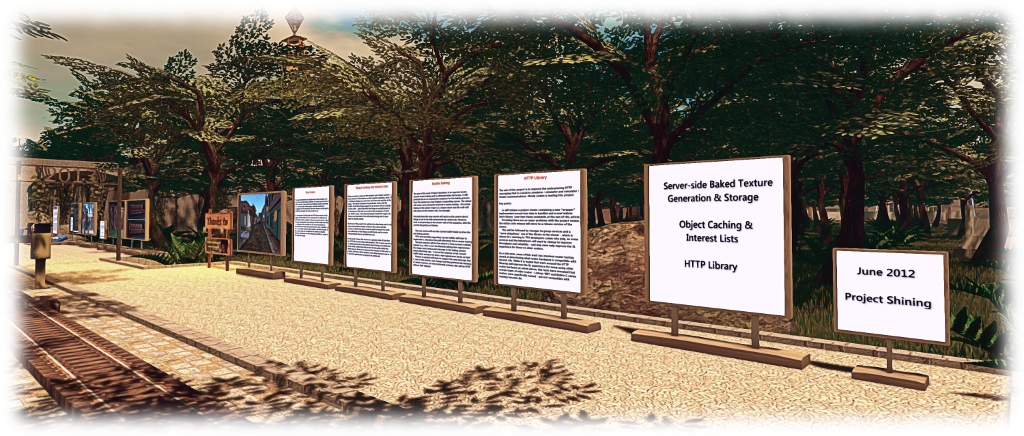
Second Life 1999 / 2017 – The Story – Project Shining: the start of the ongoing work to massively overhaul SL’s technical capabilities

Before I get into the Story of Second Life, let’s take a look at the story of the story of Second Life. The installation originally began in July 2014 as Second Life History, a relatively modest but informative installation, complete with humorous touches which continue to mark these exhibitions. In February 2015, Sniper returned with The Greatest Story Ever Told, expanding on the original idea, offering more information, a new presentation layout and lots of new little characters to show you each of the many notable events throughout Second Life’s history (and that of its precursor, LindenWorld).

For this latest installation, Sniper builds on the 2015 design, bringing it bang up-to-date with everything that’s happened since that installation was exhibited, with a look at things like  Bento, the starter avatar updates, improvement to Sl web properties such as the Community platform, etc., and a tongue-in-cheek “look” through the gates at Sansar.

Second Life 1999 / 2017 – The Storyremembering Lumiere Noir, one of the many residents who did so much to empower all of us in our time in-world

From the landing point / information point, visitors progress along a footpath passing through the years sequentially, from 1999, with the originals of Linden Research and The Rig, progressing through LindenWorld, Primitars, early experiments with AI creatures, to the birth of Second Life. From there, major notable events, positive and negative (depending on your perspective if you were around at the time). All are marvellously presented, with a great balance between information – presented via static information boards,  interactive elements, and in-world videos.

As well as walking around the installation, visitors can opt to take a train ride through the exhibits. A Canopied station forms part of the landing point. Simply touch the rezzer to generate a car, jump in and touch the car to start your ride. You can stop along the way at any time to take a closer look at exhibits by touching the car once more – just make sure you cam over to them, don’t get out of the car or you’ll have it de-rez on you! A further touch of the car will resume your journey, while barriers at certain points also encourage you to stop in case you risk missing something. With a change of train half-way around, this is a really charming way to see the exhibition (rail traffic allowing!) – kudos to Sniper for including it.

Second Life 1999 / 2017 – The Story – Bento in images and videos

Journey’s end for Second Life 1999 /2017 – The Story is a shady park alongside of the cheeky “look” at Sansar. However, this isn’t the end of the installation. A teleport station will take you on to a look at the History of Burning Life, (or Burn 2 as we now know it).  This can also be toured by rail car – just follow the path to the right as you exit the main landing area and before you enter “1999”.

I am an unabashed fan of Second Life’s history (and I’m flattered to have played a very small and indirect role in this exhibit), so cannot recommend this installation highly enough anyone wishing to gain a rounded understanding on Second Life, Linden Lab and Burning Life / Burn 2. It really is a pleasure to visit, marvellously informative without ever drowning you in a flood of information, and rich in gentle touches and delightful flicks of humour. I also couldn’t help be notice the layout of the exhibit seems to include a fair amount of space for future expansion as well 🙂 .

Second Life 1999 / 2017 – The Story – the central Burn 2 exhibition

Second Life 199 / 2017 – The Story is an absolute delight, and as noted, will remain open through until the end of June 2017. Be sure not to miss it!

SLurl Details

Video by Sniper Siemens

Second Life Maintenance RC: Avatar Rendering updates and more

On Thursday, March 23rd, 2017, Linden Lab issued a new Maintenance release candidate viewer – 5.0.4.324882 – featuring a number of bug fixes and improvements.The viewer was actually a replacement for an earlier Maintenance RC, version 5.0.4.324646, which was withdrawn after it was noted it lacked some of the expected improved functionality.

In particular, this RC viewer brings some additional options for managing Avatar Complexity (aka Jelly Dolls), gives us a new option for checking the Grid Status page and offers a number of other nice nips-and-tucks to the viewer, as well as resolving a series of bugs.

As is my usual approach the following is not intended as an in-depth review of the RC, but is intended to highlight the core changes.

Avatar Complexity Rendering Updates

The re-named avatar complexity rendering options in their new sub-menu

There are several improvements to avatar complexity, which are outlined below.

The Options for how you render an avatar have been updated to Default (i.e. in accordance with your avatar complexity threshold setting); Always (i.e. always render the selected avatar) or Never (i.e. permanently render them as a grey imposter). These options have also been moved to a sub-menu on the right-click Avatar context menu (shown on the right).

Also, and following Firestorm’s lead, whatever setting you select for an avatar will now persist across all log-ins for the viewer, until either reset or your settings are cleared by a clean install or similar.

Finally, the viewer gets two new options for Avatar Complexity, located on the Preferences > Graphics tab. The first is a check box, Always Render Friends, which is pretty much self-explanatory: when checked your friends will always fully render, regardless of your Avatar Complexity threshold.

Graphics > Preferences: the new Avatar Complexity options

The second is an Exceptions button, which adds a further level of complexity control for how other avatars – including your Friends – are rendered in your view.

Using Avatar Rendering Exceptions

Clicking the Exceptions button opens a new floater, Avatar Render Settings, shown below left. This comprises a people filter for the list of names recorded on the floater (which is obviously blank when first opened), together with a + (add) button.

The Avatar Complexity Exceptions floaters

Clicking + will display a pop-up with two options:

  • Always Render A Resident
  • Never Render a Resident

Clicking on either of these will open the Choose Resident floater, shown above right. You can then use the Search, or Friends or Near Me tabs to select an avatar or avatars, adding them to the list on the floater. Clicking OK will add them to the Avatar Render Settings panel. The avatars will also be rendered in accordance with whichever option you used to launch the selection process (Always render or Never render).

Changing the Avatar Complexity setting for an avatar listed in your Exceptions floater – not Default will remove them from the list, as they will be rendered as per your Avatar Complexity setting

You can also update how any avatar in your Exceptions list is displayed.

To do this, simply open the list floater via Preferences > Graphics > Exceptions, locate the name of the avatar in question (use the filter if you have a lot of avatars in your exceptions), and right-click on the avatar’s name.

This displays a sub-menu of rendering options, with the currently selected option indicated by a tick. Click on either of the other two options to change it. Note that “Default” will remove the avatar’s name for your exceptions list and display them in-world in accordance with your overall Avatar Rendering Complexity setting.

Grid Status Display Toolbar Button

Maintenance RC 5.0.4.324882 adds a new Grid Status toolbar button to the viewer. This can be accessed via Me -> Toolbar or by right-clicking your toolbar to select Toolbar Buttons. Either of these routes will open your Toolbox floater. You can then drag the Grid Status button to the toolbar location of your choice (left, right or bottom of your screen) where it will be displayed.

The new Grid Status button

Clicking on the button will open the Grid Status page in the viewer’s built-in browser, regardless of your Preferences setting for how web content is to be displayed.

Other Improvements

In addition to the above, this RC viewer also includes the following improvements:

  • Inventory Offer messages now display the name of the object being offered to another avatar
  • Library items can now be worn via a right-click context menu, and not just drag & drop
  • The Snapshot floater will now remember what you did last, and open with that mode next time (until you next relog)
  • You can now see and change the type of block (Voice / Text / Particles) from within the block list in People floater
  • LLTextBox message lines will extend along with the length of the message now.

Bug Fixes

The release notes provides the following list of bug fixes with this release:

  • Some builds wouldn’t link to release notes. Now they do.
  • Other minor UI tweaks and adjustments
  • Removed several instances of legacy People API usage, thanks to Ansariel Hiller.
  • Inventory floater was missing UI for spawning new Inventory floaters. So now you can do it even if you don’t know the Ctrl+*Shift*+*I* shortcut.
  • Build floater used to hide behind other floaters due to wrong Z-priority. Not no more!
  • Appearance editor didn’t “Save as” as well as it should have, but now does.
  • Avatar animations wouldn’t play after several operations with editing and wearing objects, but do now.
  • Closing inventory window used to leave an orphaned context menu.
  • Active listings folder stayed active after everything was cut from it. We don’t need that confusion.
  • Teleport offers and Eject messages will show complete name when that’s what you’ve chose to see.
  • You can now remove friends even when you’re in a Groups floater looking at Members list.

Feedback

I’ve not driven this viewer for more than an hour thus far, so cannot give any feedback on performance / stability. In terms of the improved features, making Avatar Complexity settings persist between log-ins is a welcome addition to the viewer. Both the Always Render Friends check box and the Exceptions options are also nice additions. .

The Grid Status button is also a handy addition, and should provide help for those of us wanting to know what is going on with the grid (when suspecting something might be wrong), but who get a little annoyed at having to manually visit the grid status page in order to do so.

Tutorial: raising Abuse Reports in Second Life

Griefing, be it through word, action, noise, or object (as seen here), etc., is one of the items covered by the Abuse Report
The following notes are drawn from a presentation Governance Team manager Tommy Linden and team member Corky Linden are making to various communities within Second Life as part of an initiative to better disseminate information about the Governance Team, and on filing Abuse Reports (ARs). The hope is that the information provided will give users a better understanding of what the Governance Team hope to see provided in an Abuse Report in order to fully investigate it.

Note that  official information on Abuse Reports can also be found in the Knowledge Base.

Table of Contents


Governance Team: Quick Facts

  • The team is relatively small – under a dozen in size – but handles an average of 400-500 Abuse Reports per day
  • All Abuse Reports get reviewed as the first stage of an investigation, with priority given to those seen as critical (such as an in-progress griefing attack).
  • All ARs that can be investigated are investigated. However:
    • How far the investigation goes largely depends on whether the AR is filed against something Governance is empowered to investigate, and how much meaningful information is supplied in it.
    • The Governance Team intentionally does not report back on the outcome of their investigations for a number of reasons. Just because the outcome might not be visible to the reporter / match their expectations when filing an AR, does not mean the report was ignored.
  • One of the biggest issues with incoming Abuse Reports is that they often lack the basic information required in order for an investigation to be properly carried out.

What is an Abuse Report?

The Abuse Report (AR) is for reporting any individual or group of avatars or any in-world object engaged in an activity deemed inappropriate under the Second Life Terms of Service  / Community Standards and/or is in contraction to the maturity rating for a region.

ARs apply to: griefing, spamming, age play, assault / pushing / disturbing the peace, disclosure of personal information, fraud, harassment, indecency and Skill Gaming violations. In addition, there are Welcome Area Guidelines governing places like Infohubs, which contain restrictions on what should not be done in those areas with any violations also subject to ARs. Report.

There are also certain things that do not apply to ARs. For example, being banned from a particular group or region or parcel, or a dispute over rental payment between residents are not actionable via AR.

ARs can be filed by anyone suffering abuse, or by those directly witnessing an abusive act. However, this does not mean teleporting multiple people into a location and having them file reports as well. Rather than “speeding up” any investigation, it can actually slow down the entire process by forcing Governance to spend time reviewing dozens of additional (and possibly contradictory) reports.

What Is The Governance Team Looking for in a Report?

The Governance Team is looking for clear, concise and consistent information in an Abuse Report, as summaries in the image below and expanded upon in the following sections.

A “good” Abuse Report, presenting all the information and making good use of a screen shot – click to open the slide in a separate tab for easier reading. With thanks to Corky Linden

Accessing the Abuse Report Floater

The AR floater can be accessed via:

  • Menu bar > Help > Report Abuse.
  • By right-clicking on an avatar or object and locating / selecting Report Abuse from the context menu / pie menu.
    • Make sure you have the right avatar / object selected when doing this.
    • Launching the AR floater using either of these two options will auto-complete parts of the form.

The following guidelines are intended to help with filing an AR.

Screen Shots

Where possible, try to include a screen shot of the situation you are reporting. It can be the most effective means of illustrating what is going on, and gives the Governance Team clear visual proof / evidence of what has happened. It can also make up for information missed from the rest of the report.

The slide below outlines some of the key points to remember when using the AR floater to capture a snapshot – click to enlarge it in a separate browser tab for ease of reading.

Abuse Report snapshots: click on the slide to open it in a separate browser tab for easier reading

Note that most viewers do not have a refresh button for the snapshot preview, so try to make sure all the information you wish to capture is on your screen. If you are unable to get a screen shot for whatever reason, it is important you provide clear, accurate information in the Summary and Details section of the report (see below).

Object Picker

The Object Picker allows you to identify an abusive object (e.g. a particle / noise spammer, a weapon, etc.), and include its name and owner in the body of your Abuse Report. Instructions on how to use it are included in the AR floater, and this section will be auto-completed if you launch an AR by right-clicking on an abusive object. Remember you can further verify the item by including it in a snapshot with the Edit floater open to show the object name & owner.

Report Categories

The Abuse Report floater includes a pre-defined, drop-down list of categories which should be used when filing a report. Notes on the *valid* categories can be found here. Note that filing under the wrong category doesn’t prevent a report from being investigated, but it can slow things down, particularly if there is insufficient information provided elsewhere in the report.

Abuser Name

This allows you to grab the name of someone causing abuse from those around you. If you launch an Abuse Report by right-clicking on an object or avatar, this section will auto-complete (make sure you have selected the right avatar), otherwise click the Choose button and follow the on-screen instructions.

Continue reading “Tutorial: raising Abuse Reports in Second Life”