Giovanna’s Monochrome in Second Life

Monochrome - Giovanna Cerise
Monochrome – Giovanna Cerise

Open now through until the end of the year is Monochrome, a full region installation on three levels, designed and built by Giovanna Cerise. It’s a hard piece to quantify – if indeed it requires quantifying. Spread over its three levels, it presents three different environments / structures, offered in black, white and red respectively.

The black element is located at ground level, facing the landing point, with a teleport door providing to the next level – white – which then connects to the upper, red level. There is no specific windlight for the installation; visitors are encouraged to experiment with different times of day / settings.
Monochrome - Giovanna Cerise
Monochrome – Giovanna Cerise

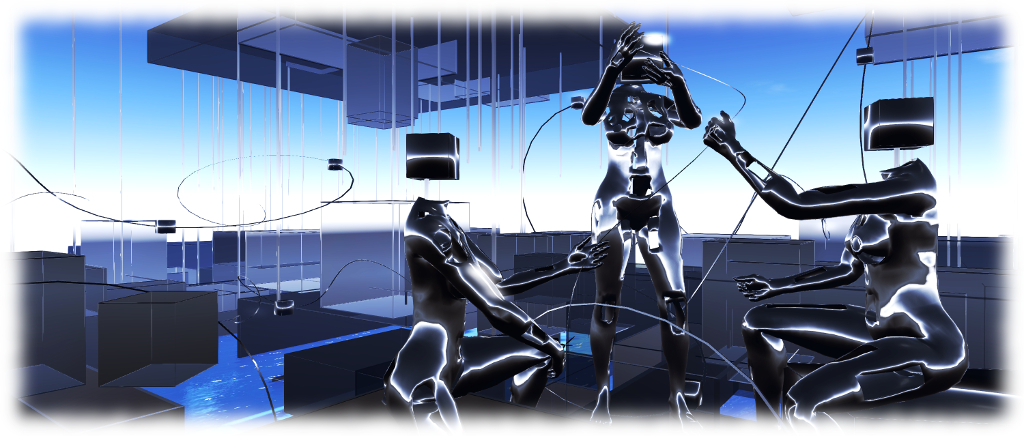
Sitting over the water, the Black level presents a series of cubic and rectangular boxes rising into the sky, some interlinked and stacked like great square hills. Their walls are phantom, allowing visitors to walk  or fly through them (watch out for transparent floors when flying up!). Slender metal spars rise up around them, while string like strands loop through the air, threaded with cubes of their own.

At the centre of all this are three tall, cube-headed female figures. One stands threading a cube onto another metal-like strand, which is being fed to her by the seated and kneeling figures. One of these holds a pair of scissors, ready to cut the strand, presumably so it can also be set floating in the air once a suitable number of cubes have been threaded.
Monochrome - Giovanna Cerise
Monochrome – Giovanna Cerise

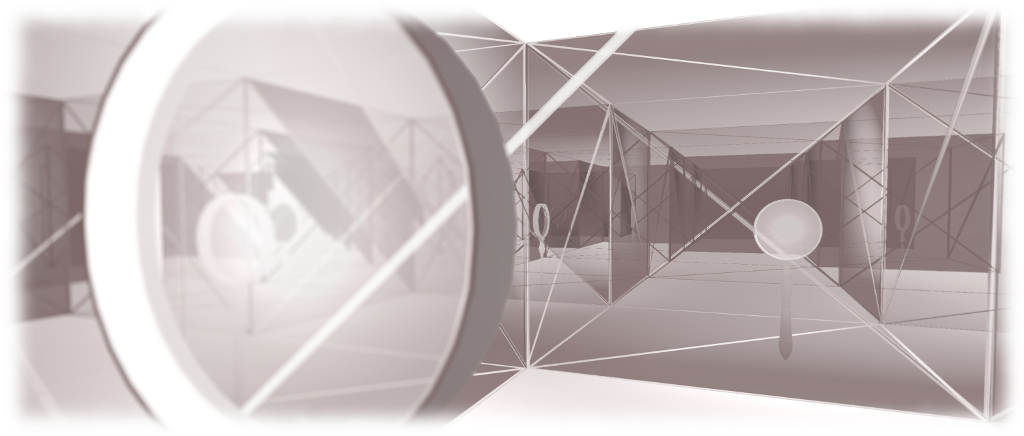
The pattern of cube-like rooms is repeated on the White level – only this time the cubes all occupy just one level, spread like a vast building across a white plain. Phantom in nature, they can again be walked through, only this time their walls can also be seen through from both sides. Once their bounds, this gives the feeling of being in some vast maze, one where many of the rooms have large magnifying glasses standing in their centres, while others are empty. Wandering through them, it is exceptionally easy to lose one’s sense of direction.

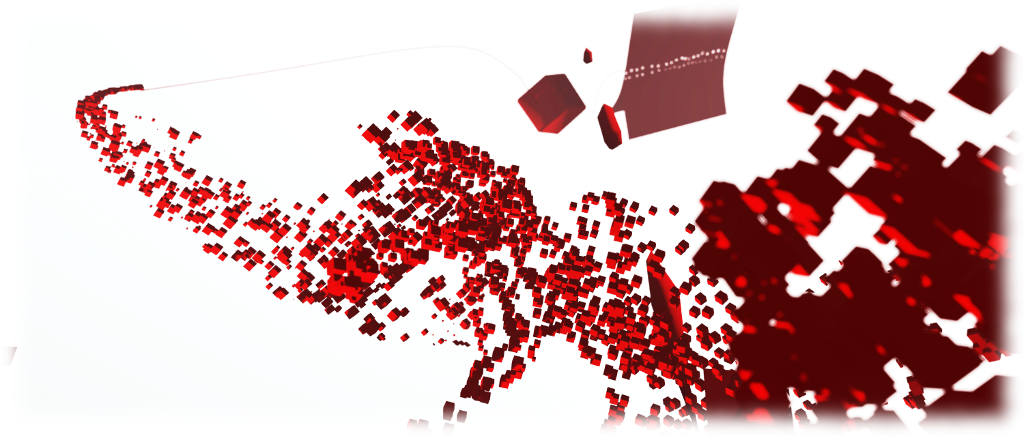
And on the upper Red level, lies a mass of red cubes, as if caught in a swirling wind lifting them into the air. At their centre is a red mass, like a congealed lump of spilled paint, on which four red figures appear caught in the same vortex, being pulled apart from the head down, their broken bodies rising and twirling together within the vortex, becoming a single strand rising into the sky, eventually to bind the spine of a huge red notebook.
Monochrome - Giovanna Cerise
Monochrome – Giovanna Cerise

All three levels offer intriguing montages. They challenge us to quantify them according to our own perception, by challenging that very perception as we study them each in turn. Is the binding of the book on the Red level really being drawn from the figures below, for example, or is it slowly unravelling from the book to fall and become those figures? And if it is, does this not alter our thinking about what is being portrayed here?

You decide.

SLurl Details

Lab announces Second Life Halloween 2016 Creepy Crawl

Via Linden Lab
Via Linden Lab

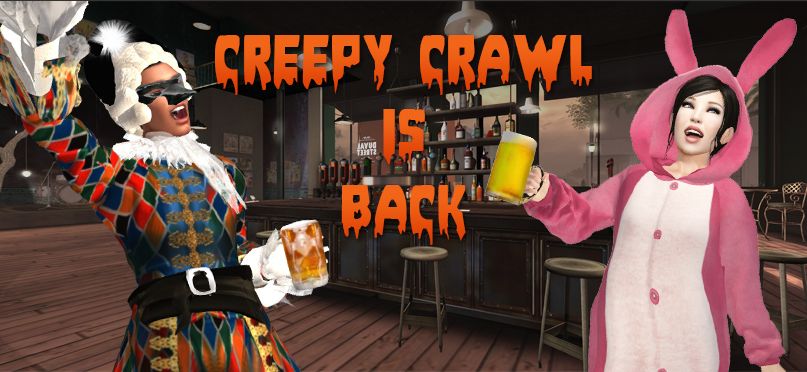
Following their invitation for people to submit destinations for the Second Life Halloween Creepy Crawl / Linden Lab meet-up, Xiola Lab has now blogged details of the event, which is to be combined with a costume contest with a prize pool of L$50,000 on offer in prizes to be given at each stage of the Crawl around Halloween-theme locations in Second Life.

The 2016 event will take place – when else? – Monday, October 31st, from 10:00 through 15:00 SLT. Ten locations have been selected, and Second Life residents are invited to join staff from the Lab as they hop from place to place, or rendezvous with them at a given time and location, depending on personal schedules.

Commenting on the costume contest, Xiola notes:

Costumes are strongly encouraged for this event – so come out and show off your best and you could win big! This year, at EVERY stop on our crawl, we will be giving away L$5,000 to one lucky winner whose costume catches our eye. That’s 10 stops, 10 winners, and a total of L$50,000 in prizes! Just keep in mind that this event is for General and Moderate audiences when perfecting your look. For full contest rules please visit the wiki. If you still need a costume or three – check out the Shop ’til You Drop event for your one stop Halloween party shopping.

There’s also a special gift from Boudoir of a wearable pumpkin pile available (one per avatar),  which will be available via kiosks at each of the selected stops on the Crawl.

The schedule for the event is (all times SLT, all rated Moderate, unless otherwise stated) is as follows:

Inside Sansar with the Wall Street Journal

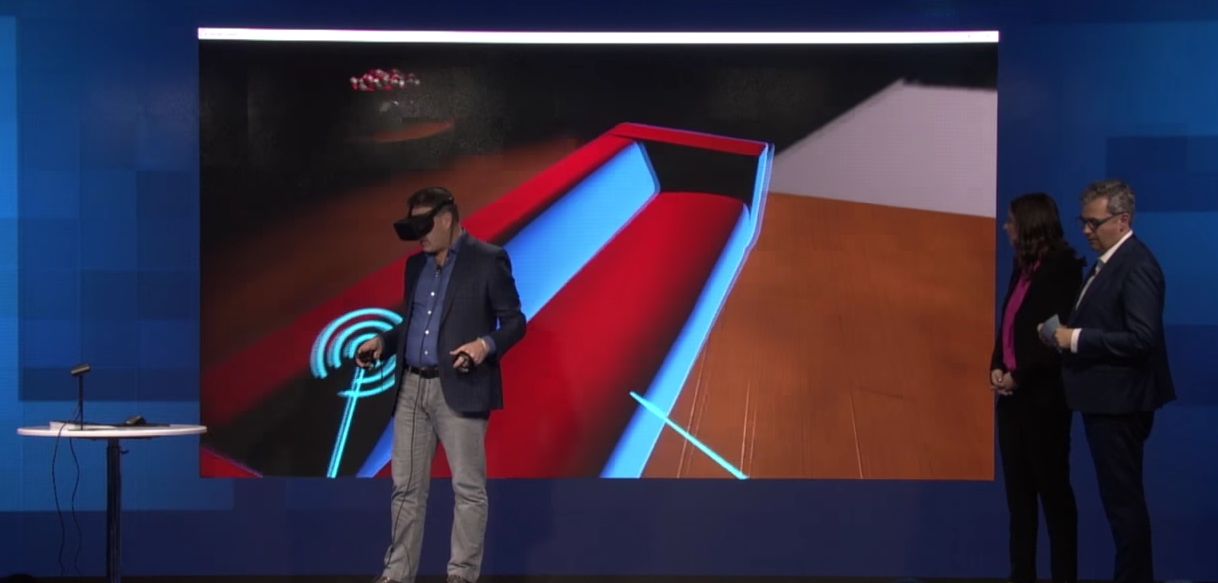
Ebbe Altberg moving virtual furniture around in Sansar, demonstrating some of the platform's capabilities at the WSJ.D Live conference, October 24th-26th
Ebbe Altberg moving virtual furniture around in Sansar, demonstrating some of the platform’s capabilities at the WSJ.D Live conference, October 24th-26th. Credit: Wall Street Journal

The Wall Street Journal WSJ.D Live conference has just wrapped up for 2016, having taken place in Laguna Beach, California.

Attending the event, Linden Lab CEO demonstrated using VR headset and controllers within a Sansar scene, showing how the controllers can be used to manipulate objects. The video is available of the WSJ YouTube channel, and I’ve embedded it at the end of this article. The Sansar scene itself is relatively simple, and the aim appears to be just to show how reasonably easy it is to move content around when defining a space, rather than any in-depth look at the fidelity of the platform’s graphics.

As we know, the actual editing environment in Sansar is quite separate from the run-time environment. While the latter doesn’t permit “in-world” building, it has been indicated that users will be able to move content around within in – thus allowing them to personalise spaces and arrange scenes; however, I have it on good authority (Ebbe himself), that the scene shown in the demo was using the edit mode.

The video includes brief shot of the in-world controller / menu, but motion is such that determining anything of import from it is difficult.

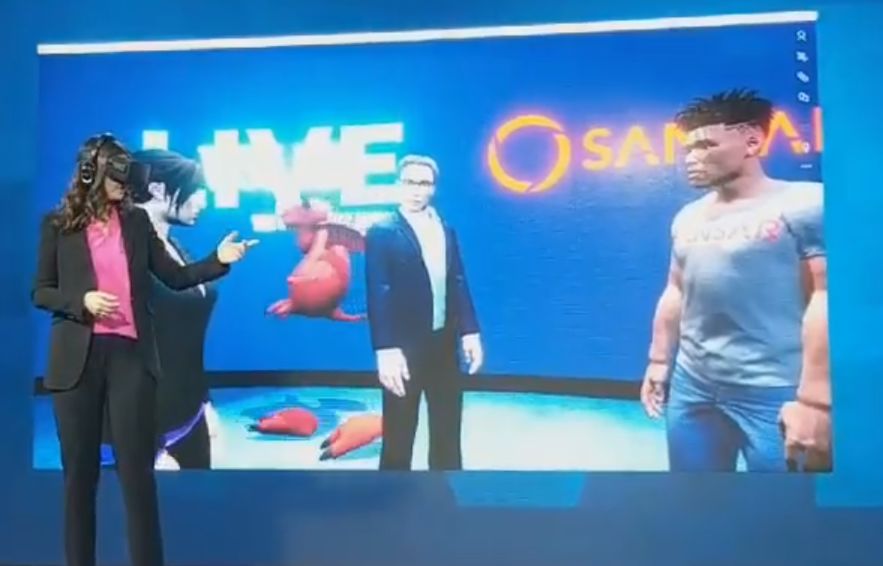
Angel investor Benjamin Rohé was at the presentation, and Tweeted a short video of Sansar avatars. As we know from Lab Chat sessions, these are liable to be going through further development as Sansar progresses, so it’s hard to judge how close these are to the looks those stepping through the doors when Sansar allows public admission from early 2017, but I’m guessing it’s not too face off base. What will be interesting is to see just how customisable they will become.

Sansar avatars at WSJ.D Live. Credit: Benjamin Rohé
Sansar avatars at WSJ.D Live.The red thing is a more other-worldly avatar form! Credit: Benjamin Rohé

Beyond the look, nothing really new is said about the platform – numbers of users engaged with it through the closed alpha and the Creator Preview have reached “few hundred”, and the public release is still looked at in terms of Q1 2017.

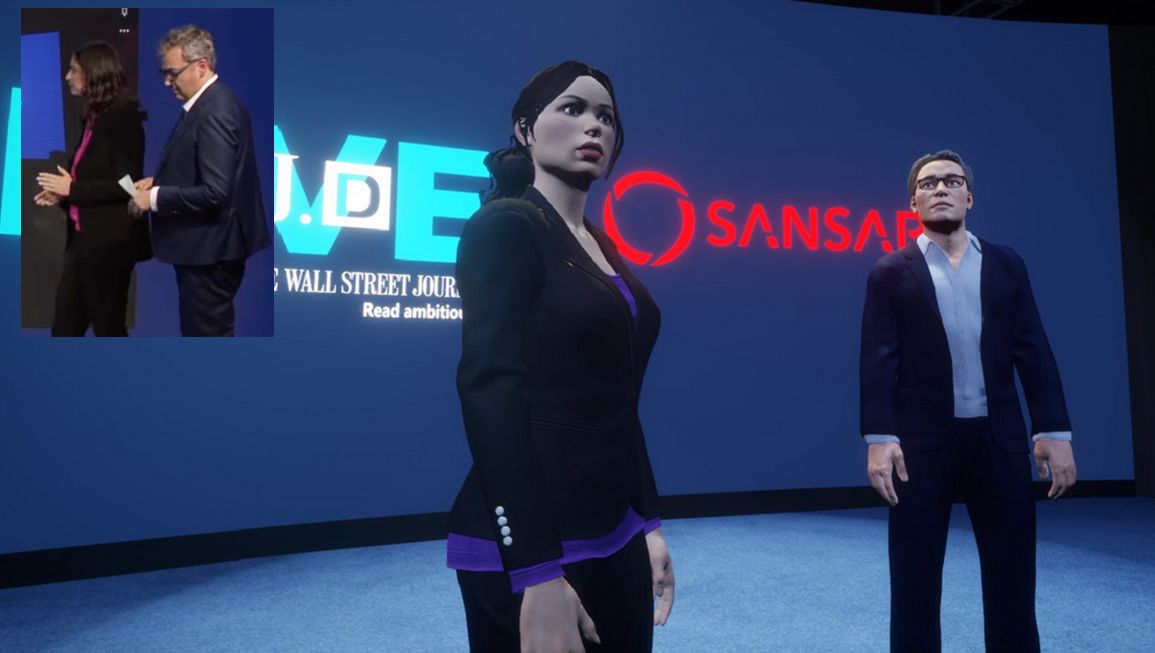
In addition,  presentation hosts Geoffrey Fowler and Joanna Stern Tweeted pictures of themselves as Sansar avatars.

Joanna Stern and Geoffrey Fowler (seen in the inset image) and as they appear as Sansar avatars. Credits: Geoffrey R. Fowler / WSJ Live

The video leaves a lot of unanswered questions – how are tasks like walking and running handled, for example, when using Sansar via HMD? Will it be point-and-hop, which others will see and a fluid walking motion (remember that they’ll be seeing your avatar, whereas you won’t)? Will those entering Sansar without VR headsets, etc., be able to see their own avatar in third-person as we’re accustomed to doing in Second life (and which is actually part of the attraction of spaces like SL)? And more besides. So judging the platform on the strength of clips like this might not be entirely fair.

But it does add to the list of questions for the nest set of lab Chats!

Updated to reflect the fact the demonstration shows Sansar in Edit mode, with thanks to Ebbe Altberg for the clarification, and to add the avatar image of Joanna Stern and Geoffrey Fowler. 

2016 SL project updates 43/1: Server, viewer

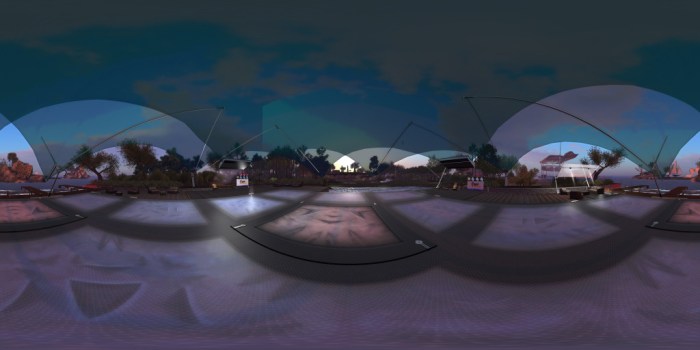
A panoramic image of Holly Kai Park's pavilion, captured in the news 360-degree snapshot viewer - see below
A panoramic image of Holly Kai Park’s events pavilion, captured in the news 360-degree snapshot viewer – click on the image to view in 360 via Flickr, and see my article here

Server Deployment

The RC deployment in week #42 introduced a bug, so there was no Main (SLS) channel deployment on Tuesday, October 25th.

The three RC all received the same server maintenance package, comprising: a fix for the bug introduced in week #42 – see BUG-40735 “Paying an object with [slgaming] in the object name (most skill game machines) fails on the RC 16.10.14.320687”; two fixes for issues with the new llSit function for Experiences, and additional internal updates.

SL Viewer

360 Snapshot Viewer

The new 360-degree snapshot project viewer arrived on Wednesday, October 26th, with the release of the first iteration of the project viewer, version 4.1.2.320965. There is an accompanying wiki page for the viewer, and I have a hands-on look.

Other than this, the viewer pipeline remains as per my TPV Developer meeting summary of October 21st:

  • Current Release version: 4.1.1.320331 (dated October 4), promoted October 10 – formerly the VLC media plug-in for Windows RC
  • Release candidates:
    • Project Bento  RC (avatar skeleton extensions), version 5.0.0.320815, dated October 20th
    • Maintenance RC viewer, version 4.1.2.320804 dated October 20th
  • Project viewers:
    • None.
  • Obsolete platform viewer version 3.7.28.300847 dated May 8, 2015 – provided for users on Windows XP and OS X versions below 10.7.

Aditi Weekend Issues

Some people trying to access Aditi, the beta grid, encountered problems over the weekend of the 22nd / 23rd October after a database for that grid failed. As Aditi doesn’t have either the same level of redundancy or the same urgency of repair that Agni (the main grid) has, the database didn’t get sorted out until Monday, October 24th.

Hands-on: Second Life 360-degree snapshot viewer

Credit: Linden Lab
Credit: Linden Lab

On Wednesday October 26th Linden Lab announced the release of the 360o snapshot viewer, which I’ve had the good fortune to be able to play with for the last week.

The viewer is still very much under development, and has been released as project viewer with a number of caveats against it as development continues. Essentially, it allows you to take a set of images (6 in total) of the location around your camera, and then produce these as a scrollable 360o view – you can see the results in action on this sample page. Just click drag on an image to manually scroll around it.

The viewer is available via the Alternative Viewers wiki page as project viewer, with documentation on the wiki. As noted there are some caveats concerning it, which need to be kept in mind:

  • The 360o capture operates all around your field of view simultaneously. This can lead to conflicts with the viewer’s Interest List, so that objects which may be “behind” your camera position may not be properly rendered, etc. To avoid this, always pan your camera around  (or turn your avatar around if you are taking a picture from your avatar’s position) to completely view the scene and allow things to initially load, before taking a shot.
  • The current viewer saves the resulting image to your local disk as a zip file. You’ll need to set-up your own local web host in order to view them (or if you have your own website, you could set one up there). Again, this will be changing as the project develops
  • However, even in this format, once you are viewing an image, you can download it in a 2:1 aspect ratio suitable for upload to Flickr for sharing with friends and viewing in 360o.

As I’ve covered three of the 360o camera HUDs available in Second Life, I’m offering the rest of this article as a walk-through in using the new viewer and viewing your photos.

Note – these instructions apply to Windows, I don’t have access to a Mac to provide guidelines for that platform.

Setting Your Viewing Environment

Before taking your photos, you’ll need – for the time being at least – to set-up a simply local web server. Callum Linden has made this relatively easy.

  • Download Python from the Python website. You can select to install either Python 3.5.x (latest) or Python 2.7.x (the Lab uses Python 2.7 as a point of reference).
  • When installing Python, make sure you add the installation to your Windows path.
    • If you are installing Python 3.5.x, simply check the box in the installer
    • If you are installing Python 2.7, click the Advanced button in the installer, scroll down the list of customisable options and set Add Python .EXE to Path to Will be installed on local hard drive.
Adding the Python 2.7 EXE to the Windows path
  • Download the Lab’s 360 snapshot web viewer ZIP file from the Lab’s 360 snapshot wiki page.
    • If you are familiar with Mercurial, you can clone the existing web framework via the link given in the wiki page. I found going the ZIP file route easier.
  • Unzip the web viewer files to a location on your hard drive.
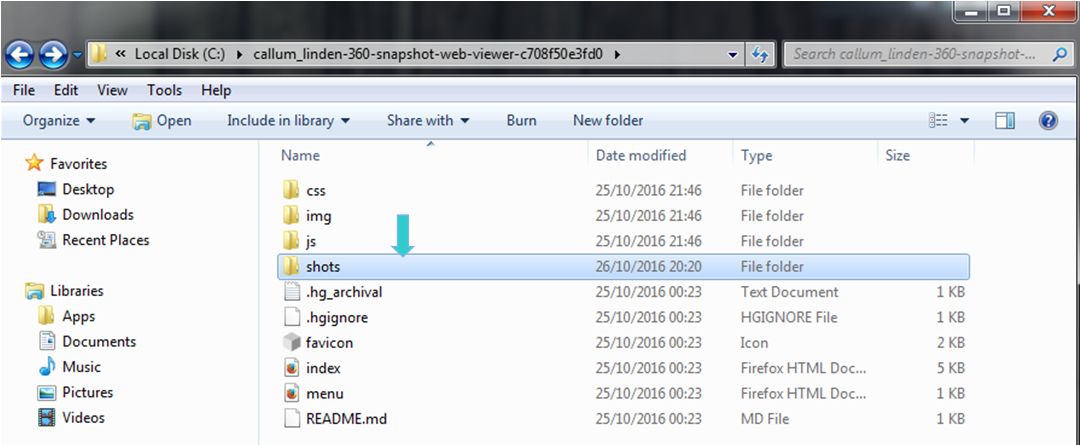
Web you have unzipped the web viewer package, you should have a folder looking like this - note the SHOTS folder, this is where you'll be wanting to save your snapshot sets
When you have unzipped the web viewer package, you should have a folder looking like this – note the SHOTS folder, this is where you’ll be wanting to save your snapshot sets (Windows environment)

Using the Viewer

When you have downloaded and installed the 360o snapshot viewer, proceed as follows:

  • Position your avatar  / camera at the centre of the area you wish to photograph. If you are using your avatar, not that you should “hide” it via removing all attachments and alpha-masking, or by using something like a “vanish” gesture.
    • Note that you can positioning your camera for a 360o snapshot simply by positioning your camera (e.g. using ALT-zoom or by flycamming).
  • Make sure you freeze the clouds in order to assist the image “stitching” process, and to avoid visual discontinuities in the finished image. Use Menu > World > Environment Editor >Sky Presets > Edit Presets. You should also avoid using Depth of Field.
  • Set your preferred windlight / time of day setting.
  • Turn your camera / avatar slowly around in a circle to view everything in the field of view around it, and allow everything to render.
  • Open the Snapshot floater and click on the 360 option – not that although this displays the filter options for snapshot, the filter effects are not currently captured when taking  360o shots.
  • When you are ready, Click Save to save the image set – you will be prompted to save a ZIP file to your hard drive.
    • Navigate to the location where you unzipped the web viewer files (above) and then save the ZIP file (with a suitable file name) in the SHOTS folder.

Continue reading “Hands-on: Second Life 360-degree snapshot viewer”

Lab blogs on recent updates in Second Life

The Haunted Halloween Tour is once again back for 2016, and accessible through the revamped portal parks
The Haunted Halloween Tour is once again back for 2016, and accessible through the revamped Portal Parks

On Monday, October 24th, Linden Lab blogged about some recent updates in Second Life, some of which I’ve previously covered in these pages. These comprise:

  • Four new Premium members’ sandboxes arranged in a 2×2 grid, with each region running an individual simulator channel (Main Channel Sandbox A, Magnum Sandbox A, LeTigre Sandbox A, and BlueSteel Sandbox A). These are intended to allow creators to test differences and potential issues with region crossings between different simulator channels as they are deployed.
  • A new Premium members’ Weapons Testing sandbox intended to provide an improved means for testing weapons systems without relying on public sandboxes.
  • The new scripted llSit feature for use with Second Life experiences.

Also included in the post is a note about the revamped Portal Parks. Now comprising two regions apiece, these provide access to all of the Lab-present experience and games available in Second life: Linden Realms (still apparently the most popular), PaleoQuest, The Cornfield and the Grid Hunt, together with the seasonal locations of Winter Wonderland, Isle of View, Halloween, and some new “social” areas which join the Gnome Village.

The overall layout of individual regions remains the same: a central landing point hub surrounded by signposted paths leading to the portals for each of the experiences, or to the social areas. In addition, a path now winds its way through the landscape of each pair of portal park regions, passing a further hub which looks almost like it is intended to be a central landing point, half-way between each of the  hubs.

In particular, the new design allows for further experiences to be added to the hubs over time, the most recent accessible one being the port to the Gaming Islands, which I covered back in August 2016. As the Lab’s blog post notes, there’s also a couple of hints of new experiences yet to come.

A hint of things to come? One of the unnamed areas in the revamped Portal Parks

Given the nature of some of the experiences, not all are open all year round; hence why a visit today will reveal the Winter Wonderland and Isle of View (Valentines), for example, closed by barred gates. However, one that is again open is the Haunted Halloween Tour, which returns for its third season.

Initially opened in 2014, the Haunted Halloween Tour was the Lab’s first public trial of an experience which encompassed the Oculus Rift. It returned in 2015, this time sans Oculus support, but offering new twists and turns to keep people entertained. It’s back again, complete with the heavy nod towards a certain 80s film franchise (“they’re heeeere!”) and what I thought were a couple of new wrinkles compared to 2015 (but given a year has passed, I could be wrong on this). At 12-ish minutes long, I still find it a tad drawn out, but for those who like their spooks, it’s worth a visit.

If you want to tour the revised Portal Parks, grab the SLurls below: