A Lick of science fiction in Second Life

The McFly Project; Inara Pey, July 2015, on FlickrThe McFly Project, July 2015 (Flickr) – click any image for full size

I’ve visited Oyster Bay, the demonstration region for Lick Sim Designs, several times; however, for various reasons I’ve never managed to actually blog about it. So when I saw Sera Bellic, Lick’s proprietor and chief designer, had once again re-worked the region, and this time with something of a science fiction leaning, I decided to put matters right and not only visit and take photos, but this time actually write about my time there.

Like all of Sera’s designs, The McFly Project is a marvellously photogenic, immersive environment which once again demonstrates her talent for region design. It’s also a place very much of two parts, although they are intertwined, perhaps in ways beyond that suggested by the region’s Destination Guide description: Step into the past and explore what once was, and find your way to the future.
The McFly Project; Inara Pey, July 2015, on FlickrThe McFly Project, July 2015 (Flickr)

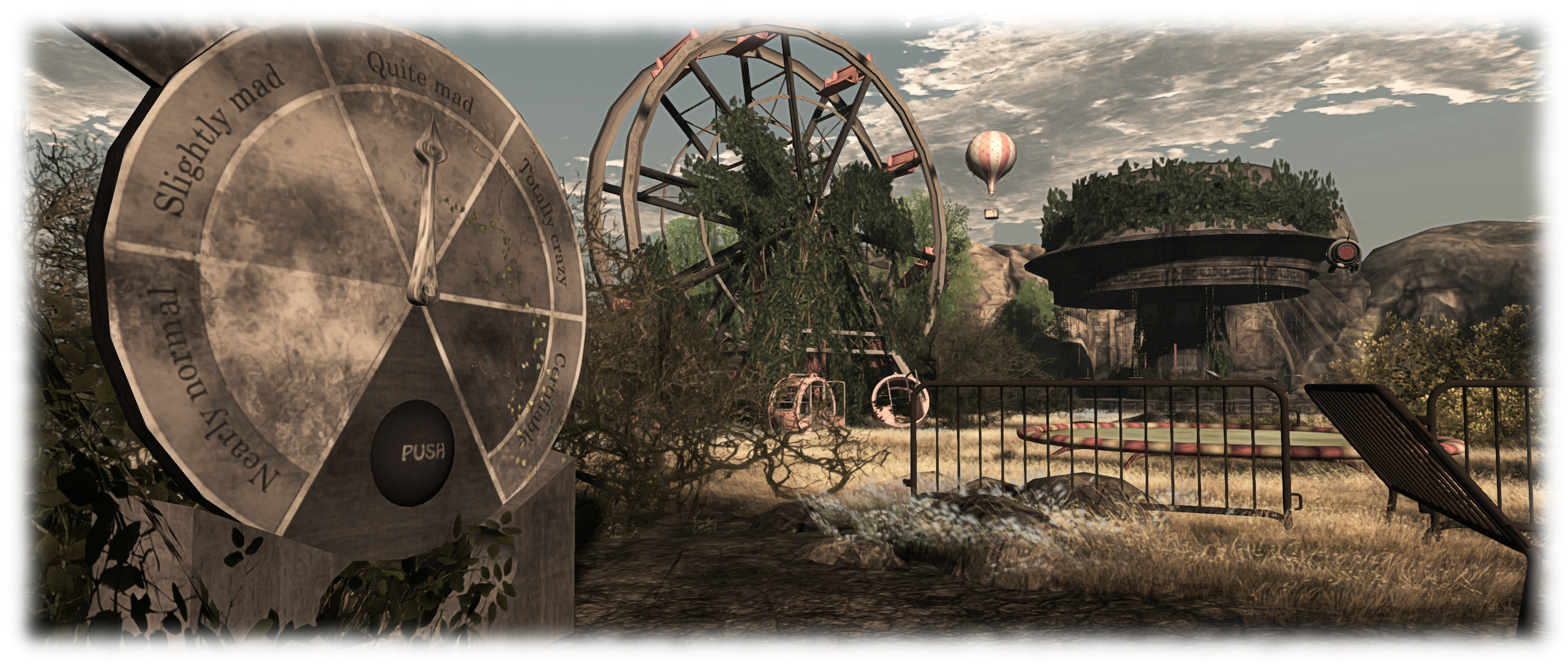
“That past” comes in the form of an old fun fair, a place gradually being reclaimed by nature. The big top tent is fading, the Ferris wheel and carousels are broken and overgrown,  signs are fading while weeds are taking over the ticket booth. Everywhere you look, it is clear that nature is slowly reclaiming everything.

Or almost everything; overhead, humming quietly are a number of automated drones. They appear to be keeping an eye on things, roaming back and forth slowly, sometimes circling, sometimes dipping towards the ground before rising again, their presence the first hint of the more sci-fi nature of this place.

The McFly Project; Inara Pey, July 2015, on FlickrThe McFly Project, July 2015 (Flickr)

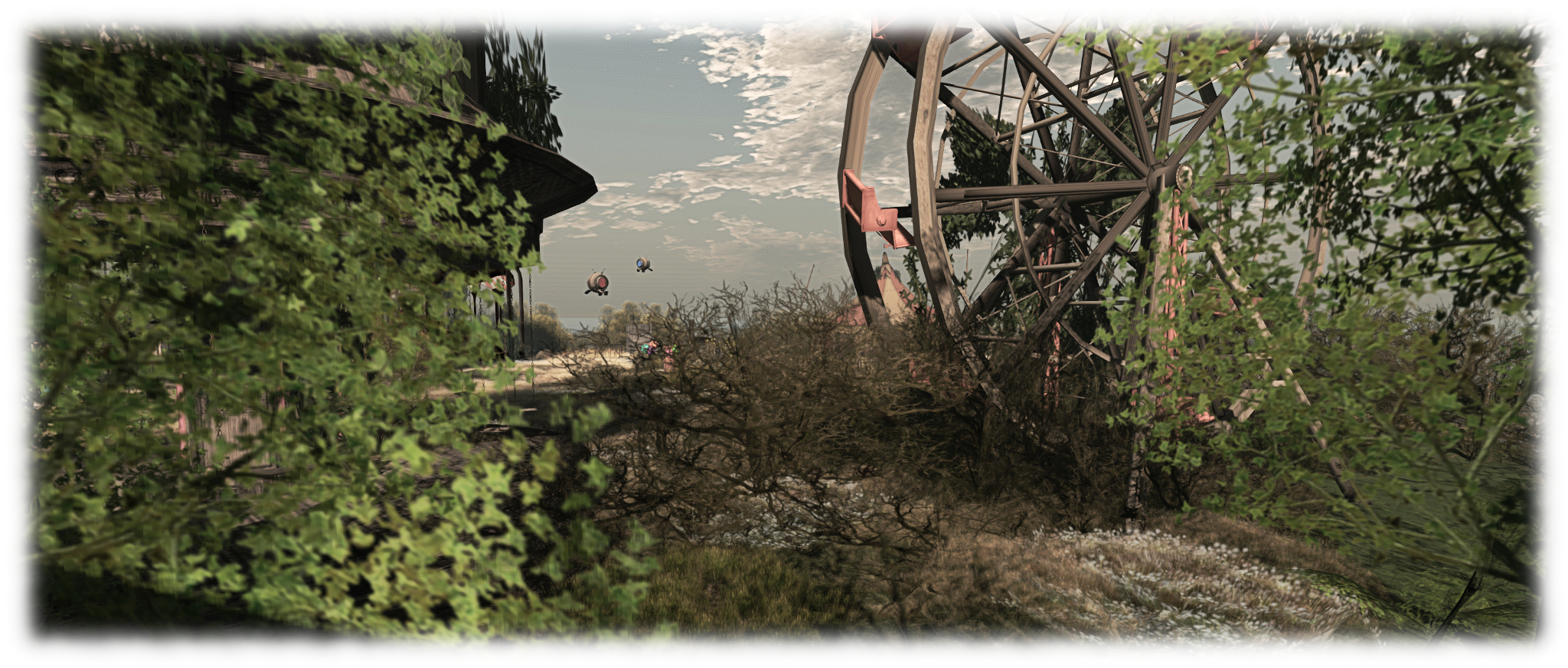
From the big top, a dirt path (with helpful arrows) will lead you through the dilapidated fairground to the distant cliffs.  Here sits the entrance to a cave leading underground, guarded by an R2 unit in as much a distressed condition as the fun fair.

The cave will take you underground and to caverns deep and – well, if not exactly dungeons old, then certainly to places that should be explored fully, and which build up more of the sci-fi side of the region’s design. Follow directions here carefully to make sure you get to see everything – especially when finding your way back out.

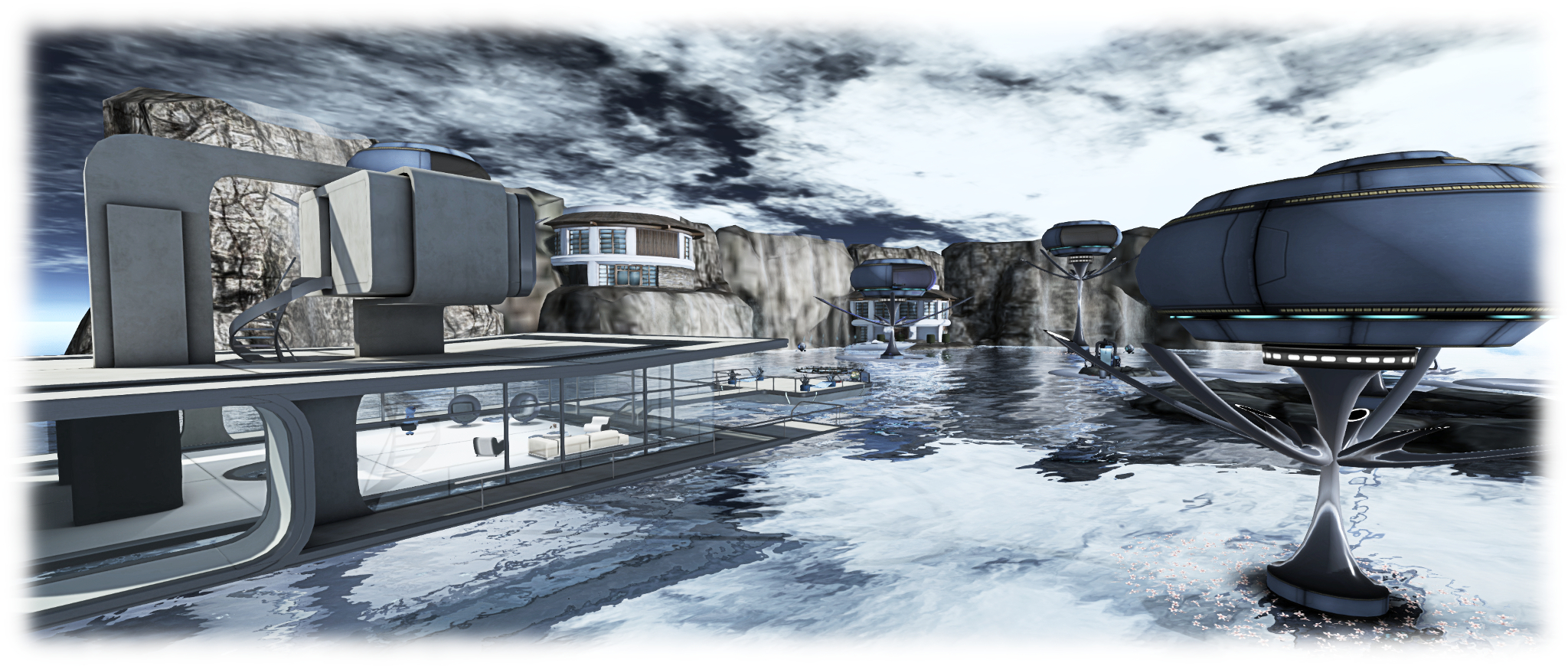
Assuming you follow the right path (it’s not hard 🙂 ), you’ll arrive at the future: a watery environment complete with fantastic structures, bordered by a greensward to one side, and overlooked by cliff side houses as more of the automated drones hover and flit overhead.
The McFly Project; Inara Pey, July 2015, on FlickrThe McFly Project, July 2015 (Flickr)

One of the buildings here will likely be familiar to any sci-fi fan who has seen 2013’s Oblivion, although it occupies a position very different to that seen in the film. Small platforms dot the water while teleport pads offer one means of getting around, boat rezzers another.

While The McFly Project’s description suggests you are visiting times past and times future (hence the name: think Marty McFly), there is nevertheless a narrative running through the design, starting at the big top and finishing at this idyllic-looking waterside living.

For me, that narrative, complete with distant echoes of Oblivion throughout, suggested that far from being a vision of the future, the seemingly perfect high tech environment, protected by high cliffs and tumbling waterfalls, is actually “the present” for those living there. The fun fair, meanwhile, is a part of their past, shattered by some kind of catastrophe which may even now present a threat, perhaps physical or perhaps biological. Why else would there be drones patrolling and monitoring it, and why else would there be a weapons cache in the caverns, and decontamination units both there and on the platform where one emerges from that subterranean world?

The McFly Project; Inara Pey, July 2015, on FlickrThe McFly Project, July 2015 (Flickr)

The McFly Project is offered with recommended windlight settings, and I do suggest adopting the one for the trip through the caverns to “the future”, as it is ideal for both settings.  Also make sure you have local sounds on, and do take the time to touch things as you explore; the region is awash with interactive elements literally from the moment you arrive (click the silver star on landing point platform), together with numerous places to sit and rest.

Sera tends to change the region’s design every 2 – 3 months; so as The McFly Project has only recently opened, it is liable to be around for a while yet. Even so, I wouldn’t put of playing a visit too long, just in case; if you love exploring region builds, this isn’t one to miss.

SLurl Details

Black Dragon updates: attachment fixes and more

Blackdragon logoNiranV Dean once again issued a rapid-fire series of updates to Black Dragon in week #29, upping the version number from 2.4.3.6 to 2.4.3.9 in the process.

The reason for the speed of updates is a combination of the Lab pushing through quite a lot at the moment, and Niran providing some tweaks, fixes and updates of his own / sourced from other RPVs.

The first update out of the gate was 2.4.3.7, on Monday July 13th, which incorporated the Lab’s summer Maintenance release (version 3.8.2.303563 at the time of writing – see the release notes on the Lab’s release for a list of the updates incorporated into Black Dragon).

This was followed on Wednesday, July 15th by version 2.4.3.8, which incorporated the Lab’s Project Big Bird updates. These are a series of viewer-side fixes for a fair number of attachment issues people have been experiencing since the arrival of AIS v3, and some which pre-date it. These include, but are not limited to, teleporting / crossing a region and having attachments removed; teleporting or crossing a region and losing attachments in your view while others can still see them (and vice-versa); seeing attachments as removed but the viewer reports them as attached, etc.

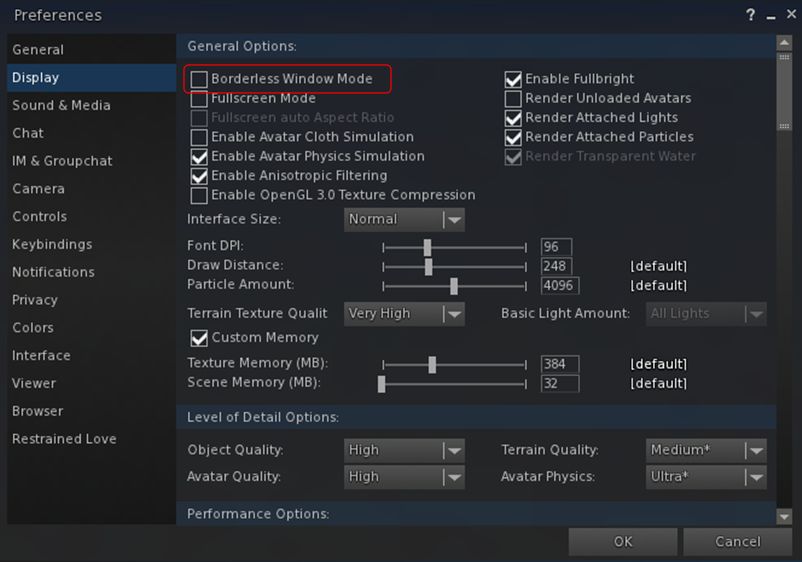
This version also incorporates Kitty Barnett’s “borderless window mode” (Preferences > Display). when enabled, this will expand the viewer window to the full size of your screen, hiding the title bar without the need for a re-log. When disabled, will return the viewer window to its last framed sized.

The borderless window option with expand the viewer window to your full screen size, hiding the top bar and borders
The borderless window option with expand the viewer window to your full screen size, hiding the top bar and without the need fora re-log

Released on Sunday, July 19th, version 2.4.3.9 contains further maintenance tweaks and updates, notably the official code for right-clicking and selecting worn mesh.

Niran has also addressed the issue found in the Notifications Viewer, where the buttons for accepting / declining a group invitation are only displayed when an invitation is received – if you miss it due to AFK or anything, and then open the invitation in the Notifications floater, it is displayed without any means to act upon it – see BUG-9625, which also points out that invitations to Experiences, and requests to accept deny debit permissions suffer the same issue).

group join
Niran has added the buttons for accepting / rejecting a group invite when it is displayed in the Notifications floater.

As well as the above, Niran has included a range of fixes and updates with each of these releases – please refer for the relevant release notes for details – and is continuing to tweak things on the rendering side of things, improving things like lens flare, ans also tweaking the Unified Snapshot floater.

There will doubtless be a further Black Dragon update winging its way towards release very soon, one which contains the Lab’s Viewer-Managed Marketplace updates. In the meantime, these updates ensure Black Dragon remains on a par with the majority of the Lab’s offerings available in the viewer release channel.

Additional Links

2015 viewer release summaries: week 29

Updates for the week ending: Sunday, July 19th, 2015

This summary is published every Monday, and is a list of SL viewer / client releases (official and TPV) made during the previous week. When reading it, please note:

  • It is based on my Current Viewer Releases Page, a list of all Second Life viewers and clients that are in popular use (and of which I am aware), and which are recognised as adhering to the TPV Policy. This page includes comprehensive links to download pages, blog notes, release notes, etc., as well as links to any / all reviews of specific viewers / clients made within this blog
  • By its nature, this summary presented here will always be in arrears, please refer to the Current Viewer Release Page for more up-to-date information.

Official LL Viewers

  • Current Release version: Current Release version: 3.8.1.303130, July 14  (formerly the attachment fixes RC viewer offering a number of fixes for various attachment issues) – download page, release notes
  • Release channel cohorts (See my notes on manually installing RC viewer versions if you wish to install any release candidate(s) yourself):
    • Importer RC viewer version 3.8.2.303565 released on July 17 – provides a modified mesh uploader which can (optionally) improve debug output, perform name-based LOD association, and handle models with many materials, allowing models with more than 8 unique faces to be imported (download and release notes)
    • Maintenance RC viewer updated to version 3.8.2.303563 on July 17 – comprising some 50 updates, fixes and features (download and release notes)
    • Viewer-managed Marketplace RC viewer updated to version 3.8.2.303583 on July 16 – allows Merchants to manage inventory associated with Marketplace Listings from within the viewer + sale of items which Merchants do not have the right copy will now be supported with the Direct Delivery purchase mechanism (download and release notes)
  • Project viewers:
    • No updates.

LL Viewer Resources

Third-party Viewers

V3-style

  • Alchemy updated to version 3.8.1.35916 Beta on July 16 – core updates: parity with LL 3.8.1 code base; avatar name in viewer title bar; music stream info floater; option to display legacy or web profiles  – release notes
  • Black Dragon multiple updates, versions 2.4.3.7  through 2.4.3.9 (July 19th)  – core updates:  incorporation of LL’s  attachment fixes and the Maintenance and VMM RC code updates change logs
  • Kokua issued Mac test version of their viewer, built using the new tool chain – release notes

V1-style

  • No updates.

Mobile / Other Clients

  • No updates.

Additional TPV Resources

Related Links


The mystery of the Egg in Second Life

The Egg
The Egg, LEA 19

Now open at LEA 19 as a part of the 9th Artist in Residence series is Livio Korobase’s The Egg. And a curious installation it is (slight pun intended).

The introductory notes provide a Theosophy Trust treatise on the role of the egg throughout human history. It’s a comprehensive piece, guiding the reader from the creation myth of the Cahuilla Indians by way of Scandinavia, Russia and China, through the Laws of Manu and asks us to consider the role of the egg in reproduction, the power of life, of creation, that it contains.  It’s also quite heady, and something that may well leave the reader just how it and the installation might relate to one another.

The Egg
The Egg, LEA 19

This presents a giant egg, supported atop a scaffold, and itself topped by a meditative frog. Below and around this lies a gently undulating landscape, semi-flooded and overlaid in places by mandalas. On this sits what I can only describe as a series of scenes, each one individual in style and presentation (and each uniquely identifiable as Livio’s work). Some of these offer elements those familiar with Livio’s past installations may recognise. Some of them are wonderfully interactive (touching and clicking is strongly encouraged, as is having local sounds enabled).

But what is their relationship with the introductory notes? Obviously, if one seeks meaning hard enough, it will be found; and in truth there are some subtle echoes between text and installation. The egg sits at the centre of everything, much as it is represented as being at the heart of all creation; and certainly, there is a lot of creation evident in the installation: scaffolds, ladders, wheelbarrows, and cement mixers. The egg is the source of life, and there are  references to life and love to be found. The egg is a cultural symbol, and there are cultural symbols in evidence here as well; some perhaps more obvious than others.

The Egg
The Egg, LEA 19

But all that said, I cannot help but feel that when all is said and done, Livio has approached this installation with a very large twinkle in his eye. While the Theosophy treatise on the egg may well stir the grey matter, he’s actually telling us not to look too deeply for a connection, but simply accept – and enjoy.

However you opt to interpret the installation, do be sure to visit – and make sure you spend time poking and touching and listening and enjoying. Above all, do make sure you pay a visit to the area under the egg, and follow the arrow (that is, click on it). It will lead you to the heart of the egg itself.

 SLurl Details

Alchemy 3.8.1 Beta update

Alchemy-logoOn Thursday, July 16th Alchemy both released their latest beta and announced they are considering moving to monthly releases in order to better keep pace with the Lab’s own releases.

Such a schedule would in part depend upon what the Lab have coming downstream, even allowing for their aim of promoting a viewer every other week. So we’ll likely see how this pans out. In the meantime, there is Alchemy Beta 3.8.1.35916. The following a brief summary of the release; as always, please refer to the release notes as well.

This update brings Alchemy to parity with the Lab’s 3.8.1 code base, meaning it has everything found in the Lab’s release viewer up to and including the attachment fixes found in the SL viewer 3.8.1.303130.

Some of Alchemy's new additions: displaying the avatar name in the viewer title bar and the audio information floater
Some of Alchemy’s new additions: displaying the avatar name in the viewer title bar and the audio information floater

In terms of Alchemy additions, the 3.8.1 release brings an optional musical stream identification floater (accessed via Me > Audio Ticker), and now shows the currently logged-in avatar’s name in the viewer title bar; a useful addition if you’re running multiple instances of the viewer and wish to see which is which when they are minimised.

A further addition is the option to view profiles (your own and other people’s profiles either in the “legacy style” floater or as a web profile.  The profile view can be switched by checking / unchecking Preferences > Interface > General > Open profiles in web mode.

Which profile: legacy or web? You get to choose

Among the under-the-hood changes and the fixes in this release can be found OpenSSL updates, while a further update visible to users is a fix to prevent the radar spamming a series of messages about avatars in a previous region “leaving” when teleporting to another region, if you have it set to report “entering” and “leaving” agents (see ALCH-223).

There is a known issue with the viewer starting on Windows. If you receive a message similar to “The application was unable to start correctly (0xc000007b)”, please download and install one of the following two files from Microsoft:

(The above links will take you to the respective download pages at Microsoft, where you can review the file details prior to downloading.)

There is also a known issue when trying to alter Music URL etc., when accessing About Land via the land information icon in the navigation bar. This will be fixed in the next release; for now the workaround is to right-click the ground and access About Land via the context menu.

A small, tidy update. Will be interesting to see if the Alchemy devs do opt to try for monthly updates.

Related Links

Space Sunday: perfectly Pluto

New Horizons (travelling approximately left-to-right) passes Pluto on July 14th, 2015, with Charon beyond, in NASA's Eyes on Pluto simulation
New Horizons (travelling approximately top left to bottom right) passes Pluto on July 14th, 2015, with Charon beyond, in NASA’s Eyes on Pluto simulation

It’s a mission that cost $650 million to mount, took 5 years of planning and building prior to spending 9.5 years in space as one of the fastest man-made objects yet built (and the fastest ever at launch); it has travelled some 4.76 billion kilometres to reach its destination, swinging by and studying Jupiter  (the first time we’ve done so close-up in over decade) in the process. All this for a close encounter which, due to the speed of the vehicle, could be measured in a mere hours.

But what an encounter!

I’m of course referring to NASA’s New Horizons mission which, on July 14th, 2015, after all of the above, flashed by the Pluto-Charon system precisely on target and just 72 seconds ahead of it’s  predicted arrival time of 11:49:59 UTC at its closest point to Pluto.

Encounter trajectory: New Horizons' flight path is shown is red, running right-to-left in 10 minute time increments. The times for the vehicle's closest encounters with Pluto and Charon on July 14th, 2015, are given, together with the times of occultation - when both worldlets would be directly between the spacecraft and Earth
Encounter trajectory: New Horizons’ flight path is shown is red, running right-to-left in 10 minute time increments. The times for the vehicle’s closest encounters with Pluto and Charon on July 14th, 2015, are given, together with the times of occultation – when both worldlets would be directly between the spacecraft and Earth – click for full size

Obviously, the overall encounter has been going on for some time now, as I previewed in my  Space Sunday report of July 12th: what NASA called the “distant encounter phase” started in January 2015, and even now, as New Horizons heads away from Pluto and Charon, observations are still being made. But the mission has always been about the hours immediately either side of that point of closest approach, when New Horizons flashed by Pluto at a speed relative to the planet of 13.77 km/s (8.56 miles per second).

The close approach wasn’t something that could be followed in real-time, the time delay in transmissions from the probe to Earth being some 4.5 hours. This being the case, NASA kept people informed with images and information recorded in the hours leading-up to the period of closest approach, such as a stunning image of Pluto captured by New Horizon’s LORRI and Ralph instruments on July 13th. Since then, they’ve been releasing a steady stream of the initial images that have been returned by the probe.

July 13th: two views of Pluto. On the left is an approximate true-colour image of the surface of Pluto, captured by the LORRI imaging system on New Horizons, and colour-enhanced by data obtained by the Ralph suite of instruments. On the right, a false-colour image indicating the compositional differences comprising Pluto's surface
July 13th: two views of Pluto. On the left is an approximate true-colour image of the surface of Pluto, captured by the LORRI imaging system on New Horizons, and colour-enhanced by data obtained by the Ralph suite of instruments. On the right, a false-colour image indicating the compositional differences comprising Pluto’s surface.

Pluto also appears to be an active planet – more so than had been imagined – with distinct compositional difference across its surface, making understanding of some of its characteristics difficult, so it is going to be some time before a range of questions relating to Pluto’s formation, development, etc., are liable to be answered, as many of them are going to have to wait for the arrival of very high-resolution lossless images from the probe, some of may now be received until well into next year (transmission of all the data recorded by New Horizons will take some 16 months).

In particular, New Horizons focused on a bright region positioned towards the centre of the of Pluto’s sunlit side and initially dubbed “Pluto’s Heart” due to its shape (seen  most clearly in the image above left). Now informally christened “Tombaugh Regio”, after Pluto’s discoverer, Clyde Tombaugh,  the region has been of interest to the science team due to its apparent “youthful” appearance: it is relatively crater-free, suggesting the surface has undergone significant re-working compared to the surface features around it, which are far more heavily cratered.

The region is home to a series of intriguing features, including the “Norgay Montes”, named after Tenzing Norgay, Edmund Hillary’s companion on the 1953 ascent of Mount Everest. This is a range of mountains rising some 3,300 metres (10,000 feet) above the surrounding plains, and which are estimated to be around 100 million years old, making them one of the youngest surface features seen in the solar system (younger than the Appalachian Mountains in North America, for example). There are believed to be a exposed region of Pluto’s bedrock, itself likely to be heavily comprised of water ice.

Continue reading “Space Sunday: perfectly Pluto”