Dipping into the Avatar Social Network

ASN-6Avatar Social Network (ASN) has been growing steadily since its inception in the latter half of 2013, and is being seen by many users of virtual worlds as both an alternative to Facebook and things like the SL Feeds, and as a useful extension to their social media presence, positioning it alongside their use of existing social media services.

Strawberry Singh was one of the more recent SL users to comment on the service, and her blog post, coupled with a reminder of ASN’s existence from Mona Eberhardt, prompted me to take the look at it that I’d told myself I would back in July, when I first happened across the site.

ASN, which is operators by Second life user Arkad Baxton of AP Holdings describes itself as a social network for users of virtual worlds and games, which “gives back to its members and rewards all activity on the website while asking for no real life information from its members.” The site invites members to “share, like, comment contents, post their blog articles, create and build their own groups, discuss topics on the forums upload photos, videos, create their own individual fan page with its separated feed, play games, chat and more.”
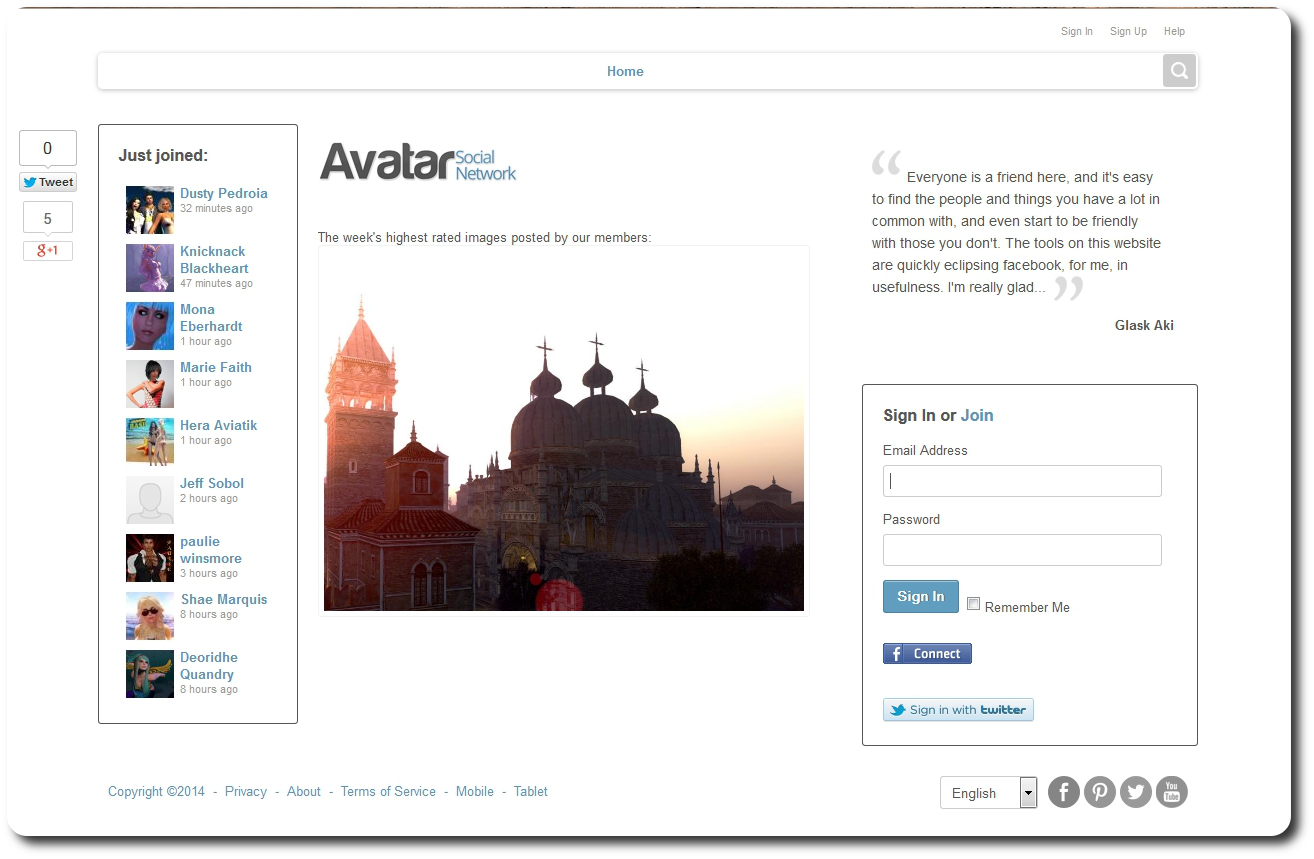
The standard log-in page for the Avatar Social Network site
The standard log-in page for the Avatar Social Network site (click images for full size)

Overall, the site’s set-up appears to be along the lines of Avatars United (remember that?) or Moolto, Second Friends. or 2ndHub (with which ASN appears to have the most in common, although 2nd Friends currently appears to be largely inactive).

Since opening in September 2013, the site has been gradually refined and improved, addressing various issues and perceived shortfalls. At the same time, it has been gaining popularly among users from Second Life and other virtual worlds. Today, there are getting on for some 2,000 users (a number I’m sure will be surpassed in a short amount of time given the frequency of sign-ups), all of whom seem to be fairly active. The site itself has a fairly clean, easy-on-the-eye design, and fairly straightforward navigation.

Signing-up is simple enough; there’s a registration page which makes no call for people to provide real life information. You don’t necessarily have to provide your SL / VW avatar name – it’s entirely up to you as to how you define yourself, although using your avatar’s name and image obviously makes sense from a social connections standpoint. The log-in page also includes Twitter and Facebook links, so I assume you can access the site using verification from these services, rather than signing-up via the form – I opted to go the sign-up route.
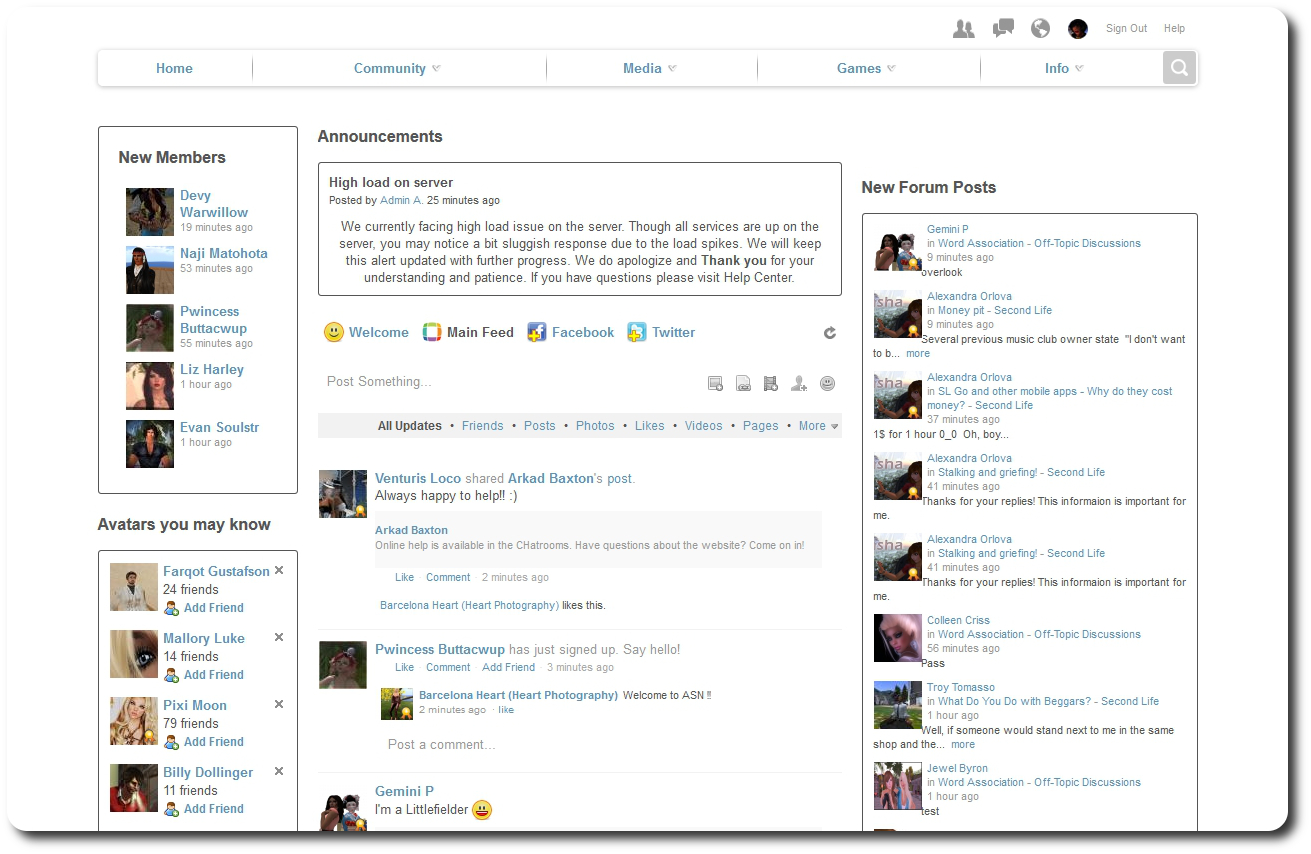
The ASN main page, sans advertising

Once signed-up and verified via e-mail, you are taken to the main page, which is split into three main sections – the central feed column, including service announcements which appear at the top; information on those who have recently signed-up, or whom you may wish to friend through the service to the left, and information on recent forum and blog posts, etc., on the right, all of which include various links (e.g. to the forum post in question or to the poster in the case of the forum links, for example, or to people’s profile pages in the case of the friending suggestions and new joiners.

A menu bar at the top of the site provides access to public areas and also to your own incoming message centre (Friends requests, messages, notifications) and profile / personal feed link.

The Community option in the menu provides access to the core elements of the site – blog pages, forums, groups (think SL groups), pages (think FB pages), ads for in-world employment opportunities, gifts, and so on.

The Media option provides access to photos and videos uploaded to the site. Videos can be uploaded from your computer or imported from YouTube or Vimeo (other services pending), while photos can be organised into albums, which in turn can have privacy options set against them (do you want them visible to everyone, friends, etc., who do you want to be able to comment on them, etc.).

Clicking on a photo in an album will display it in a window similar in style to Flickr, and with various sharing options (Twitter, Facebook, G+ etc). I’ve not yet found a way of disabling the share options (if they can be disabled) for those who want to keep their images to the ASN site.
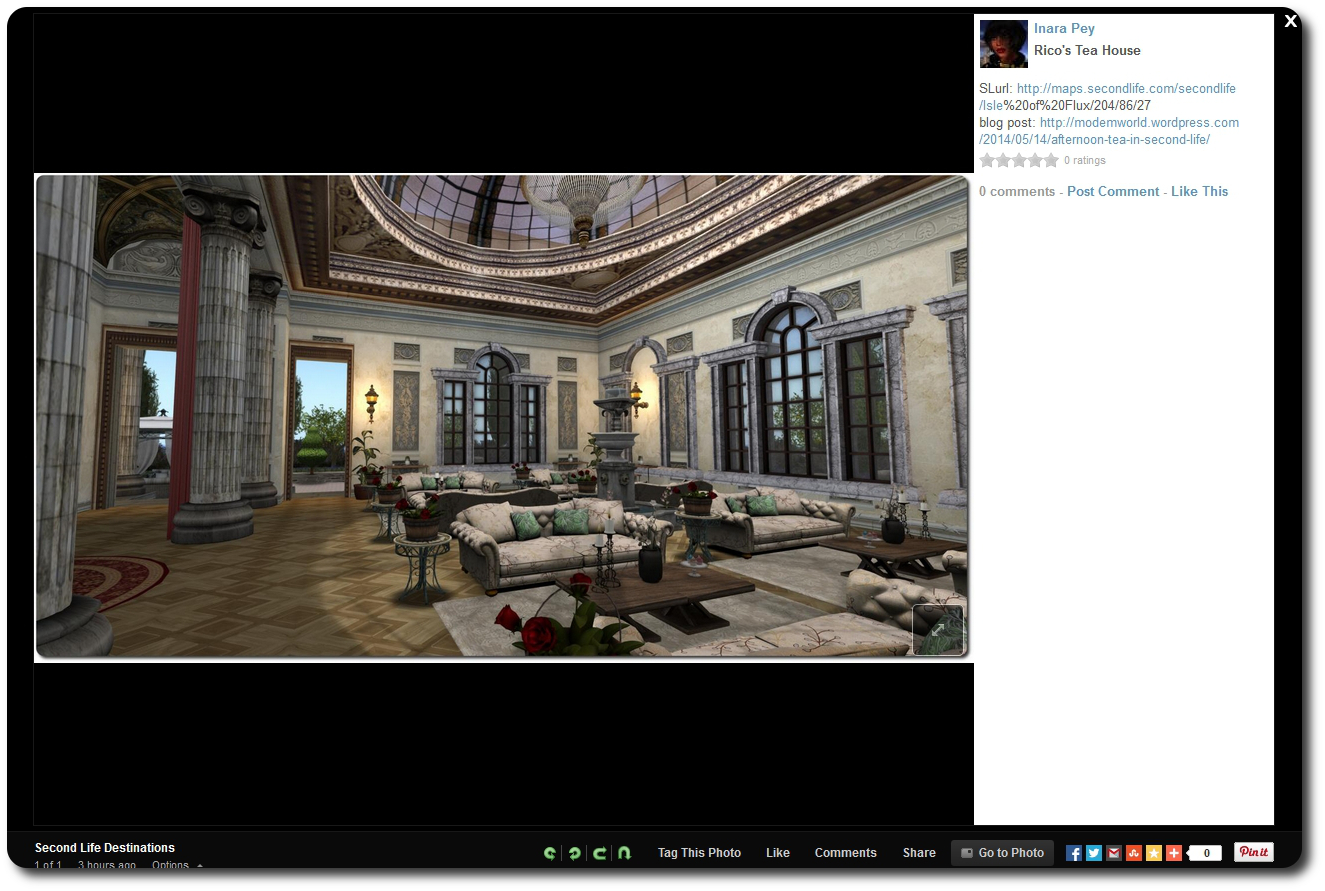
Photos can be displayed in a pop-up window, somethat mindful of Flickr, with a space to the right where comments can be recorded.
Photos can be displayed in a pop-up window, somewhat mindful of Flickr, with a space to the right where comments can be recorded.

The Games option on the menu allows you to amuse yourself playing various games (some of which require Adobe shockwave), while the Info option takes you to various pages with further information related to the site – including the Rules (!), and the About page.

Down at the bottom of the site is the chat bar and its options. This can be toggled on / off via the icon on the extreme right, and provides options which allow you to access any public chat rooms which may be running and / or set-up your own public or private chat room, initiate direct messaging with a friend logged-in to ASN (just pull up the list of friends logged-in on the right of the bar) and set your availability (or otherwise) for chats.

Continue reading “Dipping into the Avatar Social Network”

CtrlAltStudio offers preliminary Oculus DK2 support

CAS-logoDave Rowe, who develops the CtrlAltStudio viewer has announced he has some preliminary support for the Oculus Rift DK2 available in an alpha version of his viewer.

The viewer version – 1.2.2.41183 Alpha, dated August 19th, should also support existing DK1 headsets, but it doesn’t yet support head tracking for DK2 hardware.

Announcing the availability of the viewer in a blog post, Dave said:

I know some people are very anxious to try their DK2s in Second Life / OpenSim so I’ve released this alpha with some very preliminary DK2 support.

It works with the DK2 configured in extended mode: use the Windows key + right-arrow to move your viewer window onto the Rift’s display, then Ctrl+Alt+3 makes the window full screen and switches into Rift view.

Have I mentioned that this release is very preliminary? It does not work with direct mode yet as the current Rift SDK 0.4.1 Beta does not work in direct mode with OpenGL. Also, in this alpha, head orientation is tracked but not yet head position. Plus there’s no display of any UI. And Advanced Lighting Model must be turned on. For more details on usage, see the Release Notes.

I haven’t tested this alpha with a DK1 yet but it should in theory work. Note though that the mirrored windows mode used in previous viewer releases for the DK1 is and will not be supported by the new Oculus software.

Austin Tate has provided an overview of his experience with the viewer and the DK2, for those who would like more first-hand information.

Related Links


Of Spirits Within, plus sounds and seahorses

Two new installations have opened at the Linden Endowments for the Arts (LEA) of late; one as a part of the LEA’s Artist In Residence (AIR) series, and the other being the latest in the Full Sim Art  series sponsored by the University of Western Australia.

Spirit Within
Spirit Within – LEA6

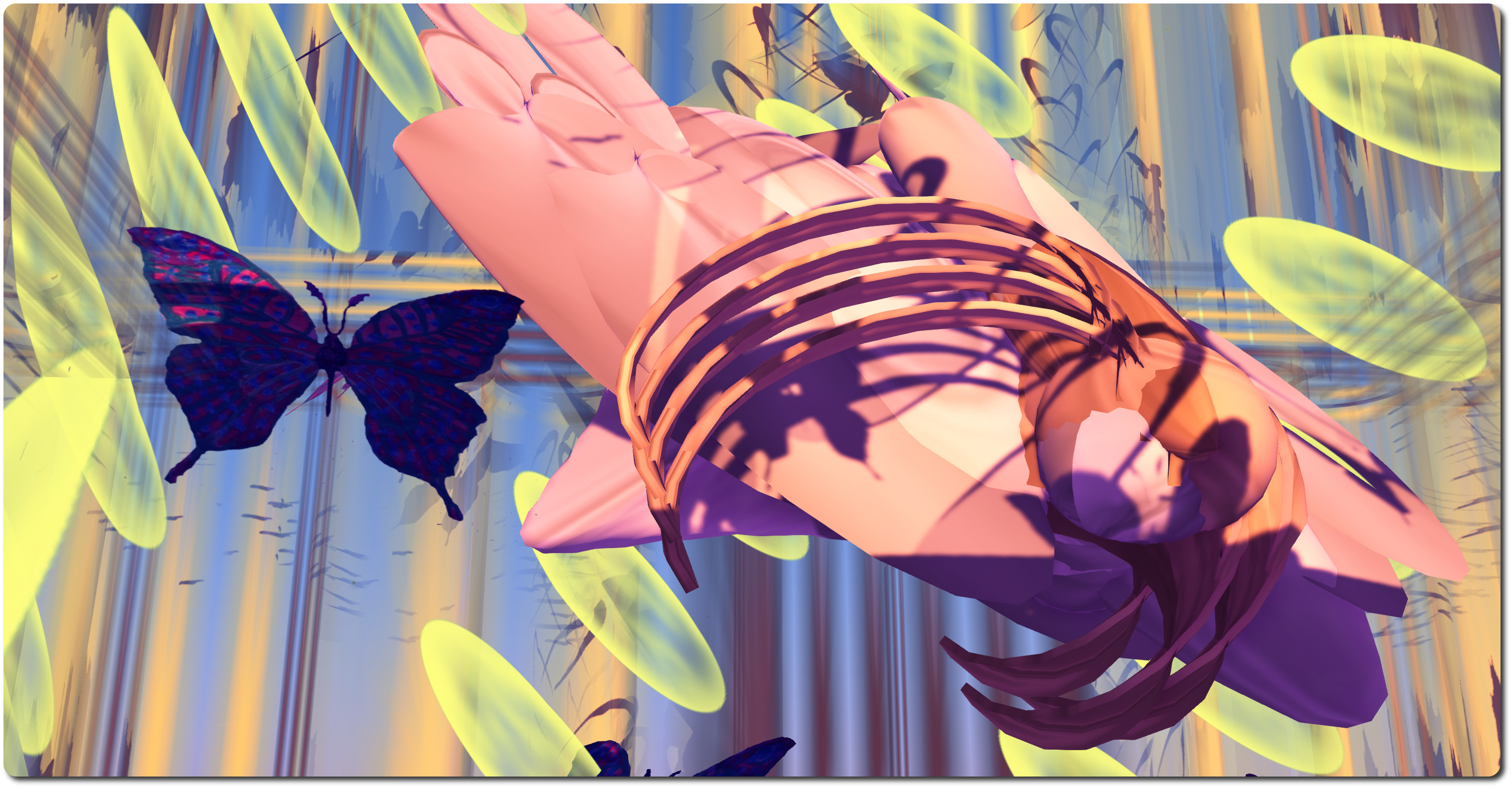
Spirit Within, the Full Sim Art piece, is by Lagu Indigo and Stardove Spirit, and is based on a “life death” experience, which transports you to a walled garden surrounded by light and water. Within this garden sits a tall, translucent temple, the steps leading up to it bordered by amorphous forms, while before and within the temple, butterflies rise into the bright sky.

Spirit Within
Spirit Within – LEA6

In describing the piece, Stardove and Lagu continue: “The walk up to the temple you will have spirits on each side of the steps , this represents the spirits that where the guides that showed the way to the light, they where of pure light and like ancestors from the past. as you reach the top within the temple is the light and an Angel he was the giver of light and shows the way to the light though the darkness and back to reality and earth. The butterflies represent the rebirth and the beauty that there is life and that you can be reborn.”

Spirit Within
Spirit Within – LEA6

There is something of a personal expression here, the work having grown out of a situation experienced by one of the artists (which, out of Lagu and Starlove isn’t clear from the notes), the author continuing: “My experience of life  and death it is only a small part  of the journey and as the light was given so I am grateful to be  alive and free like the butterfly. There where many parts to this experience  and this is just the one part , maybe a dream of the mind or a reality,  but I know that I got though a bad time and am thankful for the experience, It like a cleansing of the soul to a new beginning of a new life.”

Note that applications are being sought for the December 2014 and January 2015 Full Sim Art slots. Interested artists should contact Jayjay Zifanwee, indicated their preferred month.

Searby
Searby’s – LEA16

David Searby Mason – known as Searby in-world, offers a very different experience in his AIR piece. Do make sure you have sound enabled when visiting (and wear headphone if you have them). The recommended time-of-day for the installation is either sunset or midnight.

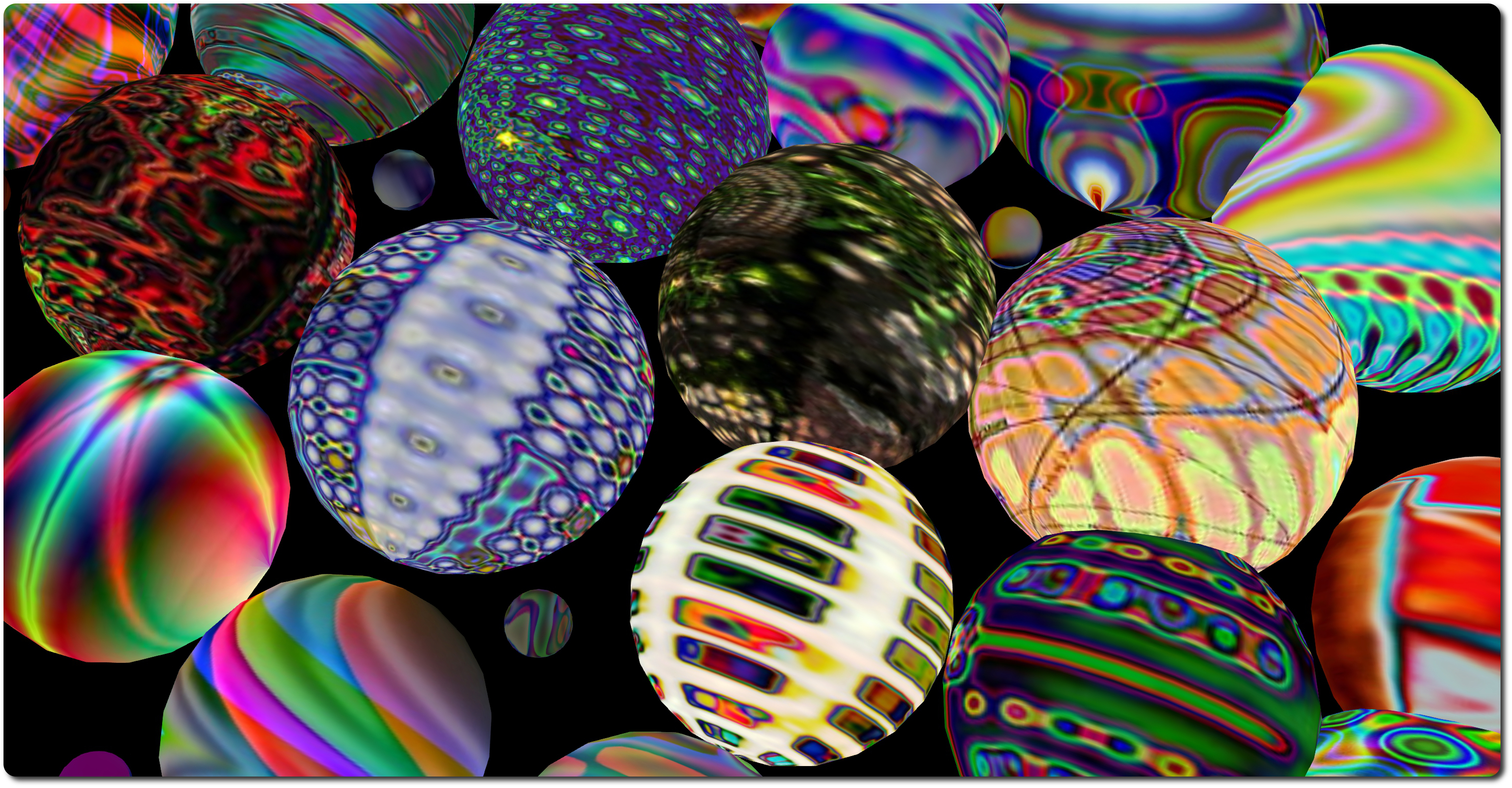
Called simply Searby’s, the installation comprises three individual parts. At ground level is the Welcome Area, where visitors are invited to spend time relaxing in a watery environment from which rises a rises of low hills covered with geometric patterns. Multi-hued spheres and shapes roll, drift and slide over and above this landscape, and visitors  are invited to interact with them.

Searby
Searby’s – LEA16

Two teleport spheres at the arrival point will carry you up to the remaining parts of the installation. The first of these is Sound Spheres – and you definitely will need local sounds on for this. As the name suggests, it comprises a series of sphere of various sizes, all rotating on the spot, each displaying a quite psychedelic pattern of colour and light as it does so. Walking through a sphere triggers a unique sound: a tone, an electronic chord, voices, footsteps, excerpts from compositions, and so on. So wandering the space results in an interesting aural as well as visual experience.

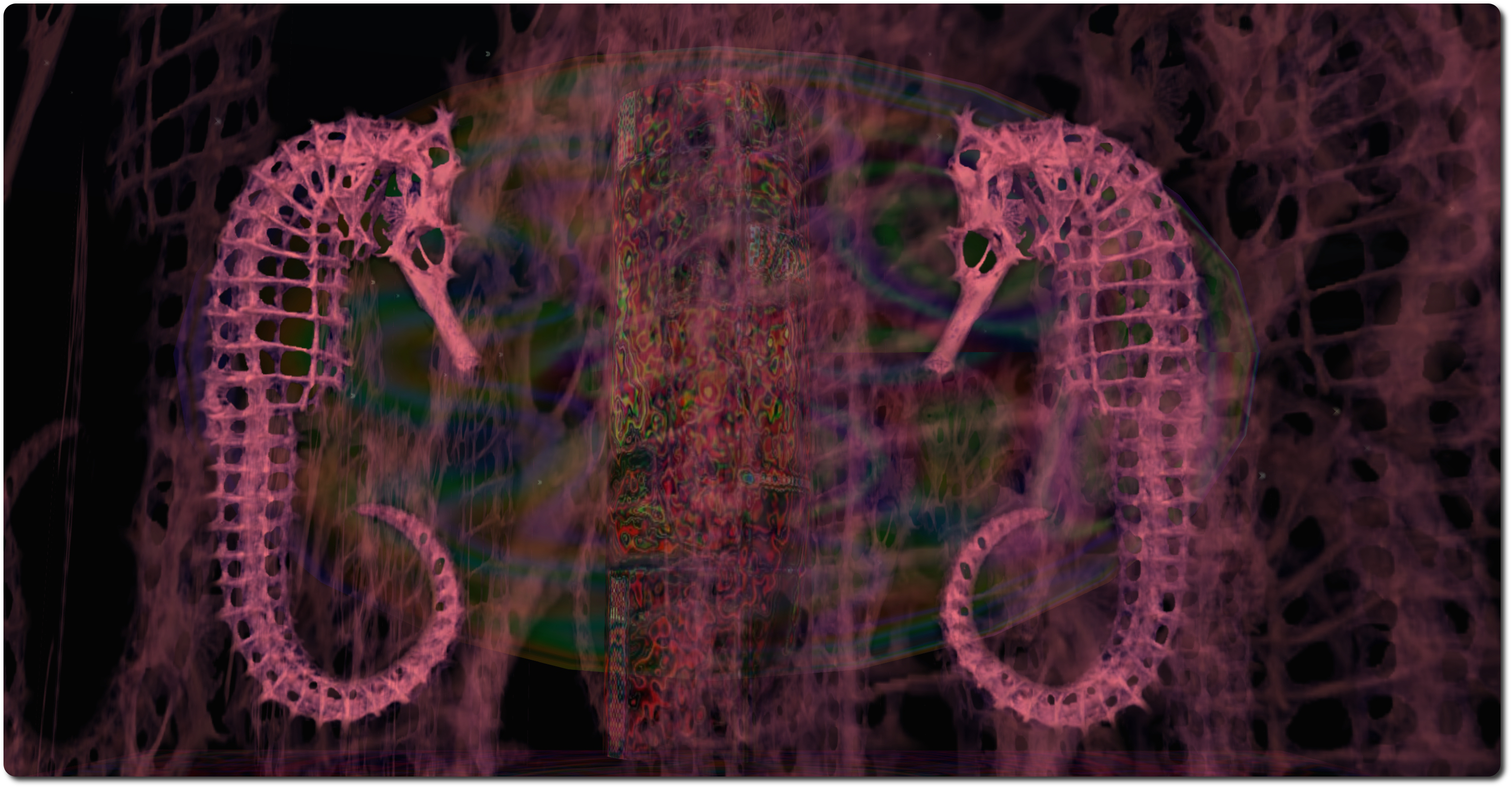
The second teleport (you’ll have to return to ground level via the all white sphere in order to travel between levels) take you up to Seahorses, a huge kaleidoscopic  display focused on seahorses, and which is most certainly bet viewed in the suggested windlights of sunset or midnight.

Searby
Searby’s – LEA16

“The Seahorses are also designed to walk through like the spheres but here the visual aim is different.  I wanted to create a ghostly feel to add another dimension to the sounds,” Dave says of this part of the installation. Viewing the piece at midnight and running, flying through the display certainly achieves that; the seahorses seem to transform into ghostly forms drifting by or perhaps elements of some strange, otherworldly spider’s web, while the sounds they trigger all blend and mix to create a constantly changing sound scape for as long as you are moving.

Searby’s will remain open until the end of December.

Related Links

  • Spirit Within, an LEA Full Sim Art installation (Rated: Moderate)
  • Searby’s, an LEA AIR round 7 installation (Rated: Moderate)

A trip to the Mountains of Madness, all in a good cause

lovecraftI received a notice about the 2014 Lovecraft Festival, which opened on Monday August 18th, and runs through until Monday August 25th.

Timed to coincide with the anniversary of H.P. Lovecraft’s birth (August 20th), the festival has been organised by the HP Lovecraft Roleplay (and more) Group of Second Life (HPL RPG), and once again features the Autism National Committee (AutCom) of the United States as its featured charity.

The event region is split into two areas. The arrival point is located up in the sky, together with a region-wide vendor and events area. This offers a range of merchant stalls, and the main stage area, which will feature concerts by Nightwish, Apocalyptica and Cradle of Filth, with The Tales of the Uncanny Cabaret will present its stage show as well.

As well as the live entertainment, there will also be numerous DJ event taking place, and a special trivia hunt will be running right through the festival, with cash prizes and gift cards available to the winners. The full schedule of events is available on the festival’s website.

Down on the region itself is the interactive adventure from which this year’s festival takes its name: At The Mountains of Madness. This is based on Lovecraft’s 1931 novel of the same name, and allows intrepid individuals or groups to re-tread the footsteps of professor emeritus of geology, William Dyer and his colleagues on an expedition to Antarctica. Here they find themselves confronted with incredible and terrifying truths as they seek to unravel the mystery surrounding the fate of a group of colleagues led by Professor Lake.

Those wishing to participate in the adventure can do so by making their way diagonally across the vendor / event area to the docks and the SS Lovecraft. Here they can equip themselves for the expedition at the warehouse  and pick-up a note card outlining suitable viewer settings by which the adventure can be enjoyed. Once suitably attired, adventurers can board the Lovecraft and click the large ship’s wheel on her stern deck to be transported to Antarctica, and the remnants of the camp occupied by Professor Lake’s team. From here, the adventure begins, across and under the ice …

With both the adventure and the events / vendor area, the festival has a lot to offer visitors, whether or not they are fans of H.P. Lovecraft.

Related Links

SL projects update 34/1: server, viewer, materials processing

L'Arc-en-Ciel, WinterFall, July 2014; Inara Pey on Flickr, on FlickrL’Arc-en-Ciel, WinterFall (Flickr) – Blog post

Server Deployments

As always, please refer to the server deployment thread for the latest news and information.

There was no deployment on the Main (SLS) channel on Tuesday August 19th. All three RC channels should receive the same server maintenance project  on Wednesday August 20th, aimed at fixing a crash mode.

SL Viewer Updates

The library refresh viewer, version 3.7.14.292638 was promoted to the de facto release viewer on Monday August 18th. This viewer contains an update to a large set of libraries used by the viewer to provide security, stability and consistency improvements to this and future viewers – release notes.

This leaves just the Experience Keys project viewer (due for a refresh in week 34), the Oculus Rift project viewer (due to undergo updates in the coming weeks following the Lab’s receipt of Oculus Rift DK2 headsets), and the RC / experimental log-in viewer in various visible viewer channels.

Group Ban Notifications JIRA

A couple of group ban issues have been raised on when and how notifications on ejection and banning are displayed by the viewer since the arrival of the group ban capabilities (or aren’t displayed, as the case may be) – see BUG-2054 and BUG-5928. Cinder Roxley has submitted code as a part of rectifying BUG-2054, and the Lab are looking and what they need to do to ensure consistent and logical notifications are given.

Materials and Related News

Materials Rendering via Basic Shaders

Geenz Spad contacted me over the weekend to point-out BUG-2077, a feature request that would enable all users that enable Basic Shaders to see a subset of materials functionality present in Advanced Lighting Model. Commenting on the JIRA, Geenz notes:

The performance impact won’t be noticeable on the vast majority of GPUs that support at least atmospheric shading and basic shaders, and should generally be much faster on systems that have trouble with ALM. On top of that, this should enable materials to work in water reflections and refractions to some extent.

However, he also notes a number of constraints:

  • Maximum number of lights will go unchanged
  • Projectors still will not work
  • Gamma correction will only be approximated.

In pointing the JIRA out to me, Geenz said, “A proposal has been submitted to LL regarding materials in basic shaders. I’ve started working on materials in basic shaders already, though work will be moving along slowly so definitely don’t expect this to done for a little while.”

At the same time, Geenz is also working on fixing projector reflections not respecting the environment intensity parameter (see BUG-2056). Currently, projector reflections are treated as specular reflections rather than environment reflections (see below). This fix would correct that.

BUG-2056:
BUG-2056: The image on the left shows projector reflections as they are seen today: overly brightly despite the environment intensity setting (in this case: glossiness 0; environment intensity: 20); the image on the right demonstrates how the reflections should appear with the same environment intensity (images: Geenz Spad)

Again speaking to me about the work, Geenz said, “This is something that I largely started working on while fixing the environment intensity bug on projectors.  Projectors didn’t seem to make a whole lot of sense in their previous state, and since we have enough information to actually do “glossy” reflections with projectors as it is, it made much more sense to just have glossiness tied to the existing glossiness material parameter.”

A further JIRA submitted by Geenz (see BUG-2067) proposes a means of improving the use of projectors to create surface “reflections”. Geenz provides the explanation thus:

Presently projectors have very strange behavior. Depending on a surface’s environment intensity, they get blurrier the more intense they are, and the reflections “fatten” depending on how intense the reflections on the surface are. This doesn’t really make a whole lot of sense.

Depending on how glossy the surface is, projector reflections should become sharper for higher gloss values and blurrier for lower values. On top of that, projector reflections shouldn’t “fatten” based upon intensity; this makes them unusable for decent looking reflections.

This feature makes use of the glossiness parameter to calculate the “gloss” of projector reflections.

Pojectors and glossiness: left = as things appear at present when projecting images onto glossy surfaces; right = as they would appear if Geenz's work is implemented
Pojectors and glossiness: top = as things appear at present when projecting images onto glossy surfaces; bottom = as they would appear if Geenz’s work is implemented (images: Geenz Spad)

Other Items

Mac Cocoa applicationShouldTerminate Issue

Cinder Roxley has pointed-out a problem with the Cocoa-specific applicationShouldTerminate function within the viewer, which she explains thus:

Say you are logged into sl, and you open appstore and there is an update that needs a restart to complete. Normally you click restart and it shuts down all apps completes the update and when you login your apps are reopened. Because the viewer is sending a bad value back to OSX, OSX will not close it, and it stops the restart from happening.

STORM-2053, submitted by Cinder provides a fix for this problem.

Mirror Reflections

Work is continuing to refine the SL mirrors project (see my report and JIRA (BUG-2055  initiated by Zi Ree of the Firestorm team). There has been some lively lively debate on the JIRA over the course of the last week. The more recent progress has been focused on getting mirrors to work with the Advanced lighting Model (ALM) active.

On top of everything else he’s doing, Geenz Spad has been providing pointers for some the work as well as demonstrating how mirror surfaces could benefit if they are made to work with materials, as shown in the images below.

How mirror reflections might benefit when working with materials: (L): A mirror sphere with a normal map applied; (c) a mirror sphere Mirror reflections and an environment mask applied; materials
How mirror reflections might benefit when working with materials: (L): A mirror sphere with a normal map applied; (c) a mirror sphere with environment mask applied; (r) the sphere with both a normal map and an evironment mask applied (images: Geenz Spad)

There is still a fair amount of work still to do before it is likely that the Lab look at any proposal arising from this. I’ll continue to update on progress as it is made, as I also hope to with Geenz’s work with projectors and materials as noted earlier in this report.

Mixing realities in San Francisco

avant-g-1

Linden Lab have blogged about a mixed reality performance due to take place in San Francisco on Wednesday August 20th.

The event will take place at the Little Boxes Theatre in San Francisco and will feature DanCoyote Antonelli (DC Spensley in the physical world) and the ZeroG SkyDancers in a show which is described by DanCoyote Antonelli as follows:

The ZeroG Dancers (image via group profile
The ZeroG SkyDancers (image via group profile

Avant Garden is a mixed reality theater performance by Artistic Director and Virtual Worlds Producer DC Spensley. Mixed reality in this sense means a combination of live and virtual reality dance performers interacting by means of a rear projection screen. The virtual team is called the ZERO SkyDancers, an ensemble that has been performing professionally since 2006 at art biennials, festivals and commissions, log in from all over North America using their computers to rehearse and perform together in simulated space. Imagine people controlling puppets over the internet all together on a stage similar to a video game environment. The live dancer (physically present) Kathleen Moore (of Dance Generators) performs in front of the screen allowing her to interact with the virtual performers and stage set.

Avant Garden is a combination of avant-garde and walled garden, and refers to the challenge presented in offering virtual reality theater to a physical audience. Avant Garden is an experiment in doing exactly that: sharing virtual theater with a live audience.

The performance is only taking place at the Little Boxes Theatre, but admission is free (subject, of course, to seating) the evening’s schedule reads as (all times PDT):

  • 17:30 Drinks and small eats
  • 18:00 Curator and artist talk
  • 18:30 Performance seating.

So if you are in San Francisco and fancy an evening out, what not pop along? For those unable to attend, and while this is a live event at the theatre, the Lab’s blog post hints there might be performances specifically for in-world audiences in the future.

avant-g-2