SL projects update week 24 (4): server release update

Server Deploys for Week 24

As always, please refer to the week’s forum deployment thread for news, updates and feedback.

Second Life Server (Main) Channel

On Tuesday June 11th, the SLS channel received getting the server maintenance project that was on BlueSteel and LeTigre in week 23, and which is intended to fix a simulator crash mode, and a disconnection issue whereby multiple avatars would be disconnected from a simulator simultaneously, giving the impression the region had crashed when it had in fact not done so, and which also impacted LSL HTTP-in URLs.

Based on data since the deployment, it appears the disconnection issue has been addressed, although there was a report that problems of LSL HTTP-in URLs being dropped, Commenting on this issues at the Server Beta meeting on Thursday 13th June, Maestro Linden said, “I managed to confirm that it was a separate problem [to the avatar disconnection problem] Kelly has looked into it, and we think we’ll have a fix for that soon.”

Kelly Linden added, “I’ve been working on some http-in bugs for the last couple of days. I have some fixes but I can’t guarantee they will be 100% effective. There is more Rube Goldberg in that system than I’d like.”

Magnum Release Candidate Channel

On Wednesday June 12th Magnum received an update to the current interest list changes running on that channel, which addresses two bugs introduced by the project. The bug fixes were for the problem of the text of large scripts failing to display in the script editor for people on lower bandwidth connections,  and a fix for the simulator spamming the viewer with AvatarAppearance messages when avatars were in view and were moving around, also resulting in bandwidth issues.

There have also been reports of an “invisible avatar” problem occurring on Magnum regions since the week 22 deployments. which take the form of avatars in the local vicinity de-rezzing following an in-region teleport, and will only re-appear following a relog. The issue was reported as still be present in week 23, and again following this week’s deployment. So far, the Lab has been unable to reproduce in-house, so investigations are proving difficult. As BlueSteel and LeTigre are now also on the same release (see below) the Lab will be watching to see if there are additional reports of this issue.

BlueSteel and LeTigre Release Candidate Channels

Maestro Linden likes to work-out during meetings

On Wednesday June 12th BlueSteel and LeTigre initially received a new server maintenance project to fix a number of crash modes, addresses an issue with neighbouring region visibility, and which added new adds new LSL pathfinding capabilities and object return capabilities.

However, soon after deployment, an issue was found on BlueSteel / LeTigre regions – Bug 2850 (Cannot rez objects in Bluesteel and LeTigre parcels which disallow object entry), which resulted in a rollback which saw BlueSteel and LeTigre updated with the Magnum release package.

“it turned out that if a parcel allowed build but disallowed object entry for your avatar, then your avatar would not be able to rez from agent inventory into the parcel,” Maestro explained at the Server Beta meeting on Thursday June 13th, “And your scripted objects (like the pop-gun) would also be unable to rez. Also, Lucia [Nightfire] reported a tangential issue, which was that rezzing in some group-owned parcels required your avatar to have the parcel’s group active, which is not usually a requirement. These bugs were bad enough that … we rolled BS and LT to the same version as Magnum.”

Fixes are underway for this issue, but it is currently not known if they will be ready for next week’s deployments.

Object Return Capabilities Update

Prior to the rollback on BlueSteel and LeTigre, an issue was noted with the llReturnObjectsByID function, resulting in the function being disabled server-side. “It should be (probably) re-enabled with the next release of that code,” Kelly Linden noted. “However it will have a new limitation – it will no longer be able to return objects owned by the parcel owner.”

“We were concerned about a potential griefing vector if a parcel owner absent-mindedly grants the permission,” Maestro added.

I’ve updated my overview of the new capabilities to reflect this change.

Continue reading “SL projects update week 24 (4): server release update”
A visit to a small corner of the grid

Rougham Town
Rougham Town

There’s a new entry in the Photogenic Spots category of the Destination Guide (which recently underwent a degree of culling to remove several entries which are, sadly, no more).

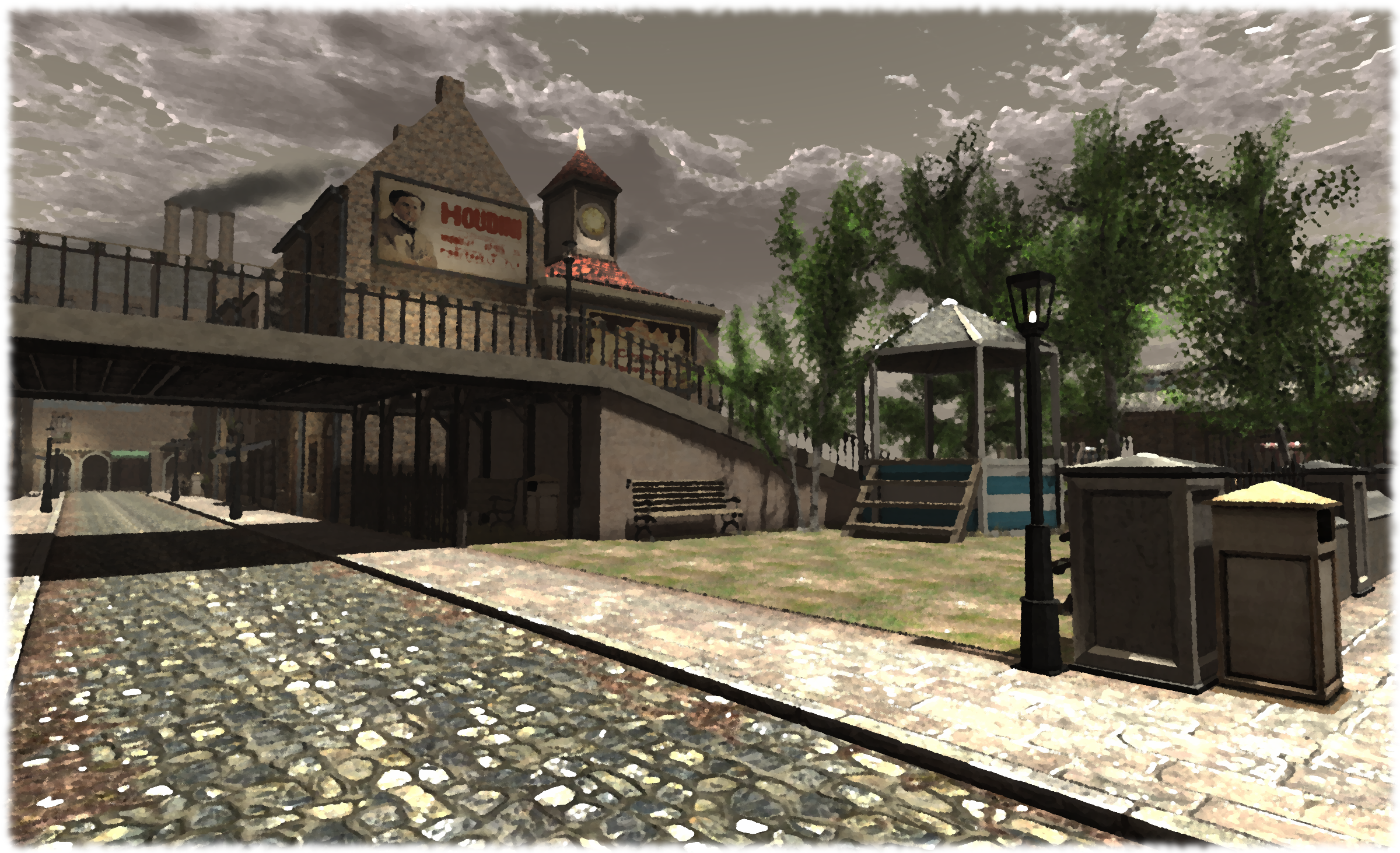
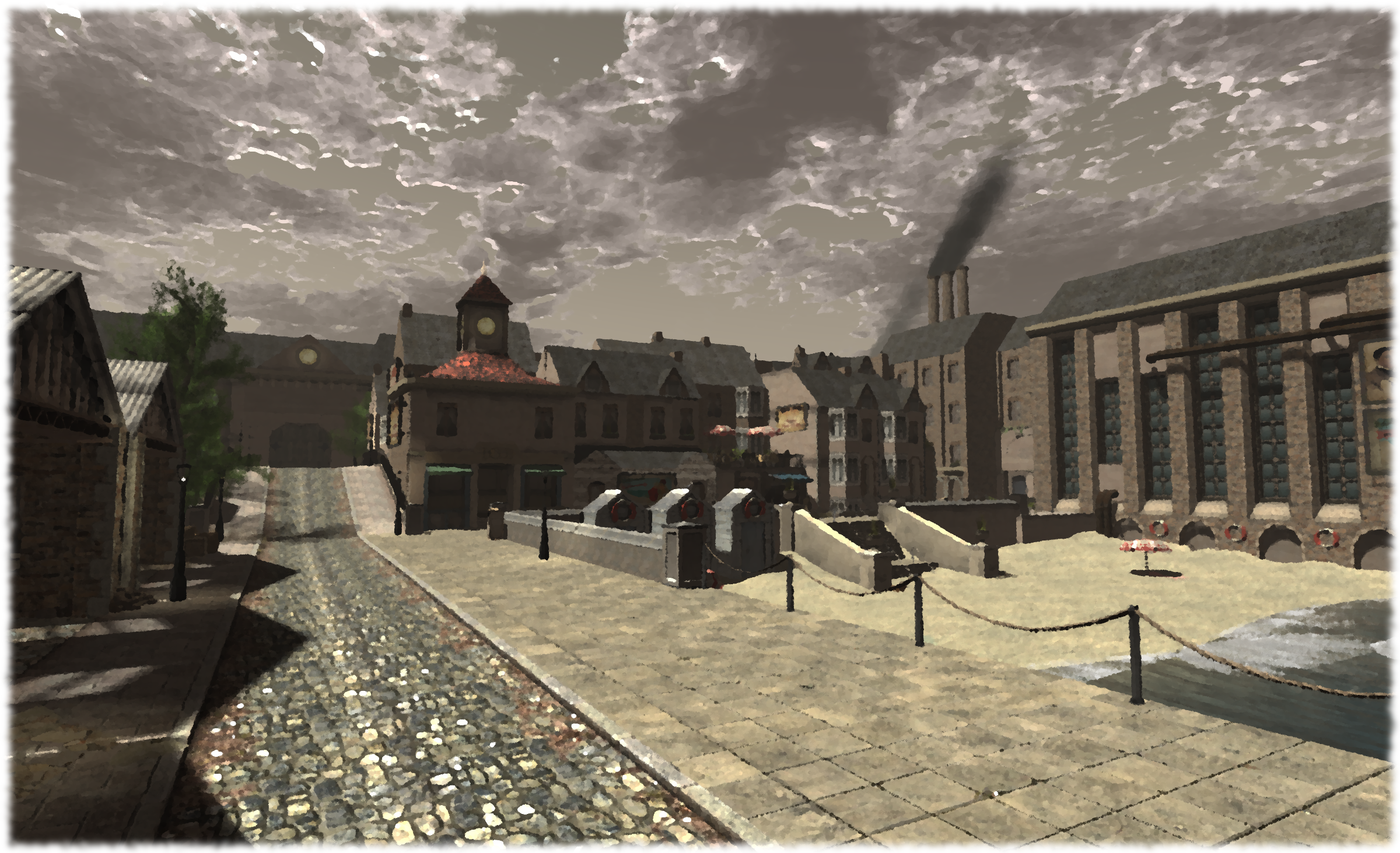
Rougham Town is billed as “a small Victorian port developed at the gates of Rougham Proper on the picturesque Britannia Isles.” And “small” really is the word here, the build occupies less than a quarter of the Britannia Isles region, the rest being almost completely water. I’ve no idea whether or not this means the region is still under development, or whether I simply missed a teleport to “Rougham Proper”, which leads to another region (and I admit, I was very pressed for time during my visit so may well have missed something). However, “small” doesn’t mean “not a lot to see”.

Rougham Town
Rougham Town

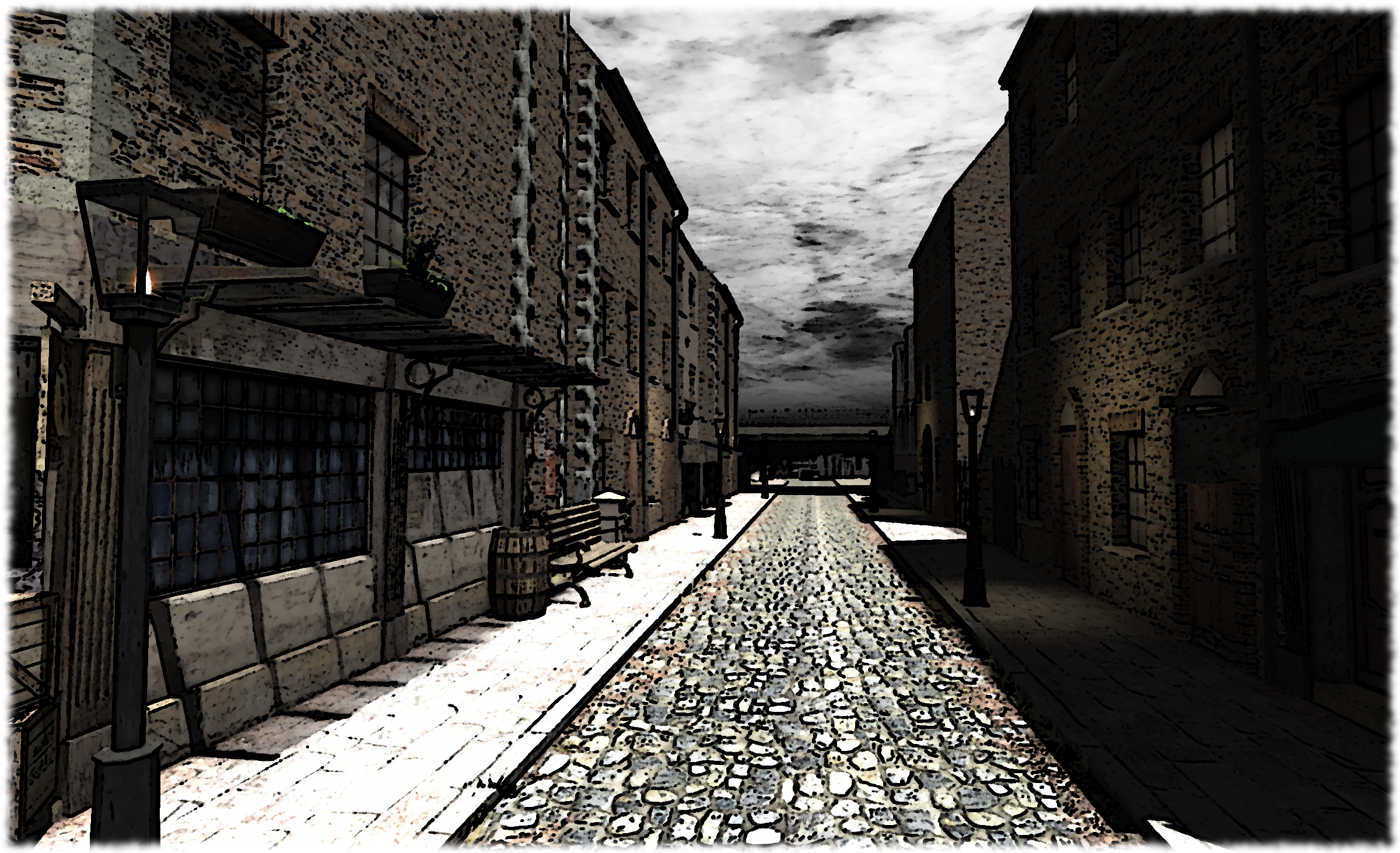
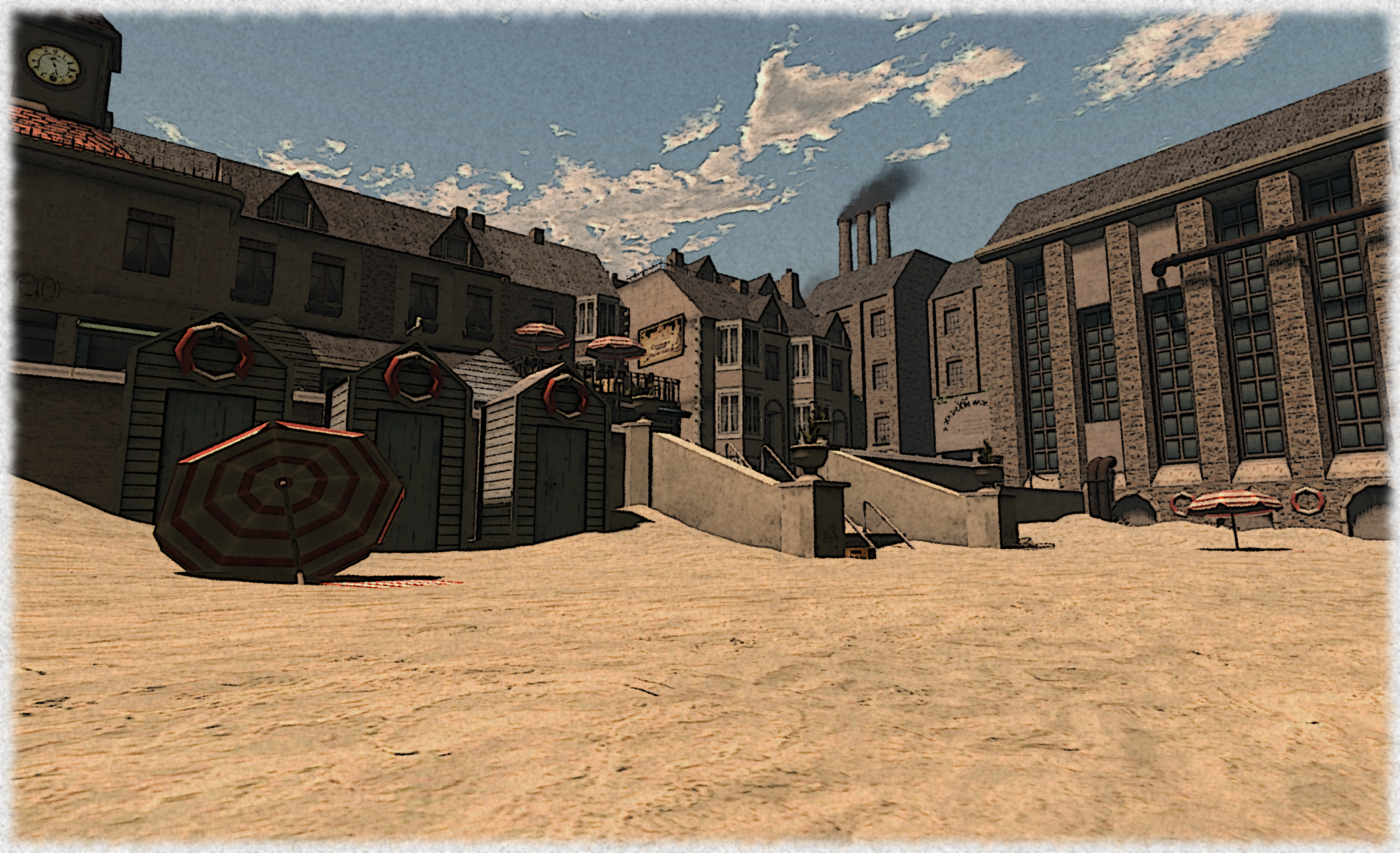
Rather the reverse is fact; there is actually a lot which has been packed into the scene, and any photographer looking for a range of backdrops for snapping may well to go take a look. There’s a beach, a dockside area, a couple of streets which present very different views to one another; one being a beachfront walk with a cafe, and the other a more industrial-like backstreet, while the tall facade of the Workhouse (this is a Victorian-era setting!), and the smoke stacks pouring forth black smoke offer opportunities of their own.

Wander around and you’ll find a marketplace, a small park area and places to sit and take-in the view.

Rougham Town
Rougham Town

For my part, I couldn’t resist snapping carious aspects of the build and then playing with them in GIMP afterwards, as you can no doubt tell from the images presented here :). There is something about Rougham which really encourages post-processing on snaps, the place has an atmosphere which  – for me at least – demands it be captured in ways other than just a simple snap.

This is not a place which will tax the SL explorer; as I said, the build is small and most of the buildings are facades – but this really doesn’t matter; and while a few of the textures used could perhaps do with a bit of an update, this is still a place SL photographers could have a lot of fun with. It’s also a place, I rather suspect, which could easily become a shining example of how the new materials capabilities could be showcased; the rough brick walls, the wooden window frames with peeled paint, the cobbled roads and iron gas lamps and the sand could look pretty amazing with the addition of normal maps.

Rougham Town
Rougham Town

Even so, I enjoyed my rapid-fire drop-in, maybe you will as well.

Related Links

SL10BCC: of time capsules and calling all SL10B event organisers

SL10B-CC_WordPress

The Birthday Time Capsule

The Time Capsule is a traditional part of the SL birthday celebrations. It is used to contain items donated by SL residents, which are placed on display at future SLB celebrations. Another traditional part of the SL birthday celebrations is the competition to create the time capsule for the current year’s celebration, and SL10BCC is no exception to both traditions!

The 2003 time capsule at SL1B, June 2004. (secondlife.wiki.com)

We’re inviting residents to try to create a time capsule for this year’s event which represents either something significant which has occurred this year within SL (for example, SL4B’s capsule had flexis, SL5B’s used glow) or something inspired by the theme of this year’s theme Looking Forward, Looking Back (again, as examples, SL6B’s capsule was a meteorite chunk for its space theme, SL8B’s was a modified version of the event logo, SL9B’s was a giant cake).

SL9B Time Capsule
SL9B Time Capsule

If you’re interested in submitting a design, here are the general guidelines:

  •  Keep your design relatively low-prim; some older designs reached up to 96 prims, and we need to keep things relatively modest
  • Keep the size manageable; the SL3B vault was 6m cubed, and we’d like to consider that at the top end of the scale; while designs that go over this limit on one side or two won’t be disqualified, we don’t have room for  the Death Star…
  • Please make sure your submission is FULL PERMS. We may have to make modifications to it  – such as adding the actual contents!
  • If the capsule is designed to open, please supply a “closed” and an “open” version – no need to script it opening – we can help with that, just so long as we have versions that present the illusion of opening it
  • Some particle activity is OK, but again, please keep it manageable: no huge firework displays with the capsule opens or anything
  • Feel free to design your own pedestal or display case for your capsule – particularly if it is small enough to warrant a pedestal / display case of its own
  • If you wish to keep a copy of your design, please make sure you do so before passing the original over; it may not be possible to return it to you after the fact – although in a worst case, we’ll do our best
  • If you’re not a good builder, do not worry. Just submit your design as best you can. We’re hoping to find a willing volunteer who might help out in touching up the winning design if you’re afraid that your skills aren’t up to the task at hand
  • Be creative and remember that this year’s theme is “Looking Forward, Looking Back” if you want to go in that direction
  • Please get your designs to us ASAP – we’re a little late getting this notice out, but we’d ideally like to have the winning design available at SL10BCC when the gates open on the 16th June.

The closing date for submissions is midnight on the 15th June. To submit a design, or to ask any questions on the matter, please contact the Keeper of the Capsule, Will Webb. Note that previous capsules can be seen upon request for those who require a little inspiration or guidance in developing a design.

There are no guarnatees you’ll win, you may have the nicer design technically, but someone else’s might fit the theme better – but why not have a little fun and see what you can come up with.

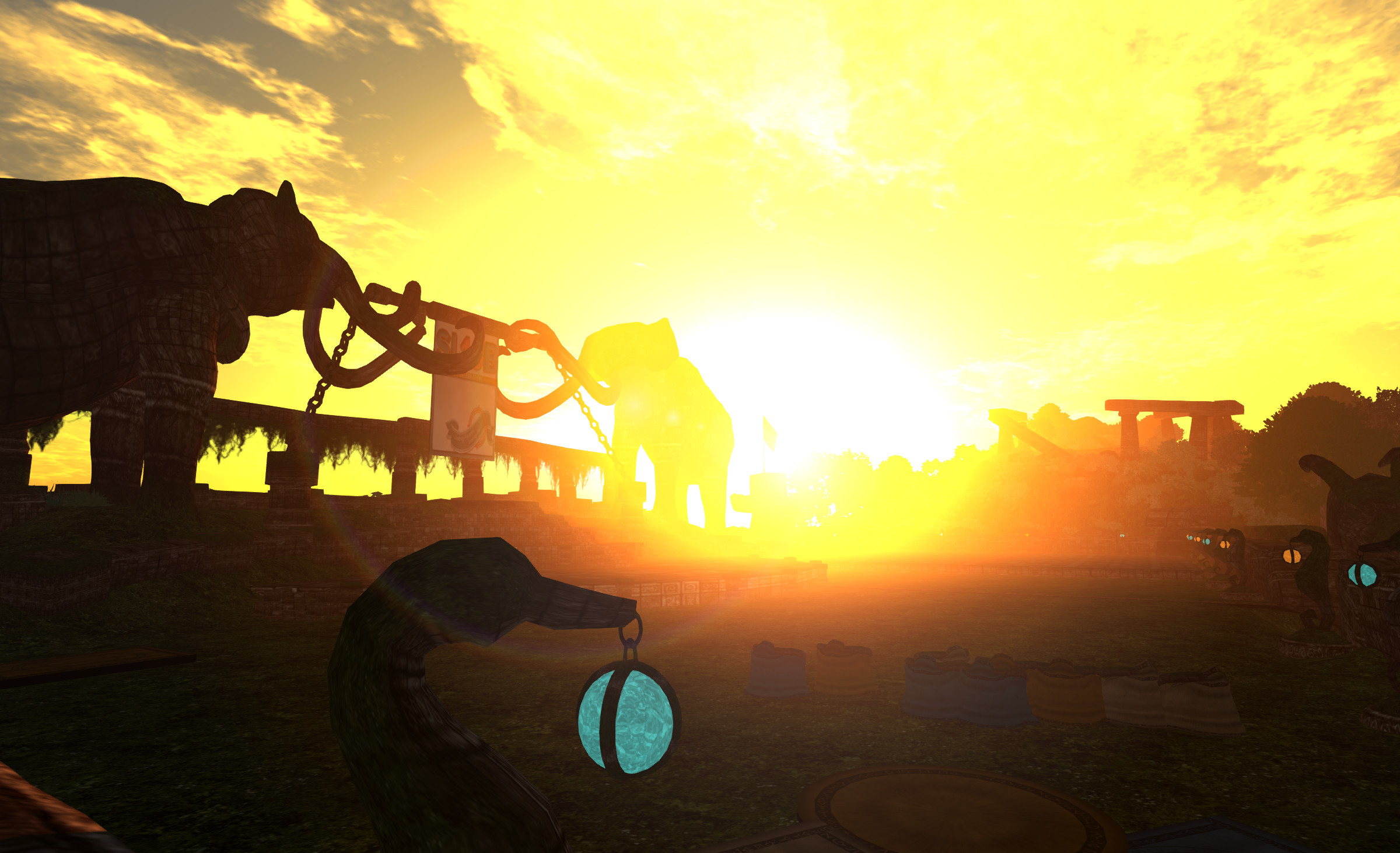
Sunset over A'stra
Sunset over A’stra

Calling All SL10B Event Organisers

There are SL10 Celebrations planned all over the grid and we want to give our visitors a direct flight to every event we can. If you are planning a Birthday party, performance, festival or feast from June 16 to 23, just send us the information and we’ll add you to the big Connections Board!

Pass a folder in-world to Honour McMillan with the following contents:

  • A notecard with a description of the event; what it is, the date(s) and time(s), the maturity level and a landmark
  • A photo or poster for the event. Please note that the image must satisfy the General Maturity guidelines, even if your event is Moderate or Adult
  • The photo or poster must be a texture sized no more than 512 in any direction
  • The notecard and the texture must be full perm.

ALSO – If you know of an event please ask them to contact Honour. The entire world is celebrating and we want to share invitations to as many locations as possible!

Related Links

UWA Centenary Challenge: win a share of L$20,000

Reflections PosterEntries recently closed for the University of Western Australia’s (UWA) 3D Art Challenge, which was open to artists from February 1st through May 30th 2013.

Entitled “Reflections”, the Art Challenge  was run in tribute to the 2013 Centenary of the University of Western Australia, as UWA reflects on its 100 years of existence and ponders the question of what the next 100 years will bring. The 2012 Art Challenge was also run in tribute to the Centenary. 2012 is 100 years since the first staff were hired at UWA and 2013 is 100 years since the first students started studying at UWA.

Artists were challenged to come up with a piece of 3D art which fits the theme of the challenge, and to do so using no more than 150 prims (LI 150). In all 64 artists from around the world accepted the challenge, and their works are now on display for all to see on one of the UWA’s regions.

Challenge-6-2_001

Judging is underway by a panel of invited judges, and the winners will be announced in August 2013, at a special event which will include the winners of the 2013 UWA Machinima Challenge, which is also being held on the same theme.

However, between now and midnight SLT on July 10th, SL residents have a chance to vote on the 64 entries  – and in doing so, win a share of L$20,000 and some real-life rewards in the process!

All you have to do to participate, is visit the UWA exhibition of the 64 pieces, and a select your personal top 10 in order of preference. Send your entries either by e-mail (jayjayaustralia@hotmail.com) or list them on a notecard and send it in-world to Jayjay Zifanwe (please make sure you put your name on the title of the notecard with the words REFLECTIONS UWA Centenary 3D Audience Event).

Challenge-6-1_001

The five entries which most closely match the juried top ten will each receive the following L$ prizes:

  • 1st Prize (mostly closely matching the judges’ top 10): L$ 7,000 and an invitation to be on the judging panel for the next UWA grand art challenge.
  • 2nd Prize: L$ 5,000
  • 3rd Prize: L$ 4,000
  • 4th Prize: L$ 2,500
  • 5th Prize: L$1,500

In addition, aLL five winners will receive in the mail a special pack that includes a copy of the book, ‘100 Treasures of UWA’ which was produced for UWA’s Centenary.

For full details on the audience participation judging, please make sure you read the UWA blog article, which includes links to both the start of the exhibition tour, and directly to each of the 64 entries in the competition.

Related Links

SL10BCC: Bloggers and SL media – don’t forget the Press Days!

SL10B-CC_WordPress

The SL10B Community Celebration opens its doors for a week of partying, events and 20+ regions of amazing builds (don’t forget Bear Island or The Cornfield!), on Sunday June 16th.

It is going to be amazing.

Ahead of the official opening, we’re holding two Press Days on Friday 14th and Saturday 15th June. The regions will open at noon SLT on the 14th to members of SL10BCC Press Group, and will remain open through until 18:00 on Saturday 15th June.

There will also be guided tours of the regions and notable exhibits / events areas. These will all commence at the SL10BCC Welcome Area, and take place at 14:00, 16:00 and 18:00 SLT.

If you are a blogger or member of the SL press, don't miss your opportunity to preview the SL10BCC regions ahead of the opening!
If you are a blogger or member of the SL press, don’t miss your opportunity to preview the SL10BCC regions ahead of the opening!

Press Packs will be given out to all people taking the tour, full of goodies donated by exhibitors. There will also be information on the Long Walk (the special Hunt we are organising) and a list of very useful landmarks!

Press members are welcome to take snapshots, videos and blog on the SL10B Community Celebration sims. Press Tours include visiting the main attractions of SL10B and fantastic resident created builds. It’s recommended to ride the pod tour around the SL10B sims to see many amazing builds.

If you would like to join-in the Press Day events, and have not already signed-up for a Press Pass, please do so ASAP via the Press Pass application form.

Also, and in order to help us organise numbers, it would also help us if you could also complete the form below, stating your preferred time to attend any of the tours, etc.

We look forward to seeing you on the Press Days!

Lumiya 2.4.7: bake, float, layer and find your place

lumiya-logoLumiya, the mobile client for Android devices saw two rapid-fire updates on June 11th. First came version 2.4.6, offering a lot of new and improved functionality, which was followed by 2.4.7 with a round of bug fixes which demonstrated again that no matter how hard you try to stomp on the little sods before a release, some of them will still be there to blow raspberries at you after a release…

Given the rapid-fire nature of the updates, I’ll be reviewing them all under the banner of the 2.4.7 release.

The Fixes

The under-the-hood fixes to Lumiya with this release comprise:

  • Minor inconsistencies with avatar shape rendering correctly
  • Fixed terrain rendering in regions with default terrain textures
  • Fixed a crash on clearing cache while connected
  • Updates for server-side baking compatibility.

Multi-wear / Multi-attach

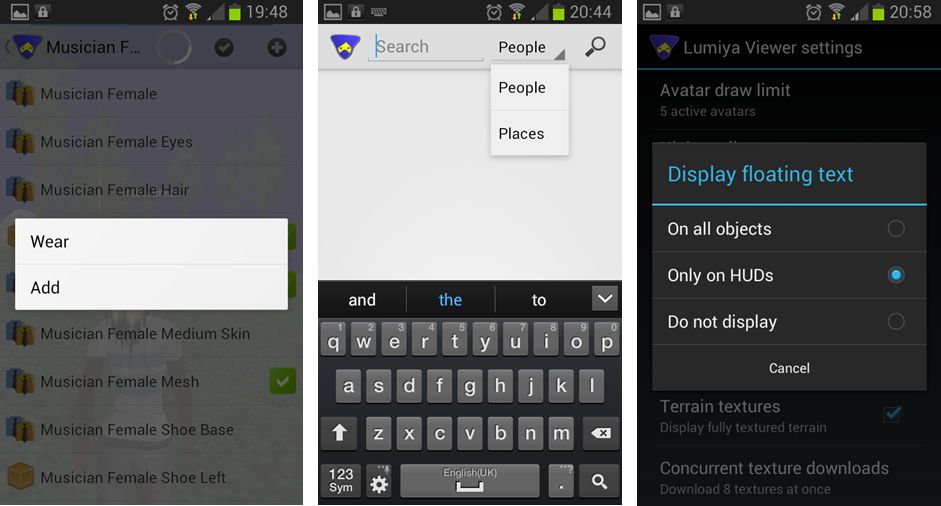
Lumiya now supports multi-wear for clothing at attachments.This is enabled via an ADD option appearing in the pop-up menu when selecting items from inventory or outfits to be worn / attached.

Currently, the order in which items on the same clothing layer are displayed is a little random (so if you wear shirt layer item 1 first and then shirt layer item 2, the second item might appear to be worn over the first, but the next time you add them in the same order, the second might appear to be worn under the first). There is also no ability to re-order items once worn, as is possible with a viewer.

At the moment, system clothing in Lumiya all utilises the same icon in inventory & outfits (a shirt icon), regardless of the layer on which it is worn. Alina does plan to improve this in time, however her attention is on other functionality right now.

aaa
Lumiya 2.4.7: (L) – The new ADD option for multi-wear, allowing additional clothing items to be worn on an occupied layer / attachments to be worn on an occupied point, a-la most viewers, and accessible from both inventory and outfits; (c) – the new Places search option, which can be selected from within Search; (r) – the three options available from within Lumiya’s settings for displaying hover text in-world

Search Places

Lumiya’s Search option has been expanded to incorporate places and well as people. You can toggle between the two on entering search (e.g. by selecting it from the menu displayed when tapping the Menu button on your device) by tapping on the displayed option (People is the default) and selecting the required option from the drop-down.

Emotes and Hover Text

Lumiya now supports emotes in chat (e.g. /me smiles) and will also now display hover text above objects. By default, this is only on for hover text associated with worn HUDs. This is to prevent smaller screens being over-run with lots of on-screen hover text (because you’re roaming through a breedables store, for example). However, it can be enabled for in-world objects (or disabled altogether) by tapping the Menu button on your device and then going to Settings and scrolling down to 3D View and tapping Display floating text. This will display a pop-up menu with three options: On all objects, Only on HUDs, and Do not display – tap the radio button for the desired option.

Feedback

All told, another nice little package of updates to Lumiya which again further increase its capabilities and which enhance it as a worthwhile alternative to a full-blown viewer for those who need to access SL while on the go and away from their computers.  All of the additional functions are nice-to-haves, and the server-side baking / appearance updates ensure that Lumiya remains SSB/A-ready, once the latter starts to go live across the grid. There is something of a delay in changing / updating outfits as a result of SSB/A, so if you do try Lumiya for the first time, please bear this in mind and remember the app is doing an incredible amount of work in order to bring you both a mobile client and a functional in-world, real-time view of the world.

Kudos to Alina once again!

Related Links