The second week of October see more tales of mystery, suspense and dark happenings unfold through the vocal skills of the Seanchai Library SL, including the second part of A Night in the Lonesome October.
The full list of activities are as follows. All times SLT, and the in-world location, unless otherwise stated, will be at Seanchai Library’s SL home region of Imagination Island.
Sunday October 7th:
10:00 – Spooky Tales at Fruit Islands: Derry McMahon and Bear Silvershade read Washington Irving’s The Spectre Bridegroom and Poe’s The Cask of Amontillado, along with other spooky tales and more spooky tales, all at Haunted Fruit Islands
14:00 – Tea Time at Baker Street: join Caledonia Skytower as she tells The Adventure of the Beryl Coronet, in which the Great Detective is enlisted to unravel what has happened to three beryls missing form an valuable coronet, and why the son of a banker who has received the coronet as collateral against a loan, was apparently trying to bend or break the coronet…
A Night In The Lonesome October continues on Monday 8th October at Seanchai Library SL
Monday October 8th:
19:00 – A Night in the Lonesome October: Seanchai Library’s adaptation of Roger Zelazy’s satirical novel continues, featuring the voice artistry of Shandon Loring, Gyro Muggins, Caledonia Skytower and special guests.
Tuesday October 9th:
19:00 – Things That Go Bump in the Night: ghostly goings-on as told by Bear Silvershade
Wednesday October 10th:
19:00 – Which Witch? with Faerie Maven
Thursday October 11:
19:00 – Nocturnes from Ireland: Dark, daring, utterly haunting tales of lost lovers, predatory demons, and vengeful ghosts from the pen of John Connolly, as told by Shandon Loring, featuring Mr. Pettinger’s Demon and The Inn at Shillingford.
Friday October 12th:
18:45 – The Legend of Sleepy Hollow: Derry McMahon and Bear Silvershade read Washington Irving’s classic tale at the Breedables Fright Night (see the Seanchai Library SL’s website for details of the location, once confirmed)
Sunday October 14th:
18:00 – Ghosthunters & The Incredibly Revolting Ghost: Caledonia Skytower brings this tale of ghostly happenings to Magicland.
Aside of the odd occasion, I’ve never really tried my hand at Second Life sailing. Sure, I’ve played around on the water, zapping about on my Neuspa, or riding a jet ski, or out on a motorboat, and I’ve taken my Premium sailing boat out a couple of times; but on the whole, I’ve left sailing alone.
That changed when, on a whim, I called Spikey and asked if she’d like to accompany me out on the waters of Blake Sea. We started out at Blake Sea – Half Hitch, which is rezzing-enabled, climbed aboard my boat and set off.
Ready to go – Blake Sea – Half Hitch
We headed due West to start with, letting the wind carry us across the first of many sim boundaries without a hitch, then turned north. I immediately appreciated the open waters of Blake Sea because, o long as you keep your eye on the horizon around you, there is little need to focus on “driving” a sailboat, leaving you with time enough to chat with any friends who are with you and enjoy their company.
Blake Sea -Crows Nest
Which is not to say that Blake Sea is simply lots of empty water sims – there are islands to sail around, ports to visit, and quite a lot of things to see as you go. The open regions of the Sea are popular among pilots as well, and we saw several taking advantage of the freedom offered by these (comparatively) low-lag sims, with light aircraft, helicopters, transport planes routinely passing overhead (and rather un-routinely, in one case, ditching into the sea about 30 metres away from us).
Our progress was a little cumbersome, with me swapping between sail and motor as I initially couldn’t get the hang of tacking back and forth in order to make progress when the prevailing wind wasn’t favourable, and I frequently managed to turn the boat entirely out of the wind, and then having to switch over to the motor.
Blake Sea
There can be a lot going on in and around Blake Sea; there are sailing races, and some areas are given over to sea combat, and so on. Not every parcel is necessarily open to public access, either. Therefore, you do need to be aware as to what is going on and where you are going; however, the Map is generally enough to keep you informed of any activity near you (although it won’t stop you bumping into the occasional “cannot enter” pop-up warnings when you reach a parcel which has object entry blocked – I was a little surprised to encounter one of these outside the entrance to a harbour. Oh, and be wary of sand bars if your boat has a deep keel!
The Premium sailing boat offers a variety of sitting / sunbathing pose points in the cockpit and on deck which means you can share your time out on the water with friends, and Spikey took advantage of the deck-top poses to catch some sun as well sailed.
Blake Sea
All-in-all, sailing on Blake Sea can be a very pleasant experience – although admittedly, we happened to pick a time when there were no races scheduled, so things might get a trifle more frenetic when races are being held. It was certainly a great way to get out with a friend and simply chat, rather than sitting around indoors or IMing one another.
I’m not ready to take to the ocean blue full-time, but as a pleasant afternoon spent with a friend or two, sailing the waters of Blake Sea could become a very relaxing way to spend an hour or three.
As many are aware, there was a major error in this week’s LeTigre Release Channel deploy. Apparently, the root cause of the problem lay in the server-side prim account code, which Simon Linden describes as having “blown up” on the LeTigre RC channel. This resulted in a large number of items (including partial builds) being returned to people’s inventories as a result of regions being seen as “full”. The problem required a two-stage recovery:
LeTigre regions were rolled back to a state prior to the faulty deployment, and were then updated with the BlueSteel code also deployed on Wednesday October 3rd. This helped to determine the extent of the damage (a total of some 1200 regions)
The regions damaged by the land impact miscalculation were then restore to a state prior to the roll-out of the original faulty LeTigre code. These had to be restored manually, which took a considerable time
There is further post-mortem work going to to try and discover why this error did not reveal itself when the code deployed to LeTigre was being tested on Aditi, and whether there is anything specific to the regions impacted by the error which may have triggered it. Thought is now also being given to managing large scale region restorations, despite this being the first time there has been such a massive issue of this kind occurring across the grid.
Current RC plans for next week call for the same maintenance release to be made to all three RC channels, which Simon Linden describes as, “Mostly internal changes but [which] does include a minor update for the physics engine library … It’s almost all updating libraries … we’ve been using a fairly old set of compilers and such to make some of the development builds of the servers, and this brings us to more recent code.” Further details on the deploy should be available next week in the Second Life Server section of the Technology forum.
SL Viewer
As indicated in part one of this report earlier this week, problems have continued with the Beta viewer code and high crash rates. Work has been ongoing to try and locate the probable cause(s), some of which included the temporary return of tcmalloc. While not actually a cause of the crash issues, having tcmalloc disabled was affecting efforts to reproduce the problems. a beta release was made on the 3rd/4th October (3.4.1.265434), which is proving to be a lot more stable than previous versions, and which happens to have tcmalloc enabled.
The current plan is for a further beta release to be made, most likely on Monday 8th October, which should see tcmalloc turned off once more (if not removed). Should this also prove to be stable, the fixes it contains will be merged back into the development viewer code, and this will clear the way for clearing the backlog of code merges for both the beta and development viewers. It may also see a further 3.4.1 release version of the viewer being made.
Among the projects awaiting merging into the development and beta viewer code are:
The Steam support changes, which have been available within a development viewer stream, and which are described as “mostly cosmetic”. There is apparently a version of the viewer on Steam, but it is not available for general viewing / download, and is presumably there for testing purposes
Monty Linden’s HTTP library (texture fetch) code
Baker Linden’s Group Services project code
Apple OSX 10.8 Mountain Lion support work, including gatekeeper compatibility
Bug fixes and further regionalisation work.
Previous plans for these releases called for them to be made under the 3.4.2 code base. While this wasn’t discussed at the TPV/Dev meeting, one assumes this is still the case. However, speaking at the TPV Dev meeting on Friday October 5th, Oz Linden indicated that the order, etc., in which waiting merges will be cleared hasn’t been fully defined, and will be the subject of internal conversations next week at the Lab.
Avatar Baking Project
Bake fail: a familiar problem for many
There is still no major news on this project, although work is continuing both on the viewer and on the server code.
The plan remains to provide TPV developers with access to the viewer code at least 8 weeks ahead of any initial deployment of the server-side code to an Agni release channel. This is to allow TPVs time to merge the code into their viewers and participate in ongoing testing of the new service.There is a possibility that that viewer code will be available sufficiently well ahead of things in order for TPVs to be able to use it alongside the testing on Aditi (beta grid), depending on the status of the beta grid tests and how development of the viewer code progresses.
Please use the page numbers below left to continue reading this report
Well, it seems news over the correction in one aspect of the ongoing SL Marketplace listing enhancements debacle (itself merely one part of the overall Marketplace debacle) was premature.
No sooner had the Commerce Team announced they were refunding people for the mess-up over payments, that automatic debiting for enhancements resumed, with the same level of confusion as to what is actually going on, and people unable to determine exactly what they have or have not been charged for. How this came to pass is unclear, although I do tend to agree with Darrius Gothly’s assessment of the situation, vis:
When your staff went through and refunded everyone, you should have AT THAT TIME tested to be sure your code modifications would not immediately undo everything just done. But did you? Nope. As a result it went through and lickety-split re-billed everyone .. not only for what they’d just been refunded but additional charges too. Pardon me but .. WTH?!? By dint of your lack of attention you have just completely undone everything your staff did .. by hand .. at great expense to your employer. You have WASTED a very large amount of money. Wasted because you could not or did not want to bother testing your changes.
It is perhaps bad enough that people have seen refunds enter their accounts only to evaporate once more. But it would also appear that people are again getting charged for enhancements they cannot cancel due to WEB-2974 (an issue now some two years old, and resolution of which was “on hold” as of July 2012).
This state of play is, frankly, ridiculous. While mistakes can and do happen, what has been going on within the Marketplace and on the part of the Commerce Team long ago reached a point of farce. Even the simplest of tasks appears to be beyond their capabilities (or the capabilities of the software they manage). Remember the change to the sales notification e-mail address I mentioned as being rolled-out on September 26th as a part of my last general SLMP update? Guess what was rolled back just 48 hours later, only to be rolled-out once more on October 4th?
One has to question a) the level of competence within those responsible for managing and coding SLMP; and b) the overall condition of the Marketplace code itself, as it seems utterly incomprehensible that even the most basic issues within the system appear to be beyond LL’s grasp to fix.
In his comment on the matter of listing enhancements, Darrius concludes:
Communication from your team to us is a major issue. I’ve no doubt why this is the case. Most people have a very difficult time going to others with the need to say “We’re sorry, we screwed up.” With the number of times you must begin a blog post in that manner, it’s no wonder you don’t post very much at all. So here’s an idea … stop being lazy, stop short-cutting things and rushing changes into production, stop screwing up .. and STOP having to begin every post with an apology.
While I agree with his point of view, I’d go a step further.
It doesn’t matter as to whether or not these issues are only affecting a “small number” of merchants (as the Commerce Team have repeatedly stated); it also doesn’t matter as to whether LL regard L$ as “real money” or “tokens”.
What matters is that the company actively encourages people to get involved in their platform’s commerce engine, and to invest time and money in it – and they promote the Marketplace as a major means for people to do so. People have taken LL at their word, and for many of those affected by all the Marketplace screw-ups over the years, it very much is the case that real money is involved, and real stress and real upset.
As such, it is time for someone within Linden Lab to recognise this, take responsibility and step forward with a sincere apology for the manner in which the entire litany of mistakes, errors and mishaps going back as far as at least 2010 has been handled. They then need to go on to ensure issues are managed in such a way that people are kept properly informed on progress, and that issues are not exacerbated by what appears to be either flaws in internal processes – or carelessness.
Simply saying people are busy “crunching numbers” doesn’t really cut it any more.
As it is, a decent projection as to when LL will “have a fix” for Marketplace problems, would appear to be, “Around the 12th of Never”.
On October 4th, at the same time as Linden Lab’s Patterns was launching in its Genesis Release using the Steam Platform, Valve, the owners of Steam released a update to the Steam client and website which included their new line of non-game software, which they originally described as being “creativity and productivity” applications.
The update initially sees seven titles listed in the new Software category of the Steam client / website, including a free copy of the basic Gamemaker Studio for Windows (with the cross-platform suite available for £314.00 ($508)); 3D modelling software 3D Coat, Art Rage, a painting and drawing application; Camera Bag 2 photo editing software, 3DMark and 3DMark Vantage PC performance tools and Valve’s own Source Filmmaker.
Software on Steam
There has been some speculation (both in this blog and elsewhere), that this new category might be where Second Life appears when it is finally made available through Steam. However, on the basis of this initial selection offered through Steam, it would appear increasingly likely that SL may appear under the Games category.
No date has been given for Second Life’s appearance on Steam – nor should this update from Valve be taken as a sign the SL’s Steam debut is drawing close. Currently, the deployment of new versions of the SL viewer are being held up while a serious crash / memory leak issue is rectified. Until such time as this has been taken care of, the updates to the viewer which are specifically aimed at the Steam tie-in are subject to delay.
Patterns became the first of Linden Lab’s new products to be made available to the public with an initial debut on Thursday October 4th in what the Lab calls the “Genesis Release”. This has been (and remains) available at a discount price of $9.95 on the Patterns website. The “full” release of the product will apparently not be until “late” 2013 – presumably to give both users and Linden Lab plenty of time to add to the Patterns universe and make it something truly unique – and at a price of $19.95.
As I pre-ordered my copy back in September, I was quite keen to find out what Patterns is like – and provide some initial feedback.
Downloading and Installing
Patterns is being made available through Steam, so you’ll need to sign-up there if you’re planning to try the Genesis Release for yourself. To download the software, you’ll need an activation code, which will be e-mailed to you. Use this with the Product Activation process within the Steam client to initiate download and installation – full instructions accompany the activation key. Installation is an automated process, leaving you with the option of starting Patterns from your Steam Library, your desktop, via shortcut, your start menu, and so on. No fuss, no bother, as with all Steam installations (or all (three) that I’ve seen). In this lies a hint as to how Second Life will arrive on people’s computers once the SL / Steam link-up is completed.
Start-up and First Looks
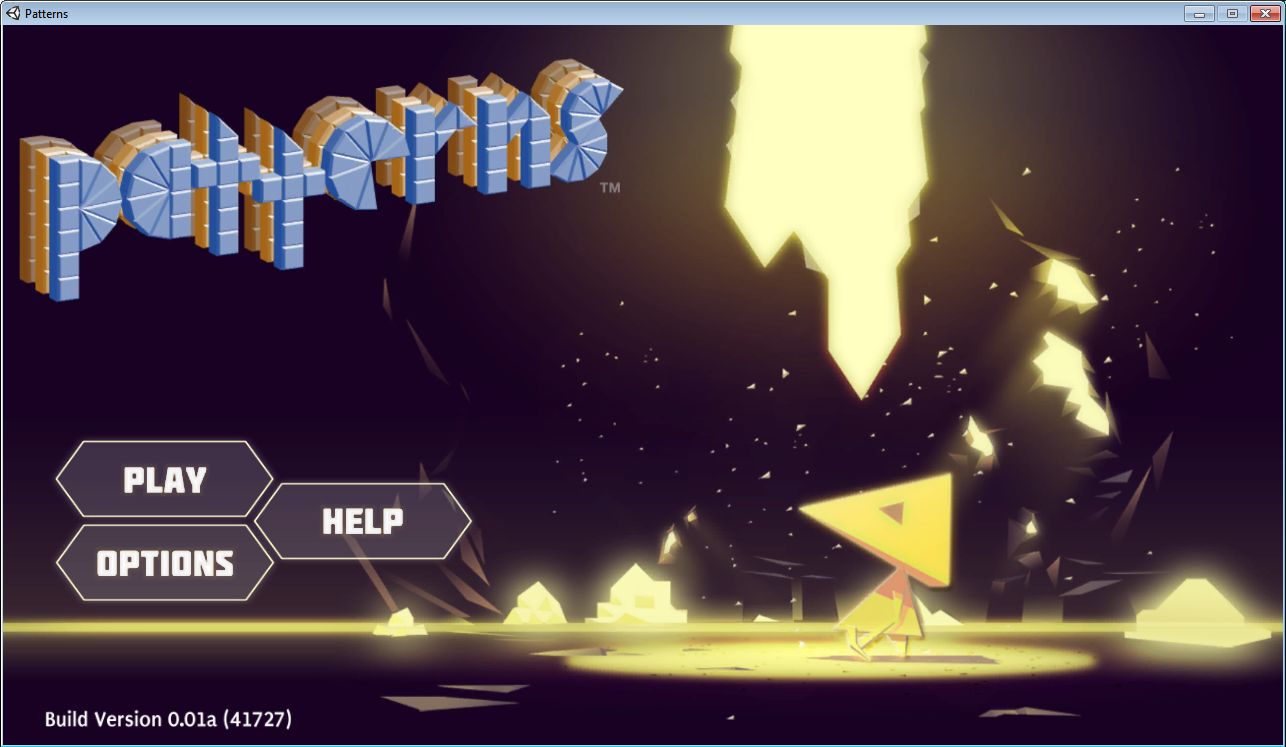
Launching Patterns is somewhat similar to the first use of SL: the first thing you’re asked to do is to agree to a very familiar Terms of Service (although it has some notable and obvious exceptions, the term “boilerplate” sprang to mind reading it – but then, why should LL reinvent their legal wheel?). Confirming your acceptance of the ToS brings up the Patterns splash screen in full.
Clicking PLAY presents you with the options to RESUME, or start a NEW session. HELP displays some basic instructions for using Patterns (how to move, how to collect materials, how to build, etc.), while OPTIONS displays those setting you can tweak. The look of both these latter screens is perhaps best termed “retro”.
NEW gives you three options: 1, 2, 3. These refer to the number of individual game sessions you can create and save – so it is possible to have up to three sessions of Patterns ongoing, although you can only ever use one of them at a time.Start and save three sessions, however, and you’ll have to overwrite one of them the next time you select NEW.
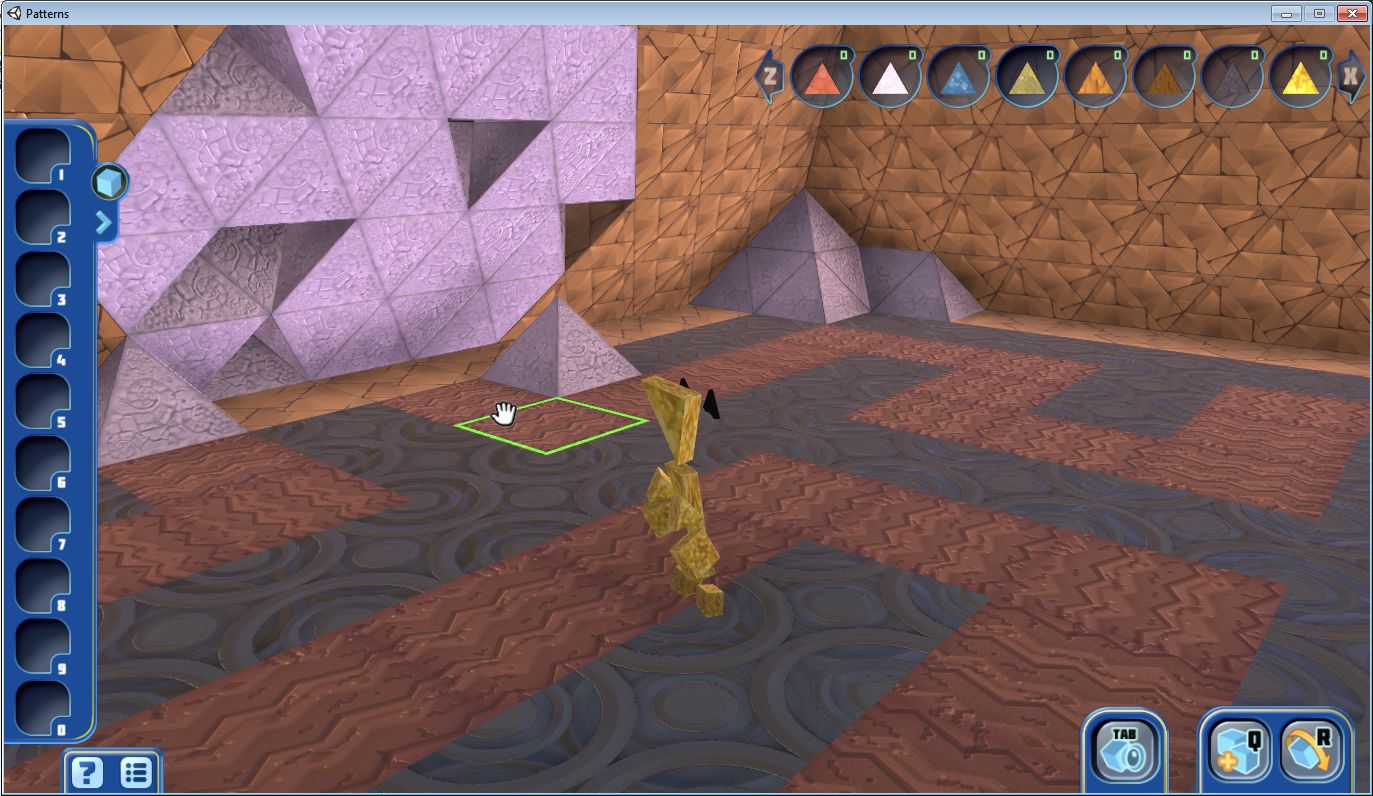
Once you’ve started a session and the game has loaded, you’re inside a large pyramid, and need to break out. This is done by pressing and holding the right mouse button and “busting” some of the material comprising the pyramid’s walls. This breaks the material (“substance”, in Patterns parlance, which left me wondering if I was guilty of substance abuse when smashing up walls and objects…) into its component triangles, which you can then collect as you “fire” at them – they are added to the requisite substance counter at the top of the screen. You can then use any substances you have acquired (up to the total number collected) to build objects of your own.
Starting out
Note that not all materials appear to be “bustable”; some may collapse as you fire at them, some may not (such as the “bedrock” supporting each of the floating platforms). Also note that “busting” objects and walls, etc., is range limited, with out-of-range objects being outlined in yellow, and those you can break-up in green.
Once outside, you’re in a platform-like world, where you can continue use the right mouse button to assist you in collecting a range substances you may wish to use for building later, differentiated by look and texture, each with differing properties to be discovered as you gain familiarity with the game.
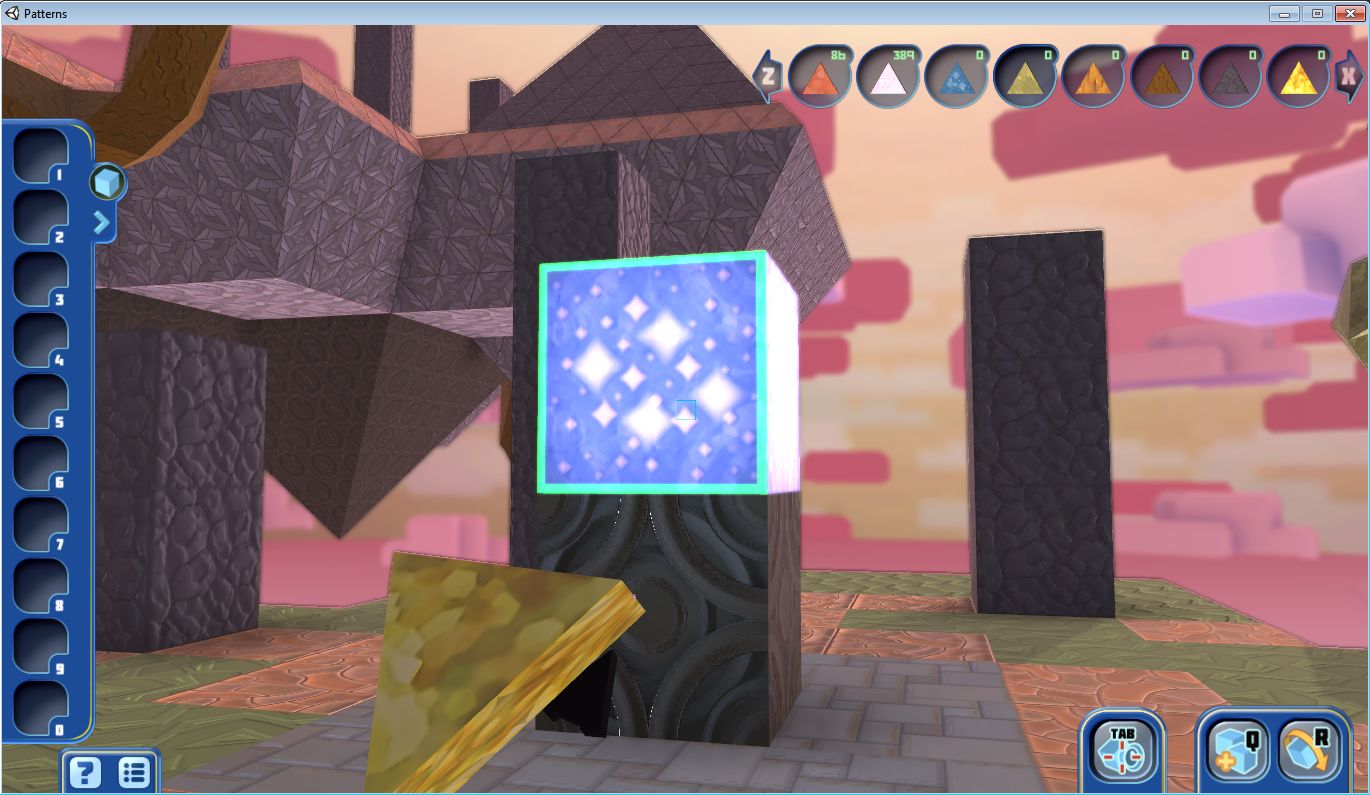
In order to build, you must first start collecting shapes. This involves finding special “starene” objects in-world and then busting them. Building is done using the left mouse button to select a shape from your shape tray (or use the number keys), then selecting the preferred substance from the menu of substances at the top right of the screen (you can only use the substances you have collected). There are a couple of basic rules for building, which are square faces will only snap to square faces and triangles to other triangles. suitable surfaces are outlined in green. It’s here that the different properties of the substances come into their own: some are better suited to certain tasks / situation than others.
A “starene” object which contains a building shape
There is also the small matter of physics as well, which can make itself felt whatever you’re doing (try bridging a gap between platforms with the wrong materials, and you’ll see what I mean). Be wary of trying to jump between platforms, or stepping off the edge of the one you’re on. If you fall a decent distance, you’ll come to the shattering conclusion it may have been a mistake. Be careful of anything overhead as well, when building upwards.
Shapes can also be rotated using the R key. Shape placement is a matter of determining what you want to do, and manoeuvring the camera to a position where you can actually do it – and, use the green outline of shape faces as a guide. Here is where Patterns again follows the Second Life model: camera placement leaves a lot to be desired. You can toggle between views using TAB, and move the camera up/down, left/right by moving the cursor around the screen, but it is still something of a PITA – moreso if you’re an SL user, as the temptation is to tap ESC to try to reset the camera is strong; however, in Patterns, all it will do is display the main menu.



 Inara Pey: Living in a Modemworld