After a promising start, and with some great updates in release 3.2.6.7 (mesh deformer, Firestorm build floater, visuals and other elements from Exodus, etc.), Milkshake’s “public” development has ceased – which is a shame however you look at it.
I was in the middle of a review of the latest updates in 3.2.6.7, which included updates to Preferences as well as the inclusion of new code when word came in.I’d actually been discussing an issue with the release with Cinder when word came that, “Unfortunately, there will be no more public releases of milkshake, sad to say.”
I’m not privy to the exact reasons work has ceased on the public side of Milkshake and to pry into things to any great depth would not be fair on Cinder – she deserves her privacy as much as anyone else. But maintaining a Viewer *is* hard work – there are matters from getting time to develop / merge code options through to handling support and so on, all of which can take their toll. Cinder already has a busy in-world life, and it is clear that support issues were concerning her when the Milkshake User Support Policy was published. One cannot blame her for this; I seriously doubt that – even assuming I had the talent for Viewer coding – I’d want to pass over a large part of my in-world time to all the ancillary elements that go into maintaining a popular Viewer – not without a lot of help.
That said, there is no doubt I will miss the public Milkshake. It was shaping-up to be a handy Viewer with plenty of core features from other TPVs that strongly distinguished it from its core base of LL / Catznip. However, a little birdie tells me that it is not all sad news; the chances are, we may be seeing Cinder’s work adding flavour to Viewers elsewhere in the near future.
Chestnut Rau is someone I respect very much and who knows her stuff when it comes to art in SL. So, when she makes a suggestion that I visit a sim in-world (as she did last year – shame on me for taking a while to get around to it), then I’ll sit up and take note.
Humanoid is one such place. The work of Wendy Xeno, it offers much to see and experience. Teleporting to the given landmark, you are asked if you’ll allow the region to control your Windlight settings – to get the maximum impact from the installation, you should. Also make sure sound is enabled.
Beneath you is a transcription that helps set the tone for your visit:
We never touch people so lightly that we do not leave a trace
Bach-ing at the doors
If you’re lucky on arrival, a cello plays JS Bach’s Unaccompanied Cello Suite No. 1: Prelude – and if you wish, you can try your hand playing it while considering where to go next (click the cello to start the music). Hearing this music did make me smile; I love the cello (though sadly cannot play it), and Bach’s Prelude is a favourite piece (and I’ve recently fallen in love with Steven Sharp Nelson’s upbeat version, wherein he plays eight cellos).
Around you stand nine doors, each of which leads the way to further explorations – although there are things to see around you on the ground before (or after) you do.
I opted to wander at ground level first, visiting the various islands, each with it own sense of solitude and peace, different ranges of thought and emotion stimulated by each one. For example, at one, I could think of nothing other than SL friends I like spending time with simply “being” and talking; at another, I found myself thinking of those in SL I have known and who have, sadly, departed from the virtual…
“Time present and time past”
The doors lead to more wonders to enjoy and experience – be they dancing together in some great hall, sharing a rowing boat on a moonlit night amidst glowing lilies, witnessing a circus or sitting in quite contemplation of a verse:
Only passions,
great passions,
can elevate the soul
to great things
“Are both perhaps present in time future”
I’m not sure why Burnt Norton sprang to mind while exploring the ground level areas (athough The Four Quartets is a favourite of mine); perhaps it was my overall frame of mind – or perhaps it was evoked by the scenes themselves. Either way, the lines did pop into my head, and they did – and do – seem appropriate.
“Other echoes Inhabit the garden. Shall we follow?”
Summer sun, autumn skies, the snows of winter – all sit behind the various doors – indeed, to say too much would be to spoil your explorations.
All snapshots in the article captured using Firestorm with default graphics settings & region windlight settings, with the exception of “Bach-ing at the doors”, wherein shadows were turned on.
It’s getting to be hard work keeping up with Viewer releases!
Lance Corrimal has issued an update to Dolphin – 3.2.3 (22899), which he’s calling (a little tongue-in-cheek) the “Fellowship” edition in that, in quoting Tolkien, the development of this release is a “Tale that grew in the telling”!
Based on the latest release of RLV from Marine Kelley, and the official “Shining” 3.2.6 release from LL, the update brings Dolphin 3 bang up-to-date with the latest OpenGL fixes from the lab.
While conditions were not absolutely identical to my earlier “tests”, I made my usual Viewer UI and settings tweaks, and took the Viewer for a spin on my (now “standard”) “test” sims. The results were as follows:
High graphics, no deferred: averaged 46fps at 370m and 38fps at 22m
High with deferred ON: 21fps at 370m and 17fps at 22m
High with deferred and shadows ON (Sun + Moon + projectors): 12fps at both heights
On my home sim, and on my own, frame rates bounced around the 58-61fps mark while up at the house.
Updates
The core updates to the Viewer comprise:
Options to auto-accept / auto-open textures, photos and notecards (both via PREFERENCES->DOLPHIN VIEWER 3->INTERFACE)
Empty system folders (e.g. Objects, Notecards, etc) are hidden from your inventory list
The additional pop-up informing you that a landmark has been added to a folder can be suppressed (from Firestorm)
Firestorm’s inventory filtering options have been implemented in Dolphin, allowing inventory to be filtered by description, UUID, creator, name, etc; or can be filtered by combinations of words separated by “+”(e.g. Joe+Smith) (from Firestorm)
Debug level (verbosity) of log files can be configured (STORM-1790)
Default debug level has been changed to WARNING to make the logs less chatty
The ability to hide empty system folders is rather novel, and works automatically – once a system folder is empty, it is hidden (see right, and note there is no Landmarks or Notecards folder).
If you end up with an empty Body Parts, Clothing, Gestures, Notecards or Scripts folder, you can “unhide” it by creating a new item from the + button on at the bottom of the inventory panel – creating a new item will automatically un-hide the required system folder.
Similarly, creating a Landmark (or left-clicking on a Landmark in a notecard) will automatically unhide the Landmark folder, and so on.
Those who don’t use the system folders may find this capability useful to have and cuts down on the clutter in their inventory.
Selecting additional inventory search filters
In adopting the new Firestorm inventory filters, Dolphin appears to have adopted the accompanying issue that searching on creator, UUID, etc., isn’t particularly intuitive for the first-timer. To search by a specific additional criteria – UUID, creator, etc., – you must click on the gear button at the bottom of the Inventory panel and select the required option in SEARCH BY before you commence a search. It would be nice to see all the filters grouped into a single location in the future.
Lance notes a few other issues with the Viewer – so again, if you experience them, please don’t report them, as he’s liable to be already trying to sort things out where he can, or awaiting a fix from LL. He lists the known issues as:
“Textures with transparency have a grey background instead of the usual checkerboard pattern in any texture preview UI element (e.g. the preview window when you upload a texture, or when you open a texture from your inventory). Applied to prims, the textures will be fine. People, use the temp upload feature and check your new textures on a prim if you need to test something with transparency. This problem exists in all viewers that are based on the latest viewer-development code, even in the official Second Life viewer 3.2.4 from Linden Lab. There is already a JIRA for it: https://jira.secondlife.com/browse/VWR-28037. Please go and watch and vote.
“The alignment handles in the Build Tool all point upwards instead of inwards. The alignment tool still works the same way, it just looks funky.
“The automatic opening of incoming notecards and pictures is highly dependent on lag.
“There is still no Flickr uploader.”
Rendering
This release puts Dolphin back up in the list of “fast fps” Viewers for my system, and rendering on the whole is good, and I’m now getting a similar “pop-out” for sculpts already loaded in local cache (i.e. my furniture at home) on logging-in / teleporting home I get with some of the other recent Viewer releases. Shadows render well, although I’m still taking a bit of an additional performance hit with shadows and occlusion both active.
Overall, a nice set of updates that should please Dolphin regulars.
A while ago now, Annon was recommended by a friend as being somewhere I should consider exploring. As I rounded-out 2011 with an exploration of Black Spot, another recommendation, I thought it would be good to resume my explorations in SL at the start 2012 by visiting another recommended destination.
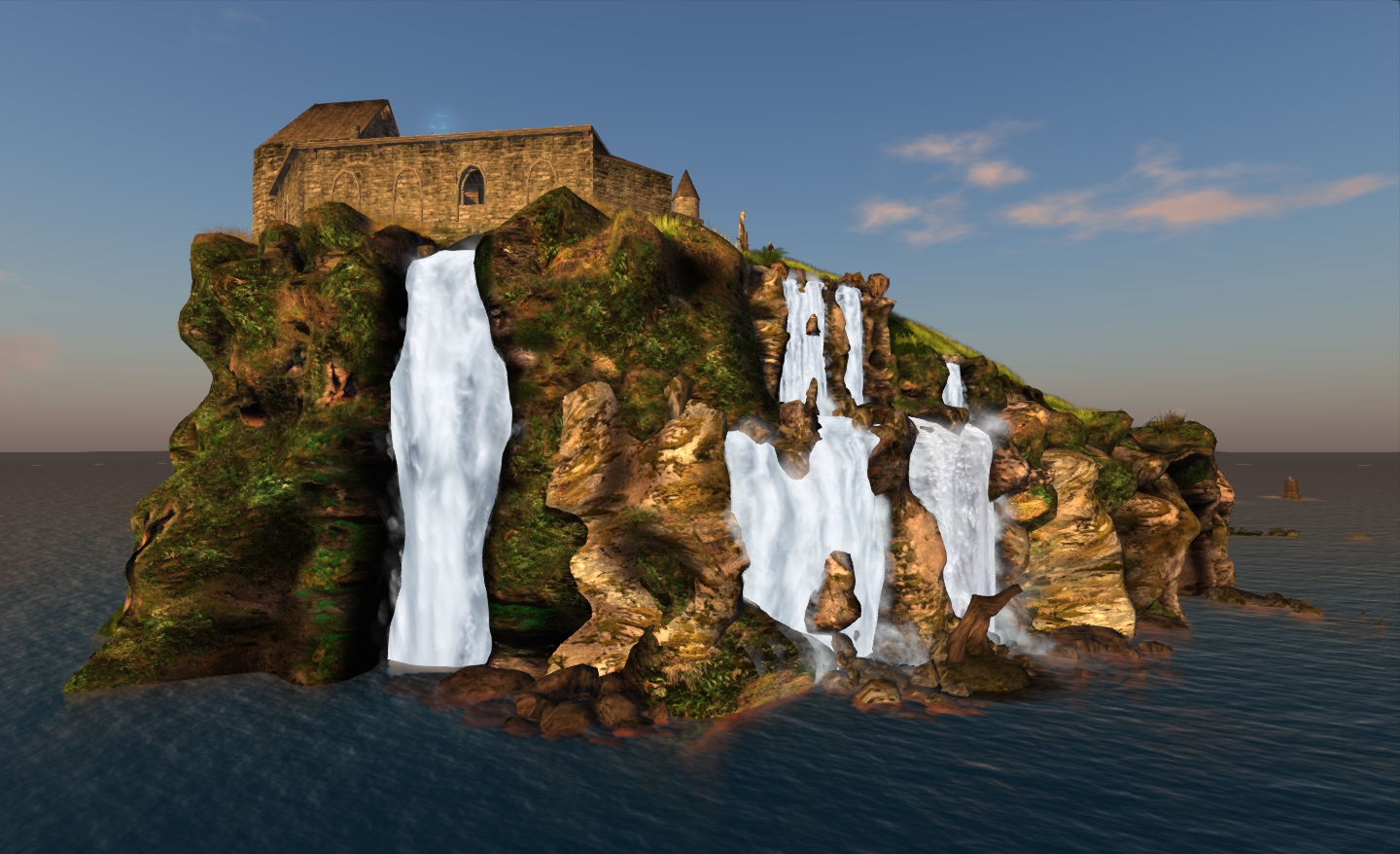
Annon across the causeway – the monastery and castle
It is one of four sims owned and operated by Fallen Gods Inc., the others being Athan, Aear and Selidor – the last being home to the Fallen Gods store, owned by Alia Baroque. All four sims are Alia’s creations, and all are beautifully themed, presenting great opportunities to explore for romantics and photographers alike.
There are a number of arrival points within the estate; Annon’s brings you to a location just below a ruined monastary. Rezzing can take a little bit of time depending on your Viewer, but once complete, you can walk up to the ruins and explore them or admire the view across the water to the towers of an isolated castle, or out towards Athan to the south. Be careful when wandering the grounds immediately around the ruins – a lot of the rocks are phantom, so you can find yourself unexpectedly taking a rapid downward trip – especially near the waterfalls.
Annon: waterfalls and monastery ruins
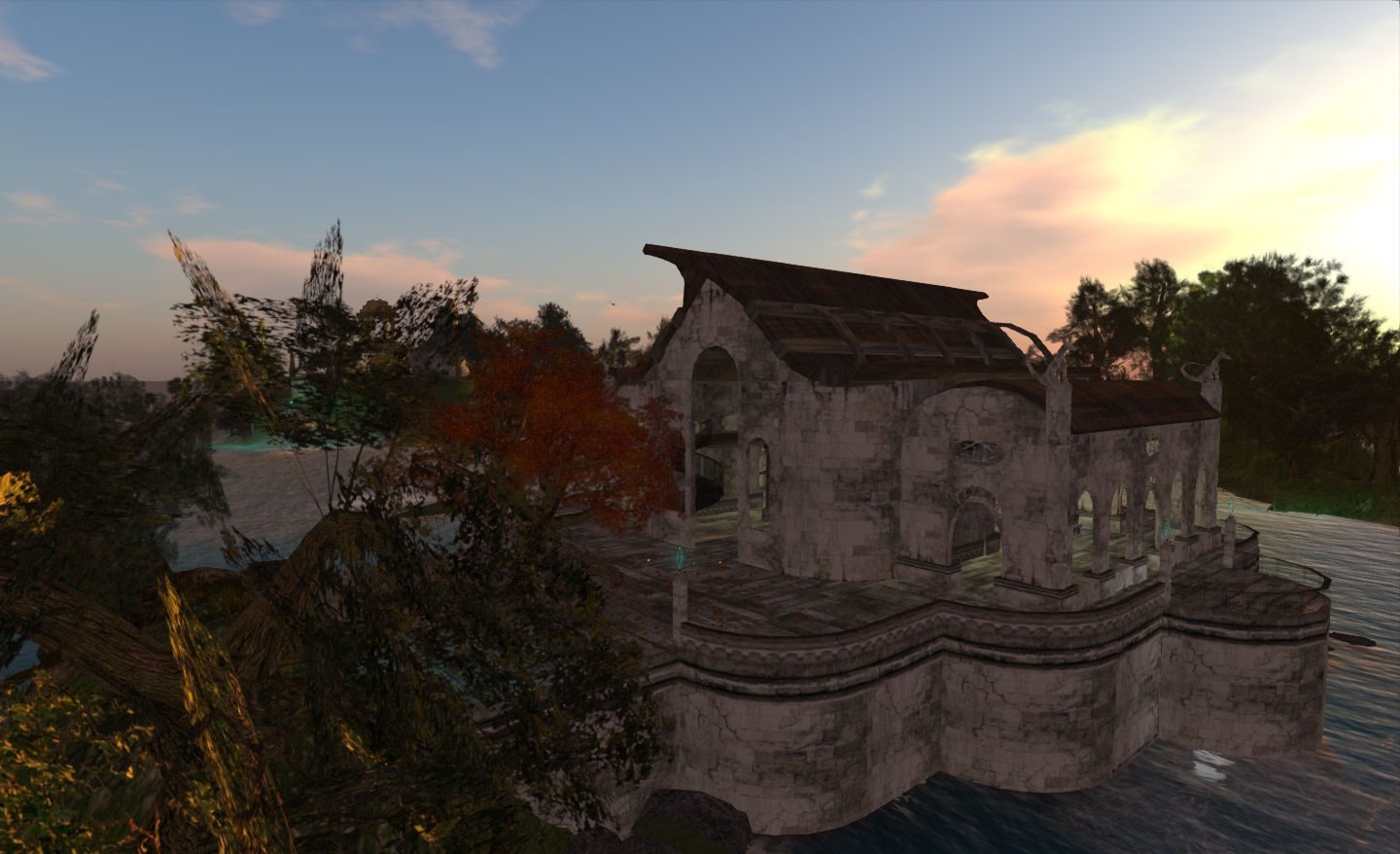
The monastery stands on a lonely promontory, with a semi-submerged causeway leading south and to Athan, a group of small and large islands that can be explored, and which offer an assortment of places to visit – such as the “library / chapel” lying just to the east of the main island. This offers wonderful views across the water to the monastery and castle as well as offering a place to dance (to the music of a double choired harpsichord). Go downstairs and you can peruse the library or sit in quiet contemplation in the chapel-like area, or enjoy and sit and a chat.
From here, you can also take a rowing boat (by Lia Woodget wonder), and row your way around the sims. Using this to reach the castle will take you past the Pelican, one of Lia’s tall ships, which I imagined sailing aboard from Black Spot to Athan.
The “Pelican” sails …
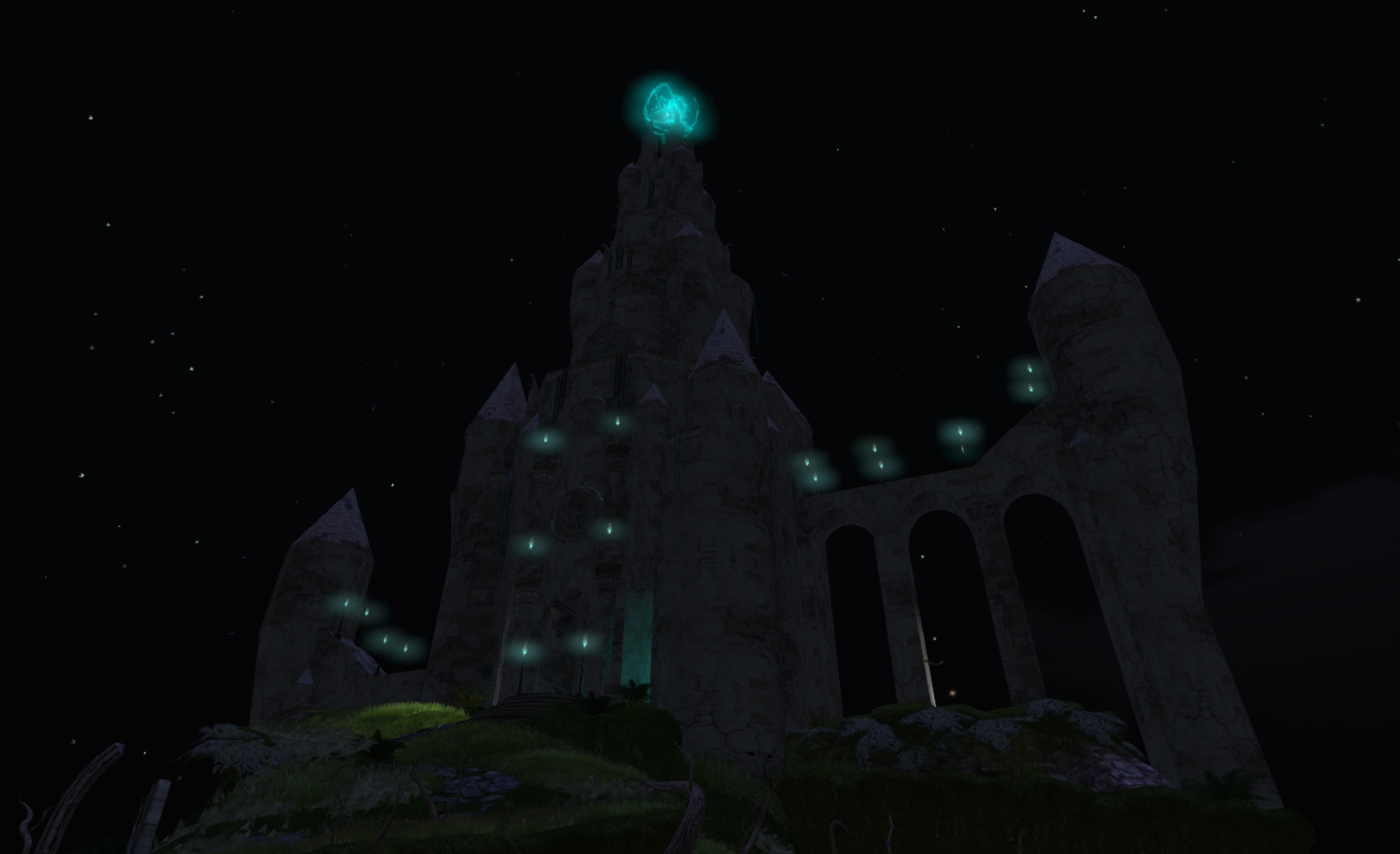
The castle itself is a little odd: tall and graceful with commanding views from the towers, it’s a little cramped on the inside in places, and the spiral and straight ramps can be a little tricky for those using the default camera settings. However, the upward climb is worth it for the photo opportunities (or you can cheat by camming 🙂 ).
Down below lay the dungeons, which appear to have been converted for use as a possible club area – at least according to the Destination Guide, although there are few overt signs that this is the case.
From here, even if you used a rowing boat to reach the castle, the only way back is to fly – which is a bit of a shame in some respects – rowing or sailing would be more fun. One way back is to fly over to the monastery promontory and then use the causeway to reach Athan; you may get a bit wet, but there are good opportunities for photography along the way.
The largest island on Athan similarly offers excellent opportunities for the photographer in amongst the trees and plants, and presents a pleasant walk as you progress south towards Selidor.
The castle by moonlight
At the north end of Selidor, a little to the east of the closest point between Selidor and Athan, you can grab a sailing skiff and explore – but be warned! The skiff has a habit of sinking out from under you if you stop at any point along the way!
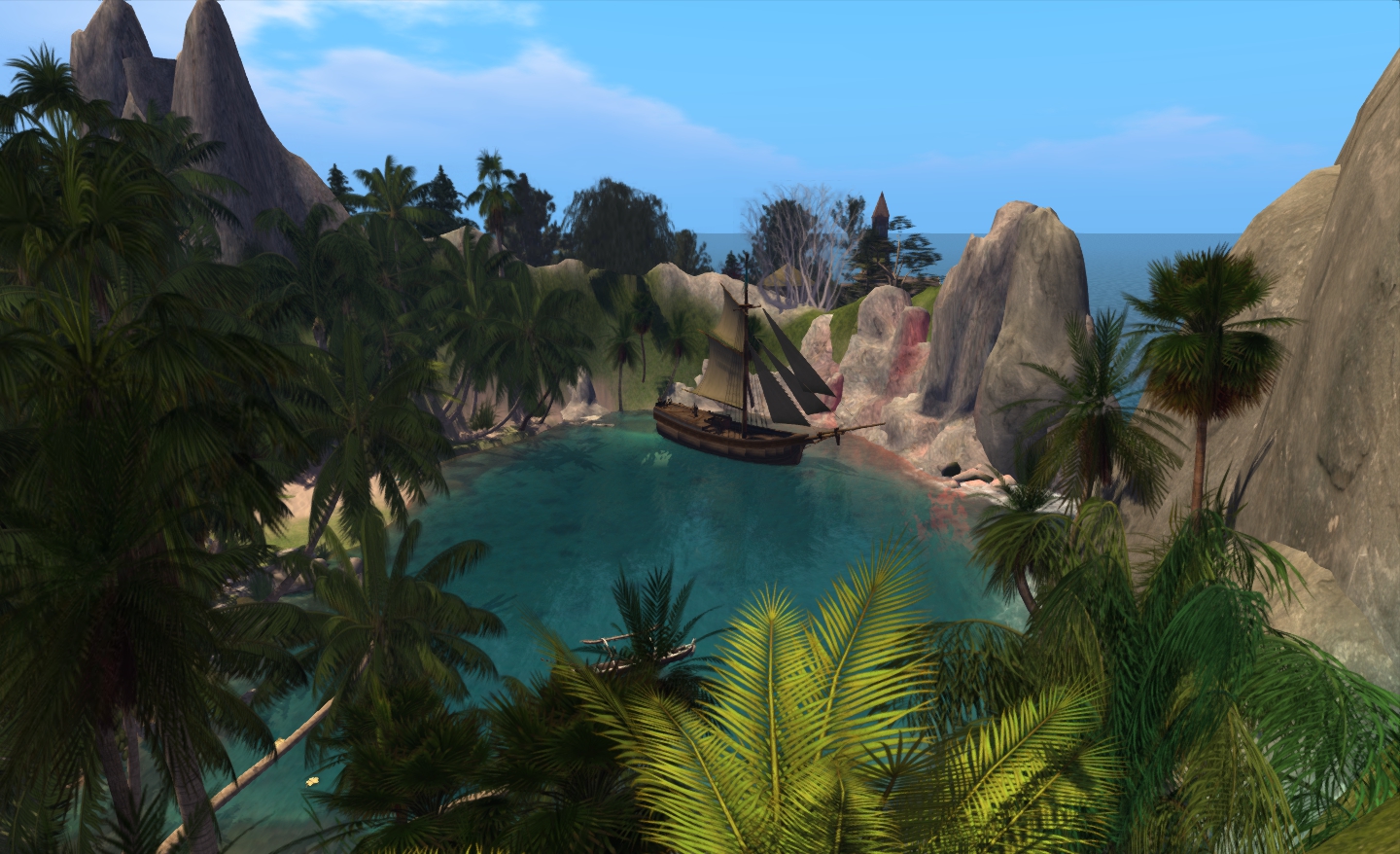
Selidor is the home of the Fallen Gods main store, and the largest land mass in the group. The store itself is cleverly hidden, and the island is beautifully landscaped and terraformed in keeping with Annon and Athan, again offering a lot to see and enjoy.
Selidor cove
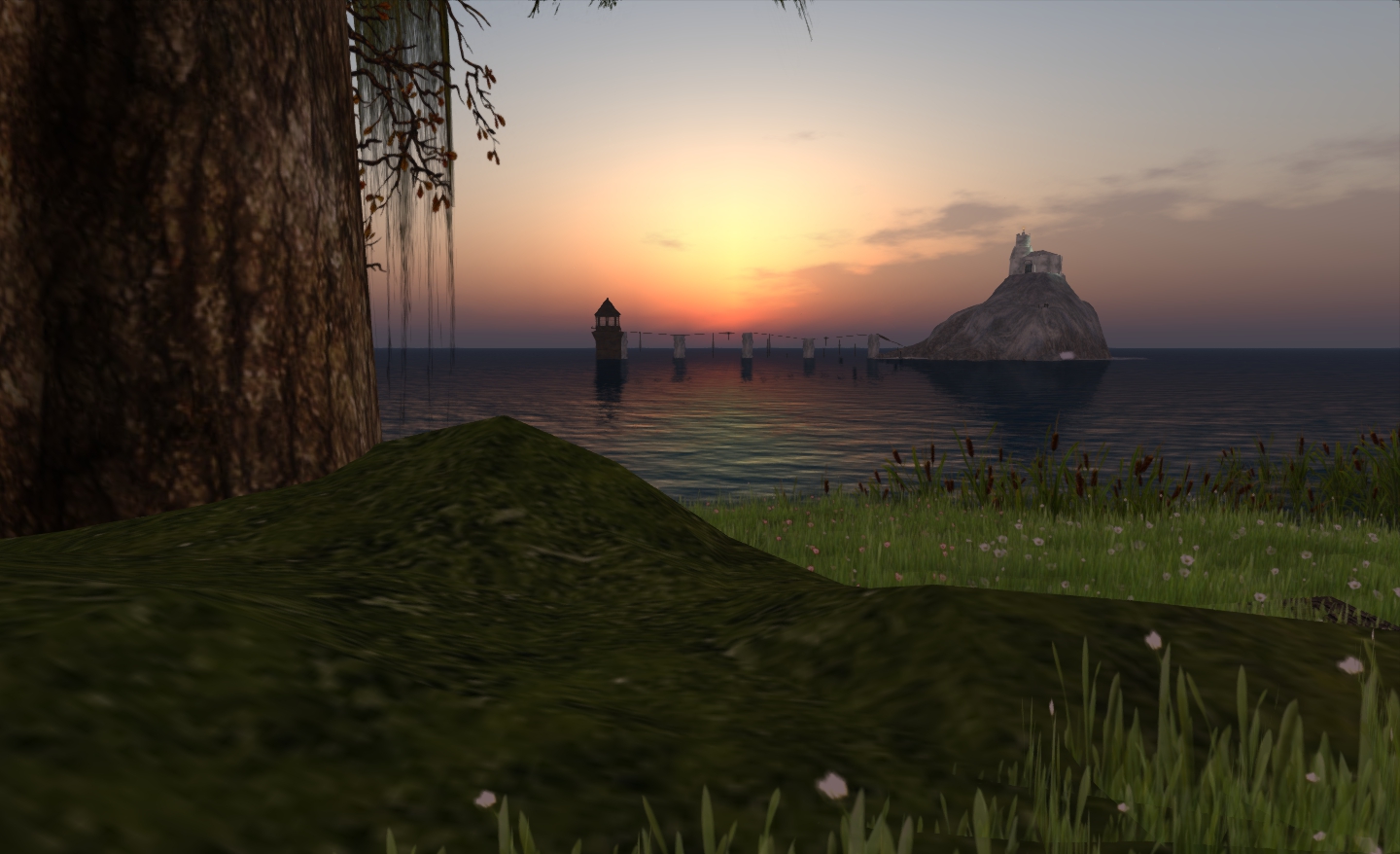
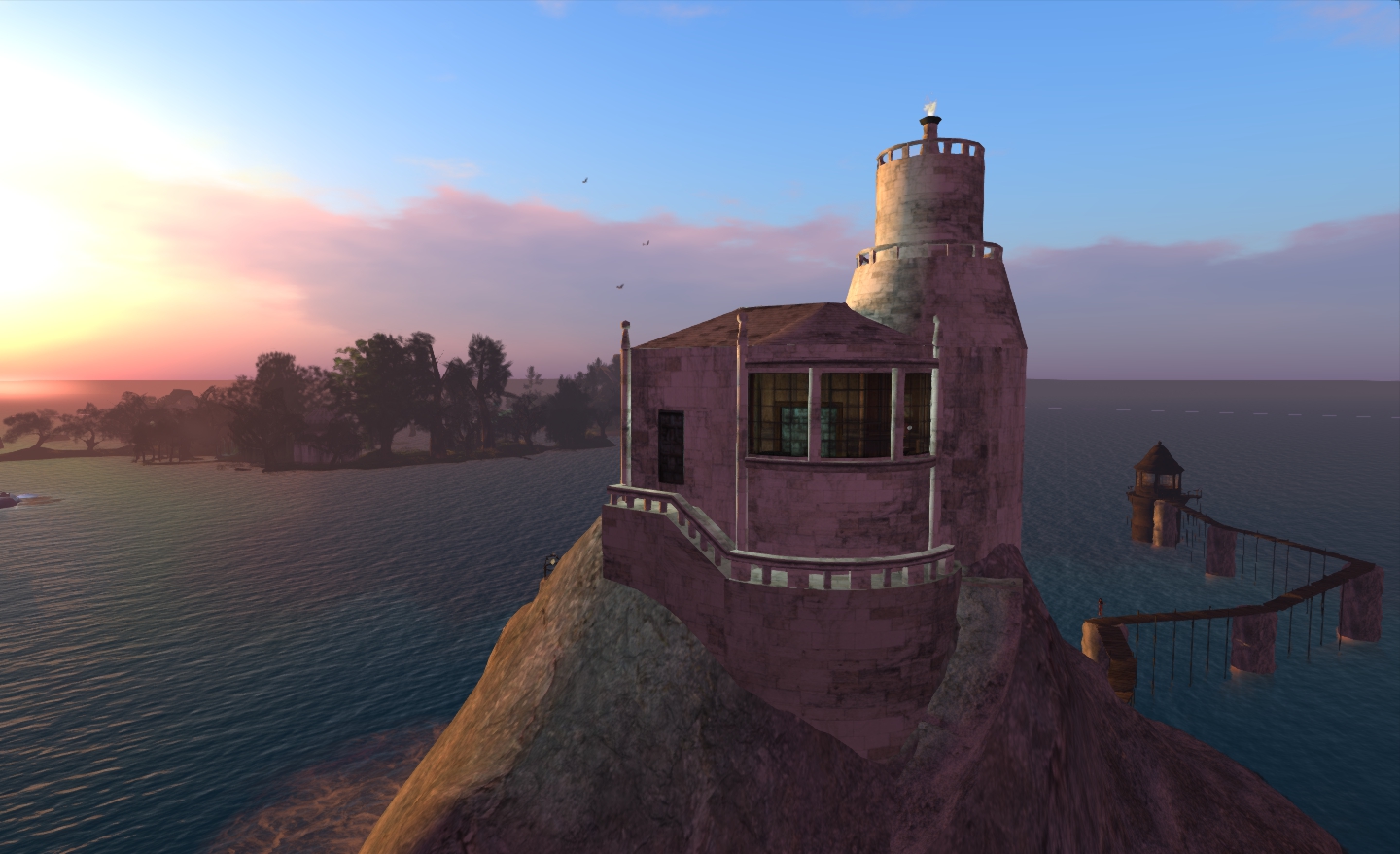
All-in-all, there is much to see across the sims – and I’ve not really mentioned the options for romantic dancing, such as out in the bay on Athan, with the lighthouse of Aear as a backdrop – or viting the lighthouse at Aear itself.
The lighthouse at Aear
For photographers in particular, there is a lot to recommend the estate – especially when you have the sun set to “sunset”, as I have for the majority of the pictures here. I would suggest exploring the regions with your sound turned on, as care has been taken to create a soundscape that gives an added depth to explorations.
It would be good to have more in the way of rowing / boating options to get about – flying seems to be cheating – but this is something of a minor complaint. When using both the rowing boat and the sailing skiff, I found the region crossings to be very smooth and painless (although neither type of boat was allowed into Aear).
I enjoyed my explorations, and will doubtless be back in the future.
In-world, I tend to build my own homes (and bore people reading this blog with the details…!). But ever since I came across it while looking at the slow spread of mesh, I’ve been fascinated with a mesh house designed by Novocaine Islay (who has in fact supplied one of my past houses). As I didn’t splurge over Xmas in-world, I decided to treat myself and give the house – called Jewell – a closer look.
Packaging
Like all of Novocaine’s houses, the unit comes in a neat “cardboard box” of “house bricks” you unpack to inventory to reveal a rez-faux unit, and various other goodies (in this case a radio, the “helper” and the expected notecards).
The rez-faux containing the house elements and furniture is perhaps the biggest I’ve seen, standing about 6m tall from base to highest point! One possible reason for the size of the rezzer is to make it easier to select for repositioning purposes once the house is rezzed.
The House
The house has a footprint some 30×15 metres, making it ideal for smaller parcels / skyboxes. Unlike some of Novocaine’s builds, there are no extensive grounds – although there is a front patio, complete with potted sculpted plants and modest pool.
The exterior textures are a little flat in terms of colour, but beautifully detailed nonetheless, with baked shadowing that adds to the feel and look of the place.
Jewell house on my build platform
Inside you get two rooms – a lounge downstairs and bedroom upstairs (with a bath area at the back), linked by a spiral staircase. One is able to move around freely inside and get up and down the stairs without issues. The doors (one to the house itself, the other to the upstairs balcony) are individual prims, as are the stairs & helper.
The house comes fully furnished – all of it removable, so if you prefer to use your own, you can. The furniture comprises a sofa with multiple seats and an MLP cuddle selection, a chair, fireplace, cushion, rugs, vases and plants in the lounge; upstairs is a double bed with pose system, rugs, a bath, modesty screen and plants.
Lounge
The total Land Impact for the house is 91. Remove the furniture and plants and this falls to 52, of which the main structure of the house (walls, floors, roof, patio, windows (tintable), and balcony) is mesh at 29 (remove the rezzing script and this drops to 14), the rest is the lighting, doors, stairs, pool water (with MLP) and window frames. Even at a Land Impact of 91, the house is hardly breaking the bank, and tends to stand as proof that mesh can be used to provide “low prim” builds.
Bedroom
Overall, Jewell is a nice, clean design, and with a price tag of L$350, represents very good value for money, and is in keeping with Novocaine’s overall price range. Certainly, and taking into consideration all the options and extras, it stands as a practical demonstration as to what can be achieved using a combination of mesh and prims without a massively heavy LI.
That said, I’m not sure I’ll be using my new mesh house right away – not because I have any issues with it, but simply because I’m still enjoying my time living in a rock. But I have to admit, the temptation is there to give it a go…
On the balcony
The Jewell house is available from Inside, by Novocaine Islay both in-world and via the Marketplace.
Specfications
30×15 footprint
Land Impact 91, fully furnshed
House elements Land Impact 52
Permissions: Copy / Mod
Price (at time of going to press): L$350
Note: with the exception of the balcony shot, all photos of the Jewell house were taken with deferred rendering and shadows disabled to help show the texture baking and effects.
When reviewing the Beta 6 release of Exodus, I missed an issue with Alpha textures. This was reported to the team, who immediately set to work on fixing the problem and taking care of a few other issues. The result is that there is now a new release 12.01.03.1 – Beta 7) available for download.
Specific fixes comprise:
Water no longer renders black (white under AMD hardware) under certain circumstances
Alpha blended fullbright objects no longer render white under certain circumstances
Eyelashe rendering correct so they no longer show as white under certain circumstances
Fullbright on rigged meshes now gamma correct in Gamma Correction
Fixed alphas on fullbright requiring gamma correction
Fixed projected textures not being gamma corrected
Fixed rigged meshes not being gamma corrected properly under most circumstances
Fixed cases when using forward slash in chat played typing animation.
Further, the team have made the following changes / additions:
Changed default inventory icon style to the original icons
Modifications in attempt to clean up the preferences window and remove old UI preferences
Changed maximum shadow quality to 4.0, as requested
Sun/Moon light color is now gamma corrected when gamma correction is enabled
Added “refresh texture” feature from Firestorm Viewer
Added option to see threat indicators in third person
Added more adjustable settings related to glow, ambient occlusion and shadows to the visuals window.
Exodus runs extremely well on my PC, and as there is a new release that fixes a few things, I gave it a quick spin photo-wise at Black Spot. I think you’ll agree, the results are impressive.
Shaders active, no deferred rendering or other effectsWith deferred rendering active – note the local lights from the ships and the quays reflected in the waterWith deferred rendering active, plus high precision options of gamma correction and tone mappingDeferred rendering, high precision actrive and vigette set to .870
Beta 7 ran at 38fps on High at Black Spot, dropping to 11 with deferred active; turning on the high precision options did not further impact performance. I’ll attempt to run my “comparison test” on the release tomorrow.
 After a promising start, and with some great updates in release 3.2.6.7 (mesh deformer, Firestorm build floater, visuals and other elements from Exodus, etc.), Milkshake’s “public” development has ceased – which is a shame however you look at it.





 Inara Pey: Living in a Modemworld