Second Life Discord Server open to all & how to join

via Linden Lab

Following the announcement made during the March community Round Table (summarised here with video), the official Second Life Discord server has now been opened up to access by any Second Life users wishing to join it.

Whilst also being YACTF (yet another channel to follow) which comes on top of the blogs, forums, social media feeds etc., that Linden Lab tends to variously (and at times inconsistently) use for communications, the Discord server also presents broader means for SL users to connect with one another, share information, and keep abreast with events and activities (official or otherwise) within Second Life / at Linden Lab.

In particular, the Lab’s official blog post on the opening up of the server gives the following reasons for participating on it:

  • Stay Updated: get the latest news, updates, and announcements directly from Linden Lab.
  • Community Interaction: join discussions, participate in events, and meet other residents from around the virtual world.
  • Exclusive Channels: access dedicated channels for various interests including channels for creators, bloggers, newcomers, and more!
  • Community Support: seek assistance and advice from other Second Life users.

To gain complete access to the server you will need to:

  • Have a Discord account – you can set this up when accessing the Second Life server if you do not already have one.
  • Join the Second Life server.
  • (Optionally) link the Server with your Second Life account for access to all the available channels on the server.

Accessing the Second Life Discord Server

  1. Follow the https://discord.gg/secondlifeofficial link.
  2. If you do have a Discord account, skip to Step 3. Otherwise, follow the steps to create one:
    • Provide a Display Name at the pop-up (user name) and accept the Discord Terms of Service / Privacy Policy (follow the links to read both!).
    • Verify you are not a robot.
    • Provide a birthday.
    • Enter a valid e-mail address and create a password for your account.
    • Respond to the verification e-mail to confirm your e-mail address.
    • If required, get and install the Discord Desktop app (or just access Discord through your browser).
  3. You will be invited to join the Second Life Discord Server.
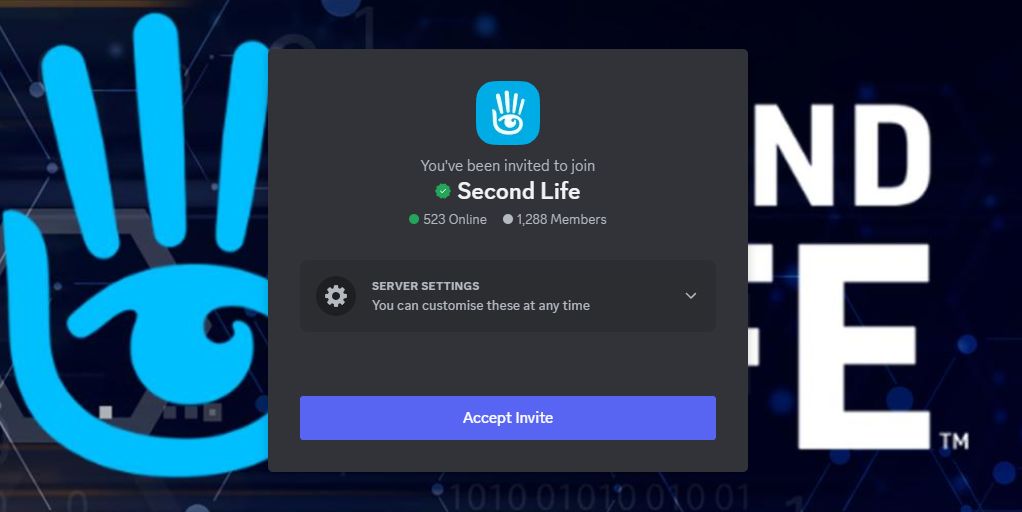
Accept the invite to join the Second Life Discord Server
  1. Specify (or skip for now):
    • Your preferred language.
    • Your Second Life interests (you can select some / all of the available options).
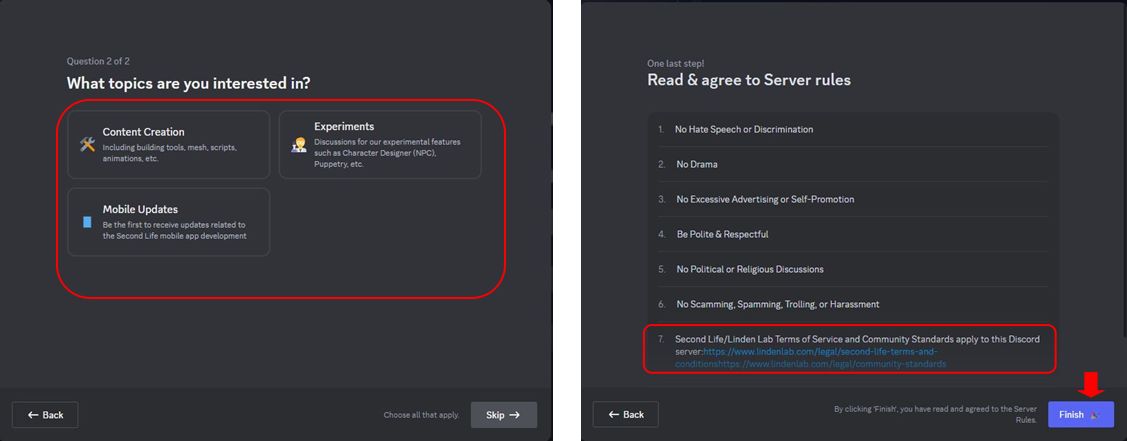
Joining the Second Life Discord Server: interest options selection and rules and requirements pop-up
  1. Access the server on clicking Finish.
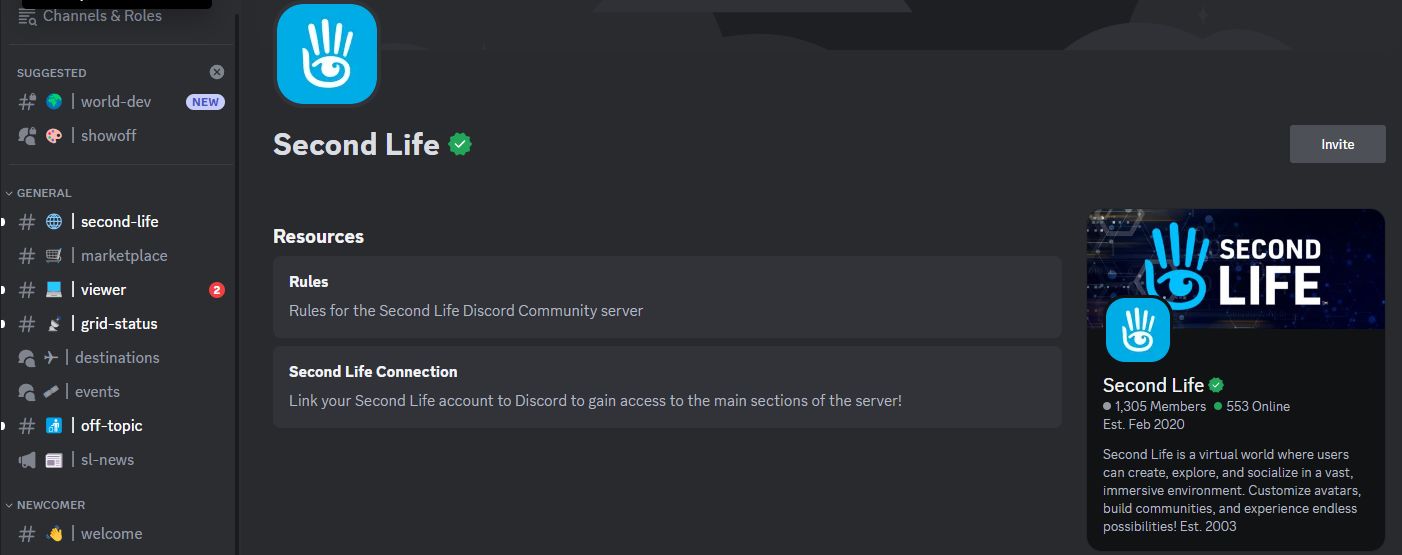
The Second Life Discord Server

Linking Your Second Life Account with Discord

  1. Click on the Second Life Server name in the top left corner of the Discord window to open a drop-down menu.
  2. Click on Linked Roles in the menu to open the Connect Your Accounts pop-up.
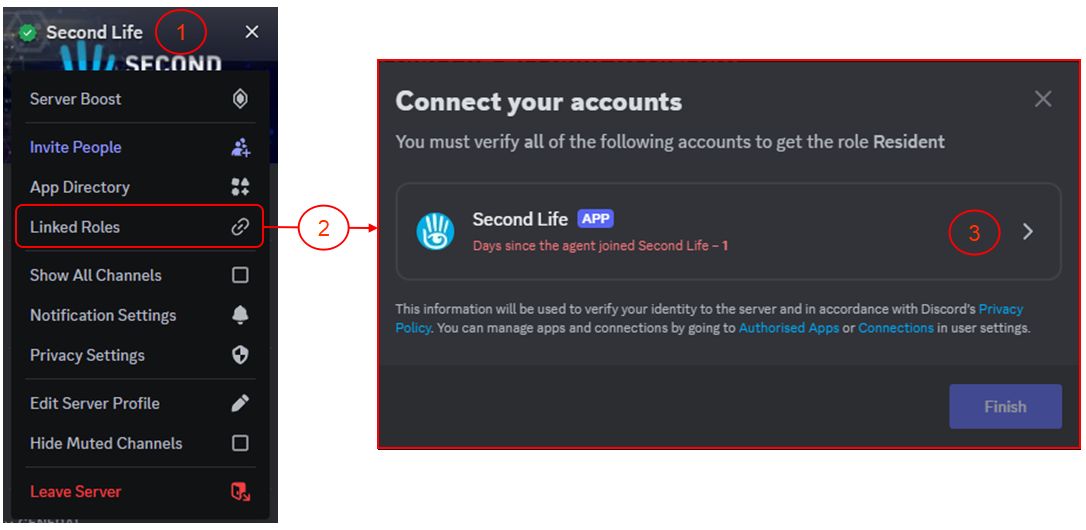
Linking your Second Life account to your Discord account (1)
  1. Click on the Second Life APP link.
  2. A pop-up will be displayed indicating you are leaving the Second Life Discord Server using the link support-dot-secondlife-dot-com with the option to trust the link which you can optionally check.
  3. Click on Visit Site to open a pop-up with the Second Life web log-in (and note the URL at the top of the pop-up to ensure it is genuine).
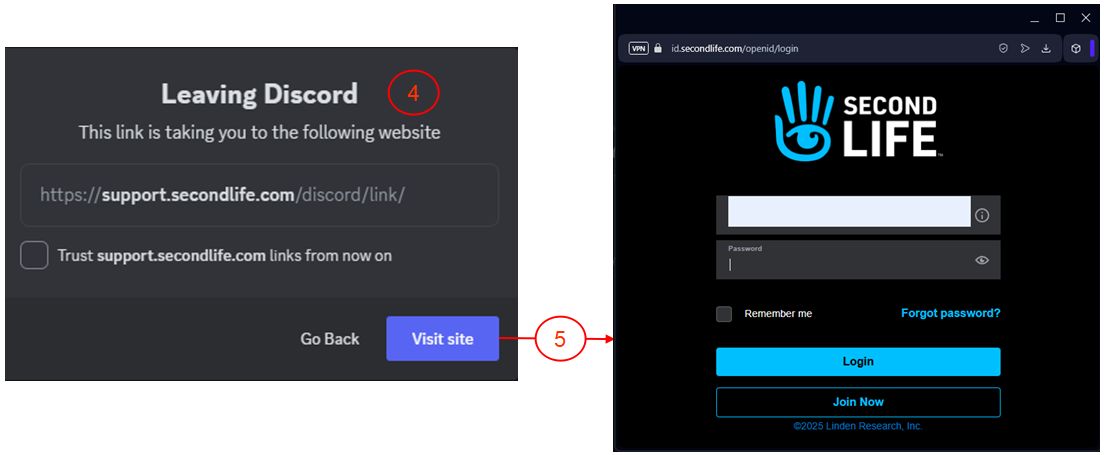
Linking your Second Life account to your Discord account (2)
  1. Enter your Second Life log-in credentials (note: if you use MFA, you might be asked to provide an authenticator  Token).
  2. You will be asked to authorize linking your Discord account with your Second Life account – note you must scroll down the request in order for the Authorise button to activate.
  3. A message is displayed, indicating the link has been successful, and you can close the pop-up.
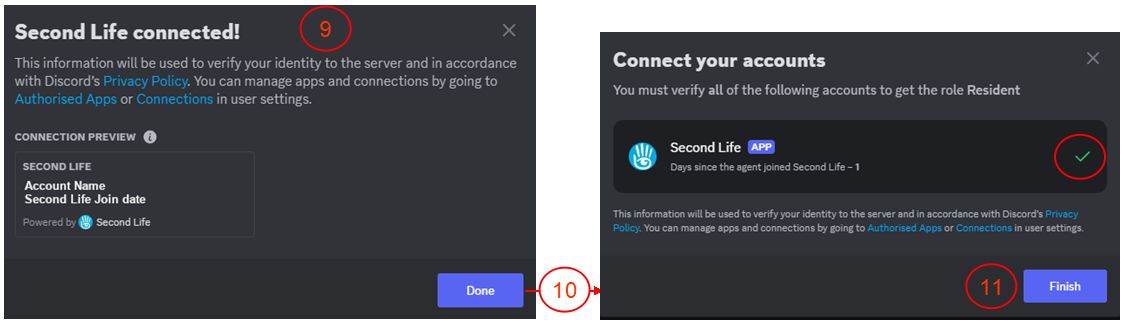
  4. A further pop-up will be displayed, confirming the connection is successful, as well as containing additional useful links.
  5. When you have finished with this pop-up, click Done to be taken back to the Connect Your Accounts pop-up, which has been updated with a tick to indicate the connection.
  6. Click Finish to close the connection.
Linking your Second Life account to your Discord account (3)

Unlinking your Accounts

To Unlink your accounts:

  • Make sure Show All Channels is checked in the Server drop-down menu.
  • Click on sl-connection under the Resources heading in the left side channel list.
  • Scroll to the bottom of the page and the section How to Disconnect Your Second Life Account from Discord.
  • Click on the specified URL to unlink your accounts.
  • The accounts will be unlinked and a message displayed (in a new browser tab if accessing Discord via your browser) indicating your Discord and Second Life accounts have been unlinked.

Lab officially announces Lua Alpha testing

via Linden Lab

On Friday, March 14th, Linden Lab officially announced the Second Life Lua Alpha, with testing now available on Aditi, the Beta grid.

Now officially referred to as SLua (SL Lua), this is a project to replace Mono as the back-end scripting language, utilising a version of the Roblox-derived Luau scripting language, which Linden Lab has been working on developing for some time now (as noted within updates in this blog, such as my Simulator User Group summaries), and this Alpha project is to allow early testing of the capability.

Note: this is the server-side scripting implementation of Luau, not the in-viewer support for Lua. This latter work is still in development, and will be subject to future updates from the Lab.

General Notes on Testing

  • The Aditi regions running Luau support are: [Luau Yardang], [Luau Tombolo], [Luau Mesa] and [Luau Tideland].
    • These support both native Lua scripting and compiling LSL to Luau VM.
    • Make sure your Viewer shows the Beta Grid in your login options. To do this:
      • Go to Preferences → Advanced and select Show Grid Selection at Login.
      • Then re-log, selecting Second Life Beta Test Grid from the drop-down under Last Location in the splash screen. Note you might need to log in twice the first time so your inventory can properly sync.
  • A Luau-capable viewer is required – download the latest from the Second Life Alternate Viewers page.
    • This viewer will work on any region in SL, but will only compile scripts to Luau on the Aditi regions noted above.
  • Additional general notes:
    • SLua scripting is in early development. Memory and performance characteristics, and API specifics may change! Regions will crash and it’s possible you may lose content if you don’t save often into inventory when working on the beta grid. Error reporting when compiling scripts from LSL to Luau is “quite spartan at the moment”, but will be improved “in the next update or two”.
    • If objects with compiled Luau script assets are rezzed in a non-Luau region, they won’t work.

Luau Resources

SLua Contest

To help promote SLua testing, Linden Lab is, from Monday, March 17th, 2025, running a creator contest to demonstrate the potential and capabilities of the language. with L$170,000 in prizes. For details, please refer to the official blog post for full details. Awards will be determined by committee in April, and winners as well as runners up will be highlighted on official Second Life news sites and social media.

Linden Lab announces March 2025 Community Round Table

Adapted from Linden Lab

Updated, March 12th: The venue for the Round Table has changed, and the venue details below have been updated to reflect this.

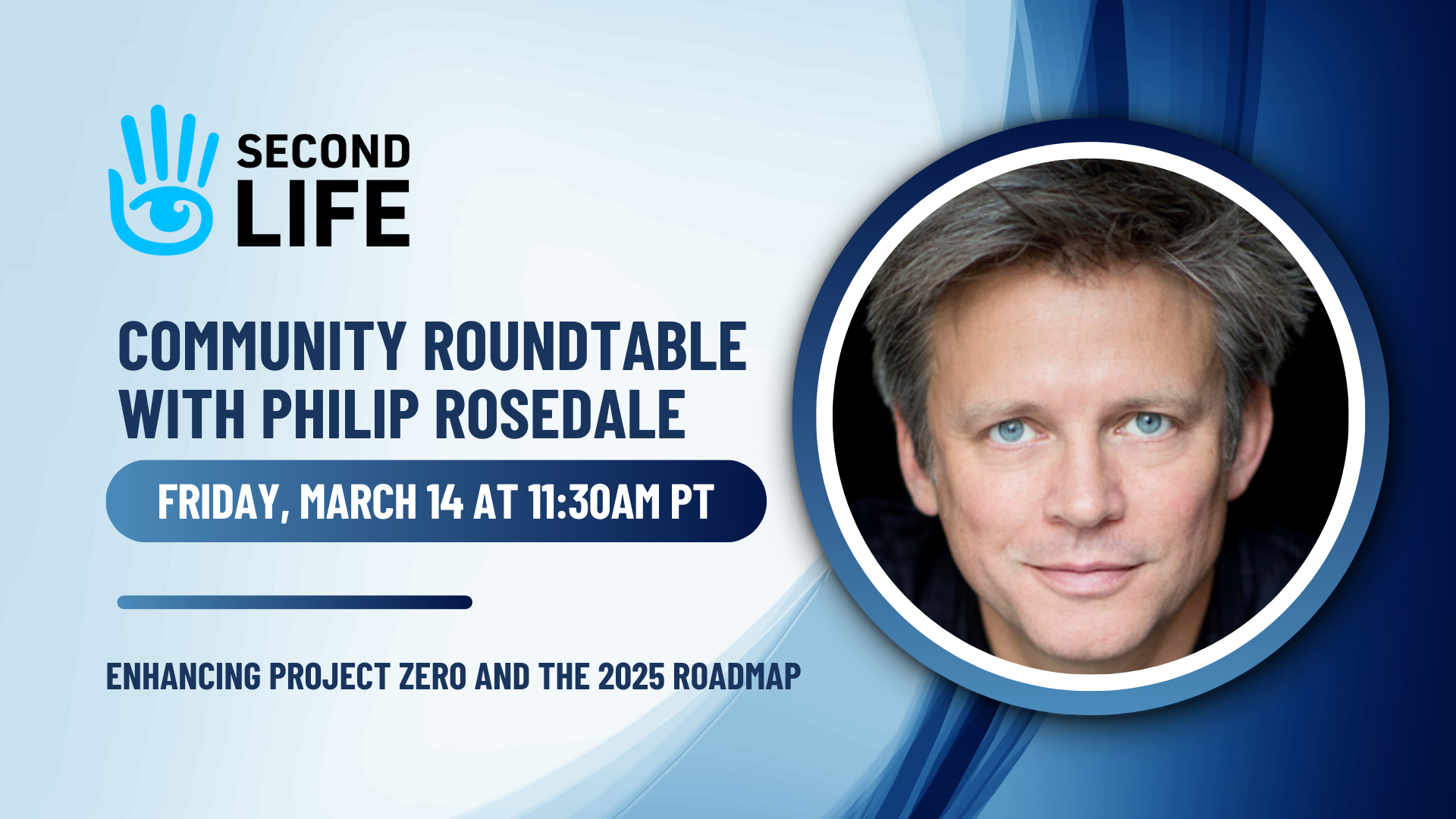
After a recent pause in holding them, Linden Lab has announced the date and subjects for the their next in-world Community Round Table meeting.

From the official blog post:

Project Zero is a significant step towards making Second Life accessible directly through web browsers. Following your feedback, we’ve made substantial progress in enhancing the platform’s performance and usability. During the upcoming Community Roundtable, Philip Rosedale will share some news about these developments and the project roadmap. The Product and Engineering teams will also talk about the overall Roadmap and strategic vision for Second Life in 2025. 

Question from user are invited on the subject, and those wishing to submit a question in advance can still do so via this anonymous form. As usual, I will endeavour to provide a written summary† of the event as soon as I’ve collated notes and quotes following the event.

via Linden Lab

†While they are not officially representative of the Lab or these meetings, please note that I attempt to provide summaries of meeting such as this, and for a number of user group session within these pages.

Seraphim, AI Character Designer round-out “Membership Mania” Month

Character Generator (see below) – via Linden Lab

On Monday, February 24th, Linden Lab announced the final rounds of perks and enticements in their February “membership mania” promotion to encourage users to subscribe to the Second Life membership tiers (Plus, Premium and Premium Plus). This is the third such announced for the month, and comprises the following:

SeraPlus – In Association with Seraphim

via Linden Lab

SeraPlus is an all-new exclusive perk in partnership with Seraphim and available to Plus, Premium, and Premium Plus members intended to bring subscribers “all new exclusive, high-quality virtual items from some of Second Life’s top creators”.

Starting in April, Plus, Premium, and Premium Plus members will be able to claim their new perks inworld at the Seraphim region including:

  • Quarterly SeraPlus Boxes: Four times a year, members will receive a curated box filled with exclusive virtual creations from some of Second Life’s top creators.
  • Monthly Exclusive Gifts: For each of the remaining eight months of the year, members will receive one additional exclusive item created in partnership with a top creator.

Expanded Access to the Updated AI Character Generator & More Profile Picks

Expanded Access to the AI Character Designer

At the end of 2024, Linden Lab announced the Alpha release of a new AI Character Generator utilising Convai, a platform for developers and creators proving an intuitive approach to designing characters with multimodal perception abilities in both virtual and real world environments. At the time, the service was only available to Premium Plus subscribers – although it was suspended shortly thereafter so it might be overhauled in response to feedback (see: Linden Lab leverage Convai for AI character generation in Second Life).

With this announcement, the Character Designer is re-launched, and is now available to all three subscription tiers: Plus, Premium and Premium Plus.

Members can now access this innovative tool to craft and customize virtual characters with intelligent responses, unique personalities, and immersive roleplay capabilities. It’s an exciting way to enhance community-building, storytelling, and social interaction in Second Life. While still in development, we’re excited to give a wider audience early access to this experimental creator tool.

– from the Lab’s official announcement

Profile Picks Increased for ALL Second Life

  • In response to multiple requests from users, Linden Lab will be increasing the number of Profile Picks users can have from 10 to 20.
  • This will require a simulator update, and so the capability will be rolling out “over the next couple of weeks”.

Membership Mania Offerings

As noted, the above is the third such multi-part promotion linked to Second Life subscription tiers, with the first two being:

In addition, at the start of the month, the Lab released the latest Premium Plus Linden Home “Thousand Islands” theme – see A look at the Thousand Islands Linden Homes theme in Second Life.

Links

Further Second Life “membership mania” from Linden Lab

via Linden Lab

On Tuesday, February 18th, Linden Lab announced a further set of rewards and perks for Second Life subscribers / members as a part of their February “membership mania” promotion. Coming on to of the announcement of expanded membership perks on February 10th (Lab announces Second Life “membership mania”), this sees the Lab announce:

  • Free Mesh Uploads for Premium Plus Members.
  • The chance to win one of three gaming PCs.

Free Mesh Uploads for Premium Plus Members

  • This has been promised since shortly after the introduction of the Premium Plus membership level in June 2022 (see: Second Life Premium Plus launches + some notes; updated).
  • This capability is added to Premium Plus members being able to upload textures, animations, and sounds without fees.
  • Mesh items can currently be uploaded for free at the  Radiantia Sandbox – however, the capability will be rolled out across all regions, so that Premium Plus members will be able to upload mesh items from anywhere on the grid.

 PC Giveaway

Important: for specifics on the giveaway, including AMOE, drawing and odds, and other rules and requirements – please refer to the Lab’s official blog post.

  • HP OMEN 45L Intel i9 RTX 4090 Gaming Desktop

    Between now and 23:59 SLT on February 28th, 2025, the Lab is holding a giveaway of three gaming specification desktop PCs comprising:

    • For Plus members: Thermaltake LCGS Quartz i460 R4 Gaming Desktop with a stated value of US $899.
    • For Premium members: Skytech Gaming PC Desktop with a stated value of US $1,999.
    • For Premium Plus: HP OMEN 45L Intel i9 RTX 4090 Gaming Desktop, with a stated value of US $4,679 USD.
  • All eligible Plus, Premium, and Premium Plus members are  automatically entered into the giveaway to win the PC in accordance with their subscription membership.
  • In addition, the Lab offers an Alternate Method of Entry (AMOE) via mail, and entries must be received by 23:59 SLT on March 9th 2025.
  • Due to local regulations and/or restrictions, this promotion is not open to residents of the following countries: Belgium, Italy, Brazil, Poland, Russia, India, China, Hong Kong, Saudi Arabia, the United Arab Emirates, and any country under U.S. embargoes or trade sanctions.
  • Winners will be solely responsible for any applicable taxes, duties, or import fees, and for the submission of required paperwork (US: Form W-9 – Request for Taxpayer Identification Number and Certification; Non- US: Form W8-BEN – Certificate of Foreign Status of Beneficial Owner for United States Tax Withholding and Reporting (Individuals)).
  • Again, please refer to the official blog post for full rules / requirements and notes on the giveaway.

Links

Lab announces Second Life “membership mania”

February “Membership Mania”: Linden Homes for Plus Subscribers, formal announcement of SL Mobile Streaks awards and increases to a range of limits

On Monday, February 10th, Linden Lab announced a further set of rewards and perks for Second Life subscribers / members (that is, those with a Plus, Premium or Premium Plus account).

SL Mobile Streaks Rewards

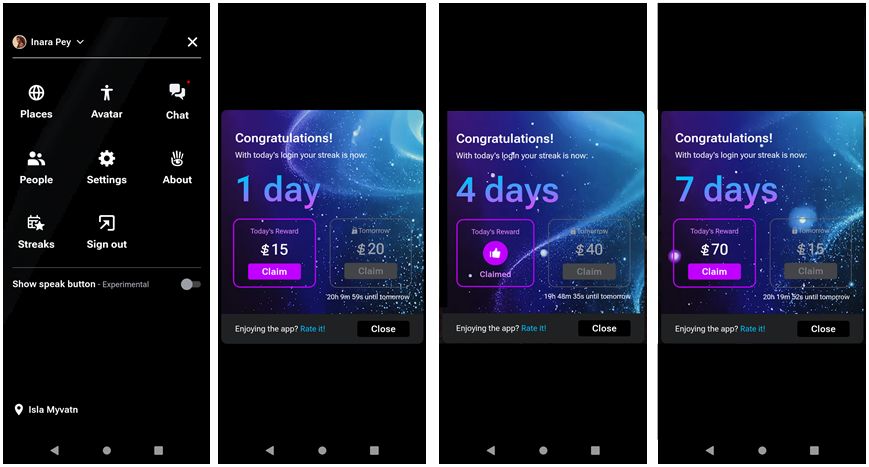
The announcement formally announced the Streaks rewards system – here defined as a “limited time” perk – which rewards subscription account holders with modest L$ payments in return for logging-in to Second Life daily.

I’ve actually covered the Streaks rewards in some detail in Looking at Streaks reward testing on the SL Mobile app during testing, but in short:

  • Opt-in and log into SL via the Mobile app when logging-in via it daily over a 7-day period and receive incremental L$ rewards (L$15 on the first day after opting-in the Streaks, L$20 on the second, L$25 on the third, working through to L$70 on the 7th day), which can be claimed daily.
  • Miss a day, and the “streak” of log-ins will reset to 0 days and the daily amount to L$15.
  • After 7 days of increments, the “streak” resets to L$15 and 0 days, allowing you to start claiming the next 7 days of incremental amounts (again, up to L$70 on the 7th day).
Streak rewards on the SL Mobile app are available to all subscription account holders (Plus, Premium and Premium Plus), for “a limited time”

Linden Homes for Plus Subscribers

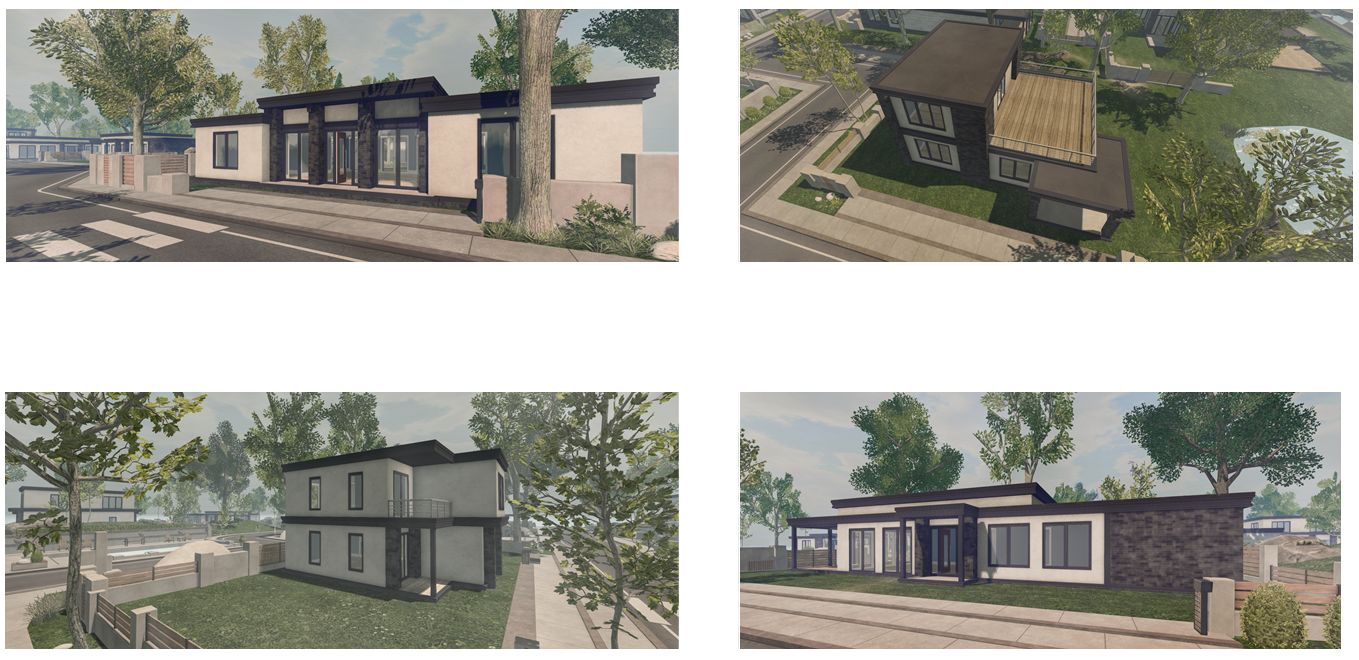
Second Life Plus subscribers can now participate in the Linden Homes benefit, with the 512 sq metre options in the following themes being available to Plus members:

Newbrooke: “modern container homes” – see here for a review – with the following styles available to Plus subscribers: Denver, Ender, Faraday and Gatewood.

The 512 sq m Newbrooke Linden homes (clockwise from top left: Faraday, Gatewood, Ender, and Denver

Sakura: Japanese themed homes – see here for a review – with the following styles available to Plus subscribers: Botan (or Benibara in open-plan form), Himawari (Haibisukasu in open-plan form), Kosumosu (Kinmokusei in open-plan form) and Tenjikubotan  (Tsubaki in open plan form).

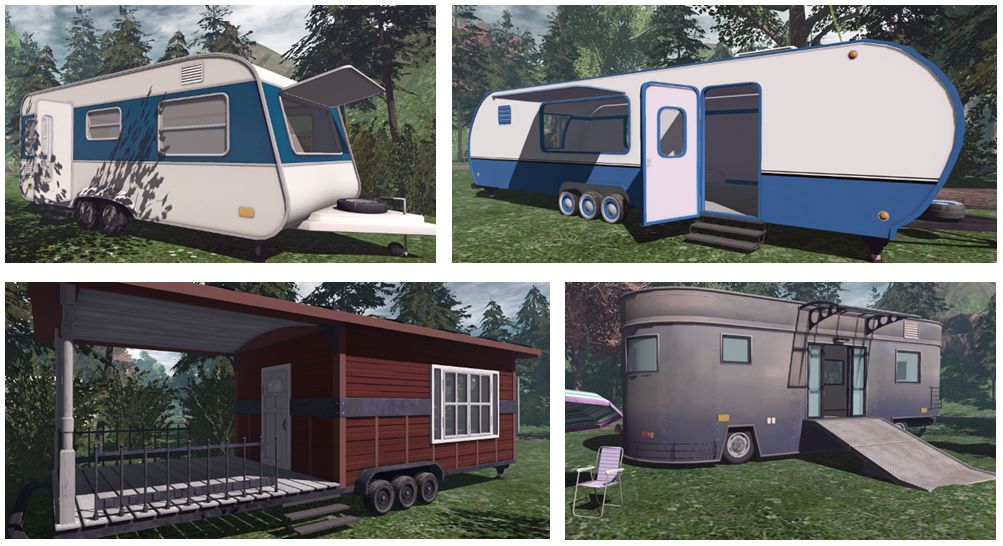
Camper: – all styles, but limited to the 512 sq m parcel size see here for a review.

Four styles of the Camper and Trailer Homes 

Remember: all Linden Home themes and styles – including those now available to Plus subscribers – can be viewed at the BelliHub Linden Homes demo area in-world. Availability of specific themes and styles can be found via the Linden Homes portal.

Linden homes Increased Land Capacity

All classes of Linden home  – Plus/Premium and Premium Plus now have increased parcel Land Capacity / available Land Impact, per the table below:

Land Capacity / Impact increases for Linden Homes. Credit: Linden Lab

Note that these Land Capacity updates may take time to be deployed across all Linden home parcels.

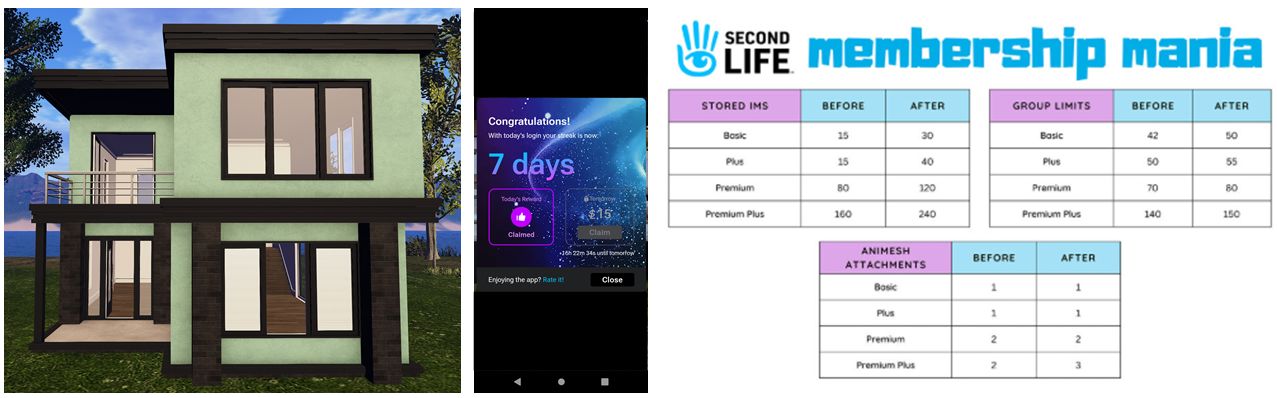
Increased Limits form IMs, Groups and Animesh Attachments

ALL account types – Basic through Premium Plus – see increases in some or all of the following: IM limits, Group limits, and allowed Animesh attachments, per the table below.

Increased limits as applied to account types. Credit: Linden Lab

Links