Lab launches Creator Partnership Programme

via Linden Lab

On Wednesday, April 23rd, 2025, Linden Lab announced the launch of the Second Life Creator Partnership Programme, an imitative intended to allow creators in Second Life “play a central role in shaping the future of Second Life”, through a collaboration with the Lab to co-create content and experiences aimed at both new and existing users of the Second Life platform.

The Creator Partnership follows on a number of recent collaborations between the Lab and various creators / groups in Second Life (e.g. MadPea, Seraphim) and perhaps most notably, on the heels of the new Avatar Welcome Packs.

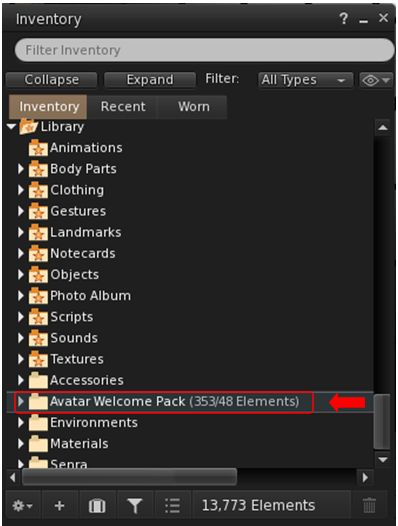
The Avatar Welcome Packs are contained within the System Library, accessed via Inventory

The latter were rolled out quietly recently (although LL are promising to provide more details in the near future), and feature assorted “lite” and “basic” female and heads and bodies, together with a range of accessories and clothing, again from recognised creators (e.g. Lelutka, Addams, MeshBody, Velour).

I’ll actually have more on them in an upcoming post, but for now, the curious who may not be aware of them can find them in the System Library within their inventory.

Through the newly-announced Creator Partnership programme, Linden Lab is looking to work with creators on – initially – three core areas:

Welcome Packs: building on the approach taken with the aforementioned Avatar Welcome Packs, these are aimed specifically at incoming new users in order to help get them started on their Second Life. Such packs could comprises non-human Avtar Packs; Clothing and Accessory Packs; Home furnishing Packs, and similar.

The Lab notes these packs could be distributed through newcomer-friendly areas inworld (possibly for limited time frames), as well as on the Marketplace or Viewer.  But all Welcome Pack content should be optimised for new community members not yet familiar with all the intricacies of Second Life.

Community Perks: the Lab is also hoping to improve the community perks for more established residents. These might include: enhanced paid membership perks; free seasonal and special giveaways; expansion of the Mobile Daily Rewards initiative to include virtual gift; and future programs and promotions that include virtual perks and prizes.

Community Gateways: the Lab is hoping to partner with talented creators of high-quality in-world experiences which can feature as newcomer-friendly destinations available from Community Gateways and the like.

In return for their involvement, participating creators have the opportunity to introduce their brand and content to a wider and loyal audience, with the potential for inclusion in major on-boarding and promotion campaigns, together with the potential to have strategic impact on improving Second Life by working hand-in-hand with Linden Lab.

We’re looking to expand our community collaborations even further – and we invite creators of all types to help us build and improve the next generation of Second Life new user experiences and beyond. Whether you’re a fashion designer, avatar builder, home goods creator, experience developer, or just someone with a standout idea—we want to hear from you.

– Linden Lab blog post

How to Get involved

Further information via the official blog post.

Linden Dollar Buy fees reduced to US $0.01 for 50 hours

via Linden Lab

On Wednesday, April 16th, 2025, Linden Lab announced that Linden Dollar buy fees are reduced to US $0.01 per transaction for all Second Life users in a “limited-time offer”.

When and What

  • Offer commenced: 12:30 SLT on Wednesday, April 16th, 2025.
  • Offer ends: 14:30 SLT on Friday, April 18th, 2025.
  • Offer duration 50 hours.
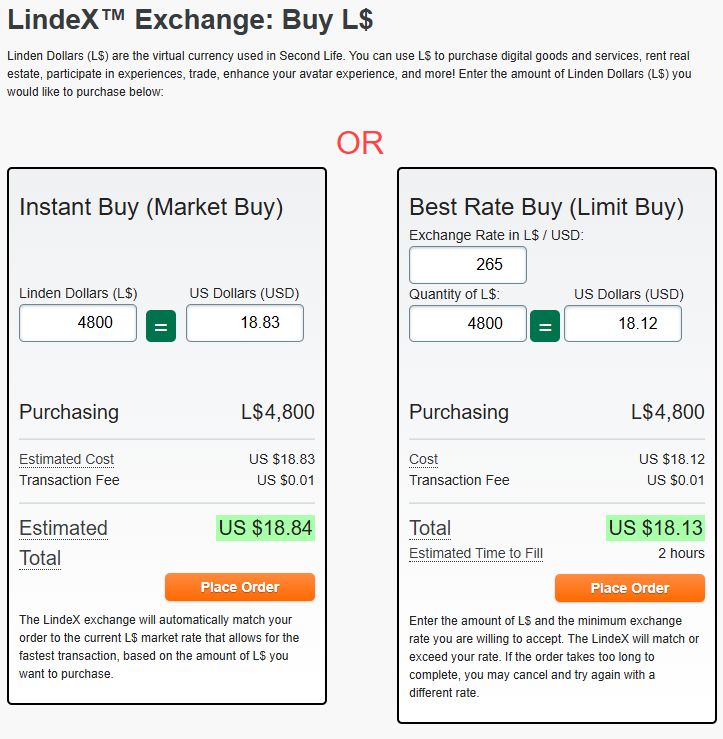
  • Any purchase of Linden Dollars made during this period (within the required trading limits), whether through an Instant (Market) or Best Rate (Limited) Buy (https://secondlife.com/my/lindex/buy.php) or through the viewer (Buy L$, top right of the viewer window), will incur a transaction (Buy) fee of just US $0.01.
  • Normal L$ Sell fees still apply.
The limited-time L$ Buy fee offer applies to in-viewer L$ purchased and both Instant and Best Rate buy via your Second Life dashboard

From the official blog post:

Times are tough for a lot of people, so we’ve come up with one way to make things a little easier: Second Life is launching a special LindeX limited-time offer – a chance to make Linden Dollar (L$) Buy fees nearly disappear for a limited time! 
While the global economy wrestles with rising tariffs and tense trade talks, we’re responding with a bold, Resident-first promotion: we’re charging just a penny for your LindeX buy fees for the next 2 days. We’re committed to you – our Residents – through these challenging times, and we will continue to stand by you as we have over the past 22 years. 

For further information, please refer to the official blog post.

Linden Lab announces AI Town Hall with Philip Rosedale

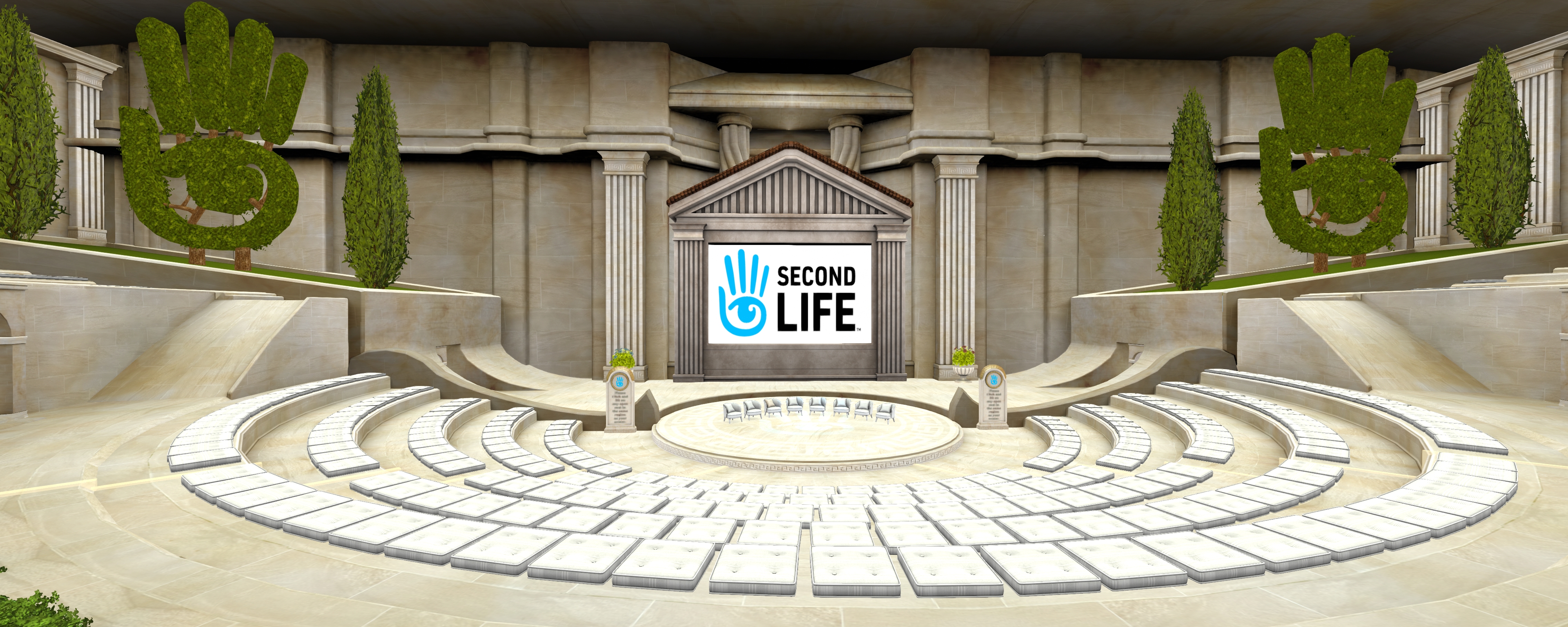
The Town Hall meeting space

During the March 2025 Community Round Table / Town Hall meeting (which I have summarised here, complete with the official video of the event†), there was a peaceful demonstration by some Second Life users on the use of AI / generative AI within the platform. Such concerns have also been formulated elsewhere, such as this document outlining objections to AI on the Feedback Portal.

At the time of that meeting, Lab CTO, Philip Rosedale stated the company would look to hold an open Town Hall meeting to discuss concerns about AI, together with the opportunities it might present, and on community values around the use / presentation of AI in Second Life.

On Monday, April 14th, 2025, the Lab officially announced the event, now entitled Second Life Town Hall on AI & the Future of Our Virtual Community.

Meeting Date, Time and Location

Meeting Purpose

To quote from the official blog post:

As Artificial Intelligence (AI) becomes increasingly present in both our physical and virtual worlds, the Second Life community is coming together for a Special Town Hall event to explore its evolving role and impact within our shared metaverse.
This special event will include an open and interactive conversation focused on the opportunities, concerns, and community values surrounding AI in Second Life. We’ll be diving into topics that matter deeply to residents—from identity and authenticity to economic impact, creative ownership, and the future of social interaction.
This event will be hosted by Second Life founder Philip Rosedale, who will facilitate a lively discussion with the community on all-things-AI.

Topics under consideration for discussion are listed as:

  • How AI-generated avatars may affect identity and trust in social spaces
  • Generative AI and the Second Life creative economy.
  • Emotional manipulation, consent, and transparency with AI-driven characters
  • Use of AI in customer support and other non-in-world services
  • Balancing creative opportunities and responsible use of emerging AI tools

Participation

The meeting is open to all Second Life users and will  – I presume, as there was no direct mention of this in the official announcement when I read it – be livestreamed. Direct participation in the event is being offered in one of two ways:

  • Those who have questions / comments / thoughts on the potential / current use of AI in Second Life can submit such questions or comments for consideration during the event via this form.
  •  Those wishing to make an initial brief presentation or give prepared comments on the subject should submit a request via this form.
via Linden Lab

†While they are not officially representative of the Lab or these meetings, please note that I attempt to provide summaries of meeting such as these, and for a number of user group session within these pages.

Second Life Discord Server open to all & how to join

via Linden Lab

Following the announcement made during the March community Round Table (summarised here with video), the official Second Life Discord server has now been opened up to access by any Second Life users wishing to join it.

Whilst also being YACTF (yet another channel to follow) which comes on top of the blogs, forums, social media feeds etc., that Linden Lab tends to variously (and at times inconsistently) use for communications, the Discord server also presents broader means for SL users to connect with one another, share information, and keep abreast with events and activities (official or otherwise) within Second Life / at Linden Lab.

In particular, the Lab’s official blog post on the opening up of the server gives the following reasons for participating on it:

  • Stay Updated: get the latest news, updates, and announcements directly from Linden Lab.
  • Community Interaction: join discussions, participate in events, and meet other residents from around the virtual world.
  • Exclusive Channels: access dedicated channels for various interests including channels for creators, bloggers, newcomers, and more!
  • Community Support: seek assistance and advice from other Second Life users.

To gain complete access to the server you will need to:

  • Have a Discord account – you can set this up when accessing the Second Life server if you do not already have one.
  • Join the Second Life server.
  • (Optionally) link the Server with your Second Life account for access to all the available channels on the server.

Accessing the Second Life Discord Server

  1. Follow the https://discord.gg/secondlifeofficial link.
  2. If you do have a Discord account, skip to Step 3. Otherwise, follow the steps to create one:
    • Provide a Display Name at the pop-up (user name) and accept the Discord Terms of Service / Privacy Policy (follow the links to read both!).
    • Verify you are not a robot.
    • Provide a birthday.
    • Enter a valid e-mail address and create a password for your account.
    • Respond to the verification e-mail to confirm your e-mail address.
    • If required, get and install the Discord Desktop app (or just access Discord through your browser).
  3. You will be invited to join the Second Life Discord Server.
Accept the invite to join the Second Life Discord Server
  1. Specify (or skip for now):
    • Your preferred language.
    • Your Second Life interests (you can select some / all of the available options).
Joining the Second Life Discord Server: interest options selection and rules and requirements pop-up
  1. Access the server on clicking Finish.
The Second Life Discord Server

Linking Your Second Life Account with Discord

  1. Click on the Second Life Server name in the top left corner of the Discord window to open a drop-down menu.
  2. Click on Linked Roles in the menu to open the Connect Your Accounts pop-up.
Linking your Second Life account to your Discord account (1)
  1. Click on the Second Life APP link.
  2. A pop-up will be displayed indicating you are leaving the Second Life Discord Server using the link support-dot-secondlife-dot-com with the option to trust the link which you can optionally check.
  3. Click on Visit Site to open a pop-up with the Second Life web log-in (and note the URL at the top of the pop-up to ensure it is genuine).
Linking your Second Life account to your Discord account (2)
  1. Enter your Second Life log-in credentials (note: if you use MFA, you might be asked to provide an authenticator  Token).
  2. You will be asked to authorize linking your Discord account with your Second Life account – note you must scroll down the request in order for the Authorise button to activate.
  3. A message is displayed, indicating the link has been successful, and you can close the pop-up.
  4. A further pop-up will be displayed, confirming the connection is successful, as well as containing additional useful links.
  5. When you have finished with this pop-up, click Done to be taken back to the Connect Your Accounts pop-up, which has been updated with a tick to indicate the connection.
  6. Click Finish to close the connection.
Linking your Second Life account to your Discord account (3)

Unlinking your Accounts

To Unlink your accounts:

  • Make sure Show All Channels is checked in the Server drop-down menu.
  • Click on sl-connection under the Resources heading in the left side channel list.
  • Scroll to the bottom of the page and the section How to Disconnect Your Second Life Account from Discord.
  • Click on the specified URL to unlink your accounts.
  • The accounts will be unlinked and a message displayed (in a new browser tab if accessing Discord via your browser) indicating your Discord and Second Life accounts have been unlinked.

Lab officially announces Lua Alpha testing

via Linden Lab

On Friday, March 14th, Linden Lab officially announced the Second Life Lua Alpha, with testing now available on Aditi, the Beta grid.

Now officially referred to as SLua (SL Lua), this is a project to replace Mono as the back-end scripting language, utilising a version of the Roblox-derived Luau scripting language, which Linden Lab has been working on developing for some time now (as noted within updates in this blog, such as my Simulator User Group summaries), and this Alpha project is to allow early testing of the capability.

Note: this is the server-side scripting implementation of Luau, not the in-viewer support for Lua. This latter work is still in development, and will be subject to future updates from the Lab.

General Notes on Testing

  • The Aditi regions running Luau support are: [Luau Yardang], [Luau Tombolo], [Luau Mesa] and [Luau Tideland].
    • These support both native Lua scripting and compiling LSL to Luau VM.
    • Make sure your Viewer shows the Beta Grid in your login options. To do this:
      • Go to Preferences → Advanced and select Show Grid Selection at Login.
      • Then re-log, selecting Second Life Beta Test Grid from the drop-down under Last Location in the splash screen. Note you might need to log in twice the first time so your inventory can properly sync.
  • A Luau-capable viewer is required – download the latest from the Second Life Alternate Viewers page.
    • This viewer will work on any region in SL, but will only compile scripts to Luau on the Aditi regions noted above.
  • Additional general notes:
    • SLua scripting is in early development. Memory and performance characteristics, and API specifics may change! Regions will crash and it’s possible you may lose content if you don’t save often into inventory when working on the beta grid. Error reporting when compiling scripts from LSL to Luau is “quite spartan at the moment”, but will be improved “in the next update or two”.
    • If objects with compiled Luau script assets are rezzed in a non-Luau region, they won’t work.

Luau Resources

SLua Contest

To help promote SLua testing, Linden Lab is, from Monday, March 17th, 2025, running a creator contest to demonstrate the potential and capabilities of the language. with L$170,000 in prizes. For details, please refer to the official blog post for full details. Awards will be determined by committee in April, and winners as well as runners up will be highlighted on official Second Life news sites and social media.

Linden Lab announces March 2025 Community Round Table

Adapted from Linden Lab

Updated, March 12th: The venue for the Round Table has changed, and the venue details below have been updated to reflect this.

After a recent pause in holding them, Linden Lab has announced the date and subjects for the their next in-world Community Round Table meeting.

From the official blog post:

Project Zero is a significant step towards making Second Life accessible directly through web browsers. Following your feedback, we’ve made substantial progress in enhancing the platform’s performance and usability. During the upcoming Community Roundtable, Philip Rosedale will share some news about these developments and the project roadmap. The Product and Engineering teams will also talk about the overall Roadmap and strategic vision for Second Life in 2025. 

Question from user are invited on the subject, and those wishing to submit a question in advance can still do so via this anonymous form. As usual, I will endeavour to provide a written summary† of the event as soon as I’ve collated notes and quotes following the event.

via Linden Lab

†While they are not officially representative of the Lab or these meetings, please note that I attempt to provide summaries of meeting such as this, and for a number of user group session within these pages.