Second Life’s 18th anniversary is, at the time of writing, almost over. The celebrations have come to an end and the regions themselves will be closing to public access on July 6th, 2021.
I mention this because the SL18B regions are part of the broad-ranging work that comes under the remit of the Linden Department of Public Works (LDPW), and the contractors – the Moles – who are employed by the Lab through it.
As well as the SLB regions (this year put together with the assistance of residents like Walton F. Wainwright (Faust Steamer)), the Moles are also responsible for – as we all doubtless know – the likes of the Mainland infrastructure, Bellissera, the Linden Portal Park and associated experiences / games, and more. All of this is in part celebrated with the annual Meet the Moles session at each year’s SLB celebrations, when we get the opportunity to see many of the Moles all gathered together as the answer questions and talk about their work.
Beckridge Gallery – Diamond Marchant: Work Look
However, for her summer exhibition at her Beckridge Gallery in Bellisseria, Diamond Marchant presents another opportunity for us to see the Moles. Work Look, her new exhibition, presents a series of portraits of many of the Moles (and some of the Lindens) as they go about their work in-world preparing the SL18B regions for the 2021 celebrations.
Mounted on the walls of the gallery and the attached greenhouse are around 27 portraits of the Moles (Dion gets to appear twice, to make the total number of images 28), together with portraits of Grumpity, Strawberry, Brett and Patch Linden with a surprise appearance by Philip Linden, who looks to have dropped in on the celebrations as well.
Beckridge Gallery – Diamond Marchant: Work Look
So, if you fancy taking another look at the Moles and celebrating / recalling SL18B, the Beckridge Gallery might be the place to visit!
He has visited your home. Have you visited his? Come and experience the Very NICE & Very EVIL home and art gallery of the Bellisseria Slenderman. If you can find it, take a ride on “Slender: The Eight Pages” THRILL RIDE!
– From the Destination Guide
For those who may not be aware (are there any?) the Slender Man is a fictional supernatural character created by Eric Knudsen (aka “Victor Surge”) in 2009 on the Something Awful forum. It has gone on to become an Internet “folk legend” spanning multiple narratives – as well as becoming a focus of controversy when fiction connected to the character was connected to a number of physical world acts of violence in 2014, including the Slender Man Stabbing.
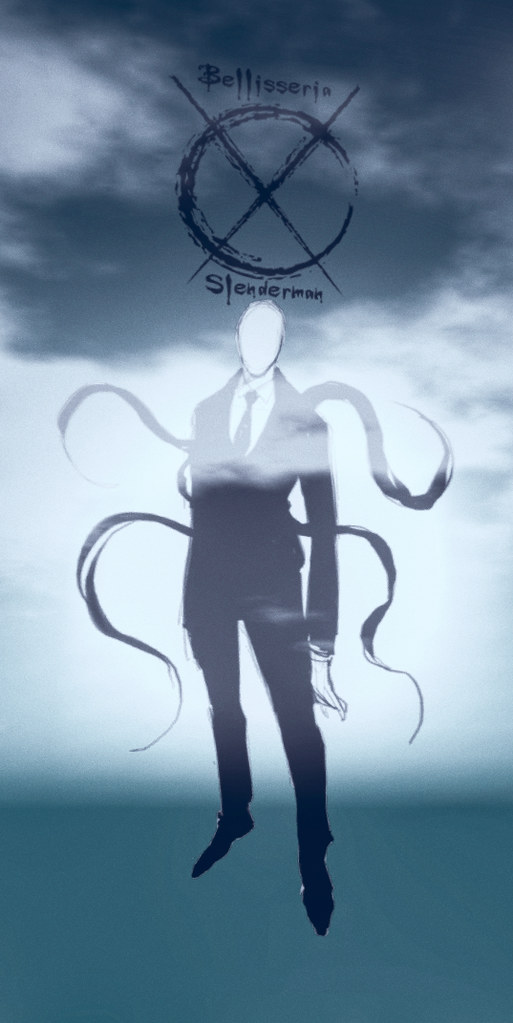
The Slender Man in the skies of Bellisseria
The character also became the inspiration for an independent first-person survival horror video game now called Slender: The Eight Pages.
It is this game that in turn forms the inspiration for this new Second Life experience, located within the Log Homes regions of Bellisseria, and which forms a further chapter in the Slender Man’s involvement with Bellisseria, something that commenced in February 2020.
Centred on a gallery images that record the character’s visitations / appearances within Bellisseria that is spread across the three floors of the house, the Bellisseria Slenderman Gallery includes a number of interactive elements, as indicated in the information note card available at the landing point:
A roller coater ride, reached via a “hidden” teleport.
A “hidden” basement awaiting visitors.
A hunt based on the eight pages that are at the heart of the the game – except there’s no trying to avoid the Slender Man (unless he happens to pop-up!), but instead offers various prizes.
For those with a Bellisseria passport, the opportunity to have it stamped (or maybe “unstamped!”) by the Slender Man.
In addition, the experience makes uses of the parcel as a whole, with various elements indoors and out to make it more a atmospheric setting. These include a dedicated EEP setting that is well worth seeing if you don’t have your viewer set to use shared environments by default (World → Environment → Use Shared Environment).
To be honest, locating the teleports for the roller coaster and basement isn’t that hard, but be aware that not all teleports are referenced in the introductory notes, so careful mousing is recommended.
However, locating the eight pages in the hunt will take a certain amount of patience and careful camming / exploring (unless you’re using a viewer with Area Search and opt to cheat!). The prizes they offer are varied and clearly designed to appeal to a wide range of recipients. I admit to liking the Segway (and its instructions: “Say yes to any animation requests and turn your AO off so you don’t look like a big goof”!), even if it looks as if it has been designed for someone around 10 or 11 foot tall, rather than scaled more towards the “average” avatar heights commonly used nowadays.
Bellisseria Slenderman Gallery
My attempts to summon the Slender Man via the HUD failed miserably whilst initially exploring and working through the hunt. However, when returning to the setting to take photos, he surprised me by popping up unexpectedly, and we ended up playing “let’s photograph one another”, as can be seen here and here on the Slender Man forum thread.
Meanwhile, the roller coaster makes for a smooth ride, and is best enjoyed in Mouselook. Taking it will provide hints on what to look for with the hunt’s eight pages for those who haven’t started / completed it; while those not so enamoured of hunts, etc., can wander around the back of the house and either climb to the seating platform on the roof or avail themselves of the bumper boats rezzer and mess around on the lake behind the house.
Bellisseria Slenderman Gallery
I admit, I’m not a great one for horror, and the idea of embracing a character that has in the past been controversial in inspiring acts of violence does cause a frisson of discomfort. However, what I do find fascinating about Bellisseria Slenderman Gallery is actually not so much the experience itself, but the fact it has allegedly been built by “Mouse Mysterious”.
This is a character who uses a Profile image / logo that has a certain similarity to that of a nonagenarian mouse logo used by a certain studio. I’m not aware of any link between said studio and the makers of the game from which the experience takes its inspiration, so no idea if this is purely coincidental or a possible hint of something in and of itself. Perhaps time will tell on this – or not!
Anyway, the experience is there to be discovered, and I’ll leave you to do so as the mood takes you.
The following notes were taken from my audio recording and chat log of the Content Creation User Group (CCUG) meeting held on Thursday, July 1st, 2021. These meetings are chaired by Vir Linden, with dates available via the SL Public Calendar and the venue for the CCUG is the Hippotropolis camp fire.
SL Viewer
There have been no updates for the any of the official viewer versions, leaving the pipelines as follows:
Fernet Maintenance RC, version 6.4.20.560398, dated June 22.
Project viewers:
Legacy Profiles viewer, version 6.4.11.550519, dated October 26.
Copy / Paste viewer, version 6.3.5.533365, dated December 9, 2019.
Project Muscadine (Animesh follow-on) project viewer, version 6.4.0.532999, dated November 22, 2019.
360 Snapshot project viewer, version 6.2.4.529111, dated July 16, 2019.
General Viewer Notes
The Fernet Maintenance RC viewer is next in line for promotion.
LMR-6 continues to be developed.
Voice update: this wasn’t an update the SLplugin.exe API, but was a change to the automatic voice level detector. This was causing a lot of the cut-out issues with voice, as it is overly sensitive to voice cadence when speaking, causing the temporary drop-outs, so by default the viewer no longer uses it at all.
ARCTan
Summary: An attempt to re-evaluate both avatar rendering costs and the cost of in-world scene rendering, with the current focus on avatar rendering cost / impact, and in-world scene rendering / LI to be tackled at some point in the future.
Work is continuing on the new performance floater. This pulls together information from various menus / debugs to display useable information on avatars / attachments that are heavy in rendering cost, and what can be done.
This work is currently separate to the work on revising that actual formulas used for calculating avatar complexity. As the viewer has yet to appear, it’s not clear if the updated avatar complexity calculations will be folded-in to the viewer before it reaches eventual release status, or if they will follow after. Currently, Vir hopes to get back to working on the calculations “some time in the new few weeks”.
Graphics Update Discussion
There have been numerous questions about LL switching the viewer’s renderer to a commercial engine such as Unreal Engine or Unity.
As Grumpity Linden indicated during her SL18B Meet the Lindens session, there are currently no plans to do so. This is not to say it would never happen – although doing so would be a very significant project.
One major argument against turning to a commercial engine is that users have very strong views on existing content and how it should be rendered, and can get very upset when things change – and they would change significantly were the viewer to be re-built around a new rendering engine.
Other factors weighing against commercial engines include:
They are not currently considered as being particularly good at dealing with dynamic content.
They could be restrictive in terms of the hardware people can use to access SL.
The basic work to make a switch-over would likely require around 18-24 months of development, which would curtail other viewer work, simply because it would be a significant viewer re-build.
Currently, the major areas of performance impact are said to be:
The sheer volume of draw calls the viewer has to make under OpenGL, which have a large processing overhead.
Avatar rendering, due to that volume of unoptimised content avatars can be loaded with – hi-poly meshes, excessively heavy unique texture use, etc.
Poorly considered in-world content (undue reliance on high LOD models, texture use, etc.).
The processing required for rendering shadow, etc, (when people run them).
The draw calls issue could be largely significantly reduced via a switch to more recent graphics APIs – such as Vulkan (PC) and Metal (Apple), which process things differently. Such a switch also yields benefits in other areas – such as the potential to use graphics libraries based on the capability of the user’s computer.
As such, the preferred route is to make incremental changes, such as a switch to a more modern set of APIs and libraries, rather than a total replacement of the rendering engine, simply because this will yield some degree of benefit and improvement without a substantial impact on the Lab / SL / users.
Another aspect of performance improvement (which has also been subject to recent questions) is improving the viewer code to better leverage multi-core processors.
General Improvements / Education
It’s acknowledged that better LOD models for objects would help improve performance where “new” content is concerned, and work is being put into a mesh optimiser,, although more could be done.
The Lab also acknowledges that much of the documentation produced through the wiki for content creation is increasingly out-of-date. There is also much that simply isn’t documented.
A problem with a lack of proper documentation / education is that creators – especially those new to the platform – can pick up incorrect ideas / approaches, and end up contributing to issues such as poor performance (e.g. the idea that everything must be high poly in order to be high quality).
However, the flip side of the argument is, even if effort is put into better documentation, etc., there is a) no guarantee it would be read be newer creators; b) it is unlikely that those already set in their ways (bad habits and all) will actually decide to take notes and change their ways
While somewhat valid this above point doesn’t excuse ensuring the information that is provided is at least relevant / accurate and again becoming a resource that can be actively used / pointed to.
In Brief
A clarification was given on the upcoming resumption of work on the 360º Snapshot viewer (see: 2021 TPV Developer Meeting Week #25 Summary), stating that this viewer remains for snapshots only – there are no plans at present to extend it to 360º video capture.
There are still no plans to re-implement official support for VR headsets at this time, as it is generally felt at LL that while it would be nice to offer it, overall viewer frame rates cannot be maintained (e.g. at least 60 fps per eye) to make for a comfortable experience.
BUG-229908 “[EEP] Build floater shows incorrect light colour values/incorrect colour set for light” (also BUG-230549 “Colour picker for Light (PRIM_POINT_LIGHT) shows and sets incorrect values”, noted as a duplicate to BUG-229908), has been accepted by the Lab, but no ETA on any possible fix – and it is not currently being looked at as a part of the LMR-6 work.
Akim Alonzo, owner and creator of The Itakos Project, is also an excellent photographer artist in his own right, as I’ve noted in a number of pieces in this blog where I’ve covered his exhibitions (see Water and a Matrix: Reflections on Life by Akim Alonzo, for example).
The latest selection of Akim’s work is now on display at the Main Gallery of the Kondor Art Centre, curated by Hermes Kondor. It presents a mix of works that offer a choice of themes within it, and which also echo past exhibition themes Akim has produced, making for another eye-catching and thought-provoking display of art from a man who is a master of frame, tone and composition.
Kondor Main Gallery: Akim Alonzo
The images presented are offered under the title of Anima and comprise 27 individual images and 2 slide shows. One of the latter pages through a selection of the images on display, the other displays a collection of additional portraits. Between them, these two slide shows present the core themes to be found within this collection – both of which intertwine into a single, larger perspective.
One of these themes is that of the avatar-as-a-person. Avatar studies are a common theme with Second Life art – although more often than not, such studies tend to focus on presenting an emotional story / emotive response utilising the entire image – expression, pose, surroundings, etc., – that together form a single frame narrative. Akim, however, is one of the few Second Life artists who takes a very deliberate path in his studies: one that focuses on the emotions that may exist within an avatar.
Kondor Main Gallery: Akim Alonzo
Whether these emotions are real, or a projection of our own, or a reflection of the emotions Akim felt in composing each image, really doesn’t matter; although I would suggest that there is combination of all of these aspects involved. What is important is that each piece is a marvellously layered composition, the focus always on the subject, the background and lighting a means to project / capture the emotions that we see as coming from within the avatar. This are pieces that make extraordinary use of chiaroscuro to imbue the subject of each image with a depth of life and feeling that is bewitching.
The second theme to be found within this collection is that of life itself – real or virtual – and the questions we can harbour about it; in this, some of the pieces are drawn from or reflect his 2019 exhibition The Matrix. There is a wealth of metaphor within these particular pieces – the majority of which can be found on the gallery’s upper floor – and also question: what is real? Is the digital realm any less “real” than the physical? Might we all in fact be unwittingly operating within a virtual realm, our need to project ourselves into a digital realm a reflection of this?
Kondor Main Gallery: Akim Alonzo
Both of these thematic strands come together to offer a broader set of ideas / questions related to the identity, self and who we are as individuals; to questions of – dare I say it – soul.
Beautifully composed, perfectly executed and presented, Anima is an extraordinary exhibition by an extraordinary artist.
As noted in the two blog posts linked to above, and via the Lab’s official blog post via Alexa Linden (see: Viewer UI enhancements), the UI changes are the first in an on-going series of updates designed to improve the viewer and – with these in particular – help new users get to grips with the viewer more easily, including during their initial orientation as a part of the on-boarding New User Experience.
In all, the changes comprise:
A new menu option called Avatar, and streamlined / revised right-click avatar context menus intended to make it easier for new users to get to grips with basic avatar-related functions.
Improvements to the Inventory panel.
An updated Places floater design to make getting around SL easier.
A new Guidebook, intended to help new users gain a familiarity with basic functionality in the viewer – walking, talking, finding places and people, etc.
Kodua 6.4.20 includes all of these changes, most of which I’m not going to go into great detail here, as they have been covered in the blog posts linked to above. However, it should be noted:
If you are using Kokua with the classic menu layout enabled (Advanced check → Classic Kokua Menu + viewer restart), then the Avatar menu will not be displayed.
The right-click context menus retain some of the original options found within these menus (both from the official viewer and from previous versions of Kokua).
The revised right-click context menus (l) the official Avatar menu and the Kokua implementation (purple menu option highlight); (r) the official attachment menu & the Kokua implementation
Kokua Changes
Several of the Kokua updates are bug fixes for issues with the Bugsplat crash reporting code, and address issues with the Kokua viewer.
Most notable among the latter is a fix for issue KKA-866 “Double-click to TP bug”. In short, prior to the arrival of the custom key mappings ability (SL viewer version 6.4.17.557391 / Kokua version 6.4.17), double-click teleports would be ignored if any one of ALT, CTRL or SHIFT was also pressed. Following the introduction of custom key mappings, an accidental double-click whilst using one of these keys (e.g. when ALT-camming) will trigger a teleport.
To avoid confusion, Kokua has added a new Preferences option: Preferences → Move & View → Mouse → Do not treat ALT/SHIFT/CTRL modified mouse clicks as unmodified mouse clicks when no specific ALT/SHIFT/CTRL modified binding exists.
When enabled (as it is by default), this option will not trigger a teleport when double-clicking in combination with pressing ALT, CTRL or SHIFT (e.g. pre-custom key mapping behaviour).
When disabled (unchecked), this option will trigger a teleport when double-clicking in combination with pressing ALT, CTRL or SHIFT (e.g. post-custom key mapping behaviour).
For the remaining Kokua updates, please refer to the Kokua 6.4.20 release notes.
Summary
A further incremental update from Kokua that allows it to maintain pace with the official viewer, and also become the first of the popular v6 viewers to incorporate the UI updates from Linden Lab.
The decision to include the additional options in the right-click avatar and attachment context menus tends to make these menus more involved than their LL equivalents, which might be argued as making them more confusing to new users. BUT, the options that have been retained by Kokua can useful for established users, and so are worth the effort of inclusion.
Ilha Do Sol, June 2021 – click any image for full size
Update:Syx contacted me to assure me the villa in the north region is indeed open to the public, and encourages people to pop in to witness Bryn’s interior design!
Ilha do Sol (literally “Sun Island”) is an estate comprising three regions designed by Syx Toshi and with touches by his SL partner Bryn Toshi (Bryn Bulloch), that between them offer a touch of Mediterranean sunshine and Californian surf in a contiguous setting that runs south-to-north through the estate.
While teleporting is open, perhaps the best place to start explorations is the middle region, the home of the little town of Ilha Do Sol itself. This huddles itself around a small bay and climbs the shoulders of the hills that cup the bay’s waters. Here, visitors are placed down within the small praça that sits on the landward side of the bay, separated from the water by a narrow ribbon of grass and sand on to which have been drawn a number of rowing boats, while a couple more sit out on the water.
Ilha Do Sol, June 2021
Featuring a traditional fishing boat of times past, the praça is home to a modest open market that is proving popular with tourists and locals alike (the familiar static NPCs that are to be increasingly found across many public regions). The majority of the buildings bordering the square and climbing into the hills of the bay are façades, although a couple do have interior décor for those who wander the waterfront.
A tunnel sits to the rear of the praça, providing a subterranean route to the southern region, of which more anon. Passing over this tunnel is the main north-south road, which ends in a small car park overlooking the south region whilst also running north into the open country beyond the town.
Ilha Do Sol, June 2021
The north side of the town sits back from this main road, and offers more to see with little houses sitting along narrow streets, one of which forms a little cycle shop where bicycles can be rezzed and used by visitors. The local church can also be found here as well, tall and slim and with it doors open to visitors. Beyond it, the paved road twists around an upland shoulder of rock and quickly turns to a dusty track that winds into the northern region of the estate. Here, just across the region boundary is a small stable and field where visitors can rez a horse and go for a ride.
This northern region is largely open – there’s the sables, a small orchard and, climbing further into the hills, the steps of a vineyard, each held in place by a tile-topped wall, the vines fed water from sprinklers also mounted atop the walls. Having petered out prior to reaching these terraces, the track resumes to curl around them and climb up to pass close to the wall of a large villa before continuing on to the edge eastern cliffs that drop away to the sea.
Ilha Do Sol, June 2021
The villa sits within its own parcel, and while there is no sign or other indication this is the case, it gives the impression of perhaps being a private residence. As such, I didn’t pass through the gates as I didn’t want to invade privacy.
Returning to the southernmost region of the estate, this takes the form of a sweeping sandy bay facing open waters where whitecaps periodically roll into the shallows, offering the opportunity for surfing and swimming. The beach itself is home to a surf school that has its own lounge and swimming pool, while on its eastern side the sand runs between the blue waters and a number of private residences in the form of RVs, trailers and tents that sit along the edge of the region.
Ilha Do Sol, June 2021
Rezzing here is open, allowing people to use their own surfing and swimming gear, while for those who don’t have any surfing kit, board rezzers are also available. I confess that I didn’t ride the waves during my visit – but I did use the open sands to take my horse for a good gallop around the bay! Those who enjoy their surfing experiences might like to climb the sandy slope at the back of the beach to Syx’s shop as it sits with a commanding view over the bay and connects back to the town’s car park via a board walk.
There are many attractions to be found around Ilha Do Sol, and it lends itself well to photography, particularly if you take the time to try different EEP settings. However, for me, what really makes this as a setting is the time Syx has taken in order to blend traversable region with off-region surrounds to create a natural landscape. This rises from the sea to slow hills and scrubby plains and then to grass-topped foothills that join with the surrounding mountains that gives the setting a depth of design that is eye-catching.








 Inara Pey: Living in a Modemworld