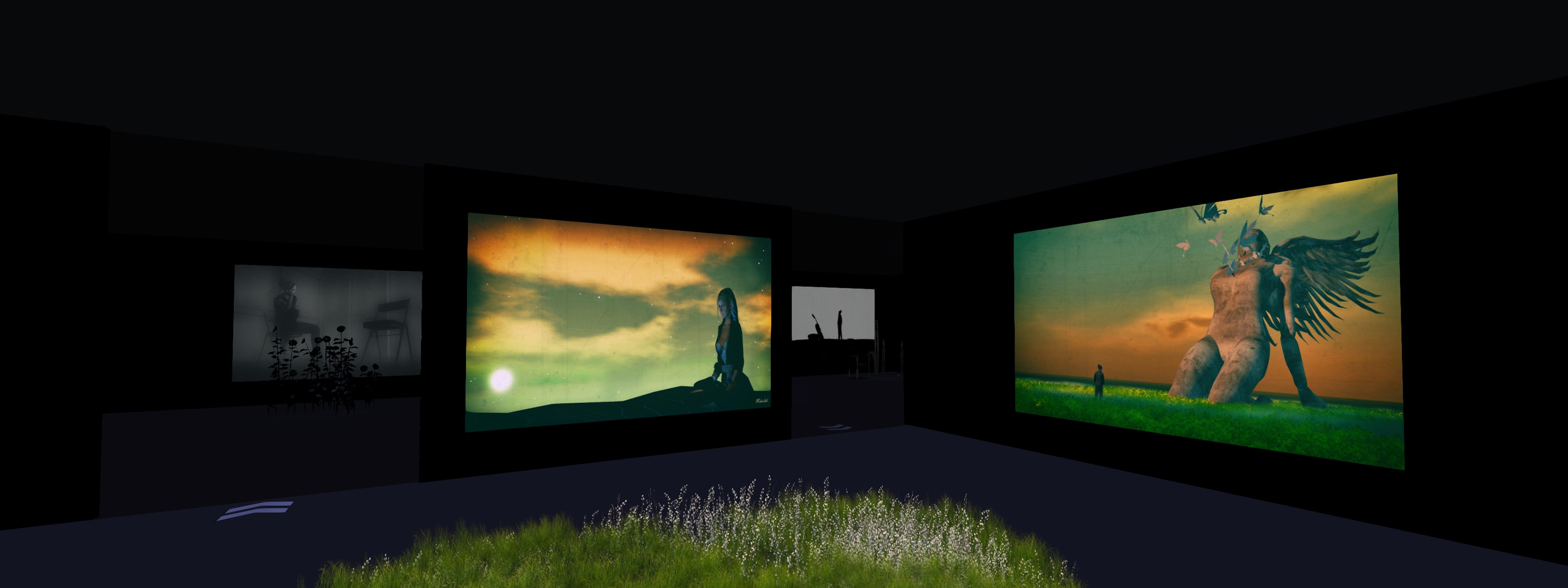
The magic of Elvion in Second Life

Elvion, December 2021 – click any image for full size

I have visited Elvion, the ever-evolving region design by Bo Zano (BoZanoNL), on numerous occasions over the last few years. It’s a place I frequently return to because with each iteration, Bo always offers us a rich and inviting celebration of nature and outdoor living.

He’s also someone who tends to sway away from typical seasonal designs, so for those who might already feel a little number from trudging through all the snow and cold that predominate region designs at this time of year, the current iteration of the region carries a subtle hint of winter’s presence whilst avoiding snow, whilst also embracing a touch of magic for the end of 2021.

Elvion, December 2021

Sitting within shallows  speckled by light, the current iteration of Elvion sits as a Z-shaped island that cuts across the water, a low-lying ribbon of grass and sand. Scattered with trees rich in the colours of summer and autumn, the land capped at its northern end by a rocky beach and a horseshoe of rock from which water tumbles into a pool before flowing out into the wide expanse that surrounds the region.

Elvion, December 2021

The magic is infused into the region in a number of ways. There are, for example, the giant mushroom trees mixed with the “normal” trees. Then there are the tall pillars canted to lean together and form arches, their presence suggesting this was once the home of ancient structures, while paths are marked by plants that carry their own bulb-like illumination. Meanwhile, the rocks with their waterfalls are backed by strange, extruded outgrowths of rock that look petrified spider’s legs frozen over a portion of the landscape.

Elvion, December 2021

Within this setting there is much to be found in the way of details provided by Bo – including one of the Rack Pack bulldogs that have been part of a number of past Elvions – although whether it is Frank, Sammy Davis or Deano, I couldn’t say, this time around 🙂 . Here, horses roam; there stands a pair of albino reindeer, one of the small nods towards the winter season, alongside the EEP settings used in the region); further along, otters keep an anxious watch on the open waters as if expecting something.

Also to be found within the region are multiple places to sit and cuddle – my favourite being the Moon chair as it looks out through a vortex of lying fish (one of the other signs of magic / fantasy in the region); whilst art can also be found giving further ambience to the setting.

Elvion, December 2021

This is a place was wandering is easy and the land encourages the imagination to take flight and where peace can be found bathing under the watchful eyes of peacocks and time can be spent in simple reflection. A place where time can be allowed to pass on its own, and the mind can free itself from any sense of trouble or strife.

In other words, another engaging and ideal visit for visitors to enjoy – as I hope the images here confirm.

Elvion, December 2021


Elvion, December 2021

SLurl Details

  • Elvion (Calantha, rated Moderate)
2021 CCUG meeting week #50 summary

Elysium, October 2021 – blog post

The following notes were taken from my audio recording and chat log of the Content Creation User Group (CCUG) meeting held on Thursday, December 16th 2021 at 13:00 SLT. These meetings are chaired by Vir Linden, and meeting dates can be obtained from the SL Public Calendar.

Available Viewers

This list reflects those viewers available via Linden Lab.

  • Release viewer: version version 6.5.1.566335, formerly the Cache+ 360 Capture viewer, dated December 7, promoted December 15 – NEW – see: 360 Capture viewer now de facto SL release viewer.
  • Release channel cohorts (please see my notes on manually installing RC viewer versions if you wish to install any release candidate(s) yourself):
    • The Jenever Maintenance RC viewer, version 6.5.1.566306, issued on December 6.
    • The Koaliang Maintenance 2 RC viewer, version 6.5.1.565905, issued on December 6.
    • The Tracy Integration RC viewer version 6.4.23.563771 (dated Friday, November 5) issued Tuesday, November 9.
  • Project viewers:
    • Performance Improvements project viewer updated to version 6.5.1.566443, dated December 8.
    • Performance Floater project viewer, version 6.4.23.562625, issued September 2.
    • Mesh Optimizer project viewer, version 6.4.23.562614, issued September 1.
    • Legacy Profiles viewer, version 6.4.11.550519, dated October 26, 2020.
    • Copy / Paste viewer, version 6.3.5.533365, dated December 9, 2019.

General Viewer Notes

  • It is possible the two Maintenance RC viewers will be combined into a single release prior to their promotion in early 2021.
  • Work is continuing to work out the bug in the Performance Improvements project viewer in the hope it will be fit for promotion to RC status early in 2022.

Second Life Terrain Discussions

It has long been noted that the terrain in Second Life has never received a major overhaul, although the subject has been discussed from time to time. Currently, a terrain project still is not on the roadmap, but the floor was opened for suggestions as to what users might like to see if such a project were to be adopted by LL.

The questions was framed around “terrain” being the overall appearance of a region – land, water, the use of any region surround, support for flora, interactions with the wind, having much improved texture quality, etc., so as to offer a much improved graphical experience that does not put an undue load on the viewer when rendering or requires the simulator to send a mountain (no pun intended) of data to the viewer.  In other words, how to make SL landscapes / environments “prettier” and “more up-to-date” without undue impact on overall performance.

  • In terms of the existing system, suggestions put forward included:
    • The ability to have Linden water on a prim (rather than animated diffuse, normal and specular maps).
      • One problem here is the potential for serious performance hits (e.g. linden water on prim / mesh faces being used (or over-used!) for mirror effects) – particularly given actually occluding “non-visible” Linden water (e.g. the “water” beneath the terrain map) in order to help improve viewer performance is very much something being actively looked at (and is being implemented in the case of the Catznip TPV).
    • Support for using splat / weight maps.
    • Proper blending / integration between terrain and any region surround.
    • Ability to instance “proper” trees, grass a fauna (rather than the (circa 2002) default Linden trees, etc., included in the build tools.
    • Ability to blend / layer textures to allow things like a base of dirt, overlaid with grass, then the two blend to give the impression of wheel ruts or a dirty / rock path through the grass, etc.
  • It was also pointed out that there are multiple limitations to the current terrain system and tools (e.g. the inability to create tunnels or caves, limitations is blending terrain between parcels under separate ownership, the manner in which alterations to the height fields can cause a bad stretching of the surface textures, etc.), as such, many region designers already prefer working entirely in mesh, and so a better effort might be to provided improved support for this approach, including:
    • The ability to use large terrain meshes that are not prohibitively expensive  in terms of LI,.
    • Allowing proper texture blending on mesh terrain surfaces.
    • Support (again) for splat / weight maps. etc.
  • In terms of instancing flora, concern was raised how this might impact the landscaping market / economy (e.g. if LL provide a range of “nice trees”, will people still, buy their own? could the instancing system be made extensible, so that content from creators could be “plugged into” it?, etc.).
  • Overall, no conclusions were drawn, but a lot was offered up in terms of ideas, with the discussion also touched on issues of physics (notably the use of mesh terrain elements across region boundaries, the potential for increased physics collision calculations resulting on a performance hit; and also discussions of an expansion of the materials system allow the use of additional maps / making the materials system more a asset-based system (like EEP settings), consideration of updating SL to offer reasonable / real PBR support, etc.

360 Capture viewer now de facto SL release viewer

via Linden Lab

Note: for those wishing to know how to embed 360º snaps taken with this viewer / capability into WordPress posts and pages, please refer to Embedding Second Life 360 images directly into WordPress.

On Wednesday, December 15th, Linden Lab issued the Cache +360º viewer as the de facto official viewer release, marking the last viewer promotion for 2021.

As the second part of its name suggests, this viewer is designed to capture and produce 360º degree panoramic still images of the location / environment around your avatar / camera position (if freecamming) in a format that makes them suitable for viewing through platform supporting 360º panoramic images (including Flickr). It does this by simultaneously taking six images around the current camera position – one each at the four cardinal points, plus one directly overhead, and one directly looking down, all of which are then “stitched” into an equirectangular projection image.

The first iteration of 360º photo capability first appeared in the official viewer in October 2016, and came with a certain amount of complexity involved. Later iterations of the viewer improved on this, but the viewer continued to be hit by conflicts with the Interest List, and these and other issues forced work on the capability to be pushed into the background.

However, work resumed earlier this year, and as I reported at the time, an updated project viewer was issued in September 2021 (see Lab Issues Updated Projected 360 Capture Viewer). This release represents the latest iteration of that version whilst also being combined with the former Simplified Cache RC viewer, of which more below.

The 360º capture capability is utilised via a dedicated floater which can be accessed via the World menu and / or a dedicated toolbar button and / or a link in the original snapshot viewer and / or by pressing CTRL-ALT-SHIFT-S

Accessing the 360º snapshot floater (this can also be done via CTRL-ALT-SHIFT-S or by expanding the standard snapshot floater to show the full preview and clicking the Take 360º snapshot link in the lower right corner of the preview panel

Actually taking an image comprises a few simple steps:

  1. Position your camera.
  2. Select the image quality – for finished images you’ll need to set High or Maximum quality using the radio buttons.
  3. Click the Create 360º Image button to generate a preview in the floater’s preview panel.
  4. Click on the preview image and drag it around to ensure what you’re seeing is what you want / that things like textures have actually rendered correctly.
  5. Check the Hide All Avatars option, if required – this will cause the process to include all avatars present (it will not alter their in-world rendering).
  6. When you are satisfied with the preview, click Save As… to save it to your hard drive, renaming it if / as required.

Just remember that if you change the image quality, you must also click Create 360 button to update the preview AND image capture process to the new image quality, before click Save As… again.

Note that the required metadata to have image correctly show in Flickr and FB / Meta (and others) is included in the image – so if you save it to disk and upload it, it should render correctly, as per the image below).

An “unwrapped” Maximum quality 360º image captured using the Project 360 Capture viewer, showing the 6 captured images “stitched” together (click on this image to see it in 360º format in Flickr)
This viewer also included updated code for the viewer’s cache. This code is an update to the Simple Cache viewer originally issued in March 2021, but which to be rolled back after it was found to have a number of significant bugs, such as BUG-230337 “Simplified cache viewer is ignoring cache path” and BUG-230295 “Cannot upload images on the Simplified Cache Viewer”.

In particular the code replaces the VFS cache system used to save local copies of frequently used assets such as meshes, sounds and animations with a simplified cache, and should make loading / reuse of these assets smoother.

Given the level of interest that has been shown in the 360º Capture viewer, this code will hopefully find its way into TPVs in relatively short order, holiday period allowing. In the meantime, the official can be obtain through the official viewer download page.

Ego: travels with an artist in Second Life

Art Korner Gallery II: Mihailsk – Ego

Update, June 27th, 2022: Art Korner has Closed.

Yes, this exhibition is me. Me, the explorer in SL, who travels from light to dark, from colour to monochrome, depending on the mood and moment.
Each of my works expresses a moment with a different mood. Sometimes visible and sometimes hidden. But do not try to look for hidden meanings and symbolism behind the images, because there is none.is none. All my images represent an aspect of me/show a part of who I am.

– Mihailsk in Ego, his latest exhibition

I first encountered the photography of Mihailsk in July 2021, at his very first public exhibition. Despite being active in SL for several years, he had only relatively recently entered the world of SL photography and artistic creation, and his first exhibition came as a result of encouragement on the part of Dido Haas, who hosted that exhibition – and indeed, Mihailsk’s second exhibition – at her Nitroglobus Roof Gallery(see: Mihailsk’s Baptism of Fire in Second Life and Mihailsk’s Red Sky at Nitroglobus in Second Life).

From the start, I was captivated by his approach to Second Life photography; whilst avatar-centric, his work is not precisely focused on his avatar as a subject for / of study in the manner of many SL photographers; rather he utilises his avatar as part of a larger canvas, one that brings together both avatar and location (as in region, rather than constructed studio setting) to offer an expression of a moment, a mood; something reflective of his own mood at the time the image was created. And I’m not alone in finding his work captivating.

Art Korner Gallery II: Mihailsk – Ego

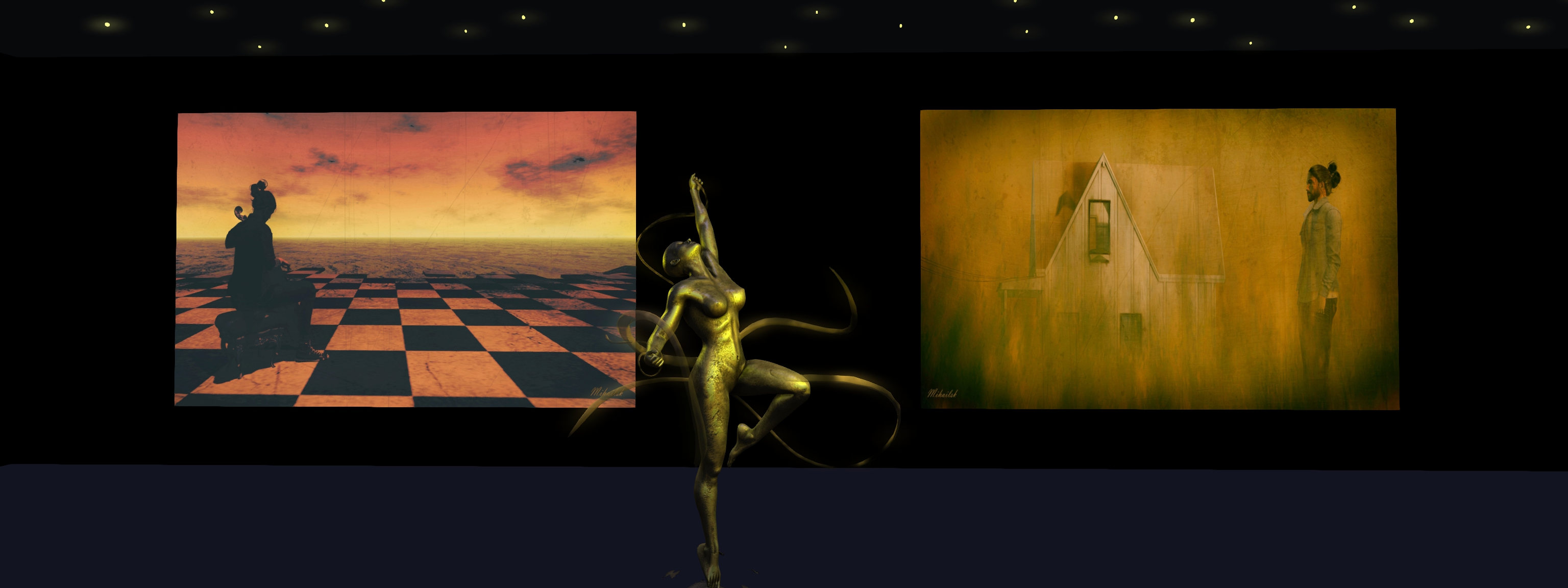
Further appreciation of his work can currently be gained at Art Korner Gallery II, curated by Frank Atisso., where Mihailsk presented his largest exhibition to date. Comprising more than 30 pieces specifically produced for it, Ego is a remarkable journey through the art and mind of the artist. And by “journey”, I am not just talking metaphorically; the pieces again represent the artist’s explorations of many popular places in Second Life, and have also been arranged in a manner that takes us on a journey through them, as we pass through seven rooms within the gallery space, each one offering at least 5 images.

The images in each room carry a theme, defined by the use of a selected colour. The colours used include green (nature, and our relationship with the natural world), yellow (the Sun, life, warm (of feel, touch, etc.)), blue: tranquillity and coolness (of thought and emotions) and monochrome (purity/ clarity of thought and emotion – as in seeing everything in black and white). Each room also includes a quote or passage by a writer or poet, the majority of whom hail from Mihailsk’s native Greece, although in the first room is a piece by George Gordon Byron, better known as Lord Byron, that might be taken as an exhortation of how to live life, and which can also be seen as a code by which Mihailsk approaches his art.

Art Korner Gallery II: Mihailsk – Ego

The use of the quotes within each each is particularly interesting, because while Mihailsk states that his images are not intended to carry “hidden” meaning or symbolism, the words nevertheless encourage us to a certain outlook  that cannot help but add a further layer of possible meaning or interpretation to the pieces in each room. At the same time, thy offer us insight into the artist’s thoughts and moods whilst capturing and processing each piece.

Expressive, vital, and beautiful in the manner in which they frame avatar (either Mihailsk or Dido) together with setting / background with little more than a pose (remember, these are not images that us purpose-built sets, but have been captured during Mihailsk’s travels through Second Life), Ego (the word in this instance being used in its purest sense: to mean “I”, or “me”) is a compelling exhibition, and will be available for people’s appreciation through the Christmas period. When visiting, done make sure you have your viewer set to Use Shared Environment (World → Environment) and have Advanced Lighting Model enabled (Preferences → Graphics).

SLurl Details

A Blue Hour Winter Holiday in Second Life

Blue Hour Winter Holiday Village, December 2021 – click any image for full size
This will be a briefer than usual travelogue piece for today, as I’m currently going in several directions at once, both in and out of SL – it’s that time of year, after all! But I wanted to get notes down about Vita Camino’s most recent public offering, one specifically for the 2021 / 2022 winter holiday season.

Occupying a sky platform above Vita’s My Little Venice – a location I hope to visit in the future – Blue Hour Winter Holiday Village offers another winter / Christmas setting ideal for seasonal photography.  As the name suggests, this is something of a rural / urban setting; the landing point Vita provides drops visitors onto a track that is slowly being hidden by falling snow as it winds through woodland in the hours of twilight. Forming a large loop, and periodically lit by lanterns hung from tall posts, it connects a number of small, outlying rental properties with a small town centre.

Blue Hour Winter Holiday Village, December 2021

With a winter market at one end of its L-shaped street, the town is marked by a number pseudo-Tudor building that from shops on their ground floors and living spaces above, Along one arm of the street, these buildings face a row of houses that might be said to be more Victorian in look. The other arm of the street is bracketed by a park-come recreational area, a small café nestled  to one side to offer a warm welcome to those needing relief from the snow.

A large pond sits to one side of the shops, a place for a spot of skating, while the lights of cottages light the rocky outland beyond. While these are merely shells of buildings, their presence on the stepped rocks gives the setting a sense of depth.

Blue Hour Winter Holiday Village, December 2021

Additional depth is given through the presences of static NPCs indoors and out, together with vehicles carrying presents and Christmas trees home, as well as providing further opportunities for photography.

Easy to explore, rich in detail, Blue Winter Christmas Village is open for your enjoyment – and should you fancy a Christmas vacation in-world, a couple of of the rental cabins were still available during my visit. However, given this is a foreshortened write-up, I’ll leave you with a couple more images and the SLurl so you can see for yourselves.

Blue Hour Winter Holiday Village, December 2021

With thanks to Tara (TaraLiaMe) for the Landmark.

SLurl Details

2021 SUG meeting week #50 summary

Hidden Bottle, October 2021 – blog post

The following notes were taken from the Tuesday, December 14th, 2021 Simulator User Group (SUG) meeting. The meeting was recorded by Pantera Północy, and the video is embedded at the end of this summary. Note this summary focuses on the key points of the meeting; where there is something to report, the video should be referred to should full details of the meeting wish to be reviewed.

Server Deployments

See the server deployment thread for further updates.

  • On Tuesday, December 14th, all simulators on the SLS Main channel received a new simulator version 566406, which includes back-end support for the new IMs-to-e-mail options that go live on December 15th – see Lab announces change to e-mail preferences for Group notices).
  • On Wednesday, December 15th, the tools update simulator will be deployed to all remaining RC channels.

These deployments mark the end of planned simulator deployments for 2021. Monday, December 20th marks the start of the end-of-year No Change window.

The Main channel deployment / restart also saw a number of regions become inaccessible for an extended period (up or and possibly exceeding 3 hours), the latest to due so. These longer restarts are the result of LL still trying to get the concurrency – how many regions can be restarted in a pass – right.

Available Viewers

This list reflects those viewers available via Linden Lab.

  • Release viewer: version version 6.5.0.565607, formerly the Maintenance RC and dated November 10, promoted November 15 – this viewer now contains a fix for the media issues caused by the Apple Notarisation viewer.
  • Release channel cohorts (please see my notes on manually installing RC viewer versions if you wish to install any release candidate(s) yourself):
    • The combined Simplified Cache and 360 Snapshot project viewer, version 6.5.1.566335, issued on December 7.
    • The Jenever Maintenance RC viewer, version 6.5.1.566306, issued on December 6.
    • The Koaliang Maintenance 2 RC viewer, version 6.5.1.565905, issued on December 6.
    • The Tracy Integration RC viewer version 6.4.23.563771 (dated Friday, November 5) issued Tuesday, November 9.
  • Project viewers:
    • Performance Improvements project viewer updated to version 6.5.1.566443, dated December 8.
    • Performance Floater project viewer, version 6.4.23.562625, issued September 2.
    • Mesh Optimizer project viewer, version 6.4.23.562614, issued September 1.
    • Legacy Profiles viewer, version 6.4.11.550519, dated October 26, 2020.
    • Copy / Paste viewer, version 6.3.5.533365, dated December 9, 2019.

In Brief

  • The SUG meeting on Tuesday December 21st, 2021 will be a party to mark the winter solstice. As such, this is liable to be my last SUG summary for 2021.
  • There has been a report of the viewer recording failing/timing out event polls for neighbouring regions, as seen from within a region.
    • This is something that has not apparently been reported to LL via Jira, and it is not clear if it is specific to a region.
    • The concern raised was that it might impact region crossings, but LL do not see why this should be so.
  • Map API:
    • The issue of “empty” land showing on the World Map was raised (i.e. just the terrain, no buildings, etc., despite the land being built-out). This is usually (but not exclusively) the result of a known map issue in rendering mesh objects, particularly if the mash structure is large, but has a very small prim root.
    • It has been reported that the World Map API (used to interrogate the Map and produce things like the web-based maps for SL) seems “happy” to return region name/location data for a “large number” of regions that no longer exists (search for them with the in-world Map, and you’ll get a “None Found” error.
The Lab’s experiment with using textures on “empty” Map tiles offers this compass.
    • As a side-note to this – and while revealed some time ago by Alexa Linden – Simon Linden noted the Lab has a proof-of-concept for replacing map tiles with textures, offered in the form of a compass rose visible on one part of the World Map. There are obviously some concerns over how such a capability might be used were it to be rolled out to users, so the idea appears to be to allow LL provide additional info on map tiles via “empty” spaces.