Asian Mist, November 2022 – click any image for full size
Asian Mist is a Full private region offering a mix of public spaces and private rentals. Designed and operated by JasmineSnow (jasminesnow333) as a part of her Jasper Estates, it offers a lot for the casual visitor to appreciate as well as those looking for a new home to consider.
In keeping with some of her previous region designs, Jasmine has been careful to keep the public and private elements of the region somewhat separated, the latter sitting to the north and south of the region, offering a total of nine furnished and unfurnished properties of varying sizes for those looking for a home.
Asian Mist, November 2022
The public spaces sit on an east-west line through the middle areas of region, largely separated from the private residences by a body of water that forms a series of interlinked pools sitting with smaller islands between, bridges and stepping stones allowing renters to reach the public spaces whilst offering a clear, natural buffer between there homes and the more open parts of the region and the risk of trespass.
As the name suggests, the public areas of the region have a distinctly Asian feel, mixing a range of Asian and Oriental elements together in a setting ringed by high peaks, and with a central peak rising from the region in a manner that offers the faint hint that this is a place sitting within the bowl of an ancient impact crater – albeit it one with ridiculously high surrounding walls.
Asian Mist, November 2022
The landing point sits on the east side of the central peak, a place taken up by series of decks for live music / DJs and dancing, flanked to one side by a café and terrace and on the other by an open-air video space and a small bathhouse reached via tiered gardens and steps. These garden spread north and south around the central spire of rock, paths leading to further gardens, outdoor pools, places from rest and falls which tumble from on high.
Romantic Asian Rain Forest theme sim. Enjoy large garden and pond. hidden cave with dance Intan and many detailed areas for cuddling or visiting.
– About Land description, Asian Mist
Asian Mist, November 2022
To the east, the gardens extend outwards and downwards to the water’s edge, encompassing a large koi pond, walks under Torii gates, more places to sit – and a pair of elephants as they lend their own uniqueness to the setting. African they may be, but again, as I’ve oft mentioned in reference to Asian settings, it’s not easy finding good examples of Elephas maximus within Second Life.
Those who follow the paths around the island will inevitably find their way to a cavern offering a home to an inner cove of water and sand, open to the sky above thanks to what might be a collapsed sinkhole, the detritus of which has long been cleared away from the cavern so that it might offer a further retreat for romance, music and dancing, the mouth of the carven looking towards a view between the surrounding peaks to the world beyond.
Asian Mist, November 2022
Beside the elephants and koi, the region is home to a range of birds, wildfowl, pandas, squirrels, and cats – although whether the latter are feral or domesticated is hard to tell. Meanwhile, the rich diversity of flora within the region gives it a deeply natural look and feel, suggesting a setting where wildflowers and shrubs are cultivated just enough to keep them under control, leaving the island both wild, but not so wild that paths, trails and places to sit are lost or hard to find, but rather sit as much a part of the landscape as the surrounding plants.
With lanterns floating overhead, a warm soundscape and caught under a blanket of cloud that reflects the late Sun, Asian Mist offers far more to see than the words here present, all of which is – needless to say – highly photogenic. As such, and for those who enjoy exploring / photographing public spaces in Second Life, I highly recommend a visit.
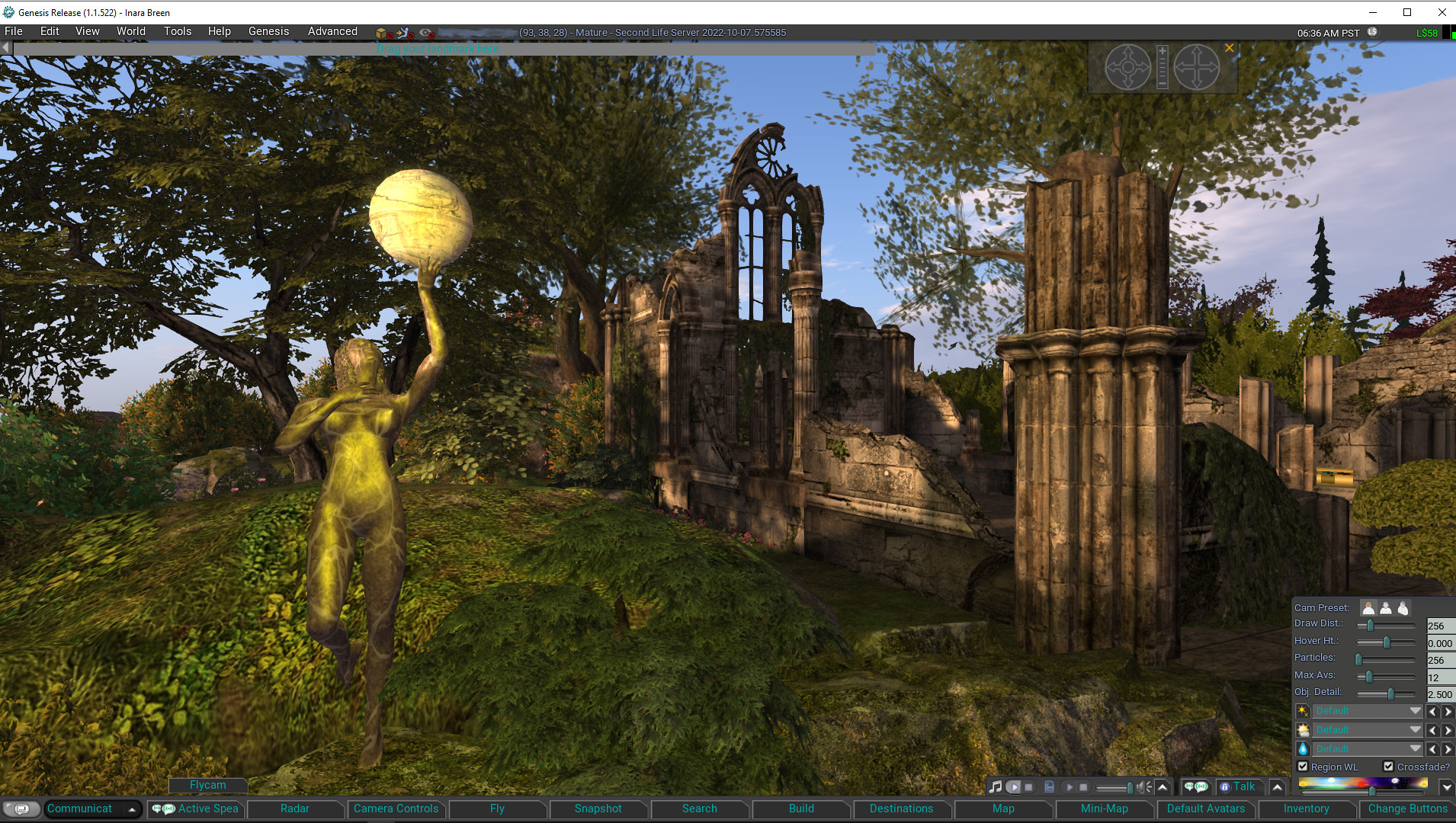
Genesis is the name for a new v1.x UI styled viewer, officially released on November 5th, 2022 (although nightly builds have been available for some time via the Genesis website). It is primarily by MelanieCosti and Torric Rodas, supported by a group of QA and nightly build testers.
At the time of writing, the release version is 1.1.522, and accompanying the release is a set of video resources available via the Genesis Viewer You Tube Channel (see below) to help people gain some insight into the viewer and also to learn how to use some of the features incorporated into it – notably those obtained using code provided by other TPVs.
The following is not intended to to be a full review of the Genesis viewer 1.1.522 release, but rather to provide a general overview of the viewer (particularly from the perspective of those more familiar with the v6.x UI style of viewers, which include the likes of the official viewer, firestorm, Kokua, etc.) and the supporting material; although some important exclusions from the current release are also noted.
Genesis Viewer splash screen
What is the Genesis Viewer?
The Genesis viewer is:
Based on a fork of the Singularity viewer, with a lot of under-the-hood reworking, together with a host of capabilities adopted from other TPVs as well. To quote from the Genesis website, it is:
A fast, responsive, low memory footprint viewer designed with laptop users in mind.
We inherited some very old code and settings, better suited to computers over a decade ago and have brought the code and settings up to date. A low-spec computer manufactured in the past ten years, should be able to run Genesis and enjoy improved performance.
Officially available for Windows only.
However, it should run on Linux Ubuntu/Mint, and a video guide is available for those wishing to try – see below for more.
Supported by a combination of release notes and change log notes on the Genesis website (click the tabs at the top of the page to switch between the two).
For those unfamiliar with it, the “1.x UI style” is a reference to Genesis being among a small group of viewer that utilise a general UI layout that reflects the original official viewer for Second Life, generally referred to as the 1.x (or sometimes the 1.2x) viewer.
The reason for this is that when first released, what is now the “v6.x” UI (and which started life as “Viewer 2.0”) had some significant design flaws that made it less-than-popular during the early days of its use (circa 2010-11). While these issues were largely addressed over time, there was also a certain amount of subjective resistance to change among some users that was sufficient to warrant some TPV developers to produce viewers which largely retained the front-end look and feel of the old “viewer 1” those users preferred.
The most notable differences when comparing the v1.x UI style found within Cool VL Viewer and Genesis (as the two currently-maintained v1.x UI style viewers with a release cycle) can be found within the menus (titles and options) and the toolbar and its button / options.
As the menu systems found on v6.x UI style viewers also tend to vary in naming and options from one viewer to the next, and the use of the toolbar buttons is perhaps the most visual difference in UI presentation between the two flavours of viewer, I will only expend time on the latter.
Genesis Viewer showing the default set of toolbar options and the expanded Settings (aka “quick preferences” in other viewers) panel, accessed via the ∧ at the extreme right of upper row of toolbar options. Note hat local chat can be displayed on this upper row as well by clicking on the chat balloon button at the far left end of the toolbar (local chat is also displayed within the Communicate floater as per v6.x style UI viewers
In short, the V1.x UI toolbar:
Is fixed at the bottom of the viewer window – there is no support for placing buttons to the sides or top of the window, according to personal preference.
Comprises two rows:
An upper row used to display the local chat bar (also displayed in the Communicate floater), and media playback options, Voice chat options, and the Settings (aka “quick preferences” in other viewers) panel.
A lower row of fixed buttons.
This lower row of buttons can be customised to a degree using either clicking Change Buttons (displayed by default at the right-hand end of the button row) or via View → Change Toolbar Buttons in the menu.
Both of the above will display a list of available toolbar buttons. Toggle the check marks to the left of each to add / remove the associated button to / from the toolbar.
Note that:
Buttons will be automatically resized to fit the available space (fewer buttons = larger button sizes and vice-versa).
There is no ability to change the order of the buttons by dragging them left or right, as with v6.x UI style buttons.
There is no ability to switch the button displays between text or text / icon or icon only, again as per v6.x UI style toolbar buttons.
Genesis toolbar options – check those to be displayed in the toolbar button area at the foot of the viewer window, uncheck those you do not wish to see displayed
The Change Buttons floater does include a lot of options – far more than is the case with most other viewers, and it would appear a number have been included for those who are particularly keen on viewer performance – useful if you are running on older hardware / a poorer connection and find you need to tweak things. It would perhaps be nice to see the button options ordered alphabetically for easier scanning of the floater, but that’s a personal observation.
Functionality
There can be a mistaken view that “v1.x UI” means “outdated”. However, this is not accurate. Yes, by comparison to the v6.x UI, viewers using the older style UI can appear to be harkening back to a bygone era of UI design (which is not to say the v6 UI is anything close to leading edge!), but it is what is under the hood that is important in terms of overall functionality – and as the Cool VL viewer has shown, there is absolutely no reason why viewers presenting the “older” style of UI cannot maintain parity with the underpinning viewer code base.
Given this, the Genesis viewer is building towards supporting all of the capabilities offered directly by Linden Lab as the “core” viewer code base, and also folds into to the more popular options offered by TPVs (some of which came by way of Singularity, which had also incorporated them). Thus, Genesis includes popular feature to be found in other TPVs such as (but not limited to):
“Legacy” style search
Area Search.
Client-side AO.
Contact sets (via the Communicate floater).
Right-click an inventory folder and select Open in New Window to open it in a separate Inventory floater.
Radar.
RLV/RLVa support.
Support for both the Pie Menu and right-click context menus.
The Genesis viewer also includes some nice touches of its own, including (but again not limited to):
Automatic complexity display: hover the mouse over an avatar and their complexity will be displayed under their name and Group tag.
Communications – Genesis Group button: need help with Genesis? Click the button top right of the Local Chat tab labelled Genesis Group to ask for assistance.
Teleport improvements: work has been put into addressing teleport issues, including About Land not updating and physical region crossings which leave the avatar walking without control until the viewer disconnects.
A lot of effort has apparently gone into general code clean-up and refactoring in order to provide a more responsive viewer. While I have not had the time or the means to objectively test this, in the time I subjectively tested and used the viewer of the weekend, I will say that I found Genesis to be at least as performant as any v6/x viewer I routinely use.
Exclusions with Version 1.1.522
That said, there are some important exclusions with this initial release. These will be dealt with in future Genesis releases (the decision having been one of ship with what is currently implemented, they build from there, rather than constantly playing a game of catch-up with more recent LL releases). For now the more notable exclusions comprise:
No support for:
Multi-Factor Authentication.
360-degree snapshots
Limited EEP functionality:
No ability to run EEP day/night cycles.
No ability to create new EEP environments.
No ability to:
Open profile floater from mute list.
Sort log-in names on log-in page.
Make favourite bar movable.
Pop-Outa person’s Profile from search.
Set transaction thresholds.
Genesis on You Tube
For those wishing to try Genesis – either a new-to-SL-users or those wishing to swap away from the v6.x style of viewer, the Genesis You Tube channel provides a range of tutorial and overview videos, including (but not limited to):
– Network Bandwidth is set to Adaptive by default. This makes your connection to SL the best it can be. It checks for packet loss and ratchets down during times of trouble then upward again. You can override this setting should you wish: Prefs > Network and set your own limits. You should, from time to time check for “packet loss” as the viewer will relinquish monitoring, when adaptive was disabled. (Stats: Ctrl+Shift+1).
Feedback
Which style of viewer UI a person prefers tends to be something of a “Marmite choice”, one version is either loved or hated; I admit I much prefer the v6.x UI style, and so Genesis is unlikely to sit on my “preferred” list of viewers. Which is not to say I dislike it or have any issues with it in terms of functionality. Variety, as they say, is the spice of life, and it’s good to see another maintained viewer utilising the V1.x style UI become available for those who do prefer that UI styling, and it’ll be good to see the various holes in the current functionality for Genesis viewer get plugged in upcoming releases and seeing it continue forward.
Given my personal preferences in viewer use, I cannot promise to offer reviews of every Genesis release, but I will obviously track them via my Current Viewer Releases page and weekly Viewer Release Summaries.
Kondor Art Centre: Monique Beeb – Monsters, Demons and Chess
Monique Beebe – Moni to her friends – is one of the most expressive digital artists I know in Second Life. I’ve had the good fortune to follow the growth of her photographic and digital art skills since her first exhibition, hosted at Nitroglobus Roof Gallery back in early 2017 (see: Hidden Faces in Second Life), and have always utterly enjoyed exploring her work as it enfolds the sensual, the sublime, the emotive and more – always with a story to tell, a question to ask, or a subtle means of engaging her audience’s minds.
Through the years since that first exhibition, Moni has continued to enthral, engage and challenge through evolving styles and approaches, as is the case with Monsters, Demons and Chess, which opened at the Kondor Art Centre, curated by Hermes Kondor, on November 8th, 2022.
Kondor Art Centre: Monique Beeb – Monsters, Demons and Chess
To be honest, this is an exhibition I would have embraced even without having an admiration of Moni’s work which has only grown over the last five years, because it encompasses a form of art that is gaining increasing traction among artists engaged in Second Life: that of hybrid art, and specifically the use of AI processes – in this case the Midjourney AI art generator. I’ve outlined this open-source software previously in these pages, but I’ll let Moni – who has been using it for around six months at the time of writing this article – describe it:
It is software used to generate realistic images, based on Artificial Intelligence. It is used with text we can write down, and it creates some indications; it is not a random image taken on Internet, which corresponds to your text, your words really create something with a deep learning algorithm, giving birth to a new image.
[It presented] A complete new experience for me! In the beginning I was doubtful about it, and I did read a lot of discussions around this subject. It ended becoming a curiosity in my mind, and turned out to be a complete addiction. It [has] allowed me to search more about AI, to discuss it with users and artists, in what way they manipulate it to come to something they wanted at first or appreciate something they did not know about previously.
– Monique Beeb
Kondor Art Centre: Monique Beeb – Monsters, Demons and Chess
Offered across the two floors of the striking gallery building are some of the fruits of Moni’s labours with Midjourney: a striking series of 25 images that allow us to see into Moni’s journey with the software tool, a journey involving chess, monsters and demons, as she explains in her liner notes accompanying the exhibition:
My first use of this software was rather random, I was mostly discovering it. I took simple shapes, balls, and it ended in chess pieces. I made many of them, arranging the background, the lights, the perspectives … When I tried to make faces, I often saw irregularities in the way they were created. Distortions on the eyes or lips, strange shapes. Then I worked more, trying to identify why it came that way. I was at some point left with a gallery of “monsters” on my computer. Their unusual odd curves made me like them … I eventually edited them on Photoshop, and make them: beautiful monsters and quiet demons!
Monique Beeb
I don’t propose to delve into the pieces in depth – each and every one of them speaks clearly and beautifully for itself. The lower floor of the gallery focuses on the works featuring chess, and like that game, there a marvellous strategy at work within them as Moni takes the nuances of MidJourney’s algorithm and combines it with her own innate ability to frame a single-frame story which born of the aforementioned sensuality, subtleness and expressiveness.
The latter is also present in the images around the upper level, where Moni’s “monsters” and “demons” reside. These may not be sensual in the conventional sense like those on the gallery’s lower floor, but there is a richness of expression, beauty and look that makes them as equally attractive and as rich in their own narratives.
Kondor Art Centre: Monique Beeb – Monsters, Demons and Chess
As a part of this exhibition, Moni asks a question that is not uncommon with the subject of hybrid art: are images generated through, or collated and manipulated by, AI (and other) means really art? She also enquires whether such images have a place in Second Life. My personal response to both questions is an unequivocal “yes”; traditional artists manipulate brushes, paints and inject their own eye and imagination in their work in order to create a piece of art; similarly, Second Life (and digital) artists also manipulate images with tools like PhotoShop and GIMP and paint with digital tools to produce an end result.
The fact that tools like Midjourney rely on descriptive text elements or the manipulation of algorithms or alterations to their baseline parameters does not lessen the fact it is the artist’s eye and imagination, often assisted by additional tools that allow for editing and / or compositing – just as with other digital art forms, as noted above – guiding the entire creative process.
Kondor Art Centre: Monique Beeb – Monsters, Demons and Chess
More than that – I’d defy anyone to visit Monsters, Demons and Chess and not see the images presented as a richly artistic expression.
The following notes were taken from the Tuesday, November 8th, 2022 Simulator User Group (SUG) meeting. They form a summary of the items discussed and is not intended to be a full transcript. A video of the entire meeting is embedded at the end of the article for those wishing to review the meeting in full – my thanks to Pantera for recording it.
Server Deployments
At the time of writing, a server deployment thread had yet to be published.
On Tuesday, November 8th, the Main SLS and Events channels were restarted without any simulator update being deployed leaving them on simulator version 575585.
On Wednesday, November 9th, simhosts on the RC channels will again updated with simulator release comprising the new Linkset Data capability (see below for more).
Whilst originally deployed on Wednesday, November 2nd, 2022, this release had to be rolled by on Friday, November 4th, 2022. See BUG-232866 “Each parcel is using the Region’s environment instead of the Parcel’s environment settings”.
Available Official Viewers
No changes to the current set of official viewers at the start o the week, leaving the list as:
Release viewer: version 6.6.7.576223 – MFA and TOS hotfix viewer – November 1.
VS 2022 RC viewer, version 6.6.8.576310, issued November 4 – utilises Visual Studio 2022 in the Windows build tool chain
Maintenance P (Preferences, Position and Paste) RC viewer version 6.6.8.576321, November 3.
Project viewers:
PBR Materials project viewer, version 7.0.0.576331, issued on November 3.
This viewer will only function on the following Aditi (beta grid) regions: Materials1; Materials Adult and Rumpus Room 1 through 4.
There are unconfirmed reports that GPUs are running noticeably hotter with this viewer than other viewer.
Puppetry project viewer, version 6.6.3.575529, issued on October 12.
Performance Floater / Auto-FPS project viewer, version 6.6.5.575378, October 4.
Love Me Render (LMR) 6 graphics improvements project viewer 6.6.2.573263, July 21.
Linkset Data (LSD)
Linkset Data is a new collection of script functions and one optional event that reads and writes key-value-pairs to a small 64kb table of data that is part of a root object.
It works similarly to Experience Key-Value store, but:
It does not require an underpinning experience – the data lives with the object that sends and receives the data.
Only scripts in the same linkset will be able to read the data written with this feature.
Important Note for the initial deployment:
Like all scripts containing new LSL functions, scripts running LinksetData calls will only run on regions running version 2022-10-27.576126 or newer (so only the RC channels to start with).
However unlike some other functions if you move an object containing Linkset Data (or teleport wearing an object containing Linkset Data) from a region that supports the capability to a region that does not support it, all Linkset Data stored with the object will be lost, even if you go back to a region that supports the feature.
This limitation will no longer exist once the back-end support for the capability has been deployed to all regions on the Main grid.
BUG-232037 “Avatar Online / Offline Status Not Correctly Updating” – this is unlikely to be addressed until 2023, as the remaining simulator update slots for 2022 now have updates assigned to them.
LL believe that they may have a fix for the Group chat issue of open Group chats appearing to freeze in their viewer tab, requiring the chat be closed and re-opened. The fix is being tested on Aditi.
The meeting revolved around a discussion on LSDFindKeys and sorting – please refer to the video for details.
llGetSimStats is getting “new fangs” (essentially everything from the Statistics floater is being added). The update is to be deployed in the New Year. Further information available in the meeting video.
Extended chat ranges within regions: this is described as “still in the works”. Apparently, there have been concerns about privacy on the viewer side which mean that, until addressed, extended chat range will remain a Linden only function.
Tempelhof, November 2022 – click any image for full size
A fair while ago – January 2014, in fact – I dropped into the Full region of Tempelhof and spent time exploring and taking photos. However, I didn’t actually get around to writing about it. So it’s about time I put that to rights.
To be honest, I have no idea if Tempelhof today is under the same management as it was in 2014 – not that this is particularly important, admittedly. However, in its current iteration, the region has been designed by Misty Payne with the region’s group created by Caps Wertmuller. Utilising the Land Capacity bonus available to private Full region, the setting is most easily defined through its About Land description:
Once a highly fashionable coastal resort – now run down and forgotten by the world. Come see what’s left, explore – and pick a home here if you want to be part of our BDSM community – we often have interesting vacancies.
Tempelhof, November 2022
While the comment on the region being home to a “BDSM community” may initially put some off, I’ll just note that this is not in any way overt, and the public aspects of the region can be easily enjoyed.
What we do have is a setting which carries within it shades of World War Two. At the dockside, for example, sits a military Kübelwagen, whilst across the region sits a coastal defence bunker and accompanying blockhouse, sitting diagonally opposite a smaller waterfront area, the entrance to which lies blocked by the carcass of a Kriegsmarine U-boat, whilst two more are moored at the main quayside.
Tempelhof, November 2022
Given the signage on the buildings, it is clear this is somewhere in Germany or along the country’s coast. Perhaps it might be a part of Berlin’s Westhafen – even if this is in the Mitte borough rather than that of Tempelhof-Schöneberg, as might be suggested by the region’s name; or perhaps it isn’t intended to represent any single place. Whatever the case, it is an atmospheric setting.
The outer sides of the region represent the core of the town, with cobbled streets, running between places of business and manufacturing and a mix residential properties, whilst the bulk of a theatre looks like it may have recently been struck by munitions of some description – although whether bombs or the result of shelling is unclear.
Tempelhof, November 2022
The centre of the region along with the east side is more open and rural in appearance, roads giving way to rutted tracks, houses mixing with trees and fields, ponds and the odd folly or two. The roads and tracks offer the most obvious routes for exploration and wandering – however, do remember that there are private residences scattered across the region, and not all of them might be houses standing in their own grounds so do be cautious about entering the buildings – not all may be open to the public.
Despite the possible wartime nature of the setting, there are multiple signs that life here is continuing as usual: the waterfront café is still open for business, fishing boats still appear to be plying their trade out of the little port, and the waterfront red light bar remains open for business (or should that be morale?!).
Tempelhof, November 2022
Richly detailed throughout, with plenty of opportunities for photography and exploration, Tempelhof offers a lot to see – and, potential for those so interested – the potential of a place to live.
November brings with it another foray into whimsy with Cica Ghost, as she offers an installation entitled Camels and Chameleons – which you have to admit is an interesting combination of beast and reptile!
As with recent installations from Cica, this one is extreme easy on the eye to view and offers gentle exploration on foot. The largely flat landscape offers a desert-like suggestion with adobe-style walls and structures for the most part not too far removed from the kinds of environments one might reasonably expect to find both camels and the desert varieties of chameleon common to the more arid parts of Southern Asia. These are interspersed with cacti which, whilst not common to the lands in which camels might be found, are certainly found within the more arid parts of the California, into which Chameleons have been introduced.
Cica Ghost: Camels and Chameleons, November 2022
Of the two types of creatures, the camels are the most numerous, with two of the three recognised “true” species represented: the single-humped Dromedary (aka Arabian camel), which accounts for around 94% of all camels and which is common to the Middle East, the Sahara Desert, and South Asia, and the two-humped Bactrian camel, common to Central Asia, including the historical region of Bactria, and also found in remote areas of north-west China and Mongolia.
Exactly which species of Bactrian is represented isn’t entirely important, but given their short-haired nature, I preferred to think of them as being the rarer Wild Bactrian of China / Mongolia. The chameleons, on the other hand, are fewer in number, and I can’t help but feel Cica perhaps missed a trick in not blending them more with some of the landscaping / other features within the setting (allowing for their size, of course).
Cica Ghost: Camels and Chameleons, November 2022
I qualified the structures within the setting above, because whilst most of them are styled in a manner in keeping with the desert / arid environments in which camels tend to be found when roaming free, there is a rather novel structure towards the centre of the installation. Comprising blocks and towers that are, at first glance vaguely reminiscent of a Middle-Eastern fortification, it also has a slight other-worldly feel to it, with some of the blocks suspended in mid air on horizontal planks bridging the gaps between other blocks, and many of them sprouting deadlock-like growths of cacti from their tops.
Rounded out with another quote from Dr. Seuss, Camels and Chameleons also includes a range of places to sit and / or dance (including on a camel or tow!) and offers a further opportunity to appreciate Cica’s art in a whimsical and light setting.






 Inara Pey: Living in a Modemworld