Happy Birthday Phoenix

On September 3rd 2010, Jessica Lyon added an entry to her personal blog. It read, in part:

“My name is Jessica Lyon. My goal during my time with the Emerald Project, was always to give the users what they want. That goal has never and will never change. I’m very happy to announce, it continues…

“A few days ago, I assembled a team of developers to work on a new viewer. Some who were originally Emerald developers, some who were not. All are respected reputable residents in the SecondLife Community. The goal was simple, to provide users with what they want and do it transparently.

“I’m am very proud to announce the launch of the Phoenix Viewer.”

Phoenix was aptly named, rising from the ashes of the Emerald project, to soar gracefully as potentially the more successful and popular of all Second Life third-party Viewers – and all in the space of a few short months.

The Phoenix party with dramatic windlight settings active

To mark the anniversary of that blog post and Phoenix’s birth, Jessica and her team held a party, hosted by Ed Merryman on Wailele Moku sim.

Jessica Lyon

Some 50 people were on the sim for most of the celebrations, which included speeches, music and dancing and general merriment.

Many of the Phoenix development and support teams were present, including Jessica herself, who was out on the dance floor and mingling, and there were opportunities to be had to chat about Phoenix and Firestorm.

It’s been a remarkable twelve months for the Phoenix team. Not only have they met  – and exceed the wants and hopes and desires of a huge number of former Emerald users and overcome the angst and concerns that surrounded that particular episode of SL history, they’ve worked equally hard on developing Phoenix’s potential successor, Firestorm, which is already proving to be a huge success even before it has reached the status of a formal release.

So it’s been a remarkable and productive – not to mention successful – year. As a former Phoenix user now committed to Firestorm, I’d like to give my thanks to Jessica and the team for all of their effort over the year and say that I hope this is the first of many such birthday celebrations for both Phoenix and Firestorm in Second Life and in the OpenSim environment.

Happy Birthday, Phoenix!

Update Sept 4th

Here’s the birthday speeches via metamix TV.

Imprudence celebrates its birthday and a new project organiser

Just on a month after Jacek Antonelli announced she would be retiring from the Kokua / Imprudence project, the team have announced they have a new project organiser in the shape of  ZATZAi Asturias.

ZATZAi, aka Sean Greyhound in SL, has been active in SL since 2005, and among other notable activities, helped organise the in-world elements of SLCC 2007, and his appointment has been warmly received.

Also, this weekend see Imprudence celebrate its third birthday, and the team are marking this with a series of events across a number of grids. In Thursday 1st, they celebrated on their “home” grid, 3rd Rock. Over Friday and Saturday, they’ll be travelling to InWorldz, OSGrid and Second Life, with an open invite for friends and supporters and everyone else to join them in celebrating. Here’s where:

  • Friday September 2nd:
  • Saturday September 3rd:
    • OSGrid at Imprudence, commencing at 13:00 PDT
    • Second Life at Rouge, commencing at 22:00pm PDT
Purple rules: the Imprudence sim on OSGrid

Happy birthday, Imprudence!

Text clients reviewed 4: SLiteChat

Note: SLiteChat was announced as “end of lifed” in July 2015.

We’re all familiar with the Second Life Viewer in one flavour or another. But what about the non-graphical “lightweight” clients that are available for accessing SL when using a “full” Viewer isn’t always an option?

Like the Viewer, these “lightweight”, or text-only clients come in a number of flavours, some of which  – Libretto, Metabolt and Radegast – I’ve previously looked at in terms of the Windows platform. SLiteChat is another such client, available for Windows, Linux and Mac, and it gets the Pey treatment here.

SLiteChat

  • Platform(s): Windows / Linux / Mac (Windows reviewed)
  • Version reviewed: 1.6.3

In terms of overall functionality, SLiteChat sits on the Libretto side of the scales – if all you need is a rapid means of logging-in to SL and conversing and carrying out some basic tasks, it is ideal. It installs smoothly from the .EXE (binaries also available), and when launched – unlike the first three clients I reviewed in this series – doesn’t present you with a log-in screen. Instead, the application window is displayed, with a prompt for you to log-in.

Buttons

  • Exit: closes the SLiteChat window and quits the application
  • Login: displays the log-in floater
  • Logout: logs you out of your chosen grid, but leaves the SLiteChat application running
  • Teleport Home: when logged in, this will tp you to any home location you have set (or to your default logging-in point if none set)
  • Preferences: displays the Preferences floater
  • Check for Updates: will poll the SLiteChat website for any available updates.

Logging-in

Clicking the Login button displays the logging-in floater.

Enter the name of the avatar you wish to use to log-in to your grid in the First Name / Last Name box (in the case of Second Life, those without a last name should enter “Resident” after their first name). When logging in, note that:

  • All names and passwords entered into the client are recorded, and can but automatically entered into the fields during future log-ins by clicking on the down arrow at the right side of the First / Last name box and selecting the required avatar name
  • Log-in names are stored by grid; so if you log-in to multiple grids, select the grid first, and this will enable a list of avatars used to date to log-into that grid when the arrow to the right of the First / Last Name field is clicked.

The Grid drop-down (shown above) contains a pre-defined list of grids, which is slightly out-of-date at present.

Once logged-in, the full set of menu options becomes available to you

  • File: Provides the Login, Preferences and Exit options prior to being logged in, and Logout, Teleport Home, Preferences, Export Saved Conversations and Exit options when logged-in
  • View: allows you to toggle the Friends and Group windows on / off individually or together (if one is turned off, the other will expand to fill the space; if both are turned off, the chat display area expands to fill the space)
  • Friend: allows you to:
    • Search for a Friend: opens a floater window, enter the name of the person you are seeking in the top and their name is display in the main window. Entering a first name will display a list of matching first names. Highlight a name in the list to either send and IM or a Friendship request
    • Remove a Friend: left-click on a name in your Friends list and use this option to remove them as a Friend.
    • IM a Friend: left-click on a name in your Friends list and use this option to IM them – a separate tab will open in the main chat and message display area.
  • Group: this menu option is currently inactive
  • Help: Displays the Help floater and checks for updates to the application whether or not you are logged-in.

Friends and Group Lists

The Friends and Group list windows each have their own buttons and options.

The options are pretty self-explanatory, with the action buttons mirroring those found in the Friend and Group menus (with the caveat the latter menu options remain greyed out in the 1.6.3 release). As noted above, closing one or other window will automatically expand the other to fill the space, while closing both will expand the chat / message display area into the space. It’s also worth nothing that friends are automatically displayed alphabetically (first name) and split between online and offline.

Preferences

The Preferences button / menu option (under File) displays a floater of personal preference options for the client.These options are all fairly self-explanatory, although not all appear to be functioning properly.

  • The Google translation option no longer runs, probably as a result of the API for that service becoming a paid-for option
  • The options to save conversations (alongside the FILE -> EXPORT SAVED CONVERSATIONS) do not appear to be functioning.

Website

The SLiteChat website provides download links and basic documentation – including how to install, for those that would prefer to download the binaries – and a very good FAQ on common issues.

Use and Opinion

SLiteChat does precisely what it says on the box, and provides a clean, quick text-based client. It equals Libretto in most respects, although some functionality doesn’t appear to be entirely there at present. In the case of Groups, and the Group menu, this isn’t a problem, as the Group window action buttons all work. Some of the Preferences options do appear to need further work – either that or I was having a bad tech day when playing with the client. The Grid list needs updating, somewhat as well – and it would be nice to have the ability to add your own preferred grids to the list.

I’ve no idea where development stands at the moment – this release dates back to February 2011; I’ve IM’d the developer and will update here with more info should it come through.

However, none of the above stop SLiteChat from being a good, lightweight alternative to accessing SL when you’re unable to use your Viewer, and is certainly capable of letting you stay in contact with friends in-world.

Cool VL Viewer gains mesh support

Fresh on the heels of Astra 1.5.10.(2) gaining mesh rendering support, Henri Beauchamp has issued an experimental release of the Cool VL Viewer, also with mesh rendering support.

As with all versions of the Cool VL Viewer, the experimental release requires Snowglobe 1.4.2 to be installed first, with the CL VL package then installed over it. This is smooth enough, taking just a few seconds to complete. Once installed, the Viewer can be loaded using the Cool VL Viewer icon not the Snowglobe icon.

Given it is one of the longest-running TPVs in SL, Cool VL Viewer comes with  everything you’d expect of a TPV, and I’m not going to repeat the impressive list of features here – as this item is about the mesh rendering (although I should point out the release also includes full support for dynamic lighting and shadows).

As with Astra 1.5.10.(2), I used the SL mesh sandboxes to test the Viewer and took a look around – starting with Don Linden’s familiar examples and Oskar Linden’s black duck in the background.

Mesh samples in Cool VL Viewer

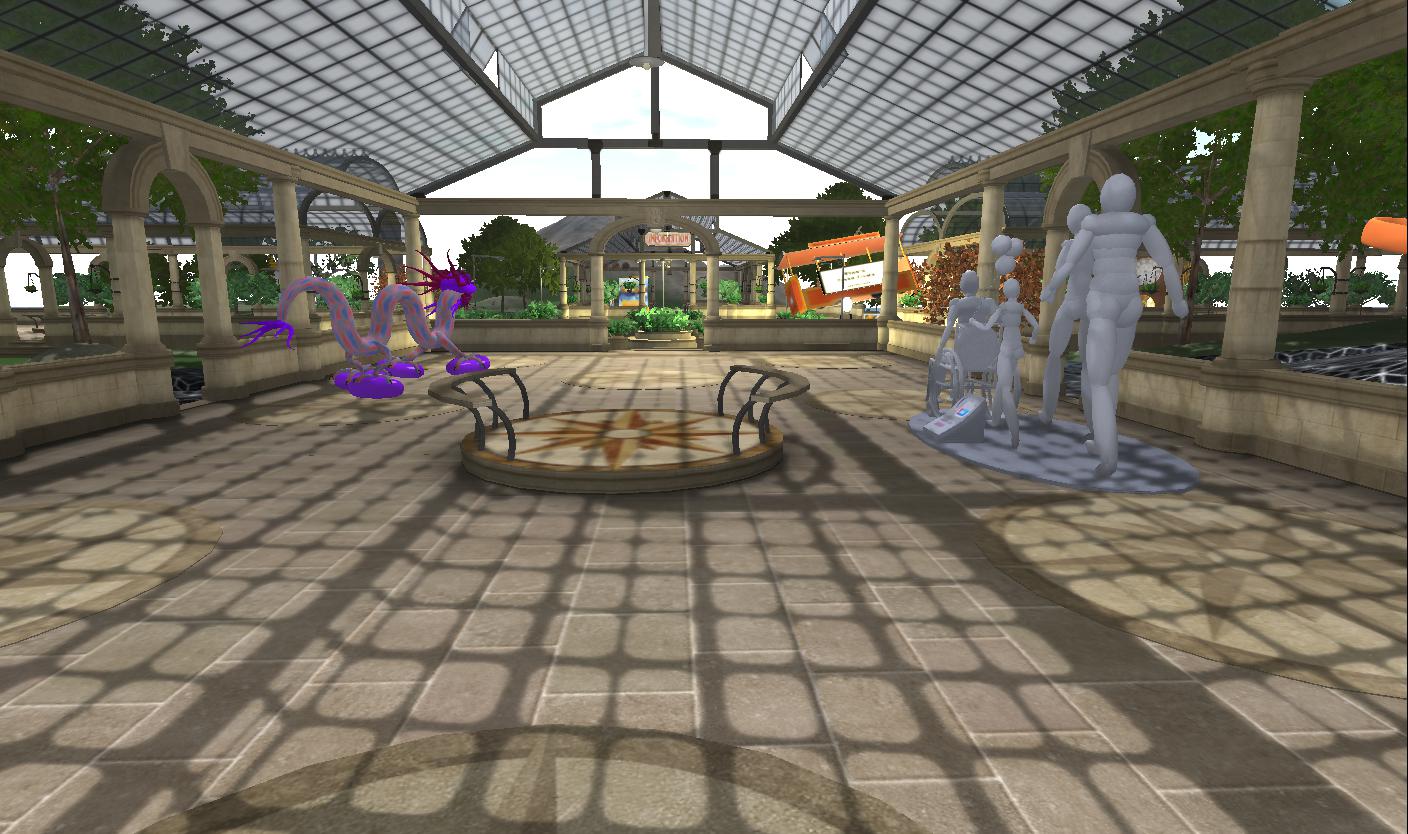
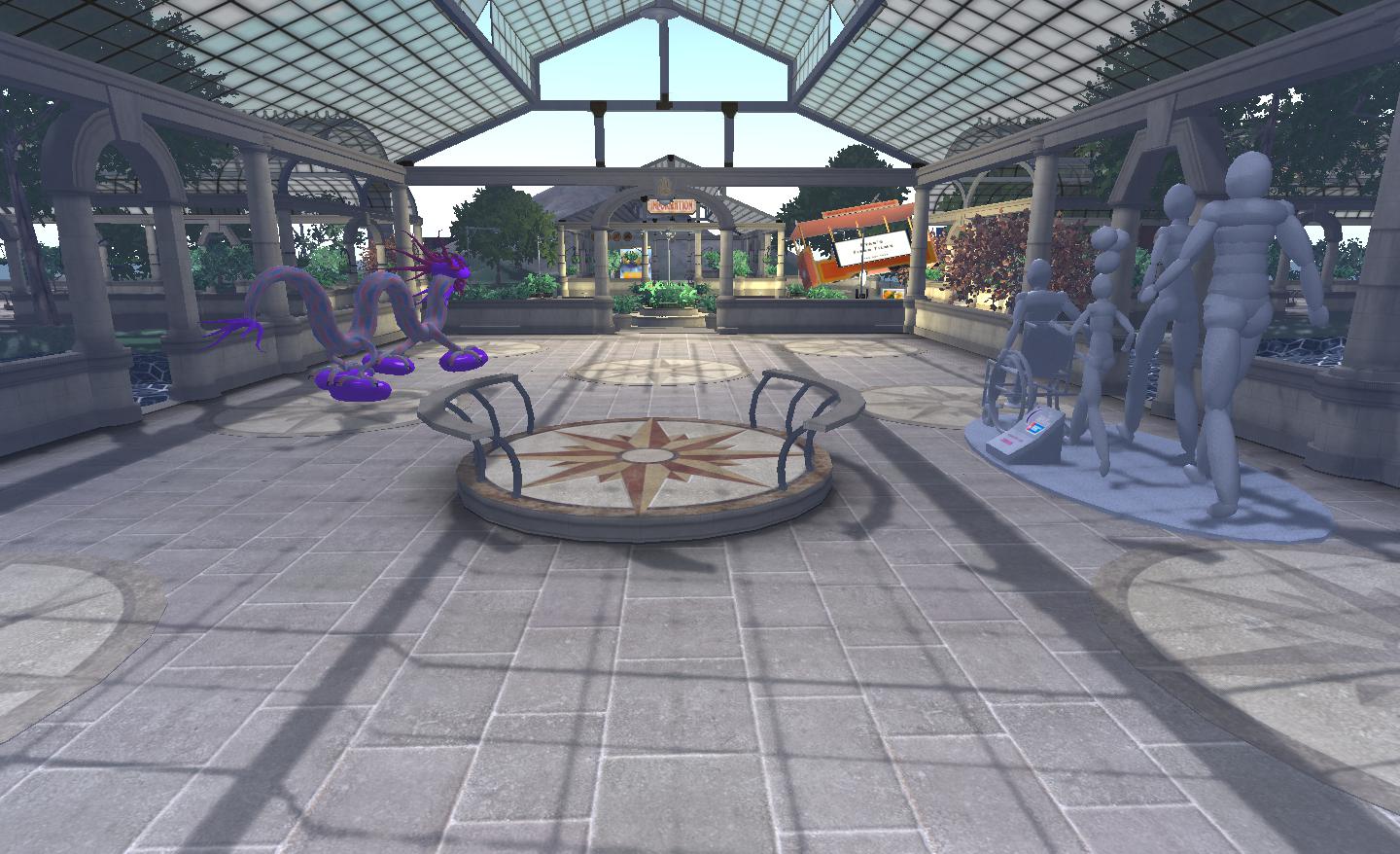
As can be seen, they all rendered well in Cool VL Viewer for me, although there is an issue that Henri is aware of at present. Sometimes mesh objects get stuck in the lowest level of detail (LOD) setting, causing them to appear semi-rendered. In the case of in-world objects, a quick right-click fixes this.

Mesh objects LOD issue – right-click on the object to resolve

Sadly, the same solution doesn’t work on mesh clothing worn by others, which may also get stuck in the lowest LOD rendering. However, as this is only an experimental issues of the Cool VL Viewer, things should hopefully improve as the code is refined.

There is currently no upload option for mesh at present, so those wishing to upload will have to use either the official Viewer 3 or Kirstenlee’s S21 (build 9 and above); this is currently a fact of life for the majority of third-party Viewers, although the situation may obviously change in the future.

If I’m honest, the LOD issue was not something I encountered in testing Astra 1.5.10.(2) and mesh at the sandboxes – but Cool VL Viewer does score over Astra 1.5.10.(2) in that it is a recognised Second Life Viewer with a pedigree people know and love; this is liable to make this version very popular, and any bugs in the current release are, as mentioned above, bound to be worked out.

Cool VL Viewer 1.26.1.0 also scores over Astra 1.5.10.(2) at present in that it is also available as a Linux download.

So if you are a confirmed V1.x user, either on SL or OpenSim, and want to see mesh, why not give it a go? Just please bear in mind that it is currently experimental, as as such, may be subject to stability issues, so don’t get mad with Henri if it does!

The Links

Astra – a Viewer 1-based TPV with mesh rendering

Updated August 31st: Those working on Astra 1.5.10.(2) have asked me to point out that this release is still experimental, and can be unstable at times – see comments at the end of this piece.

Viewer 1.x and mesh are not things we’re used to seeing together where Second Life is concerned. However, with mesh also making its presence felt in OpenSim, it was likely that code to render mesh in a Viewer 1.x TPV would come about at some point.

Astra Viewer is an open source Viewer linked to Astra Grid / Aurora-Sim out of Pleiades Consulting of Canada. The current release, 1.0.0 is available from the Astra Viewer website. However, there is a 1.5.10 release for Windows that can be obtained from the Aurora-Sim repository that is of interest because it can render mesh objects.

It’s unclear as to how widely available this release of Astra is supposed to be; I e-mailed the individual listed as a the main coder for the version several days ago as to use, etc, but have so far failed to receive any reply. However, news of its availability is spreading through Twitter.

Astra 1.5.10 does have almost everything you’d expect from a V1.x-TPV: client-side AO, RLV/a support (accessed from the Advanced menu, a-la Imprudence), radar, V1 avatar physics, V1 shadow rendering, etc. But it’s the mesh rendering that is of interest, and it’s good.

As mesh support is (for me at least), hard to find out in OpenSim land*, I admit that I *did* sneak into Second Life using Astra in order to test it. I’m not sure if this was entirely against the rules – SL is included in Astra’s Grid Manager, but I have no idea if Astra has been self-certified under the requirements of Linden Lab’s Thirf-Party Viewer Policy. It doesn’t appear on the TPV Directory – but this actually isn’t necessarily indicative of non-certification, as certified Viewer do not have to be listed in the Directory.

Leaving that aside, I have to say, the code works fine, as the image below shows.

Two of Claudia222 Jewell’s magnificent mesh sculptures rendered in Astra.

There’s no upload option in the Viewer at present, tho. Whether this will be added in time, I have no idea.

Another view of one of Claudia222’s creations, captured in the Asta Viewer.

Overall, Astra is pretty much what you’d expect from a 1.x Viewer. The Grid Manager selection is short (defaults to AnSky Grid on initial start-up), but adding new grids follows the usual format, and as such, isn’t a hurdle to overcome.

As I said above, it’s not clear if the Viewer has been self-certified for SL use (I’ve e-mailed the perople developing it, but haven’t heard back as yet), but given the amount of resistance to the likes of Viewer “3” within Second Life, the existence of the code to render mesh objects in the 1.x Viewer is liableto be of keen interest of 1.x TPV developers.

In the meantime, those on Windows wishing to try out Astra 1.5.10.(2) on suitable OpenSim grids can find it here.

* Francogrid and OSGrid have mesh-enabled regions.

(With thanks to Latif Khalifa).

Firestorm: major updates on the way

There is a lot of exciting news coming out of the Phoenix / Firestorm team this week, as Jessica Lyon revealed during the fortnightly Phoenix Hour Metamix TV broadcast on Tuesday. Here are the highlights.

Phaylen (l) with Jessica

Hybrid with Mesh

The next release will be a true hybrid version for Firestorm, utilising code from the SL Viewer 2.6, 2.7 and 2.8 / 2.8.3 releases. It will include the capability to render mesh objects.

There is no actual release date for the new version – although Jessica hopes it will be in “The next couple of weeks.” The version is being referred to as 2.6 internally, as this was the code it was initially based on. However, given it has now developed into a hybrid encompassing several V2 releases, it is possible the version number will change to reflect the fact Firestorm is not tied to a specific Snowstorm build.

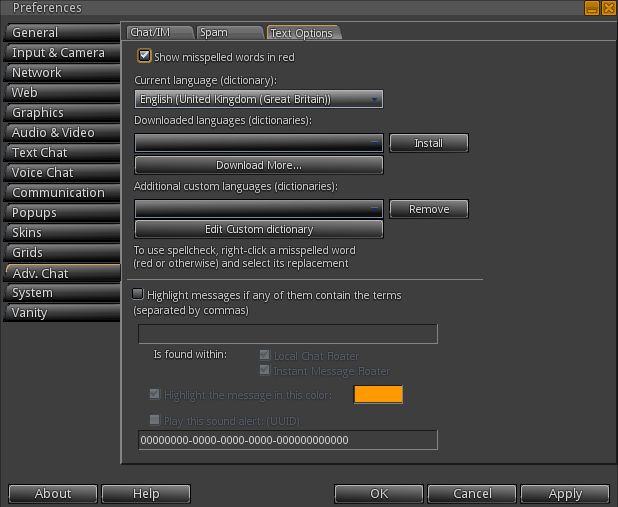
There are a couple of “blockers” to the release, one of which is getting the spell check tool into this release. This has hit a few problems, but the number of requests that have been received for its inclusion mean that it Jessica would prefer not to release the next version until the spell check is working.

Jessica Lyon discusses Firestorm

Beyond this, there are a number of other 2.6-related targets to be met, which (I gather) include regression fixes. However, rather than delaying the release unduly, the team may opt to release 2.6 with the major additions (mesh, the spell check, etc.) as a Release  Candidate, then add the remaining 2.6 targets before moving it to a Full Release status.

Viewer Modes in Firestorm

Viewer 2 introduced the concept of Viewer “modes”: Basic or Advanced. The next release of Firestorm will introduce a similar concept of “modes”, but executed very differently, in that three interface modes will be supported:

  • Phoenix mode: the Viewer presents a Phoenix-like UI
  • Viewer 2 mode: the Viewer presents a Viewer 2/3 UI
  • Firestorm mode: the Viewer presents its own hybrid UI

Friends List Overhaul – Contact Sets

This is something that is bound to excite a lot of people – and it is also something LL have been thinking about, going on comments at SLCC 2011.

Firestorm will include the ability to group / categorise your friends and contacts.

Called Contact Sets, the new feature allows a user’s Friends list to be organised according to individual needs (e.g. all business contacts can be put into a set, close friends into another set; individuals can appear across multiple sets, etc.).

Additionally, users will be able to set Viewer tag colours for their Contact Sets, making it easier to identify people from a Contact Set when seen in their own in-world view or when looking at mini-map icons.

The feature also includes the ability to include people not on a user’s Friends list, however:

  • It will not give a user any additional privileges over someone they include in this way, so users will not be able to see the online status, etc., to “non-Friends list” people in a Contact Set
  • Any group Teleports, conference calls, etc., will not be seen by “non-Friends list” people in a Contact Set

Other Features

The next release will include a number of additional features, including:

  • The Phoenix Log-in Manager will be included, allowing users to quickly and easily log-in to Second Life using any of their avatar accounts, as is currently the case with Phoenix. Once an avatar has been logged-in through the Viewer, the information is retained by Firestorm and is available from a drop-down list in the log-in screen
  • The Grid Manager has been improved, thanks to code donated by the Kokua project, together with some OpenSim support code, allowing Firestorm to operate more smoothly with OpenSim grids
  • Selection beam customisation has been added to Firestorm, allowing you to customise your selection particle beam
  • Auto-correct has been ported from Phoenix into Firestorm. Auto-correct is a macro-like option which can also be used as an auto-complete tool: if you have terms you frequently use, such as referencing a web page (your blog?), you can use auto-correct to set up a suitable abbreviation & when you type the abbreviation, the full text is automatically inserted into the chat / IM bar
  •  Viewer tags gain greater customisation in terms of how you see them; custom colours can be used, rather than being restricted to a pre-defined set
  • Volume control pop-up (Impudence example) to be in Firestorm

    The volume control pop-up common to V1.x Viewers next Firestorm release, providing users with access to all volume control sliders. This will be accessible by clicking the volume control option at the TOP RIGHT of the Viewer window, rather than the bottom right, as with V1/x TPVs

  • Font options are to be introduced, allow users to change the font used in the Viewer. A warning here is that the Viewer is coded around the default font size, so if you change the font, words may not correctly display
  • Proxy options will be included in the next release,while scripts opened and edited from inventory will be able to save them in LSL or Mono
  • Additional skins will be provided with the next firestorm release. In addition, there is also documentation available on how to create a Firestorm skin this includes information on a competition for new skins to be officially added to Firestorm
  • Display Names will offer users t the abilityo alter Display Names for other people as they are seen in their own in-world view. So if someone has used ASCII to create an incomprehensible Display Name, you can change it to some readable for yourself, with the following important notes:
    • The change doesn’t impact the actual user’s Display Name as they or others see it
    • This doesn’t in any way affect another user’s user name
    • The new name will appear in asterisks, and is not persistent if the person concerned later changes their Display Name to something else.

Major Bug Fixes

  • Log-in bug: Firestorm can crash as a result of too many chiclet notifications being received while offline. The default for the number of chiclets the Viewer can handle was raised in the current release, and this is thought to have been the problem. The permitted number has been reduced to the LL default in the upcoming release. In the meantime, those experiencing this problem, there is a work-around in the Phoenix wiki
  • Screen blackout / freeze on teleport: the mini-lock-up that can turn the screen black and  / or freeze things following a teleport has been linked to an issue with the LL code, but a fix is to be included with the next Firestorm release.

Other Notes

  • The Contact Set feature will be included in a Phoenix maintenance release around seven days after the release of Firestorm
  • There are other V1-based Viewers successfully integrate mesh rendering into their offerings, the code might be included in Phoenix in the future.

The full presentation can be seen on Metamix TV, complete with the Q&A session. Overall, these updates are almost exactly what people have been asking for – not just with Firestorm, but of linden Lab as well when it comes to the improvements to the Friends list. As such, Contact Sets idea in particular is liable to set Firestorm head-and-shoulders above other Viewer 2.x offerings and could potentially see a lot of people switching over to it.