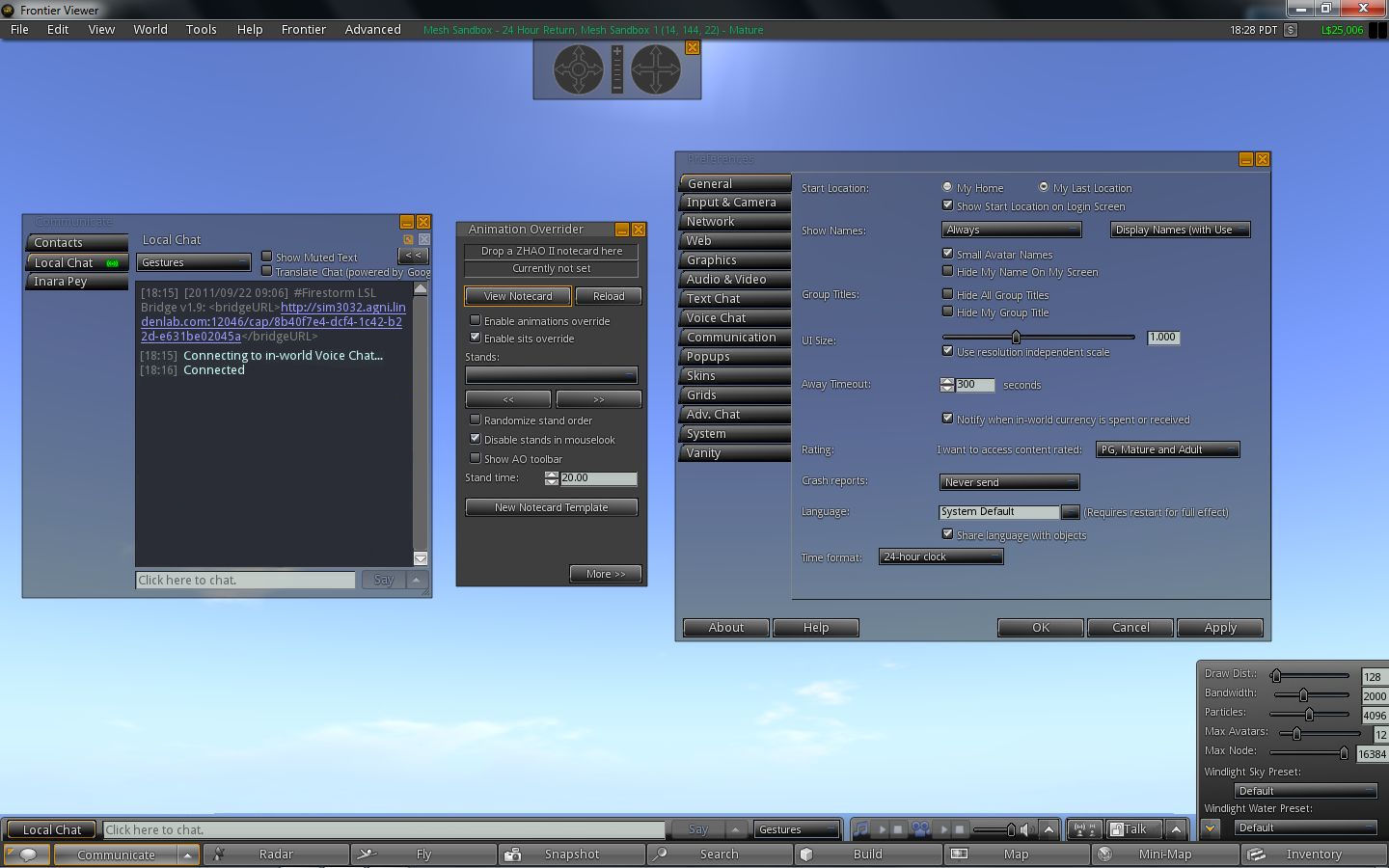
Viewer “3”: a quick road test

So, yesterday mesh arrived (except for folk on the BlueSteel RC channel, who still appear to be waiting for mesh to be rolled-out), and  – as I predicted in my report on the roll-out, Viewer “3” jumped very quickly from Beta to the main Viewer download channel.

For those hoping Viewer “3” was bringing with it some radical departure from Viewer 2 (and I did actually hear and read speculation from some who had not actually taken a look at the new version while it was in Beta), sorry folks, that was never the aim.

Elevating the Viewer from 2.x to 3.x was never about bringing out a whole new Viewer (or even radically improving what was there already), but simply about marking the arrival of mesh. In fact, other than a muted blog post in the In-World section of the official blog (actually promoted to Featured News as I wrote this article) and a couple of Tweets, it’s actually been the only sign from Linden Lab that mesh has rolled out. While I appreciate (very sincerely) that LL included a link to this very blog in their announcement, I’m nevertheless somewhat baffled at the low-key approach.

So what does “Viewer 3” bring us.

Well, pretty much what Viewer 2.8 had, with some bug fixes and, of course, the inclusion of various mesh features.

Performance-wise, I’ve personally found it to be reasonably comparable to the likes of Firestorm on my main PC. The frame rate for a reasonably busy sim (i.e. more than a handful of avatars) comes in at around 32-37fps. On a sim where I’m just one my own or with one or two others, this bangs up to 45-48fps. It doesn’t rock the way Viewer 2.7 did for me, but these figures give a pretty smooth performance.

With shadows enabled, things aren’t so good. I crash to around 5-8fps with just one or two on the same sim. Any more than that and the frame rate bottoms-out at around 2-3. This is pretty chronic compared to Firestorm with shadows enabled, and a lot worse even than some earlier iterations of Viewer 2.

The usual annoyances remain: lack of location co-ordinates in the navigation bar, overly clunky movement / camera control pop-ups, frustratingly confusing toasties, etc. (although in fairness, all Viewers based on the V2 code have this), absolutely crappy IM / chat windows (please, please, LL, take a leaf out of the Firestorm book), yadda, yadda.

As previously mentioned, the update includes an option to allow region / sim owners to allow / disable mesh on a sim. IMPORTANT UPDATE: please see the end of this article of the latest status of this option.

Region option to allow / disable mesh

The can be found bby clicking on the WORLD menu option, then navigating to PLACE PROFILE -> ESTATE / REGION, as shown above, and then clicking on the REGION tab. The option should be available for  estate managers. However, at present the option still has a bug that means it will fault back to ALLOW on clicking APPLY. Ciaran Laval has raised a JIRA on this: VWR-26727, which has been moved to SH-2341 – please make sure you WATCH it.

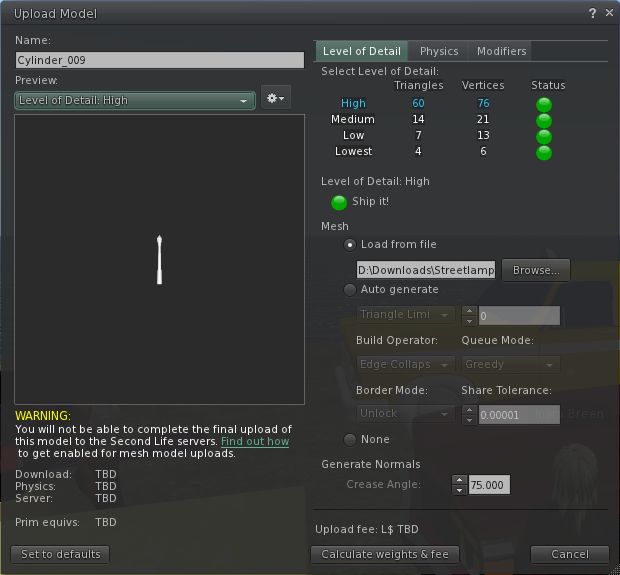
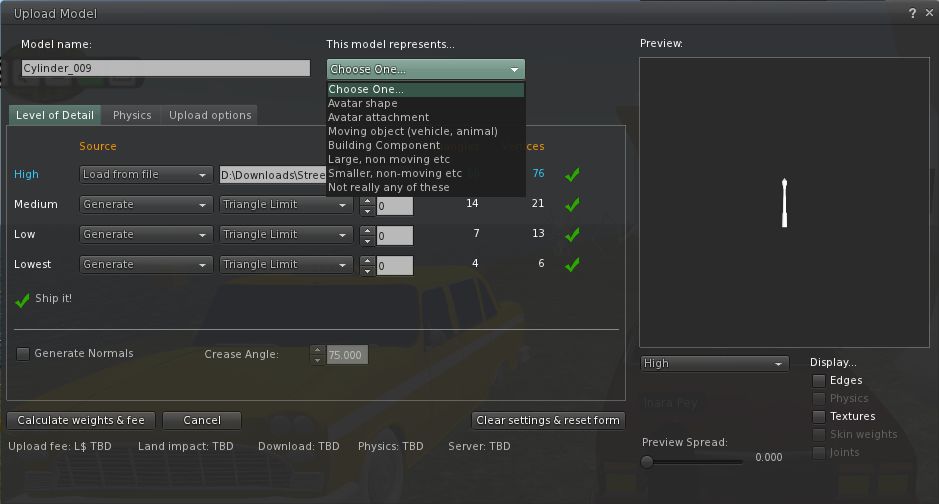
When it comes to uploading mesh objects, the option can be found in the BUILD menu, alongside the other upload options.

Mesh upload options

A couple of things to bear in mind here:

  • You’ll have to have completed the Mesh Upload Status tutorial and have Payment Information On File to upload mesh objects
  • It would appear that if the land is set to a Group with object entry / rezzing is restricted to that group, you may find the mesh upload option is not displayed unless you are a member of that Group (this was certainly my experience, testing on both my own land and a sim belonging to a friend whose Group I’m not a member of).

I ran a couple of upload tests without incident (although the meshes were not that complicated, and I didn’t play with the defaults that much, as they’d already been optimised for SL). I gather others have found problems.

Other than this, there is little more to say about Viewer “3”. Others have experienced crash and frame rate issues, but in using it for some 3 hours, with plenty of teleports, etc., I didn’t encounter any technical issues. usability issues, yes; but not technical. Again, the official Viewer, in whatever version number it sits under, has a long, long way to go before it reaches the level of convenient use offered by the likes of Firestorm – at least where the non-mesh aspects are concerned.

Update 25th August, 2011

In a comment on the revised JIRA, Charlar Linden states:

Charlar Linden updated SH-2341:Status: Expected Behavior  (was: Open)   Resolution: Not Applicable – thanks – this flag would have no effect, and is being removed soon.

So it would appear the option to disable mesh is not intended to be a part of the Viewer.

Get set for Viewer 3.0

It appears that Viewer 3.0 is about to arrive on our doorsteps.

Now, before you all start jumping up and down, it’s not another new version of the Viewer – well, not exactly – nor is it in any way an admission that Viewer 2 has “failed”.

Rather, it is all part of the arrival of mesh across the Main grid and not indicative of any major overhaul of the Viewer.

Opensource Obscure was the first to notice the change, and his digging got the following comment from Oz Linden, the transition to the version number of 3 points to support the introduction of ‘import of 3D models’” (i.e. mesh).

Interestingly, the version number is on the latest development Viewer (3.0.1 (238085), dated 9th August) which does not support mesh; whereas the latest mesh project Viewer issued earlier the same day retains a 2.8 release number (2.8.2.(238103)).

Speculation is that the new version number will be officially announced at this weekend’s SLCC, ahead of the planned completion of mesh roll-out, which is due at the end of August.

Addendum

At 14:48 PDT, Linden Lab announced a Beta release of “Viewer 3.0.0” with mesh support was available for download and trial.

Radegast: 3D Rendering progresses

The 3D rendering capability I reported on a week ago in Radegast continues to develop.

The rendering window itself has been improved, with the debug panel now OFF by default, giving it a much cleaner appearance. Avatar movement, via the cursor keys (or the movement buttons on the main Radegast window) is smoother, although still not as refined as the Viewer. Right-clicking on scripted-items in the render window now also calls-up any associated menu, or allows you to take direct actions such as sit, take, etc.

Clicking a menu-driven item in the render window displays the associated menu in the main Radegast window

The most eye-catching addition that may be coming, however, is the ability for water reflections to be rendered, as shown in the video below from the Radegast team.

Now, I have to confess, I’ve downloaded the most recent nightly build, and couldn’t get the water reflections to work. This might be simply because the code to do so isn’t as yet in the latest build – I have no idea; but that doesn’t make the video above any less impressive.

There are a few issues around camera movement that could be refined or improved: holding CTRL and moving the mouse to the right – and seeing the camera move to the LEFT relative to its on-screen position, for example, can be a little confusing. But again, this rendering option is still experimental, so there is every chance that if things like this can be refined, they probably will be.

Overall, it’s fascinating to watch these developments within Radegast, and kudos to the team for the progress made so far.

A look at the new V2 log-in screen

As has been widely reported, Linden Lab have updated the Viewer 2 splash / log-in screen with version 2.8.1.

The new screen, available in both Basic and Advanced modes is a completely new, and interactive layout which may well encourage newcomers to SL to explore and take a dip in things – and could well help users who are logging-in specifically to attend an event to get to it from the off, and without having to log-in to home, or somewhere and dig-out a landmark.

The new screen features 5 distinct areas:

  • The Editor’s Choice: twelve images of locations within Second Life
    • Use the left / right arrow buttons below and to the right of the images to page through them
    • Hover the mouse over an image to display further information about it, including an option to set it as your current logging-in point when you click on the log-in button
  • The What’s Hot Now bar which features eight “pages” of four destinations apiece that are proving popular
    • Locations apparently selected on the basis of the number of avatars currently in attendance
    • Page through the list 4 locations at a time using the left /right arrow buttons
    • Hover the mouse over a location for further information and the option to add it as your Start At point when you log-in this time
  • The Destinations bar
    • Multiple pages of destinations in Second Life sorted into categories which can be selected from a drop-down list (see image above)
    • Page through the list 4 locations at a time using the left /right arrow buttons
    • Hover the mouse over a location for further information and the option to add it as your Start At point when you log-in this time

To the right of these are two text areas drawn from the same feeds that server your dashboard at http://www.my.secondlife.com:

  • An Upcoming Events feed which lists the current events listed in your dashboard and which can be paged through using the left / right buttons. Clicking on an event does two things:
    • Displays a pop-up with further information on the event
    • Updates your Start At location to deliver you to the venue when you log-in (a warning that this has happened is also displayed in the pop-up)
  • A Blogs Feed that features all current LL blog entries found on the dasboard, but without any streaming into familiar categories (“Featured News”, “In-world”, etc.). Clicking on a blog title open-up a pop-up window and displays the blog entry in a scrollable format (below).

Overall, the new approach is a nice idea. Were I to pick any issues with it at all, it would be:

  • The lack of any Grid Status display – that there is none is utterly and completely short-sighted; if there are issues in-world, people have the right to know before money or goods are put at risk through asset server errors and suchlike. Yes, it may spoil the nice shiny hue to SL, but not including such a listing and ensuring it is updated ASAP a problem occurs is a pretty glaring omission – as Rodvik, if you’re reading this and given your promise to get better notification of issues and problems out to users, this oversight needs fixing
  • The lack of any info relating to current and 60-day logins is also unfortunate, and one has to wonder at the logic behind removing it.

Overall, and interesting approach lacking a couple of features, but one that may encourage people to start exploring more, and help newcomers to seek out places of interest and potentially avoid getting unpleasantly dumped into one of the many (un)welcome areas within SL.

Update

At SLCC 2011, Brett Linden, Managing Editor at the Lab, reviewed the new log-in screen, commenting that it is currently “version 1” and the Linden Lab would like feedback on it in terms of how people are using it, information displayed, etc. Brett and the Editorial Team can be contacted at editor@lindenlab.com.

Jacek Antonelli announces retirement

Jacek Antonelli, one of the major driving forces behind Imprudence  / Kokua has today announced she is retiring form the Imprudence team. Her announcement in part reads:

After 3 years of serving this project, I will be retiring effective September 1. As often happens in life, the priorities in my life have shifted over time, and it is now time for me to focus on other things.

Obviously, this will be a major transition for the project. But, I will be working for the next month to make it as smooth as possible, so that everything can continue with minimal disruption. At this time, we have not yet decided who, if anyone, will replace me as “benevolent dictator“, or whether there will be some other form of project leadership. Of course, we will keep you guys informed as the details are fleshed out.

My retirement is not an occasion for somberness, but rather for fond reflection on the past, and hope-filled anticipation for the future. I am proud of the work we have done and what we have accomplished so far, and I look forward to the great things that will be accomplished after I am gone. What’s more, I am immensely proud that we have accomplished all this without compromising our principles or our integrity, even when the road was most difficult, and the temptation most pressing.

Imprudence has been a major force in the world of third-party Viewers, and the team, lead by Jacek, have rightly gained themselves a loyal and enthusiastic following. Over the years, Imprudence has often been a pathfinder for new functionality, and/ or has striven to meet the most-needed requirements of users.

It is not entirely clear what will be happening in the future – the team have a month to get things sorted out, and hopefully both Imprudence and the still in-initial-development Kokua will remain with us, and the vision of seeing Imprudence 1.4 stablised and Kokua gorwing into its worthy replacement will be realised over time.

As a former Imprudence user myself, I’ve always appreciated all the work the team has put into the Viewer, and I personally wish Jacek every good wish and every success, both in her virtual and real lives.

Thank you for everything you’ve done, Jacek.

Phoenix 1.5.2.1185 out

Phoenix have released the latest maintenance update to the Viewer. This comes with a number of bug fixes, including:

  • Phoenix appends (PH) in official support groups, with an option to disable
  • Fix for crash on changing shape and sometimes on appearance (fixes PHOE-59, and part of PHOE-3002)
  • Fix for crash when an animation is played on another avatar with an unknown joint
  • Partial fix for crash when script error buffer is overloaded by only displaying your own script errors by default.
  • Webkit related updates and fixes.
  • Linux Webkit updated to 4.7.1 (to same as windows and mac)
  • Fixes showcases not working for regions with a space in the name
  • Add Plugins and Javascript settings to web preferences
  • Add ability to disable SSL certificate errors in LLQtWebkit.
  • Add ability to add certificates.
  • Fixed Mac OSX Lion error messages about missing files
  • Updated bridge to prevent other objects from making your av move
  • Added option to disable server version change notifications, and set notifications to a lower priority
  • Updated copy paste code in build floater and fixed position on attachment
  • Avatar physics fixes – pie menu detach works, as does setting beer belly bounce on male
  • Handle llRegionSayTo() messages sent to local chat properly. Fixes PHOE-2998.
  • Webkit related upgrades and fixes
  • GPU list corrections and additions.

Of particular interest to many is the inclusion of the following functions:

  • The new Parcel Privacy options, and the ability to mute avatar sounds (generated by gestures) have been backported from Viewer 2
  • The “official” code for sharing region environment settings has been incorporated
  • STORM-1037 compliance has been added, and the redundant “hide URL” checkbox removed (redundant, as there are other means to obtain the URL even when the checkbox is ticked).
  • Viewer 2’s capability to mute avatar sounds at the parcel level
  • Phoenix can now detect whether a region supports the upcoming new maximum prim size of 64x64x64 (which will be introduced alongside mesh, as is currently available in the mesh-enabled sandboxes and private sims that signed-up to the Mesh/Live Volunteer program). This option will obviously become redundant once mesh is rolled out across the main Grid, but for now is useful, as it gives Phoenix users the opportunity to find a suitable sim and play with the new prim sizing capabilities.

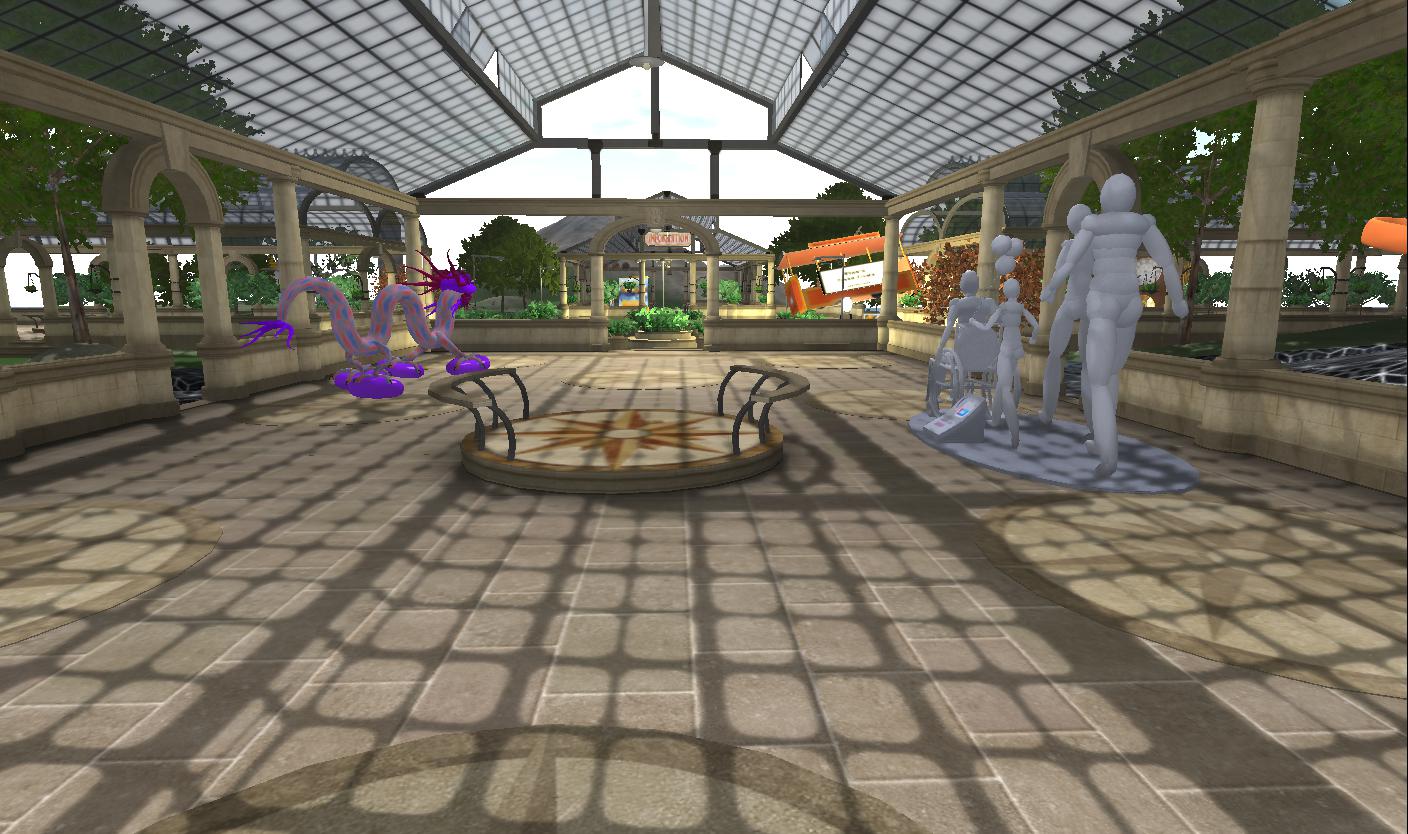
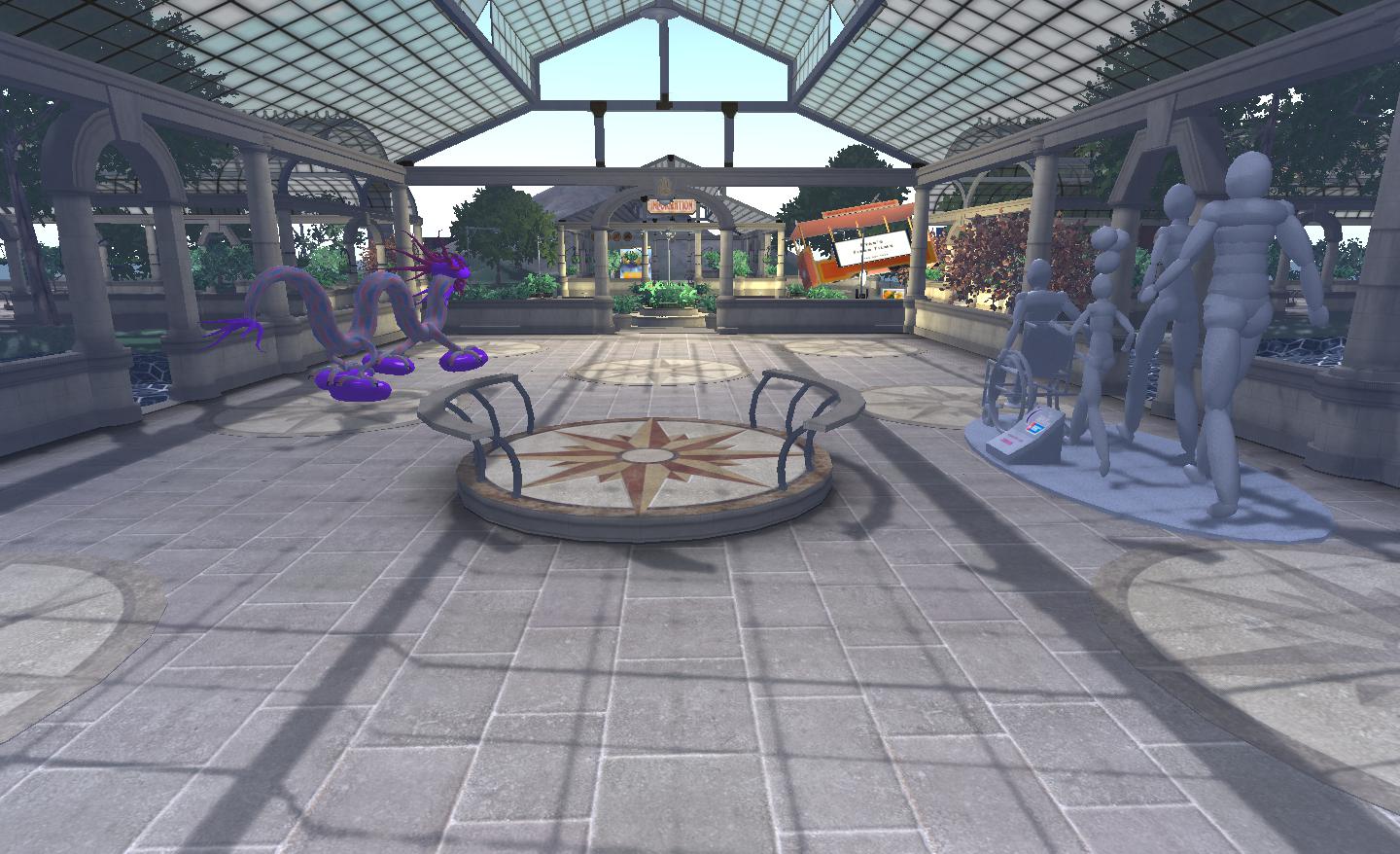
Jessica also appears to have been following me around the mesh-enabled sims on both agni and aditi, as she also supplies a series of images showing mesh when seen in a mesh-capable viewer and a non-mesh viewer!