Updates for the week ending: Sunday July 27th, 2014
This summary is published every Monday and is a list of SL viewer / client releases (official and TPV) made during the previous week. When reading it, please note:
It is based on my Current Viewer Releases Page, a list of all Second Life viewers and clients that are in popular use (and of which I am aware), and which are recognised as adhering to the TPV Policy. This page includes comprehensive links to download pages, blog notes, release notes, etc., as well as links to any / all reviews of specific viewers / clients made within this blog
By its nature, this summary presented here will always be in arrears, please refer to the Current Viewer Release Page for more up-to-date information
Official LL Viewers
Current Release: updated to version 3.7.12.291824 on July 22nd (formerly SL Maintenance RC – almost 40 MAINT fixes from the Lab “to make your Second Life smoother”) – release notes
Group Ban RC viewer updated to version 3.7.13.292225 released on July 22nd – allows certain group members to ban avatar from a group or from joining a group When an existing group member is banned, they are also automatically ejected from the group (download and release notes)
Library Refresh RC viewer version 3.7.13.292194 released on July 23rd – contains an update to a large set of libraries used by the viewer to provide security, stability and consistency improvements to this and future viewers (download and release notes)
Project viewers:
Oculus Rift project viewer version updated to version 3.7.12.292141 on July 22nd – parity with the current release viewer code base (download)
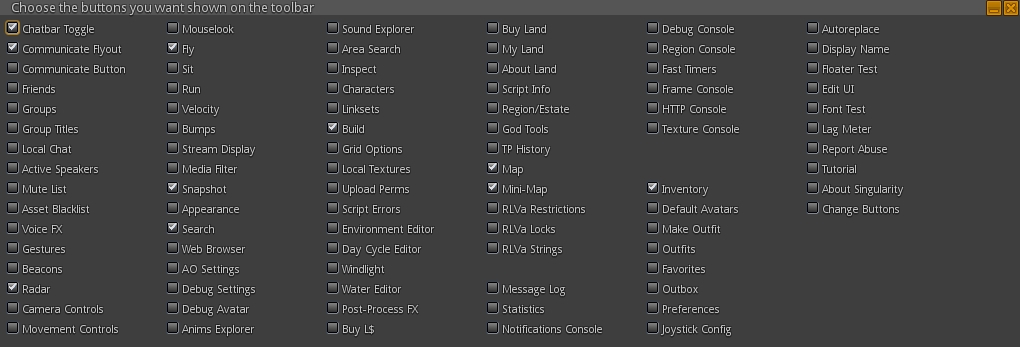
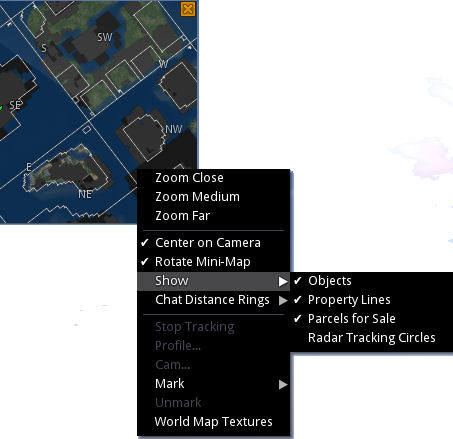
Dolphin viewer released a beta version 3.6.99.32353 on July 26th – core updates: SSA, fitted mesh, interest list updates, mesh uploader, sailor’s mini-map, machinima toolbar, inventory filters and worn tab – work in progress viewer refresh – download and release notes
V1-style
Cool VL viewer updated on July 26th – Stable release to version 1.26.12.9 and Legacy version 1.26.8.67 – core updates: please refer to the release notes
On Saturday July 26th, Lance Corrimal announced the beta release of a new Dolphin 3 viewer. Version 3.6.99.32353 (Beta) is still very much a work in progress, but marks the first release of Dolphin in a year which has kept Lance exceptionally busy in the physical world.
The beta release brings with it some core updates from the Lab, including a parity with the SL 3.7.9 (ish) code base, which means Dolphin has full server-side appearance support, fitted mesh support, interest list updates (except the most recent), the original SL Share post to Facebook (no filter post-processing), etc. RLV support up to version 2.9.1 is also provided.
Lance notes that insofar as what was available with the last public Dolphin Viewer 3, the bet includes:
Mesh upload
Sailor’s mini map Mk.II
Worn tab
Inventory filters
Machinima toolbox.
The updated Dolphin Machinima Toolbox floater is included in the beta release
He also notes there are still a fair few things waiting to be added, including:
All build tool improvements
Area search
Asset blacklist
Spam protection.
And there will be a number of things that won’t be added to the viewer:
Flickr uploader (see: SLShare)
Client AO
Media filter
The Experience Keys Portal Park as seen using the Dolphin beta
The client-side AO and media filter were the subject of a recent Dolphin blog post in which Lance indicated his reasons for not implementing them. It’s not clear from the beta blog post if the exclusion of the official Flickr uploader refers to just that capability, or whether it also means the Twitter upload capability and photo post-processing capabilities (filters) will also be excluded, both of which formed a part of the same SL Share 2 update as the Flickr uploader.
As this is a beta release of the viewer, the downloads are not available on the regular Dolphin viewer download page – please refer to the links in the blog post announcement (the Windows link is a direct link to the .EXE download, and the Linux link includes additional notes for Linux users.
Note that in keeping with another recent announcement, Lance has been forced to discontinue Mac development of the viewer himself, there is no Mac beta available.
This is liable to be welcome news for Dolphin users. Due to the small matter of my physical life taking up a fair amount of time right now (not to mention Formula 1 and the Tour de France!), I’ve not had much time to drive the beta hard, but did find it behaved perfectly well with my Crash Test Alt, complete with fitted mesh avatar, which I took for a wander around the Experience Keys Portal Park and then over to the Cornfield, both of which still appear to be enjoying a lot of traffic. The only minor issue I encountered was that as this release of Dolphin uses the Second Life object cache on Windows, it initially hung while loading until I cleared-out the cache folder. Once that was done, everything ran fine.
So, welcome back, Dolphin viewer, and congratulations to Lance!
Updates for the week ending: Sunday July 20th, 2014
This summary is published every Monday and is a list of SL viewer / client releases (official and TPV) made during the previous week. When reading it, please note:
It is based on my Current Viewer Releases Page, a list of all Second Life viewers and clients that are in popular use (and of which I am aware), and which are recognised as adhering to the TPV Policy. This page includes comprehensive links to download pages, blog notes, release notes, etc., as well as links to any / all reviews of specific viewers / clients made within this blog
By its nature, this summary presented here will always be in arrears, please refer to the Current Viewer Release Page for more up-to-date information
Group Ban RC viewer version 3.7.12.292031 released on July 16th – allows certain group members to ban avatar from a group or from joining a group When an existing group member is banned, they are also automatically ejected from the group (download and release notes)
Project viewers:
Experience Keys project viewer version 3.7.12.291846 released on July 14th – adds support for viewing and managing Experiences and for contributing content for Experiences (download and release notes)
Kokua version 3.7.12.34831 released on July 15th – core updates: core parity through to LL 3.7.12, chat text entry bar tinted based of the type of conversation; preferences added for name and grid display in the program title bar + more – change log
V1-style
Cool VL viewer updated on July 19th – Stable release to version 1.26.12.8 and Legacy version 1.26.8.66 – core updates: please refer to the release notes
The Cornfield: the Lab’s Experience Keys demonstrator (game play area uses a much darker and more atmospheric windlight)
On Monday July 14th, Linden Lab issued the Experience Keys project viewer alongside the launch of their Experience Keys demonstration game, The Cornfield, which I’ve reviewed separately.
As a quick overview for those not in the know, an Experience in Second Life can be almost any immersive / interactive environment within SL where the user needs to provide permissions for objects, etc., to interact with their avatar. Experience Keys mean that anyone wishing to participate in any activities suited to the use of Experience Keys need only give their assent once, thereafter, actions within the Experience which affect their avatar happen automatically – teleports, attaching a HUD or item of equipment, etc. – without any need for user approval (although notification of so actions may still be displayed in the viewer window).
The Experience Keys project viewer – version 3.7.12.291846 at the time of writing – is available from the Alternate Viewers wiki page, includes a number of key UI updates which are used alongside experiences in Second Life, and which apply to those creating experiences, those using experiences, and those who allow experiences to run on their land.
Please note that until server-side support for Experience Keys is fully deployed across the main grid (Scheduled to complete on Thursday July 17th, some elements of the viewer will not function on BlueSteel or LeTigre RC regions – for example, searching for experiences will not return any result if you are on a region running on either of these two RCs).
The Experiences Floater
Within the Experience Keys project viewer, this is accessed via Me > Experiences (no toolbar button or keyboard shortcut with the project viewer), and provides the means for users to locate experiences in Second Life, manage the experiences they have encountered during their travels through Second Life or which they have created or contributed to, and also check any actions any given Experience has performed on their avatar. It comprises five individual tabs.
Search
Allows you to locate experiences in SL by all or part of their name and filtered by maturity rating. The tab also includes an option to view the profile for an Experience (see below).
The Experience floater is accessed via Me > Experiences, and comprises 5 tabs. Search allows you to search for SL experiences
Allowed / Blocked
These two tabs allow you see those experiences you have either allowed – that is, you’ve granted permission to – and those you’ve blocked. A blocked experience is one in which you have refused to participate and have blocked it so that you will no longer be prompted to join it whenever you visit a region / parcel where it is active (until such time as you choose to revoke the block).
Each tab displays a list of experiences by name. Clicking on a name will display the relevant Experience Profile (see below).
The Experiences Allowed tab displays a list of experiences in which you have participated. Click on an experience name to display the associated Experience Profile. The Blocked tab is similar in nature, but displays all experiences you have blocked from bothering you
Admin, Contributor and Owned
These three tabs respectively display:
Those experiences for which you have been made an administrator of (via a special group role called Admin). Administrators are those people assigned by the creator of an experience who can edit the Experience Profile
Those experiences for which you have been made a contributor (via a special group role called Contributor). Contributors are those people assigned by the creator of an experience who can contribute scripts and objects to an experience
Those experiences you have created and own. While an experience can be a collaborative piece – hence the Admin and contributor roles – one avatar must be the designated owner of an experience and hold overall responsibility for it.
Events
This tab allows you to see the actions (events) taken on your avatar by any experiences in which you’ve recently participated. It includes a number of additional options:
Notify: turn-on on-screen notifications for a given event – so if you wish to be notified each time your avatar is animated by any experience, for example, you can use this button
Profile: display the Experience Profile for the experience associated with the event
Report: will open the Abuse Report floater, which has been pre-populated with the relevant information, allowing you to instantly file an Abuse Report against an event / object which is causing grief / harassment
Notify All Events: checking this will cause all on-screen notifications for events within any experience to be displayed by the viewer
Days: the total number of days history of events you wish the tab to display
Clear: clear the event list
< and >: page through the list.
Experience Profile
The Experience Profile floater
The Experience Profile provides the following information on any given Experience:
The experience name
A short description
An image (if provided)
The maturity rating for the experience
The experience owner
The group associated with the experience
A link to any associated Marketplace store
In addition, the Profile contains four buttons:
Allow: will add the Experience to your list of allowed experiences without you having to actually visit it and agree to participate. When visiting experiences allowed in this way, you will not see any invitational dialogue boxes displayed, because the system will already consider you a participant. Note that if you have already participated in the experience, this button will be grayed-out
Block: will add the Experience to the list of those you have blocked, so that you will not be bothered with any invitational dialogues when visiting regions / parcels where it is running – although you also won’t be able to participate in it until such time as you unblock it. Note that if you have already blocked the experience, this button will be grayed-out
Forget: If you have previously added an Experience to either your Allowed or Blocked list, this button will remove it from whichever list it appears on. This means that for a previously allowed Experience, you will have to once again agree to participate in it when you next visit, and for a previously Blocked Experience, you will receive invitational dialogues on visiting it once more, allowing you to participate in it, if you’ve changed your mind.
Report: opens the Abuse Report floater, which has been pre-populated with the relevant information, allowing you to instantly file an Abuse Report against an event / object which is causing grief / harassment.
Updates for the week ending: Sunday July 13th, 2014
This summary is published every Monday and is a list of SL viewer / client releases (official and TPV) made during the previous week. When reading it, please note:
It is based on my Current Viewer Releases Page, a list of all Second Life viewers and clients that are in popular use (and of which I am aware), and which are recognised as adhering to the TPV Policy. This page includes comprehensive links to download pages, blog notes, release notes, etc., as well as links to any / all reviews of specific viewers / clients made within this blog
By its nature, this summary presented here will always be in arrears, please refer to the Current Viewer Release Page for more up-to-date information
Official LL Viewers
Current Release updated to version: 3.7.10.291265 July 8th – formerly the Snowstorm viewer – Windows XP users, please note that you must have Service Pack 3 (Win XP 32-bit) or SP 2 (Win XP 64-bit) in order for this viewer to install (download page, release notes)
SL Maintenance RC version 3.7.12.291824 released on July 10th – almost 40 MAINT fixes from the Lab “to make your Second Life smoother” (download and release notes)
Project viewers:
Project refresh viewer version 3.7.12.291799 released on July 10th – contains an update to a large set of libraries used by the viewer to provide security, stability and consistency improvements to this and future viewers (download and release notes)
Cool VL viewer updated on July 12th – Stable release to version 1.26.12.7 and Legacy version 1.26.8.65 – core updates: please refer to the release notes
Updates for the week ending: Sunday July 6th, 2014
This summary is published every Monday and is a list of SL viewer / client releases (official and TPV) made during the previous week. When reading it, please note:
It is based on my Current Viewer Releases Page, a list of all Second Life viewers and clients that are in popular use (and of which I am aware), and which are recognised as adhering to the TPV Policy. This page includes comprehensive links to download pages, blog notes, release notes, etc., as well as links to any / all reviews of specific viewers / clients made within this blog
By its nature, this summary presented here will always be in arrears, please refer to the Current Viewer Release Page for more up-to-date information
Black Dragon updated on July 2nd to version 2.3.9.9 (c) – core updates: fix for motion blur issue as a result of fitted mesh updates to avatar skeleton – change log
V1-style
Cool VL viewer updated on July 5th – Stable release to version 1.26.12.6 and Legacy version 1.26.8.64 – core updates: please refer to the release notes