Kokua 3.7.21: group bans, unified snapshots, HTTP pipelining and more

kokua-logoUpdate, December 7th, 2014: Kokua 3.7.22.35091 was released on December 5th. This update includes fixes for issue #292 noted in the review below, and for an issue with the automatic updater (issue #322.

Nicky Perian released the latest update of Kokua for SL on Sunday, November 30th.

Given the last Second Life specific release of the viewer was in July, the new release, version 3.7.21.35082 sees the SL version of the viewer bounce up to parity with a lot of recent LL viewer updates, as noted in the release notes. This being the case, please note that a clean install is highly recommended.

The code updates from the Lab comprise:

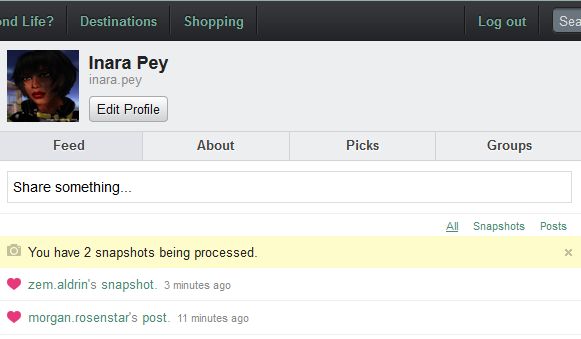
The Kokua 3.7.21 release sees the addition of the unified snapshot floater

In addition, the viewer also includes the following LL updates which, at the time of the Kokua release, are still at release candidate status within the SL viewer:

  • 3.7.20 code base:
    • Attachments updates – adds some fixes to previously released changes in the way joint offsets in rigged meshes are handled & fixes some issues found with adding and removing attachments after the recent AISv3 deploy
    • GPU Benchmarking update – removes the need for the GPU table by performing a series of tests when first setting the graphics defaults for the viewer (note this code contains fixes for issues found with the original benchmarking code release in the official SL viewer)
  • 3.7.21 code base:
    • Snowstorm contributions release – Japanese input; improved rendering of projectors; fixes for object editing bug when rotating and for crash on exit on OSX Yosemite in full screen mode, etc
    • Maintenance updates – a broad range of fixes for voice, privacy, rendering, texture animation, avatar distortion, inventory management, sounds, mouselook in Mac, and more
    • Pipelining Enhancements release – reduced pipelined texture and mesh fetching timeout.
Group Bans now a part of Kokua with version 3.7.21.35082
Group Bans now a part of Kokua with version 3.7.21.35082 – click for full size

Kokua Team Contributions

In addition the the merging and testing of recent code release from the Lab, Kokua 3.7.21.35082 includes the following contributions:

  • The viewer has been updated so it will no longer automatically start following a Windows install
  • Custom currency support has been added so that the local grid currency symbol will be displayed (original work by Armin Weatherwax)
  • New option to hide account balance in snapshots: Preferences > Kokua > Privacy > Do Not Show Money Balance on Snapshots (original work by Armin Weatherwax)
  • An option to open the movement controls has been added to View > Movement Controls.

In addition, Nicky notes:

  • On Linux Mint 17 32 bit, the load library path was not set correctly, and this has been amended for both 32-, and 64-bit.
  • The gridargs.dat file is no longer reader when starting kokua. Instead pass parameters along the command line (e.g.  ./kokua –channel “‘Kokua XonXoff'”)

There are a few known issues with the release, all of which are being tracked via the Kokua ticket system. These include:

  • The option to display your avatar’s name in the viewer’s title bar ((Preferences > Kokua), should only be set after logging-in; if set from the log-in splash screen, they will crash the viewer – Issue #289
  • Teleport from SL search fails. Teleports from Legacy and Map searches work. Landmarks from inventory work. Issue #292
  • The YouTube media volume control doesn’t work –Issue #312
  • [RLVa] Names are not all gone in nearby chat list of names –Issue #314.

Related Links


SL project updates week 48/1: server, viewer, Experience Keys, Cocoa bugs

It All Starts with a Smile, March  2014It All Starts with a Smile, March 2014 (Flickr) – Blog post

Server Deployments – Week 48

On Tuesday, November 25th, the Main channel received the server maintenance package previously deployed to the release candidate channels in week 46. The update comprises “minor improvements” to help configure the texture and mesh CDN, by allowing the Lab to reconfigure the CDN URL if they need to, with the intention of the of making it a more dynamic host name in the future.

There are no deployments to the release candidate channels this week, due to the Thanksgiving no change window opening, which runs from Wednesday, November 26th through until start of business on Monday December 1st.

Server Beta Meeting – Thursday, November 27th

Just a reminder, there is no Server Beta group meeting this week, due to Thanksgiving in the USA. Happy Thanksgiving, all of you in the States!

Viewer Updates

The Attachment RC viewer was updated on Tuesday, November 25th to version 3.7.21.296904. This release adds fixes for two additional problems compared to the November 12th release of the RC:

  • MAINT-4537 “Change in Maintenance Viewer breaks my joint rigged mesh avatar”
  • MAINT-4687  “Petite” avatars render deformed for the wearer but not for observer.

Saving and Loading Graphics Settings

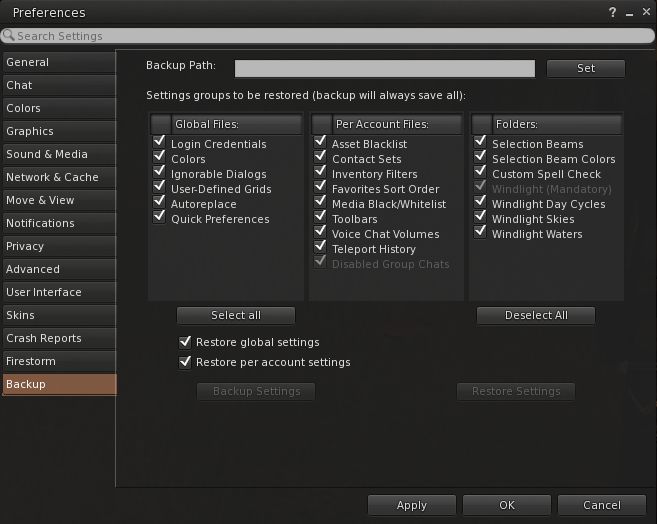
The option to save certain graphics settings in the viewer (STORM-2082) is moving forward; there is currently an initial test viewer undergoing trials, but things are in a state of flux.

The idea behind this change is to provide a means by which users can quickly switch between two sets of graphics pre-sets they have created and saved locally, allowing them to quickly adjust the graphics setting to assist with performance as they move around the grid (so a user would have a set of “low” graphic settings they could switch-on in order to maintain performance in busy regions, and a set of “high” graphics settings, with as many bells and whistles turned on as they like, for use in quieter regions).

As noted in my week 46 report, the initial work saw a “Quick Preferences” floater added to the viewer, which allows users to set various settings and would likely include options to save said settings.

Initially, this was accessed via the Setup tab in the official viewer’s Preferences, but a suggestion has been made to keep everything accessible under the Graphics tab to prevent unnecessary fragmentation of options. A suggestion has also been made to change the name of the floater, as “Quick Preferences” is a term used by several TPVs, where it has a different context.

Experience Keys / Tools

Progress continues with the Experience Keys (Tools) project. The project viewer hasn’t been updated in a while, but work has apparently been going on elsewhere  – including a decision on what the charge will be for an Experience Key, although this has yet to be made public.

As a quick recap on this, and from my original overview on Experience Keys / Tools:

Every experience using the Experience Tools capabilities must be governed by an Experience Key supplied by the Lab – think of it as a licence applied to the experience and to all control scripts used within that experience, and which directly links the experience / experience scripts directly back to the experience owner, providing an audit trail of accountability.

Thus, the Experience Key allows the Lab to instantly revoke all permissions used by a given experience, stopping al the scripts associated with it, in necessary. This is intended to reduce the risk of people using Experiences as a means of griefing. As a further deterrent, the Lab will be charging some form of fee for the “licensing” of an Experience Key.

The cornfield, revamped in July, still provides a taster for SL Experiences - access it via the Portal Park
The cornfield, revamped in July, still provides a taster for SL Experiences – access it via the Portal Park

Apparently, Experience Keys / Tools were supposed to be released this quarter. However, with the Christmas season fast approaching, it seems questionable as to whether this will be achieved. As Oz Linden said in the Simulator User Group meeting on Tuesday, November 25th, “wish me luck”!

As previously noted, the initial release of Experience Keys / Tools will not support grid-wide experiences – although this is still on the Lab’s list for future enhancements to the platform.

Other Items

Cocoa Bugs

Many Mac users are still experiencing Cocoa-related issues, finding them something of a bone of contention as the Lab doesn’t regard some of the issues being experienced (such as excessive typing lag) as specific to the viewer, but rather endemic to the OS X operating system. All told, here is quite a wide range of issues, and TPV developer Cinder Roxley is attempting to resolve a number of them.

Part of the problem lies in the way the cursor position on the screen is translated to the cursor position in-world, which is in turn very screen resolution specific. This makes bug testing / fixing particularly hard: as fixes need to be tested against multiple monitor types. Cinder has been in touch with Apple engineers and has found one of their suggested solutions –  removal of deprecated calls – hasn’t helped in resolving problems, so fixes may yet be a while off.

Viewer release summaries: week 47

Updates for the week ending: Sunday November 23rd, 2014

This summary is published every Monday, and is a list of SL viewer / client releases (official and TPV) made during the previous week. When reading it, please note:

  • It is based on my Current Viewer Releases Page, a list of all Second Life viewers and clients that are in popular use (and of which I am aware), and which are recognised as adhering to the TPV Policy. This page includes comprehensive links to download pages, blog notes, release notes, etc., as well as links to any / all reviews of specific viewers / clients made within this blog
  • By its nature, this summary presented here will always be in arrears, please refer to the Current Viewer Release Page for more up-to-date information

Official LL Viewers

  • Current Release version:  3.7.19.296094, unchanged (release notes)
  • Release channel cohorts (See my notes on manually installing RC viewer versions if you wish to install any release candidate(s) yourself):
    • HTTP Pipeline RC viewer version 3.7.21.296736 released on November 17th – reduced pipelined texture and mesh fetching timeout so that stalled connections fail quickly allowing earlier retry. Timeout value changed from 150 seconds to 60 seconds (download and release notes)
  • Project viewers:
    • Viewer-managed Marketplace project viewer version 3.7.21.296858 released on November 21st – allows Merchants to manage inventory associated with Marketplace Listings from within the viewer + sale of items which Merchants do not have the right copy will now be supported with the Direct Delivery purchase mechanism (download and release notes)

LL Viewer Resources

Third-party Viewers

V3-style

  • Kokua OpenSim version updated to version -3.7.81.33408 on November 18th – core updates: GPU benchmark update from LL; additional digit in version number to indicate when features have been cherry-picked (release notes)

V1-style

  • Cool VL viewer updated – Stable branch to version 1.26.12.24 and legacy branch to 1.26.8.82 – both on November 22nd (release notes)

Mobile / Other Clients

  • Mobile Grid Client updated to version 1.22.1226 on November 20th – core updates: support for Android 5.0 Lollipop; experimental /sit and /stand chat commands (change log)

Additional TPV Resources

Related Links

SL project updates week 47/2: TPV Developer meeting

The following notes are drawn from the TPV Developer meeting held on Friday, November 21st, as shown in the video below, and from the Server Beta Meeting held on Thursday November 20th. Where relevant, timestamps are included in the article to allow for referencing to the video. My thanks as always to North for the recording.

SL Viewer

[01:10] RC and project viewers are starting to stack-up once more, and further viewers are on their way. The release channel currently has four RC viewers in it: HTTP Pipeline 3.7.21.296736; Snowstorm 3.7.21.296724; Maintenance 3.7.21.296734, and Attachments 3.7.21.296729.

HTTP Pipeline RC and Texture and Mesh Fetching

The HTTP Pipeline viewer appears to be performing better with the CDN than the current pipeline code for those encountering problems. However, further updates to the RC are likely before it reaches a release status.

[05:23] In general, texture and mesh fetching via the CDN continues to work well for most people, although the Lab are still investigating why it is not working so well for some. The hope is that further improvements will be forthcoming, but at the moment the work is still very much in progress.

Attachments RC Viewer

[07:55] Vir Linden has some further updates for the Attachments RC, which should help improve the predictability of getting the right appearance as you’re going through outfit changes. This work has been tested in a closed test viewer and the results are such that Vir hopes to pull them into the RC version of the viewer as soon as possible.

Benchmark Viewer RC

[02:33] A new Benchmark viewer (removal of the GPU table) should hopefully be released on Monday, November 24th (or shortly thereafter). This includes:

  • Further improvements to how the viewer initials sets graphics preferences for some GPU types
  • Address the crash-on-start-up issue which some users are encountering in the current release viewer (3.7.20.296094), and which appears to be related to the benchmark update.

Those wishing to try a pre-RC release can do so by downloading from here.

Viewer Build Tools

[30:19] The Lab is making progress with compiling the viewer using the new build tool chains. The performance issues that resulted when building the Mac viewer (again, see my week 43 report), appear to have been resolved.

The work to build the windows version of the viewer using Visual Studio (VS) 2013 is going “really well”, with the Lab having almost all the packages ready to go – so much so that Oz believes that the Lab will have a version of the viewer built using VS2013 in week 48 (week commencing Monday, November 24th) – although this doesn’t necessarily mean said viewer will be publicly available.

As Microsoft have just issued Visual Studio Community 2013, which allows developers to create applications for free, so long as they are not intended for commercial gain (and TPVs aren’t built to be sold), it is hoped at TPV developers will in future be able to builder their viewers with exactly the same software as the Lab.

In addition, the Lab is working on an internal wiki page for building with VS2103, which will likely go public when finished to sit alongside the existing wiki page on the new autobuild process.

Viewer-managed Marketplace

The Viewer-managed Marketplace (VMM) project viewer, version 3.7.21.296858, was released on Friday, November 21st, together with information on the open beta testing for VMM on Aditi. I have provided coverage of this via a separate article in this blog, see:Viewer-managed Marketplace: beta testing and a look at the project viewer.

Continue reading “SL project updates week 47/2: TPV Developer meeting”

SL project updates week 47/1: server, viewer, RenderAutoMute functions

Nordan om Jorden; Inara Pey, November 2014, on FlickrNordan om Jorden (Flickr) – blog post

My apologies for the lateness of this update; have been busy with a variety of things, both SL and non-SL.

Server News – Week 47

There are no server deployments during the week, due to the hardware inspections taking place, which involved restarts taking place from Monday, November 17th through Friday November 21st, as detailed in the Grid Status updates (as a reminder, there is an additional period of maintenance due on Wednesday, November 18th, commencing at 13:00 SLT).

According to Simon Linden, speaking at the Simulator User Group on Tuesday, November 18th, the work on the servers requires each box being taken down, opened-up and physically inspected, and parts (unspecified) possibly being swapped-out.

Exactly what amount of work (if anything) is required on each server may vary, making the process something of a piece of string when it comes to how long it will take per box.

What prompted the work isn’t clear, but there was muted speculation that some servers may need a physical update of some description to avoid the potential of failing due to a defect. Whether this means one of the Lab’s suppliers altered them to a problem or not or something else has come up, isn’t clear.

However, none of this work should, outside of the rolling restarts, affect the performance of any regions.

SL Viewer

HTTP Pipelining Viewer

A new HTTP Pipelining RC viewer appeared on Monday, November 17th. Version 3.7.21.296736, see a “reduced pipelined texture and mesh fetching time-out so that stalled connections fail quickly allowing earlier retry. Time-out value changed from 150 seconds to 60 seconds.”

It is hoped that this viewer fixes the following issues:

  • BUG-7686 – “Avatars are not coming on viewer”
  • BUG-7687 – “Nothing is rezzing in SL,, av’s are all gray and textures will not rez”
  • BUG-7688 – “Since the last restarts I cant seen to see things I rez from my inventory or wear mesh in my inventory. I have done numerous clean installs of the latest LL viewer. I have also made sure I am not running the beta version of the AMD CCC”
  • BUG-7690 – “Textures and Meshes abruptly stopped rendering”
  • BUG-7691 – “Won’t rez properly”
  • BUG-7694 – “Textures and meshes loading slow or refusing to load”
  • BUG-7698 – “Textures much slower to load on a CDN region then on a clone of the same region not running CDN”

See the release notes for further details.

Maintenance RC Viewer

There are reports that the Maintenance RC viewer currently in the viewer release pipeline (version 3.7.21.296734) contains a number of regressions for joint position bugs. These issues are apparently known by the Lab, which hopes to have them corrected before the code merges with anything else.

Group Chat

There have been various reports of further group chat issues doing the rounds. On Monday, November 17th, for example, it was noted through Firestorm Support chat that at least two group chat server were down. Asked about this during the Simulator User Group meeting, Simon Linden replied:

Yes some of the chat servers have been having troubles in the last few days.   I’ve been looking into that … the code running there isn’t super new, and the outages might be timed with some of those restarts. In any case, there is an update soon for the chat servers, and already another in the pipeline.

Experience Keys

No major news here, other than those trying the Experience Keys in the current beta are being urged to file any additional issues they may have found as BUG reports as soon as they can. Simon Linden added to the request, “we’re trying to finish off the last few issues and have that Real Soon Now (sometime in the future, no promises).”

As previously indicated in my coverage of Experience Keys, the first release of the capabilities will not allow for grid-wide experiences, although this is something that is on the Lab’s list. Commenting on the plans, Oz Linden said:

The first general release of experiences won’t include being able to get a grid-wide key. It’s not so much that as there are more issues for us to deal with for grid-wide experiences, and we don’t want to make people wait for the ones …. Being able to do grid-wide experiences isn’t going to fall of the to-do list or anything.

As Oz was speaking, Simon Linden added:

We’ve talked about it before, and having a widely available data system like the key-value store would be really great, but there are a ton of issues with that being available, scaling it to cover the full SL population and all that. So we’re going ahead with a more feasible sized feature set.

RenderAutoMute Functions (Avatar Complexity)

One of the heaviest impacts on viewer performance comes not from issues with the SL servers or in rendering the contents of the the region you’re in, but from avatars themselves, particularly in crowded or busy regions. The Avatar Imposters option within the view can help with this, however, the Lab is looking to bring a debug setting to the fore within the viewer’s UI to further help users control their viewer’s performance.

The setting in question is RENDERAUTOMUTERENDERWEIGHTLIMIT, which is somewhat tied to the Avatar Render Weight (once aka Avatar Render Cost), the colour-coded render value assigned to avatars which can be displayed over their heads via the Advanced menu (CTRL-ALT-D to enable if not visible): Advanced > Performance Tools > Show Draw Weight for Avatars.

Essentially, the idea is that by entering a value against this setting, you can define a limit above which the viewer will cease rendering avatars fully, and instead will render them as a sold colour imposter, regardless as to how near / far they are from your point-of-view, reducing the rendering load on the viewer / your computer.

Currently, you can use the RENDERAUUTOMUTERENDERWEIGHTLIMIT option within the viewer to set a limit on rendering high-ARW avatars as solid colours in your viewer. You'll need to have RENDERAUTOMUTEFUNCTIONS set to 7 for it to work smoothly, and should note
Currently, you can use the RENDERAUUTOMUTERENDERWEIGHTLIMIT option within the viewer to set a limit on rendering high-ARW avatars as solid colours in your viewer. Note how the debug setting doesn’t correlate with the ARW for the avatar – something that will be fixed when the setting becomes a UI option (which will also see the dependency on setting RENDERAUTOMUTEFUNCTIONS removed – see the notes below)

I used the term “somewhat tied” above, because there is currently no obvious correlation between a number set within the debug setting and Avatar Render Weight, which is a figure that is in turn impacted. A further problem with the setting as it currently stands is that it is actually calculated by multiplying the number you enter against RENDERAUTOMUTERENDERWEIGHTLIMIT by a certain LOD (level of detail) factor (so if you set RENDERAUTOMUTERENDERWEIGHTLIMIT to 60,000, the actual figure being used might be 92,000 – 60K x the LOD factor).

Both of these points of confusion will be addressed by the Lab in making the option directly available through the viewer UI, so that there is a much clearer and obvious correlation between the setting and ARW.  Oz Linden is also working on colour-coding the resultant solid avatars so that it is possible to determine those avatars which are just over any limit set in the viewer and those which are well over the limit, allowing users to further fine-tune their settings according to needs / circumstance.

The two debug settings: you'll need to set RENDERAUTOMUTEFUNCTIONS to 7, and then experiment with RENDERAUTOMUTERENDERWEIGHTLIMIT
The two debug settings: you’ll need to set RENDERAUTOMUTEFUNCTIONS to 7 in order to experiment with RENDERAUTOMUTERENDERWEIGHTLIMIT

The option can actually be experimented with at the moment, although it currently has a dependency on another debug setting – RENDERAUTOMUTEFUNCTIONS - which must be set to 7 in order for any of the RenderAutoMute functions (5 in all) to work. Again, the Lab indicate that this dependency will be removed when RENDERAUTOMUTERENDERWEIGHTLIMIT becomes a UI option.

Again, the emphasis is on “experiment”, simply because of the lack of a direct correlation between values entered into the debug setting and the ARW values of surrounding avatars.  However, if you do want to have a play with the setting as it is at the moment, Oz Linden suggests starting with a value of around 60,000 and working up or down from there, depending on your needs / circumstances.

There’s no time frame as to when this work may find its way into a viewer, but Oz is actively working on it, following a prompt from third-party contributor, Jonathan Yap.

Viewer release summaries: week 46

Updates for the week ending: Sunday November 16th, 2014

This summary is published every Monday and is a list of SL viewer / client releases (official and TPV) made during the previous week. When reading it, please note:

  • It is based on my Current Viewer Releases Page, a list of all Second Life viewers and clients that are in popular use (and of which I am aware), and which are recognised as adhering to the TPV Policy. This page includes comprehensive links to download pages, blog notes, release notes, etc., as well as links to any / all reviews of specific viewers / clients made within this blog
  • By its nature, this summary presented here will always be in arrears, please refer to the Current Viewer Release Page for more up-to-date information

Official LL Viewers

  • Current Release version:  3.7.19.296094, released on November 10th -formerly the Benchmark viewer RC – removes reliance on the GPU table for determining the viewer’s initial graphics settings (release notes)
  • Release channel cohorts (See my notes on manually installing RC viewer versions if you wish to install any release candidate(s) yourself):
    • Snowstorm project viewer version 3.7.21.296724 released on November 13  – Japanese input; improved rendering of projectors; fixes for object editing bug when rotating and for crash on exit on OSX Yosemite in full screen mode, etc (download and release notes)
    • Maintenance viewer RC version 3.7.21.296734 released on November 12 – a broad range of fixes for voice, privacy, rendering, texture animation, avatar distortion, inventory management, sounds, mouselook in Mac, multiple UI fixes in script editor, Pay flow, chat, stats floater, edit menu, etc (download and release notes)
    • Attachments viewer RC version 3.7.21.296729 released on November 12 – adds some fixes to previously released changes in the way joint offsets in rigged meshes are handled & fixes some issues found with adding and removing attachments after the recent AISv3 deploy, and improves the status information shown in inventory for attached objects (download and release notes)
  • Project viewers:
    • No updates.

LL Viewer Resources

Third-party Viewers

V3-style

  • No updates.

V1-style

  • No updates.

Mobile / Other Clients

  • No updates.

Additional TPV Resources

Related Links