OnLive: Firestorm now on Android and iPad

SL go logoImportant note: The SL Go service is to be shut down on April 30th, 2015. For more information, please read this report.

On Monday, March 23rd, OnLive, the company providing the SL Go service, announced the release of Firestorm Mobile for SL Go, bringing Second Life’s most-used viewer to Android devices and the iPad.

Commenting on the launch to me, Dennis Harper, OnLive’s Product Manager for SL Go, said “Since the launch of Firestorm on SL Go in December 2014, one of the questions we’ve most frequently been asked has been, ‘when will Firestorm be available for mobile?’ With this release, OnLive is delighted to again fulfil a request from users and provide them with the service they desire.”

However, due to technical constraints, the launch does see a change to the mobile side of the service, where OnLive is only able to provision one viewer to users. Given the huge popularity Firestorm for SL Go has already achieved since its launch on the SL Go service, it will, for a time, be the only viewer available to those using the service on Android devices and the iPad. Hopefully, this will be a short-term situation, and OnLive will again be able to offer a choice of viewers to mobile users in the near future.

This will not affect SL Go users on PCs and Mac computers, to whom OnLive will continue to offer a choice of the Lab’s Second Life viewer or Firestorm when running the SL Go service.

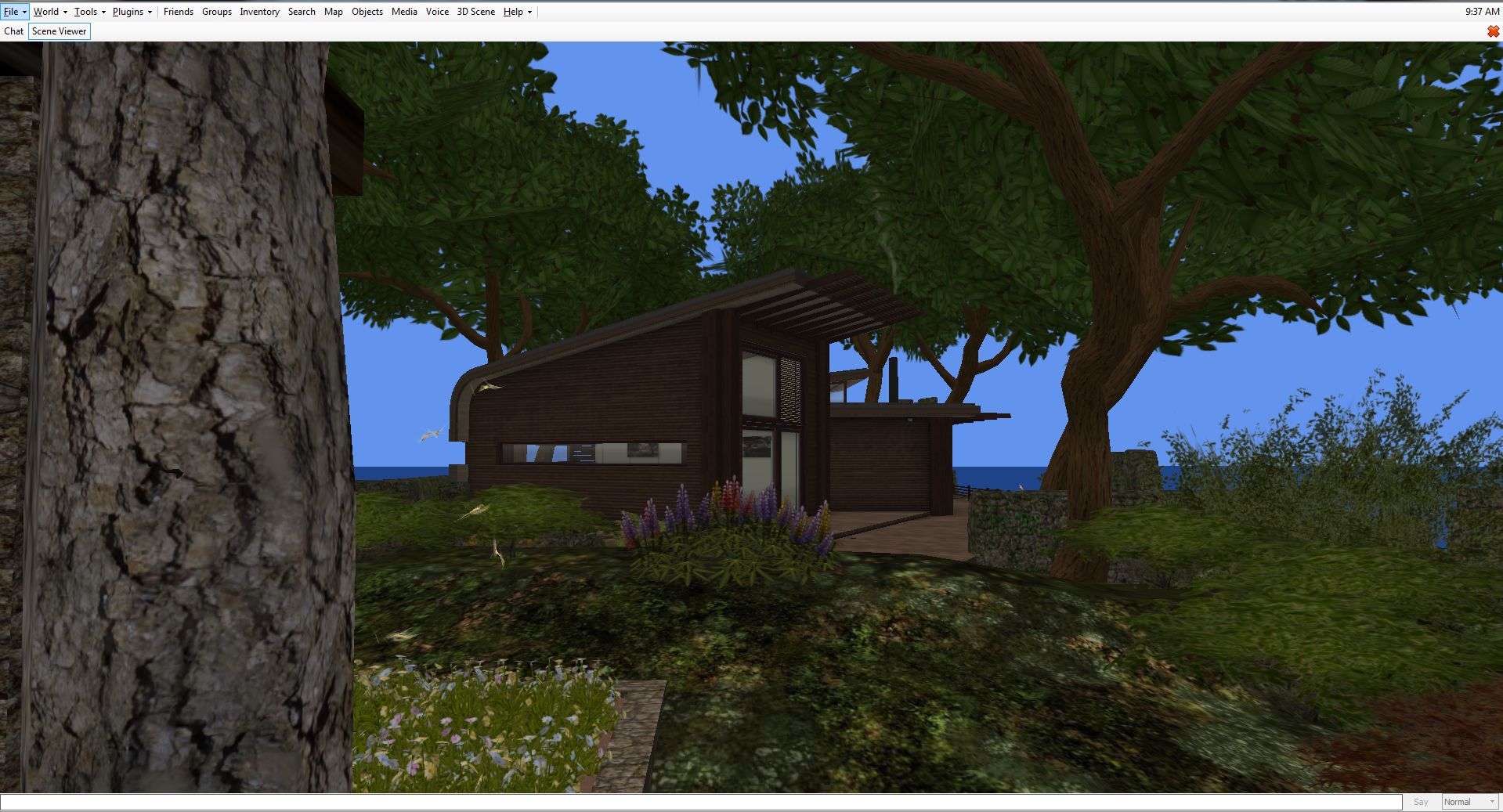
OnnLive have released Firestorm for SL Go running on Android devices and iPads - and for the time being, it is the viewer for such devices
OnnLive have released Firestorm for SL Go running on Android devices and iPads (note the SL Go screen overlay in the image) – and for the time being, it is the viewer for such devices

If you are already using SL Go on either an Android device or an iPad, you do not need to do anything. As soon as you log-in to SL Go, Firestorm will launch automatically.

New users can continue to join the service in one of two ways:

  • Via subscription, complete with a 7-day free trial of the service: simply visit the SL Go web page and sign-up (credit card or PayPal required)
  • By in-world payment (minimum of L$650 for one week) via the SL Go in-world payment service (no name and no credit card are required) – you can also read about this service here.


SL project updates week 12/1: server, RTLP, viewer translation tool

Tugby! Rugby with tugboats - blog post
Tugby! Rugby with tugboats – blog post

Server Deployments Week 12

As always, please refer to the server deployment thread for the latest updates and information on the week’s roll-outs.

  • On Tuesday, March 17th, the Main (SLS) channel received the server maintenance package previously deployed to the three RC channels.  This comprises “internal improvements for premium users”
  • On Wednesday, March 18th, all three RC channels should receive the same new server maintenance package, comprising various internal fixes for the simulator code.

Commenting on the RD deployment at the Simulator User Group meeting on Tuesday, March 16th, Simon Linden said, “the code going to RC tomorrow doesn’t have anything you will notice, but helps us when we want to make some configuration changes.” Oz Linden followed-up his comment by adding, “that is to say, it allows us to make changes we used to have to roll code to make.”

Other Items

Restore to Last Position (RTLP)

As noted in my last SL projects update report, the Lab is considering deprecating the last of the simulator messaging support for the “restore to last position” (RTLP) functionality, which can still be found in some TPVs and can, albeit with some undesirable results, depending upon how it is used, to restore an item directly from inventory  and return it to its last recorded in-world position, relative to the region in which the user is standing.

Because the Lab are considering the future of the simulator-side support for the capability, and also as I’ve reported, the Firestorm team is seeking use cases from users on how RTLP is useful, in the hope of presenting the Lab with a reasoned argument on why RTLP, or some similar capability should be retained / provided.

Oz Linden - keeping an eye on feedback through the Firestorm blog on "restore to last position"
Oz Linden – keeping an eye on feedback through the Firestorm blog on “restore to last position”

Commenting on the effort, Oz Linden said, “I’ve been following that. some are supportable, other not so much. Very good food for thought, though, and at least as far as I’ve gotten … people are heeding the request to be civil and non-hyperbolic. I really appreciated that.”

Also commenting on RTLP, Simon said, “What I’ve always wondered with that … the viewer really has a lot of info to do this better. It seems like it could record a list of things as they are removed from a region, then later put them back and give you better feedback on what works and what doesn’t.”

A number of possible approaches to handling cases currently managed by RTLP were also raised during the discussion, but these were just ideas, although they were listened to positively by Oz and Simon. However, this does necessarily mean the Lab will not deprecate the simulator support required for RTLP at some point in the future as a part of dealing with inventory loss issues, or that they’ll necessarily replace it with other functionality. But they are listening and reading.

So again, if you do have a good, concise use case for RTLP which hasn’t so far been reported on the Firestorm blog post’s comments (not here!), do make sure you hop over there and write it up.

Viewer Translation Tool Issue

Nalates Urriah reports that the translation option within the SL viewer (and used by TPVs) is effectively broken for those wishing to use it for the first time (see: BUG-8794 “The Bing API used by the viewer is depreciated [sic]”).

This isn’t an issue within the viewer per se; rather it is a result of the older Bing translation tool WPI / widget having been deprecated by Microsoft, and the means to access it removed from the web page to which users are directed on clicking the Bing API link within Preferences > Chat  > Translation in the viewer.

However, this isn’t a matter of the Lab simply correcting the link used within the viewer; deprecating the “old” translation service means that any keys obtained by following links to the “new” service will not verify through the API currently used by the viewer, thus preventing the Bing translation service being used.

Microsoft have deprecated the existing Bing translation API / widget with the result that new translation keys will not work within the translation function in the viewer (official and those TPVs using the Lab's translate options)
Microsoft have deprecated the existing Bing translation API / widget with the result that new translation keys will not work within the translation function in the viewer (official and those TPVs using the Lab’s translate options)

However, as noted in both the notes from Microsoft, and in comments accompanying BUG-8794, existing verification key previously obtained using the “old” Bing API are still supported, and will still work; thus, this issue only impacts those trying to obtain a new key. As this matter has just been reported, there is no word from the Lab on how it might be handled.

2015 viewer release summaries: week 11

Updates for the week ending: Sunday, March 15th, 2015

This summary is published every Monday, and is a list of SL viewer / client releases (official and TPV) made during the previous week. When reading it, please note:

  • It is based on my Current Viewer Releases Page, a list of all Second Life viewers and clients that are in popular use (and of which I am aware), and which are recognised as adhering to the TPV Policy. This page includes comprehensive links to download pages, blog notes, release notes, etc., as well as links to any / all reviews of specific viewers / clients made within this blog
  • By its nature, this summary presented here will always be in arrears, please refer to the Current Viewer Release Page for more up-to-date information.

Official LL Viewers

  • Current Release version: 3.7.25.299021 February 24th – no change
  • Release channel cohorts (See my notes on manually installing RC viewer versions if you wish to install any release candidate(s) yourself):
    • Avatar Height Hover RC viewer version 3.7.26.299635 released on March 10 – Avatar Hover Height allows you to adjust the vertical position of your avatar within some preset limits. See the wiki page and my overview (download and release notes)
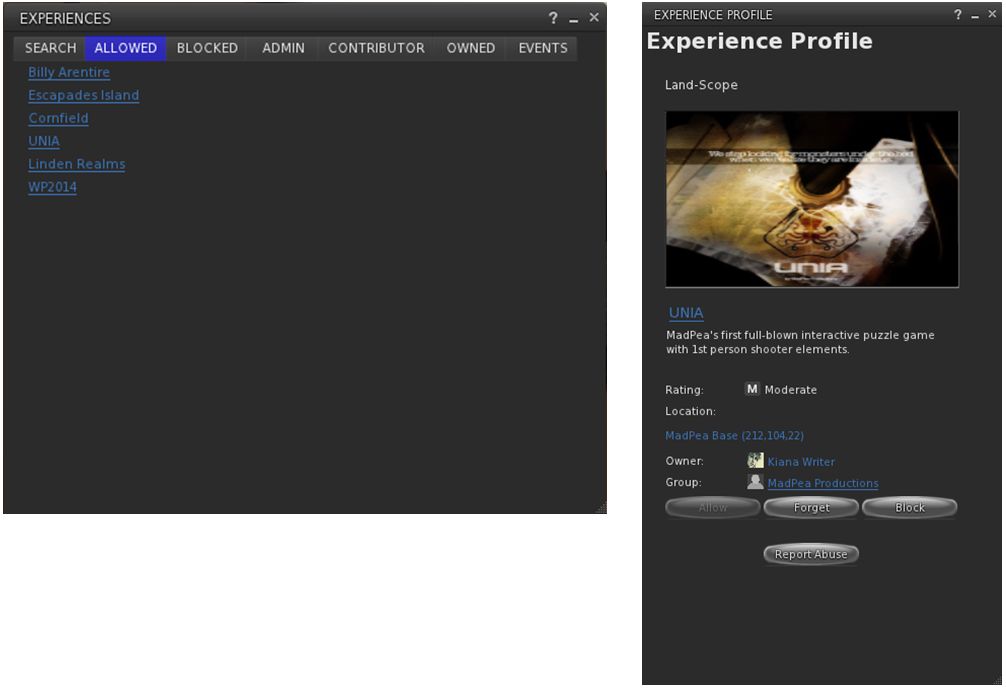
    • Experience Keys RC viewer updated to version 3.8.0.299338 on March 9 – provides support for viewing and managing Experiences and for contributing content for Experiences (download and release notes)
  • Project viewers:
    • No updates

LL Viewer Resources

Third-party Viewers

V3-style

  • Black Dragon updated to version 2.4.1.9 on March 10th – core updates: rendering improvements to horizon, Godray / volumetric light (change log)
  • CtrlAltStudio Alpha for Oculus Rift updated to version 1.2.3.42796 on March 15th – core update – parity with Firestorm release 4.6.7 (download and release notes)
  • Restrained Love Viewer updated to version 2.9.6.8 on  March 10th – core updates: ability to shift camera focus when blindfolded, allowing avatar to “feel” environment around them (release notes)

V1-style

  • Cool VL Viewer
    • Stable branch updated to version 1.26.12.35 – March 14th
    • Experimental branch to 1.26.13.3 – March 14th
    • Legacy branch to 1.26.8.91 – March 14th
    • Release notes

Mobile / Other Clients

  • No updates.

Additional TPV Resources

Related Links

SL projects update week 11/2: TPV Developer meeting + misc news

Armenelos, Calas Galadhon; Inara Pey, March 2015, on Flickr The Shire (Flickr) – blog post

The following notes are primarily taken from the TPV Developer meeting held on Friday, March 13th,  a video of which is included at the end of the article (my thanks as always to North for recording it and providing it for embedding), and any time stamps contained within the following text refer to it.

Server Deployments Week 11 – Recap

As always, please refer to the sever deployment thread for the latest updates and information.

  • There was no Main (SLS) channel deployment on Tuesday, March 10th
  • On Wednesday, March 11th, all three RC channels received the same new server maintenance package comprising “internal improvements for premium users”.

SL Viewer

The Avatar Hover Height viewer reached the release channel on March 10th, with the release of an RC version (3.7.26.299635). Avatar Hover Height allows you to adjust the vertical position of your avatar within some preset limits. See the wiki page and my overview.

This brings the total number of RC viewers in the viewer release channel to four, however:

  • [0:41] It is unlikely the Maintenance RC viewer (currently version 3.7.26.299610, released on March 6th) will be promoted without further update, as it has been found to contain a significant number of additional bugs which require fixing
  • [0:51] As the Avatar Hover Height RC viewer has only just been released, it is unlikely that the Lab will have enough stats on it to judge whether or not it can be promoted to the de facto release viewer in the immediate future; it is therefore likely to remain at RC status for at least another week, although initial reports suggest it is stable and doesn’t hide any unpleasantness
  • [01:07] The back-end support for Experience Keys / Tools still isn’t ready for the service to go live, although the Lab is making further progress with whatever needed to be done; it is therefore remains unlikely the that Experience Keys viewer (currently version 3.8.0.299338, released on March 9th) will be promoted to the de facto release viewer until such time as the remaining back-end work has been completed.

Tools Update Viewer and XP Users

[01:20] This potentially means that the Tools Update RC viewer (currently version 3.7.26.299443, released on March 4th) may be promoted to the de facto release viewer in week #12.

When this happens, it will obviously mean that all future builds of the official viewer will be made using the new tool chain and autobuild process. This in turn means that any Windows version of the viewer built using the new tools set (which includes MS visual Studio 2013)  will not run on any version (32-, or 64-bit) version of Windows XP. To this end, the installer is being set so that it requires a minimum of Windows Vista with Service Pack 2 installed, in order for it to successfully install the viewer.

Note that this is not a deliberate attempt to block XP users from Second Life; it is purely the result of the Lab moving towards the use of up-to-date tools for building the viewer (and which will yield positive benefits elsewhere, such as with greater tool commonality between the Lab and TPVs), and some of these tools do not support windows XP due to its age and it no longer being actively supported by Microsoft.

[16:54] Some TPVs may investigate / opt to build the viewer somewhat manually using the new tool chain in such a way that it can be used on XP, but this is reportedly requires a “very large amount of work” to achieve, requires a lot of command line input, an avoidance of VS 2013, and is “really hacky”.

Project Viewers

    • [03:28] The Viewer-Managed Marketplace project viewer (currently version 3.7.25.298865, released on February 13th) is liable to be updated in week #12 as a result of further fixes and updates that came out of the last round of testing
    • [04:20] The Mesh Importer project viewer (currently version 3.7.25.298441, released on February 3rd), is currently undergoing further update with new fixes and will be updated as a project viewer in the near future.


Avatar Layers Global Limit

Vir Linden - working on the new wearable layers code
Vir Linden – working on the new wearable layers code

[04:41] In response to  BUG-6258, “Popularity of Mesh Attachments Facilitates Need For More Alpha Layers”,  the Lab is working to implement a new “global” limit to the number of system clothing layers an avatar can wear.

Under the current system, there are 12 types of clothing layers or wearables (alpha, tattoo, undershirt, shirt, jacket, underpants, pants, gloves, socks,  skirts, shoes, and physics), with (generally) up to 5 of each type of wearable able to be worn at the same time, giving a maximum of 60 wearables that can worn simultaneously.

Under the new code being developed by Vir Linden, a new “global” limit of 60 wearable layers is being set per avatar, and users will be able to wear any number / combination of layers up to that limit (so you could opt to wear 60 jacket layers if you wanted, or 10 each of alpha, shirt, pants, gloves, jacket and socks, for example).

This update requires changes to both the viewer and to the server-side Appearance (SSA) service. The viewer-side changes are updates to the viewer’s logic, so it is purely checking the number of worn layers against the global limit of 60, rather than limits set for individual layers. The SSA changes will similarly support the new “global” use of clothing layers, but will also continue to support the 5-per-layer limit for viewers that do not adopt the newer code, or require a longer lead time in order to adopt the new viewer code, once it is available, thus providing a measure of “back compatibility”. The viewer code is expected to appear in a project viewer once it, and the back-end changes have cleared the Lab’s QA team.

Group Chat

[09:29]  As noted in my recent updates, changes made to the group change service in the last two weeks unexpectedly resulted in up to 20% of messages failing to be delivered correctly. Simon Linden spent a fair amount of time during week #10 stabilising things and delivering further updates to try to correct the problem. As a result, in what has been called an “educational” two weeks for the Lab, the situation has been largely reversed, although some problems still remain.

The Server Beta User Group meeting on Thursday, March 12th, saw a further set of updates from Simon undergo testing on the Beta grid, and during the TPV Developer meeting on Friday, March 13th, Oz indicated that the Lab will probably undertake a further round of “serious” upgrading of all the technology associated with group chat before they declare the project in any way “finished”. This will likely involve putting the back-end service support group chat on more up-to-date hardware and OS environments.

Continue reading “SL projects update week 11/2: TPV Developer meeting + misc news”

Black Dragon 2.4.1.9: “volumetric lighting” and more

Blackdragon logoOn Tuesday, March 10th, NiranV Dean released version 2.4.1.9 of his Black Dragon viewer, which includes his recent work on volumetric lighting for Second Life, which I reported on at the start of March.

The update also includes a number of other fixes to some long standing rendering issues that Niran has been attempting to fix. Taken together, they are part of a larger update Niran has been planning, but as he comments in the release notes, he wanted to get these particular changes out to show people, and will save the rest for his upcoming version 2.4.2 release.

Graphics Memory Changes

The first of the changes Niran has made relates to the way in which graphics memory is used with textures. Generally, the viewer has one slider for setting a limit on the amount of texture memory, which encompasses everything you see in the viewer, including all of the UI elements.  The is generally set to 512 Mb by default.

Up until the 2.4.1.9 release, Black Dragon, like most viewers, offered a single slider for setting the amount of video memory which could be dedicated to texture processing by the viewer

With the 2.4.1.9 release of Black Dragon, Niran has split how graphics memory is used between “global” textures – which include all the UI elements, etc., and the graphics memory currently being used to render the current scene – what you are actually seeing in-world at any moment in time.

The idea here is to provide the scene textures with their own “pool” of graphics memory, so they are no longer competing for graphics memory with all the other textures obtained from the region and the viewer’s UI textures, and should thus result in fewer issues of visible textures being “thrashed” (e.g. constantly switching between blurry and clear as they are swapped into and out of memory due to lack of space).

With Black Dragon 2.4.1.9 , Niran has attempted to "split" how video memory is used  by the viewer into two adjustable "pools", one for global textures (which include UI elements), and one just for just the current scene textures
With Black Dragon 2.4.1.9 , Niran has attempted to “split” how video memory is used by the viewer into two adjustable “pools”, one for global textures (which include UI elements), and one just for just the current scene textures

As I’m not a graphics or viewer rendering expert, I can offer no opinion on this approach. However, do note Niran’s recommendation to set texture memory to 512 Mb (the default upper limit for SL viewers, set several years ago to avoid OpenGL issues which might occur when setting large memory allocations) and the scene memory to 256 Mb.

Horizon and Other Rendering Fixes

One of the visual irritants in Second Life when running the view with the Advanced Lighting Model option (which Niran still refers to by its more technical name of “deferred rendering”), those living at altitude in-world (or flying at a few hundred metres above sea level), is the way in which the line of the horizon between “sky” and “sea” forms a concave curve across the screen, rather than a flat line as one might expect.

The familiar concave horizon line between "sky" and "water" seen when running the viewer in "deferred" mode (ALM enabled) ...
The familiar concave horizon line between “sky” and “water” seen when running the viewer in “deferred” mode (ALM enabled) …

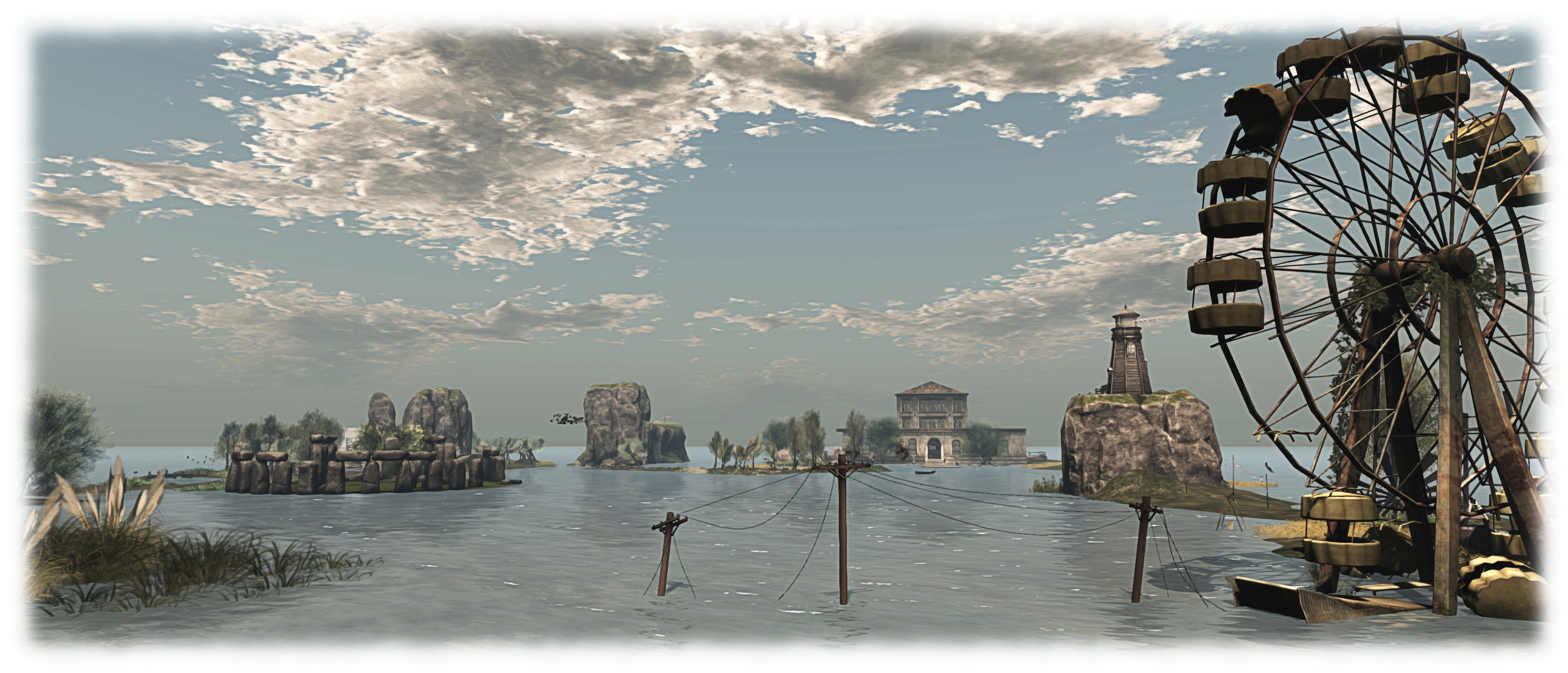
With Black Dragon 2.4.1.9, Niran has addressed this, and a few other horizon-related rendering issues so that – and again when running the viewer with Preferences > Display > Deferred Rendering (ALM) enabled, the horizon now appears as a horizontal line, as shown in the two images shown here, taken from Rebeca Bashly’s When Life Gives You Apples … Run.

Images of all the horizon rendering adjustments Niran has made can be found in his blog post on the release, linked to at the top and end of this article.

Niran's revised horizon line between "sky" and "sea", seen in Black Dragon 2.4.1.9 with deferred rendering (ALM) enabled
Niran’s revised horizon line between “sky” and “sea”, seen in Black Dragon 2.4.1.9 with deferred rendering (ALM) enabled

Continue reading “Black Dragon 2.4.1.9: “volumetric lighting” and more”

SL project news week 11/1: server, viewer, group chat

Armenelos, Calas Galadhon; Inara Pey, March 2015, on Flickr Armenelos, Calas Galadhon (Flickr) – blog post

Server Deployments Week 11

As always, please refer to the sever deployment thread for the latest updates and information.

  • There was no Main (SLS) channel deployment on Tuesday, March 10th
  • On Wednesday, March 11th, all three RC channels should receive the same new server maintenance package comprising “internal improvements for premium users”.

When asked during the Simulator User Group meeting on Tuesday, March 10th whether the “internal improvements for premium users” was related to the change to the in-world receipt of off-line IMs, as mentioned at the last SBUG meeting, Simon Linden could only say, “I’m not supposed to announce anything, so I can’t go into details … but one thing we’re looking at this year is ways to make premium accounts better. This may or may not do something like that eventually.”

SL Viewer Updates

A new Maintenance RC viewer, version 3.7.26.299610,was released on March 6th. This includes multiple fixes and improvements as listed on the release notes and download page.

The Experience Keys viewer updated to version 3.8.0.299338 on Monday, March 9th, maintaining parity with the current release viewer.

Experience Tools

Although the Experience Tools viewer has been updated (see above), there is still no news on when Experiences might be fully deployed. In order to help build interest in Experiences a suggestion has been put forward to enable Experiences to be rated in terms of the number of people actively joining them (see BUG-6911), which could be optionally shown (at the Experience creator’s discretion in things like search listings, allowing people to judge Experiences by their popularity.

The Lab has considered allowing users to rate Experience themselves in a future update – but as point out in the JIRA comments, such a system could be open to gaming, much like the old avatar popularity ratings. BUG-6911 has been imported by the Lab, but it is currently unclear if the idea will be carried forward.

Group Chat

As also noted in my last updates, recent changes to the group chat service have seen up to a 20% failure rate in delivered messages. Simon Linden spent a fair amount of time during week #10 stabilising things once more, and notes that the situation taught the Lab more about how things might fail. He currently has a set of updates which may further improve things, and these are liable to be tested at the next Server Beta User Group meeting.

Other Items

Names Vanishing from Ban Lists

There have been reports of avatars added to a region / estate ban list or have been previously muted suddenly dropped from the list without an action on the part of the list owner. This might be connected to the old issue of bans made using radar on some older versions of v1-style viewers (notably Phoenix) failing to “stick”, or it may be something else, such as a failure to correctly update a ban / mute list.

Commenting on the subject at the Simulator User Group meeting, Simon said, “we’ve heard reports of that and have looked into it … if you ever can narrow down an instance of that happening, please note it in a JIRA … Our logs will record info about those changing but we have to know where and when to look

“I’m making wild guesses, but I think it would be either the viewer or the simulator making an update to the ban list, and somehow having bad data.   Perhaps an incomplete list gets into the picture, and using that as a basis for the update it drops people.   Our logs will show events like “MrNoisy was added” and “MrGoodBehaviour was removed” but finding the event is the missing part of the puzzle.

“If you have multiple regions in the estate, there’s another issue of having the changes sent out to all the regions.   We’ve seen failures there and I know it’s been worked on a few times (and suspected in some of these reports).”

So, if you do encounter a situation involving an apparent ban list failure, and can log the exact circumstances / details, please consider raising a bug report.