SL project updates 2017-4/2: Content Creation User Group w/audio

The Content Creation User Group has re-formed out of the Bento User Group, and is held at the Hippotropolis Camp Fire Circle. Imp costumes entirely optional :D .
The Content Creation User Group has re-formed out of the Bento User Group, and is held at the Hippotropolis Campfire Circle. Imp costumes entirely optional 😀 .

The following notes are taken from the Content Creation User Group meeting, held on  Thursday January 26th, 2017 at 1:00pm SLT at the the Hippotropolis Campfire Circle. The meeting is chaired by Vir Linden, and agenda notes, etc, are available on the Content Creation User Group wiki page.

Core Topics

  • Potential follow-on projects
  • Modelling for efficient rendering
  • Animations
  • Outfits

Follow-up projects

There has been no further progression on the potential follow-on projects from Bento (see my week #2 Content Creation Group meeting report for details of follow-ups).

  • In terms of the baked texture on mesh idea, the Lab has asked for specific content there “onion” meshes are used – and it has been reiterated this is most of the common mesh bodies and heads
  • There is still some confusion as to what may be causing the animation conflict issue. While it may be that changes will be made to the animation system in the future, as per the suggestions Vir forward previously (see the link above), the solution for now is to try to address the issue at a scripting level to prevent conflicts.

Modelling for Efficient Rendering

Medhue Simoni has been producing a series on the use of Level of Detail (LOD) to help with generating rendering efficient models in Second Life. Part 1 is embedded below, and Part 2 can be found here. A third part will be available soon, and hopefully, he and I will be producing a companion article in this blog once that part is available on-line.

Efficient modelling for Second Life has long been a problem within the platform, and something exacerbated by the arrival of full mesh support. Given this:

  • The Lab is considering revising the rendering cost calculations “at some point” to encourage people to consider more efficient models (e.g. making more use of normal maps to add detail to models where appropriate, rather than rely on always producing an extremely high poly count model).
  • It has been suggested that providing some basic indicators of what might be considered “reasonable” number – poly counts, proportionate scaling of LODs, etc. – for models could be produced, together with videos (by content creators with a solid understanding of the subject and Second Life)  on efficient use of normal and specular maps
Using a normal map to enhance the detail on a low-polygon model
Using a normal map to enhance the detail on a low-polygon model. The image on the left shows a model of some 4 million triangles. The centre image shows a model with just 500 triangles. The image on the right shows the 500-triangle model with a normal map taken from the model on the left applied to it. Credit: Wikipedia

The discussion broadened to cover awareness among content creators as to what actually works and where falsehoods / misunderstanding lie. A cited example in the meeting was that of mesh clothing makers avoiding the use of normal maps because they want their clothing to look the “same” to everyone, even though doing so can severely impact the user experience for those on lower-end system, and thus discourage users from buying their goods.

.BVH Animations and Animation Playback

Animations can be uploaded to Second Life in one of two formats, .ANIM and .BVH. The latter are optimised as a part of the upload process, and this is proving to be a particular problem for Maya users when animating facial expressions. These require finer bone movements in the animation, which the optimisation process is filtering out, requiring Maya users to use exaggerated movements. Blender users can avoid the issue by using .ANIM, which does not pass through any form of optimisation / filtering.

While it is recognised that the thresholds used by the .BVH optimisation / filtering process may not be the best for very small bone movements, there are currently no plans to alter / refine the .BVH uploader. Nor is it really feasible to adjust the thresholds for hand and face bones, as this could have an adverse effect where these bones are re-purposed for other uses (as Bento is intended to allow).

There are two possible workarounds which may help with these issues for anyone using the .BVH format:

  • Swap to using .ANIM files, which do not go through any similar optimisation process. Unfortunately, this isn’t an option for Maya users, as there is current no .ANIM exporter for Maya, although Aura Linden is working on one in her own time, and is hoping to get time in about three weeks to sit down and finish it
  • Alter the frame rate of the animation itself – so rather than creating it at 30 fps, try 15 or 10 fps, depending on the animation.

There was also some confusion over the maximum file size for animations, as per my 2016 week #25 report, this was increased from 120 Kb to 250 Kb in June 2016. The wiki page on SL limits has now been correctly updated to reflect this. It’s also worth noting, as an aside, that animations will be moving to delivery via the CDN network in the future.

There was an extended conversation around Outfits and the Outfits folder. While much of this revolved around the Visual Outfits Browser option for Outfits, a couple of significant items were discussed.

The first was on the subject of saving gestures with outfits. As noted in my Bento update #26 and Bento update #27, gestures cannot be automatically saved with an outfit, but can be manually added as links / copies. However, Medhue Simoni has found a catch: should the outfit ever be re-saved, the gestures are removed. Expect a JIRA soon

A common request for the Outfit system to allow nested folders once more the ability was removed with viewer 2.1 (see VWR-19774), and while it was at the time noted as a possible “priority” item for consideration by the Lab, the topic has only recently again come up in internal conversations as a result of feature request BUG-41826. However, the amount of work involved to make it happen makes it unclear if the request will be accepted.

One request for Outfits which is unlikely to be acted upon, is to have links to other folders in addition to objects. This is seen as even more complex than allowing nested folders within the Outfits hierarchy.

Next Meeting

The Next Content Creation User Group meeting will be on Thursday, February 16th, 2017.

SL project updates 2017-4/1: Server, camera pre-sets, Nvidia issue

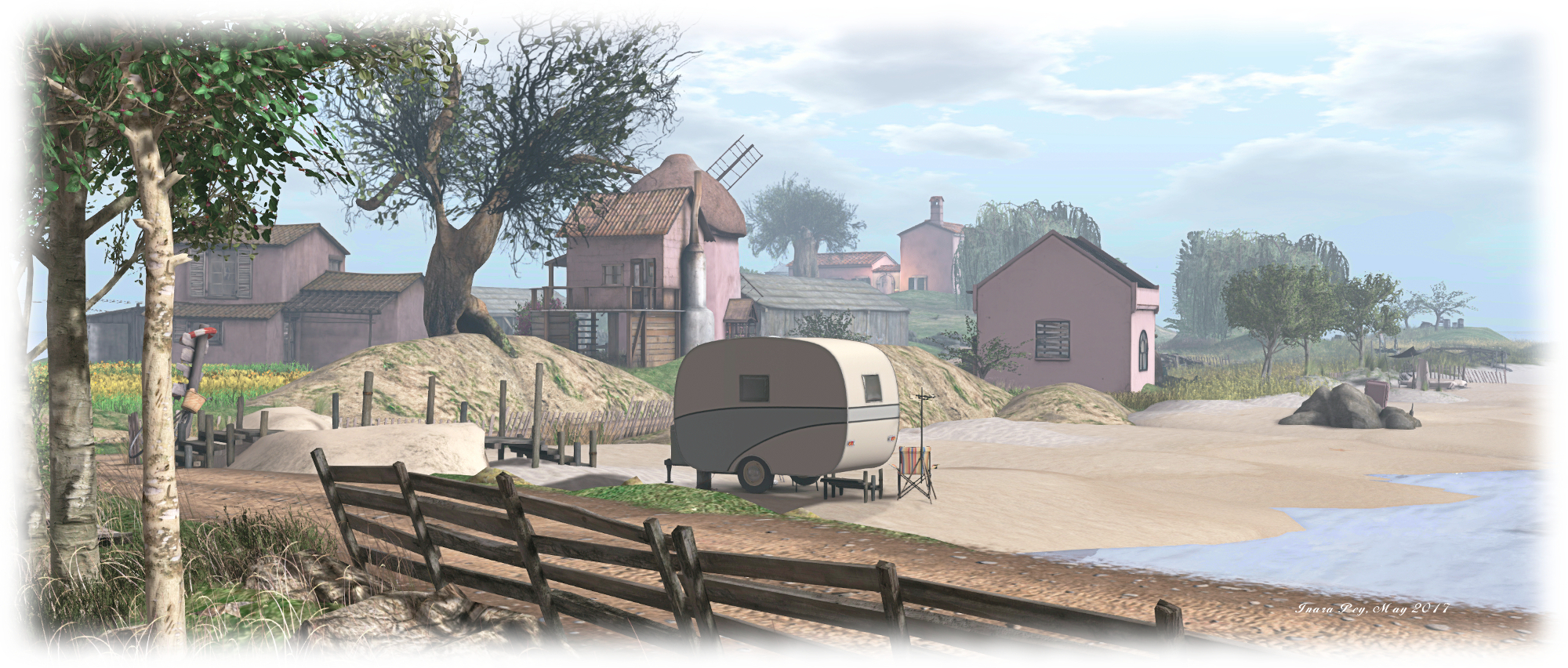
Devin, Devin; Inara Pey, January 2017, on FlickrDevinblog post

Server Deployments

As always, please refer to the server deployment thread for the latest updates.

On Tuesday, January 24th, the Main (SLS) channel was updates with the same server maintenance package deployed to the RC channels during week #3. This includes a partial fix for (non-public) BUG-3286, “Can’t move object” fail notifications (fixes for regions/objects with longer names are pending), together with enhanced server logging and minor internal server enhancements.

There will be no RC deployment on Wednesday, January 25th – but the RC region will be restarted in keeping with the Lab’s new policy of restarting the channels every 2 weeks, regardless of whether or not there is an associated deployment.

The next RC deployment is expected to be week #5 (commencing Monday, 30th January, 2017).

SL Viewer

No changes since my last update. The status of viewers in the pipeline remains thus:

  • Current Release version: 5.0.0.321958, dated December 1st, promoted December 5th, 2016 – formerly the Project Bento RC viewer
  • Release channel cohorts:
    • Maintenance RC viewer, version 5.0.1.322791, dated January 12th
  • Project viewers:
    • Project Alex Ivy (LXIV), 64-bit project viewer, version 5.1.0.501863 for Windows and Mac, dated January 10th
    • 360-degree snapshot viewer, version 4.1.3.321712, dated November 23, 2016 – ability to take 360-degree panoramic images – hands-on review
  • Obsolete platform viewer, version 3.7.28.300847, dated May 8, 2015 – provided for users on Windows XP and OS X versions below 10.7.

Camera Presets

As I noted in a recent TPVD meeting update, Jonathan Yap is working on a code contribution for the official viewer which will allow users to set and save their own preferred camera presets in the viewer.

The idea is that, like the graphics presets functionality Jonathan contributed to the viewer in 2016, users will be able to define their own placements for the SL camera around their avatar (e.g. an over-the-should view, a view from overhead, etc.), which can then be saved and selected / used as required. Jonathan has only recently started on the work – which has an associated feature JIRA, STORM-2145 – but that should hopefully change once various decisions have been made by the Lab.

Nvidia Driver 378.49 + 64-bit Viewer Bug

Nvidia release their 378.49 driver on Tuesday, January 24th, and it can cause an unusual bug / issue with 64-bit viewers. The problem was first noted on Firestorm 5.0.1 (see: FIRE-20774), but I have repro’d it on the Lab’s own 64-bit project viewer (version 5.1.0.501863 at the time of writing) and  on Alchemy 4.0.0 (a crash issue had prevented comprehensive testing on Alchemy 5.0.0 at the time of writing).

The Nvidia 378.49 driver bug which can occur with 64-bit viewers when ALM is disabled, as seen on a 64-bit version of Windows)
The Nvidia 378.49 driver bug which can occur with 64-bit viewers when ALM is disabled

The issue only manifests when Advanced Lighting Model (ALM) is disabled in a 64-bit viewer, and renders the in-world view with an odd blue tinge which almost looks like the blue colour channel is impinging on the red channel. As noted in the Firestorm JIRA, enabling ALM can prevent the issues, as can toggling Glow off when ALM is disabled. See the Firestorm JIRA for workarounds, should you encounter the problem.

How the same scene looks in the same viewer (SL Alex Ivy 64-bit project viewer for Windows, version 5.1.0.501863 at the time of writing)

The issue was raised at the Simulator User Group meeting on Tuesday, January 24th, a JIRA for the issue on the Lab’s 64-bit project viewer is available on BUG-41294.


2017 Viewer release summaries week 3

Updates for the week ending Sunday, January 23rd

This summary is published every Monday, and is a list of SL viewer / client releases (official and TPV) made during the previous week. When reading it, please note:

  • It is based on my Current Viewer Releases Page, a list of all Second Life viewers and clients that are in popular use (and of which I am aware), and which are recognised as adhering to the TPV Policy. This page includes comprehensive links to download pages, blog notes, release notes, etc., as well as links to any / all reviews of specific viewers / clients made within this blog
  • By its nature, this summary presented here will always be in arrears, please refer to the Current Viewer Release Page for more up-to-date information.

Official LL Viewers

  • Current Release version: 5.0.0.321958, dated December 1, promoted December 5 (no change) – formerly the Project Bento RC viewer download page, release notes.
  • Release channel cohorts (please see my notes on manually installing RC viewer versions if you wish to install any release candidate(s) yourself):
    • No updates.
  • Project viewers:
    • No updates

LL Viewer Resources

Third-party Viewers

V5-style

  • No updates.

V1-style

Mobile / Other Clients

Additional TPV Resources

Related Links

Lumiya 3.4 goes Bento

lumiya-logoOn Friday, January 20th Lumiya, the Android client developed by Alina Lyvette gained the latest in what has been a flurry of updates for the client, with the release of version 3.4. This sees Lumiya gain support for the Project Bento skeleton extensions and rendering of associated avatar meshes and accessories.

All of the Bento updates are under-the-hood; there are no UI changes, and no Reset Skeleton options as seen in Bento-supporting viewers. As Alina explained to me in discussing the release, Lumiya’s approach to rendering should generally result in Bento avatars and accessories rendering correctly in the 3D world view.

Medhue Simoni's Bento MEGAwolf, as worn by my alt and rendered in Lumiya's 3D view
Medhue Simoni’s Bento MEGAWolf, as worn by my alt and rendered in Lumiya’s 3D view

For the vast majority of times, this is indeed the case. You can select and wear a Bento avatar or Bento accessory such as a head and wear / unwear it without any problems.

However, as was noted during Bento’s development, when swapping between quadruped avatars, which can involve severe deformation of the avatar skeleton,  and bipedal avatars, there can be times when your avatar doesn’t always resume its proper shape in the 3D world view, resulting in the avatar appearing deformed in your view (see below, right.

deformed
Very occasionally, when swapping between avatars – say quadruped to biped, you might encounter your avatar appearing deformed in Lumiya. Simply exit and restart the 3D view

These occurrences tend to be very intermittent / rare. As with their occurrence in a viewer, they might be the result of race conditions and / or missed appearance messages.

As Lumiya does not have any Reset Skeleton options, the problem can be fixed in one of two ways:

  • Tapping the actions menu icon (top right of the screen) and selecting Stop Avatar Animations. This will generate an appearance update, and should correct the problem
  • Exiting the 3D world view, and then enabling it again. This will again force an appearance update, and correct any deformation.

Note that in testing, these kinds of deformation issues didn’t extend to other avatars changing their form within viewing range of Lumiya 3.4, and they always rendered correctly following a change. However, should other avatars appear deformed in your 3D world view, try exiting and re-started the 3D view and see if they then render correctly.

Outside of this, Bento HUDs, where supplied can be added and used in the usual manner with Lumiya – attach the HUD, then select it via the on-screen HUD button.

You should be able to use Bento mesh HUDs as you would any other HUD in Lumiya
You should be able to use Bento mesh HUDs as you would any other HUD in Lumiya, via the HUD button & selection (lower left corner of the screen

As well as the Bento update, Lumiya 3.4 includes a couple of bug fixes:

  • Avatars should no longer get stuck in the non-animated pose (“T” pose).
  • Avatars should no longer flash when loading rigged mesh attachments.

Feedback

Given the nature of things, the code may yet require further nips and tucks, but on the whole, and outside of the rare deformation issue mentioned above, I didn’t encounter significant issues  – although my selection of Bento items is admittedly narrow, and my testing could not in any way be comprehensive.  All told, another great update to SL’s most cost-effective and feature-rich mobile client / option.

Related Links

SL project updates 2017-3/2: texture uploads, Content Creation UG

An Uncertain Destiny, Mystic; Inara Pey, January 2017, on FlickrAn Uncertain Destinyblog post

Server Deployments – Recap

  • The Main (SLS) channel was restarted on Tuesday, 17th January, but there was no associated code deployment
  • A new server maintenance package was deployed to the RC channels on Wednesday, January 18th, comprising a partial fix for (non-public) BUG-3286, “Can’t move object” fail notifications (fixes for regions/objects with longer names are pending) + internal server and logging enhancements

SL Viewer

No further updates to the current viewer pipeline list.

Texture Uploads and First Time Rendering

The Lab has been making some hardware (/communication?) changes to the texture upload / delivery mechanism (e.g. both the handling of texture uploads from the viewer to the asset system, and then from the asset system back out to the viewer via the CDN). When deployed to the main grid, these should see improvements in the uploading of new textures and their appearance on in-world objects, whether uploaded individually or in bulk (e.g. hopefully little / no grey panels in new texture upload previews when viewing them from inventory, and few / no grey object faces when uploading a texture and then immediately applying it to an object face).

Content Creation User Group

Summary of General Points

  • No further movement on the potential “Bento follow-up” project ideas (see my Content Creation UG notes for week #2).
  • The next Avastar release is in advanced testing, with a potential release around late February / March, but will include devkit support and a large number of bug fixes.
  • Appearance sliders:
    • A question was asked whether the slider system could be updated to allow for easier scaling for smaller avatars utilising Bento (as not all Bento bones are linked to sliders). Vir noted this is unlikely, as it would require a change for the base slider scaling which could break existing avatars.
    • However, Vir noted that suggestions to offer new sliders for sizing things like wings and tales have been discussed at the Lab, but nothing has as yet been decided.

Pain Points / Blockers to Bento Content

A general question thrown out by Simon Linden was whether people are experiencing particular “pain points” in producing Bento content: what they might be waiting for tools-wise or in any other way etc. this quickly spilled out into a much broader discussion on various tools and suggested tutorials. However, core points raised were:

  • Available time, learning to use external tools such as Blender,
  • Waiting on Avastar, plus tutorials, both generic and on using specific tools (e.g. Avastar and Mayastar) – which will hopefully come in time
  • Mention was made of making people more aware of SL-specific areas such as level of detail (LOD), managing physics, LI calculation rules, etc.

It was also noted that possibly having idea of having some for of sample content (e.g. wings, hands), which creators could use as an example / baseline for their own creations, together with a broader selection of documentation / tutorials / videos.

Simon pointed out that in terms of Lab developed tutorials and documentation, there are only limited resources. Many third-parties also produce tutorials (Mehdue Simoni, for example is waiting for the new Avastar to reach release before working on his video tutorials for it).

Others have also put together documentation, but are finding it hard to get that documentation seen heard above the broad range of misinformation on content creation which is  in circulation. Vir has suggested that meaningful documentation and tutorials could be linked to through the SL wiki.

In terms of the wiki, there are a range of resources available for content  creation / Bento:


SL project updates 2017-3/1: Server, Viewer

The Hell's Heaven 2.0, Rainbow Ridge; Inara Pey, January 2017, on FlickrThe Hell’s Heaven 2.0blog post

Things are still warming up after the holiday period, so not a lot of fresh news.

Server Deployments

The Main (SLS) channel was restarted on Tuesday, 17th January, although there was no associated deployment. This is in keeping with the Lab’s new policy of restarting the server channels every 2 weeks, whether or not there is an associated code deployment (the RC channels were restarted in week #2).

A new server maintenance package will be deployed to the RC channels on Wednesday, January 18th. This includes a partial fix for (non-public) BUG-3286, “Can’t move object” fail notifications (fixes for regions/objects with longer names are pending), together with enhanced server logging and minor internal server enhancements.

SL Viewer

The viewer pipelines at this point remain unchanged from week #2:

  • Current Release version 5.0.0.321958, dated December 1st, promoted December 5th, 2016 – formerly the Project Bento RC viewer
  • Maintenance RC viewer version 5.0.1.322791, dated January 12th – some 42 fixes and improvements
  • Project viewers:
    • Project Alex Ivy (LXIV), 64-bit project viewer, version 5.1.0.501863 for Windows and Mac, dated January 10th
    • 360-degree snapshot viewer, version 4.1.3.321712, date November 23, 2016 – ability to take 360-degree panoramic images
  • Obsolete platform viewer version 3.7.28.300847, dated May 8, 2015 – provided for users on Windows XP and OS X versions below 10.7.