Gazing into The Looking Glass in Second Life

The Looking Glass, July 2026 – click any image for full size

It has been a decade(!) since I last visited The Looking Glass, the stunning region that is home to creative genius of Marcus Inkpen and Sharni Azalee, supported by ColeMarie Soleil.

It’s been a place which has captured imaginations time and again down the years, and has been on my list of places to revisit for a fair while, particularly since the more recent graphical and performance improvements made to the viewer.

The Looking Glass, July 2026

For those who may not be familiar with the work of Marcus (aka artist, musician, writer and actor J. Matthew Root) and Sharni, they are two long-time Second Life creators with a focus on fantasy designs.

Those who participate in the annual Fantasy Faire will likely be more than familiar with their work; between them they have over a decade and more, produced marvellous regions for that event.

The Looking Glass, July 2026

For his part, Marcus specialises on architecture, while Sharni creates everything from furnishings and décor items to plants and flora to mystical and fantasy elements, many of which are used to bring life to their designs, as is amply demonstrated in the Fantasy Faire worlds and within The Looking Glass.

Both are incredibly talented artists, and I’ve had the pleasure of witnessing their work in the past as both a reviewer and judge of University of Western Australia art events (now sadly gone from SL), in which Sharni’s work has been justifiably the recipient of multiple awards.

The Looking Glass, July 2026

The Looking Glass offers a truly marvellous means of immersion into their combined work. Almost everything within the region has been created by either Sharni or Marcus, and can be found in The Looking Glass (TLG) store, which is perfectly blended into the setting, residing as it does within a number of buildings.

However, the region isn’t merely a showcase of designs; it is a world to be explored from its waterfront Landing Point through to the islands serenely floating in the sky. Within it can be found places of romance such as the ballroom, places to share in the company of someone close, gardens of fae and magical delights, places for celebrating dance and music, corners of mystical goings-on – there is even a hidden crystal chamber awaiting discovery (among other hidden places).

The Looking Glass, July 2026

And, of course, there is the citadel climbing nigh-on 200 metres into a sky slowly brightening in response to a rising Sun.

With hundreds of windows lit from within and staring all around, the citadel alone is a place of wonder in its design and size and as a place of exploration and discovery. Not only does it feature the core of The Looking Glass store (with more to be found within the Basilica and the Feed your Head store close by), it houses an art gallery recalling Fantasy Faire Builds by Marcus and Sharni from times past, together with an exhibition of Marcus.

The Looking Glass, July 2026

To help people find their way around, there are teleport stations, but for initial explorations, I really recommend stating on foot; the stations are plentiful enough to be easily found during on-foot explorations.

That said, there are areas within the region which do require the teleport system to reach them. Chief among these are the upper reaches of the citadel, which include a Library with an outdoor space and neighbouring room However, the teleports do not connect to all the points of interest; some, such as the floating islands and upper reaches of the citadel (which I believe are open to the public) appear to require flying to reach them.

The Looking Glass, July 2026

Stretching out from the citadel tower and diagonally across the region is a great bridge, its arches taller than any of the buildings clustered to either side of it. Easily spanning woodland at water channels, the bridge extends out to the events amphitheatre whilst  offering a magnificent, lantern-lit look back at the great tower.

With its own dome of stars twinkling under the lavender-tinged sky and cross which blazing meteors arc, this is another magical place. As well a offer a stunning view at the citadel, the bridge offers an excellent vantage point to look out over the town and lands below, providing a marvellous view of the great open-air ballroom in its ring of ruins.

The Looking Glass, July 2026

A ramp curls around the tor on which the amphitheatre stands, providing access both to and from the ground. I do suggest walking up (or down, if you come to the amphitheatre from the citadel) it and through its tunnel.

Keep your eyes peeled as you do, and you might find the entrance to one of the hidden secrets of The Looking Glass. Another is to be found here as well, just be prepared to get a little wet when accessing it J .

The Looking Glass, July 2026

The Looking Glass is a place of great beauty and a huge attention to detail. Tucked away throughout are corners presenting places of retreats along with the floating islands. There are also touches of whimsy to be found as well – who knew hobbits drove VW Beetle convertibles, for example!

There are also more semi-hidden places to steal away to, some of which add a certain sense of character and life to the setting. Several of the buildings, far from being mere display pieces are furnished, with one or two heightening the sense of mysticism present throughout.

The Looking Glass, July 2026

Even some of those which are not furnished have been set to enhance the feeling that this is a place where times and life passes: lights shining from windows, fires visible in hearths – even a bureau tucked into the small bay of a house, topped by an ornate Moroccan tea set and softly lit by a lamp, gives the impression someone is at home.

To summarise – a genuine work of art from the tallest tower to the most hidden of chambers. Timeless, it sits as a song to the creative potential of Second Life.

The Looking Glass, July 2026

Slurl Details

A look at the Second Life Learning Centres for newcomers

The Mobile Learning Centre: general information boards

Back in June 2026, I wrote a piece on the Mobile Learning Centre, a Linden Lab created experience geared towards incoming users accessing Second Life via the Second Life Mobile app (and those existing users who are new to SL Mobile) gain familiarly with using the app and finding out more about Second life as a whole.

As there is also a broadly similar experience for new users coming into Second Life using the Desktop, I thought it only fair that I revise / replace the original piece with one covering both. Hence this new article.

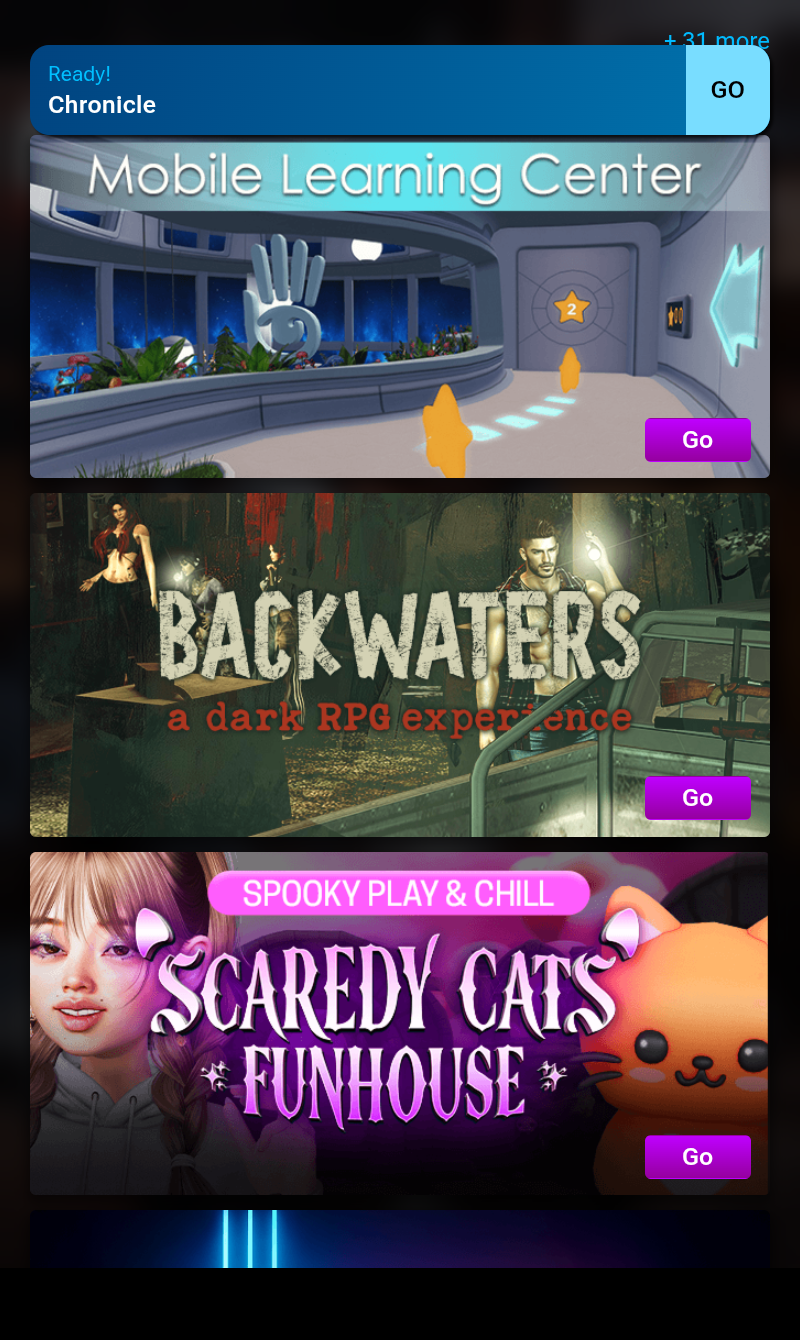
The Mobile Learning Centre is one of the SL Mobile Experiences seen when logging-in to the App, and accessed by tapping the GO button.

Like most tutorial experiences current and past, the Learning Centres take a familiar route of guiding users through a series of lessons.

However, and unlike many past tutorials of this nature, these avoid trying to cover everything some might regard as “essential”, these Learning Centres focus on the absolute basics in getting started: moving, jumping, chatting, sitting, standing, teleporting. This allows them to be useful without being overwhelming because of the volume of information a new user is being asked to digest in a single pass.

As a brief overview, both experiences:

  • Present the same lessons, information and challenges in the same environment, in a manner consistent with whether the user is using the Desktop viewer or SL Mobile.
  • Take the form of a space station, with learn-by-doing lessons progressing through a number of rooms to which the user gains access by “collecting” (walk through) large stars, whilst including a “side quest” in which the user “helps” the captain of the space station.
  • Have teleport portals and boards to places like the Welcome Hub and other new user experiences to help the user increase their engagement with the platform and learn more.
  • Control additional options and challenges, offering opportunities for entertainment whilst learning.

The stars to be “collected” are colour-coded to the the rooms to which they are required in order to gain access, and form a core part of the lessons being provided in each of the learning rooms. The number of stars required to access a room is presented on the door to that room.

The arrival point for both experiences comprises informational boards on most of the above – collecting stars, the side quest, etc. Together with the first elements of the tutorial signage.

These tutorial graphics are simple, direct and easy to follow. They’ve been specifically designed to communicate necessary information without relying heavily on text, thus avoiding complications of translation, localisation, etc. They are also obviously application focused: users at the SL Mobile Learning Centre will see graphics specific to the Mobile app, and those at the Desktop Learning Centre will see graphics specific to the Desktop viewer.

Learning Centres: movement tutorial graphics for SL Mobile (left) and Desktop (right)

This does mean that in places, the Desktop Learning Centre does have more such graphics than the Mobile Learning Centre, but this is to be expected because of things like the different modes of control available in the Desktop viewer. This can be seen at the arrival point of the Desktop Learning Centre, which includes graphics on text chat range and camera manipulation (the former included not only because it is essential to understanding text chat but also because it was found new users often ask a question of a mentor within places like the Welcome Hub – and then walk out of range before a reply could be provided).

From the arrival point, and after walking through two yellow stars, users can progress down a ramp to collect the stars needed to access the next tutorial room – this one focused on avatar navigation using an elevated walkway. This is followed by a room focused on jumping / flying (placing users in an aquarium!), prior to a visit to the ship’s bridge to earn the thanks of station’s Captain.

The Mobile Learning Centre: elevated walkway

At the lower end of each experience, there is a large, galleried social space. This contains places to sit (with graphics on how to do so) and the option to collect red stars to open a floor accessway to the tar Run challenge, located underneath the area and accessible once five red stars have been collected. However, this is where the similarities between the respective areas in the two experiences end.

Within the Mobile Learning Centre, this area includes the teleport portal to the Welcome Hub, a teleport board to other experiences and instructions on how to access the Destination Guide and teleport to locations. There is also a side room with a picture gallery of locations in Second Life, together with windows looking out over what appears to be a black hole.

The Learning Centre: portal to the Welcome Hub and instructions on accessing experiences and the Destination Guide

By contrast, the same area within the Learning Centre makes no reference to the Destination Guide, and as the Welcome Hub teleporter is located at the arrival point (together with a portal to the Adult Hub), it is also absent. However, it does provide access to a much larger social area.

Called the Moonview Zone, it comprises group of beanbags set around low tables which are all set around a central bar. A huge viewscreen / window to one side looks out over an alien world. Facing this are two further teleport board and instructions on setting a home position and creating landmarks (but, again oddly, nothing about accessing the Destination Guide).  Also within the Moonview are the entrances to two challenges: an obstacle course to further refine walking / jumping abilities and the Ring Challenge to test flying skills. Rewards may be given on the completion of either.

Desktop viewer Moonview Zone

The Desktop Learning Centre also offer a “mid-level” area which includes links to the Second Life social media outlets; a landmark giver for various community gateways offering free items to new users; and two boards of the single-player Merge game (Darkmoon Edition), and a Group joiner for the SL Friends For Life Group.

Whilst a similar area is present in the SL Mobile Learning Centre, it is currently empty, perhaps because of the current level of SL Mobile’s capabilities.

Desktop viewer learning Centre: Ring Challenge

It’s likely that some might feel the Learning Centres don’t cover enough essentials – what about IMs? what about text chat in the Mobile app? What about inventory access? And so on. However, offset against this is the need to keep things as useful as possible in order to get users started without overwhelming them.

Take IMs as an example: do you just cover person-to-person IMs? Then what about Group IMs? If you are covering Group IMs, then surely at least the concept of groups needs explaining  (even allowing for the joiner mentioned above). And what about conference calls? And so things spiral – and the same is true for things like inventory on the Desktop.

In this, it is also worth noting that these Learning Centres don’t reside in a vacuum or are a one-stop, “That’s all folks!” form of learning. There is at least the Welcome Hub for further guidance – although I do have a small caveat here, which I’ll come to. Further, these Learning Centres have been developed using feedback gathered from users, and they have been involved in A/B testing with other new user on-boarding tutorials, and both have consistently scored well with incoming users.

The Mobile Learning Centre: finding Rilo

My one caveat mentioned above is that currently, the Welcome Hub is geared solely towards the Desktop viewer. Even with mentors present to at least explain the existence of the Desktop viewer, it struck me that this could be confusing to incoming users on SL Mobile. Perhaps a dedicated landing area for those teleporting from the Mobile Learning Centre might help alleviate this? It could even include a teleport back to the Learning Centre for those who may have accessed the portal there prematurely / in error.

Other than this, I found both experiences pleasant and easy to follow. There is potentially space to add further information / tutorial infographics if the need arises (e.g. to reflect SL Mobile’s increasing capabilities, if required). The graphics are mostly language-free, as noted, and of a size and form where they should be easy to follow regardless of nationality or eyesight; the lessons suitable for what they are trying to achieve and the Desktop viewer challenges off of the Moonview Zone reasonably engaging.

The Mobile Learning Centre lack a Moonview Zone, substituting a destinations showcase instead (albeit without location names or teleports)

If you do opt to pay a visit to either, you can follow the SLurl to the Desktop learning Centre as given below (it’s also in the Destination Guide), but for the Mobile Learning Centre, please do so via the App itself – you’ll find the Learning Centre listed in the Experiences.

Related Links

2026 week #31: SUG Leviathan Hour: game_control / region crossings

The Simulator User Group meeting place at Longfellow

The following notes were taken from the Tuesday, July 28, 2026 Simulator User Group (SUG) off-week meeting (the “Leviathan Office Hour”). These notes form a summary of the items discussed, and are not intended to be a full transcript. They were taken from my chat log of the meeting, and Pantera’s video is embedded at the end of this article – my thanks to her, as always, for recording and providing it.

Meeting Overview

  • The Simulator User Group (also referred to by its older name of Server User Group) exists to provide an opportunity for discussion about simulator technology, bugs, and feature ideas is held every other Tuesday at 12:00 noon, SLT (holidays, etc., allowing), per the Second Life Public Calendar.
  • The “Leviathan Office Hour” meetings are held on the Tuesdays which do not have a formal SUG meeting, and are chaired by Leviathan Linden. They are more brainstorming / general discussion sessions.
  • Meetings are held in text in-world, at this location.

Game_Control

  • Leviathan has cut a new version of the game_control viewer (v0.7.8). This includes:
    • Per-axis per-mode invert option.
    • Keyboard support for flycamming.
    • Variable speed for avatar rotations when using the game controller stick.
    • Mouse-click actions for Mouselook mode.
    • Mouse mode (ability to control the on-screen with a gamepad.
  • His hope remains to get the game_control capabilities into the Lua editor viewer before that finally goes to release status (which might happen in the latter part of August).
  • However, internal discussions at the Lab have caused Leviathan to realise he needs to overhaul the GameControlInput UDP message format server-side before the code can go out in a viewer. This work will also require a server-side code updates for the simulator in order for game_control to work.

Region Crossings

  • During the week #30 Simulator User Group meeting, Pepper Linden indicated they had put together some fixes to address vehicular region crossings.
  • Those updates have been deployed to the Blake Sea region on Aditi (the Beta grid) for those wishing to test them.
  • Sandbox Wanderton and its neighbours are also going to be cloned on Aditi for further vehicle testing on land.
  • The above work is separate to Harold Linden’s work on script serialisation to prevent scripts from crashing/disabling on a region crossing should be live across the grid in the current simulator release.
  • He also indicated LL is aware of recent region crossing issues within Blake Sea on Agni (the Main grid), which might be griefer related.

In Brief

Please refer to the video for more on the following.

  • As per my week #29 Leviathan Office Hour notes, PromptFont is being used for the game_control preferences UI.
    • It was asked if the tool could be more widely used within the viewer.
    • However, there are no plans to do so because the version in use has been modified for that specific use, with a large number of unused glyphs stripped out that to reduce viewer installer bloat and limit dependency on PromptFont beyond the game_control requirement.
    • The above sparked a conversation on viewer fonts that ran through most of the meeting.
  • A general discussion on the use of AI LLMs for coding.

Date of Next Meetings

  • Formal SUG meeting: Tuesday, August 4, 2026.
  • Leviathan Linden: Tuesday, August 11, 2026.

A return to Soul Deep in Second Life

Soul Deep, July 2026 – click any image for full size

I dropped in to Kaelyn Elara’s Soul Deep recently, some 16 months after my last visit. At that time the region comprised a series of islands under a summer Sun, the design by Kaelyn and Jacky Macpherson. Richly detailed and with paths and trails to wander, it was a place I found relaxing for exploring both on foot and on horseback.

For my July 2026, I found the region was now a single, roughly T-shaped island caught in that period of time when summer is vying with autumn (or fall if you prefer) for our attention.

Soul Deep, July 2026

It’s a setting that comes with an almost poetic description by Kaelyn:

Where the salt wind carries whispers of Autumn. Wander weathered beaches, follow winding paths through golden grasses, and rest beneath trees that lean toward the sea. 
Here, hammocks sway, campfires glow, and gulls wheel above an ocean that feels endless. This is a place for slow breaths, long looks, and soul-deep moments, where hope drifts in like the tide and stays a while.

– Kaelyn Elara on Soul Deep

Soul Deep, July 2026

The Landing Point sits close to the northern coastline of the “bar” to the island’s “T”, sitting on a rough path running west-to-east and between two of the three buildings to be found here. One of these, off to the east, is a café space while the one to the west is a cosy cabin. Both have a little camp site close by.

The island is low-lying; a mix of scrub grass, sand and trees, the ground broken here and there by groups of rocks. Off to the south, at the end of the second arm of the island sits a large wooden house (the Piper Hideaway by Cory Edo), this one with a little camp fire outside. Another trail meanders down to it from the north end of the island                                    .

Soul Deep, July 2026

There are two Teegle horse rezzing hitching posts with this setting. When touch, these will offer a selection of horses of various breeds and sizes -turn of your AO and then right-click the horse to mount / sit. The mostly open nature of the island makes riding easy (just mind the beach fencing!).

The beaches offer places to sit and relax as gulls circle overhead (or keep watch on things from local signs!) and sailboats lie offshore. it’s a genuinely relaxing setting, rich in local sounds.

Soul Deep, July 2026

What I love about Soul Deep is the continued simplicity Kaelyn and Jacky place in their designs; the settings are always entirely natural in look and feel, never overcrowded; just rich in details and small touches.

Just take the way the cabin and the house are furnished – both are open to the public – or the way the café and its seating are laid out; they all offer a sense of life and presence, but never of any artificiality or sense of being props.

Soul Deep, July 2026

The same is true for the landscaping and the the items and objects to be found around the island – the rowing boats, the signs – everything has a simple, binding beauty.

Photogenic and peaceful, Soul Deep continues to present the perfect getaway setting to soothe the mind.

Soul Deep, July 2026

SLurl Details

Virtual Ability launches L$250,000 wheelchair design contest in Second Life

via Virtual Ability

Second Life has long held a deserved reputation for assisting people with a wide range of disabilities to share in virtual activities, make friends and connections, and thrive in ways not always available to them in the physical world. As a core part of this, Virtual Ability Inc (VAI) has been continuously active in Second Life for almost two decades.

In doing so, VAI has gained international renown for its annual conferences and symposia – some of which I’ve tried to support through these pages – and is recognised throughout Second Life for its unstinting work to support all those with disabilities who participate in the platform and the rich diversity of opportunities it offers.

More than just a “virtual place,” Virtual Ability is a true community, where individuals who physically live across the globe come together for conversation, learning, social activities, expeditions, and fun. Some take courses; others teach. Some mentor, others are mentored. Members create or build virtual architecture, write books or poetry, perform in plays, DJ, dance, play games, raise virtual gardens and virtual animals, or experience adventures of every type… all in a virtual world, from the comfort of their own computer. Community members bring extremely diverse backgrounds and experiences to the group and many are also active in other virtual world groups.

– From the VAI website

Now, through the generosity of Linden Lab with the donation of L$250,000 (one of four such donations given to deserving organisations announced during SL23B Golden Ticket Giveaway event), VAI has launched Mobility Without Limits, a contest a contest for creators to build wheelchairs that improve accessibility, mobility, expression, and roleplay for Second Life residents, and which offers generous  Linden Dollar prizes of up to L$50,000 to winning entrants.

The Contest

The contest invites Second Life creators to design innovative, full-permission wheelchairs that enhance mobility, self-expression and role-play for residents. Linden Dollar prizes totalling the L$250,000 awarded to VAI by Linden Lab will be presented to winning entrants across four categories of design:

  • Everyday Mobility – practical chairs for daily use. This includes traditional-looking wheelchairs such as those typically found in hospitals, clinics, or care facilities. It may include full-sized or lightweight chairs, elderly-friendly, or other chairs with a standard appearance.
  • Racing and Sports – wheelchairs used in competition or recreation such as marathons, basketball, tennis, etc. They are typically sleeker or more streamlined than traditional chairs. These chairs will be judged higher if they have items such as custom racing animations, speed effects, and/or sports-related accessories.
  • Fantasy and Sci-Fi – for whimsical but usable designs. Potential examples include steampunk, cyberpunk, elven, magical floating chairs, drone/jetpack chairs, retro. Creativity is encouraged!
  • Mobility for Every Avatar – for designs created specifically for avatars whose size or proportions require something beyond a standard wheelchair, including tinies, dinkies, larger avatars, or fantasy and other unique body types.

Wheelchairs should preferably be wearable objects to ensure maximum opportunities for use. However, vehicle-style wheelchairs are not excluded from entry.

Judging

Entries will be judged by a volunteer panel that includes residents who regularly use wheelchairs in-world, experienced Second Life creators, accessibility advocates, and event organisers from the Virtual Ability community.

The judges will evaluate each entry across the criteria of functionality, creativity, appearance, and script/animation integration. Wheelchairs that are easy to use, exhibit appropriately integrated animations, adjustable seating and avatar positioning, adjustable colouring and styling of wheels, cushions or accessories, and compatibility with different body types will score higher.

Winning entries will receive in-world Linden Dollar prizes, and the winning wheelchairs will be provided by Virtual Ability to anyone in the SL community.

Prizes

Within each of the four categories, prizes will be awarded as follows:

  • First prize: L$30,000
  • Second prize: L$15000
  • Third prize: L$5,000
  • Special grand prize across all categories: L$50,000.

Note that all prizes will be made only in Linden Dollars via in-world transfer to the wheelchair’s named creator (as shown via the viewer’s Edit floater).

Requirements for Entry and How to Enter

Requirements

All wheelchairs submitted must be original and created specifically for this contest. Use of pre-fabricated parts in a design is allowed, so long as the wheelchair is substantially new, the builder has transferable rights to all components, and the submitted wheelchair has the permissions listed below.

Collaborative entries are allowed, but any prize awarded will only be paid to the avatar identified as the wheelchair’s creator. It is up to the members of any collaborating groups to ensure the disbursement of winnings among themselves; Virtual Ability Inc., will not be party to any disputes arising there from.

Entries should be made in-world via an Inventory folder bearing a suitable name and containing:

  • A notecard bearing the following information:
    • The entrant’s avatar user name or names (please do not use Display Names).
    • The name of the wheelchair.
    • The contest category being entered.
    • The following language, which represents an agreement to the contest terms and conditions:

I hereby provide a non-exclusive, unrestricted, unconditional, unlimited, worldwide, irrevocable, perpetual, and cost-free right and license to Virtual Ability whereby they may use, copy, display, distribute, or modify my contest entry and all its components in support of Virtual Ability’s accessibility, educational, and community programs, or for any purpose Virtual Ability wishes, free of charge. I confirm that I, the creator, retain all intellectual property rights to my work beyond this license.

  • A full permission (copy, modify, and transfer) version of the wheelchair, plus any in-world accessories designed to be used with it (if applicable).
  • Any required HUD for use with the wheelchair (the HUD and all scripts used within the wheelchair and accessories can be no-modify, but must allow copy and transfer).

In addition, and if entrants so wish, they can include an optional second notecard with brief information about themselves as a wheelchair creator, and which may also include items such as links to their stores (in-world or Marketplace), etc. For winning entrants, these cards will also be included with the relevant wheelchair when it is distributed to residents.

How To Enter

  • Completed entry folders should be passed in-world to the avatar VirtualAbility Gumbo.
  • All entries must be received no later than Wednesday, September 30, 2026.
  • Winners will be announced by Saturday, October 10, 2026.

Further information

  • Full information on the contest, including requirements for entry as noted above and a FAQ addressing likely questions on the contest can be found on the VAI contest page.
  • All enquiries or feedback on the competition should be made to Eme Capalini or Pecos Kidd in-world. If you are an active Discord user, contact either Eme or Pecos for an invite to the contest-specific VAI Discord channel and post comments there.
  • Please note that feedback and enquiries cannot be addressed through this blog.

Commenting on the gift of L$250,000 and the contest, VAI’s President, Gentle Heron said:

On behalf of the Virtual Ability community, I would like to extend our sincere thanks to Linden Lab for their generous L$250,000 donation announced at the recent SL23B Golden Ticket Giveaway event. One of Virtual Ability’s core values is giving back to the Second Life community. We are delighted to announce that we will pay Linden Lab’s generosity forward and use their donation to fund Mobility Without Limits. By funding prizes that will go directly to Second Life creators, we hope to help strengthen the broader virtual world community while expanding the range of mobility options available to residents. 
We are honoured to be recognised in the work we have to help make Second Life more welcoming and accessible for everyone, and to be able to continue to be part of this remarkable world.

– Gentle Heron, President, Virtual Ability, Inc.

Related Links

The Art of Gradient Mesh in Second Life

Galeria Danae: Bjarni Danae – The Art of Gradient Mesh

Gradient mesh is a technique for creating complex colour transitions across a surface. Using a grid of adjustable control points, or nodes, it allows multiple colours to blend smoothly in multiple directions such that they flow and create a sense of shape, light and shadow far more organically than is possible when using more traditional linear, radial, diamond or angular gradients, where the transition is along a line or radiating from a single or central point, and with much finer blending than might be achieved using blur gradient.

Within graphics design, gradient mesh can be used in things like user interface design for apps and web pages, through to creating digital art in a rich variety of styles and genres, and with extraordinary depth. It is a technique particularly effective in producing photo-realistic digital art.

Galeria Danae: Bjarni Danae – The Art of Gradient Mesh

This latter use is amply and marvellously demonstrated by Bjarni Guero Danae (Ominur) at his Galeria Danae, home to his exhibition The Art of Gradient Mesh.

Set within a modern, minimalist skybox space, this is a comprehensive collection of gradient mesh art not just because each piece has been created using the technique, but because each image is shown with its corresponding mesh of control points used to give it colour and depth. Thus, we see both the art and the means by which it was given its final form.

Galeria Danae: Bjarni Danae – The Art of Gradient Mesh

From musical instruments to human studies, cars, bottles, flowers, headwear and more, Bjarni presents the rich tapestry of opportunities the technique presents to create the most eye-catching art. I particularly found the pieces featuring musical instruments particularly engaging, given the eye and skill for manipulation of control points to generate a piece of art might be likened to the skills involved in reading music and playing an instrument.

Some of the pieces are so reach in depth, colour, form and presence it is hard to consider them anything but photographs of real objects. Just take the four images of drinks to the left of the bar or (my personal favourite, given I use one to warm to warm the alcohol  – usually kahlua -when making a liqueur coffee!) the brandy warmer, together with the image looking up at a sculpture.

Galeria Danae: Bjarni Danae – The Art of Gradient Mesh

As to why he creates gradient mesh art, Bjarni gives a personal reason as rich and approachable as the pieces on display:

Gradient mesh work makes the world disappear. It makes noise go quiet. It challenges my creating problem-solving, and being good at this helps me be better at everything else. Yes, it is time-consuming … But at the end, it is the satisfying feeling of accomplishment. It’s what I do to relax after designing for others all day long.

Those are perfectly understandable sentiments; because of them, we are all able to enjoy the pieces displayed at Galeria Danae not just because of the manner in which the reveal the structure of gradient mesh so vividly, but because they are all genuinely and uniquely works of artistic refinement and beauty.

Do be sure to visit!

Galeria Danae: Bjarni Danae – The Art of Gradient Mesh

SLurl Details