The 14th edition of Lab Gab will be live streamed on Friday, February 21st at 11:00 SLT (19:00 UK; 20:00 CET). For those who have not seen the official blog post about it, the segment will feature Ebbe Linden (aka Linden Lab CEO Ebbe Altberg) and Grumpity Linden. They will be discussing the Second Life roadmap for 2020.
As Linden Lab’s high-profile CEO, Ebbe really needs no introduction; however, as Grumpity may not be familiar to everyone, here’s a thumbnail bio.
Grumpity originally came to Linden Lab as part of the team provided by consulting and software development company, The Product Engine, which supports viewer development at the Lab. She was initially involved in the development (but not the design) of viewer 2.0, and joined the Lab full time in 2014, rising to the position of Director of Product for Second Life, a role in which she became one-third of the “troika” (as she has called it) responsible for SL’s technical and operational directions, alongside Oz Linden and Patch Linden.
In October 2019, Grumpity, Oz and Patch joined the Linden Lab management team, all three being promoted to Vice President in their respective roles.
Ebbe and Grumpity Linden
As per the official blog post, Second Life users can submit questions for the show concerning Second Life’s development roadmap and future.
So if you are curious about Name Changes, the Environment Enhancement Project (EEP), future development of the viewer, the work in transitioning to the cloud, Second Life web services such as the Marketplace, back-end services such as Group chat, concerns about fees or land tier – or anything else that is specific to Second Life, why not submit them through the Lab Gab Episode 14 Questions form? Not all the questions may be asked / answered, but if you don’t try, there’s a greater chance your question may not be asked anyway!
The programmed will be streamed via YouTube, Facebook, Mixer, or Periscope, and if all goes according to plan, I’ll have a summary of the video (and the video itself) available soon after the the broadcast, for those unable to watch live.
On Friday, January 24th, Linden Lab issued the Camera Presets release candidate viewer – links at the end of this article.
Developed as a result of the code contributions and work of Jonathan Yap, who was responsible for bringing graphics presets to the viewer (which allows users to create and store custom graphics settings for their viewer – see: Early looks: Avatar Complexity and Graphics Presets (2015)). This idea with this viewer is to provide an easy and intuitive means for users to be able to create avatar camera positions they find comfortable to use, and which can be saved and used as needed.
Many people have developed custom camera placement options that range from instructions on editing the camera debug settings through to the use of scripted HUDs. Some third-party viewer developers also provide adjusted defaults within their viewer offerings. There are many reasons for doing this – from things like improved game play (combat games, etc.), through to being able to better build to scale without fear of cameras ending up stuck the wrong side of ceilings, etc. For my part, and as an example, I’ve long used Penny Patton’s camera offsets, which she first allowed me to reproduce in these pages far back in 2011 (see: SL Camera Offsets), and which I still use today, saved as a part of my personal settings for Firestorm.
However, manually setting up a camera preset involves a dive into using the viewer’s Debug settings – something many users do not find comfortable and which is not particularly easy unless you know exactly which debug options to play with. The Camera Presets Viewer eliminates this by providing access to the required options through the viewer UI and by using the camera controls. What’s more, it makes it possible to create and save multiple camera presets that cane be used as requires with a simple click or two of the mouse.
To achieve this, the Camera Presets RC viewer presents five new or updated UI elements::
The Camera Presets icon and drop-down – presenting the means to quickly access and use created camera offsets.
An updated camera floater, which is used to both control your camera and create any camera presets you may need. It in turn provides access to three new options:
A new Camera Position floater – allows you to create a camera preset using the Camera Offset and Focus Offset debug settings.
A My Camera Presets floater – allows you manage your camera presets:
Delete any custom ones you have created or
Reset a “standard” Front, Rear or Side camera preset you may have replace with your own values to its default position.
A Save option – directly save a camera offset you have created under a unique name (adding it to the Presets drop-down) or using it to replace one of the default camera positions of Front, Side or Rear.
The Camera Presets options and floaters (includes the updated Camera Controls floater, centre)
A Quick-Fire Guide to Creating and Using a Camera Preset with the Viewer
Note that you can create multiple camera presets, depending on your SL needs.
Creating a Custom Preset Using the Camera Controls
Open the Camera Control floater by:
Either clicking the Custom Preset icon at the top right of the viewer window to open the drop-down and then clicking the Open Camera Floater option.
Or clicking on the Camera Controls (Eye) button in your viewer’s tool bar.
With the Camera Control floater open, clicked the required view button (Front, Side, Rear) if required.
Use the camera orbit, slide and zoom controls on the left of the camera floater to position your camera as you would like it to be relative to your avatar.
When you are satisfied with the camera position and angle, click Save As Preset button in the floater, and:
Either make sure the Save As New Preset radio button is selected and type a name for the preset in the text box.
Or click the radio button for Replace a Preset, then click the button to display a list of current presets and highlight the one you wish to replace (including one of the three default positions, shown in italics).
When you have entered a name or made your choice, click Save.
The revised Camera Controls floater and using it to create camera presets
Creating a Custom Preset Using the Precise Controls
If you have a numeric set of camera and focus offsets you use (e.g. such as those provided by Penny Patton):
Follow steps (1.) and (2.) above to display the Camera Controls floater.
In the Camera Controls floater, click Use Precise Controls to display the Camera Position floater.
Enter your X, Y and Z figures for the Camera and Focus offset positions. Use the spinners to fine-tune your positioning, if required.
As there is no field for entering a CameraOffsetScale adjustment, zoom must be used as an arbitrary means of setting camera distance from the avatar, should this require adjusting.
When you are satisfied with the camera position, follow steps (4.) and (5.) above to save your camera preset.
Using Your Presets
From the Presets icon:
Click the Custom Preset icon at the top right of the viewer window to open the drop-down.
Click on the required preset name to select it.
From the Camera Controls floater:
Either click on the required view button (Front, Side Rear).
Or click on the Use Preset button (only available if custom presets have been created) and select the required custom preset.
Note that with either approach, the currently-selected custom preset will be indicated in both the presets drop down (by a tick appearing next to it) and in the Camera Controls (the Use Preset button will update to display the name of the preset being used).
Deleting or Resetting Default Presets
Note you can only delete custom presets and reset default presets. Note that no confirmation is requested: actions will be immediately implemented.
Display the Camera Controls floater.
Click the gear icon.
The My Camera Presets panel opens (may default to the top left of your screen).
Hover the mouse over the preset you wish to delete or reset.
Custom presets will display a trash can. Click it to delete the preset.
Default presets will display a reset icon. Click it to return the preset to its original values.
Feedback
This capability has been in development by Jonathan for a while, and it is good to see it finally surface. As a long-time user of custom camera presets I’ve been looking forward to Jonathan’s work seeing the light of day in the hope it will provide an easier means for people to adjust their camera without the fear / concern of having to dive into debug settings.
In this, I was somewhat disappointed to see there is no option to quickly enter a value CameraOffsetScale using the “precise controls”. It’s a minor niggle, although it can be advantageous to some views in having the camera set back further than the usual default distance. While the zoom slider can still be used to achieve this, it is somewhat arbitrary compared to entering a precise value, which still requires the use of the debug setting to achieve.
On the positive side, being able to set a preset through the familiar orbit, zoom and slide controls in the Camera Controls floater is probably going to be more than enough for most users, and the approach makes experimentation and playing with camera presets a lot less off-putting than tweaking debug settings.
Also, all of the new panels and drop-downs are clear and easy to understand, although some on laptops or lower-resolution screens might find the increased size of the Camera Control floater gives rise to a certain amount of gritting of teeth if it is a floater they like to keep open. For my part I admit to liking the way in which it brings all the Camera Control options together as a single visible element, rather than having to “page” between them as is currently the case with the release viewer.
Given the contained nature of the capability and the fact it appears to be working exactly as advertised – and my hope that CameraOffsetScale might find a way to being included in Camera Positions Floater with a future release notwithstanding – I suspect this might be a viewer that could quickly find its way to being promoted to de facto release over the next few weeks, rather than awaiting its turn in line behind others.
Marianne McCann gets a little Top Gun as she discusses aviation in Made in SL
The latest Made in SL video launched on Thursday, January 23rd, with a look at the aviation scene in Second Life, and featuring Second Life long-term resident, aviation enthusiast and SL historian, Marianne McCann providing the commentary.
Second Life aviation is a genuinely broad and layered subject to try to cover in under three minutes, but thanks to Marianne’s expertise in the subject, Aviation Made in Second Life packs a huge amount into its brief running time. We get a brief peek at SL history, with names like Garth FairChang and the legendary Cubey Terra rightly popping up, (Cubey actually got me into SL skydiving, which is kind-of related to flying 🙂 ), as well as touching on the range of aviation communities and flying-related role-play in SL by touching on the Passengers of SL group (a good way to get flying with the many airlines and charter flight operations that offer point-to-point services in SL) and a look at the work of the Second Life Coast Guard (SLCG) role-play group that combines airborne and marine vehicles and role-play in places like Blake Sea and its surroundings (I’d personally note that the Get The Freight Out community also encompasses flying – see: An inside look at Get the Freight Out in Second Life).
Also given the short time frame of the film, coupled with the breadth of aircraft content available in SL, Marianne wisely focuses on just a couple of options for getting into the air at the controls, pointing to Sherwood aviation – an ideal for those who wish to have a high degree of simulated realism in their flying – and to Arduenn Schwartzman’s Warbugs, which have been design purely for fun and to allow single-region air combat (I actually wrote about Warbugs back in 2012 in Bitten by the (War)bug, but I confess I’ve not flown my own Warbug “seriously” for about 3-4 years).
Flying in SL takes many forms and includes many different aircraft and aircraft styles. I don’t really have any good examples of “unusual” flying machines, but the Piaggio Orion autogyro is both fun (and challenging at times!)
However, given the range of aircraft is so vast, getting to grips with what to buy can be difficult. Hence, Marianne points to some of the more popular or bigger airports, many of which have vendors offering demo versions of aircraft. In this, places like Hollywood Airport and Hona Lee Field can be particularly helpful, as they sit on the edges of the wide open skies of Blake Sea, where having to compete with skyboxes occupying the same piece of sky as you is removed. Many aircraft makers also have their own airfields where demos are offered, so when parsing the Marketplace for ideas, allows be sure to click any link to an in-world location and go see what demos might be available and give them a go.
As a keen aviator in SL myself, I’d probably also add to Marianne’s thoughts by saying those seeking to ease themselves into SL flying and want to have fun without worrying too much about things like instrument flying via Mouselook or having to learn the correct start-up sequences and so on, might want to try the likes of DSA (available at Hollywood Airport, noted above) for fixed-wing light aircraft flying (I’ve covered several of the DSA aircraft in these pages, and as I noted back in A look at my most-used SL vehicles (thus far!), one of them remains one of my preferred aircraft today; while for rotary flight, the likes of Spijkers Aviation & Marine (just across the channel to the west of Honah Lee Field) offer a range of helos that are pretty easy to master and are a good way to get started.
Airports like Hollywood Airport and airfields can be found throughout the Second Life continents and along the interconnecting waterways and places like Blake Sea and its surrounding private estates
Of course there are some drawbacks to flying (like any other form of SL travel), such as region crossings. However, and like everything else, the best way of dealing with these is by practice and gaining familiarity with the grid’s behaviour. Certainly, fear of region crossings should be a reason to put you off.
All told, a great promotional / introductory video.
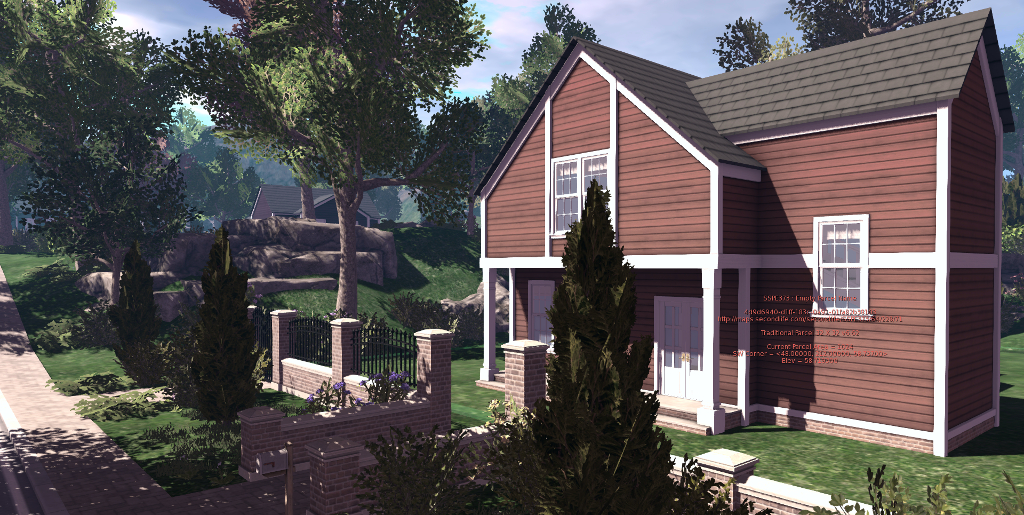
Since their introduction in April 2019, Linden Lab have released more than 10,000 new Linden Homes across Bellisseria, including the southern extension to the continent and southwards towards the Mainland continent of Jeogeot. They represent an extensive mix of themes: “traditional” homes, houseboats, campers & trailers and Victorian, all of which have proven very popular – as evidenced by the speed with which releases have tended to be snapped up.
The more recent updates have seen the southern section of Bellisseria that arrived with the release of the Victorian type of home directly connected with the northern, and additional off-shore expansions that place Linden Homes in the waters off the north-west coast of Jeogeot. The latter do so by offering what might be seen as the first “cookie cutter” element of the new Linden Homes, duplicating as it does the original houseboat expansion, together with a couple of the sand bar layouts from elsewhere around the continent.
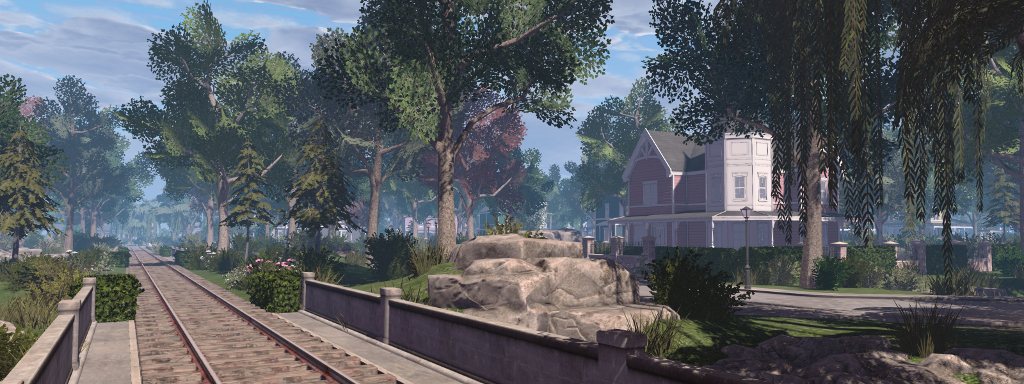
Victorian Houses and the railway in the southern extension to Bellisseria
These extensions fulfil Patch’s promise that the new continent for Linden Homes would directly connect Jeogeot with Sansara to the north, providing water access (including the coastal waters of Bellisseria) between the two, and which goes well beyond the narrow corridor of water originally linking Jeogeot to Bellisseria.
In addition, the extensions close to Jeogeot also encompass one of the earliest Mole builds – Pyri Peaks. It was designed to offer anearly attempt at an interactive adventure involving a storyline, a fun fair and a network of underground tunnels and chambers. It is a setting I wrote about in 2013 with Pyri Peaks: the mystery of the lost Moles (2013), and whilst it is perhaps a little long in the tooth by today’s building / design standards, it is good to see it folded-in to the new Linden Homes in a move that might encourage interest in this part of SL history.
Pyri Peaks: home of the Pyri Fun Fair and now within sight / reach of Linden Homes
Whilst there are still houses within Bellisseria yet to be released, just where any future new locations for the homes might go raises an interesting point to ponder. One doesn’t have to look too far west of Bellisseria to note the number of private regions lying in that direction, together with the likes of the recently-arrivedSS Galaxy, the QA versions of the Shop’n’Hop regions as well as the actual shopping event regions.
While these latter regions might be relocated to provide a little more western room to expansion, it would seem the the eastern side offers a far better opportunity, although this runs the risk of sliding into the open space to the east of Jeogeot, which might eventually lead to that continent looking crowded-in and limit expansion somewhat. So, might the Linden seek to offer a new continent elsewhere at some point in 2020? If so, will it see further home types?
Campers and Trailers in the Linden Homes regions extension just off the coast of Jeogeot
Offering new styles of Linden Home certainly helps maintain interest – but it comes with a potential risk: new houses could encourage those with Linden Homes to vacate and rotate from type to type, making it difficult / frustrating for others who have yet to claim a home and who want to get one of the newer styles (something that has already been the case).
That said, were I to be asked, and given the potential for a more “offshore” style development alongside Bellisseria, I’d love to see something along the lines of houses built along a network of canals, with each house having a modest boat house or mooring space within the parcel and suitable for a small boat or two. Admittedly, it would require careful design to provide a mix of houses, waterways and footpaths (rather than roads) to connect everything together (and likely require a fair number of bridges), but such a design could generate interest and provide something more unique in terms of layout and options.
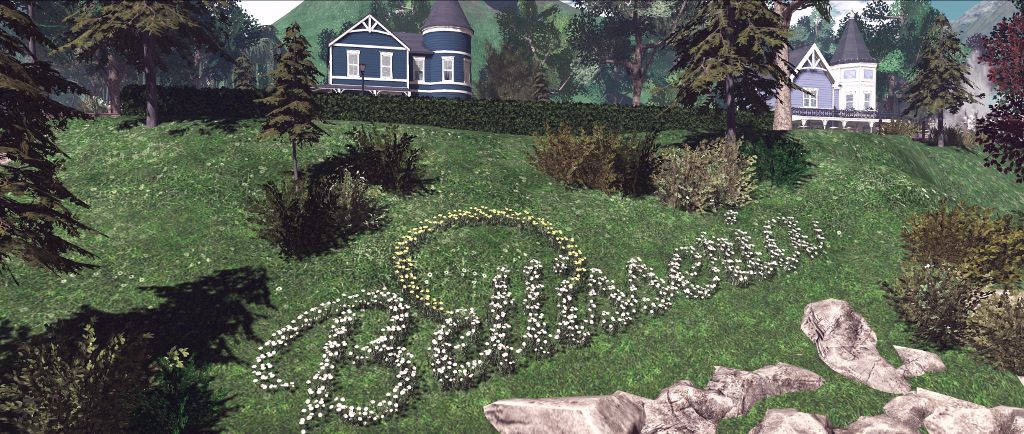
There are still regions in Bellisseria awaiting release to user, such as this area of Traditional Homes, sitting in the hills overlooking the southern extension to the continent
I’m pretty sure others have ideas for what they’d like to see, if there are to be further Linden Home types – feel free to comment with ideas! I’m also sure the Lab has plans of their own in terms of house types, if more are to be offered. In the meantime, as noted, there are still numerous regions in Bellisseria and the southern extension still to be finished, and the LDPW are once again back at work to get them finished and available as part of the weekly release cycles.
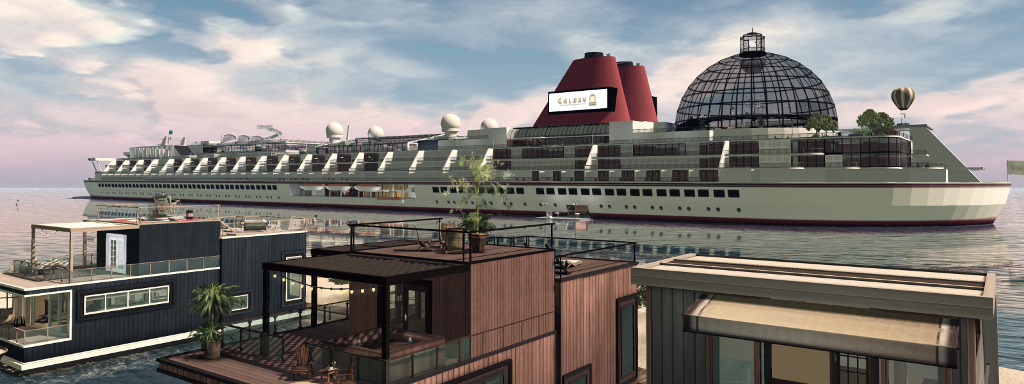
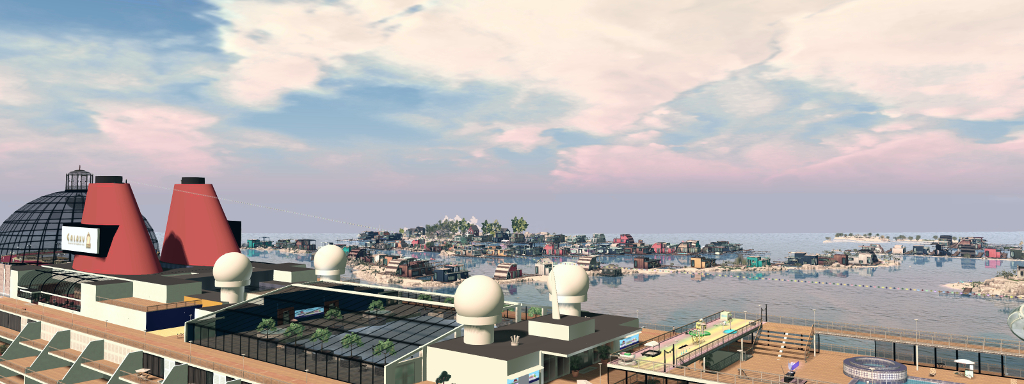
In a surprise move over the last couple of day, The SS Galaxy, the iconic 3-region long static cruise ship, quietly weighed anchor and gently made revolutions to slip away from her long-term home adjacent to the United Sailing Sims, south of Blake Sea and then steam across the open seas to arrive off the west coast of Bellisseria, where she has apparently lowered her anchors once more, within (very long, admittedly!) eyesight of the houseboat neighbourhood I treat as my second SL home.
Dubbed The Queen of the Saggitartian Sea, the SS Galaxy was laid down in 2007, and has remained throughout the intervening years a stunning example of what can be achieves with the humble 10x10x10 prim when suitably sized and cut. Billed as “the largest build in Second Life”, the ship is split across three regions – Galaxy FORE, Galaxy MID and Galaxy AFT, and for the first part of her life served as a floating home for those seeking a more unusual place to live, (with furnished rentals running from cabins offered at L$35 with no prim allowance, to single and double suites (L$550/week with 200 LI and L$1,000/week with 300 LI) all the way up to the likes of the VIP suites and Captain’s suites (L$1,500/with with 500 LI and L$5,500/week with 1500 LI), with numerous public facilities and event spaces (swimming pools, club, restaurant, ballroom, chapel for weddings, skydiving, mini golf, etc.), as well as an on-board shopping mall.
SS Galaxy: the art gallery created by Frost Mole
In 2015 it appeared as if the Galaxy’s “cruising” days had come to an end. As I reported in SS Galaxy: a last cruise into the sunset (April 2015), it was announced that for various reasons (none connected with issues of tier), the ship would be closing and removed from the gird.
However, the announcement raised a lot of concern over the potential loss of such an iconic vessel and historic build, that the owners and Linden Lab got together to discuss the Lab to take over running the Galaxy as something of a museum piece, with the removal of all commercial operations (rentals and stores). I was able to break the news in SS Galaxy refits for a new role after the ship’s long-term owner, DBDigital Epsilon, sent me a note (also released on the official SS Galaxy website) that the agreement had been reached.
SS Galaxy
By August 2015, with the ship relocated slighted from her original position, the work in refurbishing the ship had reached a point where public access was once again permitted, and I was given something of a heads-up on the news and a tour by Frost Mole, who had been leading the work on the refitting (see SS Galaxy lowers her gangways to visitors once more).
At that time, much of the work had been completed, although Frost noted she was hoping to do more. In particular, a balloon tour had been added to the stern helipads and a hang glider to one of the forward helipads, while some of the private areas of the ship had converted into public spaces – such as an art gallery -, and some of the lower decks received things like a new bowling alley, with the mooring stations saw the addition of 7-Seas fishing and swan boat rezzers. Sadly, the skydiving system vanished at the same time – something I personally miss, as over the years, I’d used it to introduce a few people to the sport via the Galaxy; but that’s the way things go; but the top-of-the-hour firework displays are still active.
SS Galaxy: looking over the ship at Bellisseria
When the Lab took on the Galaxy, Keira Linden noted that the ship would be made available for public events, and while some were held there (such as a couple of impromptu Lab / Mole / resident get-togethers), nothing was ever really formally put in place to make it obvious residents might use the ship for events. Whether this will not change with her move to Bellisseria remains to be seen – but given the amount of social activity within the Bellisseria community, the liner could become a popular venue, and encourage a wider audience.
The news of the move has been spreading outwards for the 24-ish hours since the Galaxy arrived off of Bellisseria. Initially inaccessible immediately after the move, she is now once again open to public access. Thus fair the responses within various forum threads (see here and here as examples) has been positive, and there has been a fair amount of traffic onto and off of the ship.
On Tuesday, January 14th, 2020, Microsoft is ending support for Windows 7. This means that while the operating system will continue to function beyond that date, Microsoft will no longer provide:
Technical support for any issues.
Software updates.
Security updates or fixes.
As as result of this, and as initially announced at the 2019 TPVD meetings week #50 summary, Linden Lab plan to cease their own support for Windows 7 from that date. This has now bee confirmed in an official blog post, which reads in part:
Accordingly, Linden Lab is updating our system requirements to remove Windows 7 from the versions we support. This does not mean that Second Life will stop working on Windows 7 immediately; existing viewers, and possibly some new viewers, should run as well as they did before. However, we will not be testing any viewers on Windows 7, so it is likely that compatibility problems will develop and increase over time. In addition, we will not attempt to fix any problems which occur only on unsupported operating systems (if a bug is reported against an unsupported system, we usually try to reproduce it on one that is supported; if we can’t, we don’t investigate further or attempt to fix it).
Those will have not upgraded to Windows 10 but have a valid copy of Windows 7 may still be able to upgrade using the Microsoft Windows 10 update site (note that free updates to Windows 10 were supposed to have been discontinued be Microsoft at the end of December 2017, but some are reporting it is still working via the Create Windows 10 Installation Media option).
Again, note that that’s Lab’s decision does not mean users on Windows 7 will find themselves blocked from accessing Second Life on or after January 14th, 2020, but will continue to be able to use the platform as before. However, and as noted in the official blog post, such users:
Will not receive assistance from LL support should they encounter problems.
Will not have bugs they report investigated or fixed unless said bugs can be reproduced using Windows 8 or Windows 10.
May find that, over time, viewer updates may not function as expected on Windows 7, simply because updates and new features will no longer be tested against Windows 7.
Given the potential exposure to malicious activities, both Microsoft and Linden Lab point to the need for users to only utilise supported versions of Windows on their computers, and keep up-to-date will all official patches and releases.









 Inara Pey: Living in a Modemworld