A fix for the Horizons gun issue some users may have been experiencing while using TPVs with the Horizons Experience (Quest 3) should be on its way.
Update, November 28th: Dee Linden pinged me in-world to let me know the forest quest guns have now been updated with the revised script, and should work with all viewers.
Horizons Gun
On November 19th, I wrote about how recent changes in behaviour to llTakeControl meant that some users on TPVs such as Firestorm and Alchemy have found the guns used in the third of the Horizons Experience quests (Quest 3, the forest shoot-out with robots) may not work with their viewer.
At the time, the problem appeared to be due to behaviour changes made to llTakeControl as a result of SVC-7532. As these changes with this fix could “break” existing weapons in Second Life, it was not adopted by some TPVs, and so the Horizons Gun would not work with them.
However, following my article, Sue W left a comment indicating that Firestorm 4.7.9 allowed the gun to work (but not Firestorm 4.7.7 or 4.7.10). This, together with the problem as a whole, prompted further investigation on the issue by members of the Firestorm team, several of the LDPW Moles and staff from the Lab, using the Horizons staging regions.
These investigations revealed that the Horizons gun works with Firestorm 4.7.9 due to a partial fix for llTakeControl issues (quite separate to SVC-7532) which had been implemented with that release. However, as the fix had problems of its own, it was backed out for Firestorm 4.7.10 – hence why the horizons gun would not work with either 4.7.7 or 4.7.10 (except under very specific circumstances, as detailed in my previous article).
Further and extensive tests set-up by Quartz Mole, using both the Horizons Experience gun and the gun scripts used with Winter Wonderland (soon to officially reopen) revealed changes made to llTakeControl as a result of BUG-8265 were in fact responsible for the issues being experienced by some TPV users when trying to operate the Horizons gun. As a result, Quartz has re-worked the Horizons gun script, and testing shows it should now work with all viewers, and it will be deployed to the public gaming regions in the very near future.
Once the updated script is on the public horizons Experience Qeust 3, the guns should work with all viewers
SVC-7532
This still leaves the issue of SVC-7532, which can still break the behaviour of older gun systems. To avoid this, Firestorm have indicated that with their upcoming release, they will introduce a toggle option, as Alchemy is doing. This will take the form of an option in Preferences which will allow users to switch between “old” and “new” llTakeControl behaviours in accordance with the weapons they are using.
With thanks to Whirly Fizzle for the update information, and Quartz Mole for extensively banging on things or the Horizons gun fix.
Horizons Experience may have robots on the loose, but stopping them is proving a bit harder for some than was intended
Update, November 24th: This issue now has a fix, please refer to my update article.
Note: this issue was discussed at the TPV Developer meeting on Friday, November 18th, together with wider issues around llTakeControl. You can follow he full conversation via the meeting video, between the 10:16 and 36:22 marks. In this report, I have attempted to focus solely on the Horizons Experience issue.
The TL;DR short form of what follows is that if you playing the Horizons Experience using a TPV, you may find the gun required for Quest 3 in the game – the forest shoot-out with robots – doesn’t work (Firestorm and Alchemy have the issue, for example). If so, you’ll need to switch to the official viewer to complete that Quest. When you have done so, you can then switch back to using your preferred viewer.
For those interested in the background, as in as small a nutshell as possible: the function llTakeControls has a long history of not behaving well. One of the issues was that it prevented interaction (left-click touch) with objects when in Mouselook, prompting SVC-7532 to be raised.
A fix for this problem was implemented in February 2016. However, while it fixed the left-click touch issue, it broke many weapons systems (see BUG-37693) as well as causing other problems (see BUG-11602). As TPVs tend to be a used a lot by people involved in SL combat environments, some – such as Firestorm and Alchemy – didn’t implement SVC-7532.
The Horizons Experience gun used in Quest 3, however, is designed to work with the SVC-7532 behaviour change, and so may not work for everyone using a viewer which does not have SVC-7532 implemented. Note the “may not” there. If you happen to be on a TPV viewer without SVC-7532, but are wearing an attachment already using llTakeControls when you enter the Horizons Experience, then the gun might work for you (this has been my own experience).
The problem now is what to do. Rolling back the behaviour change implemented in SVC-7532 is not seen as ideal, as it breaks expected functionality elsewhere. Similarly, any “blanket” implementation of SVC-7532 is going to completely break a lot of weapons systems, which the Lab would rather avoid. There’s also the fact that this is one issue among a number caused by llTakeControl (see BUG-8265 for other issues with it), so the Lab is going to have to spend time in further investigations to determine how they’ll handle things going forward.
At the moment, two possible short-term solutions for the “Horizons gun problem” were suggested at the TPV Developer meeting on Friday November 18th (video):
Re-scripting the Horizons gun / shooting system
Implementing some kind of toggle via the Advanced or Develop(er) menu so that users can switch between the two llTakeControl behaviours depending on the weapon system they are using.
At present, the Lab might be leaning towards the second option. However, and as noted, no decision has been made as yet.
In the meantime, if you encounter the “Horizons gun problem” when using a TPV, you’ll need to switch to the official viewer to complete Quest 3.
Update, November 19th: some users on TPVs may find the gun used gun in Quest 3 of Horizons Experience doesn’t work with their viewer. The Lab is aware of the issues, and is investigating options for a fix. For the moment, those affected will need to swap to the official viewer, but only for Quest 3. Full details can be found in llTakeControl issue and the Horizons Experience.
On Tuesday, November 15th, Linden Lab announced a new Mainland community initiative called Horizons. First hinted at during the Meet the Lindens talks at SL13B in June 2016, it became the subject of widespread speculation when two testing environments related to it appeared on the Second Life world map in October, with Patch Linden further stirring up interest by posting some teaser images to his Profile feed.
Picking up on the SL13B hints, I contacted the Lab with the idea of covering Horizons. Patch and his team were very receptive to the idea, and as result, I had the opportunity to tour the regions ahead of the opening, and learn more about Horizons from Patch Linden and Naughty Mole of the Linden Department of Public Works (LDPW).
In short, Horizons is a new themed Mainland residential community built around a central, 6-region gaming environment called Horizons Experience. As I’ve covered the community aspects at length in New Horizons in Second Life, this article focuses solely on the new six-region gaming experience.
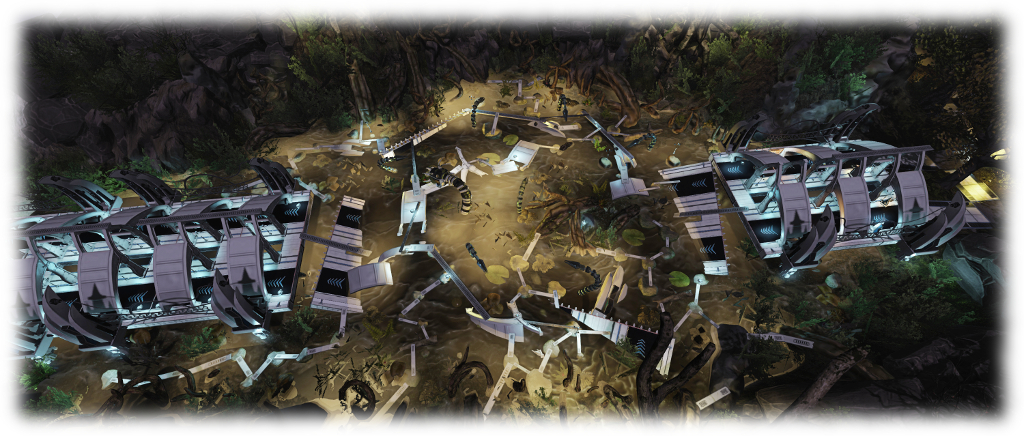
Looking down on one of the Horizons Experience quest regions
Horizons Experience essentially builds on the Lab’s work with PaleoQuest, the dinosaur themed adventure which opened in July 2015 (see Experiencing PaleoQuest, the Lab’s latest adventure in Second Life). As with PaleoQuest, players are tasked with completing a number of quests and multiple tasks in order to come to the rescue of Magellan Linden’s assistant, Tyrah, who is in deadly peril at the paws of the nefarious Doctor Talpa. Note that the game is on Adult rated regions, but this is not reflective of the games content.
“PaleoQuest was our most recent gaming project that we had put out at scale,” Patch said as we discussed the game ahead of our tour. “We took from that a lot of the game mechanics which people really enjoyed and liked, and we’re including them and a lot of new elements within the Horizons Experience.
“For example, one of the big new features is the ability to participate either as a player in the game or as an ‘explorer’ – someone who is not active in the game, but who can travel through the regions and observe as a bystander. With our other gaming experiences, you’re either in the regions with the intent to play, or you wouldn’t go. As Horizons is part of the Mainland, we felt it was important that people be able to drop in without disrupting the game-play.”
“We’re using different coloured indicator above people’s heads in the game regions to indicate whether they are a player or an explorer,” Naughty Mole added. “If they have a blue ball floating above them, they are an explorer. If they have an orange ball, they are a player. That way, the people in the game know who is who. Obviously, you can’t complete any of the quests as an explorer, nor can you receive any prizes; but you can walk or fly around and watch players (who can’t fly). Oh, and you can still be killed by any of the quest hazards!”
Part of the Horizons Experience start region, showing the Portal Room where returning players can jump to their last point of progress
Given that Horizons Experience is sitting in the middle of a residential area where flying vehicles are permitted, I wondered if there was a risk of aircraft interfering with the game. “Flying vehicles can pass over the gaming regions,” Naughty Mole answered, “but they must keep above a certain height. If they are too low, they will get a warning, and if they don’t increase their height, they will be auto-returned and those on board will be transferred to a resurrection hub inside the gaming areas as explorers.”
“The six regions of the experience are all uniquely themed,” Patch resumed, “The first region you go into is the starting region, where residents are introduced to the quest and receive their game HUD. While there they can watch an in-depth tutorial video and background story video, see the payout stations or follow links to the Horizons Experience wiki page for more information. Beyond all this are the five gaming regions, which are linear, like PaleoQuest. Each must be completed before you progress to the next one.”
Horizons Experience can be accessed in a number of ways. Anyone in the Horizons regions can fly to the central gaming regions, or they can use the teleport portals located at the Horizons info hubs and community centres, and which are scattered across the residential regions. Direct teleport via the map is possible, and there is also a Horizons Experience gateway at the Portal Parks.
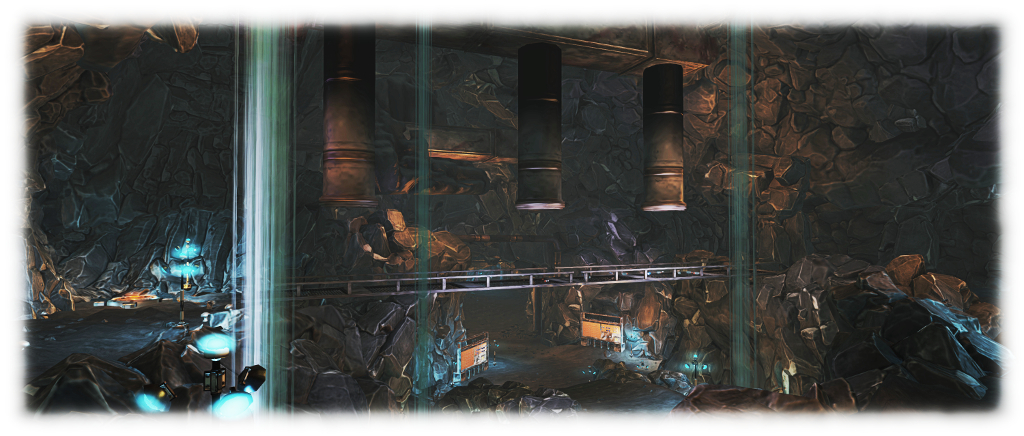
Down in the mines
Naughty added, “When people first arrive, they are given the choice of being a player or an explorer. If they selected ‘player’ they are registered for the game and receive a HUD. If they remove their HUD, they become an explorer. If players leave the game regions, their HUDs are automatically removed. However, all progress up to the point where they removed their HUD is saved.
“Returning players arriving at the start area can use the Portal Room to jump directly to any quest they have previously completed, or go to the Quest they were on when they left the game. So, if someone left while trying the third quest, they can use the Portal Room to get to quests one, two or three, but they will not be able to jump to quests 4 or 5.
“Also, there are HUD kiosks throughout the quest regions, so any player who removed their HUD can get a replacement, and they will be asked if they would like to teleport to their last point of progress. Explorers who have never played the game can also use these kiosks to obtain a HUD, and they will be asked if they would like to teleport to the start of the first quest.”
On Tuesday, November 15th, Linden Lab announced a new Mainland community initiative called Horizons. It’s been the subject of much speculation and debate since two blocks of 60 regions associated with it appeared on the main grid map for testing purposes in October. Patch Linden further stirred up interest by posting some teaser images to his Profile feed!
Picking up on the SL13B hints, I contacted the Lab with the idea of covering Horizons – not only what it is, but also how and why it came about. Patch and his team were very receptive to the idea, and as result, I had the opportunity to tour the regions ahead of the opening, and learn more about it from Naughty Mole of the Linden Department of Public Works (LDPW).
In short, Horizons presents a new 36 region Mainland community residential environment open to Premium members. Associated with this are four identical info hubs and two community regions, together with twelve regions of open water. All of this has been built around a new, six region experience-based adventure / quest called the Horizons Experience, which is open to all residents.
As I’ve covered the gaming experience in Inside the Horizons Experience in Second Life, this article focuses solely on the residential aspect of Horizons, and the supporting info hubs and community regions.
The residential regions have 1024 square metre parcels with a 702 LI (x2 object bonus). The supplied houses do not count towards the LI per parcel, the limits of which are defined by the “inner” white boundary markers
As noted above, the residential regions are available for Premium members. Designed with a “retro futuristic” look (think The Jetsons and you’ll be getting close), with integrated road system and waterways, each of these regions offers a number of 1024 sq metre parcels which, with the increased land capacity for Mainland, coupled with a x2 object bonus, have a total Land Impact capacity of 702 each. But that’s not all.
Associated with each parcel is a “mailbox” control centre allowing parcel holders to select one of six different house designs which are provided “free” for their use: they do not count towards the parcel land impact allowance. The houses can be held individually or by a group, and can be used for residential or business purposes. In addition, the “mailbox” offers a resource pack containing textures and bits to allow the houses and parcels to be dressed, while each house design includes a built-in control panel for lighting, window shades security, etc.
For those who don’t wish to use the six supplied house designs, there is an option in the mailbox to clear the parcel. Land holders can then put down their own choice of home / structure instead – although this will count towards the total LI capacity for the parcel. It is hoped that those who opt to go this route will select a design in keeping with the overall “retro futuristic” theme of the regions.
The six supplied house styles
A couple of further points to note is that the Horizons regions are all Adult rated and are connected to the north side of the Zindra Adult mainland continent. I’ll get to why in a moment, but suffice it to say for now, this shouldn’t be taken to mean the environment is for purely adult activities. The second point is that terraforming, including parcel subdivision, is not allowed on any of the regions.
So how did this all come about?
“We decided to develop Horizons as a result of thinking about what we could do to give the Mainland something new and exciting for residents to both participate in and enjoy,” Patch replied. “We wanted to offer a structured residential experience, somewhat modelled after the success of Bay City, together with a really unique six region gaming experience. However the basic idea is to give Premium residents the ability to purchase and own parcels that are all uniquely themed and intermixed with the gaming experience itself.”
“It’s been a very big project for us,” Naughty Mole, of the Linden Department of Public Works, added. “It’s something we’ve been working on for the last seven months. We have the thirty-six residential regions, the info hubs and community regions, rezzing zones for boats and flying vehicles, which we hope residents will find attractive. All of the waterways can be navigated, and the roads are suitable for driving along.”
“We wanted to give people maximum flexibility,” Patch continued. “Making the houses opt-in or opt-out offers that kind of flexibility. We also have a lot of little neat features and attributes scattered throughout the regions for people to discover. Then there’s the Info hubs as well. They’re designed to tie-in to the current info hub system that’s out there, but are different to the traditional info hub in that they have different areas residents can visit to find out more about Horizons. So people can explore them, watch videos, visit the gaming experience from them, and so on.”
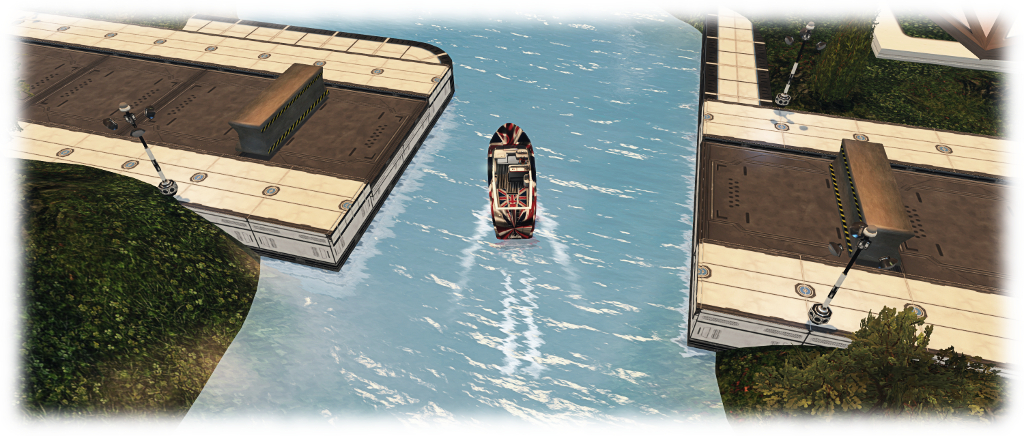
All of the residential regions have navigable waterways – rood bridges will automatically retract as boats approach. Rezzing areas for craft (and aerial vehicles) are available at the info hubs and community centres
It is through the four identical info hubs visitors coming to Horizons via the Destination Guide will gain their first introduction to the regions. “Each one has a landing point,” Naughty explained as we teleported into one. “Spread out around that, are the rezzing zones for boats and flying vehicles and the land information area, where people can find out about obtaining a parcel on Horizons. This has an introductory video and a link to the Horizons wiki page which has everything you could possibly need to know.
“There is also the demo area where people can preview the available free houses. This is split between individual and group owned units; the house options in both are the same, but group owned have an additional controller for group access. The info hubs also include an area for the Horizons Experience, which includes videos, a link to the wiki page, a prize display and a teleport portal to the game regions.”
A Horizons info hub, with the house rezzing areas visible top left and right. Like the new Social Islands, these encourage visitors to explore and learn
The two community regions comprise three social areas open for use by residents: a bar – the H(orizons) Bar, a more chilled-out lounge, and a meeting facility. “These are spaces where you can socialise,” Naughty explained as we toured the regions. “You can have a formal meeting, an informal meeting, or go hang out in the bar, where we have music and dance balls, so will hopefully be a place for people to hang out, meet friends and so on.” As well as the social spaces, the community regions also include their own rezzing zones for water and aerial vehicles.
On Friday, November 4th, Grumpity Linden posted news via the Tools and Technology blog, on the recent updates to the Lab’s web services which support Second Life, and improvements / updates recently made to the Second Life Marketplace.
It was the updates to the SL Marketplace which made up the bulk of the summary, which has been listed chronologically rather than via service. However, as people might prefer reading thing by subject matter, I’ve split the list of updates / improvements between the Marketplace and the Lab’s other web services.
The SL Marketplace updates and improvements, implemented in September and October 2016, comprise:
Fixes:
A fix for sorting reviews by rating.
A fix for duplicate charging of PLE subscriptions.
Fixes for some remaining hangers-on from the VMM migration (unassociated items drop down + “Your store has been migrated” notifications.
A fix to Boolean search giving overly broad results (BUG-37730)
A fix to the Marketplace for an issue where a Firefox update was ignoring browser-specific style sheet settings on Marketplace.
Disabling of fuzzy matches in search on the Marketplace so that search results will be more precise (+ a switch added to allow the Lab to enable or disable fuzzy matches in search).
Archived listings are no longer indexed.
If a store is renamed, all of its products are now re-indexed.
Blocked users can no longer send gifts through the Marketplace.
In term of the remain web services, Grumpity notes that the Lab has recently:
Provided a number of unspecified bug fixes for the support portal
Provided a fix for the “Create Your Own Map” link, which used to generate an invalid SLurl
Updated the new user sign-up flow to give more consistency in password requirements
Finally, and launched just ahead of the November 2016 premium subscription offer, is a Premium Membership landing page aimed at potential incoming new users as a part of the Lab’s rotating series of landing pages, and which currently features the premium subscription offer.
A part of the new Second Life Premium Membership landing page, highlighting the current Premium subscription offer, and launched on October 31st, 2016
Note: An earlier version of this article appeared in error whilst still being drafted on-line, as a result of a mistake on my part and to my own embarrassment. Once again, my apologies to Linden Lab and readers of this blog for my carelessness.
It is something Second Life users have long wanted / wished for / desired / demanded: an increase to the basic land impact (or prim count, if you still prefer) available for regions.
And now the wish is being granted – although word came out a lot sooner than the Lab had anticipated (thanks in part to my aforementioned mistake).
However, on Thursday, November 3rd, the Lab officially announced that they are increasing the Land Impact allowance for Second Life regions. The new allowances are:
Full Regions:
Mainland: 22,500
Private estates:
20,000 at the same tier price OR
30,000 for an additional US $30 a month (+a one-off US $30 conversion fee to add / remove the extra 10K allowance)
Homesteads: 5,000 (Mainland and private)
OpenSpace: 1,000 (Mainland and private)
All of the changes filter down to the parcel level, according to parcel size.
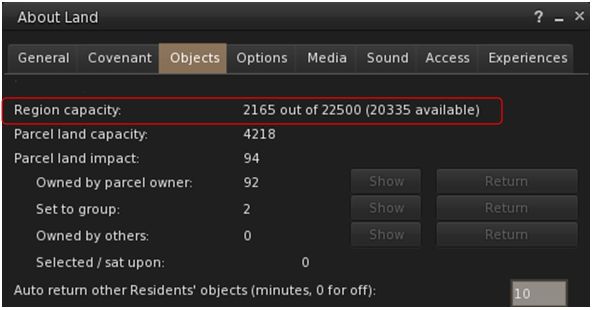
Mainland full regions now have a 22,500 Land Capacity / prim allowance as standard. Those with prim bonuses will be based on the new LI / prim allowance
The changes to Mainland regions were made during the regular weekly deployments on Tuesday November 1st, and Wednesday, November 2nd, with official confirmation being given in part in a blog post from the Lab which indicated the increase to Mainland full regions alongside the most recent Premium subscription offer (note: that blog post from the Lab has now been updated).
So why has this change come about?
“We’ve finally reached the point where we have the equilibrium between technology and software performance on our side,” Patch Linden, Senior Director of Product Operations at Linden Lab informed me, as we sat down to discuss this and other aspects of Second Life. “The hardware we use to run the simulators is in a really good place right now, and will continue to be. Of course, as time goes on, things will continue to get better in that department. And the simulators are running so efficiently now, with all of the back-end work that we’ve done with them over the past several years that we can now do things like this.”
Patch Linden
“We started with Mainland being it’s obviously ‘ours’ to directly influence,” Patch said. “We could deploy, and watch, and listen to the metrics to see what they tell us. Then providing everything behaves, we’ll go out to the rest of the grid and all private regions shortly thereafter. It is such a fundamental change to the simulator that we want to make sure we do it right, and we don’t cause unnecessary harm in the process. So the more controlled we could do it, the better we felt.”
It was this need to watch and wait following the initial deployment which had caused the Lab to decided to hold back on a public announcement until Thursday, November 3rd. However, users noticed the change almost as soon as mainland regions came back on-line following the Tuesday rolling restart, prompting forum posts and support enquiries as to whether there had error. As a result, Patch issued a short forum post reassuring people there wasn’t an error, although the decision was made to hold off on any official announcements until November 3rd, due to the arrangements already in place – including a live Designing Worlds session featuring Patch, who would reveal more and take questions.
So given the Mainland changes are now deployed, a key question I had for Patch was: when would Private regions see their update. “We should have them up and running within the next couple of months,” he replied. In essence, the precise roll-out to private islands will depend upon the metrics gathered following the Mainland roll-out.
And the reasons for the differences in the full region allowances between Mainland and private estates?
“There are 2 reasons,” Patch explained. “The first is that Mainland regions have long been a slightly less costly, but also less feature rich product than private islands. But recently we rolled out the private region buy-down offer, which somewhat levelled the pricing between the products. So, we wanted to give a little something back to Mainland, and choose to give full regions there a slightly higher prim limit increase than private estates.
“The second reason is that private estate full regions have an additional advantage over all the other region types,” Patch continued. “This allows us to offer the additional 10,000 LI allowance to private estate full regions, for a total of 30,000. There is some additional maintenance work that comes with this, hence the US $30 a month fee (per region), together with a one-off US $30 conversion fee to add or remove that option; but the offer will be available for any price level full region, whether it be an older grandfathered region, a newer bought-down region, or a regular priced full region, immediately the increase in land impact / prim allowance is rolled-out to private estates.
“So you might say, it’s a little give, a little take, and a bit of balance between the advantages of the differing products :).”
Linden Home holders should now find they have 175 LI as their own to play with – as will users with 512 sq metre parcel on the Mainland, with other parcel sizes adjusting accordingly. The same will be true of private islands, once the update is fully deployed.
In the meantime, the change to the Mainland was warmly received by most, with many land holders and content creators pointing to the home and garden / landscaping markets potentially gaining a significant shot in the arm as a result. This is significant, as a hope at the Lab is that rather than everyone simply adding more objects to their land, the extra capacity will encourage more content creators to make use of optimised levels of details on their mesh creations, rather than using very high LOD values across all viewing distances, thus helping to lighten some of the current load on older systems.
As we closed the conversation, I asked how Patch, as a long-term Lab employee and as a former resident, felt about the change.
“This is something I’ve wanted to do for several years now,” he replied. “And we’re pleased to be able to do something as fundamental as this to change the product in a good way.”
With thanks to Patch Linden, Pete Linden and Linden Lab.










 Inara Pey: Living in a Modemworld