SL project updates 2017-2/2: Content Creation User Group with audio

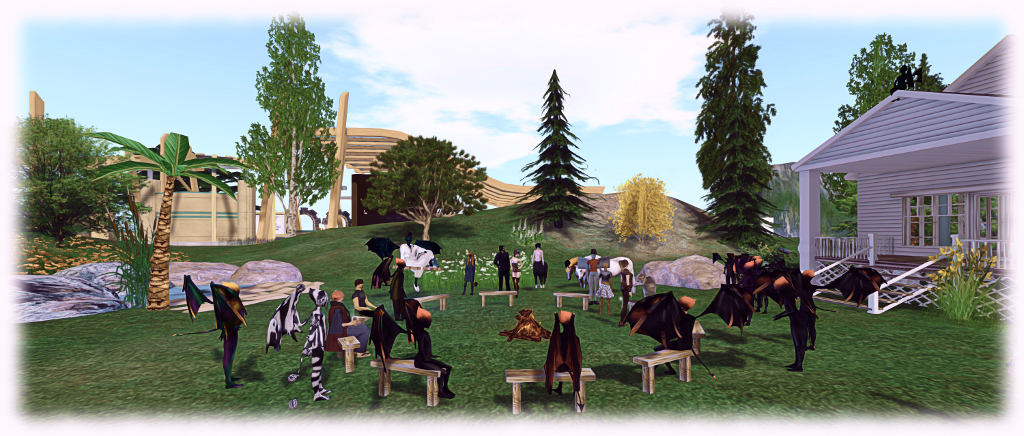
The Content Creation User Group has re-formed out of the Bento User Group, and is held at the Hippotropolis Camp Fire Circle. Imp costumes entirely optional :D .
The Content Creation User Group has re-formed out of the Bento User Group, and is held at the Hippotropolis Campfire Circle. Imp costumes entirely optional 😀 .

The following notes are taken from the Content Creation User Group meeting, held on  Thursday January 12th, 2017 at 1:00pm SLT at the the Hippotropolis Campfire Circle. The meeting is chaired by Vir Linden, and agenda notes, etc, are available on the Content Creation User Group wiki page.

Core Topics

  • Bento request from Troy Linden.
  • Supplemental animations that run alongside the main animation (e.g., flapping wings while walking).
  • Possible future project – applying baked textures to mesh avatars.

Bento Request From Troy Linden

Troy Linden is preparing a presentation on Project Bento for an upcoming Second Life meeting within Linden Lab in which he plans to review the project, the interactions with content creators, the benefits this brought to the project, etc. In particular, he would like to demonstrate Bento content people are making and impress on LL’s executives how the project has been received, and how things might be followed-up.

To help with this, he is requesting that anyone with glamour shots of Bento avatars, etc., videos of avatars and Bento items  to contact him via IM to discuss and / or send him what they have (troy-at-lindenlab.com).

Supplemental Animations

Introduced in 2013, llSetAnimationOverride() is one of a series of animation commands keyed directly into the server’s animation states, allowing for faster, smoother animation state changes than with AO systems using the older llPlayAnimation() command. However, llSetAnimation() only allows one animation to be played  at a time for any given state, and this can lead to conflicts when trying to run custom animations as well (see BUG-41048 . An example of this is trying to use llSetAnimationOverride() to walk whilst using an animation to flap wings (below), which causes while the walk, set by llSetAnimationOverride(), to freeze in favour of running the wings flapping, as they are also seen as a locomotion animation.

Vir has identified two possible courses of action to deal with this. The first would be to extend llSetAnimationOverride() to allow “supplemental” animations to run alongside the animation states keyed by llSetAnimationOverride(), effectively allowing them to play together. The other would be to provide a means for people to define their own custom animation states (with associated animations) which the simulator would be able to recognise and handle alongside the existing animations states, rather than having the associated animation conflict with the default animation states.

No decision has been made on which route to take, and Vir is putting together a proposal on approaches, which he’ll put forward at a future meeting.

Applying Baked Textures to Mesh Avatars

This would allow the skin and clothing layers (skin, tattoo, under shirt, shirt, etc., “wearables”) to be directly applied to mesh avatars. In theory, this could be done, and could make it easier to do things like match skins between, say a mesh body and a non-mesh head without having to use applier systems. It could in theory even reduce the complexity of mesh avatars, which currently have to be made up of multiple layers (the so-called “onion meshes”).


A further benefit would be for non-human avatars a well. Providing the same UV is used across all elements of an avatar, it could allow creators to offer different pelts  / skins for their animal / creature avatars and, if they make their UV maps available to other creators, allow them to produce things like additional skins.

However, there are problems in proceeding this way.The baking service is capped at a limit of 512×512 texture resolution, which would mean a loss of detail trying to “stretch” such textures over a mesh avatar, which would result in the ability potentially being ignored in favour of using the current “onion mesh” and appliers approach.  It might also mean that wearable layers would be used in non-standard ways (e.g. using a “skirt” layer to apply a skin), which could lead to user confusion (“why am I using a skirt to wear a skin?”) – although this could be overcome by adding further wearable types specific for use with avatar meshes to the system.

An alternative would be to increase the texture resolution for the baking service to 1024×1024. While not entirely ruled out, it does carry with it a set of unknowns as well – what would be the back-end resource hit, could it lead to an uptick in texture trashing issues in the viewer, etc.).

Baking Textures on In-World Mesh and prim Surfaces

Part of the above discussion overlapped with the idea of allowing textures to be baked on arbitrary meshes (thus allowing for compositing, etc).

Vir noted that this would be a far more complex project due to the nature of the baking service, and thus would likely not be considered as a part of making changes to how system wearables might be applied to mesh avatars. However, he is interested in seeing feature requests on how this might be done and the benefits it would bring to SL, and a related JIRA – BUG-7486 – is in the process of being re-opened for comments along these lines.

Other Items

The latest version of Avastar is support of Bento is still undergoing testing. Those using it report it is behaving well, so hopefully a realise won’t be too far off.
Of islands and ideas in Second Life

Yet more island changes :)
Yet more island changes 🙂

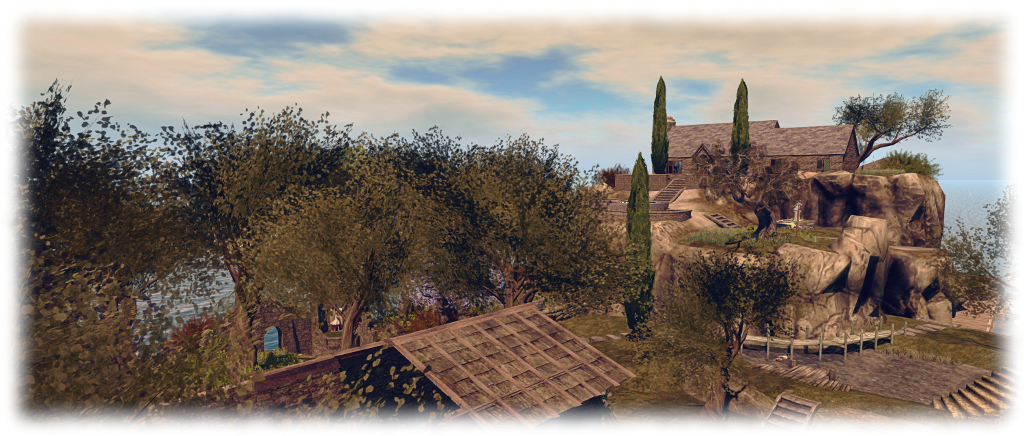
So yeah. The island home; aka the job I’m always prattling on about, or “just when you thought it was safe to read this blog…” We hadn’t actually planned on changing things. Honest. But then I mentioned to Caitlyn that while the new layout worked, it was also a bit flat, She agreed. Thus, cue the unpacking of landscaping bits …

After spending time trying to integrate the northern and southern ends of the island into a “whole”, going back to rocks and cliffs might sound like things are being broken up again. However, what we’ve settled on  – we think – returns some of the character to the island, giving it more depth (or should that be height?) while retaining a unified feel.

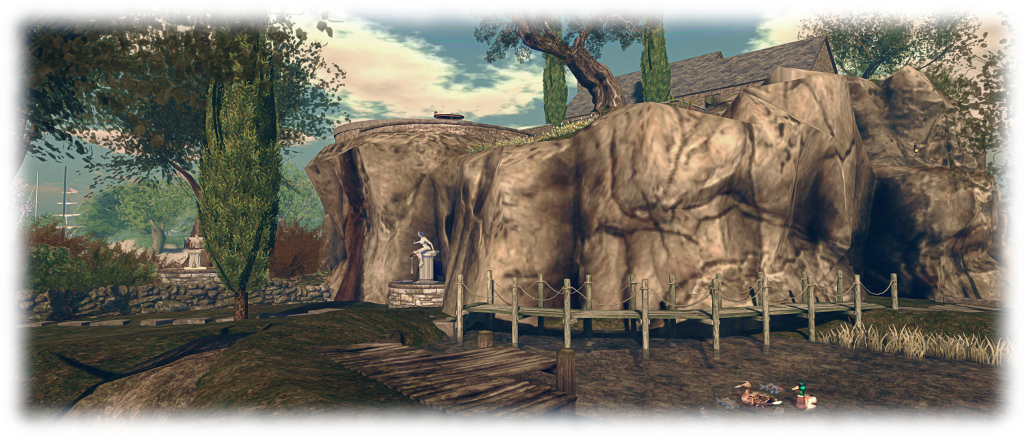
The base of the cliffs - retaining the pond
The base of the cliffs – retaining the pond

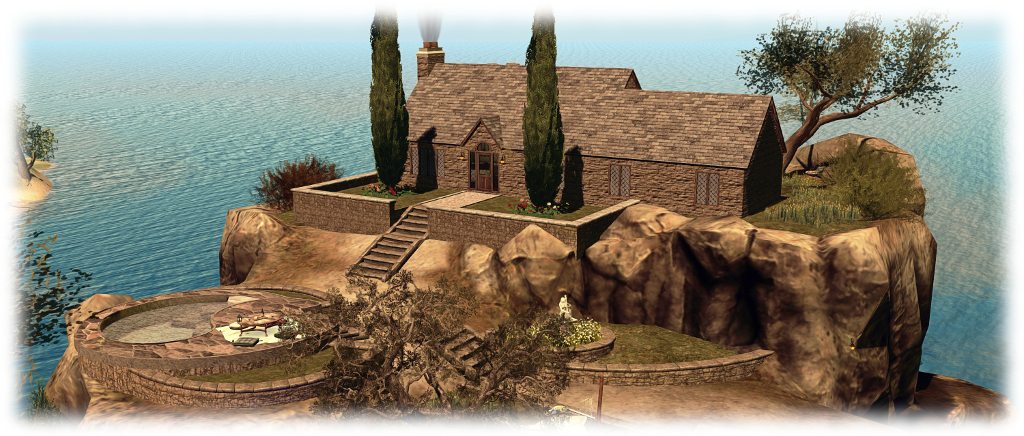
In essence, the gardens and beach at the north end of the island have given way once again to the Fanatik Rocky Island. If I’m totally honest, this isn’t my favourite piece of landscaping; the baked textures aren’t entirely to my liking, and the lack of differentiation between vertical and horizontal faces means it cannot be reasonably re-textured. But in terms of natural look, with paths and differing levels on the plateau, I’ve yet to find anything in SL that matches it.

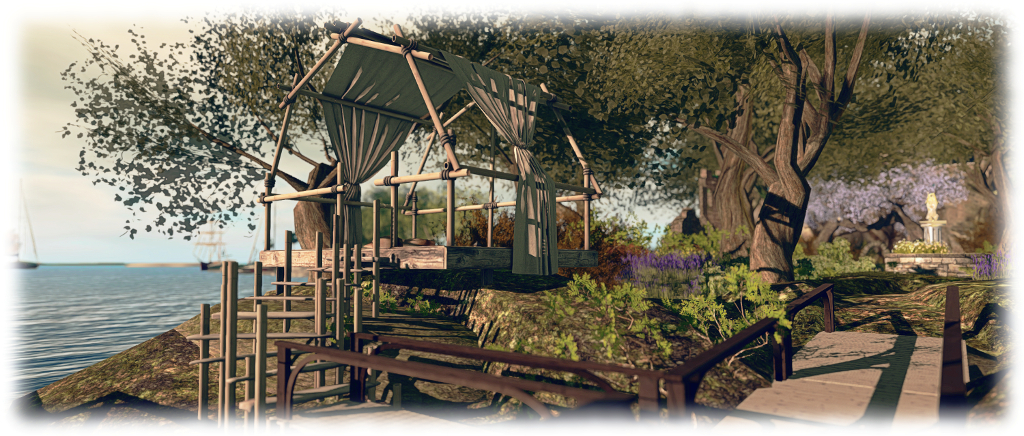
The upper two levels of this are now the location for our little stone cottage, with front lawns, cypress trees and back patio / lawns and just a little touch of the old castle ruins. Alex Bader’s Tiered Wall Garden set allowed for a degree of landscaping on the lower two levels of the plateau, allowing us to add lawns and the Trompe Loeil Dorina Outdoor Hangout, converted back to use as a pool.

The Trompe Loeil Outdoor Hangout makes a nice vantage point to watch passing boats
The Trompe Loeil Outdoor Hangout makes a nice vantage point to watch passing boat races through the channel south of us

One of the other positive aspects of the Fanatik rocky island is that it comes handed, so slipping it into the island and having the switch back path leading up one side match the moorings for our two ‘planes was nice and easy – and provided a route from house through island in the process. At Caitlyn’s suggestion, Alex’s Boardwalk set provided further integration between cliffs and fields by providing a wooden path around the rocks and over one side of our pond.

We also recently thinned-out some of the ruins, and shunted the old chapel across to the east side of the island. So in re-arranging things, we’ve been able to include an open grassy area at the base of the cliffs, Alex’s Ancient Stone Wall building set dividing it neatly from the “wilder” woodlands while a Stepping Stones set from Cube Republic offers a nice pathway to link everything together. Finally, a gift from John and Eles Briana means we now have a little “summer-house” in the form of the Trop Loeil Outcrop Hut, where we can watch the passing boats in the local sailing races.

I'm not the world's greatest fan of the Fanatik Rocky Island, but there is no denying its dramatic potential
I’m not the world’s greatest fan of the Fanatik Rocky Island, but there is no denying its dramatic potential

So, once again, a few more nips and tucks  – and a very big rock – at home. Now, onto the next project!

ragVR: imagination and expression in Second Life

ragVR
ragVR

RAG Randt is a content creator and designer who is perhaps best known for his work with MadPea, having worked on many of their games over the years. However, he recently departed the MadPea team to focus on his own work, and as we’ve been friends for several years, having worked closely on a project together, I was delighted to receive an invitation from him to see what he’s been up to within the region he’s been working on for the past few months.

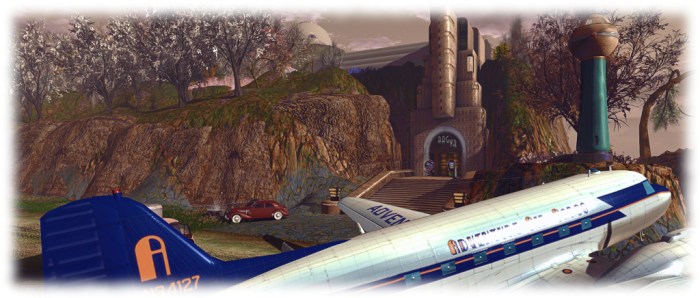
“I’ve been putting together a portfolio site,” he explained as I arrived next to a DC3 sitting at the edge of a long runway, a fitting arrival point for visitors to his island. “Some of it is still under construction, but I’ve opened it to the public.” Called ragVR, the region is a veritable tour-de-force in RAG’s skills as a scripter, creator, builder and environment designer – and makes for a completely engaging visit.

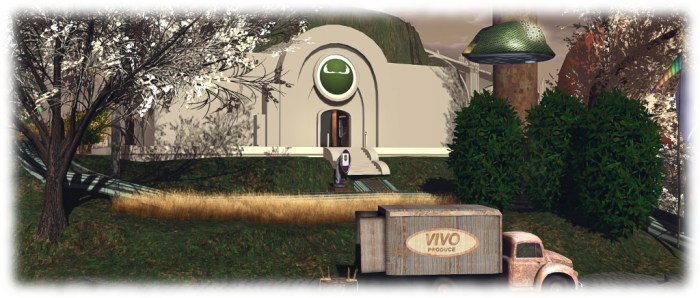
ragVR: arrival
ragVR: arrival

From the airfield landing point, a flight of steps leads visitors to the stunning Art Deco frontage of an elevator tower rising above the sheer cliff face against which it is built. Two kiosks stand before the doors to the tower, one of which invites visitors to click it, thus getting one into the habit of touching similar kiosks across the region to obtain information on the various locations one can visit. The second kiosk provides background information on RAG himself and the region, and should be read.

Summoning the elevator via the button next to the doors will bring the first of many smiles to your face, as the distant sound of the lift clunking and purring into its descent is gradually mixed by music in keeping with the Art Deco look of the tower, which gently grows in volume as the car approaches – as one might naturally expect. When the elevator doors open, so the music naturally increases in volume again, but not painfully so, inviting you to step inside. When you do, you’ll find this is no ordinary elevator. In keeping with the Art Deco look and feel, it retains a skilled (and charming) operator. Touch him to select your destination, and watch him operate the elevator’s control lever.

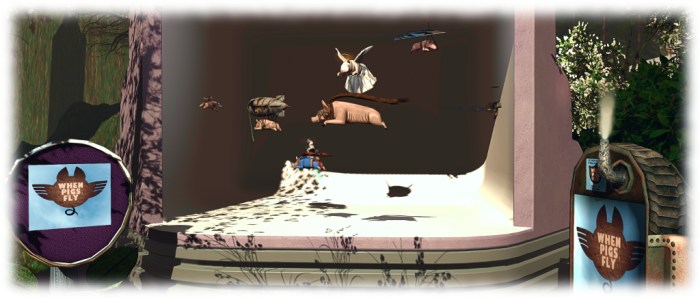
ragVR: pigs really can fly! RAG's gacha flying pig collection
ragVR: pigs really can fly! RAG’s gacha flying pig collection

On arrival at the upper floor, and with the elevator’s music fading behind you as the doors close, you’ll find yourself on the first part of a self-guided tour of the region and RAGs work. This starts with a retrospective of his early 2D work in SL, which built on his experience as an illustrator. Once again, a kiosk offers background notes on the display, together with a comment that while visitors are free to wander around the region whichever way they choose, the recommended route to take the exit to the left, relative to the elevator station, and follow the path.

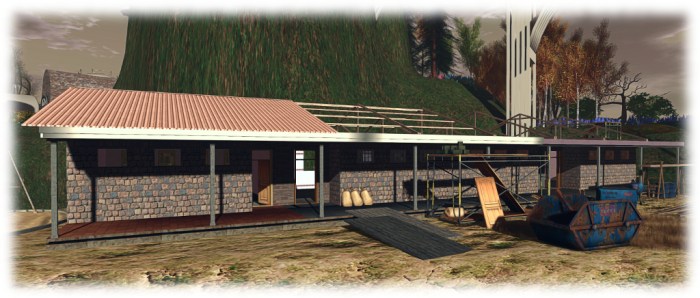
Winding between trees and bushes, the path will take you by way of hill, dale and building, around and over the region, and the displays of RAG’s work. To list all of them would be to spoil a visit. However, as a few points of note, there are the gacha goods booths with delights such as RAG’s flying pigs (I have one at home 🙂 ), the MadPea centre where sets RAG build for a number of MadPea games are on display, and the model of the school Live And Learn Kenya  / Feed A Smile are building for Kenyan children, and which was the subject of a major MadPea fund-raising drive.

ragVR: celebrating MadPea

“There will be teleporters to skyboxes as well” RAG informed me, “And models of some of the items I will have on sale.” For those interested in the Horizons community, these items for sale will include two house styles designed to fit in with the theme  – and I’ll hopefully have more on these in a future piece on Horizons. “While the region is primarily aimed at people who need a builder, and who want to see what I can do,” RAG said as we wandered the footpaths of the region, “I hope it is also a fun place for people to visit and discover as well.”

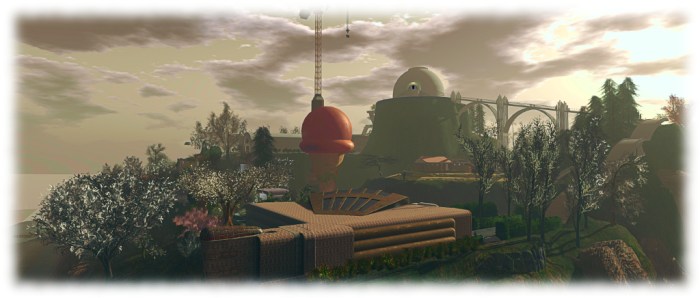
Nor do RAG’s skills end with physical objects, be they furniture, creatures, buildings or machines. The entire region design demonstrates his ability to create and landscape an environment, and select windlight settings to add to the overall ambience. Outside of the flora, vehicles, a handful of rocks and tower crane found in the region, almost everything you encounter, including the footpaths, stairways and cliff rocks, have been built by RAG.

ragVR: the LLK / FAS Kenya school model

Whether or not you’re looking for someone to execute a custom design or build for you, a visit to ragVR is a demonstration of all that is possible in Second Life from prim (do not miss the Alien Ice Cream!), through landscaping to mesh and scripting. It reminds us that SL can be both an entertaining environment through games and gacha whimsies, and a place which can support physical world activities, such as building a school in Africa.

And if you are looking for a superb brewer of fine mesh, an expert shaper of prims and artisan sculptor of land, then taking a tour a is doubly recommended, as RAG could well be your man. You can contact him about projects and ideas and to discuss rates via IM, notecard or through e-mail (rag-at-ragmedia.com). A website in support of RAG’s work is also in development, and I’ll be adding the URL here once it is up and running.

SLurl Details

  • ragVR (Devil’s Moon, rated: Moderate)

No Frontiers in Second Life

No Frontiers - Gem Preiz
No Frontiers – Gem Preiz

I’ve long been an admirer of Gem Preiz. His work in creating magnificent vistas using fractal art is simply astonishing. So it was a genuine pleasure to once again be offered an opportunity to previewing his latest installation, which opens on Thursday, January 12th, and runs through until the end of June.

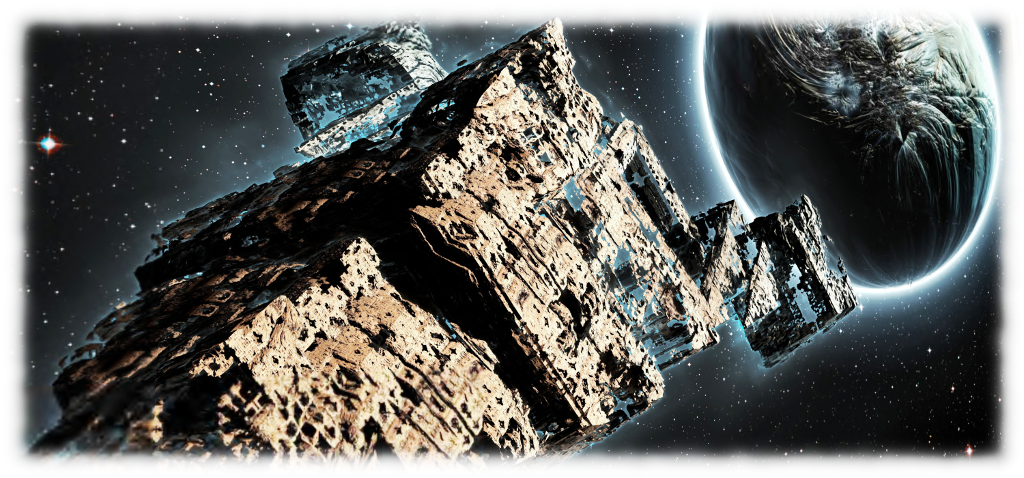
No Frontiers is, in at least some ways, a sequel to his last two environments, Hertiage: Vestiges and Heritages: Wrecks (which you can respectively read about here and here). Within it, we are again asked to engage upon a journey through space and time. But where the Hertiage pieces were perhaps rooted in a dark vision of a future encompassing loss and departure, only brightening at the very end, No Frontiers presents something altogether more optimistic, a vision of a vast cosmos awaiting us, with opportunities unbounded, the potential for new encounters and a celebration of what we are, and what we may yet mature into.

No Frontiers - Gem Preiz
No Frontiers – Gem Preiz

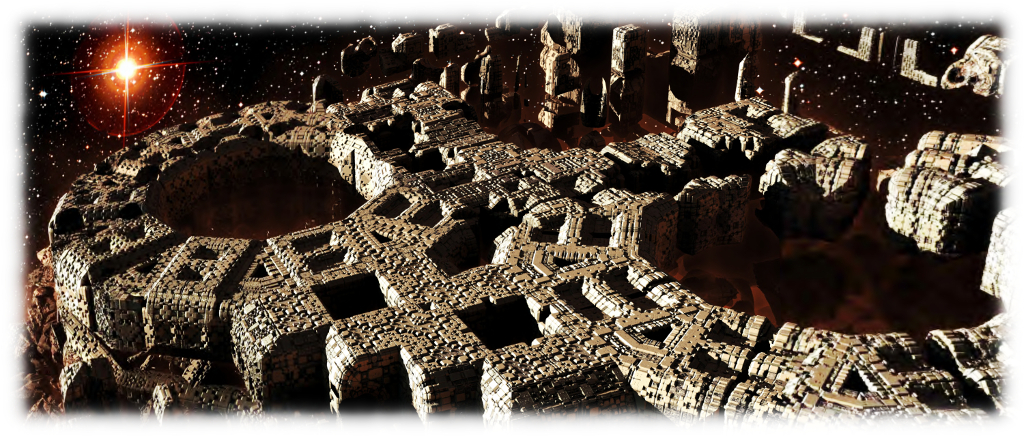
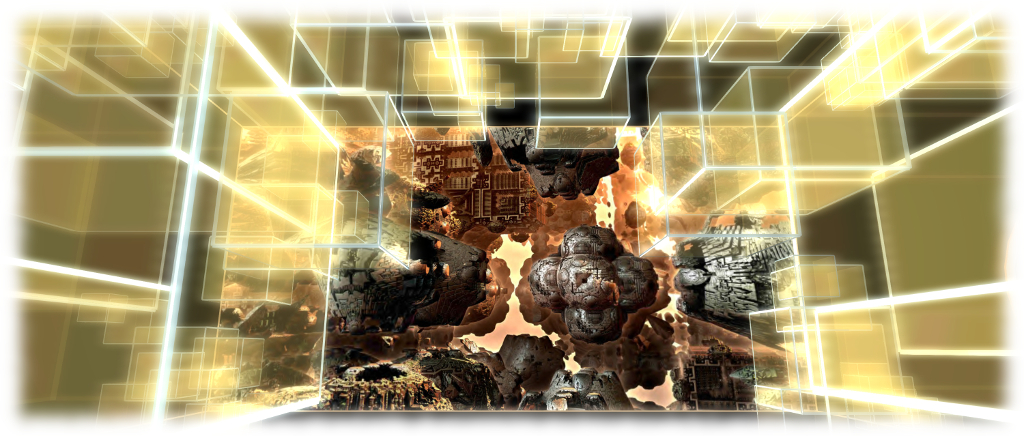
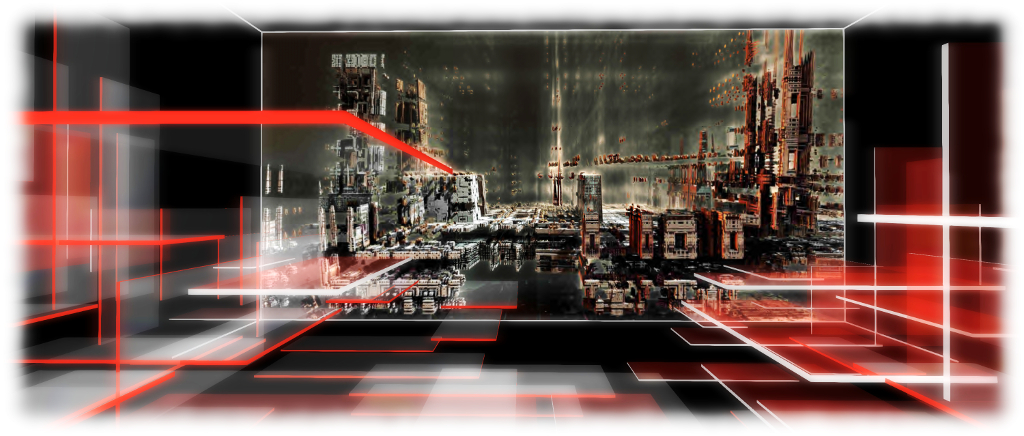
As with is previous works, No Frontiers invites the visitor to travel through a series of vast halls, in which each of is placed a single, gigantic fractal image, each comprising around 18 individual elements. The halls are all interconnected by tubes, and are so vast, flying is the most practical way to see them. To assist in this, Gem provides two flying vehicles, a single-seater and a tandem two-seater (although visitors are welcome to free fly is they prefer). These are found in the “departure hall”, where instructions on how best to appreciate the installation can be found. I recommend the latter are read, and that in particular, particles are turned up and the music stream is enabled.

In addition to the massive, intricate and breath-taking fractal images, the halls include 3D elements designed by Gem which further enhance both the environment and add to the narrative suggested by each image. Some of these may be easily translatable, others may actually be more subtle, and require observation to pick up on their nuance.

No Frontiers - Gem Preiz
No Frontiers – Gem Preiz

For example, within one hall, two spirals of spheres slowly rotate, horizontal arms extending from the spheres. Each resembles a strand of DNA vertically split, and as they rotate, every so often they align to become the familiar double helix. But on either side of this joining, when they almost align, there are perhaps hints at other forms of DNA, suggesting life alien to ours, waiting to be discovered in our voyage out into the cosmos.

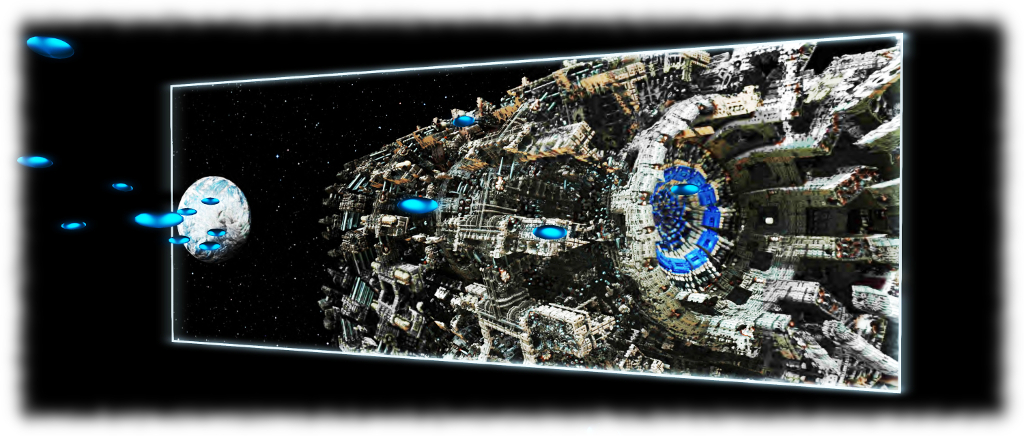
Suggestions of alien civilisations appear elsewhere as well. Take, as another example, the tiny spacecraft forming orderly lines of traffic heading towards a planet being orbited by a vast structure (the 2nd image in this article). Are these intergalactic commuters on their way to / from work? And what of the giant ringed sphere floating before a similar such object orbiting another world with one of Gem’s images? What tale of intelligences might they hold?

No Frontiers - Gem Preiz
No Frontiers – Gem Preiz

Meanwhile the connecting tubes themselves suggest two things. On the one hand, they are offered to us and connecting tunnels between environments, capped at either end by airlocks. On the other, they resemble wormholes we fly through, tunnels through the fabric of space and time, allowing us to travel the vast distances of the cosmos in mere seconds.

At the very end of the journey, visitors enter a vast space, surrounded by distant stars, and within which, as one rises through it, lay planets, spheres, the funnel of a black hole, the billion and billions of stars contained within an ever-spinning spiral galaxy. And, eventually, a landing platform / arrival point where they can safely lands and exit their craft.

No Frontiers - Gem Preiz
No Frontiers – Gem Preiz

Gem’s work is never less than awe-inspiring; and while he has used 3D elements in past installations no Frontiers offers something entirely new in how physical elements are images have been combined to add to our sense of voyage and immersion. Add to this the soundtrack he has provided, and No Frontiers makes for a stunning experience, visually, aurally and for the imagination. Not something to be missed. The official opening will be at 13:00 SLT on Thursday, January 12th and as noted, the installation will remain open until the end of June 2017.

SLurl Details

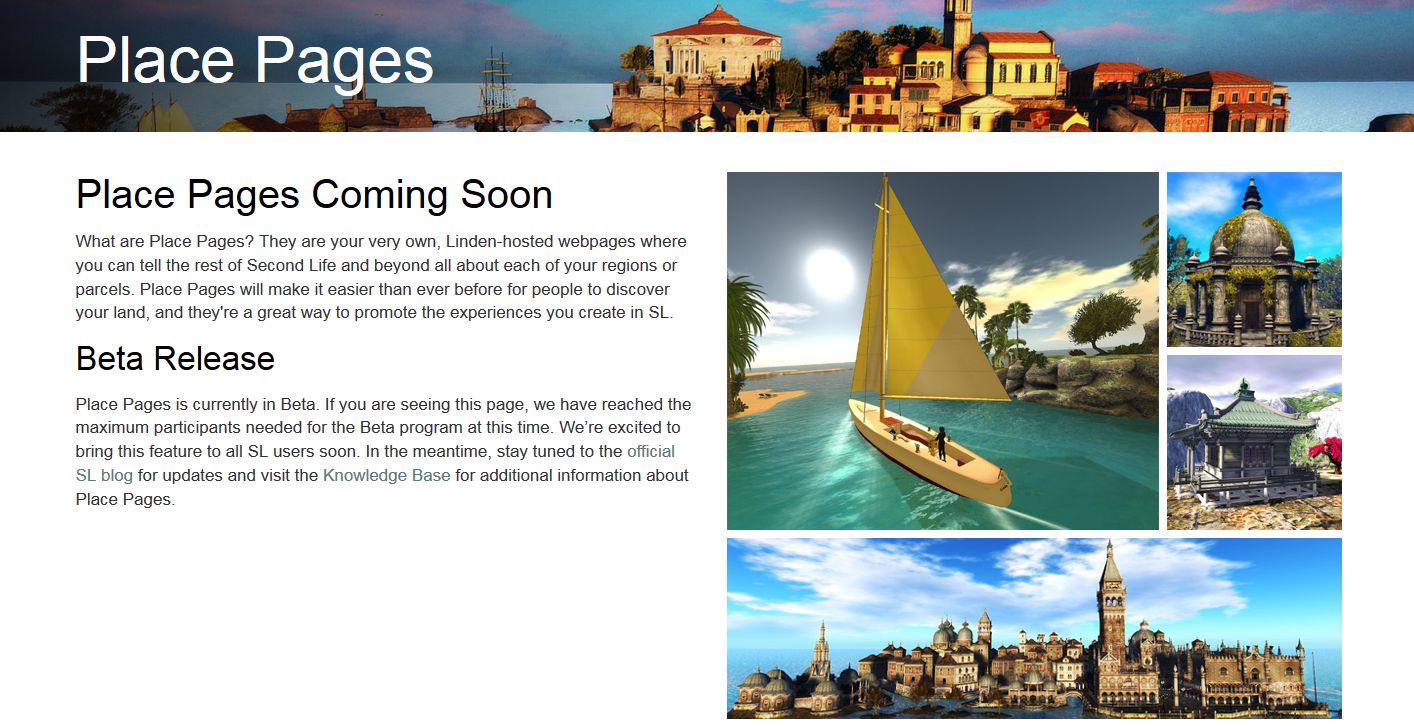
Place Pages: a new gateway to your activities in Second Life

Second Life Places Beta Page

On January 11th, 2017, the Lab announced a new beta programme – Second Life Place Pages.

In essence this allows region and parcel owners to create a web browsable page for their location(s) in-world where they can be shared through blogs, websites, etc. Included with each page are buttons to allow visitors to the page to launch their viewer and teleport directly to your location (assuming they are Second Life users – if not, they’ll have to sign-up  via the provided link to the main sign-up process).

In order for people to be able to use the Places pages to promote their own locations, certain criteria must be met:

  • You must own the parcel / region in question OR you must be assigned a the group ability to Toggle ‘Show Place in Search’ And Set Category within the group owning the land
  • About Land > Show Place in Search must be checked (recurring fee of L$30 a week).

The announcement itself was – frankly – vague. Whilst explaining the purpose of Places, and the fact it is beta, the blog post itself doesn’t actually provide information on where to find detailed information on the new pages – such as how to get started or even how to view the new pages. While there is a link to a forum post, it also isn’t that much more informative on where to find information for those unsure of how to proceed. This being the case, here are the key links:

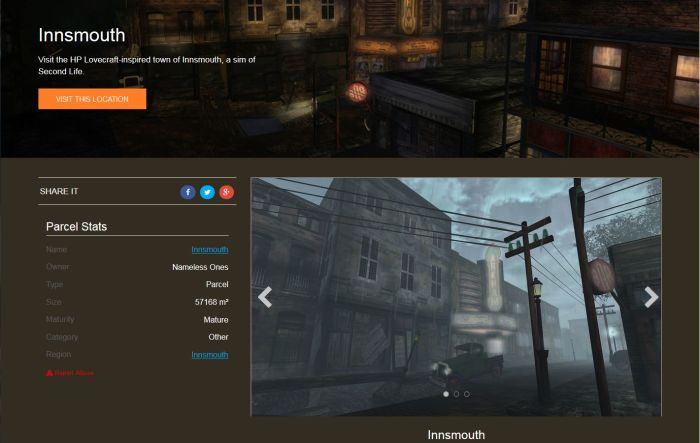
A part of the Places page set-up by the Lab for the Innsmouth role-play community
A part of the Places page set-up by the Lab for the Innsmouth role-play community – click image to visit the page

As a quick run-down of the basics, providing you meet the criteria for establishing public Places page(s) for your parcel(s) / region(s) as defined above, you can get started by:

  • Visiting the Places home page – note you may have to log-in to it.
  • Hovering the mouse pointer over your name (top right of the page) and selecting My Places from the displayed drop down  – this will list all of your parcels and regions. You can then select those you wish to edit, and follow the instructions in the Knowledge Base article.
  • Note that A Places page for a parcel can also be “hidden” at any time by unchecking Show Place in Search in the About Land window, while all Places pages for a region, regardless of parcel settings, can be hidden by checking World > Region/Estate > Region >  Block Land Show in Search.

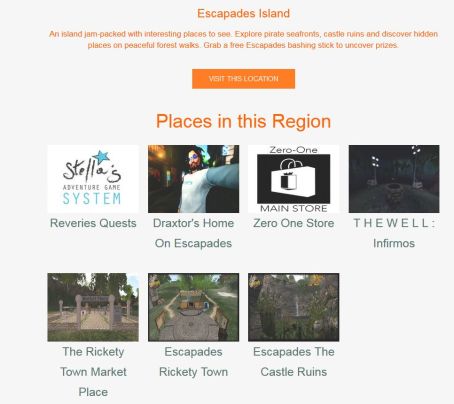
Within the pages are options to embed image slide shows, machinima videos and include social media buttons to Facebook, Twitter, Google+ for those wishing to use them, as well as basic information on the location itself. There is also the ability to include a 360-snaphot banner / hero image, and to include links to the Places pages for locations  / venues within the current location. For example, Loki Eliot’s Escapades Places page includes links to the Places pages for venues with his Escapades island, as shown below.

If you have a location with multiple venues / places to visit, you can create a Places page for it, and then link to the Places pages for each of the venues / places within it - as Loki Eliot has done with Escapades Island (click to go to the Escapades Place page)
If you have a location with multiple venues / places to visit, you can create a Places page for it, and then link to the Places pages for each of the venues / places within it – as Loki Eliot has done with Escapades Island (click to go to the Escapades Place page)

All of which make the pages somewhat flexible. And while they are fairly basic at present, they could evolve into exceptionally useful items and make the L$30 a week search listing fee more than worthwhile.

Note, however that as a beta, capabilities are both limited and subject to bugs. The Lab is welcoming ideas and feature requests, and asks that specific bugs (the linking to places described above is buggy, for example), are reported via JIRA. General feedback and observations should be given via the official forum thread,

I’m not sure how many actually have access to the beta programme, or whether this initial deployment is restricted to those who actually OWN regions. However, I’ve been unable to access those parcels / regions where I have the required group rights as an Estate Manager and the land is listed in Search. Others in a similar position to myself have also reported they cannot view the Places pages for  their regions.  This being the case, and in addition to the screen shots above, here are some Places pages links for those wanting a closer look at things:

Alchemy 5.0.0: Bento beta

Alchemy-logoOn Sunday, January 8th, the Alchemy team released a beta version of Alchemy 5.0.0, the first update to the viewer to include support for Project Bento and Avatar Complexity (although no Graphics Presets).

As well as Bento support, version 5.0.0.40120 includes several updates specifically aimed at those with estate management responsibilities, plus a range of bug fixes and improvements from both Linden Lab and the Alchemy Team. In addition, this release includes work that is ongoing to reorganise the UI.

The following is intended to be a general overview of the more visible updates to Alchemy 5.0.0, and a summary of some of the bug fixes.

Project Bento

As almost everyone in SL must be by now aware, Project Bento introduces an enhanced avatar skeleton offering greatly improved support for mesh avatars and rigged mesh attachments. It also includes a set of new attachment points to work with the new joints, although the overall limit of the number of attachments you can wear at any one time remains 38 (including HUDs).

Most of all of this work is entirely under-the-hood. However, there are two additions to the avatar right-click context menu for both your own and other avatars: Reset Skeleton and Reset Skeleton And Animations which should be noted. In Alchemy 5.0.0, they can be found in the Appearance sub-menu of the right-click avatar context menu.

They have been added because sometimes, when changing between one mesh avatar and another, the basic SL avatar can become deformed, resulting in it looking squished, stretched, caught between two looks, or something else.

The reset skeleton options should “fix” your own or other avatars which appear distorted in your view after changing looks / shape – note both options only affect your view of the avatar in question, it does not affect how others may see the same avatar

The problem is generally the result of race conditions when the avatar’s appearance is being updated, and both of these buttons are intended to correct the problem  – the option to reset animations as well is intended to fix deformations which may be due to animations also kicking-in incorrectly / at the wrong time.

Further information on Bento (if needed) can be found via the following links:

Avatar Complexity

To be honest, I thought this had been part of Alchemy already, but looking through my past reviews and Alchemy’s release notes, I can’t find evidence of it being mentioned, and the 4.0.0.37571 release doesn’t include the Avatar Complexity options. Anyway, assuming I’m not going bonkers and thus repeating myself, here’s a rapid breakdown – please refer to my Avatar Complexity release article for in-depth info, if required.

, Avatar Complexity (aka Jelly Dolls), is in short a means to reduce the rendering load placed on your computer in having to render all the avatars around you in detail. Instead, you can set a rendering limit (aka Maximum Complexity) in the viewer. Any avatar exceeding this limit won’t be rendered in full – unless you opt otherwise – but will instead be rendered as a solid colour (aka Jelly Doll).

The revised Preferences > Graphics tab, including the Maximum Complexity slider. Setting this to high values will render avatars which may place additional rendering load on your computer, slowing your SL experience, to be fully rendered. Lowering it will cause such avatars to be rendered as solid colours, reducing their render load
The revised Preferences > Graphics tab, including the Maximum Complexity slider. Setting this to high values will render avatars which may place additional rendering load on your computer, slowing your SL experience, to be fully rendered. Lowering it will cause such avatars to be rendered as solid colours, reducing their render load on your system

With Alchemy, this means that The Preferences > Graphics tab adopts the official viewer’s approach, displaying frequently used options within it, and moving the more advanced options to a separate Advanced Graphics Preferences floater.

The newer Advanced Graphics Settings floater (accessed via the Advanced Settings.... button in the Preferences > Graphics tab
The newer Advanced Graphics Settings floater (accessed via the Advanced Settings…. button in the Preferences > Graphics tab

Avatar Complexity includes some additional capabilities / options

  • Every time you change your appearance, and thus your avatar complexity, your current complexity value will be briefly displayed in the top right corner of the viewer window
  • You can display information on your own and other avatar’s complexity by going to the Advanced menu (CTRL-ALT-D to display it, if required) and selecting Performance Tools > Show Avatar Complexity Information
  • Your own avatar will always be fully rendered in your own view
  • Maximum Complexity has a No Limit setting. It is not recommended you use this. If you wish to avoid seeing the vast majority of avatars around you as Jelly Dolls, set the slider to a high value. Setting it to No Limit can leave you vulnerable to graphics crashers.
Use the avatar right-click context menu and the Visibility options to select how another avatar is rendered during your current log-in session

You can also alter how you see other avatars around you without altering your Maximum complexity setting. To this, right-click on an avatar to display the context menu. Go to Visibility to display the sub-menu. This has three options:

  • Render Normally – will render the avatar in accordance with your Maximum Complexity setting
  • Render Fully – will render them fully, no matter what your complexity setting
  • Do Not Render – will render them as a grey 3D imposter, no matter what your complexity setting.

Not that Render Fully and Do not Render only apply to your current session. If you re-log the avatar in question will once again be rendered in accordance with your Maximum Complexity settings.

Continue reading “Alchemy 5.0.0: Bento beta”