SL project updates 16 22/2: TPVD, Bento, TLS 1.2

Countryside, Habitat Springs blog post

The following notes are taken from the  TPV Developer (TPVD) meeting held on Friday, June 3rd, 2016. A video of the meeting is embedded at the end of this report, my thanks as always to North for supplying it. Time stamps in the text relate to this recording.

Server Deployments

As always, for the latest information, please refer to the server deployment thread.

  • On Tuesday, May 31st, the Main (SLS) channel was updated with the same server maintenance package previously deployed to all three RC channels, which included a server crash fix.
  • On Wednesday, June 1st, all the RC channels were updated with a new server maintenance package, comprising the addition of mnemonic names to be used in LSL scripts when attaching to the new attachment points on the Bento skeleton extensions and minor internal changes.

The next RC deployment, scheduled for Wednesday, June 8th will including further anti-griefing measures, one of which will be if you try to rez a group of coalesced objects which between them have more the 10,000 items within their contents, the rezzing will fail on regions on the RC channels once this update has been deployed.

SL Viewer

Release Candidates

[00:45] there are currently two RC viewers in the release channel:

  • Maintenance RC viewer, version 4.0.6.315551, dated May 23rd
  • Inventory Message RC viewer, version 4.0.6.315555, dated May 23rd – removal of deprecated and unused UDP inventory messaging mechanisms from the viewer

[01:05] The Lab is hoping that TPVs will be picking-up the changes on the Inventory Message RC viewer ASAP, as they are hoping to be able to deprecate and removed the back-end support for the old messaging mechanisms completely as well, so that all inventory operations will go via AIS (Advanced Inventory System).

This will provide the Lab with a single point of enforcement for things like which folders in inventory are mandatory and cannot be deleted; which folders cannot be moved inside other folders, etc), in order to help eliminate points of potential inventory issues users may experience.

There are concerns over remaining bugs within the AIS system.

[12:14-17:20] BUG-9506, for example, remains open, although a fix which may help in part with in, relating to how AIS operations are threaded in the viewer, in the current Maintenance RC release, together with fixes for both BUG-10391 and BUG-11929. However, it may be that to deal specifically with the likes of BUG-9506, further tests are to be carried out to see if it still occurs on in the Inventory Message RC viewer, and if so, it may be that it might be merged with the Maintenance RC to see if issues can be resolved that way. The Lab will also re-examine what fixes have been recently made and where they reside within the viewer development pipeline.

Oculus Rift Project Viewer

[05:54] The Lab is still working on the Oculus Rift project viewer, but there are still assorted bugs to be dealt with. The time frame for this project viewer, which will support the latest SDKs and the consumer version of the headset, appearing remains as “pretty soon”.

64-bit Viewer Versions

[24:00] Work on the 64-bit versions of the official viewer is still “on hold”.

QuickTime Replacement

[24:09] A version of the viewer without any QuickTime support may be appearing in the next couple of weeks. This is as a result of  Apple deprecating QuickTime for Windows without offering patches for a couple of potentially serious vulnerabilities, leading to the recommendation that Windows users uninstall QuickTime. As a result of this, the Lab has decided to completely replace QuickTime across all flavours of viewer. When made available, it will likely be called the Project VLC viewer, as some of the media handling will be through libVLC

Project Bento

With the move of Bento to the main grid, Bento User Group meetings will now take place at the Hippotropolis Campfire Circle  at 13:00 SLT on Thursdays. Unfortunately, I was unable to make the meeting on Thursday, June 2nd, so there is no dedicated report in this blog for this week.

Bento is now on the main grid for more widespread testing

The male and female avatar skeletons have also been updated to support the most recent changes to Bento, and can be downloaded from the Bento Testing wiki page.

Work is continuing on bugs and issues, such as BUG-11538 (“Front legs crossing on Bento Mesh quad(animal) avatars”), and while new appearance shape sliders have been considered out-of-scope for the current iteration of Bento, issues have been raised with scaling limb sizes when trying to produce avatar add-on, rather than full avatars, which may in fact be in part solved through the use of a set of generic sliders.  Further discussion on these ideas will likely come through the Bento forum thread, and potentially at the in-world meetings.

[05:15] Regardless of thoughts on slider sets and overall project scope, Bento will be progressing at its own pace, rather than trying to meet any specific deadline. There are a number of known issues still to be addressed, and it is anticipated that further issues are likely to be reported now Bento is available for more widespread testing.

Other Items

TLS 1.2

18:25] As per a blog post from the Lab, which I also reported here, users are being advised to update (if necessary) their web browser and their SL viewer to a version that supports TLS 1.2 by June 15th, 2016. After that date, any web browser or viewer that does not should TLS 1.2 will no longer be able to access Second Life cashier services to send, receive, or exchange L$.

The change is apart of the Lab’s efforts to improve its compliance needs for handling money, but some confusion has remained over exactly what will be affected in terms of L$ transactions, which still persists around matters of in-world purchases.  The confusion prompted Oz Linden to comment during this meeting:

I believe that it will affect being able to purchase items in-world and to send and receive Linden dollars to other avatars, because it’s all interactions with the cashier.

So again, if you are using an older version of the viewer, it is essential you check to ensure it is TLS 1.2 complaint before June 15th.

To do this, use the viewer’s built-in web browser to visit How’s My SSL? and check the Version information displayed in the top left of the page. You may also wish to check your web browser as well, if you are using an older version of a browser and wish to ensure you can continue to make SL Marketplace transactions, etc. However, do be aware that some ad blockers can prevent the TLS 1.2 checks performing correctly.

In order to further confirm what may “break” as a result of this change, it has been suggested the Lab enable some form of testing on Aditi. This will be looked into.

“Feature Surprise”

[6:35] A further hint of an upcoming “feature surprise” was given at the meeting. I’m assuming this is actually the Visual Outfits Browser, designed to provide a means by which users can store and browse images associated with their outfits in inventory, simplifying the act of identifying an outfit prior to wearing it.

A Snuggles Forest in Second Life

Snuggles Forest
Snuggles Forest

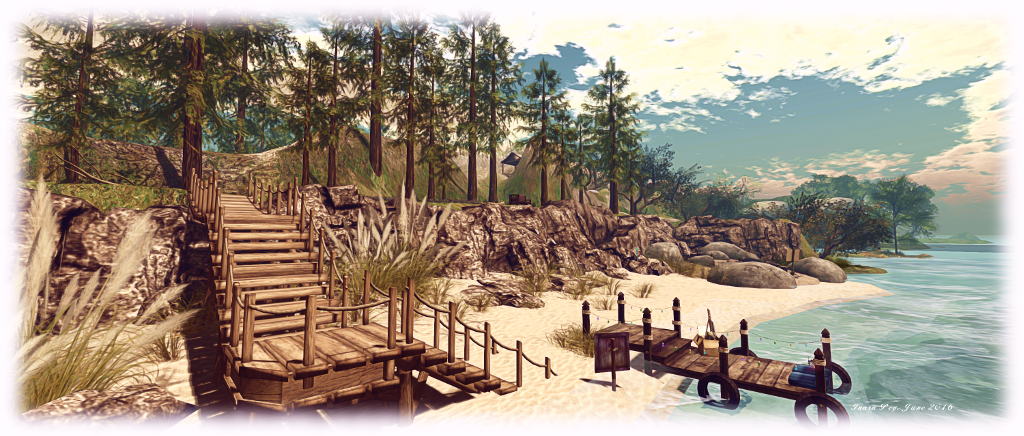
Just over the water from her Snuggles brand stores in Second Life, Teagan Parnas has created a little park open to the public to enjoy. Snuggles Forest, occupying a Homestead region, offers the chance for visitors to roam an undulating landscape and dance, sit, share time on the beaches, explore and – as them name might suggest – snuggle.

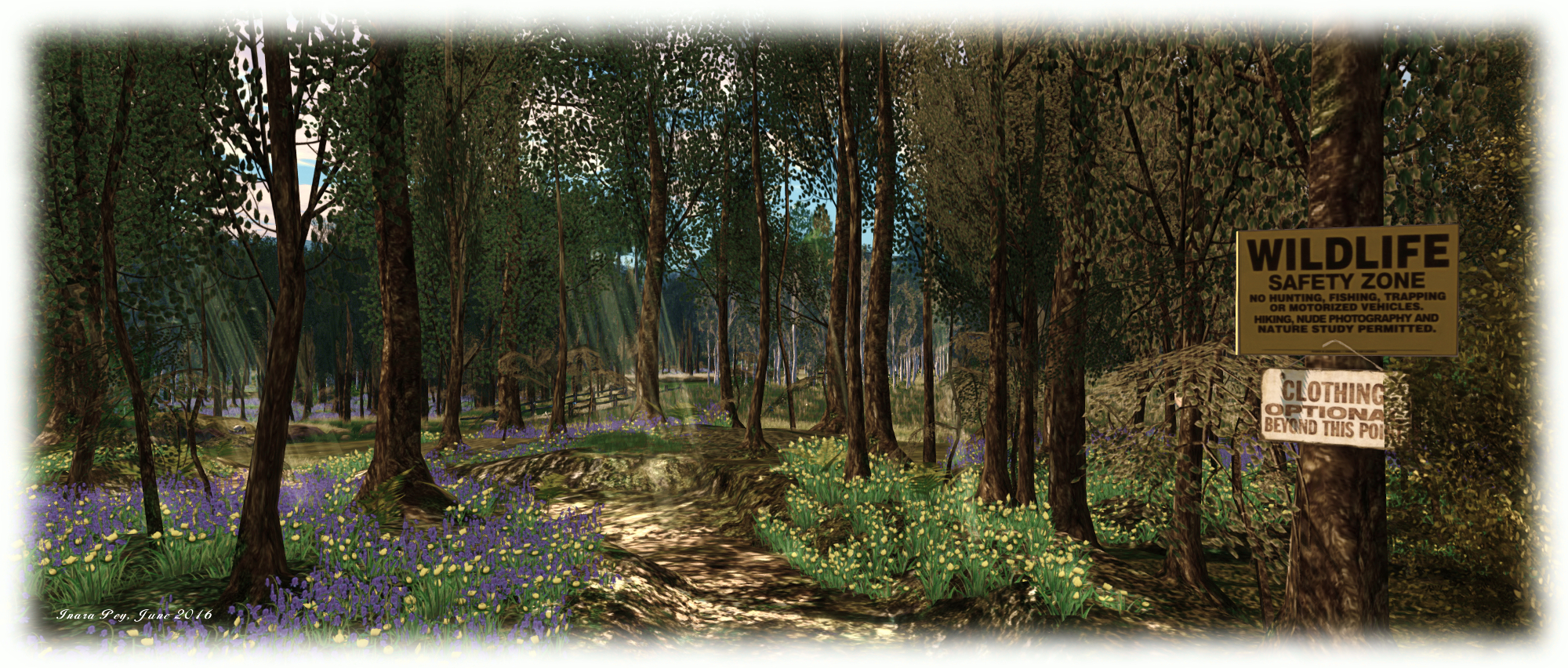
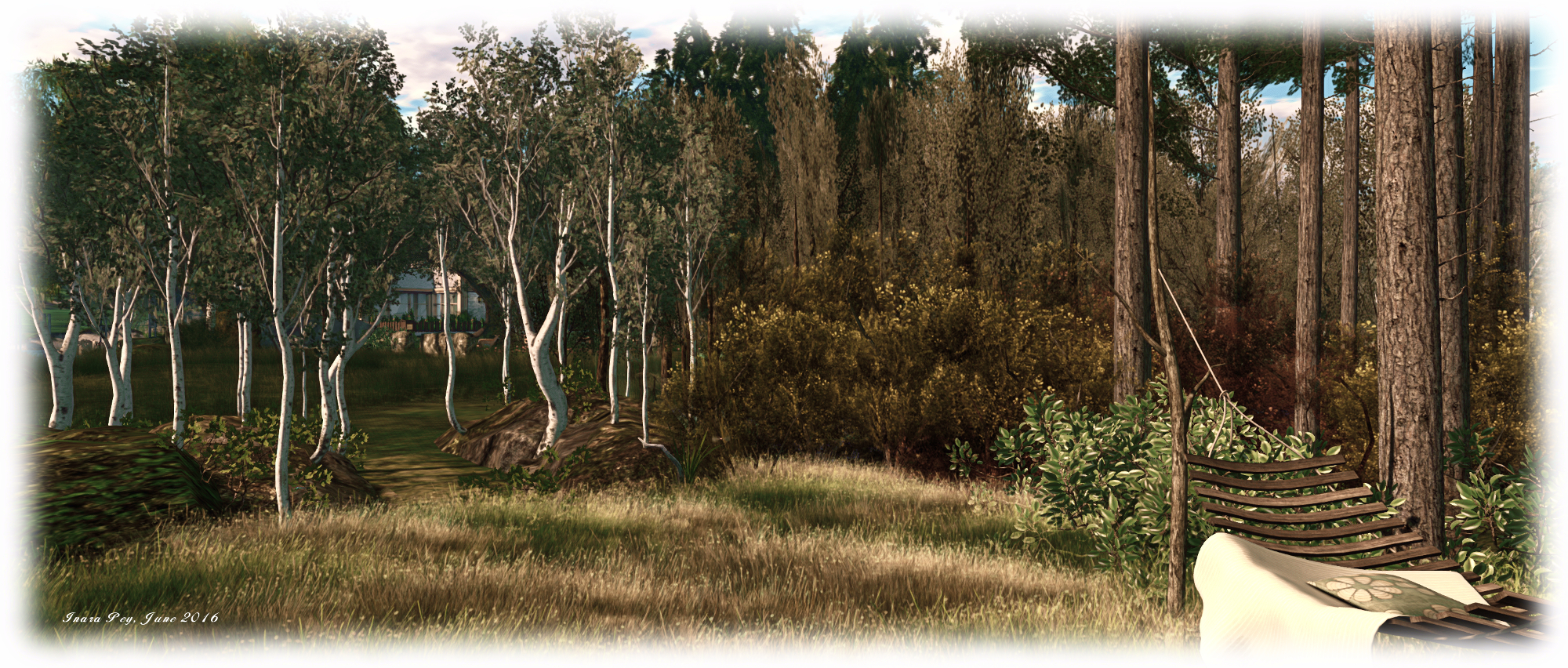
“Forest” is perhaps too broad a term for the region – there are trees for sure, but these are more woodland in nature and placement, rather than “forest”. So there is no need to fear you’ll be fighting through undergrowth and struggling to see things; the paths are all well-marked, and the sunshine falls as much on open spaces as it does on leafy canopies.

Snuggles Forest
Snuggles Forest

For those wishing to get to places quickly, the landing point offers a TP board – but setting out on shank’s pony is by far the best option. From the landing point on the north side of the region, visitors can head east or west to the Sunrise or Sunset Beach, or head inland and up the central hills, where there are places to sit or enjoy yoga.

The paths themselves lead right around the island, so whether you head east or west, you’ll find your way to most points, and there are plenty of diversions along the way, including the odd curio or two – such as the rock house nestled between the hunched shoulders of the humpbacked hills.  There’s even a Norman church sitting in one corner of the region which, in a bit of a Las Vegas twist, offers automated weddings, complete with personalised certificates, for those who want the efficiency of a DIY ceremony!

Snuggles Forest
Snuggles Forest

For those seeking a place to wander for a while, with lots of little open and secluded places to sit, snuggle and / or dance, Snuggles Forest offers a pleasing location for exploration and relaxation, and a fair few points for photography.

SLurl Details

Second Life on the go: Lumiya on Windows?!

lumiya-logoLumiya is an Android client for Second Life which is really quite remarkable. I’ve followed its development through these pages at length since it first appeared back in 2012, all the way through to the most recent 2.6 iterations; and while things have been quiet for a while, rest assured, development work is continuing, although developer Alina Lyvette has been very caught-up with physical world matters.

But did you know you can also run Lumiya on Windows*?

I suspect the responses to this question would be a combination of “No,” and “Why would I want it to?” The former is to be expected, and the latter not unreasonable; after all if you have a computer capable of running the Second Life viewer reasonably well why would you want to try anything else?

One possible “why” might be if you have a relatively low-end laptop you use when on the move, and would like to use it on occasion to access SL, but don’t want to meet the costs involved in running Bright Canopy’s (very excellent) service (which I’ve also covered in these pages), and would prefer something bigger than the average android device screen when accessing SL.

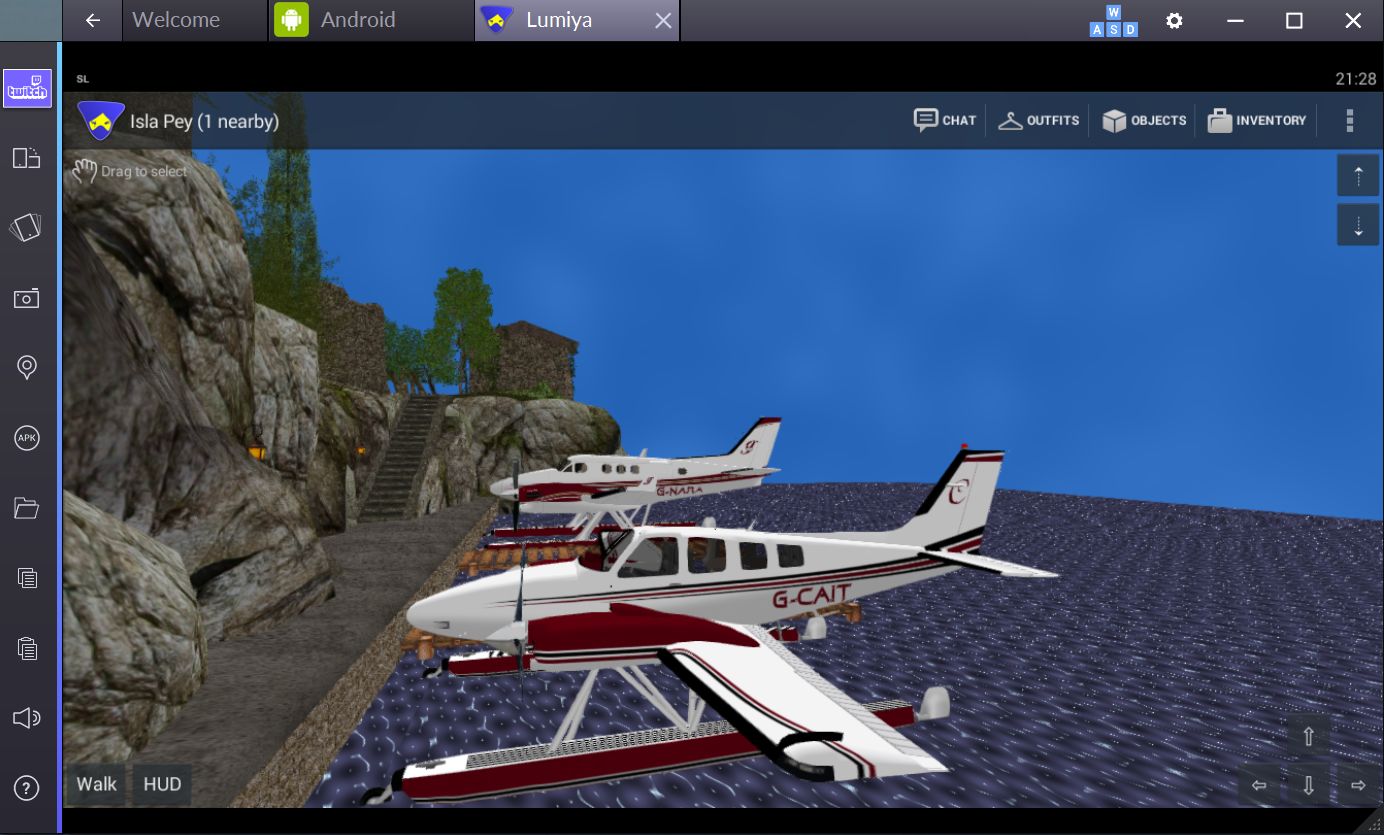
While I’ve not played at length with things, I did come across an Android emulator called Bluestacks which runs on the PC, and used to be available for Mac*. It makes running Lumiya on Windows a breeze in four easy steps:

  • Download and run the Bluestacks installer
  • Run the Bluestacks player and sync it to your Google Android account
  • Run Google Play and install Lumiya (note the app does have a one-off purchase fee if you have not previously installed it)
  • Launch Lumiya.
Running Lumiya via Bluestacks on a Windows notebook

There are a few things to note when running Lumiya in this way. Obviously, being built for Android, it is intended for touch screen use. While Bluestacks does a credible job of allowing mouse and pointer control and the use of keyboard controls such as the arrow keys and WASD, I tended to find that things did sometimes “stick”, prompting a return to the on-screen movement / camera focus keys (lower right corner of the screen).

Given Lumiya is running on a “standard” computer, it’s also easy to slip into the expectation that it will respond to things like ALT-camming when it obviously won’t – this is still an Android app running through an emulator, after all! Given this, it goes without saying that if you’re new to Lumiya, you have a lot to learn via the UI and options – feel free to use my reviews linked to above 🙂 .

Also keep in mind  that as Lumiya is an Android app, the graphics don’t have the same fidelity as the viewer, and running it through an emulator isn’t going to magically give you that kind of fidelity. If that is what you’re looking for when on the move and don’t have a good laptop, then Bright Canopy is your best option outside of a new computer / GPU.

Lum iya may not have the same graphics fidelity as a full viewer, but if your looking for something that can provide you with an in-world view while on the move with a laptop, running in on Bluestacks might be a viable option
Lumiya may not have the same graphics fidelity as a full viewer, but if you’re looking for something that can provide you with an in-world view while on the move with a low-end laptop and for whatever reason, don’t want to use Bright Canopy, running it in through the Bluestacks emulator might be a viable option

Also, as you are running through a laptop there might be a temptation to push Lumiya’s settings to the max. I’d actually suggest some caution here; your little laptop / notebook may appear to have more umph that an Android device, but you will take a performance hit in driving things too high.

Overall, I found running Lumiya on an Asus PCee 1201N to be pretty acceptable – certainly a lot less tasking than running a full-blown viewer. I wouldn’t want to do it all the time, but as an alternative and occasional means of access, it’s more than acceptable. The UI, intended for touch screens, works well with mouse and pointer, and while there were occasional niggles (sometimes I had to swap back to using the on-screen movement keys via mouse, for example), my biggest issue came down to trying to use conventional SL keyboard shortcuts simply because I was sitting in front of a keyboard!

Whether this kind of approach would appeal or not is down to the individual – but as noted above, if you are looking for the occasional access to SL from a low-end laptop / notebook whilst on the go and either don’t want to fiddle with the small screen of and android device or would prefer not to use Bright Canopy, then this might be an option for you.

Addendum, June 3rd: While Bluestacks was promoted as a “free” emulator, some 36 hours after installing it, I received a notification requiring a subscription payment of either US 2.00 per month or to install sponsoring games in order to keep using it to access Android apps.

*Note: Bluestacks used to offer an emulator for Mac systems as well. It’s no longer available through their own website, but can be obtained from this review on the TechApple website. However, as I’m not a Mac user, I have no idea how up-to-date it is compared with the latest Windows version of the emulator or whether it is a viable option.

Lumiya on Bluestacks was tested using an Asus PCee 1201N with 2 Gb RAM, Intel Atom 330 processor and Nvidia Ion 2 GPU  using shared memory. 

Mourningstar: exploring a fallen angel in Second Life


Mourningstar
Mourningstar

Mourningstar is described as “An exploration of the ideas of the fallen angel, the vengeful god, and the diverse perceptions of Lucifer in various religious and social traditions. A virtual pilgrimage, proposing an alternate mythology…”

An immersive installation by Anahera (Fox Nacht), Mourningstar is in three parts – theological, Romantic and (for want of a better term) “present day”. Literary, theological and practical references are to be found throughout, making for an interactive piece. On arrival, do take a moment to read the notes on how best to full appreciate the installation.

Mourningstar
Mourningstar

The pilgrimage starts in the theological: a heavenly walk towards the upraised hand of God, culminating with a quote of Isaiah 14:12: How art thou fallen from heaven, O Lucifer, son of the morning! How art thou cut down to the ground, which didst weaken the nations!  And thus we, too are cast down to the ground, landing amidst a litter of broken angel wings within a ruined landscape – a reminder that around a third of the heavenly hosts fell with Satan – within a landscape. 

Through this grey engraving of a landscape lie a series of paths marked by arches. One continues the theological theme, taking us to the Tree of Knowledge. But here, as with the celestial hand above, a question mark is thrown over God’s role in things. In the heavens, the hand of God has strings attached to fingers and thumb, suggestive of a puppet master, while at the Tree of Knowledge, we are asked to ponder What sort of father would deny his children knowledge?

Mourningstar
Mourningstar

The remaining paths through the landscape encompass the great 19th Century Romantic era of poetry, encompassing an extract from Alfred de Vigny’s 1824 tripartite poem, Éloa, ou La sœur des anges (Éloa, or the Sister of the Angels), which offers Satan as capable of love, but unable to deny his own twisted nature, thus drawing the one who loves him – an innocent young angel – Éloa, down into hell.

Also to be found here are images of the great English Language Romantics – Blake, Bryon, Coleridge, and  Mary and Percy Shelley. According to Ruben Van Luijk,  writing in Children of Lucifer:  Origins of Modern Religious Satanism, these Romantics were spurred on by Milton’s Paradise Lost to see Satan as the ultimate rebellious hero, a champion of individual freedoms in an age of increasing political and social constraint.

Mourningstar
Mourningstar

One final path remains, one perhaps not so easily seen. It lies to one side of the reading area where visitors can delve into the writings of Blake, Byron and Milton. It leads to a pair of ram’s horns planted in the ground – their meaning clear enough – together with the definitions of “Belief” and “Faith”. A teleport disk before these provides the way to an examination of modern Satanism, with an introduction by Professor Darren Oldridge, and which sharply contrasts with the view of the Romantics.

I’m not so sure Mourningstar is an “alternate mythology” so much as a visual immersion into the theological, philosophical, Romantic and modern interpretations of Satan’s influence on people’s thinking and actions; one which also takes a short, sharp poke at the Christian view of a benevolent God in the process. Wisely, no attempt is made by the artist to direct or lead our thinking. Instead, we are encouraged to explore, examine, consider, and determine for ourselves.

Mourningstar will remain open through until the end of June.

SLurl Details

A trip to the Countryside in Second Life

Countryside, Habitat Springs; Inara Pey, May 2016, on Flickr Countryside, Habitat Springs – click any image for full size

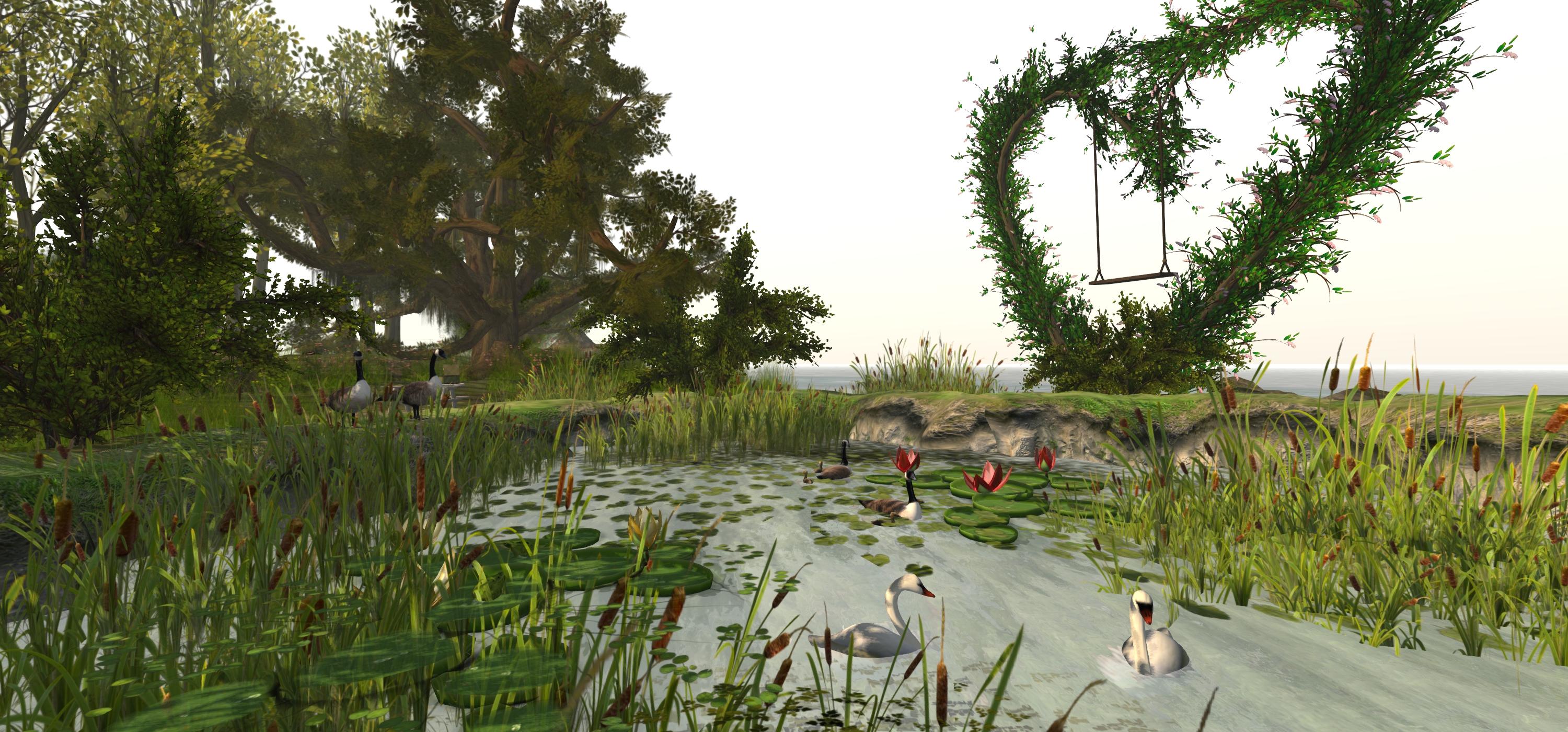
In November 2014 I wrote about a Mainland location called The Back 40, designed by Dicky (Dick Spad). At the time, I was enchanted by that discovery; so you can imagine my absolute delight in discovering Dicky has a full region as well, also open to the public (aside from the corner where he has his private residence).

Countryside is every bit as enchanting as The Back 40, offering a fabulous outdoors environment which can be enjoyed through solo exploration or – more ideally – in the company of a friend / someone close to you.

Countryside, Habitat Springs; Inara Pey, May 2016, on Flickr Countryside, Habitat Springs

Surrounded by a rolling landscape created by the use of region surrounds, it’s hard to tell where the region ends and “beyond” begins, which helps give this region a feeling of being far bigger than the 256 metres on a side we’re allowed. Largely flat, the land is naturally divided into a series of areas by the river flowing through the region and the use of broad greenswards, very strongly suggestive of fire breaks to be found in heavy areas prone to forest fires.

From the landing point in the south-east corner of the region, one can strike out north or west, the greenswards offering a choice of routes through the groupings of trees. Head north, and you’ll pass woods and meadow, a fire watch tower and reach grasslands stretching up to the river, on the other side of which sits Dicky’s private residence.

Countryside, Habitat Springs; Inara Pey, May 2016, on Flickr Countryside, Habitat Springs

Head west from the landing point and you’ll again come to the head of the river: a large pool of water fed by a waterfall, where bears fish and beavers are constructing a lodge. Cross the river via with little wooden bridge, and the landscape gradually changes, edging away from the open wilds to a more rural environment with neatly laid crops, fenced  fields and meadows, and a small farm fed by a dirt track, the sidings of a railway spur close by.

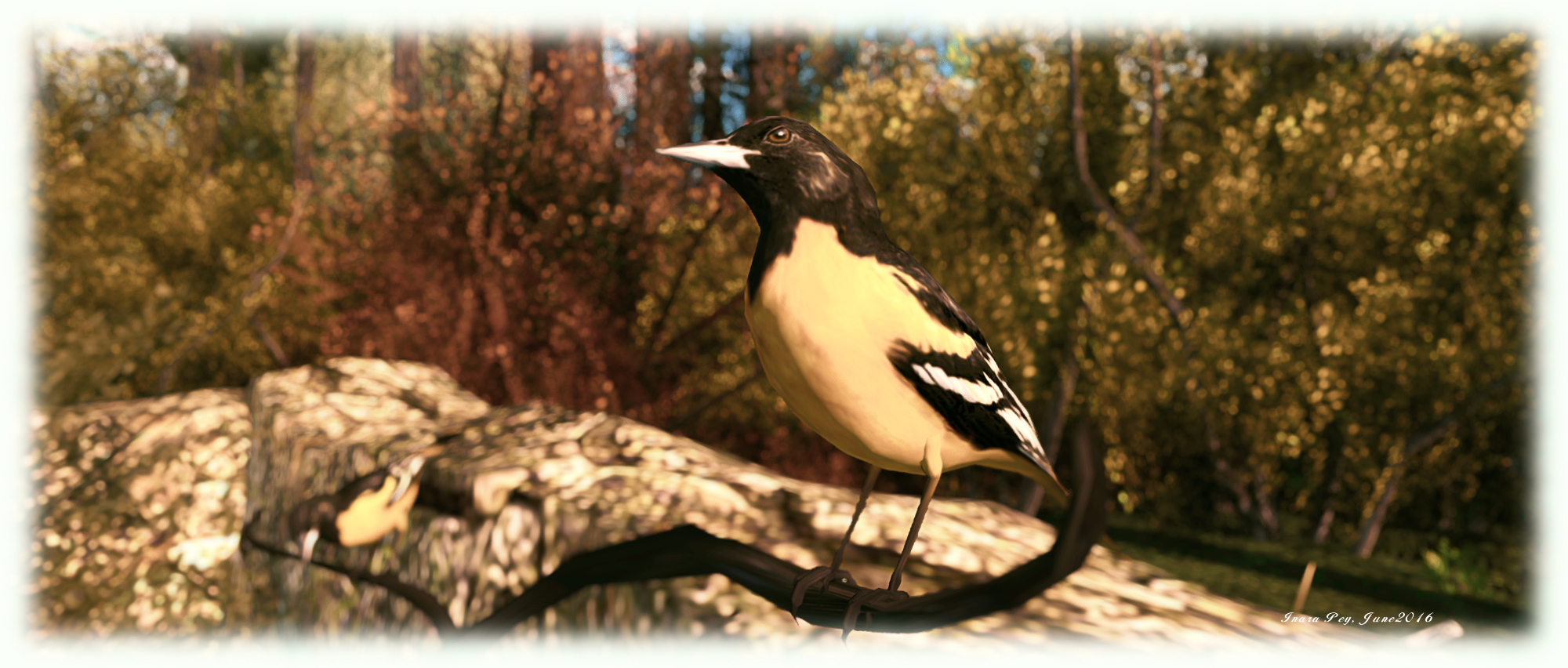
It is, in a word, quite beautiful. And that’s really just the start; it’s possible to wander for what seems miles around the region and still come across something new – be it more wildlife, another little snuggle place or a further vantage point ideal for photographs. Do keep an eye out for Morgan Garret’s marvellous little birds, which I also blogged about far back in the mists of time – or December 2013, to be exact. We have a number of them scattered around the island home, and they really are quite fantastic and life-like.

Countryside, Habitat Springs; Inara Pey, May 2016, on Flickr Countryside, Habitat Springs

Back in November 2014 I noted how Dicky’s work at The Back 40 demonstrates you don’t necessarily need a full-sized regions to create something memorable. With Countryside, it is fair to say that Dicky shows us just what can be done when you do have a full-sized region at your disposal, and are prepared to put the time into developing it and its surroundings.

I’ve visited many regions over the years I’ve been exploring Second Life, and all of them have been fabulous in their own unique ways; but I don’t think I’ve been to a region that is quite so natural-looking and well-blended as Countryside.

Very highly recommended – and you can still visit The Back 40 as well!

Countryside, Habitat Springs

SLurl Details

SL project updates 16 22/1: server, viewer

{Ville Par La Mer} / Royaume de Versailles; Inara Pey, May 2016, on Flickr {Ville Par La Mer} / Royaume de Versaillesblog post

Server Deployments

As always, for the latest information, please refer to the server deployment thread.

  • On Tuesday, May 31st, the Main (SLS) channel was updated with the same server maintenance package previously deployed to all three RC channels, which included a server crash fix.
  • On Wednesday, June 1st, all the RC channels should be updated with a new server maintenance package, comprising the addition of mnemonic names to be used in LSL scripts when attaching to the new attachment points on the Bento skeleton extensions and minor internal changes.

SL Viewer

There have been no changes to any of the viewer channels so far this week, leaving things as per the end of week #21:

  • Current Release viewer, version 4.0.5.315117 (dated May 11), promoted May 18th – formerly the Quick Graphics RC viewer download page, release notes
  • RC viewers:
    • Maintenance RC viewer, version 4.0.6.315551, dated May 23rd – a modest but useful set of 24 fixes and updates to the viewer
    • Inventory Message RC viewer, version 4.0.6.315555, dated May 23rd – removal of deprecated and unused UDP inventory messaging mechanisms from the viewer
  • Project viewers:
    • Project Bento (avatar skeleton extensions), version 5.0.0.315657, dated May 26th – this build includes the “reset Skeleton” option and additional slider updates
    • Oculus Rift project viewer, version 3.7.18.295296, dated October 13th, 2014 – Oculus Rift DK2 support
  • Obsolete platform viewer version 3.7.28.300847 dated May 8, 2015 – provided for users on Windows XP and OS X versions below 10.7.

Project Bento

As anticipated, Project Bento, the avatar skeleton enhancements project, was deployed to the main grid to mark the start of more widespread testing, on Tuesday, May 31st. You can find out more via the following posts: