Over the last few months, it is has been my pleasure to re-launch Art at the Park at Holly Kai Park, expanding the programme of art and events there, whilst also gradually redeveloping parts of the park.
One of our other recent introductions at the Park has been Stories at the Park, which is run in partnership with Seanchai Library. Each month, writers and storytellers are invited to visit the park and select pieces of art featured in our current Art at the Park series and write either a 100-word work of fiction (referred to as a “drabble”) or a 100-word poem about each piece, which can then be read live in Voice, either by the author or by a member of the Seanchai team, during Stories at the Park events.
The next Stories at the Park event will take place on Sunday, June 5th. If you fancy you hand at writing a story (or two or three… 🙂 ), or a mix of stories and poems, and would like either to read them yourself at Stories at the Park, or have a member of the Seanchai Library team read them, please contact either myself or Caledonia Skytower in-world as soon as possible.
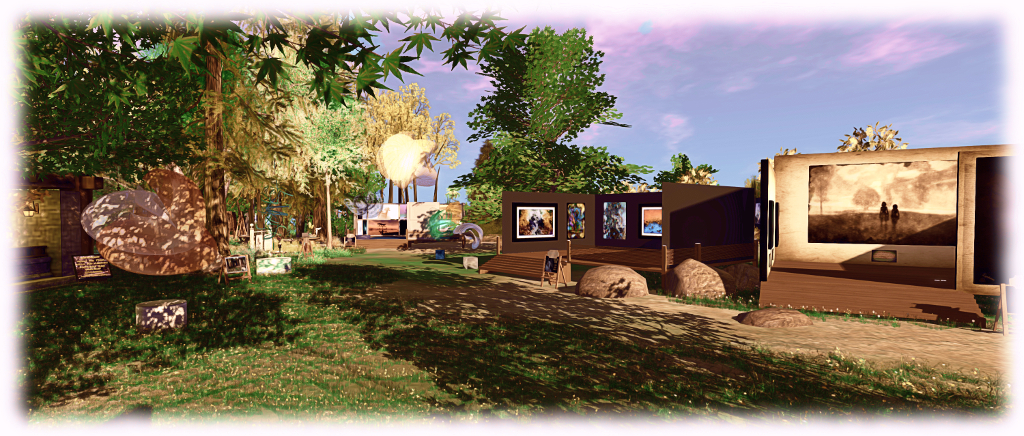
The May Art at the Park exhibition features work by Ceakay Ballyhoo, Eleseren Brianna, Slatan Dryke, JudiLynn India, Lantna Silverweb, and SisterButta
And of course, if you would like to join us to hear the stories and poems read, you’re more than welcome to do so – I’ll be publishing the times for the event nearer to the date both here and in the Holly Kai blog. Remember, as well, that you can keep right up-to-date with all that is going on at Holly Kai Park through the website and blog.
To gain a feel for things, why not read the stories and poems featured in the AprilStories at the Park event.
Second Life’s 13th anniversary takes place in June 2016, and already anticipation is mounting about the week-long event, which will take place between Sunday, June 19th and Sunday June 26th.
One of the popular pre-event activities which occurs each year is the Press Day, which presents bloggers, machinimists and other “press” with the opportunity to have early access to the celebration regions, tour them, find out about the infrastructure and build, take photograph, record video and (above all) blog about the forthcoming coming celebrations.
This year, the Press Day will take place on Saturday, June 18th. If you would like to participate, then please make sure you complete the Press Access application sooner rather than later.
I’ve again been asked to produce some teaser videos for this years event, and so to hopefully further whet appetites, I’ll leave you with the first, and a reminder of the key dates.
Monday, May 23rd to Wednesday, May 25th: First round exhibitors notified via email
Wednesday, May 25th: regions open to exhibitors
Friday June 10th: Performers notified
Wednesday, June 15th to Friday, June 17th: regions closed to exhibitors for walk-through
Friday, June 17th and Saturday, June 18th: regions open to exhibitors for adjustments
Saturday, June 18th: Press Day
Sunday, June 19th, noon SLT: Opening Day
Thursday June 23rd: The Birthday
Sunday, June 26th: last day of celebration performances and activities
Monday, June 27th to Sunday, July 3rd: regions open for viewing, no performances
Sunday, July 3rd: Staff party
Monday, July 4th to Wednesday, July 6th: Breakdown
Avatar Complexity is a means to help people who may suffer from performance issues in crowd areas
On Wednesday, May 18th, Linden Lab promoted the long-awaited Quick Graphics viewer to de factorelease status. This viewer includes two important new features:
The updated Avatar Complexity settings
The ability to create, save and load different groups of graphics settings quickly and easily.
Avatar Complexity
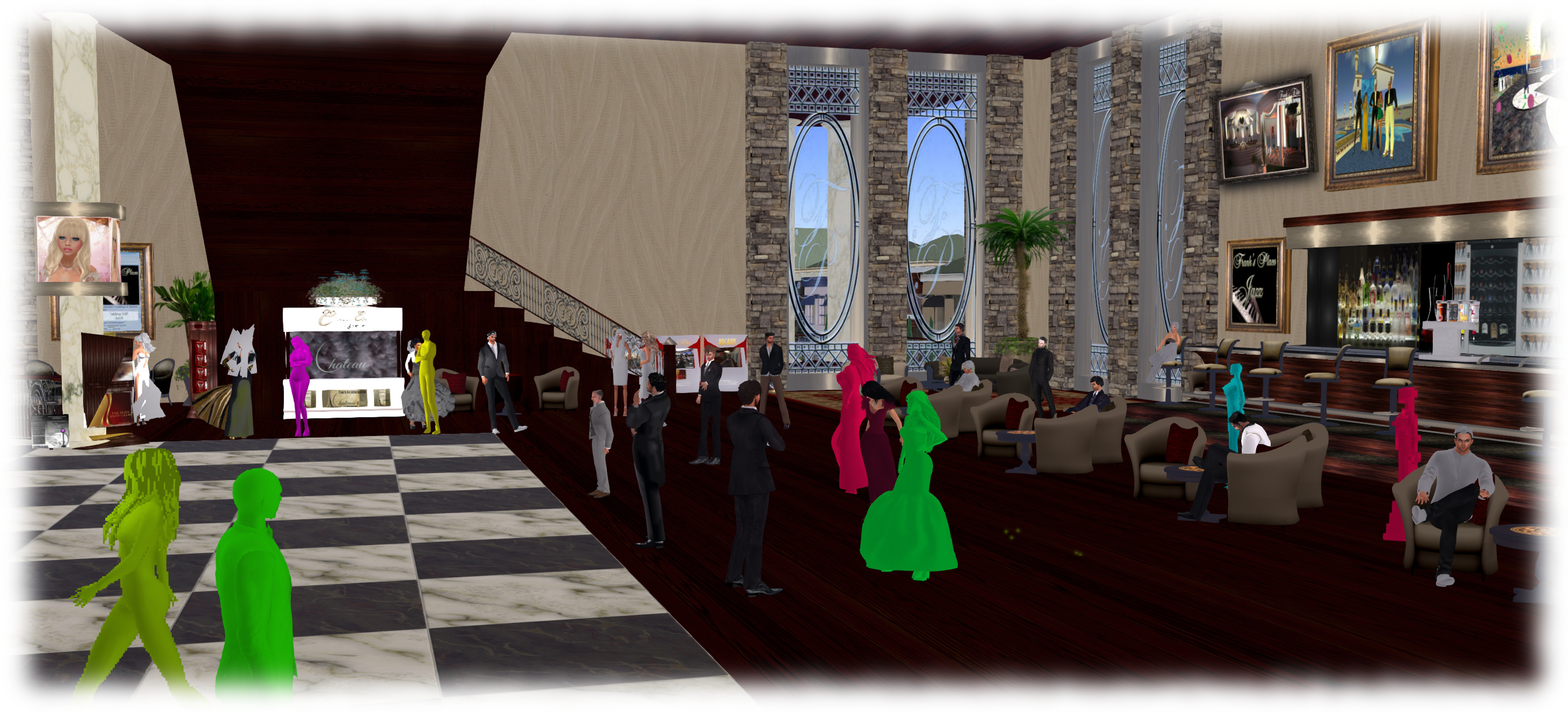
As avatars can often be the single biggest impact on the viewer in terms of rendering, particularly in crowded places, so Avatar Complexity adds a new slider to the viewer which can be used to set a level above which avatars requiring a lot of processing will appear as a solid colour – the casual term to refer to them being “Jelly Dolls” – greatly reducing the load placed on a system compared to having to render them in detail, so improving performance.
The idea is that you can adjust the setting according to circumstance, so that when in a crowded area with lots of avatars, you can dial down the Avatar Complexity setting, found in Preferences > Graphics (and in the Advanced Settings floater), with the result that more of the avatars around you are rendered as solid colours, reducing the load on your graphics card and system, thus improving performance. Then, in quieter areas, the setting can be dialled back up, allowing more avatars to fully render in your view.
Note: this only applies to other avatars in your world view: your own avatar will always fully render in your view.
The Avatar Maximum Complexity slider sets a threshold on avatar rendering by your viewer. Any avatars in your view exceeding this value will be rendered as a “Jelly Doll”, sans attachments
If you have a good system with a high-end graphics car, you can set the value on the slider quite high and thus ensure all avatars render fully for you wherever you are.
Note: You can sett the Avatar Maximum Complexity to “No Limit”. However, this is not entirely recommended. some irritants in Second Life still use worn graphics crashers to overload GPUs and crash the viewer. If you set Avatar Maximum complexity to “No Limit”, then such tools, should you ever encounter an irritant using one, will still be effective; so it’s better to set a reasonable high value, leaving your viewer with a cut-off point which should defeat their efforts in crashing you.
There are a few other points to note with Avatar Complexity:
You can opt to always render or to not render avatars around you, regardless of your Avatar Maximum Complexity setting by right-clicking on them and selecting your desired action from the context menu
To help you understand how complex you own avatar is, every time you change your appearance, each time you change the appearance of your avatar, a small notice with your new complexity value will appear in the upper right of your display for a few seconds
The complexity value of your avatar is transmitted to each simulator as you travel around Second Life. In return, you’ll get a brief notice in the upper right of your screen telling you approximately how many of those around you are (or are not) rendering you because of your complexity
If you have a friend or friend you wish to see fully rendered no matter how low you dial Avatar Maximum Complexity (while out at a club, for example, where it may be beneficial to set a lower complexity threshold), you can right-click on those individuals and select “Render Fully” from the context menu
Similarly, and if you prefer, you can selectivity render avatars in your view as grey imposters, by right-clicking on them and selecting “Do Not Render” from the context menu.
Note: Both “Render Fully” and “Do Not Render” will only apply during your current log-in session; the options are not persistent between re-logs.
To help people understand Avatar Complexity, the Lab has produced the following:
A blog post to accompany the promotion of the Quick Graphics viewer to release status
The Path is a new installation by Cherry Manga, currently being hosted at Dividni Shostakovich’s Split Screen installation. It marks her first major Second Life exhibit in around 18 months, Cherry having largely moved to FrancoGrid in 2014. It is also just a foretaste of things to come: Cherry is working on a much larger piece which will feature in FrancoGrid’s annual Fest’Avi avatar-focused art event, which opens in September 2016.
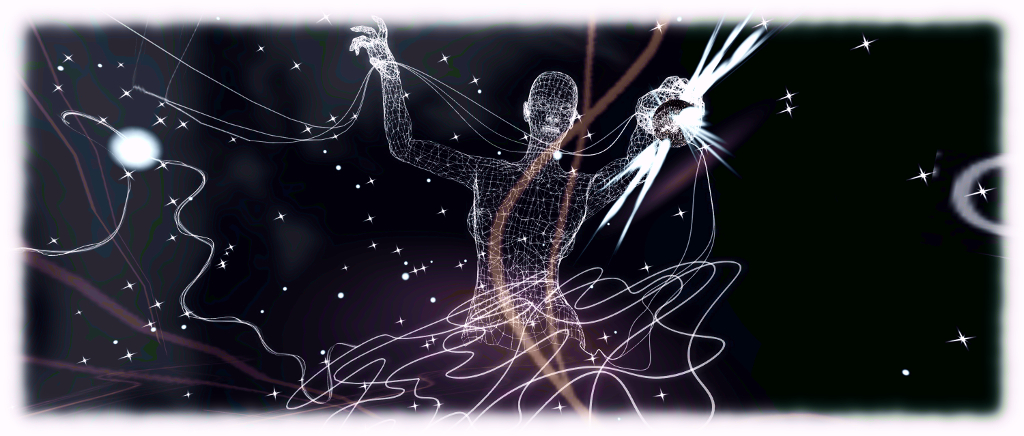
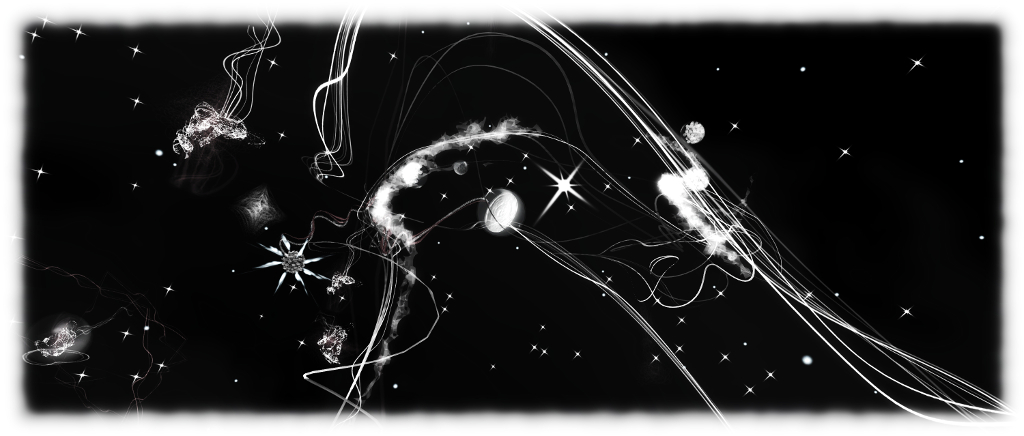
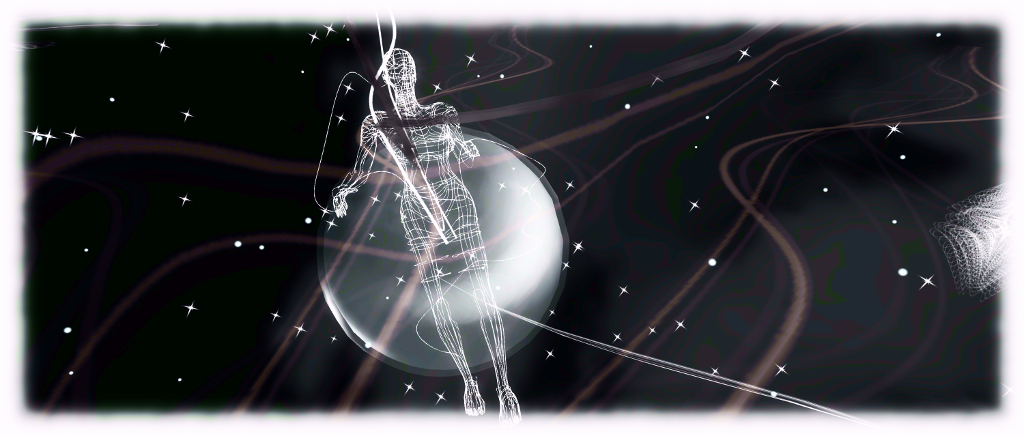
At the arrival point, visitors are invited to take and wear a free, full-permission avatar, Line of Light, as well as a memento of their time in The Path, prior to teleporting to the installation proper. Here, against a cosmic backdrop of stars, sits a circle of meditative pose balls on which visitors are asked to sit and partake of a journey. Hypnotic music ebbs gently around travellers as animated lines radiate outward from the circle and the heavens all around are filled with wireframe figures and patterns, while a quote from Einstein, Creativity is contagious, pass it on, drifts and tumbles through the space.
There is a double meaning in this quote which is, for me beautifully reflected in this preview. On the one hand, it encompasses the idea that human creativeness is contagious, passing between us and between generations, driving us forward down through the ages as much as has our desire to understand all that lies around us. On the other, there a more cosmic element: everything that has happened since the dawn of time some 14.5 billion years ago, has grown from a single creative instant. Every galaxy, every star, every planetary system – each and every one of us – stem from that single point of creation.
These two concepts are perhaps embodied in the figures to be found in The Path. On the one hand, we have the constant figure holding forth a star-like sphere in which a smaller figure sits; a symbol of human creativeness passed from generation to generation, as well as, perhaps, the echo of creativity in its most natural form: birth and life.
Then there are the seated figures which flare into existence, follow their own path for a time before suddenly dissipating, with new figures appearing elsewhere. They are like the massive stars of the galaxy, which burn brightly, before throwing off their bulk in a vast, gaseous nova, through which the next generation of stars are born.
Travelling through The Path with these thoughts flowing through my head, another quote sprang to mind, which would also appear to fit here. As Carl Sagan once observed, “We are made of star stuff”; we are an inherent part of the creative process which gave birth to the cosmos. A process which continues to this very day, in everything we do, again as Sagan also observed when he famously said, “If you wish to make an apple pie from scratch, you must first invent the universe.”
I will admit to finding the jerky motion of the pose balls a little distracting when following the path through the installation (as was the presence of other avatars sitting with me). However, this is still a fascinating glimpse of what should be an interesting immersive installation at Fest’Avi – and it is certainly one built on ideas which strikes a chord in me. The Path will remain at Split Screen through until the end of July.
On Tuesday, May 17th, the Main (SLS) channel was updated with a server maintenance package previously deployed to the RC channel, containing minor internal improvements and a crash fix.
On Wednesday, May 18th, all three RC channels should be updated with a new server maintenance package, originally held over from week #19, described as also minor internal improvements with no visible functional changes to Second Life.
SL Viewer
A new RC viewer appeared in the release channel on Monday, May 16th. Version 4.0.5.315019 is the anticipated Inventory Message Viewer. This viewer comprises Aura Linden’s work removing from the viewer all of the old UDP inventory messaging paths which have already been replaced by more robust mechanisms (and in some cases already had the server-side support for them removed), but which have until now remained a part of the viewer’s code.
A full list of the messages which have been removed can be found in the release notes for the viewer, and it is noted that any messages in the list which still have back-end support will see that support removed in the near future.
This means the current SL viewers which are available comprise:
Current Release version: 4.0.4.314579 (dated April 28th, promoted May 5th) – formerly the Maintenance RC viewer
Release candidate viewers:
Quick Graphics RC viewer, version 4.0.5.315117, dated May 11th – comprises the graphics pre-sets capability and the new Avatar Complexity settings
Inventory Message RC viewer, version 4.0.5.315019, as noted above
Project viewers:
Project Bento viewer, version 5.0.0.314884 dated May 5th containing several updates related to joint offsets and meshes and slider changes
Oculus Rift project viewer, version 3.7.18.295296, dated October 13th, 2014 – Oculus Rift DK2 support
Obsolete platform viewer version 3.7.28.300847, dated May 8, 2015 – provided for users on Windows XP and OS X versions below 10.7.
Project Bento
As a reminder, it is anticipated that server-side support for Project Bento will be enabled on the main (Agni) grid some time during week #21, to allow for more extensive testing of the new avatar skeleton capabilities. Those wishing to try the skeleton extensions and new sliders when rigging mess models will need to use the Bento project viewer or a third-party viewer with the Bento code.
Note that if you are running a non-Bento viewer and happen across someone testing the Bento capabilities, any mesh they are wearing rigged to the new Bento bones will appear distorted / broken in your view.
Aditi Grid
Issues continue with Aditi (the beta grid), notably with apparent inventory content loses and even the potential for inventory corruptions (see BUG-16714 for details of some of the issues being encountered).
These problems take the form of assets appearing in inventory, but generating a “Missing from database” error when attempting to rez / wear / attach. Some reports suggest the issue is restricted to items added to Aditi inventories following the most recent syncing operations between Agni and Aditi. Normal corrective actions, such as clearing cache, do not correct matters.
The Lab staff looking after the beta grid have been appraised of the situation, and summed-up their response in a single phrase (and I’m apparently quoting): “bleargh!” – an understandable reaction, given the upsets Aditi caused in week #19. They are however, digging into the problem.
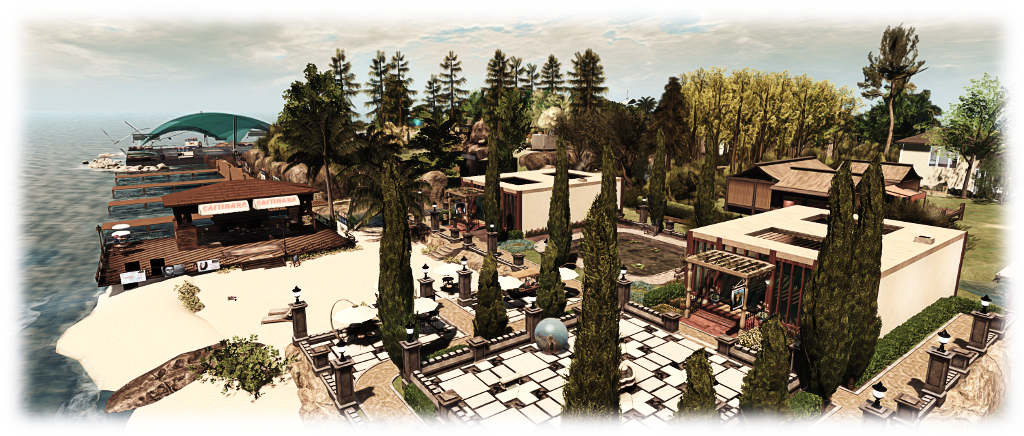
Holly Kai Park: the revised garden area with two studio, terrace and beach – click any image for full size
It’s now seven months since I took over as curator for the Art at the Park series at Holly Kai Park and generally looking after things there alongside Estate owner Nber Medici and park owner, Hollykai Resident.
Prior to opening our first exhibitions at the end of 2015, I worked on making some changes at the park. At the time, I didn’t want to make too many changes, because a lot of time and effort had been put into redeveloping the park in the first place.
Holly Kai Park: the art hill will be given a slight re-working in the near future to improve facilities
However, running six events at Holly Kai – particularly three large ensemble exhibitions – convinced me of two things. The first was that I simply don’t have the bandwidth to manage two series of art exhibitions with roughly monthly openings each. The second was that the park could do with some changes and swap-outs just to reduced the rendering load being placed on people’s viewers.
So, for the last few days, we’ve been engaged in revamping things. The work is still in progress, and due to the nature of some of the changes, won’t be finished for a while yet. For one thing, we have an exhibition running at the moment, and have no wish to disrupt that. However, a lot of the core changes have now been made.
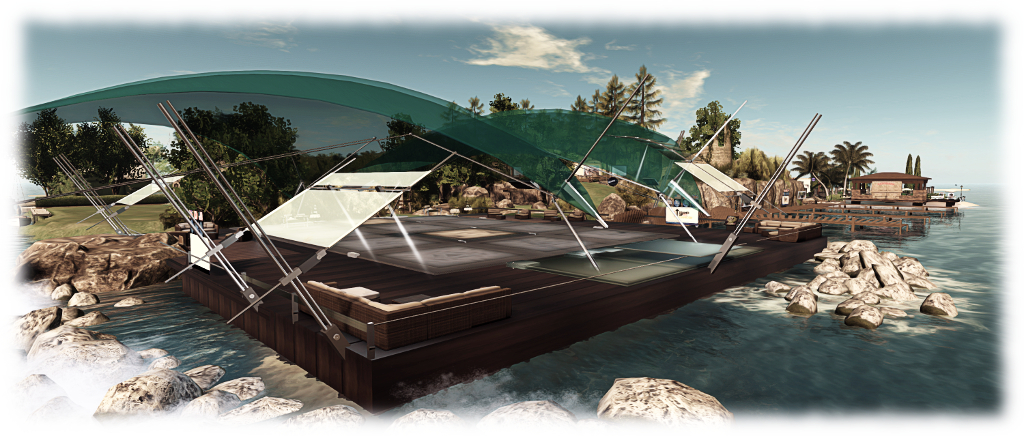
Holly Kai Park: the Pavilion has moved to the south-east corner of the region
In summary:
The Pavilion, Holly Kai Park’s live event venue, has been relocated to the south-west corner of the region, where it overlooks largely open water
Holly Kai Garden now serves two functions: it is the location for the studio and terrace of our new Artist-in-Residence, Silas Merlin, whom I am delighted to say will be joining us in due course. His studio now sits alongside mine, with an outdoor terrace display area facing it
Caitinara Bar has relocated to the Garden area, which now has its own beach front.
Holly Kai Park: the relocated Caitinara Bar on the new beach
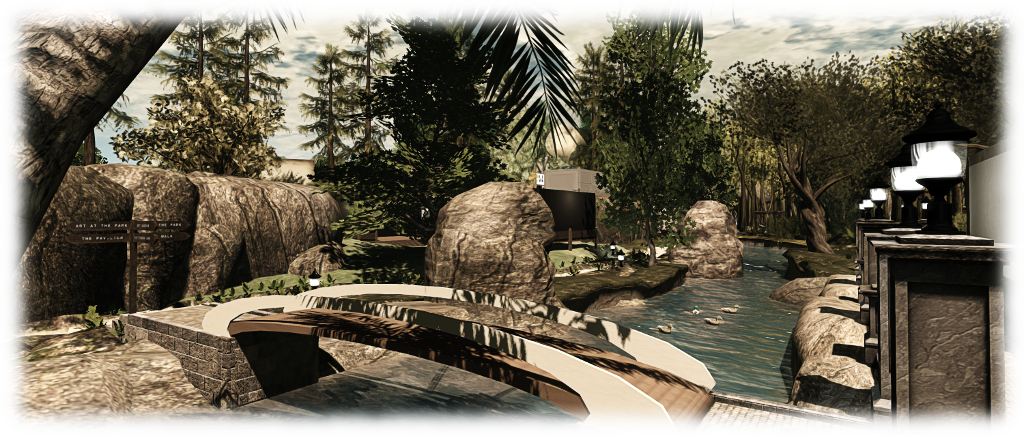
The Pavilion, Caitinara Bar and the garden all have their own landing points, and both the garden and the Pavilion are linked to the main landing point via bridges. Quite a lot of the high render cost foliage and trees have been replaced with items which are hopefully less of a burden on systems, while some of the park paths have been reworked to make them easier to follow.
Those those who enjoy sailing in the area, the west side beach is still available for moorings – 60 minutes loiter time with re-rez at the slips.
The Holly Kai River now completely surrounds the art hill in the park
There’s still some more work to be done around the art hill, but for now, the changes described here are all in place and ready for people to visit, We hope you like the updates, and look forward to see you at Holly Kai Park soon.







 Inara Pey: Living in a Modemworld