Holly Kai Park: the gardens

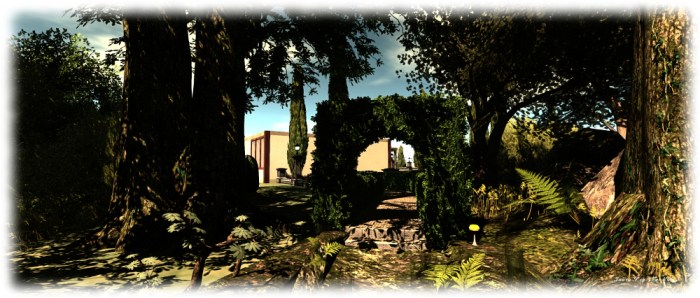
The Garden at Holly Kai Park

The last few days have been a tad busy for me, hence the slow-down in blog posts. When in-world, I’ve been pushing ahead with the Holly Kai project in order to get more things finished and ready for the re-launch in December.

I’ve already written about the work in the park itself – there’s still some more to be completed with this; notably the live voice area for readings, etc. However, I decided to get the garden area laid-out as well, rather than dragging the project out. This may not open to art exhibitions until the New Year, but the work is now mostly complete, and the gardens are open for visitors.

The Garden at Holly Kai Park: studio gallery

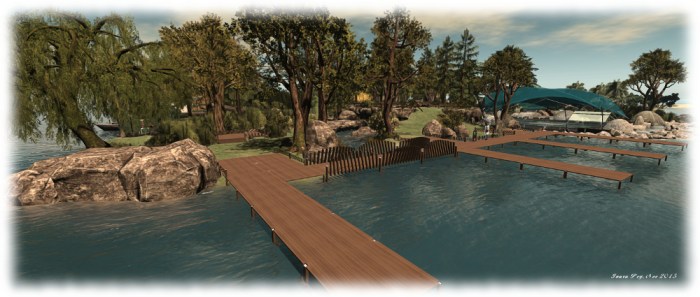
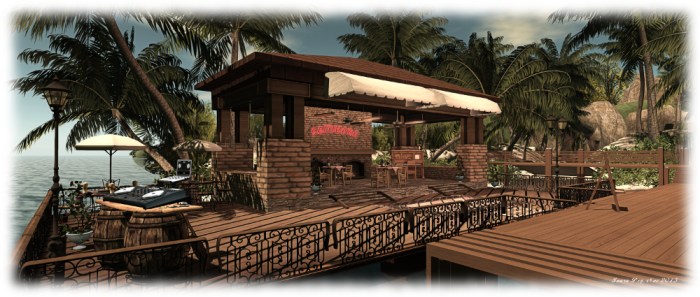
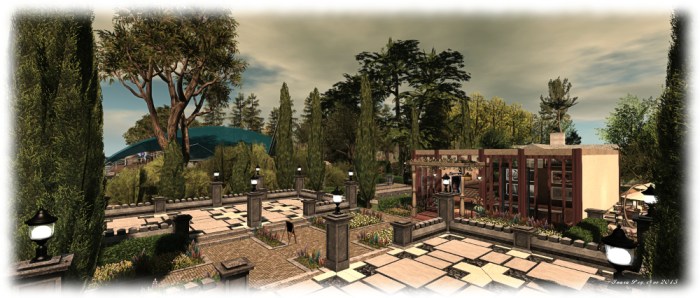
Located in the north-east corner of Holly Kai, the garden area has a formal layout to contrast with the wilderness look of the park. It includes  its own mooring slip for boats, located on the north side of the parcel. From this, visitors can access the gardens directly, or via the refreshments terrace, which offer seating and suchlike.

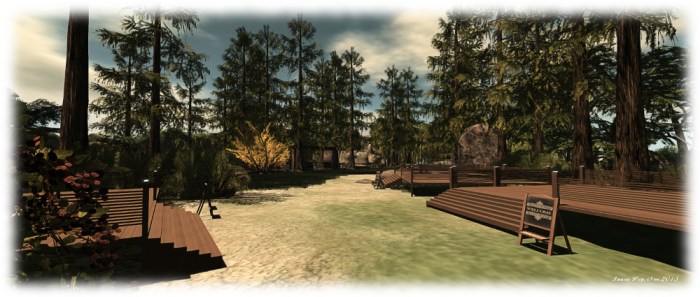
Within the garden are two further terraces, which are intended for artists applying to display in the garden and sit across from the gallery studio, which will be the home for the Artist in Residence. With Mediterranean Cypress trees, hedgerows and flowerbeds laid out around the garden, and with cobbled paths, seating and a koi pond, we hope the garden will be a suitably relaxing place to visit. Getting between it and the park also couldn’t be easier; a path in the south-west corner of the garden links the two, and can be reached via the park trail behind the pavilion for those coming to the garden from the park.

The Garden at Holly Kai Park: link path from park to Garden

There will inevitably be the nips and tucks over the coming week or so, such as adding more ambient sounds, seating places in the park, etc., but by-and-large the core work should now be finished. Next up is the park blog, which will be used to carry news of exhibitions, in both the park and the garden, and live events at the pavilion and at Caitinara Bar, as well as carrying news in general about Holly Kai Park.

SLurl Details

Second Life projects update 47/1: server, viewer, issues

It's a New Dawn; Inara Pey, November 2015, on Flickr It’s a New Dawn (Flickr) – blog post

Server Deployments Week #47

As always, please refer to the server deployment thread for the latest updates.

  • There was no deployment to the Main (SLS) channel on Tuesday, November 17th
  • The maintenance package deployed to all three RC channels in week #46 received a further update on Wednesday, November 18th. This was apparently due to the postponed deployment from week #46 not containing all of the desired updates.

SL Viewer

After mysteriously vanishing from the viewer release channel, the HTTP project viewer (Project Azumarill) reappeared on Tuesday, November 17th, still with the same version number (3.8.7.306796, dated November 2nd) as previously.

The Vivox viewer entered the release channel as a RC viewer on Tuesday, November 17th. Version 3.8.7.3.8.7.307744 corrects a number of Voice quality and connection issues on both Windows and the Mac.

The Chrome Embedded Framework Viewer also reached RC status with the release of version 4.0.0.307894 on Wednesday, November 18th.

Group Ejections and Group Chat

SVC-32, “Person kicked remains in chat session” came up for discussion at the Simulator User Group Meeting on Tuesday, November 17th.

This is the ongoing issue where those who are ejected from a group whilst in a group chat session still being able to continue using the chat until they close the window (with various permutations on the issue vis muting and unmuting people).

The cause of the problem seems to be quite deeply rooted in how the group chat service works, with Simon Linden noting, “I hate that one … and I’ve been lurking in some large groups (like FS) and seeing it abused. It’s an ugly problem and I’ve looked into it … basically because the info about how to add the logic isn’t where the log needs to be run … I looked into revoking caps and other ideas but didn’t find a silver bullet, or a pile of them, that would work … I’ll try to get some time to see if there’s anything that can be done without major architecture changes or new servers.”

Object and Linkset  Contents and Limits

Changes were recently made to how many objects can be placed within an individual in-world / worn object  and linkset. The limit per individual objects is now 10,000, and the limit per linkset is 30,000. The limits were revised to help deal with people using objects which massive contents from eating up server resources and impacting region performance as a form of griefing. However, a side issue with the changes has been that tools such as texture organisers with huge contents spread through the linkset can stop working – permanently.

To help people check their organisers and make suitable adjustments in line with the new limits, the Unpackistan region has a 90K limit for linksets (although there was an issue with this region as well – BUG-10695 – which should now have been corrected).

Concerns were raised the simulator User Group over the lack of follow-through when limits like this are changed (there has been no Wiki update in this instance, for example).

While it is understood limits may be changed to help reduce problems with griefing, etc., and thus the Lab may no wish to announce forthcoming changes in case it leads to an increase in abuse before the door is shut, so to speak, it was pointed out that providing some indicators as to what has changed, and ensuring reference documentation is properly updated could go a long way to help people figure out what might have happened as a result of such changes having an unexpected repercussion (as in this case).

Acknowledging this point, Simon agreed to take the concerns raised back to the office for further discussion.

Firestorm 4.7.5: something for everyone

firestorm-logoTuesday, November 17th saw the release of Firestorm 4.7.5.47975.  While not as major in terms of LL features and updates as the August 4.7.3 release, the new version of Firestorm nevertheless brings with it plenty of general fixes and improvements, both via the Lab and the Firestorm team and contributors.

As per my usual MO, what follows is an overview of the release, highlighting some of the more significant / interesting changes, updates and  fixes to be found in the release.  For full details of all changes, and all due credits to contributors, etc., please refer to the official release notes.

The Usual Before We Begin Notes

For best results when installing this release:

Details of any versions of Firestorm to be blocked as a result of this release will be announced in due course.

Lab Derived Updates

Firestorm 4.7.5 brings the viewer to parity with the Lab’s 3.8.6 code base, and so includes the new Notifications updates and changes to the mesh uploader. These and other key updates from the Lab are listed below.

Notifications Update

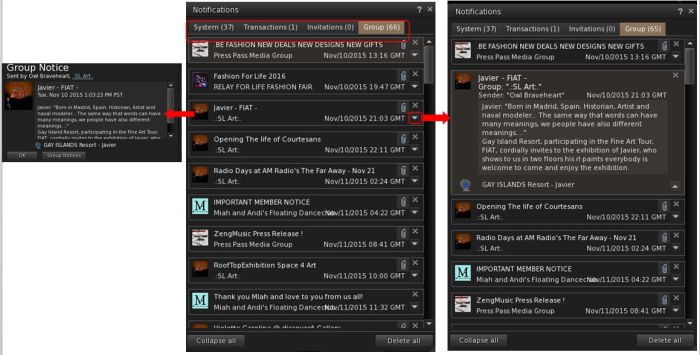
The notifications update presents a new floater for managing all your incoming notifications and notices, the result of a feature request to the Lab from Aki Shichiroji. Within this floater, incoming notifications are split between four tabs: System, Transactions, Invitations and Group, with each tab displaying the total number of notices stored within it.

Notices are initially displayed in summary format presenting the title, date of receipt and other immediately relevant data, and can be opened in one of two ways:

  • Clicking on a notice directly will open in a new floater (shown below left) – this is a Firestorm-specific feature for the floater
  • Clicking on the small downwards arrow to the right of the notice will expand it within the existing floater (show below right).
The new Notifications floater from the Lab is included in Firestorm 4.7.5.

The floater also includes two buttons: Collapse All and Delete All. Both do as they suggest: collapse all notices open within a tab in the floater and delete all notices with a tab. Two further Firestorm-specific aspects of the notifications floater are:

  • An improved display of condensed group notices and show group name instead of sender name
  • The floater remembers the last selected tab after a relog.

Mesh Uploader Updates

Firestorm 4.7.5 includes the updated mesh uploader from Linden Lab, as seen in the SL viewer 3.8.4.305119 release.

This feature modifies the mesh importer to (optionally) improve debug output, perform name-based LOD association, and handle models with many materials, and allows models with more than 8 unique faces to be imported. When using it, note that:

  • The same limitations on LODs and materials remain in place (e.g. your low LOD mesh materials must be a subset of the full LOD materials).
  • LODs and Physics reps can now be explicitly associated with a given mesh in the full LOD model using name-based matching.
  • By properly naming the meshes in your lower LOD meshes and physics reps, you can avoid issues with ordering of the meshes within your DCC tool and other material mismatching errors.
  • An ImporterDebug option has been added to the settings.xml file which, if enabled, causes more information to be output during import than you can shake a stick at.
    The extra output can be very helpful for diagnosing authoring errors (e.g. violating the material subset constraints mentioned above) and pinpoint what needs to be fixed in the source model for successful import.

Further information can be found in the Lab’s Knowledge Base article.

Other Updates from the Lab

Other notable updates from the Lab include, but are not limited to:

  • A fix for unable to wear a copy of a wearable until relog or swapping to a wearable with a different UUID (see: BUG-8388 and FIRE-16097)
  • A fix for viewer crashing at logout if wearing clothing textured with a local texture (BUG-8872 and FIRE-15787)
  • A fix for viewer crashing if you open Help > About while a group member list is loading (see BUG-9396)
  • A fix for deleting objects too quickly from contents of another object results in viewer crash (see BUG-9492 and FIRE-16352)
  • A fix for alpha masking not working when ALM is enabled if the object has a legacy bump set (see BUG-7263)
  • Fixes for mesh models sometimes failing to load completely (see: BUG-6803, BUG-7239, BUG-8806, and FIRE-15690)
  • A fix for the inventory count sometimes not displaying (see BUG-7263)
  • A fix for group members of large groups in a role which has “Invite people to this group” ability not being able to send group invites (see BUG-9404)
  • A for fox errors when texturing a linkset “Unable to add texture. Please wait a few seconds and try again.” (see BUG-9957 and FIRE-16755)
  • A fix for the massive slowdown when opening “Place Profile” or “About Land” dialogue when the Covenant text is long
  • A fix for broken texture animation on rigged mesh
  • A fix for building block type changing to Torus after cancelling changing of texture for sculpted object
  • The time remaining is now displayed before the avatar name in the parcel ban list for timed bans
  • A huge number of maintenance fixes from various LL Maintenance viewer updates – for the full list, please refer to the Firestorm notes.

Continue reading “Firestorm 4.7.5: something for everyone”

Second Life land set-up fees reduced

Land costs in Second Life are one of the most controversial issues to discuss. While it is often claimed that “the tier is too damned high”, the Lab has always been somewhat hoist by its own petard in having virtual land fees as the mainstream of its income. As I explained at length in January 2013, this actually limits how much the Lab can actually do with regards tier without potentially hurting its ability to function.

However, one area that has always seemed unaccountably high is the one-time set-up fees charged for private regions. These have stood at US $1,000 for a standard full region and $375 for a standard Homestead region (both inclusive of the first month’s tier, and ex-VAT where applicable) for many years, which has always come across as an exorbitant  amount to charge. There have been numerous calls over the years for these fee to be reduced; in my 2013 article linked to above, I went so far as to suggest a reduction in set-up fees coupled with a modest reduction in tier might be a way forward for the Lab.

The Lab, though, seemed steadfast in its approach. Tier would always be difficult to adjust, and they appeared reticent to play with the set-up fees. But on Tuesday, November 17th, that latter point changed.
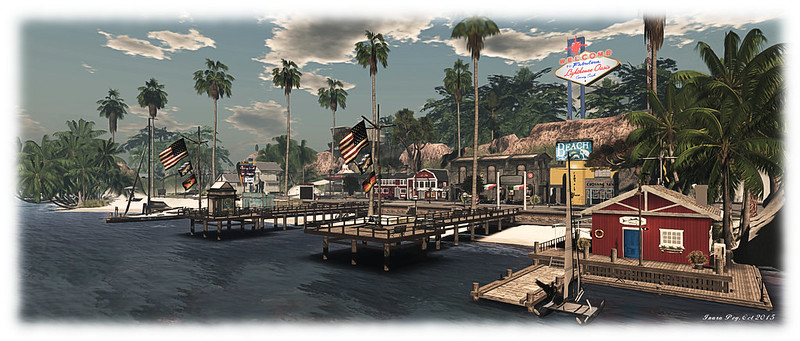
Crossing Sands; Inara Pey, October 2015, on Flickr With immediate effect, set-up fees for all private island products (unthemed and themed) in Second Life have been reduced by 40% (image: Crossing Sands MarinaFlickr)

As announced in a an official blog post, the Lab has confirmed that with immediate effect set-up fees across all private island products (Full, Homestead and OpenSpace, both developed and undeveloped), have been reduced by 40%. This means that the set-up fees for all classes of private island product are now (ex-VAT, where applicable):

  • Full Private Island US $600
  • Themed private island US $629
  • Homestead region US $225
  • Themed Homestead region $250
  • OpenSpace region US $150

What’s more, anyone who has paid a region set-up fee in the past 14 days will receive the difference in fees back as a credit(in US Dollars to their account balance.

This is undoubtedly a step in the right direction – although how much of an impact on land usage it has will be interesting to monitor. In October 2011, the Lab abolished all set-up fees for a period of one month in a “land sale”, which saw  689 added to the grid, a net growth of some 508 regions for the month. Unfortunately, such was the situation then that, as the realities of tier kicked-in, the increase in regions was all but negated in a few months as the heavy decline in region numbers continued through 2012.

As it stands, it is fair to say the global economic situation has improved since 2012, and people have again found themselves with more in the way of disposable income in their pockets they can put towards tier. This has likely to have been a contributing  (but not the only) factor in the slow-down in regions losses seen in 2013 / 2014. But will a cut in set-up fees be sufficient to fuel a further sustained slow-down in grid shrinkage which has accelerated slightly in 2015? That’s something only time will tell, although I’m admittedly sceptical.

Which is not to negate the move by the Lab in any way – rather the reverse, it is most welcome, if perhaps a little overdue.
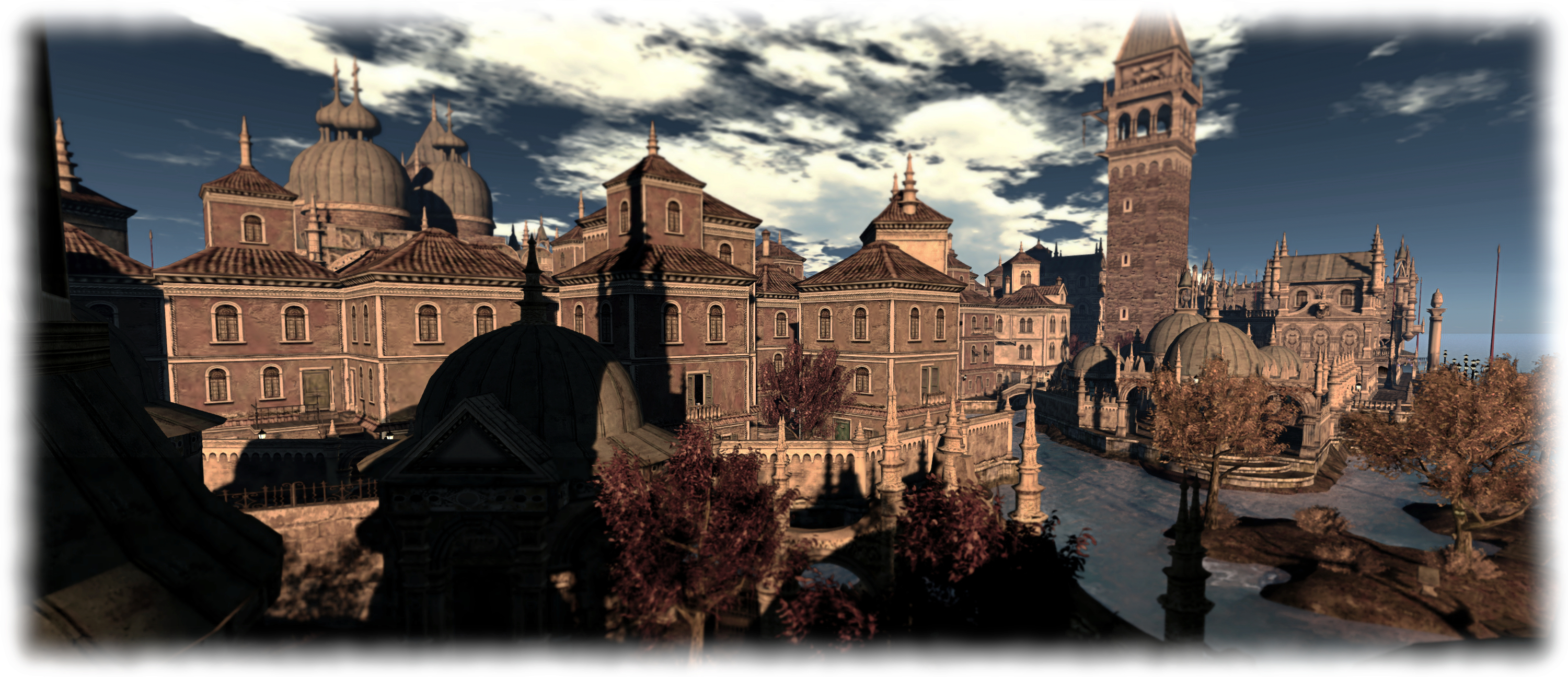
Venexia; Inara Pey, June 2015, on Flickr Tier has been a significant contributor to the loss of regions in SL, including places such as Venexia (above) and its sister region, Goatswood.  Whether the reduction in set-up fees will help slow this situation down is an open question.

Changes to Transferring Regions

Alongside the set-up fees reduction for private regions, the Lab has also announced changes to transferring regions with grandfathered pricing, with the blog post stating;

Previously, Private Islands with grandfathered pricing would lose that status and revert to the usual schedule of land maintenance fees when the regions were transferred to a new owner. Today, we are changing that policy to make it easier for these regions to remain on the grid if and when they are sold to new owners.

Effective immediately, both Grandfathered Full Private Island regions ($195/month) and Grandfathered Homestead Private Island regions ($95/month) may be transferred to new owners without losing the discounted pricing.

However, this news come with a caveat: the one-time transfer fees for grandfathered regions are increased, with grandfathered full regions costing US $600 to transfer and maintain the grandfathered tier, and homestead regions US $300 (both fees per region, and exclusive of VAT where applicable),
Art in the Park: progress to date

The new pavilion at Holly Kai Park

In the latter half of October, I blogged about taking on a new role in Second Life as curator of the Holly Kai art park. Since then things have been progressing slowly, as I’ve been contacting artists I’d like to see participate in the park’s re-lunch exhibition, and have been working out how best to change things around at the park without undoing all the hard work already put into it.

That said, things have now reached a point where I’m comfortable in revealing progress to date, and to say that all things being equal, the first exhibition will be launching in early December. I’ll be contacting the artists who participating with details on arranges a little later this week, so they’ll have plenty of time to prepare.

For those used to mooring at the park, you’ll find things have changed a lot; there are new slips on both the east and west sides of the park to accommodate more boats coming alongside. Auto-return is set to 60 minutes to allow people time to explore the park, and re-rezzing of boats is allowed.

The moorings on both the east and west sides of the park have been revised to offer more room for boats

In addition, some tweaks have been made to the beach area behind the west side slips to give a little more room for those simply wishing to spend time on the beach; there’s still more work to be done with this, but it’s not an immediate priority.

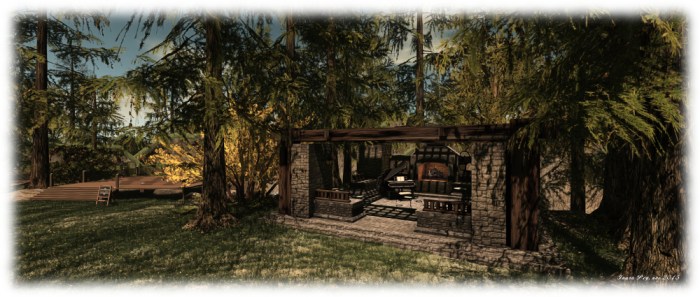
Within the park itself, new wooden decks have been installed to offer artists more formal spaces for displaying their work. Most of these are up on the hill in the centre of the park. The park walls connecting the east and west sides have new lighting which should provide soft illumination during the SL night. There’s also a new stone pavilion where visitors are welcome to rest for a while.

The biggest change, however, is on the west side of the park. As well as altering the moorings here, and at Caitlyn’s excellent suggestion, I’ve added a small venue, the Caitinara bar. Over time, this will hopefully become a place for regular music and dancing for smaller groups.

Some of the new deck spaces where artists can more readily display their work, complete with easels for showing their photo / giving their bio
Some of the new deck spaces where artists can more readily display their work, complete with easels for showing their photo / giving their biography and notes on their work

In talking things through, Nber and I have also decided to add a further arts venue to Holly Kai, which will probably be up and running ready for the 2016. Borrowing a leaf from Windlight Magazine’s book, the new Holly Kai Art Garden will be available free of charge for periods of 25 days to any artist who wishes to use it, with both indoor and outdoor display spaces. In addition, those apply to use it will also be able to book either the Pavilion or the Piano Bar for any associated opening / closing events they might wish to hold.

To help manage everything, there will be a new website launching at the time of the first exhibition in the park, and this will include application forms for those wishing to join in the group exhibitions in the park, or who wish to apply to use the new Art Garden.

Caitinara, the bar at Holly Kai
Caitinara, the bar at Holly Kai Park

I’ll have a further update as the work progresses through the rest of November!

SLurl Details

2015 viewer release summaries: week 46

Updates for the week ending Sunday, November 15th

This summary is published every Monday, and is a list of SL viewer / client releases (official and TPV) made during the previous week. When reading it, please note:

  • It is based on my Current Viewer Releases Page, a list of all Second Life viewers and clients that are in popular use (and of which I am aware), and which are recognised as adhering to the TPV Policy. This page includes comprehensive links to download pages, blog notes, release notes, etc., as well as links to any / all reviews of specific viewers / clients made within this blog
  • By its nature, this summary presented here will always be in arrears, please refer to the Current Viewer Release Page for more up-to-date information.

Official LL Viewers

  • Current Release version: 3.8.6.305981, October 26 – no change download page, release notes
  • Release channel cohorts (See my notes on manually installing RC viewer versions if you wish to install any release candidate(s) yourself):
    • Quick Graphics RC viewer updated to version 3.8.7.306758 on November 12 – provides the new Avatar Complexity options and the new graphics preset capabilities for setting, saving and restoring graphic settings for use in difference environments / circumstances (download and release notes)
    • Maintenance RC viewer version 3.8.7.307376 released on November 10 – core updates: some 38 fixes and improvements, including updates for some regressions introduced into the viewer with the current release viewer (download and release notes)
    • Project Azumarill (HTTP updates) RC viewer withdrawn, November 11  – possibly due to issues encountered by users on the cohort
  • Project viewers:
    • Project Valhalla (CEF media update) project viewer updated to version 4.0.0.307535 on November 10 – replaces the ageing LLQTWebKit system used in the Web media plugin with a shiny new one based on the Chromium Embedded Framework (CEF) that supports modern web technologies (download and release notes)

LL Viewer Resources

Third-party Viewers

V3-style

V1-style

  • Cool VL Viewer updated as follows: Stable version to 1.26.14.13 and Experimental to 1.26.15.12, both on November 9th – release notes.

Mobile / Other Clients

  • No updates.

Additional TPV Resources

Related Links