Ebbe confirms: “we’re working on a ‘next generation’ platform” (with audio)

Back in October 2012, I was pointed to an interview with former Lab CEO Rod Humble in Gamesbeat, in which he talked about the Lab’s (then) new products, the Lab and Second Life. In reviewing that piece, I picked up on a statement that Linden Lab is “still investing in 3D virtual worlds.”

Rod Humble first hinted that the Lab is looking at virtual worlds beyond SL

In the middle of the comments following that article, Rod himself popped-up to reassure people that the Lab was (and is) still committed to Second Life. In this comment, he also acknowledged the use of the plural – “virtual worlds” – stating:

My comment about also investing in virtual worlds is correct. As you know I don’t like to detail things until we are close to something actionable, but we absolutely are investing in the large virtual world space which I think will make Second Life users, business owners and developers very happy…. but its a ways off 🙂

Making an unannounced visit to the TPV Developer meeting on Friday June 20th, Ebbe Linden (Ebbe Altberg, the current CEO at the Lab) went a lot further than hinting at “virtual worlds”. He made a clear-cut statement that not only  is the Lab working on a “next generation” platform, he’s been actively talking to the media about it, and that things have reached a point where they are ready for internal demos at the Lab.

Obviously, the idea that the Lab is working on something “other” that Second Life – particularly given it is another virtual world platform – is liable to cause a range of responses from excitement through to misgivings and outright worry (many of which were expressed during the meeting).

Ebbe Altberg popped-in on the TPV Developer meeting as Ebbe Linden, and spoke a little about the "next generation" VW platform the Lab is developing
Ebbe Altberg popped-in on the TPV Developer meeting as Ebbe Linden, and spoke a little about the “next generation” VW platform the Lab is developing

His comments on this platform can within a wide-ranging discussion on Second Life, issues of user retention, how best to tackle bringing new users into SL (including the role the existing user base can play, how users and Lab can support one another, etc.). I’ll have more on this in due course.

For the moment, I’m including an audio file of the conversation on the platform the Lab is developing, extracted from the wider discourse, together with some key bullet-points:

  • There are no clear details on exactly how the new platform will work and how it will be marketed
  • It is not going to replace Second Life per se, but will initially run in parallel to it. Second Life is still a viable product with a strong revenue stream. How long the two run in parallel and whether or not one or the other will eventually be closed down depends on a lot of variables, not the least of which will be the volume of users and the success of both in terms of continued revenue generation
  • It does not mean the Lab are stopping work on Second Life developments and enhancements – although it does mean that some projects (such as the introduction of a new scripting language or a complete overhaul of the avatar) are unlikely to go ahead within Second Life
  • The new platform is not Philip Rosedale’s High Fidelity, nor is it based on High Fidelity (although conceivably it could leverage some of what High Fidelity is doing  – and possibly vice-versa). As I’ve frequently pointed out in this blog, and others have elsewhere, High Fidelity is an entirely separate technology development being carried out by an entirely separate company (although the Lab were an early investor)
  • The platform may or may not have some compatibility with Second Life in terms of content, it is to early to definitively say which it will be. However, the direction which has been set is not to allow things to be constrained by ideas of backwards compatibility with SL or to become overly complicated as a result of thoughts about backward compatibility. Although there are some hopes for some levels of migration, given the new platform may well be revolutionary, rather than evolutionary, whether this will be possible , and at what level cannot at this time be determined
  • This does not necessarily mean there won’t be a means by which content can be exported from SL to the new platform, although the Lab is understandably concerned over the quality of content
  • It will initially be closed-sourced; whether this remains the case, hasn’t been decided
  • Resources at the Lab will be split going forward: Oz Linden will be leading a team of engineers focused on Second Life, and the Lab will use other resources / resources recruited into the company to build-up is liable to be run starting in late 2014 or early 2015, with people invited in to it under NDA.

The comments on the new platform grew out of a discussion about SL and the media, and the audio extraction picks-up from the end of the chat about PR.

Note that in the audio, questions are included from the 8:11 mark onwards, and Oz Linden adds a comment between 11:12-12:00. Following Ebbe’s comments on people accessing the new platform under NDA from the end of 2014 or in 2015, the conversation wound-down and he departed the meeting.


Speakers: Ebbe Linden, Oz Linden, Jessica Lyon, Latif Khalifa, Takoda (Lassie)
Related Links

Restrained Love 2.9: scripted camera controls

On June 16th, Marine Kelley recently updated her Restrained Love viewer to version 2.9. It introduces a new series of camera control options, offering a range of potential opportunities for those wishing to create puzzles, mazes, immersive quests, etc., as well as being applicable to the general use of RLV!

Marine provides the details on the updates, but here in brief is a summary of the key additions, together with an  image I’ve borrowed from her blog:

  • @camdistmin and @camdistmax force the camera to stay within a range (0= Mouselook any value above 0 actively prevents Mouselook being engaged)
  • @camdrawmin and @camdrawmax simulate fog / blindfolds by obscuring the world around the avatar (not around the camera, as with the windlight settings)
  • @camdrawalphamin and @camdrawalphamax indicate the closest and farthest opacities of fog defined by @camdrawmin and @camdrawmax
  • @camdrawcolor sets the color of the fog defined by the above (black is the default)
  • @camunlock prevents the camera from being panned, orbited, etc. away from the avatar – so can prevent someone from peer through walls, etc.
  • @camavdist specifies the maximum distance beyond which avatars look like shadows (think ssing people in a mist or heavy fog)
  • @camtextures renders the world grey, other than avatars and Linden water. Marine notes that bump mapping and shininess remain untouched, as even someone blindfolded or in heavy fog can still feel their way around
  • @shownametags hides the radar, name tags, and prevents doing things to an avatar through the context – useful for games involving trying to find someone without them being betrayed by their name tag.

There are three additional camera presets added as well (left, right, top), to allow some additional camera options when @camunlock is active. There is also a new debug setting, RestrainedLoveCamDistNbGradients, to go with the camera options, as well.

RLV 2.9 adds some interested scripted controls for the camera which could have a range of uses, such as locking the camera to the avatar and controlling how far the user can see, a
RLV 2.9 adds some interesting scripted controls for the camera which could have a range of uses, such as locking the camera to the avatar and controlling how far the user can see (image: Marine Kelley)

Again, please refer to the RLV 2.9 release notes for full details of these, and the other updates with this release.

The new camera options, as noted, could have a range of potential uses, and demonstrate (once again) that RLV isn’t just about “teh bondages”  – it’s an extremely flexible extension to her viewer (note that they are only applicable to her RLV viewer at this time). Those wishing to find out more about it and who may not have taken a look at it previously, can find more information both on Marine’s blog and on the RLV API wiki page.

Related Links


Going Somewhere

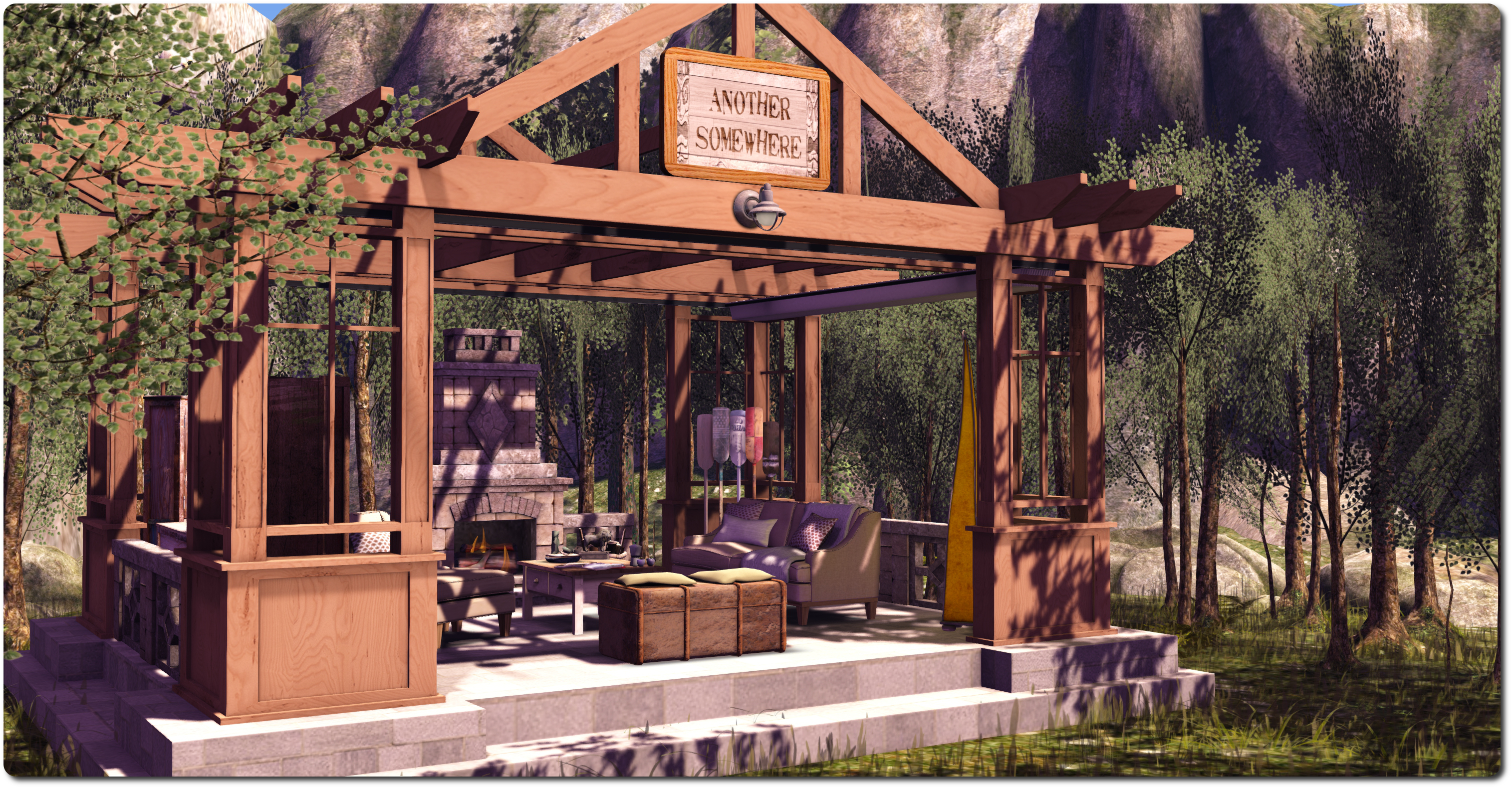
Another Somewhere, Hamoa Island; Inara Pey, June 2014, on FlickrAnother Somewhere, Hamoa Island (Flickr) – click any image for full-size

Another Somewhere is a half homestead region of delight. Created by Azriel Xue, it is another reminder that it doesn’t necessarily require a 15,000 prim land capacity to create something eye-catching and memorable (or even 3,750 for that matter).

Wilderness is the theme here; rugged cliffs, perhaps leading up to mountains tall and cold, stand over a stretch of coastline hugged by blue waters which surround three nearby islands. These can be reached by boat, and are in turn watched over by larger islands further out to sea (off-sim).

Another Somewhere, Hamoa Island; Inara Pey, June 2014, on FlickrAnother Somewhere, Hamoa Island (Flickr)

Footpaths follow the shoreline, winding their way around the base of the cliffs and overlooking the water, before branching to climb steps worn into the rock and then branching again. Little red huts stand over the waters, precariously balanced on wooden piers out-thrust from the sheer rocky faces.

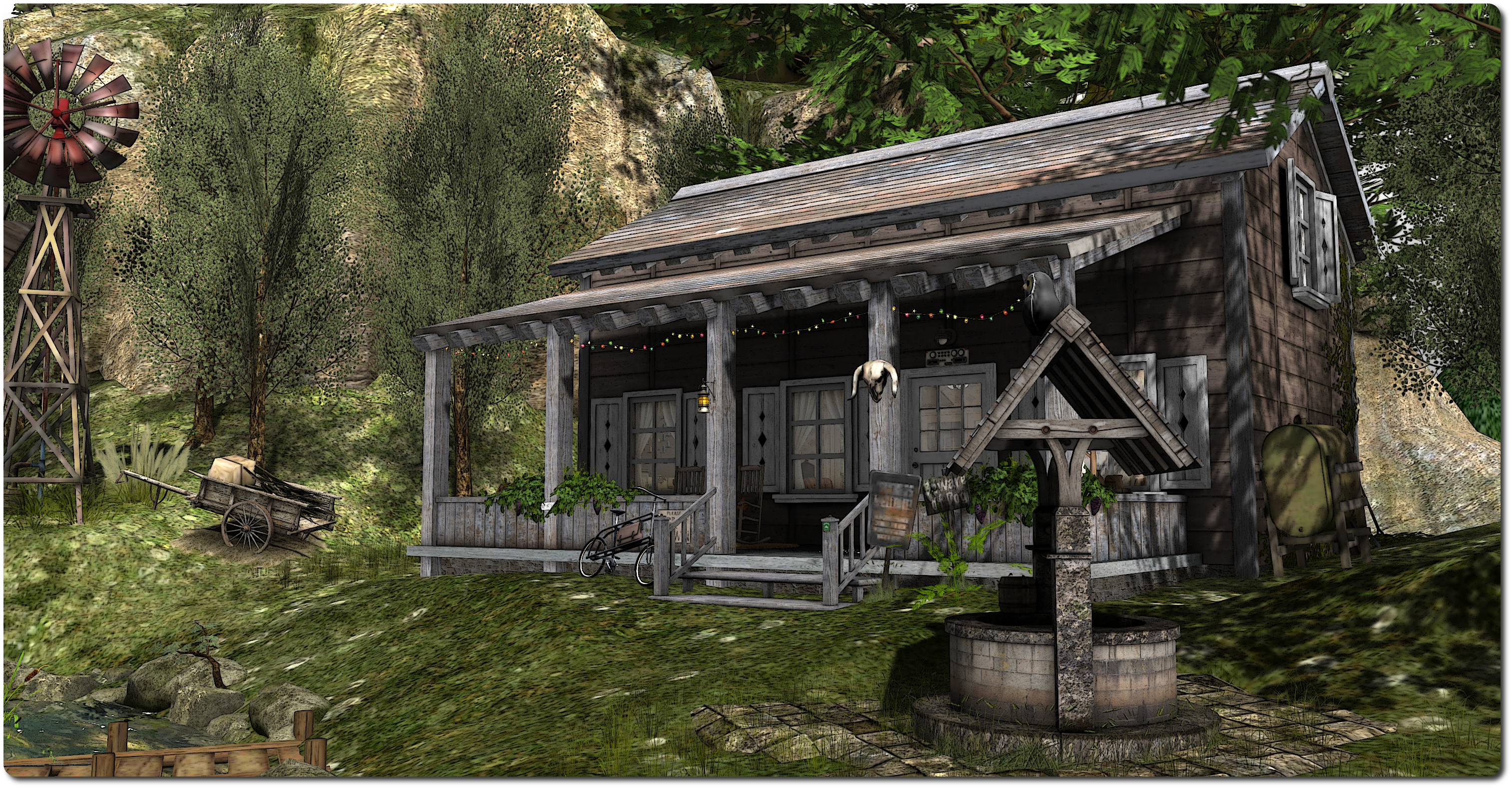
Part of the water passage between coast ansd islands has been dammed, squared-off stone bricks allowing a path to reach the largest of the islands. Here sits a rustic cabin, offering home comforts and fresh water from deep well. An improvised jetty of old railway sleepers offers a place where you can grab a motorboat and make your way to the other islands (although I confess, the rezzer didn’t want to work for me 😦 ).

Another Somewhere, Hamoa Island; Inara Pey, June 2014, on FlickrAnother Somewhere, Hamoa Island (Flickr)

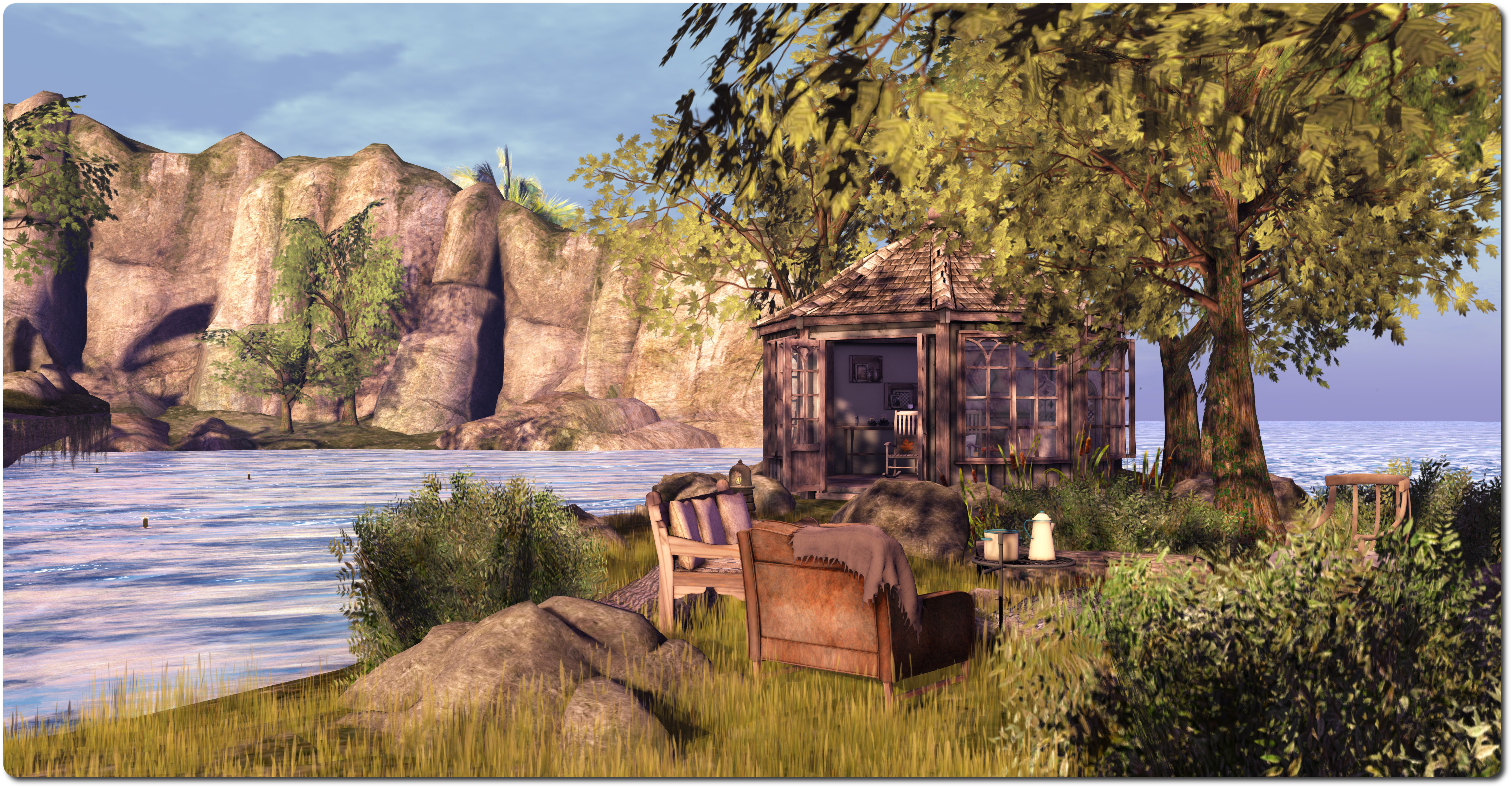
The outermost of the remaining two islands offers a place to sit out with friends under leafy shade, enjoying a cup of coffee or a bowl of what looks to be chowder, both simmering over an open fit pit. A gazebo offers a warm fire and place to sit sheltered from any wind, for those who prefer.

Across a narrow stretch of water, a wooden pergola sits atop a grassy upthrust of rock, a solid pier again offering a place to rez boats, stout wooden steps leading up to the pergola as it sits amidst a small copse on the island. Another well is also to be found on this island, so the water is fresh for those wanting a cup of tea or mug of coffee. Here is another place where friends can meet and relax – although for the adventurous, a zip slide links it to the gazebo’s little island. Just mind the tree at the end of the line! I had a bit of a George of the Jungle moment sliding down…

Another Somewhere, Hamoa Island; Inara Pey, June 2014, on FlickrAnother Somewhere, Hamoa Island (Flickr)

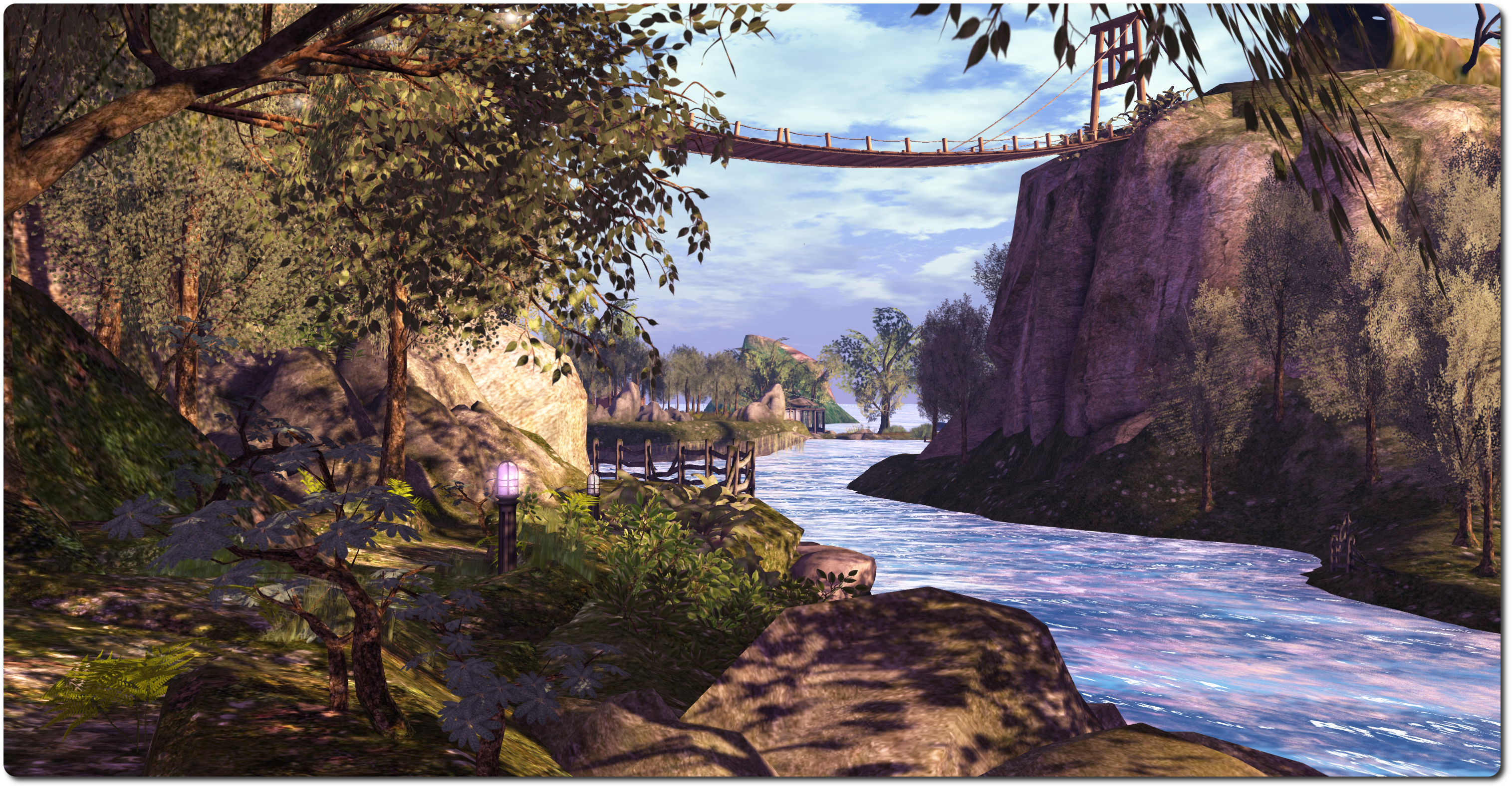
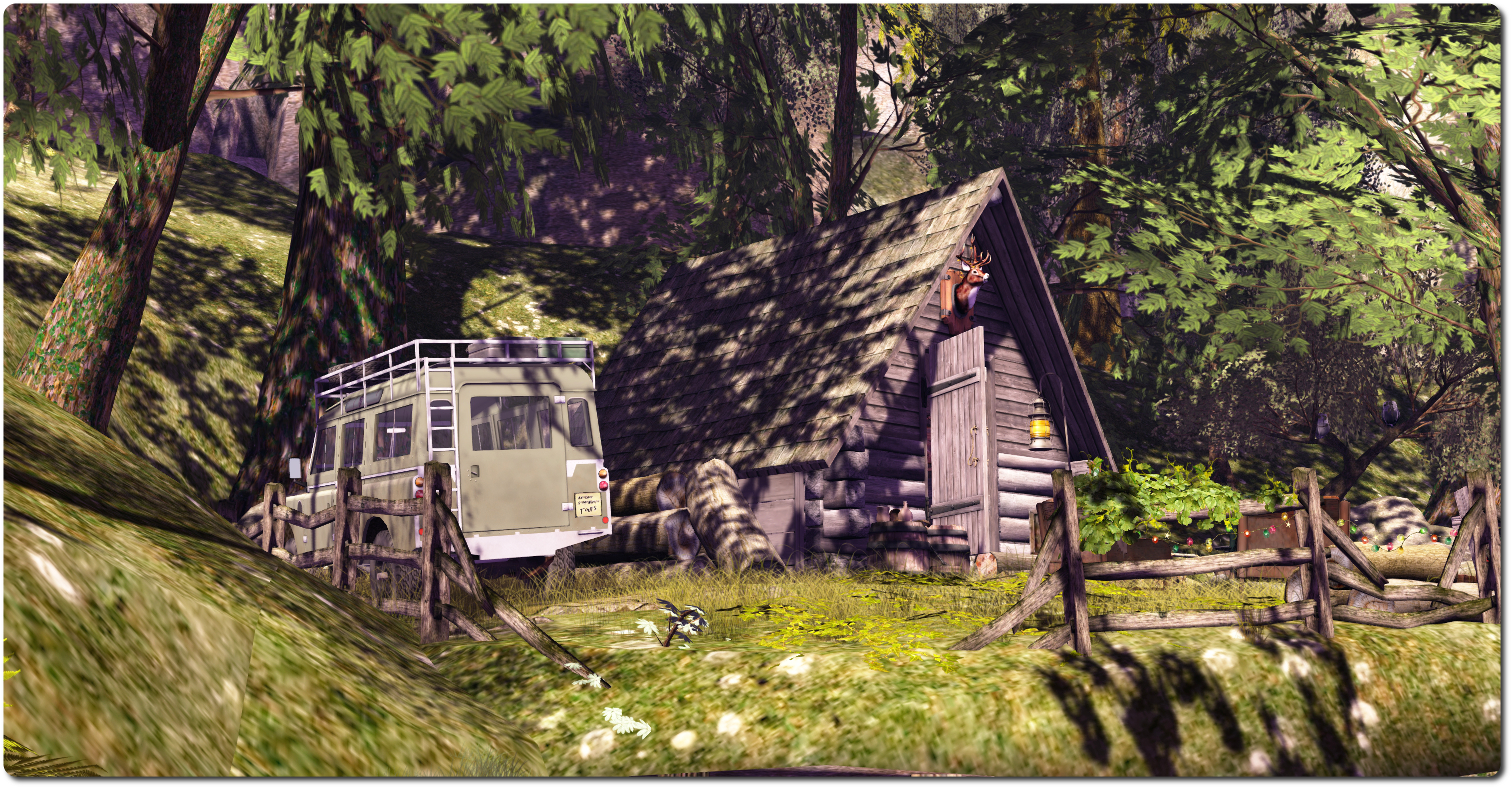
Across the water, you can follow the paths upwards, where there is more to discover: one leads to a look-out point, another gives access to an old mountain shelter, now perhaps serving as a hunting lodge. Follow a follow a third, and it will take you into the foothills and to a high wooden footbridge spanning the gorge between the cliffs and the rocky outcrop sheltering the  cabin.

For SL photographers and those seeking new places in SL to enjoy, Another Somewhere presernts itself as an excellent place to visit. I also have to admit to liking Azriel’s outlook on life, summed up in a quote from Lauren Myracle: I live in my own little world. But its ok, they know me here. I know that feeling ony too well!

Another Somewhere, Hamoa Island; Inara Pey, June 2014, on FlickrAnother Somewhere, Hamoa Island (Flickr)

Related Links

Reflections of colour and sound

Reflections
Reflections

Nino Vichan’s latest installation opened on Wednesday June 18th. Located at Influence Art Gallery, which is curated by yvan Slade and MacKena Soothsayer Reflections is a wonderfully immersive piece combining colour and sound in a most hypnotic manner.

The installation is in two parts. The first is a conventional display of images by Nino, presented as vivid paintings, of elements of the second part of the exhibit. These are ranged around the gallery space and are available for sale should any in particular catch the eye.

Reflections
Reflections

The main part of the exhibit lies above, and is reached by right-clicking the golden sphere floating just above the floor of the gallery space, and selecting Teleport.

This takes you to a large sphere in which colour and sound literally flow. Multi-hued columns float gently around; colours ripple underfoot; particles rise, float, shimmer, rotate, fall; stars gleam and light flares and turns. Within and around all this, the air is filled with music with a slightly tonal nature, reflecting and enhancing the movement of light and colour.

ref-18_001
Reflections

The text accompanying the piece informs the visitor:

Light waves possess all colours
Reflections off objects filter these light waves
These reflections are the colours we see.

Sound waves possess frequency, wave shape and amplitude
Sound waves reflect off objects
Reflections of sound are the echoes we hear.

Reflections
Reflections

Within those words lies a veritable cosmos of meaning and interpretation, all suggested by the mix of colour, light and sound which draws the observer in; the soft shine to the changing shades and hues a counterpoint to the tonal elements of sound within the music, yet working with it to lull the mind, encouraging release, leaving one entranced without realising it, floating while seated.

One not to be missed.

Related Links

Replex: A new viewer for SL and OpenSim

Replex-logoLatif Khalifa is well-known if the viewer community. Not only does he maintain the very excellent Radegast lightweight client for SL and OpenSim, he has also been a regular contributor to Singularity, the popular viewer using the v1-style UI. Now Latif is working on a v1-style viewer of his own.

Replex is still very much in the alpha phase of work; as such, there is no formal release version of the viewer, but alpha builds are available for download with the caveat that there is no official support as yet. There is, however, an in-world group where questions can be asked of other users and information exchanged. There is also an IRC chatroom #replex on Freenode where the developers can be reached via an IRC client or Freenode webchat.

The viewer itself is based on Singularity, unsurprisingly, given Latif’s close ties with that team, and there is an acknowledgement on the Replex website of their role in providing the Singularity source code. The viewer is available in Windows and Linux flavours as both 32-bit and 64-bit builds, and also for Mac in a 32-bit build.

The following is a very brief overview of the viewer; I don’t pretend to have covered all the options and capabilities; rather I’m just pin-pointing some of the features it includes.

Replex is a v1-style viewer based on Singularity

As might be expected given its heritage, Replex has a default skin with a decidedly dark tint to it – although not so far towards the black default of Singularity, more a charcoal colour. The Singularity dark skin is also available via Preferences > Skins, as is the classic LL  v1.x blue skin and – something I’ve not seen in a while – the equally classic LL silver skin; this brought back some very old memories, as that was my preferred viewer 1.x skin when it came out.

The Replex change log lists recent features and additions to the viewer, and these are handily split between “Common” updates, indicating they are shared with Singularity (presumably in an upcoming release of that viewer), and those specific to Replex.

Toolbar Buttons

One of the more interesting updates from Singularity which appears in Replex is the ability to add / remove buttons from the viewer’s toolbar, a-la 3.x viewers. Obviously, buttons are restricted to the bottom of the viewer, but this is liable to be of interest to users as it allows some degree of customisation in the UI.

Change the buttosn you have displayed at the bottom of the viewer window in Replex, and coming soon to Singularity
Change the buttons you have displayed at the bottom of the viewer window in Replex, and coming soon to Singularity

Adding / removing buttons is a simple matter of opening the button chooser (View > Change Toolbar Buttons) and then checking those buttons to be displayed and unchecked those which are not wanted. There are a fair number of button options available, including debug options, windlight / sky /water / post-process effects, camera & movement controls, search options, etc. This can mean the button bar can get a trifle packed and a little hard to read if you go button bananas, but the feature is certainly a useful addition to the v1-style UI. Kudos, Lirusaito for the development work!

Emergency Teleport

Oddly enough, during the Simulator User Group meeting on Tuesday June 17th, a wibni (“Wouldn’t it be nice if”) comments was made about having a viewer-side capability to automatically teleport you somewhere if you happen to be AFK when a region restart occurs, rather than being logged-out.

I’ve no idea if the comment was passed as a result of someone peeking into the Singularity repository or taking Replex for a drive, because Replex has implemented this very capability using code also from Lirusaito.

Replex includes the option to define two LMs for auto teleporting you away from a region restart, should you be AFK

Continue reading “Replex: A new viewer for SL and OpenSim”

Group bans: an overview

On Tuesday June 17th, Linden Lab released the Group Ban project viewer (version 3.7.8.290887) which, as the name suggests, allows group owners (and those they nominate by role) to ban individuals from their group.

Group bans, which are enforced server-side, like parcel and estate bans, are intended to remove troublemakers from a group / prevent them from joining the group. This article will hopefully provide an overview of the group ban tools within the project viewer (and which will eventually progress to the release viewer).

The following general points with group bans should be noted:

  • By default, only a group’s Owners role has the Manage Ban List ability for banning other avatars from a group /removing avatars from the ban list
  • The ability can be granted to other roles, if required
  • Roles which are granted this ability are also granted the Eject Members from this Group and Remove Members from Roles abilities
  • The ban list for a group can store a maximum of 500 entries. When this limit is reached, some avatars must be removed before others can be added
  • Group Owners cannot be banned from a group (just as they cannot be ejected)
  • When a group member is banned from the group, they are automatically ejected and will receive the usual ejection notification, but will not receive any notice that they have also been banned
  • A user who is banned from a group cannot join it either directly or through an invitation
  • If a group member is banned while using group chat, they may be able to continue using it until they close the group chat window (this problem also exists when ejecting someone from a group when they have the group chat window open)
  • Any attempt to invite one or more banned avatars into a group, whether individually or as a part of a list, will generate the message:  Some residents have not been sent an invite due to being banned from the group.

The viewer itself includes the necessary options to allow a group owner (and those they nominate by role) to:

  • Add or remove avatars from the group ban list
  • View the group ban list
  • Add the ability to ban avatars from a group to any other roles within the group, if required.

Applying Group Bans

Avatars can be banned from a group in one of two ways:

  • By selecting them in the group members list if they are already a member of the group
  • By using the Group Ban Picker to ban one or more avatars from a group, whether or not they are already members.

Banning via the Members List

  • Display your groups list (CTRL-SHIFT-G), select the required group and open its profile
  • Click on Roles & Members to open it, and then click on the Members tab
  • Locate the first avatar you wish to ban and left-click on their name
  • If there is more than one avatar you wish to ban, press CTRL and left-click on each of the remaining names
  • Click on the Ban Member(s) button
  • The highlighted avatars will be ejected and banned from the group, and you should see the normal confirmatory notification(s) that they have been ejected.
Banning someone from a public droup via the Members tab (l), and confirming they are listed as banned on the Banned Residents tab (r)
Banning someone from a public group via the Members tab (l), and confirming they are listed as banned on the Banned Residents tab (r)

To confirm the selected individuals have been ejected and banned, click the right scroll buttons at the top of the panel to scroll / jump to the Banned Residents tab. This should display the name of all avatars banned from the group. If the name(s) of the avatar(s) just banned do not appear to be listed, wait a minute or two and click the refresh button in the lower left corner of the panel. Continue reading “Group bans: an overview”