SL project news: week 43/4: server updates

Week 43 Deployments

Main Channel

Tuesday October 23rd saw an update to the main channel which should have minimal impact on things, the changes having previously been on the Magnum RC channel. LL have been monitoring the deployment and have seen no adverse impacts.

BlueSteel RC

The BlueSteel RC channel received a further update to the current server maintenance project aimed at general stability improvement.

LeTigre

LeTigre is currently the focus of the server modernisation project, and as such received further updates to the deployment of Havok 2012.1. This means that mesh vehicles will continue to be unable to cross from LeTigre into regions running on other server channels for the time being.

As previously reported in part one of this week’s project news, LeTigre contains an updated cURL library which may cause problems for services using an external website for frequent data updates. The issue affects llHTTPRequest.

Essentially, the problem is that until now, the cURL library used by LL uses an explicit call to ensure data being returned from an external web service (such as information relating to the health status of breedable animals) is “fresh” data, rather than anything which may have been cached along the way. As such, specific functionality hasn’t previously been required within LSL to ensure this is the case.

However, The new cURL library deployed to LeTigre no longer attached the explicit call (technically a Pragma: no-cache header) to outgoing requests. This means that information being returned as a result of a call to an external service may in fact come from data cached along the way (such as from an intermediary server). Obviously, receiving “old” data would not be good for things like breedables, which could end up dying.

To overcome this, LL have added a new flag to the llHTTPRequest function to achieve the same result as used to be achieved via the old cURL library attaching the Pragma no cache “request”. In the meantime, anyone with breedables or other services which rely upon frequently updated data from an external web service have been advised to test their products on LeTigre.

Magnum RC

The Magnum RC channel was to have received a series of bug fixes, together with Baker Linden’s code for large Group Services. However, a showstopper issue was discovered with llSensor(). As a result, the release was rolled back and replaced with the BlueSteel deployment.

Also to have been included with this release is a new capability allowing the simulator to report information about script permissions granted to objects within a region. This capability requires an update to the viewer in order to be used (the code for which is currently held-up due to the beta viewer issues). Once the viewer code has been released, the new capability will allow users to list all items in a region to which they’ve granted permissions (such as items which have been granted animate permissions) and, if required, revoke them.

Please use the page numbers below to continue reading this article
Of mayflies and waterfalls

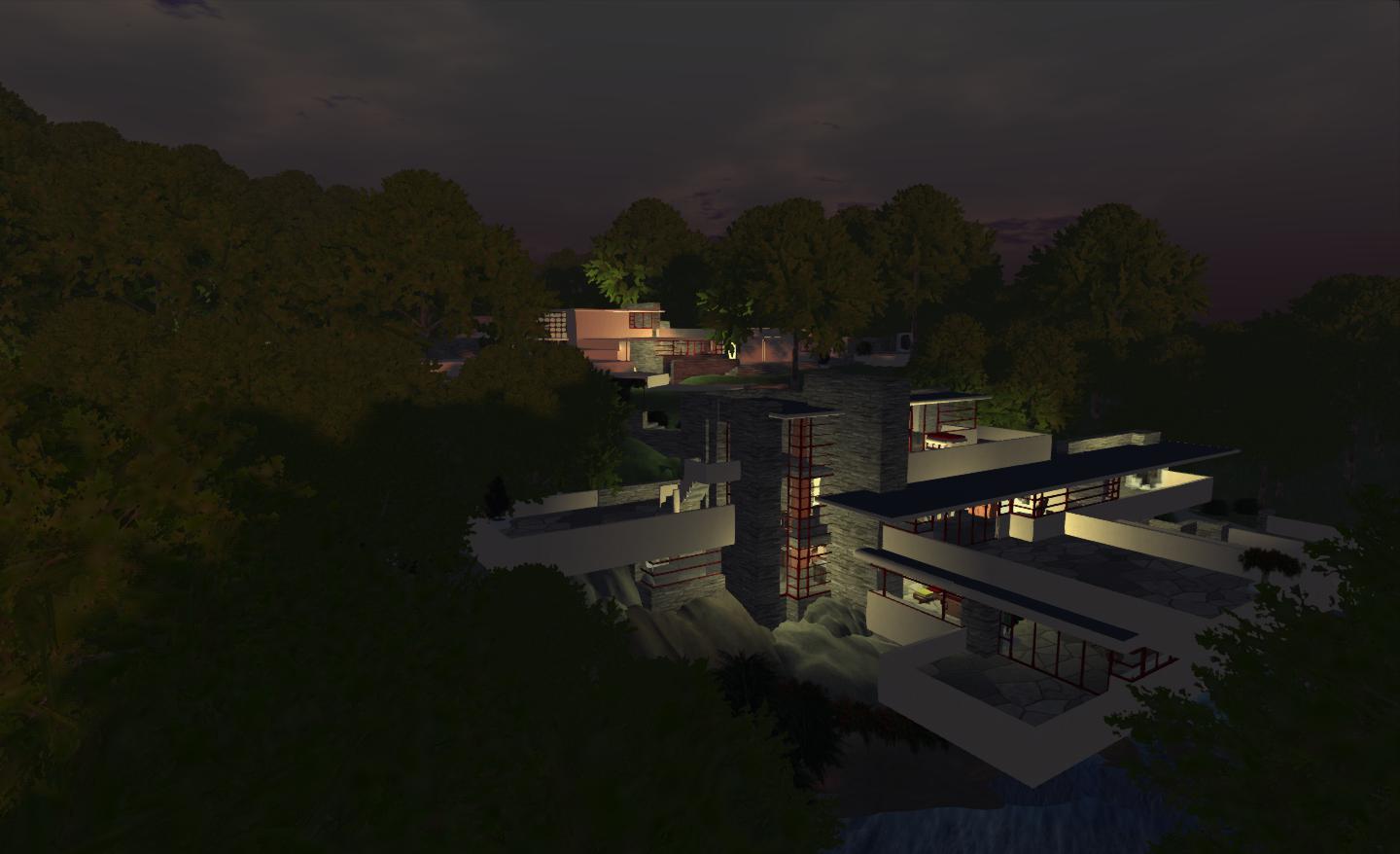
Today, and on a whim, I decided to drop back into Kitely and my home there – Fallingwater. It’s been a while since I’ve been back, as I’ve been busy in SL and elsewhere, and I didn’t really want to revisit until I’d got a couple of scripting issues sorted (still haven’t) and I’d decided on a suitable windlight preset (I have).

The Guest House

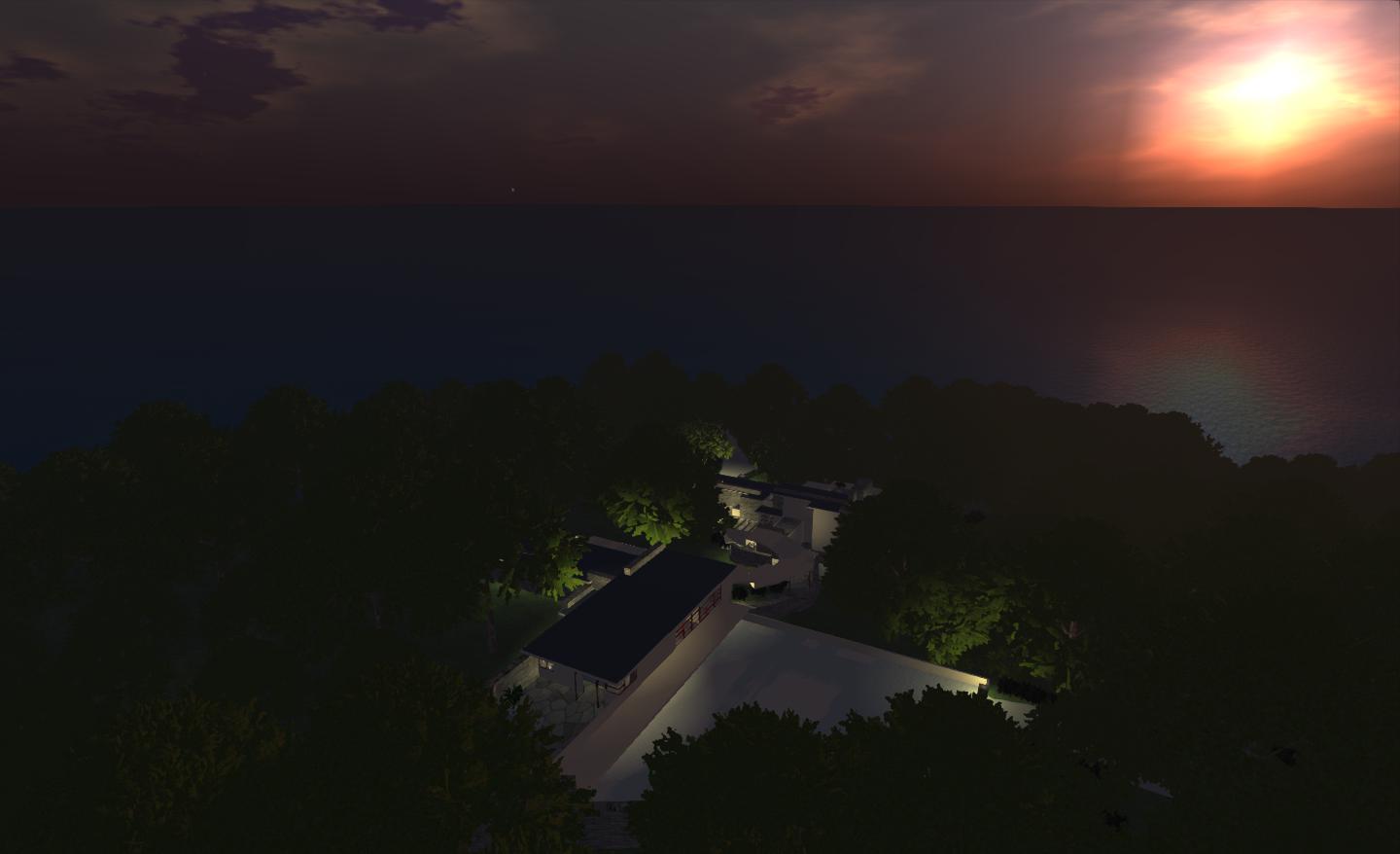
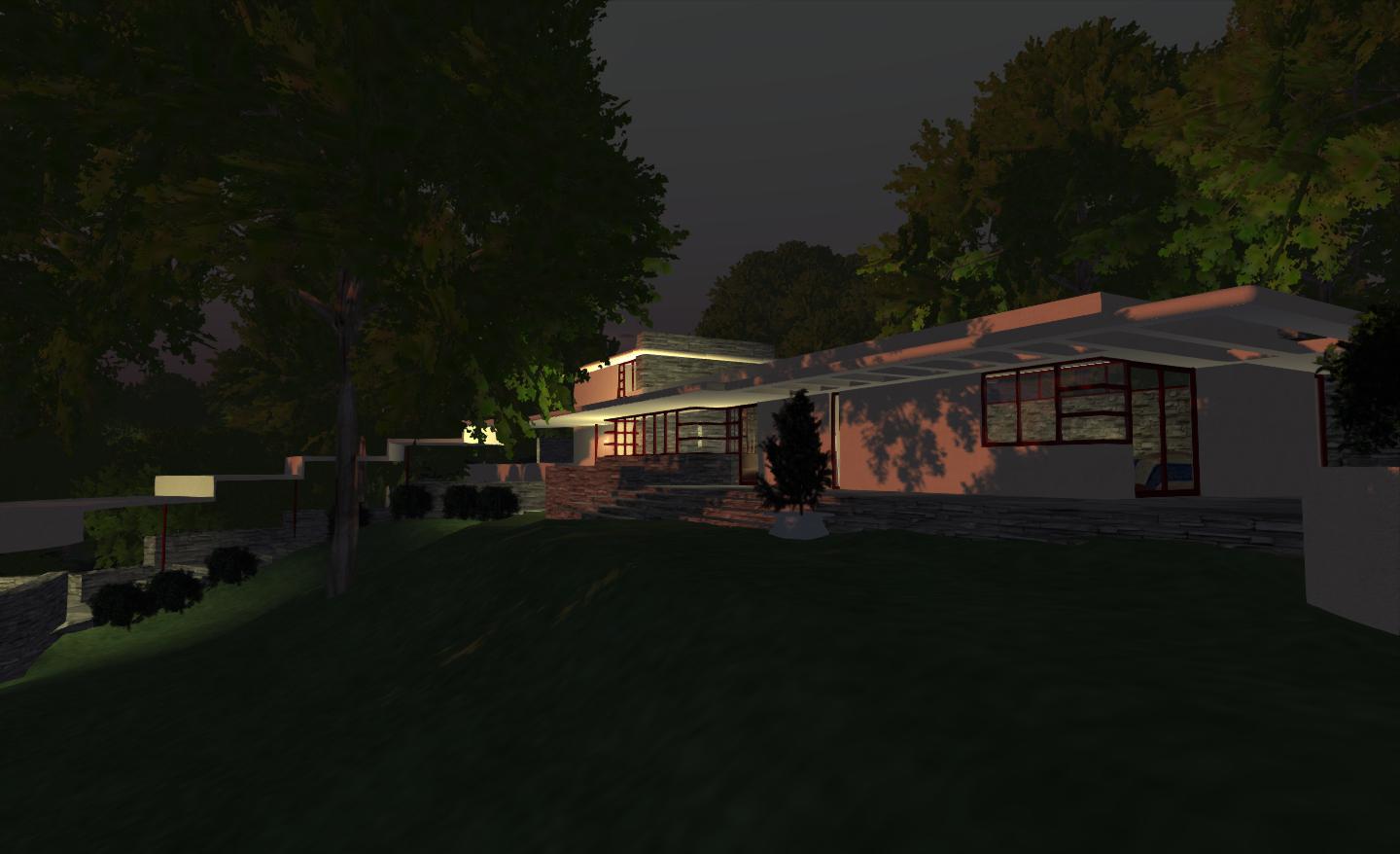
The windlight preset I’ve gone for – at least until I can get scripting issues sorted – is Bryn Oh’s “Mayfly”. I’ve opted for it partly because I love the sunset it provides, but mainly because I believe the dusk half-light it provides works well with the lighting I’ve installed in the house, which isn’t really suited to full daylight (again, something I hope to change in the future). As I want to be able to show-off the house, simply setting the region environment to night doesn’t work either, as people will likely flick over to daytime in their viewer. So my hope is that Mayfly will provide the best for everyone. I do tend to tink it does bring the place to life….but then I would, wouldn’t I? 🙂

Fallingwater

I also finally got around to putting in the footpath and steps from the drive to the river bank facing the house. This isn’t 100% to my satisfaction, and I’m liable to be returning to it and fiddling with things on-and-off, but it’s a start, and in slipping it in, I’ve gained a fair idea as to what I actually want to do when I have sufficient time to spare.

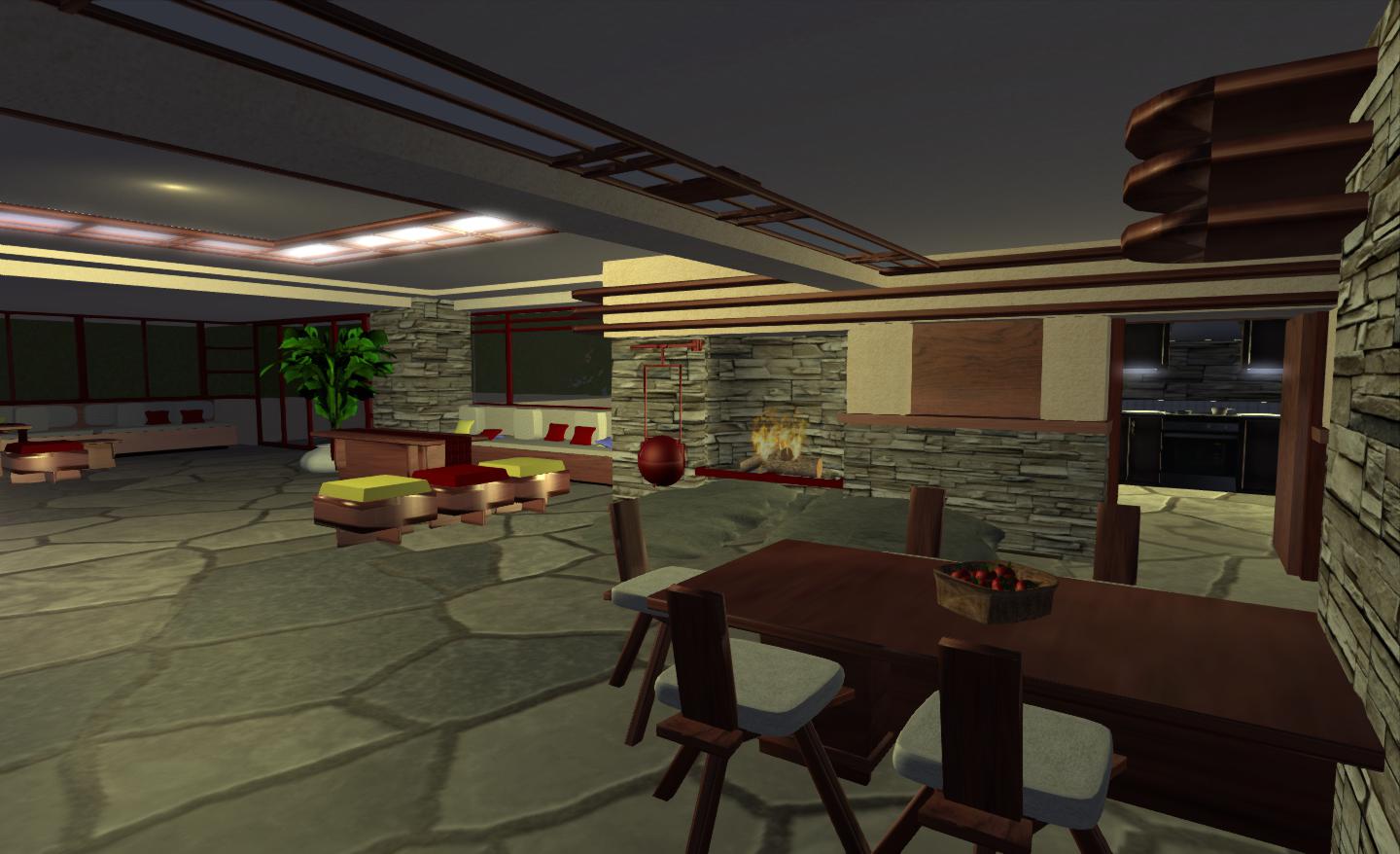
The Great Room and kitchen beyond

There are a few more things I want to do interior-wise as well. A couple of the rooms in the main house are a tad spartan, and the terraces could probably do with a little furnishing. Certainly, a few more pictures around the place would give more of a feeling of homeliness.

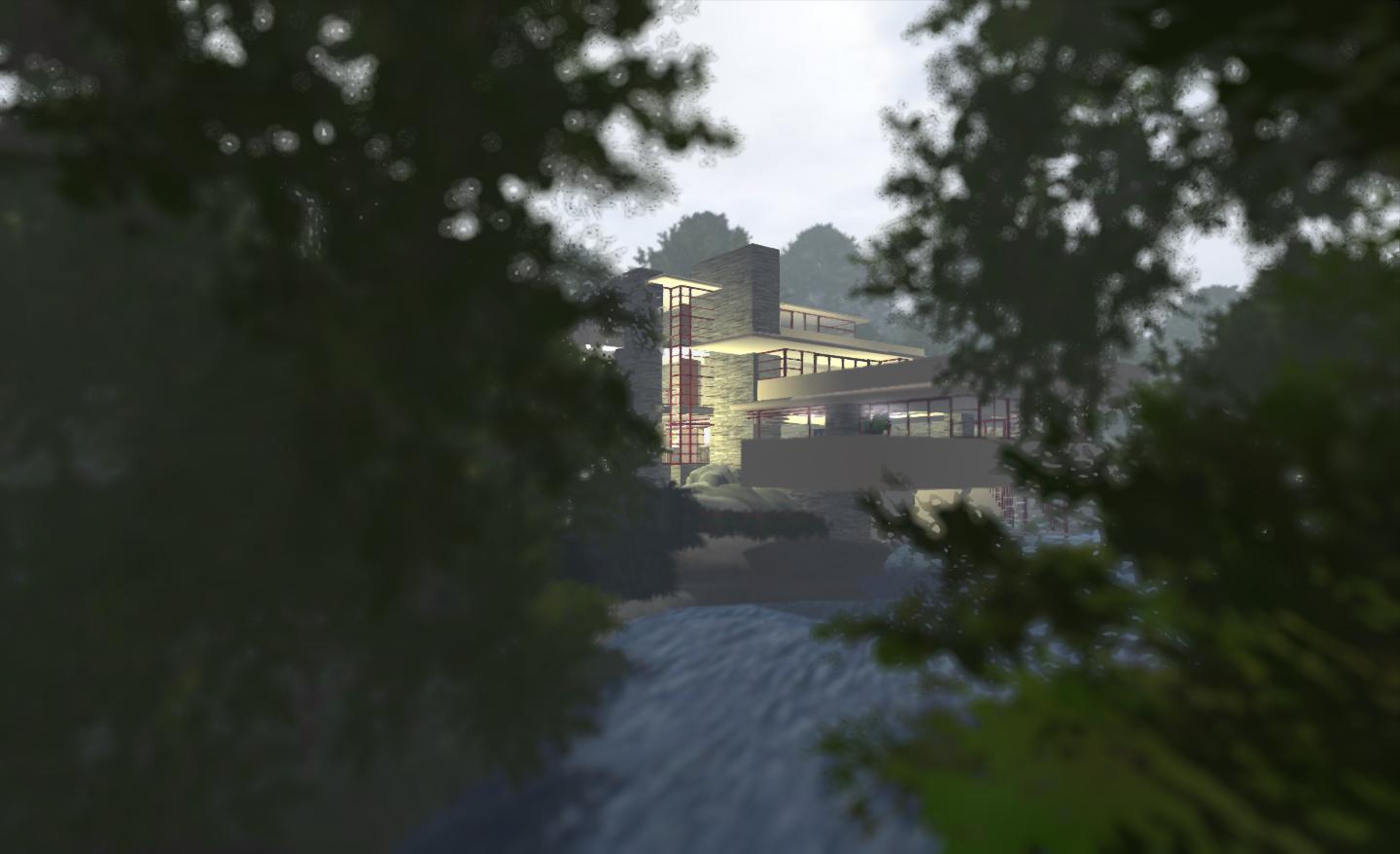
Foggy morning

I don’t know what the state-of-play is vehicle-wise in Kitely. I’m not actually after one for driving, but I can’t help feeling having a big old American 1930s Packard parked out under the rear car port would also add to the place as well.

Ilan has been asking my what I’d do if I had one of the new Kitely advanced megaregions. I think that if I did, it would likely become the home to not one, but four of my interpretations of FLW’s houses – I’ve always wanted to try my hand at the Robie House, and I have a couple of other candidates in mind as well. Although I think that were I ever to tackle anything so ambitious, they’d have to be 100% accurate reproductions, just for the heck of it :).

Fallingwater

Ah, well. Such is the stuff of dreams. In the meantime, if you’d like to visit the place yourself, please do. I did notice a couple more issues I need to fix in the place. You can reach it via my Kitely world page

Related Links

SL project news week 43/3: viewer status updates

SL Beta Viewer

A new Beta version of the beta viewer was release on the 24/25th, (3.4.1.266251), which has more-or-less the same visible changes as the previous release, except that tcmalloc has been re-enabled as LL seek to determine whether stability issues have been improved or not. However, given the high crash rates experienced with the previous release, Oz Linden is requesting people take time out to give the beta a run. Speaking at the OpenDev meeting on Thursday 25th October, he said, “Run the beta viewer a lot. We think this one will be good, but it takes a lot of usage to find that out and things won’t get unstuck until we do.”

Tcmalloc has been re-enabled with the latest beta release, and this probably means that those using cloud storage such as Microsoft Skydrive and others (such as Cloud Drive – see FIRE-7520 – are liable to encounter issues using it.

The intent at LL still appears to be the complete disabling of Tcmalloc from the viewer code, however, the attempts to do so to date have only met with partial success – the “fix” for MS Skydrive, for example, apparently only worked for some instances, not all.

Commenting on the situation at the OpenDev meeting, Oz said that efforts to completely disable tcmalloc are “taking too long”. As a result, and to prevent work with tcmalloc from adversely affecting attempts to stabilise the viewer, the decision has been taken to move the work on tcmalloc to a separate branch of the viewer code for the time being, with efforts on the beta branch focusing on stability.

In the meantime, code releases remain blocked, pending confirmation the beta release has improved on previous crash rates (which were around 14%).

Mesh Deformer Viewer

As reported in part 2 of this week’s project news, a new version of the Mesh Deformer project viewer appeared over the weekend – 3.4.1.266081, dated October 20th. In addition, Darien Caldwell has made updates to the SL wiki page on the avatar shape XML format which are related to the project.

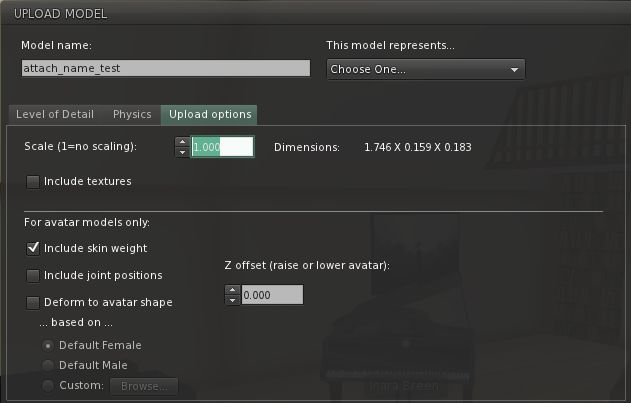
The updated shape selection options for mesh clothing and human shapes in the mesh upload floater, as seen in the latest version of the Mesh Deformer project viewer

The current thinking is at present that the latest version of the viewer requires wider testing, so if you are involved in mesh clothing / shape creation (humanoid shapes, remember), then you might want to download the viewer and try it yourself. Commenting on the JIRA (STORM-1716), Darien notes:

If people could provide feedback on the use of the custom base shape part specifically, that would be great.

Keep in mind the potential bone length problems outlined above: do these affect your creations negatively when used with custom base shapes?

And is the potential workaround of setting bone lengths to the defaults a problem for your workflow?

Those and any other issues, please post. Thanks 

Initial feedback from those who have tried the viewer have been largely positive, although the issue with custom shapes and certain sliders, as previously reported in these pages (and on the JIRA) remain. Darien has been looking a little deeper into the latter issue, which affects a total of eleven shape sliders, and seems to have found the potential cause:

“The bone length deformation seems to be performed in the function LLRiggedVolume::update(). The deformer is doing its processing before this is reached, and when creating the custom base shape, it’s never run on that custom base shape. So the bone length deformations aren’t included.”

Instead, the current  deformer code assumes that all joints in a shape have the same scale, and that the scale is uniform in all axes. This is fine for a standard shape, but doesn’t work so well with custom shape forms, and wouldn’t work were scaled bones within avatar shapes ever to come about. The solution for this issue is unclear; the current plan is for Darien to write-up her findings for LL, so that someone there can look into the code as well.

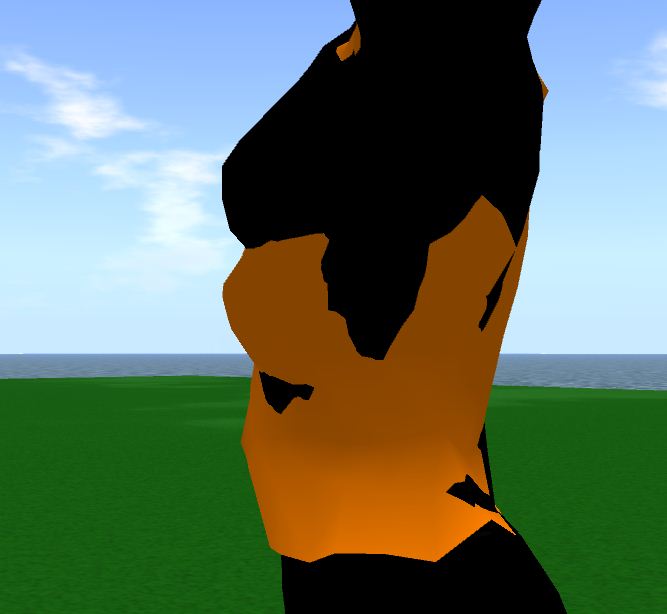
The problem: bone length deformation is performed outside of the deformer code, which in turn appears to assume that all shapes use the same, uniform scale for joints. When working with a default shape, neither of these issues present themselves in obvious ways. When working with custom shapes, however, the problems become very evident. In this image a tall, then shape is use to generate an upper body mesh (flesh toned). When uploaded and applied to the shape itself (shown in black), the discrepancies become clear. Had the mesh been correctly deformed according to the shape data, it should more closely match the original shape

Group Services Project Viewer

Baker Linden’s server-side Group Services code for handling very large in-world groups was rolled out to four regions on the main grid on the 25th October, as reported here. However, due to the issues with the beta viewer code as reported above, testing of the new code requires the Group Service project viewer. If you do manage any group(s) with more than 10K members, you may wish to download the project viewer and give things a test on the nominated regions (see link above).

The viewer is available in Windows, Linux and Mac flavours.

Related Links

New Group Services code now live on Agni

Large group loading: a familiar problem

The Group Services project is an attempt to improve the management and editing of large SL groups by replacing the current UDP-based service (which has capacity issues with the size of group lists it can comfortably handle) with a new HTTP-based service.

Oskar Linden has announced that the new code for handling large groups is now live on four regions on the main grid. His announcement reads in part:

These fixes were released to Magnum this morning, but then we found issues in llSensor() that required us to remove the code from a channel as large as Magnum. We have a very small qa channel called the Snack RC Channel that we put the changes on.

 – https://wiki.secondlife.com/wiki/Release_Notes/Second_Life_RC_Snack/12

You will need to be  a member of the group Second Life Beta to access them. You can join that group here: http://world.secondlife.com/group/19657888-576f-83e9-2580-7c3da7c0e4ca

The four Snack test regions are:

Currently, the viewer-side code required to use the new service is only available in a project viewer, which is available as follows:

The viewer side code, as I’ve been reporting in these page, is currently being held-up from more widespread use by crash issues impacting the SL beta viewer code. As such, TPV developers are being encouraged not to merge the code for the above project viewers with their own development viewer code for the time being.

In the meantime, if you manage a large in-world group with more than 10K members, you may wish to download your relevant flavour of the project viewer and try-out the new code on the nominated regions.

Related Links

Slightly Mad Avians: Humble talks Creatorverse, Versu and Dio

Update, February 19th, 2014: Creatorverse, Versu and dio were discontinued by Linden Lab on February 19th, 2014. Links to their websites, etc, have therefore been removed from this article.

Looking through the pingbacks on my blog comments, I was curious to see one show up on the 23rd October 2012 linking to an article I wrote back at the start of the year. Curious at to why someone would be linking to an old article, I went to have a look.

Turns out the article linking to me is from Kotaku, a games-related blog run by Gawker News – and the article itself is an interview with Rod Humble. (which came to me via Kotaku’s Australian site) Needless to say, I was more than a tad surprised to have someone interviewing our own Rodvik linking to my blog (oh, be still, beating ego!), so I decided to have a read through.

The piece itself is obviously about the Lab’s new and upcoming products, and it gives some interesting insights into the thinking behind them.

“Just about everybody I know who isn’t in the games business or programming business comes to me with a game idea or a website, and the truth of the matter is, quite often, they can’t make it.”

the article quotes Humble as saying. He then goes on:

“There’s this big barrier. They look at something like C++ [programming] code and, frankly, it looks like a big equation. It just looks like gibberish.

“The more we can make tools that are just fun to use—all of a sudden you are making something you wanted—you can focus on the creativity than mastering this arcane set of symbols. We can hopefully bring more people into that fold of ‘hey, you made something!'”

Thus is the broad thinking behind Patterns, Creatorverse and the still-to-be-seen Dio and Versu, which are apparently going to be appearing something in the next month – if not before the end of this one, depending on how you read quotes from elsewhere.

Creatorverse itself comes in for some attention in the piece – Humble describes it as being his five-year-old daughter’s favourite game at the moment, and it is referred to as coming out “later this year”. Whether that is a result of the interviewer misunderstanding Humble (the interview was via ‘phone), or whether it is because the release date may have shifted while the wheels at Apple (or elsewhere) turn slowly, isn’t clear.

What is clear, however, is the novel way Creatorverse is pitched in the interview:

In the near future, his company will put out a program for iPad called Creatorverse, which will let people use shapes and physics to create basic 3D systems and, yes, games, then share them for anyone else to download and play. Think of making a game that lets you fling shapes into other shapes—your own “Slightly Mad Avians”, he offers as an example, if you get what he means.

Creatorverse

While Slightly Mad Avians could stand as a title in its own right (along with Perturbed Pigeons, a name Darien Caldwell suggested to me the other evening in an entirely unrelated conversation…), it’s nevertheless a curious hook on which to hang a description of Creatorverse – but an interesting one in terms of mental images….!

What is of greater potential interest, however, is the comments about the upcoming Dio and Versu.

Dio is described as: “A website that lets people create rooms out of their personal images and videos, connects them to other people’s rooms and lets people share the space.”

While it has previously been described as “A room creator, in which players can do everything from construct a choose-your-own adventure to develop an interactive wedding album,” and Linden Lab managed to accidentally give people something of a quick peek at an early iteration of a website connected to Dio back at the start of the year, the comment in the Kotaku piece implies that the website appears to be the product, rather than in support of it. It’ll be interesting to see how people react to this.

Versu, meanwhile, gains a little more flesh on the bones given in an interview with Giant Bomb, with Humble describing it as, “A platform that lets you make real interactive drama” by giving you “the ability to create characters within a story and then, thanks to the AI, see that “those characters will have emergent properties as you play through the story.” He goes on to admit that this is pretty ambitious and admits to an element of “Tilting at windmills” in order to bring it to a wide audience.

The article goes on to talk in more detail about Patterns, which many of us – and many more in the gaming community – are enjoying even in its nascent (or as Humble puts it, “not even pre-baked”) form. It also talks about Humble himself and his arrival at Linden Lab, which leads to a good mention of Second Life:

It makes perfect sense that Humble would wind up at Linden Lab, the company best known for the virtual world Second Life. It’s as successful a canvas for the communal creation of a virtual world as there’s been. It’s been a viable digital canvas for about a decade now has been populated by users who make their own buildings and vehicles, who design contraptions, contort physics, stage elaborate events, form societies, and pioneer the art of inhabiting elaborate second skins that express inner or otherwise impossible creativity and desires.

It’s a positive read, and well worth taking a few minutes out to read through.

Related Links

Niran’s Viewer turns 2

NiranV Dean has been back working on Niran’s Viewer, and in doing so has lifted the viewer to version 2.0 with a number of initial Betas. On Wednesday October 24th, he made a final release, 2.0.2185, which he calls Niran’s Viewer Rebooted, given the amount of additional work put into it, which finally saw him bypass his planned 1.5 release.

As the last release of Niran’s Viewer in these pages was version 1.46, the following will touch on elements previously released in 1.47 – 1.49 as well.

Download and Installation

The download file remains an archive EXE, rather than an actual installer, and is just on 50MB in size. It will extract the files into a default directory Nirans Viewer in C:\Program Files. If you’ve had a previous version of Niran’s Viewer installed, it is strongly recommended that you remove it first, together with all cache and settings files. The viewer itself has no uninstaller, some removal is a matter of deleting the program folder. The locations for all three are:

  • Viewer: C:\Program Files\NiransViewer (delete this entire folder)
  • Cache: C:\Users\[user name] \AppData\Local\NiransViewer (delete this folder)
  • Settings: C:\Users\[user name] \AppData\Roaming\NiransViewer (delete this folder and all sub-folders inside).

First Time Running

Once you’ve made your initial keyboard camera preferences selection, the log-in screen features a new video from NiranV. I have to admit, I’m curious as to the music track and whether it is taken from something or original, as I rather like the keyboard arrangement in it.

Watch a video while entering your login credentials

You may get an anti-virus alert relating to the SLVOICE.EXE plugin – if you do, make sure that it is the plugin being referenced and clear it. The log-in splash screen is again liable to be something of a surprise to first-time users. There is no familiar splash screen feed from Linden Lab here. Instead, and providing you’re running flash, there’s a YouTube video NiranV has put together and which will play while you enter your log-in credentials in the panel to the right.

Note that Niran’s Viewer isn’t intended for use on OpenSim, so the other grids selection is limited to the SL Agni (main) and Aditi (Beta) grids. Once you’ve entered your you log-in credentials, you’re treated to a series of hints and tips as the viewer logs-in to Second Life.

Preferences Overlay

Niran’s alternative to the usual Preferences floater started appearing in version 1.46 of the viewer, where he referred to it as his “Skyrim influence”. It’s slowly been maturing through a number of releases since then, and with version 2.0, it completely replaces the old Preferences floater, which is no longer available within the viewer.

Accessed via the Preferences toolbar button, CTRL-P or NV->EDIT->PREFERENCES, the overlay does exactly what it says – overlays the in-world view.

Preferences Overlay with a submenu displayed

To the left of the overlay are the main options: Display, Audio Controls, Camera, Chat, User, Interface and Viewer. Depending on the complexity of the screens / options associated with this, clicking on one of them may display a panel directly, or may open-up a sub-menu of further options which in turn will open up individual panels on the right of the overlay.

Preferences overlay with an open panel

Please use the page numbers below left to continue reading this article