Update, February 19th, 22:40 GMT: the SLS channel restarts have been completed and the Lab has issued a blog post on why they were required, which I’ve also blogged about.
Update, February 19th: the deployment of the update referred to below will commence at 15:00 SLT.
On Thursday, February 18th, there was an unscheduled server deployment to all three RC channels, which at the time of deployment was described as an, “Update on the simhosts. Nothing is changing Second Life functionality wise.”
Speaking at the Server Beta User Group meeting following the deployment, Steven Linden had this to say:
We had an unscheduled RC deploy earlier today. It’s for a security vulnerability that was released, and we discovered that Second Life regions were vulnerable. A full public post-mortem will be coming after we deploy to the rest of the main grid. I can’t say until it goes out to the rest of Agni; I can say that it was related to region availability only…. I honestly can’t say a great deal, other than we have a fix, and that it’s coming very soon to the rest of Agni.
All Steven could say about the issue was that a) it was related to region availability; b) it could only be exploited from within Second Life; c) there has been no evidence the issue is being actively exploited on Agni.
However, given the apparent urgency of the situation, it is likely that the update deployed to the RC channels will be also be rolled to the Main (SLS) channel well ahead of Tuesday, the normal day for Main channel deployments and restarts.
I’ll have more on this following the post-mortem release from the Lab.
Scheduled Updates
Details are scant at the moment, but Wednesday, February 24th should see a new server maintenance package which includes some code clean up around the area of parcel bans. There’s no new functionality being added, and the changes shouldn’t break anything. More details when the update notes are published.
SL Viewer
The Quick Graphics RC viewer updated on Wednesday, February 17th to version 4.0.2.311103. This sees the addition of the following resolved issues:
MAINT-5613: Complexity readings vary greatly for each avatar using the QuickGraphics viewer
MAINT-5620: Clicking on Graphics Preset title triggers favourite
MAINT-5681: Particles still render when complexity threshold is reached
MAINT-5682: Some avatars are invisible
MAINT-5685: Light still renders when complexity threshold is reached
MAINT-5690: Viewer crash when zooming out
MAINT-6070: Add detailed logging for how Avatar Rendering Complexity is computed.
The updates also sees the removal of SL-217: Document Avatar Complexity, from the list of resolved issues, presumably because the documentation is still a work-in-progress.
Other Items
Aditi Intellectual Property Tutorial
As mesh content creators are aware, in order to be able to upload mesh content to Second Life, you must a) have payment information on file, and b) complete the Intellectual Property Tutorial. The same is also true for Aditi; however, a problem with the Aditi services has meant that some people have been unable to complete the tutorial there (accessed when you log-in to your Aditi dashboard), due to the test page failing to load / failing to display all the questions.
If you wish to use Aditi to upload test models of your mesh content, but have encountered issues in trying to complete the tutorial, the interim workaround is to try refreshing the page to force it to load, as there appears to be a load balancing issue in the Aditi back-end services. However, the issue is expected to be resolved for next week.
There are no server deployments planned for this week, and no planned restarts for any of the channels.
There is an RC deployment planned for week #8 (week commencing Monday, February 22nd), details of which are still TBA.
As there have not been any rolling restarts, and won’t be any across the entire grid until around week #9, the advice is that if your region is behaving abnormally, file a support ticket to have it restarted. The Lab’s support team are aware that there are no scheduled restarts at present, so they should process requests OK.
SL Viewer
With Monday having been a holiday in the United States (Presidents’ Day), there was no meeting at the Lab to discuss viewer promotions. This leaves the current list of Lab viewer unchanged from the end of week #6:
Current Release version: 4.0.1.310054, January 15 – formerly the Maintenance RC viewer download page, release notes
RC viewers:
HTTP updates and Vivox RC viewer updated to version 4.0.2.310660 on February 4 – combines the Project Azumarill RC and Vivox Voice RC updates into a single viewer (download and release notes)
Maintenance RC viewer version 4.0.2.310545 released on February 2 – 38 updates. fixes and tweaks for memory leaks; viewer crashes; UI, permissions and mesh uploader bugs; visual muting issues, autopilot issues and duplicated calling cards (download and release notes)
Quick Graphics RC viewer updated to version 4.0.2.310127 on January 20 – provides the new Avatar Complexity options and the new graphics preset capabilities for setting, saving and restoring graphic settings for use in difference environments / circumstances (download and release notes)
Project viewers:
Project Bento (avatar skeleton extensions) version 5.0.0.310099 released on January 20 – adds 90+ bones to the existing avatar skeleton (download and release notes)
Oculus Rift project viewer updated to version 3.7.18.295296 on October 13, 2015 – Oculus Rift DK2 support (download and release notes)
Obsolete platform viewer version 3.7.28.300847 dated May 8, 2015 – provided for users on Windows XP and OS X versions below 10.7 (download and release notes).
As noted in my recent TPVD meeting report, further updates are expected to the HTTP / Vivox RC viewer and the Quick Graphics RC viewer, but these may not appear this week.
Region Crossings – Grey Box Issue
There have been increasing reports of region crossing issues, including the return of the “grey box” attachment issue which was originally seen in 2013 when crossing from a BlueSteel RC to any other region. This would see any passenger(s) sitting on a vehicle surrounded by (or even replaced by) a grey prim, and left with no choice but to relog, leaving the prim behind, attached to the vehicle.
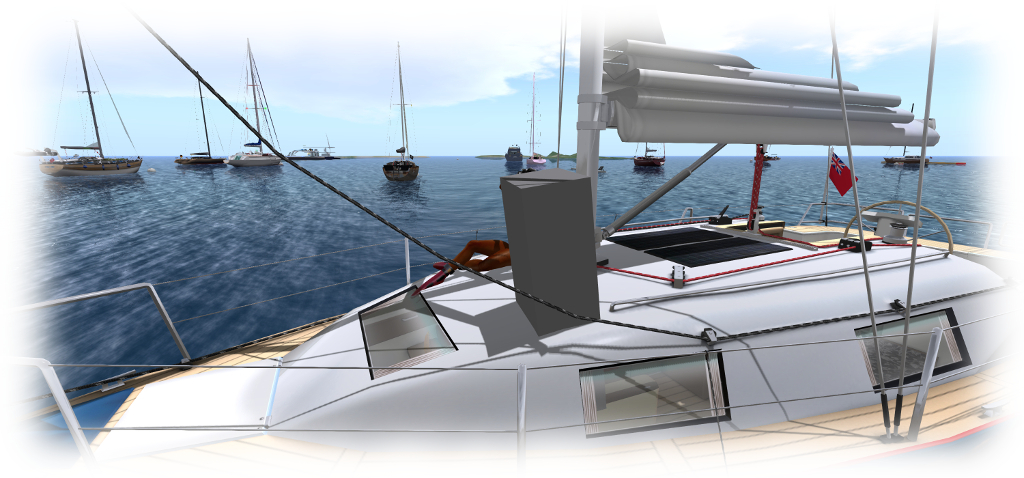
Caitlyn recently got caught by the “grey box” issue as we were sailing on the north side of Blake Sea. If you encounter the problem, please file a JIRA with as much information as possible (see below)
At the time of the problem first appearing, Kelly Linden described it thus:
Every agent has a ‘task’ representation on the server that is the same as a prim. The bug is in sending the linked set w/ avatars to the other region: avatars after the first are losing the special avatar treatment and getting passed as a regular linked prim. So that prim is what the server thinks all avatars look like.
Simon then added:
The region crossing code basically un-sits avatars from an object, sends both the avatars and object to the next region [as separate sets of data], which puts them back together. In this case, the 2nd avatar doesn’t get detached properly and things go south from there. So the 2nd avatar gets sent over bundled up with the object … which it’s not designed to do.
It had been thought this issue had been dealt with via a fix for (non-public) BUG-3547. However, if it is resurfacing, the problem now is to pin it down in a reproducible manner, if indeed it is returning. Should you encounter it, please make sure you file a JIRA providing as much information as possible, including your viewer log files, the regions you were crossing between when it happened yo you (or your passengers), the date and time, details of the vehicle you were using, etc.
We’re all used to Second Life misbehaving itself at the weekend, but it with rezzing or rendering or region crossings and so on. However, Saturday, January 9th, and Sunday January 10th proved to be a lot rougher than most weekend in recent memory, with Sunday in particular affecting a lot of SL users.
When situations like this arise, it’s easy to shake a verbal fist at “the Lab” and bemoan the situation whilst forgetting we’re not the only one being impacted. Issues and outages bring disruption to the Lab as well, and often aren’t as easy to resolve as we might think. Hence why it is always good to hear back from the Lab when things do go topsy-turvy – and such is the case with the weekend of the 9th / 10th January.
Posting to the Tools and Technology blog on Monday, January 11th, April Linden, a member of the Operations Team (although she calls herself a “gridbun” on account of her purple bunny avatar), offered a concise explanation as to what happened from the perspective of someone at the sharp end of things.
April starts her account with a description of the first issue to hit the platform:
Shortly after midnight Pacific time on January 9th (Saturday) we had the master node of one of the central databases crash. The central database that happened to go down was one the most used databases in Second Life. Without it Residents are unable to log in, or do, well, a lot of important things.
While the Lab is prepared for such issues, it does take time to deal with them (in this case around 90 minutes), with services having to be shut-down and then restarted in a controlled manner so as not to overwhelm the affected database. Hence why, when things like this do happen, we often see notices on the Grid Status Page warning us then log-ins may be suspended and / or to avoid carrying out certain activities.
Sadly, this wasn’t the end of matters; on Sunday an issue with one of the Lab’s providers had a major impact on in-world asset loading (while April doesn’t specifically point at which provider, I’m assuming from her description it may have been one of the CDN providers). While the Lab is versed in working with their providers to analyse the root cause of problems and rectify them, this particular issue appears to have had a knock-on effect in a quite unexpected way, impacting the avatar baking service.
This is the mechanism by which avatar appearances are managed and shared (and is also known as Sever-Side Appearance and / or Server-Side Baking). Designed to overcome limitations with using the viewer / simulator to handle the process, it was cautiously deployed in 2013 after very extensive testing, and it has largely operated pretty reliably since its introduction. As such, the fact that it was so negatively impacted at the weekend appears to have caught the Lab off-guard, with April noting:
One of the things I like about my job is that Second Life is a totally unique and fun environment! (The infrastructure of a virtual world is amazing to me!) This is both good and bad. It’s good because we’re often challenged to come up with a solution to a problem that’s new and unique, but the flip side of this is that sometimes things can break in unexpected ways because we’re doing things that no one else does.
Taking this to be the case, it doubtless took the Lab a while to figure-out how best to deal with the situation, which likely also contributed to the time taken for things to be rectified to the point where people weren’t being so massively impacted. Hopefully, what did occur at the weekend will help the Lab better assess circumstances where such problems – unique as they may be – occur, and determine courses of action to mitigate them in the future.
In the meantime, April’s post, like Landon Linden’s update on the extended issues of May 2014, help remind us of just what a hugely complex beast of systems and services Second Life is, and that how even after 13 years of operations, it can still go wrong in ways that not only frustrate users, but also take the Lab by surprise, despite their best efforts. Kudos to April for presenting the explanation and for apologising for the situation. I hope she, together with all involved, have had time to catch-up on your sleep!
The weekly scheduled server deployments will not resume until week #2 of 2016 (week commencing Monday, January 11th), when there should be a deployment to the three release candidate channels.
SL Viewer
The Maintenance RC viewer was updated on Tuesday, January 5th to version 4.0.1.309460. This sees MAINT-5760 “Favourites sort order reverts every session and no favourites display at the login screen for single name “Resident” accounts” removed from the resolved issues list.
The Quick Graphics RC viewer (graphics preset options and Avatar Complexity) updated to version 4.0.1.309320, also on Tuesday, January 5th. This sees the addition of two further fixes to the resolved issues list:
MAINT-5541 “[QuickGraphics] 0 complexity avatar renders as jelly”
MAINT-5567 “[QuickGraphics] A mesh attachment causes avatar to be jellybaby while Avatar complexity is set to No Limit”.
Login Failures – Friends List Updates
People have been experiencing log-in failures recently, which appear to be related to issues as the viewer loads / updates the Friends list as a part of the log-in process (see BUG-11032 and BUG-11127).
The log-in failure issue generates s generic error message
The problem is account-specific, and when I asked Oz and Simon Linden about the problem, and whether a more permanent resolution might be forthcoming, during the simulator User Group meeting on Tuesday, January 5th, Oz replied, “yes, we think we understand what’s up with that… fix is in the works”, although he declined to elaborate further.
In the meantime the advice remains as specified by Alexa Linden on BUG-11032: if you are unable to log in as a result of the problem, you will need to file a support ticket explaining the problem and noting it is a Friends List Login Failure. Support should then be able to fix your account.
Project Bento
There’s no major news on Project Bento beyond what I’ve already reported to date. However, given the project is now in a public beta, user group meetings associated with the project are now open to all as well.
Meetings will take place on Aditi at Mesh Sandbox 2 (note that is an Aditi, location, not the main grid) at 13:00 SLT every Thursday, with the first public meeting scheduled for Thursday, January 7th. In announcing the meetings, Oz Linden also requested those who have any available, to bring example content using the new avatar skeleton extensions along to the meetings (but do notes the region is rated General!).
In the meantime, Cathy Foil, one of the content creators involved in Bento has produced video explaining how the work was handled within the initial development group,
Aditi Password Changes
As I noted in my 2015 week #51 project updates report, there are changes coming in the way Aditi inventory syncs with Agni are handled, which will also affect Aditi password changes. These changes are still to be deployed, so in the meantime, anyone wishing to change their password on Aditi should do so via a support ticket.
Those wishing to attend the Project Bento meeting on Aditi and who have not logged into the beta grid for a while, many want to check that they can in advance of Thursday, January 7th, and if necessary file a support ticket requesting a password update, as noted above.
Object_Rezzer_Key
Object_Rezzer_Key is a new parameter which is to be added to llGetObjectDetails() early in the New Year. It will allow a rezzed object to find the key of its parent rezzer, then use llRegionSayTo() to chat back to that parent – see my 2015 Project updates: server and Project Bento report for more.
Commenting on this work at the Simulator User Group meeting, Simon said:
OBJECT_REZZER_KEY is in QA and the release process … if things go steady, it would see the beta grid later this week or next, and possibly RC in 2 weeks. That’s all tentative, of course. … OBJECT_TOTAL_INVENTORY_COUNT and OBJECT_PRIM_COUNT are in the next release (before that one).
There was no Main (SLS) channel deployment on Tuesday, December 8th, following after the update planned for release in week #49 had to be cancelled when a simulator crash bug was uncovered.
On Wednesday, December 9th, all three RC channels should receive the same new server maintenance package, which comprises simulator crash fixes (including one for the issue found during the original final testing of the package in week #49) and implements feature request BUG-10192: adding constant OBJECT_OMEGA to llGetObjectDetails(), so that it can return a vector matching what is returned with llGetOmega(), allowing applications to determine an object’s rate and axis of rotation.
Viewer Updates
On Monday, December 7th, the Valhalla RC viewer, which comprises the Chromium embedded Framework implementation intended to replace LLQTwebkit for handling media in Second Life, was updated to version 4.0.0.308641. This update includes 13 additional fixes when compared to the previous Valhalla RC version:
MAINT-5846 – MOAP audio is too quiet
MAINT-5849 – MOAP does not run if parcel media texture is on same face
MAINT-5852 – Parcel media url can be hijacked from parcel to parcel
MAINT-5855 – media navigation bars overlap all floaters in viewer
MAINT-5856 – toolbar search can be interrupted early get stuck on blank page
MAINT-5859 – Terms of Service are not loading in Linux only
MAINT-5896 – Add support for viewing PDF files in the viewer
MAINT-5901 – Click-to-Walk should work through transparent objects
MAINT-5902 – Qihoo 360 Anti-virus blocks SLPlugin.exe and login page web content
MAINT-5909 – Japanese can’t be input in CEF
MAINT-5911 – Pressing “return” (or “enter”) no longer performs a search
MAINT-5941 – Default flash to on by default.
Other Items
Interest List and “Ghost” Prims
there have been reports at the last couple of Simulator User Group meetings about “ghost prim” – objects which have been deleted / killed via llDie, continuing to render viewer-side, even though they have been removed by the simulator, requiring a right-click to remove them from the viewer’s outlook on the world.
Problems like this aren’t new, and many have encountered them, particularly since the core of the changes made to the Interest List. However, positively identifying what is going wrong where in the code, and why it is going wrong has been proving difficult, as the has not been a consistent means of reproducing the problem. However, it now appears that just such a consistent means of encountering the issue has been found, and a JIRA raised. Hopefully, this means that the Lab will be able to dig a little deeper into things and at least rectify the problem for some of the situations where “ghost prims” can be encountered.
Join / Leave Group Failures
There have been significant issues with people attempting to join or leave groups recently – see BUG-10869. The problems are apparently caused by a back-end database overload within the group services,
There are many issues in handling large groups which can be problematic: number of members, number of inactive users, impact of changes to things like established group roles (and the numbers of group members they affect), and so on. These are all largely down to the way the back-end group services were originally designed, something which is not the easiest of issues to overcome, as Simon Linden explained at the at the Simulator User Group meeting on Tuesday, December 8th:
It’s a long story, actually, but comes down to scaling issues and design. It doesn’t make sense that we basically treat a group with 100k people in it the same as 10 people . There are some things that just take more time with a large group.
However, Simon is looking into the problems, as he did with the issues of group chat earlier in the year, which so that side of things dramatically improved, but there is currently no ETA on when any fix / fixes might be issued.
No Change Window
Subject to official confirmation by the Lab, week #51 (week commencing Monday, December 14th) is liable to mark the last week in which simulator and viewer releases will be made ahead of the Christmas / New Year “no change window” coming into force, which will probably remain in place until approximately the week commencing Monday, January 4th, 2016.
The no change window is intended to ensure the grid and viewer are both relatively stable, so that the Lab can offer support, engineering and operations staff time off over the holiday period to be with their families and friends.
Tuesday, July 28th, saw the Main (SLS) channel receive the server maintenance package previously deployed to the three RC channels, comprising internal server fixes related to Experience Keys, comprising null pointer checkers and a configuration option for the number of Experiences a Premium member can have.
On Wednesday, July 29th, the three RC channels will be updated with a new server maintenance package aimed at fixing recent group-related issues (see below for more details).
Commenting on the Experience changes in the Main channel release a the Simulator User Group meeting on Tuesday, July 28th, Simon Linden said:
That’s just under the hood, the one-per-account is not changing. Simon Linden: with configurations like that, we have a layered approach … there’s a set of defaults that is fixed with each server release. We also have a way to over-ride it grid wide … which is how we can turn on and off some things grid-wide, without a server update; that’s how we turned on the experience tools when we released it. Now that it’s released, we move it into the default settings and eventually out of the over-ride.
Group Issues
In my last update, I reported that people had started experiencing group-related issues, following the Main channel deployment in week #30. In particular:
BUG-9725 – Activating a group fails on first selection on Second Life Server 15.07.09.303393 & RC
BUG-9735 – Unable to Edit Group Parameters after being made OWNER of newly created group
BUG-9695 – [Project Notice] First attempt at joining a group fails (also happens with current release viewer)
Of these, BUG-9735 has been causing the most upset, as it affects anyone who has their role changed. While their role title will update, they will not gain the powers associated with the role, even after the requiredrelog. Commenting on the issues,Simon explained:
It’s due to some database race conditions that show up in the production servers. I was a bit over-aggressive about moving some queries from the master Db to the slave databases…. Normally our main and slave databases are pretty well in sync … with very tiny delay between them; but if you read from the slave database and do something back into the main one, there can be a window when the data isn’t right.
The curious aspect with BUG-9735 is that a relog is normally required for a person to get the updated abilities associated with a role change; so it is unclear why things are going wrong, as Simon went on to say:
I’m not exactly sure how 9735 would happen … I can imagine failures, but relogs should fix that. A bunch of your group info is fetched when you log in, [so] I’m not sure why that couldn’t be updated correctly.
As noted above, fixes for these issues are due to be deployed to the RC channels on Wednesday, July 29th. Once deployed, it would seem likely that anyone being promoted to a new role will have to be on a release candidate channel region when being promoted & relogging, in order for their group abilities to correctly update. However, it’s not clear if the individual promoting someone to a new role will also need to be on a release candidate channel region as well, so some experimentation might be required.
VMM Update
VMM auto-migration of Marketplace Direct Delivery items commenced on Thursday, July 23rd and is proceeding on weekdays between 21:00 SLT in the evening and 09:00 SLT the following morning. However, it is unlikely the VMM viewer will be promoted to the de facto release viewer in the short-term. The reason for this is that the current RC has an elevated crash rate. As a result, there will be a further update to the release candidate, which is due to appear in the next day or so and which will include a number of fixes to try to reduce the crash rate, including one for BUG-9748.
Windows 10 Issues
There have been some recent SL-related issues been noted against recent builds of Windows 10 which are worth reporting, although their potential for any impact may vary.
Font Detection
In the first, BUG-9759, Kyle Linden reports that CJK fonts (those containing a large range of Chinese/Japanese/Korean characters) are not visible in the viewer. This appears to be due to moving the default location of the font store for Windows 10. As a result, the viewer requires an update so it can look at the revised location.
Windows 10 / AMD Graphics Driver Issue
The second issue appears to be the return of a problem specific to Windows 10 and AMD graphics drivers first reported in March 2015. This causes the graphics card name to be saved as garbled text into the Windows registry, with the result that any program explicitly requiring the name of the graphics card in order to run correctly can encounter problems (although those which don’t will continue to run OK). As v3-style viewers are designed to explicitly save the GPU name at log-out (it is stored in the settings.xml file), those using Windows 10 / AMD systems may be affected. This is because the garbled card name gets written to the settings.xml file, along with other global settings applied to the viewer by the user, when logging out. This makes settings.xml unreadable by the viewer at the next log-in, so the viewer fails to obtain information, and so reverts all global settings (including graphics) to their defaults. The issue was first reported in April 2015 (see BUG-9054), but seemed to be resolved with later Windows 10 builds. However, it now appears to have regressed with Windows 10 Build 10240 and the AMD 15.7 driver (see BUG-9740 and particularly FIRE-16528).
Left: and AMD graphics driver recorded as garbled text in the Windows 10 registry, and (right) an AMD card name similarly garbled in the viewer’s settings.xml file as a result. The latter prevents settings.xml, which contains all global settings applied to the viewer by the user, from being read by the viewer when next launched, with the result that it reverts to default settings
Quite how widespread this problem might be as Windows 10 starts shipping is unclear, so the above should be read as an advisory of possible issues. However, if it does prove to be widespread, note that a fix will be required from Microsoft / AMD; this is not something the Lab and affected TPVs can address. In an effort to pre-emptively avoid at least some of the possible headaches the issue might pose for their users, the Firestorm team have developed a workaround, which is to be included in the upcoming 4.7.2 release. This workaround allows the viewer to load the settings.xml file so a user won’t lose all their global settings. But because the graphics card name remains garbled within the Windows registry (from which it is read by the viewer), it will still be saved as garbled text in settings.xml, and the viewer will continue reset all graphics options to their defaults when next launched until such time as a fix is forthcoming from Microsoft / AMD to correct the registry issue.
Version Number
A third, and in terms of functionality, trivial issue is that Windows 10 will show as Windows 8 running in compatibility mode in the viewer’s system info. This won’t impact the viewer’s performance, and a fix from the Firestorm team has been contributed to the Lab (STORM-2105), and should be appearing in due course.
 Recalling Goatswood) – blog post




 Inara Pey: Living in a Modemworld