Firestorm have announced that as from Thursday, January 7th, Firestorm viewer 4.7.1 is to be blocked from accessing Second Life, and those using 4.7.1 are being encouraged to update to a more recent version (or revert to 4.6.9 for the time being if using Windows XP or Mac OS X 10.6) ahead of the block coming into force.
The move is in keeping with Firestorm’s commitment to Linden Lab to only have 3 versions of their viewer (allowing for specific issues which might otherwise come us, as has been the case for Mac users, who have had to face a series of (apparently) Cocoa related issues impacting their ability to use viewers incorporating these updates) active at any given time.
As noted in the announcement, this means that only Firestorm 4.6.9 will remain available for those still using Windows XP or versions of OS X older than 10.7, and this will be blocked some time after the next release of Firestom, which currently looks to be set for some time in February.
Update #3, January 9th, 2016: The testimonials on the landing pages have now been updated with genuine comments and images from Second Life users.
Update #2: I’ve further been informed that the testimonials are intended to the express the sentiments of SL users and are based upon feedback. expressed by SL users. Similarly, the images are in fact stock Internet images. A footnote to the effect that “The consumers above are not actual consumers of the advertised product.” has now been added to each of the landing pages.
Update #1: I’ve been informed by various third parties that the testimonials on the landing pages may not in fact be genuine. I’ve therefore revised this post until I hear further on this matter.
On Monday, December 28th, Friestorm announced the arrival of their Gateway landing pages, and asked Firestom users for their assistance in helping to spread the word about Second Life.
The Landing pages are an integral part of the Firestorm Gateway, which itself forms a part of the upcoming trail Gateways Programme I previewed back in September, and which hopefully will be officially announced as up and running by the Lab in the near future.
In all, six landing pages have been produced, each one of which is intended to showcase a specific aspect of using Second Life, and encourage those new to Second Life to sign-up and log in to the platform. To help with this, Firestorm is asking SL users to share those pages they feel their non-SL friends and contacts would find to be of the most interest and thus sign-up. The six pages have the following topic descriptions:
While one might quibble over the subject titles (role-play and exploring might seem to exhibit a high degree of cross-over, for example), the pages themselves offer a crisp, clean approach to present Second Life, including endorsements from (and photos of) actual SL users.
Each of the pages includes a series of sign-up buttons which carry those interested to the initial phase of sign-up: creating an account – providing a user name, etc.
The sign-up form using the Lab’s API
It’s probably worth pointing out here, and before the conspiracy theorists reach for their tin-foil hats, that this sign-up process uses an API supplied by Linden Lab. This means that, just like all third-party TPVs, none of the gateways in the programme – Firestorm or anyone else – is storing or accessing the sign-up information a new user provides. The information is strictly between the user and the Lab. The only part of the sign-up information which can be accessed is the e-mail address: and that only for as long as it takes for an automated welcoming e-mail to be sent.
Providing the fields are correctly filled-out – error messages will be displayed at the foot of the input fields, although you may have to use the vertical slider to bring them into view thanks to the API – clicking Get Started will move you on to the next page, intended to step the user through downloading, installing and launching the viewer.
The Firestorm instructions page
To me, this page presents some issues which perhaps need to be dealt with if it is to be as effective as might be hoped – I’ll come back to this a little later.
One thing established SL users are bound to note is that nowhere is there any opportunity for the new user to select an avatar.
This isn’t an oversight on the part of the Firestorm team – it is a result of having to use the “old” user sign-up API, which doesn’t have any hooks into the Avatar Picker seen on the Lab’s own sign-up pages. Thus, the first opportunity new users get to picker the gender of their avatar is after they have logged-in – and even then, they only initially get either the male or female default Character Test avatars which (a long while ago) replaced the infamous “Ruth”.
As the gateway has to use the “old” SL registration API, users do not get to select the gender of their avatar until after they log-in (left), and are then defaulted to either the female or male Character Test avatar (click to enlarge, if required)
Obviously, this is far from ideal. First impressions count, and many people seeing their avatar for the first time and comparing it to the glossy images on the landing pages could end up feeling a tad bit aggrieved or disappointed and might even simply log off.
This issue has already been raised with the Lab, so hopefully, something can be done about it, either by providing the updated API with the avatar picker to those involved in the gateway programme, or by the Lab finding the means to present new users coming into SL via these gateways with at least one of the new “Classic” avatars instead of the Character Test versions.
Once they have selected their gender and have seen their avatar appear, the new user will find they’re starting at the start of the Firestorm’s orientation island, where they can start learning to use the viewer, before progressing on to finding out more about Second life in general through the various activities and events operating within the Firestorm gateway regions.
Given that new users are confronted with the Character Test avatars on first logging in (and allowing for the fact this will hopefully be changing), I did find myself wondering if a short lesson couldn’t be provided showing the new user how to access the Avatar Picker and quickly create an alternative look, just to reassure them that avatars in SL really don’t all look like they first see themselves.
Once new users have progressed through the Firestorm landing / sign-up pages and have installed the viewer and logged-in with it, they’ll be delivered to the orientation island in the Firestorm gateway regions
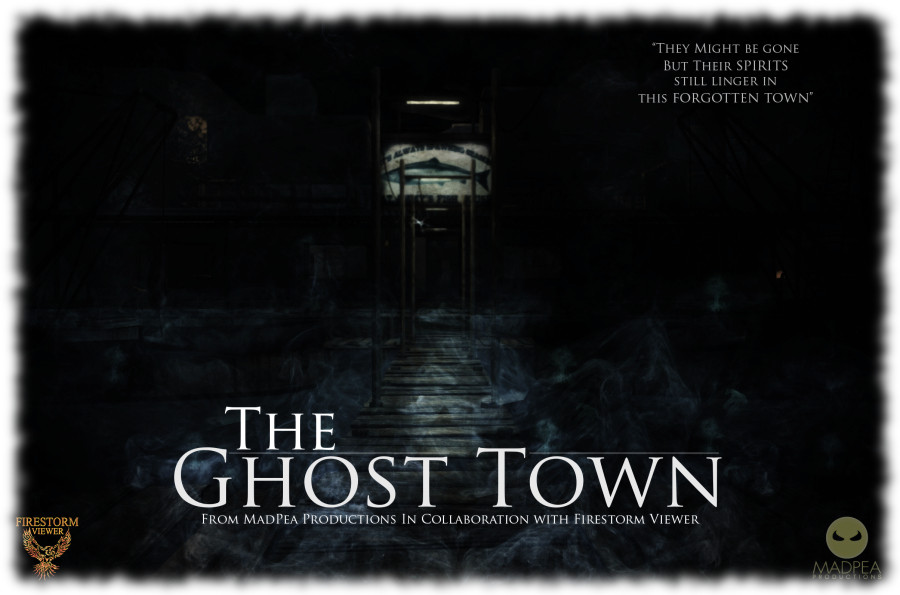
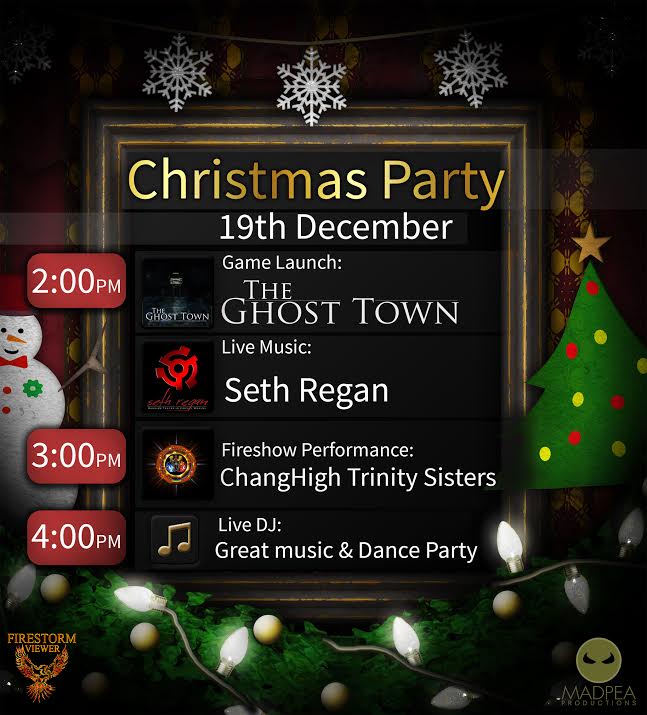
Saturday, December 19th, 2015 marks Firestorm viewer’s official 2015 Christmas Party, and with it comes the opening of The Ghost Town, the first in a series of free-to-play games developed by MadPea Games. These games are intened to give new residents coming through the Firestorm Gateway a means to become more familiar with Second Life through active game play.
The Christmas party will kick-off at 14:00 SLT, which will also see The Ghost Town open its gates to players, features entertainment from Mankind Tracer, Changhigh Trinity Sisters Fireshow and DJs. The entertainments area has been arranged so that around 200 people should hopefully be able to access the party, with three points of entry provided: Region 1, Region 2, and Region 3.
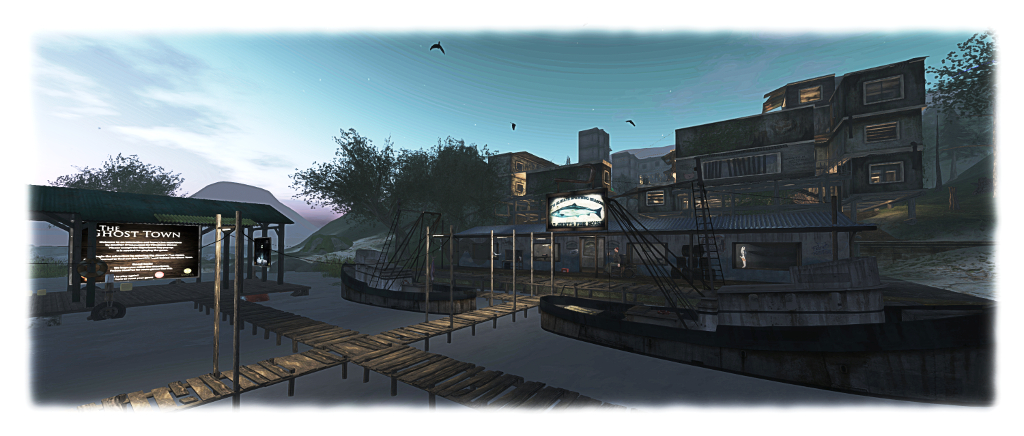
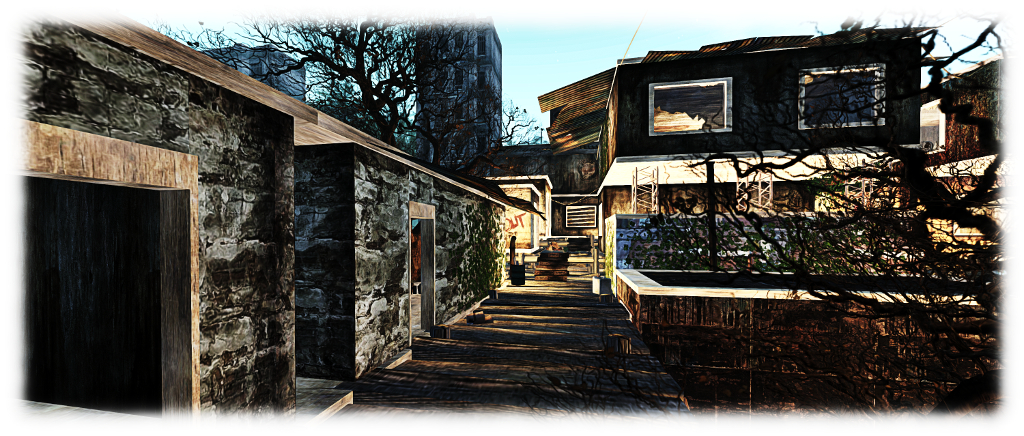
The Ghost Town sees players tasked with investigating the recent disappearance of local fisherman Big Jimmy. Guided by his journal and equipped with a special camera, players follow the clues left by a mind gone mad and discover the terrible truth behind Big Jimmy’s recent activities.
“New residents who stay and play in our virtual world are essential to the continued success of our grid,” MadPea say of The Ghost Town. “Whilst Linden Lab continue to work to attract new residents once they join and enter the world, we will be doing our part to ensure that they realise the rich, user-created content that is on offer. We hope that by playing our games new residents will learn skills that will help them over the steep SL learning curve while having some fun and collecting some prizes.”
What is the dark secret behind “Big Jimmy’s” disappearance – and where will his journal lead new users in Second Life?
As with all MadPea games, The Ghost Town is HUD-driven, and as with their most recent games, utilises experience keys to make game play easier. Gameplay takes place within the Firestorm Gateway regions, where they have to collect the images of 20 “ghosts” using the camera (HUD). Once all 20 have been imaged, players are eligible to claim their prizes.
The prizes on offer have been selected on the basis of being of value to new users and helping them enhance their Second Life experience. They have been provided by creators representing the rich choice of content available in Second Life: abranimations®, Apple Fall,, Black Pearls, Bryn Oh, Cheeky Pea, Deadwool, Elikatira, junk. Lapointe and Bastchild, Lilith’s Den, Plastik, Pose O’Clock, Sn@tch, Snowpaws, The Little Bat, TrAsHeD, United Color, WarBug and zombie suicide. The MadPea and Firestorm teams both extend their thanks to all of those who came forward with the offer of prizes.
The Ghost Town awaits players new and old
New players will be drawn into the Firestorm gateway through a series of dedicated web landing pages that are in developments (Linden Lab, and quite separately to the gateway trial programme, also use targeted landing pages to attract new users from specific audiences, so it is an approach which seems to yield results). Obviously, existing users are also able to play the game – hence the launch alongside the Firestorm Christmas party.
So, if you’re in the mood for a party, and fancy a spooky new game – hop over to the Firestorm Gateway regions using the region links towards the top of this piece.
Tuesday, November 17th saw the release of Firestorm 4.7.5.47975. While not as major in terms of LL features and updates as the August 4.7.3 release, the new version of Firestorm nevertheless brings with it plenty of general fixes and improvements, both via the Lab and the Firestorm team and contributors.
As per my usual MO, what follows is an overview of the release, highlighting some of the more significant / interesting changes, updates and fixes to be found in the release. For full details of all changes, and all due credits to contributors, etc., please refer to the official release notes.
Details of any versions of Firestorm to be blocked as a result of this release will be announced in due course.
Lab Derived Updates
Firestorm 4.7.5 brings the viewer to parity with the Lab’s 3.8.6 code base, and so includes the new Notifications updates and changes to the mesh uploader. These and other key updates from the Lab are listed below.
Notifications Update
The notifications update presents a new floater for managing all your incoming notifications and notices, the result of a feature request to the Lab from Aki Shichiroji. Within this floater, incoming notifications are split between four tabs: System, Transactions, Invitations and Group, with each tab displaying the total number of notices stored within it.
Notices are initially displayed in summary format presenting the title, date of receipt and other immediately relevant data, and can be opened in one of two ways:
Clicking on a notice directly will open in a new floater (shown below left) – this is a Firestorm-specific feature for the floater
Clicking on the small downwards arrow to the right of the notice will expand it within the existing floater (show below right).
The new Notifications floater from the Lab is included in Firestorm 4.7.5.
The floater also includes two buttons: Collapse All and Delete All. Both do as they suggest: collapse all notices open within a tab in the floater and delete all notices with a tab. Two further Firestorm-specific aspects of the notifications floater are:
An improved display of condensed group notices and show group name instead of sender name
The floater remembers the last selected tab after a relog.
Mesh Uploader Updates
Firestorm 4.7.5 includes the updated mesh uploader from Linden Lab, as seen in the SL viewer 3.8.4.305119 release.
This feature modifies the mesh importer to (optionally) improve debug output, perform name-based LOD association, and handle models with many materials, and allows models with more than 8 unique faces to be imported. When using it, note that:
The same limitations on LODs and materials remain in place (e.g. your low LOD mesh materials must be a subset of the full LOD materials).
LODs and Physics reps can now be explicitly associated with a given mesh in the full LOD model using name-based matching.
By properly naming the meshes in your lower LOD meshes and physics reps, you can avoid issues with ordering of the meshes within your DCC tool and other material mismatching errors.
An ImporterDebug option has been added to the settings.xml file which, if enabled, causes more information to be output during import than you can shake a stick at.
The extra output can be very helpful for diagnosing authoring errors (e.g. violating the material subset constraints mentioned above) and pinpoint what needs to be fixed in the source model for successful import.
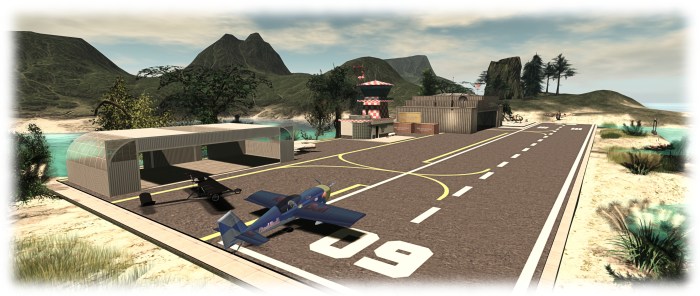
The Firestorm Gateway provides new users with essential orientation in using the viewer and the opportunity to learn about a range of SL activities, such as aviation – but it needs marketing and promotional support
The Firestorm team have announced they are seeking a volunteer to handle marketing and promoting Second Life to potential new SL users through the Firestorm Community Gateway and website.
The Firestorm Gateway is a part of a forthcoming trail programme being implemented by the Lab which will see up to 20 community-lead gateways active within Second Life and geared towards helping incoming new users get to grips with the platform more positively, and hopefully improving the chances that they’ll “stick”.
However, in order to attract new users into Second Life, the Gateway – and particularly its associated website – needs to be actively promoted to audiences beyond SL – hence Firestorm’s call for a marketing volunteer.
The marketing volunteer will be responsible for presenting and promoting the Gateway and – particularly the Gateway website – to potential audiences and target across the Internet, to encourage people
The Firestorm team is specifically looking for someone who is an existing user in Second Life with a solid grasp on what Second Life is and means to its residents, and who has extensive experience with internet marketing, including the use of social media tools.
The full list of requirements and the benefits offered in return are listed in the official Firestorm announcement, and those interested in applying are asked to send a note card with their information, experience and ideas to Jessica Lyon in-world, or via e-mail to jessica.lyon-at-phoenixviewer.com.
The Firestorm Gateway: partnering with MadPea Games
I recently covered the soon-to-be-launched Lab trail progamme which will see a new set of community gateways active within Second life and geared towards helping incoming new users get to grips with the platform more positively, and help them to start to engage in activities, thus hopefully improving the chances that they’ll “stick”.
The Firestorm team are one of the groups invited by the Lab to be a part of this new trial programme, and as I reported earlier in October, they will be launching their Gateway on Saturday, October 31st with a special party followed by a month-long Spooky Nights hunt which will take place across the five core regions of the Firestorm Gateway.
What I couldn’t reveal in that article, but am able to now, is that MadPea Games have agreed to partner with Firestorm to help get new users engaged in Second life.
A number of MadPea games will be available in the Firestorm Gateway regions
In a press release on October 28th, MadPea confirm they are providing Firestorm with a number of their vintage games which income new users will be invited to play free-of-charge, in order to present them with even more opportunities to learn about and engage in Second life.
Commenting on the partnership, Kiana Writer, CEO and Queen Pea of MadPea Games says, “We are all very excited about the opportunity of working with Jessica and her team and waving the flag for what is achievable for user-created content on the grid. There’s a huge learning curve when you enter SL for the first time and we believe Firestorm, along with their partners, are best placed to help guide new users through that arc.”
Jessica Lyon, speaking for the Firestorm team, said: “We are super excited to announce that we’ve formed a mutually beneficial partnership with MadPea Productions! Essentially MadPea will install some of their older games as free play in our environments, and in exchange new residents will learn about MadPea Games to become potential new customers. MadPea will also then be able to send their new users to our installations to learn how to play MadPea games.”
The Firestorm Halloween Party stage area
The Firestorm Halloween Party will kick-off at 13:00 SLT with a series of live performances running through until 16:00, when things will switch over the DJs, and the Spooky Nights Halloween Hunt will launch.
Topping the bill for the party are:
13:00 SLT – Mankind Tracer
14:00 SLT – Nance Brody
15:00 SLT – The Changhigh Trinity Sisters Fireshow
14:00 SLT onwards – DJ Quad
Over 150 well-known Second Life merchants have contributed to the hunt, and you can read a list of participating creators on the Firestorm post on the party, and also catch photos of some of the prizes on offer.
Four landing points will be in operation for the party, as follows:
For further information on the party and the Firestorm Gateway, please refer to the Firestorm blog post, or to find out more on the Gateway and the new Gateway programme, please refer to the articles in this blog.
 Firestorm have announced that as from Thursday, January 7th, Firestorm viewer 4.7.1 is to be blocked from accessing Second Life, and those using 4.7.1 are being encouraged to update to a more recent version (or revert to 4.6.9 for the time being if using Windows XP or Mac OS X 10.6) ahead of the block coming into force.


 Tuesday, November 17th saw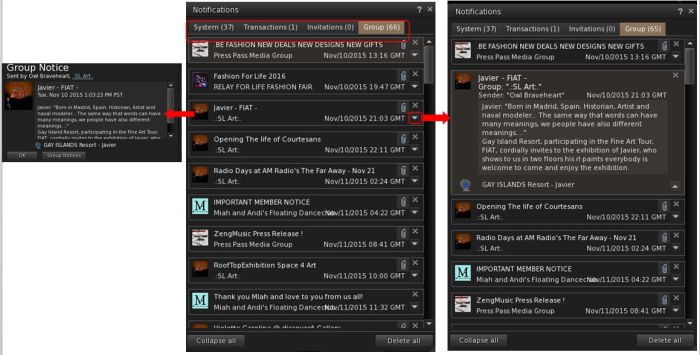




 Inara Pey: Living in a Modemworld