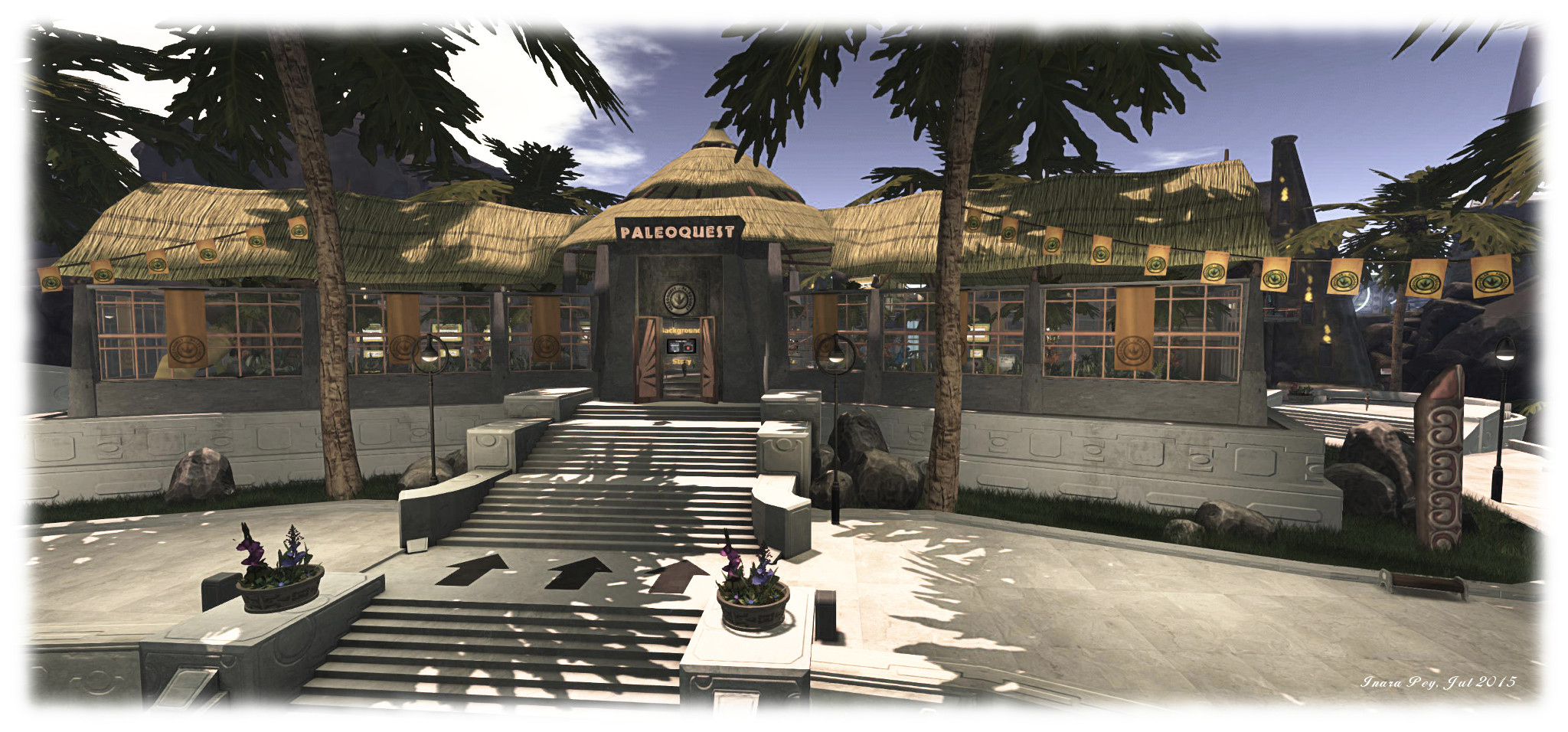
Experiencing PaleoQuest, the Lab’s latest adventure in Second Life

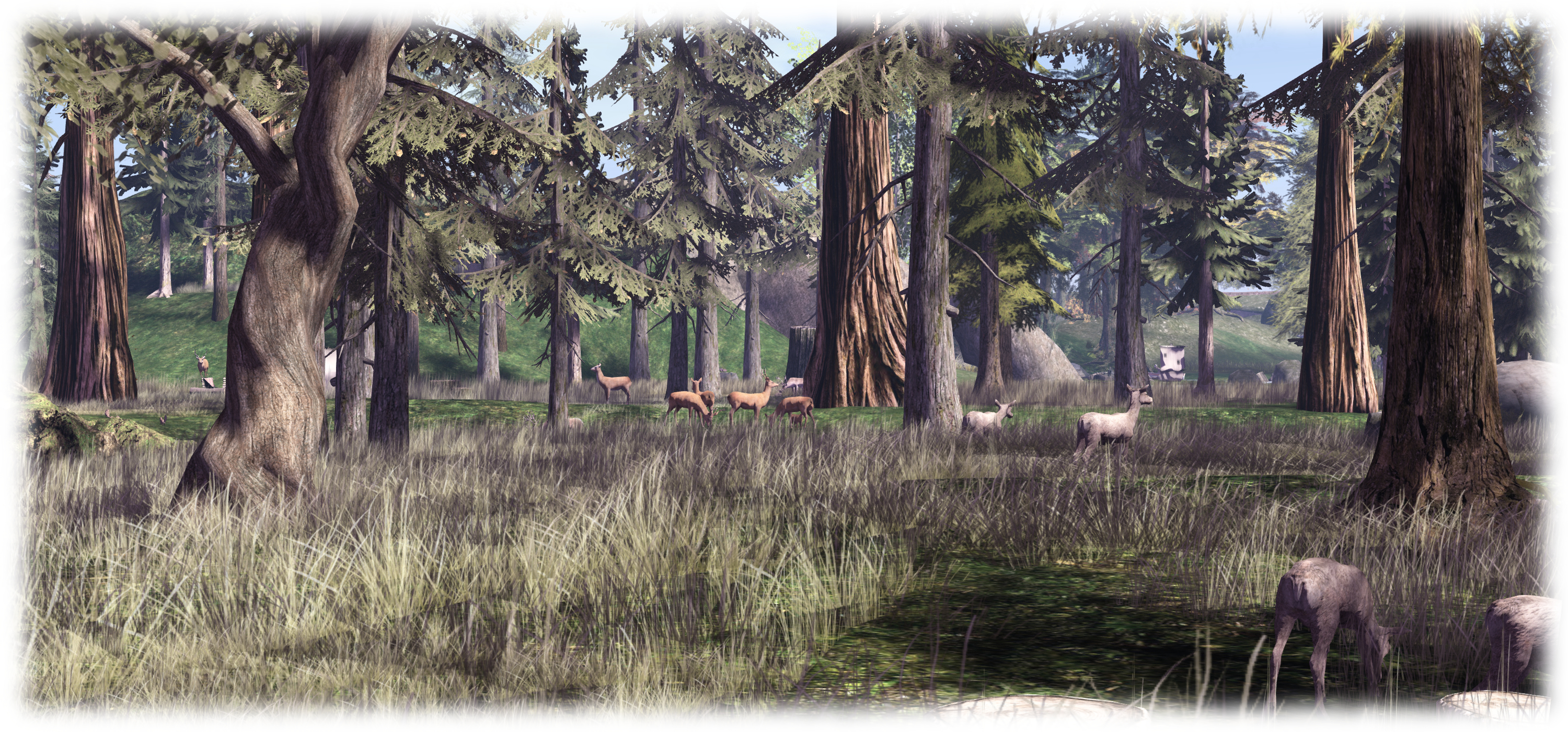
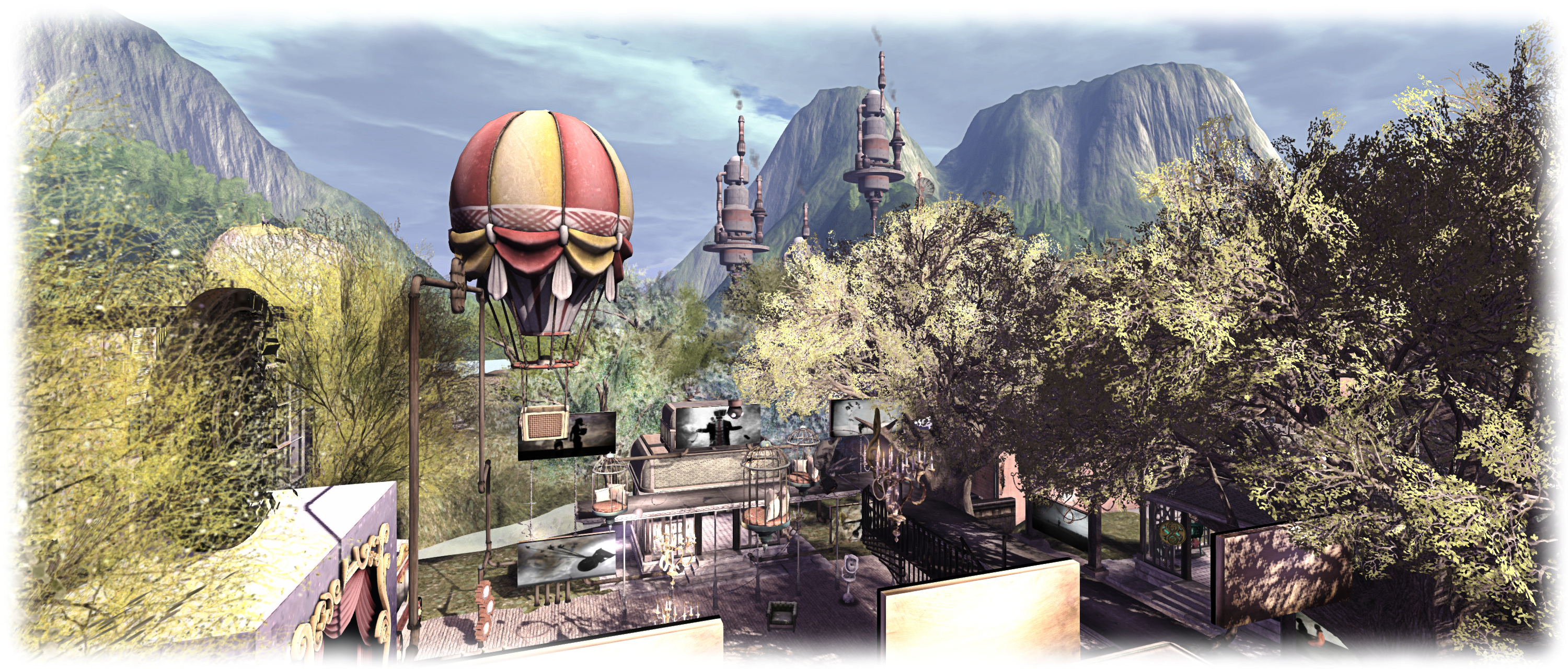
PaleoQuest; Inara Pey, July 2015, on FlickrPaleoQuest, July 2015 (Flickr) – click any image for full size

The Lab has launched the latest in their series of adventures for residents as a further demonstration of Experience Keys / Tools. Entitled PaleoQuest, it can be accessed from the Portal Parks, and following the announcement, I trotted along to give it a try, along with a few friends and some of the folk from the Lab and the LDPW.

As the title suggests, the adventure revolves around dinosaurs and parks … but also features time portals, moles, Magellan Linden and  … Doctor Talpa! The adventure comes with a back story, which I’m not going to explain; I’m going to leave that to the official video:

Once you’ve reached a Portal Park, follow the PaleoQuest footpath to the portal itself. Here, you must explicitly join the adventure and assign certain permissions to it (displayed in a dialogue box). These permissions allow the adventure to act on your avatar (teleporting you, proving you with items, etc.) without you constantly having to accept them via further dialogue boxes.

When you have agreed to join the adventure, walk into the light and you’ll be transported to the Visitor Centre, your starting point. As you do so, a game HUD will be attached to your screen – don’t remove it, as you’ll need it to proceed. It will automatically be removed from your screen when you leave PaleoQuest (and all the permissions you have granted will be automatically revoked as well – all part of the Experience Keys system).
PaleoQuest; Inara Pey, July 2015, on FlickrPaleoQuest, July 2015 (Flickr)

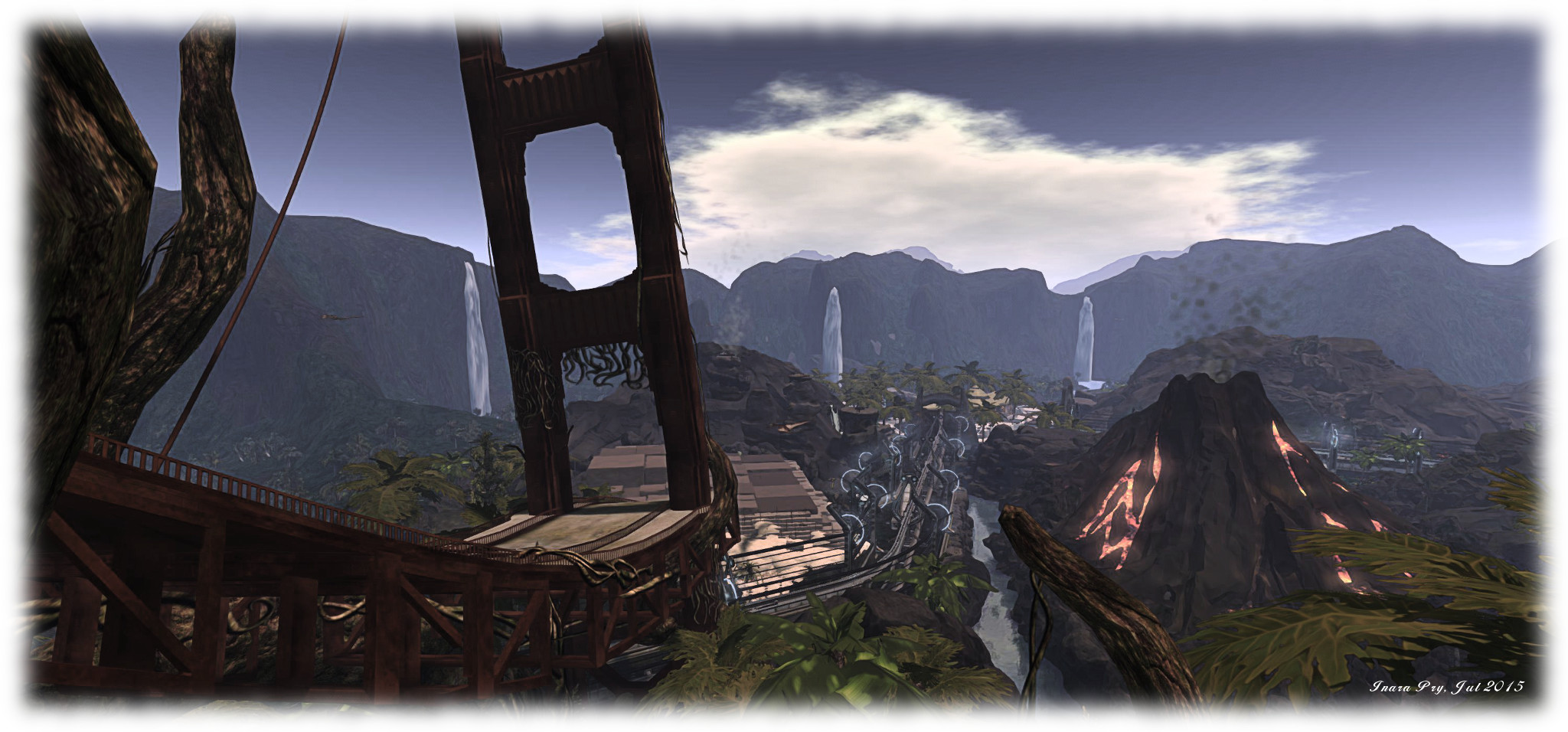
The HUD is a combination communications unit – you’ll receive text instructions through it, and hear them on occasion from Magellan -, progress indicator and score keeper. How to it is explained in a tutorial video. Both it and the back story video can be watched at the Visitor Centre as well as on You Tube directly. As well as providing you with instructions (also available in note card form), the Visitor Centre is also the place where you can redeem the goodies you’ve collected along the way for prizes.

Beyond the Visitor Centre are the 5 individual quest zones, reached via the monorail system. Each of these zones involves you in two activities; the first is to undertake a specific task which must be completed in order to help thwart Dr. Talpa. These must be completed in order – you cannot do one, then skip one and go to the next. The second activity involves you collecting “common and rare items” for Magellan (he’s always been one to get others to do the work for him!). These are the aforementioned goodies which can be redeemed for your rewards.
PaleoQuest; Inara Pey, July 2015, on FlickrPaleoQuest, July 2015 (Flickr)

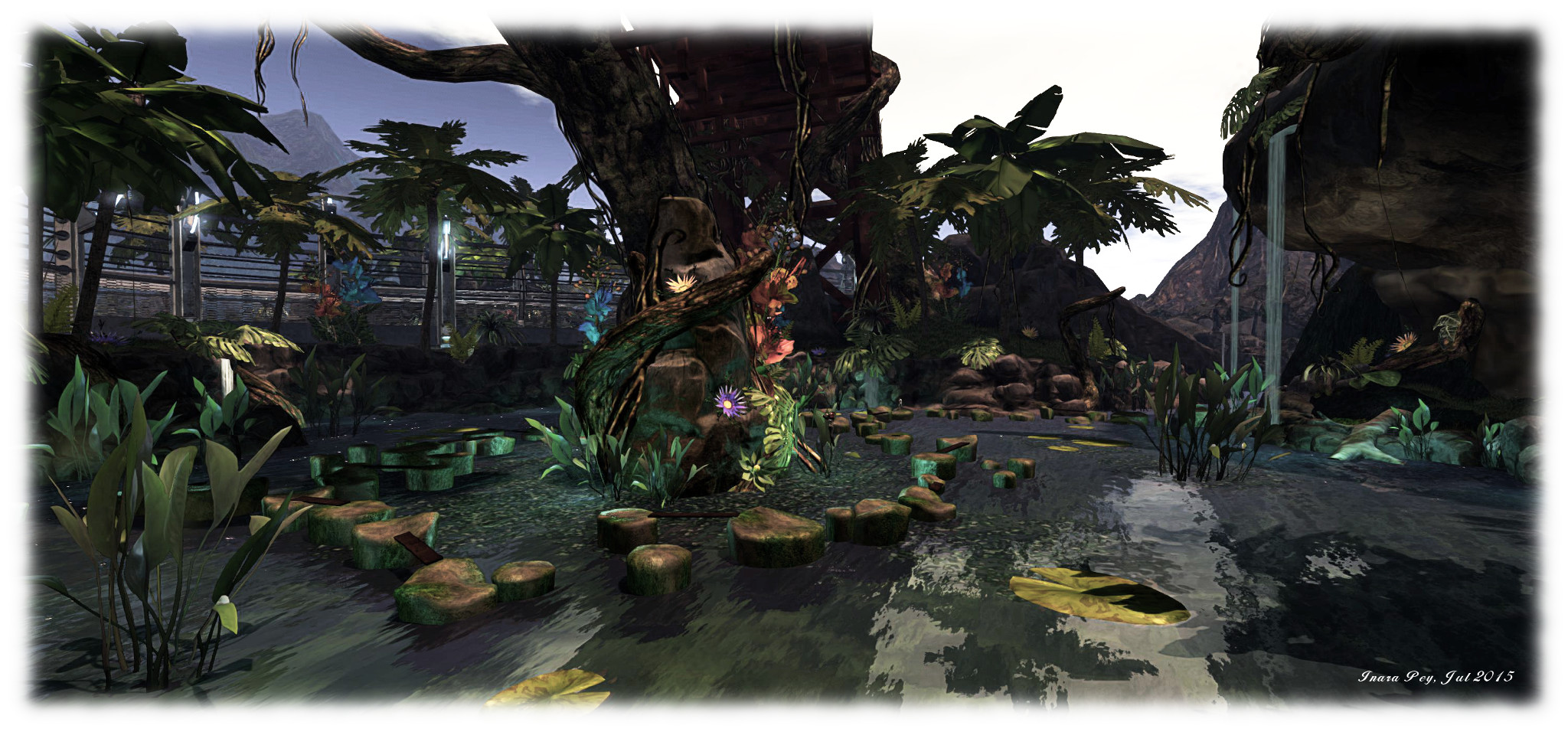
The five main tasks are fiendish, while the secondary task of collecting items Magellan will name for you isn’t easy either. There may well be rewards to be had when you’ve gathered them and got them back to the Visitor Centre, but as with the main task, there’s also a fair amount of death to be found along the way. Well, lots of death, actually, and in a variety of ways, all of them coupled with the chance of losing the goodies you’ve accrued.

This being SL, however, none of the deaths you may (that’s spelt w-i-l-l) suffer are permanent. Should rocks, darts, toxic water, evil creatures or other Unpleasantness get you, like Doctor Who, you will regenerate in a flash.

I’m not going to spoil the adventure by going into specifics of any of the quests; suffice it to say that this being a time mix-up, dinos won’t be the only things you encounter. There’s ancient Egyptians, pirates and more. What I will is that PaleoQuest is a lot of fun. Oodles of it, in fact.
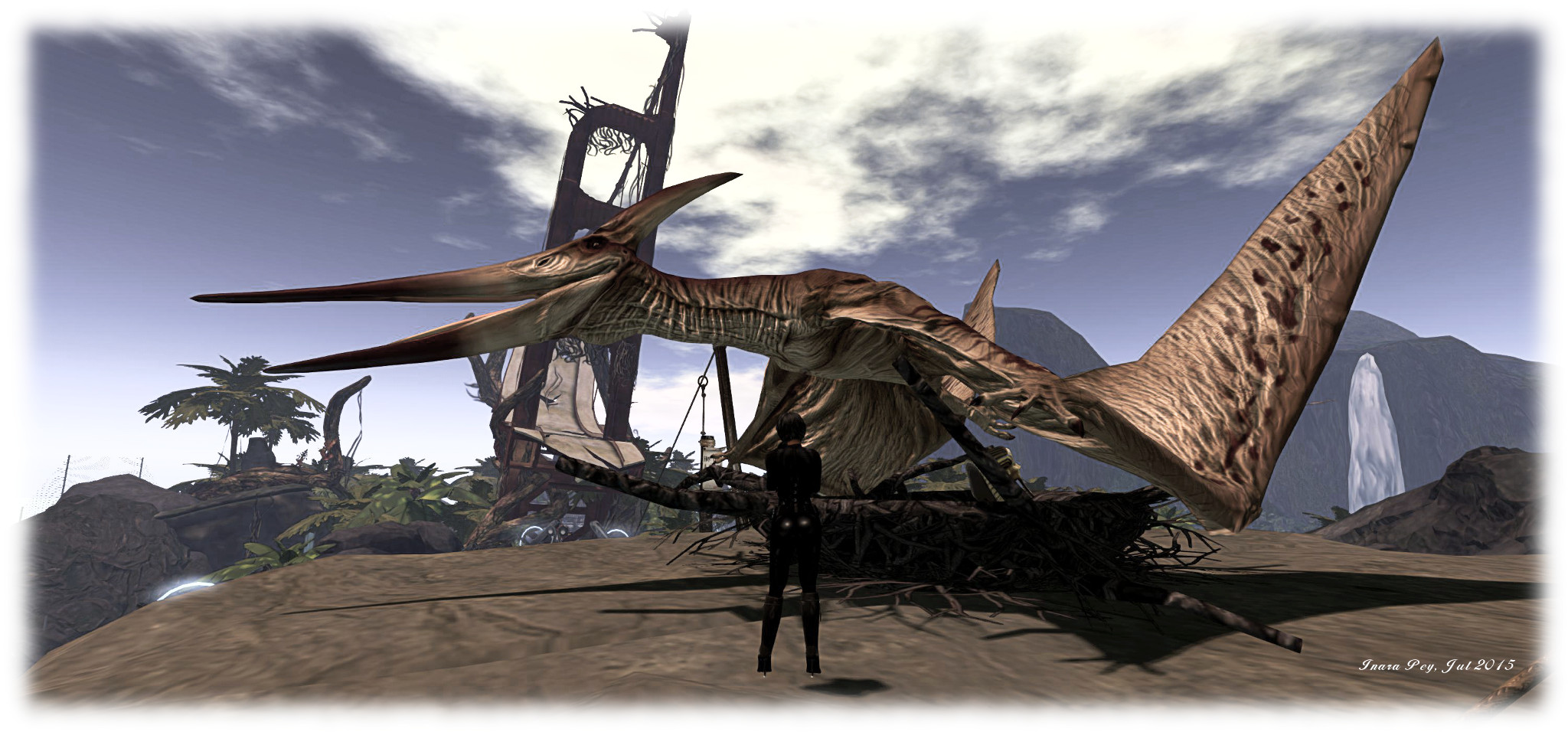
PaleoQuest; Inara Pey, July 2015, on Flickr“Watch the birdie…” – PaleoQuest, July 2015 (Flickr)

Congrats to Patch, Shaman, Michael, the moles and all who worked on the project; it’s been worth the wait ever since Patch mentioned it at the SL12B “Meet the Lindens” event, and it really does deliver up fun by the bucket load. Or have I already said that?

Don’t take my word for it, however – go see for yourself. You’ll probably come across Whirly still trying to get across Nessie’s rocks ;). (Me? I took a leaf from Magellan’s book. I sat down had a drink or six and watched everyone else!)
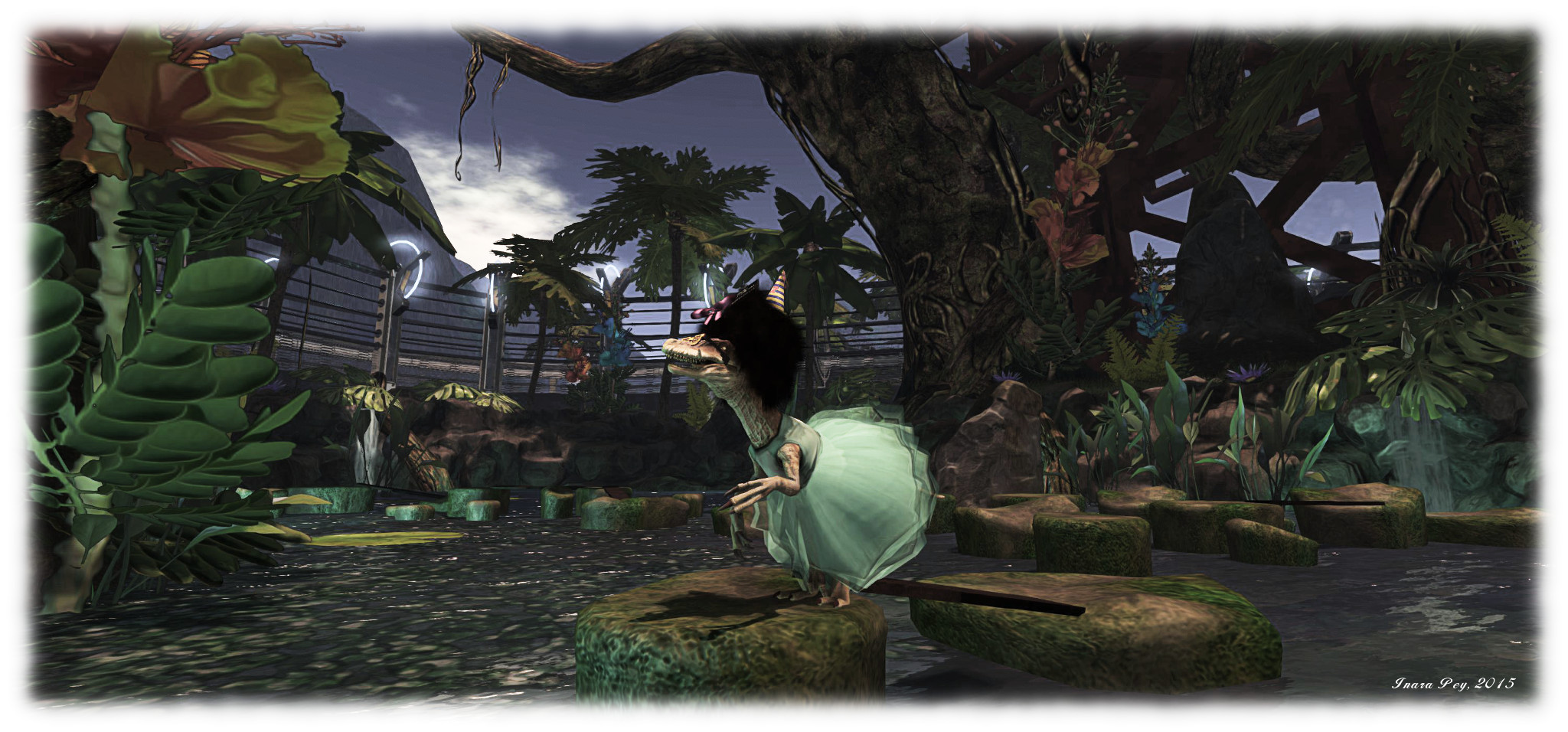
PaleoQuest; Inara Pey, July 2015, on FlickrWhirly gets into the spirit of things – and makes an enticing snack for Nessie! – PaleoQuest, July 2015 (Flickr)

Oh, and do make sure you have the music stream enabled when visiting. Someone did a pretty awesome job there as well.

Related Links

Second Life project updates 29/2: miscellaneous news

Matoluta Sanctuary, Sartre; Inara Pey, March 2015, on Flickr Matoluta Sanctuary (Flickr), March 2015 – blog post

Server Deployments Week #29 – Recap

As always, please refer to the server deployment thread for the latest updates / news.

  • There was no Main (SLS) channel deployment on Tuesday, July 14th.
  • On Wednesday, July 15th all three RC channels received the same server maintenance package, comprising internal simulator fixes.

SL Viewer

Following the promotion of the attachment fixes viewer to release status, all three remain active release candidate viewer in the release channel were updated as follows:

  • The Viewer-Managed Marketplace RC viewer updated to version 3.8.2.303583 on Thursday, July 16th
  • The Maintenance RC viewer updated to version 3.8.2.303563 on Friday, July 17th
  • The Mesh importer RC viewer updates to version 3.8.2.303565, also on Friday, July 17th.

Viewer-Managed Marketplace

On Thursday, July 16th, the Lab announced that VMM is now “released” (even through the viewer is currently still at RC status), and that automated migration of those Marketplace stores which have not already converted to VMM will commence at 21:00 SLT on Thursday, July 23rd, and will continue at the same time on weekdays for a 12-hour period (21:00 – 09:00) until complete.

That the announcement has been made prior to the viewer being promoted, and that it was made apparently without any notification to TPVs (who had been trying to work closely with the Lab in getting people ready for VMM) has caused no small amount of upset on the Commerce forum thread opened when the announcement was made, some of which is understandable, particularly given the way TPVs have tried to work with the Lab in support of VMM, and this announcement have left those still in the process of trying integrate the code into their viewers with little time to actually do so and support their users with a VMM-enabled version of their viewer.

Experience Tools

In my week #28 report, I referred to a comment made by Simon Linden relating to Experience Keys / Tools concerning some work he’s been carrying out on the KVP database:

I’ve been working on updating the KVP code that runs on our server and had the most frustrating time integrating the newest version into our code … The code we have is dated and we should have better performance and stability with their latest.

The use of “their” and “our” code led to some questions at the meeting (unanswered at the time) as to what it might indicate. During the Server Beta User Group (SBUG) meeting on Thursday, July 16th, some clarification was given.

The “their” referred to by Simon is MongoDB, which is the database being used to manage the KVP store and key value pairs. The version the Lab had been / is using can only apparently search around 1,000 values per minute. The new version that Simon has been working on should apparently improve on this, hence his reference to performance and stability improvements (not to mention scalability).

UKanDo and Black Dragon get Experience Tools

Both UKanDo and Black Dragon have recently incorporated the Lab’s Experience tools, following their were promotion to release status in the official viewer on June 30th, 2015.

UKanDo arrived with Experience Tools on Thursday, July 2nd, with the release of version 3.8.0.28122. As with the official viewer, this adds the Experiences floater access to the ME menu, and also has the Region / Estate and About Land panel also updated with their respective Experiences tabs.

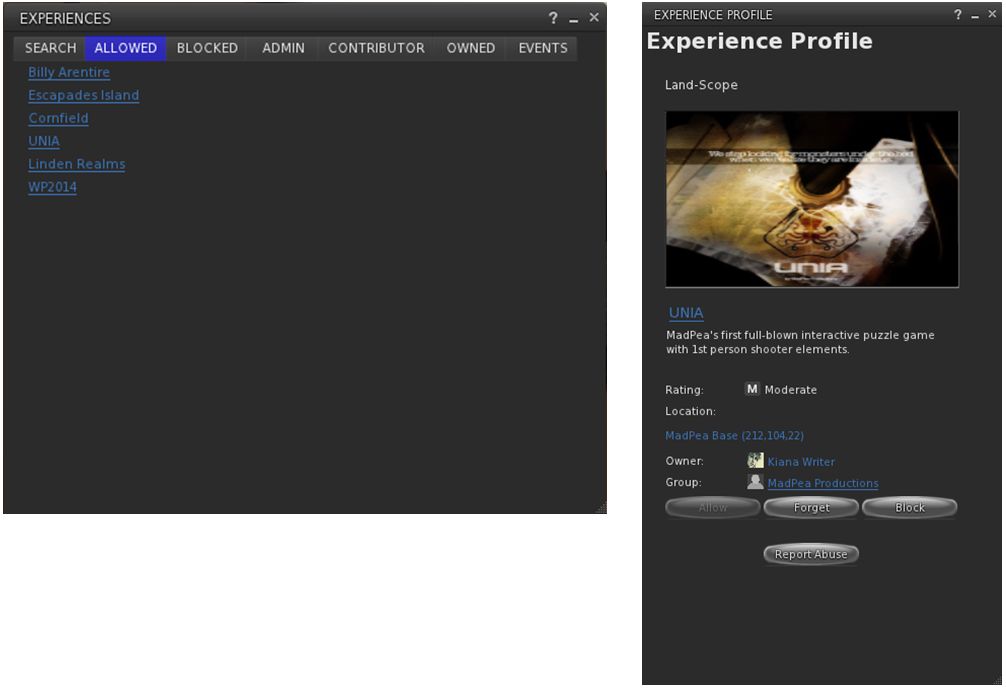
The Experiences floater and an Experience Profile as they appear in UKanDo with the default skin. The viewer also includes the Region / Estate and the About Land Experience Tools updates as well

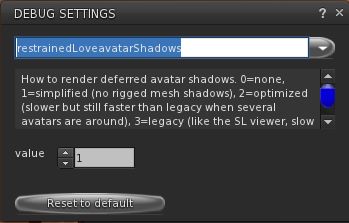
In addition, as a part of this release, UKanDo updates to RLV 2.9.12, with the NaCl / Marine Kelley avatar shadow rendering updates for rigged mesh – see my article of RLV 2.9.12, available here.

UKanDo 3.8.0 also includes Marine Kelley's RLV 2.9.12 update, with the avatar shadow rendering debug setting to help with rendering performance when running with shadows enabled and surrounded by avatars using mesh bodies & other rigged mesh attachments
UKanDo 3.8.0 also includes Marine Kelley’s RLV 2.9.12 update, with the avatar shadow rendering debug setting to help with rendering performance when running with shadows enabled and surrounded by avatars using mesh bodies & other rigged mesh attachments

Black Dragon release 2.4.3.5 sees the Experiences floater added to Dragon > Edit menu. As with UKanDo, it also adds the Experiences tabs to the Region / Estate and About Land Floaters.

This release, which arrived on July 4th after a couple of hiccups with versions 2.4.3.3 and 2.4.3.4, also includes Niran’s July 3rd update, which focused on a complete RLVa update, as per the release notes for that version.

I’ve not had an opportunity to extensively drive either of these viewers; my time is a little squeezed at the moment, and I’m struggling to clear a backlog of work and bits. So, consider this more a heads-up than any attempt at a review.

Related Links

Second Life project updates 27/1: server, viewer, Experience Keys

Jasmine's Hollow; Inara Pey, June 2015, on Flickr Jasmine’s Hollow (Flickr)

Server Deployments

As always, please refer to the server deployment thread for the latest updates / news.

  • There was no scheduled deployment to the Main (SLS) channel on Tuesday, June 30th
  • On Wednesday, July 1st, all three RC channel received a re-roll of the server maintenance project from week #26, minus the problem which caused that week’s roll-back.

BUG-197, “Cannot See My Chat Only In My Region/ Region Bad Performance” refers to a problem whereby a user can’t see any of their local chat on a region or parcel, and nor can anyone else, due to a scripted object which is spamming chat so badly, the chat throttle kicks in, but no warning would be provided to inform the user this was the case. with the deployed change, the user will now get a message about the chat throttle being hit, but unfortunately, the system will not identify the spammy object (so it might be removed / returned, if possible).

SL Viewer

On Tuesday, June 30th, the Experience Tools RC viewer, version 3.8.0.302622, was promoted to de facto release status by Linden Lab. An official blog post accompanied the promotion, and I blogged an updated overview of the viewer and Experiences.

On Thursday, July 2nd, the Attachment Fixes RC viewer (Project Big Bird) updated to version 3.8.1.303130, bringing it to parity with the release viewer. The Maintenance RC viewer and the Viewer-Managed Marketplace RC viewer will also be updated in due course.

Experiences and Experience Tools

As noted above, the Experience Tools viewer was promoted as the release viewer on Tuesday, June 30th. As a result of this, a number of questions were raised during the Simulator User Group meeting that day, some of which have been asked elsewhere, and so are reproduced here:

  • Will accounts other than Premium be able to create Experiences in the future?
    • No comment at this time
  • Will it be possible to purchase additionalKVP data storage (for storing information on an experience – players, their progress, etc.) in future?
    • This has not been ruled out by the Lab, but it is something they’re decided they don’t “need to figure out yet”
  • What happens to an Experience if a Premium user reverts to a Basic account?
    • The Experience is suspended; data saved to the KVP will not be immediately deleted
  • Will it be possible to transfer an Experience to, say an alt on Premium if downgrading the account associated with the Experience to Basic?
    • This is a possible idea for the future; however the Lab are not looking at it at present, due to the complexities involved
  • Can any third-party creators to sell no mod scripts for other people’s experiences?
    • Technically, no; contributors to an Experience have to be explicitly allowed by the Experience owner
  • Can an Experience run on a mainland parcel?
    • Yes
  • Can an experience run across multiple regions?
    • Yes, so long as it is Allowed by the land owner(s)
  • Will a region restart affect the information for an Experience stored in theKVP?
    • No.

Other Items

Windlight / Environment Changes

The Lab is looking to improve windlight / environment capabilities within the viewer. No work has actually started as yet, but there has been an offer from the Alchemy TPV team to contribute code that would allow the cloud textures to be changed without having to re-start the viewer when doing so.

An idea that has been suggested is that creating and saving windlight settings as local XML files could be replaced by saving them as assets. No decision has been made on this, but it is important to note that were this to go ahead, this would not prevent people from creating their own windlights. Rather, what it would mean is that such custom settings would be saved as SL assets, rather than locally, making them easier to share with others, resulting in a more easily achieved “shared experience” to be experienced.

Avatar Complexity

The release  of a project viewer for Avatar Complexity is still stalled due to the bug that’s been introduced that renders all avatars affected by the setting as invisible, rather than as the expected “Jelly Babies”.

A further look at the Experience Tools viewer in Second Life

secondlifeUpdated, July 2nd: A series of questions were asked at the Simulator User Group meeting following the release of the Experiences Tools viewer. A summary of those asked and which I’ve seen asked elsewhere has been added to the end of this article for reference.

On Tuesday, June 30th, the long-awaited Experience Tools viewer was promoted as the de facto release viewer by Linden Lab.

An official blog post announced the move, indicating that while experiences created using the new capability will be open to all, the ability to create new experiences using the tools is available to Premium members only, who have the opportunity to create one Experience by default.

For those not previously aware of Experience Keys, I’ll simply quote from the blog post issued by the Lab back when Experience Keys reached release candidate viewer status:

Experience Keys are a powerful feature that allows creators to build more seamless and immersive experiences in Second Life. Without this feature, you need to grant individual permissions to every single scripted object included in an in-world experience, and that can mean a lot of dialogue boxes interrupting the fun! Experience Keys make it possible for creators to build experiences that ask your permission just once. In other words, you can opt-in to the entire experience, rather than having to grant individual permissions to every single scripted object included in it.

A number of Experiences are already available across the grid for people to use. The Lab’s Cornfield shooter game available through the Portal Parks, for example, utilises Experience Keys, as does Loki Eliot’s outstanding Childhood Dreams, available at SL12B through until Saturday, July 4th, 2015. There’s also a growing section of the Destination Guide devoted to Experiences.

You don’t actually have to use the Experience Tools viewer to visit and participate in any Experience. However, the viewer does provide a lot of additional information to users than viewers without the code, and is essential for those who wish to build Experiences – so expect TPVs to be updating with the code as soon as they can.

An Experience dialogue box. On the left, as it appears in an Experience Keys enabled viewer, with options to display the Experience Profile (by clicking the Experience name link) and to accept / refuse the Experience and to block the Experience (so you'll never see a prompts anywhere for it again) or to block just the current inviter. On the right, how the same dialogue appears in a viewer that is non Experience Keys enabled - you can only opt to accpt or refuse the invitation
An Experience dialogue box. On the left, as it appears in an Experience Keys enabled viewer, and on the right, in a “non-Experience Tools” viewer. Both will allow users to join  / refuse experiences, and indicate the levels of permissions the Experience is requesting, but the Experiences Tools viewer provides additional options

As explained in the Lab’s video, once you have accepted an invitation to join an Experience, you never need to do so again; the fact that you have accepted it and the permissions you have awarded it in respect of your avatar are remembered – so each time you re-visit, you’re not hampered by having to accept. If there are HUDs and other attachments applicable to the Experience, these are automatically applied to you on your return; if there are scores or points associated with the Experience, these are also recorded and restored on your next visit. When you leave, HUDs and other attachments belonging to the Experience are removed and any permissions you’ve granted are revoked.

If you spend time in a place that has an Experience you’d rather not join, and don’t want to be bothered by invitations to do so each time you visit that place, you can opt to block the Experience (or specific objects offering invitations to the Experience). This will prevent further invitations being sent.

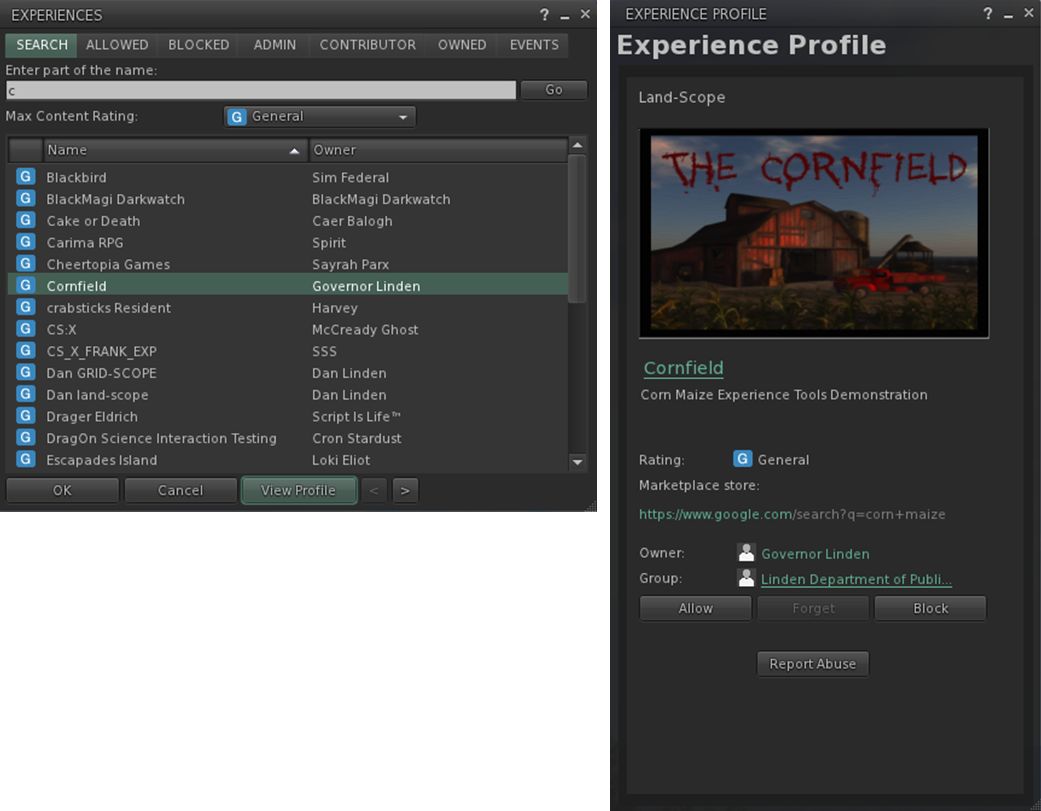
The Experience floater (left) can be used to managed the Experiences you've joined, blocked, own, etc., and allows you to see what events have acted on your avatar and to search for Experiences.
The Experience floater (left) can be used to manage your Experiences and to display more information about them through the Experience Profile (right) – click for full size

For Experience users and creators, the viewer introduces two new floaters – the Experience panel and the Experience Profile, both shown above.

The Experiences floater (Me > Experiences) helps you keep track of the Experiences you join or block, or which you are involved in as an owner or collaborator. It also allows you to search for Experiences in SL, and tracks the actions taken on your avatar by the Experiences you’ve allowed.

The Experience Profile provides additional information on a specific Experience, and can be displayed a number of ways. You can, for example, highlight an Experience in the Search tab of the Experience floater and then click the View Profile button. You can also click the Experience’s link in the Allowed / Blocked / etc., tabs to display its Profile.

The Profile allows you to Allow or Block an Experience, make an Abuse Report if it is doing something intentionally abusive (such as repeatedly orbiting you). If you wish to leave an Experience, you can use the Forget button. Note that the next time you visit, it will treat you as a new joiner. If an Experience Profile includes a SLurl, clicking on it will open the Places floater, allowing you to teleport to the Experience.

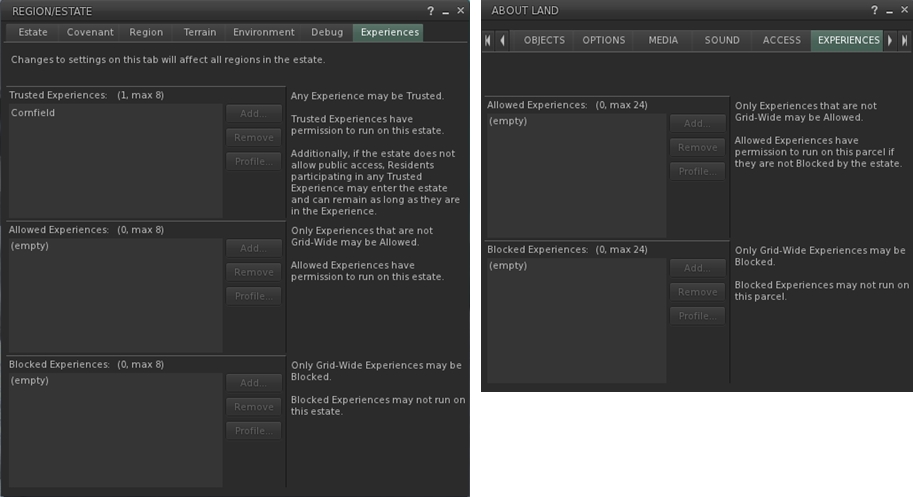
The Experience Keys viewer introduces additional Estate and Land tabs to allow management of the Experiences enabled at estate / region and parcel level.

Experience Keys – which allow Experiences to run – are currently restricted to the region / parcel level. There are currently no keys which automatically allow an Experience to run across the entire grid, although this may change in the future. To help land owners to decide which, if any, Experiences they wish to have running on their land, the Experience Keys viewer also introduces two new tabs to the Region / Estate floater and the About Land floater (shown above).

Adding an Experience to your Land should only be done if you’re actually an active collaborator / participant in providing the Experience to others, or have created it yourself. Do note as well, that a hierarchy that exists between regions and parcels; if an Experience is blocked at Estate level, it cannot be run within a parcel on that estate.

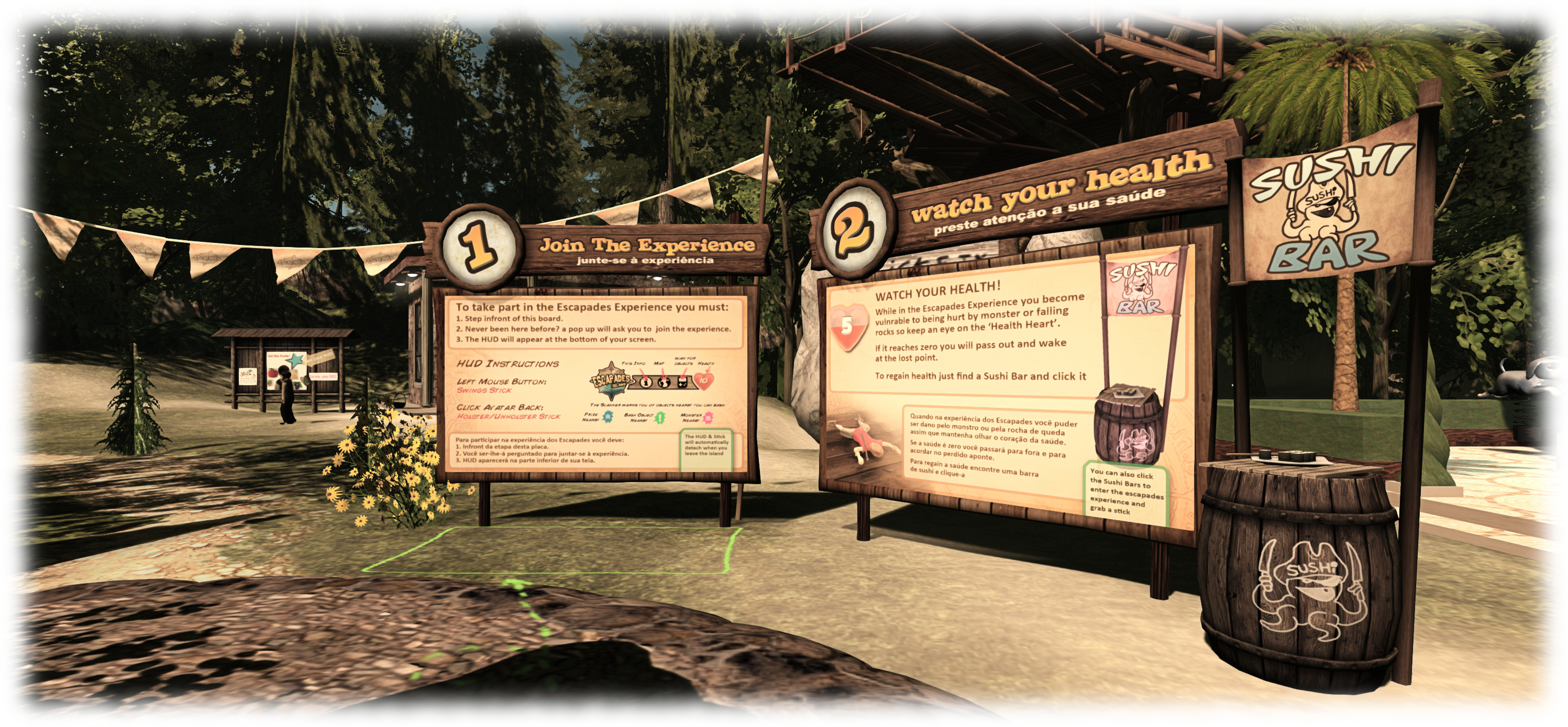
Loki eliot also has an Experience based game available at Escapades Island
Loki Eliot also has an Experience based game available at Escapades Island

In terms of creating Experiences, and as noted above, this is limited to Premium member. There is a lot of power involved in the capabilities, and so maintaining some degree of accountability with those using them is vital; so limiting the creative element to Premium members is a good way of ensuring that accountability (providing accountability is also why there are options to report abusive Experiences in both the Experiences floater and individual Experience Profiles).

Continue reading “A further look at the Experience Tools viewer in Second Life”

Second Life new user experience now with Experience Keys

Experience Keys are being used as a part of the new user experience
Experience Keys are being used as a part of the new user experience – click for full size (note viewer UI is intentionally turned off)

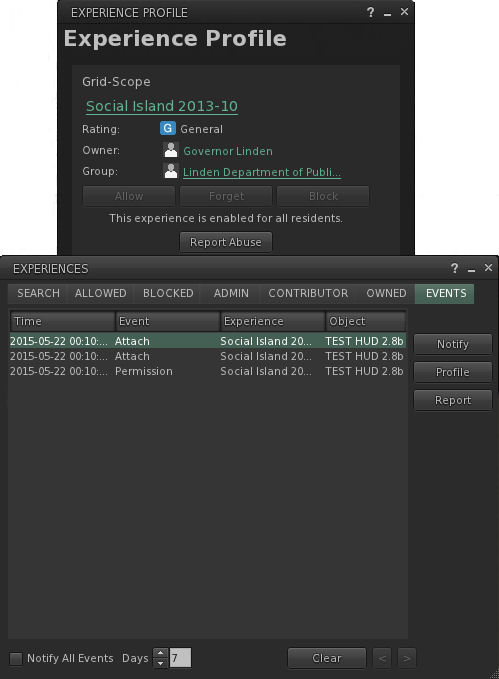
update, April 2016: The Lab is apparently A/B testing the use of Experience Keys with task-oriented learning at a set the Social Islands. See my article on this for further details.

As a part of my periodic poking at things in Second Life, I recently logged-in using the avatar I keep “parked” at one of the Learning Islands which are the initial arrival points for new users, and  noticed that the Lab has added Experience Keys capabilities to the first-time log-in experience for new users as part of continuing efforts to improve the experience new arrivals have when arriving in-world for the first time.

For those not already in the know, and keeping things to their briefest, Experience Key (also referred to as Experience Tools) are a relatively new (and at the time of writing, yet to be fully deployed) feature that allow users to opt-in to an “experience”  – which could be a game, a tour, an educational activity, and so on – just once, rather than having to repeatedly grant specific permission each time something wants to act upon their avatar – such as a teleport offer, attaching an object, etc.  This means that the experience can be enjoyed much more fluidly and without the distraction of multiple dialogue boxes constantly popping-up. when the user leaves the experience area, their status in the experience is saved (e.g. their progress and items collected), all permissions are revoked, and all attachments removed.

Experience Keys in use as a part of the New User Experience

Within the first-time log-in environment, Experience Keys are being used to help guide new users through the basic steps of using the viewer. The focus (at least at the time when i noticed the use of Experience Keys) is specifically on avatar movement. However, there is no reason why the approach couldn’t be expanded in the future to cover other aspects of viewer use, and other aspects of gaining familiarity with SL.

A key difference between the use of Experience Keys in the new user experience is that the HUD system is attached seamlessly when logging-in for the first time; there’s no initial pop-up dialogue box for the users to accept as they log in.

This is a good idea, as it avoids potential concern which might otherwise occur for a new user in having a potentially confusing / worrying dialogue box displayed as soon as they log-in, stating it wants to take control of this and that. Instead, the HUD attaches, and a couple of seconds later, the first pop-up displayed, providing a brief, basic overview of walking and turning.

In all, there are four pop-up hints given as the user progresses around Social island, each one appearing at an appropriate point in their travels. The hint on flying, for example, comes just ahead of the user reaching a broken bridge which should otherwise span a chasm.

The four pop-up helpers which appear as a part of the experience as the new user progresses around Social Island
The four pop-up helpers which appear as a part of the experience as the new user progresses around Learning Island – click for full size

The process stops when the user passes through the portal leading to one of the Social Islands, with the experience HUD detaching automatically as they do. Once at the latter, things become more of the familiar mix (to those of us familiar with the new user experience, at least!) of potential confusion, wandering and poking at things in order to work out what to do, even with the help from established users, who have for a while now been able to access the Social Islands (and some of whom can themselves be somewhat unhelpful, and do act as an illustration of the Lab’s misgivings on this area).

However, to stick with the use of Experience Keys, the current deployment is pretty basic, but it does offer a rough foundation on which more might be built. As such, I asked Peter Gray, the Lab’s Director of Global Communications about the use of the Experience Keys capability, and whether it might be extended within the new user experience.

“We’ve been using Experience Keys for some time with the new user experience,” Peter confirmed, before continuing, “We plan to continue to test and improve the new user experience, but at this time, we’re not able to share a pipeline for planned changes.”

The How To guide provide a range of information on movement, communications and other basic aspects of using the viewer - yet seems oddly overlooked; it is not opened by default on a first time log-in, nor are new users directed to it
The How To guide provide a range of information on movement, communications and other basic aspects of using the viewer – yet seems oddly overlooked; it is not opened by default on a first time log-in, nor are new users directed to it

How this might be done is a matter of speculation; Experience Keys certainly offer a raft of opportunities for easy learning activities along the lines of the old Orientation Islands of yesteryear, but with a potentially greater level of engagement and interaction.

As it is, the viewer does have a reasonably good introduction to the basics of using the viewer in the form of the How To guide (which has never seemed to really form a part of the various attempts to tweak the on-boarding process). It would be interesting to see the information this contains put to far better use, possibly as part and parcel of a more immersive, interactive means of guiding new users through the basics of the viewer utilising Experience Keys.

Getting to grips with the viewer is, of course, only one aspect of bringing new users into SL and getting them to stick – and it is one perhaps we focus on a little too much. The key to getting people to stay is to get them engaged in the platform – and that comes through positive interaction with others, preferably by helping them to find people within environments and activities which interest the incoming users.

This is perhaps a harder aspect of the problem to solve. However, as write Beau Hindman demonstrates in his recent video on the new user experience; there are options which might be considered. One in particular could be to direct incoming users more towards Experience Keys-led activities within SL, as more and more come on-stream, as it is likely these will tend to be something of a focus of established users as well, thus providing a potential mix of activity and interaction with others. It also fits with the Lab’s vision for on-boarding people in their Next Generation Platform.

As noted above, what is currently employed at the Leaning Islands is rudimentary; but it is also a start. Experience Keys will hopefully be fully deployed across the grid in the near future. Once that’s the case, it’ll also be interesting to see how the various mentor groups might leverage them to help new users as well.