SL projects update 33/3: TPV Dev meeting: HTTP, avatar height offset

The following notes are taken from the TPV developer meeting of Friday August 15th. A video of the meeting, provided by Chakat Northspring is included below. This report represents an overview of items discussed at the meeting which are liable to have the broadest interest among users. Timestamps are given against items and paragraphs for ease of referencing what was said within the video for those who wish to listen to the entire conversation on a given subject.

Note that subjects are not necessarily presented chronologically when compared to the video, but has been grouped under common headings.

My thanks, as always, to North for her recording of the meeting and linking to this blog post.

SL Viewers

[00:30] There have been few visible changes with the RC and project viewers this week. The library refresh viewer and the experimental log-in viewer remain unchanged, and while the Experience Keys project viewer has been updated, this has yet to appear in the Alternate viewers wiki page.

Oculus DK2 and Project Viewer Updates

Oculus Rift: the Lab now has the DK2, so work will be resuming on the project viewer

[00:50] The lab has received around half-a-dozen of the Oculus Rift DK2 headsets, and so it is anticipated that further work will be progressing with the project viewer, and updates will be emerging over time. As noted in week 32, there are some substantial differences between the DK1 headset and the DK2, which currently make the project viewer largely incompatible with the newer headset.

Texture Statistics Logging

[19:15] With the roll-out of the 3.7.7 the Lab unfortunately broke the texutre stats reporting debug option LogTextureDownloadsToSimulator. As this is off by default (set to False) it has not been noticed by most users. However, the recommendation is that users do not set this option to True, as it will cause the viewer to immediately crash on start-up, at the next attempt to run it. This issue is common to all viewers using all code releases subsequent to 3.7.7 as well.

Viewer Build Process

[40:24] The Lab is shortly going to commence the process of upgrading the tool chain they use in the viewer build process (e.g. switch to Visual Studio 2013 for Windows and Xcode 5 for Mac) and switching over to the new version of autobuild. This work may also eventually help pave the ay for 64-bit builds of the official viewer. However, this is not currently the focus of the changes, as no decision has made as yet within the Lab on producing 64-bit builds of the viewer; the current aim of these changes is to improve the overall viewer build process.

[47:23] There are two points of note here. The first is that the new autobuild process includes changes which self-compilers must adhere to if they are using it, and details are available on a wiki page. The second is that it is probable that Windows viewers built using Visual Studio 2013 will not run on Windows XP. The Lab has already dropped Windows XP support, which is as much as it will currently say in terms of future viewers built using the new tool chain running on XP.

Group Chat

[02:00] The work on group chat has temporarily halted due to those working on it either being on vacation or working on other projects. Given this, and with a degree of ironic timing, there have been increasing reports of group chat issues over the last several days, including one chat server apparently becoming completely non-responsive.

It’s not clear to the Lab as to what may be causing the problems, but they have been noted. In the meantime, informal advice is that if your group chat is consistently failing, to contact support, provide them with the information on your group (name, etc.), and the issues you’re having, and request the chat server is restarted.

Continue reading “SL projects update 33/3: TPV Dev meeting: HTTP, avatar height offset” →
SL project updates week 33/2: server recap, inventory, region crossings

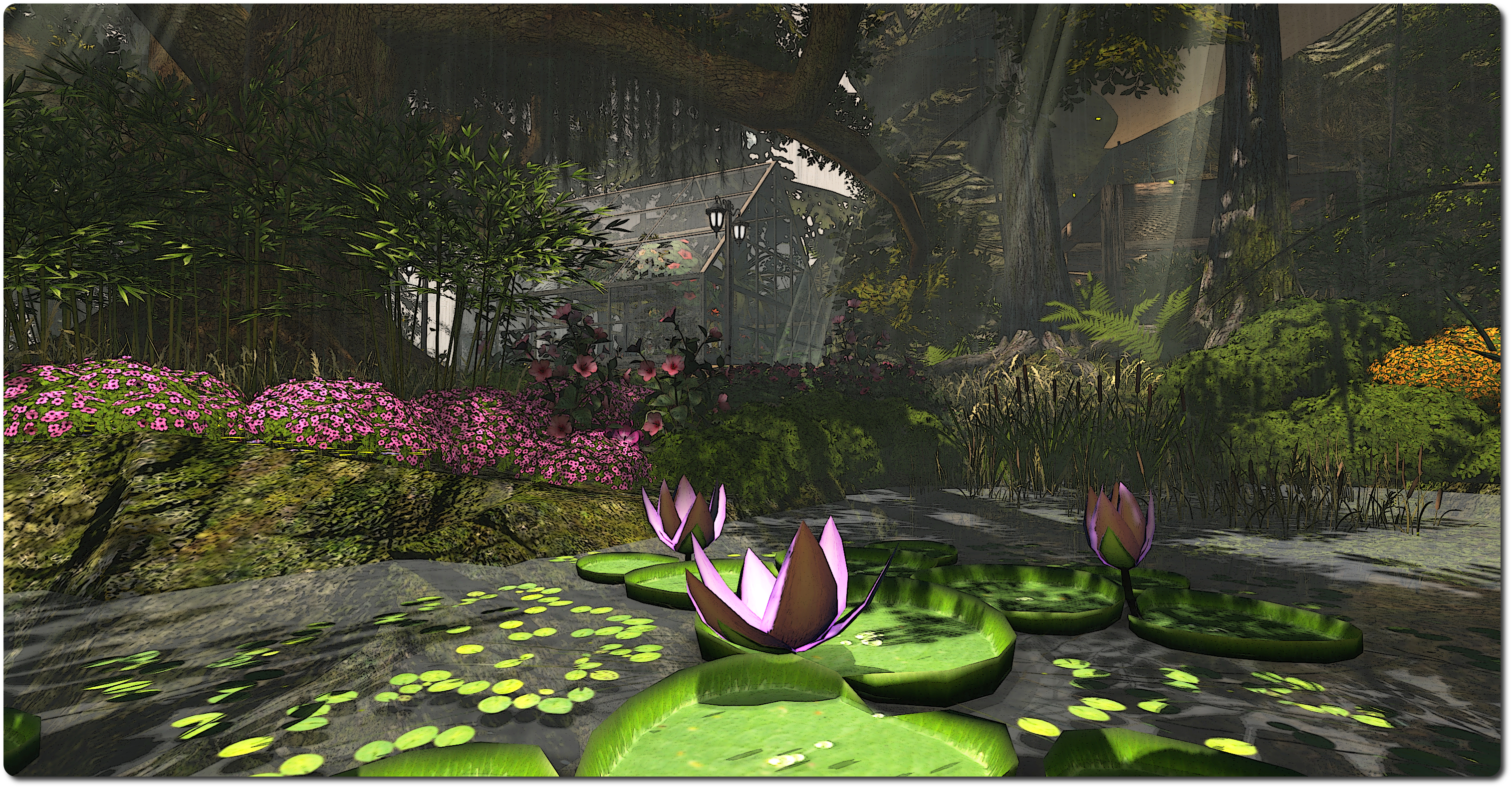
Le Botanique, Mirriam Brown; Inara Pey, July 2014, on FlickrLe Botanique, Miriam Brown, July 2014 (Flickr)

I’m busy playing catch-up due to a number of things going on at the moment, so my apologies for late-running reports. The following notes were taken from the Server Beta meeting of Thursday August 14th.

Server Deployments week 33 Recap

  • On Tuesday August 12th, the Main (SLS) channel was updated with the server maintenance release previously deployed to the RC channels in week 32, so placing all four channels on the same simulator version
  •  There were no RC deployments for the week.

HUDs Detaching / Reattaching Following Teleport

Following the week 32 report on HUDs detaching / reattaching following a teleport and issues with attachments scripted to use llDetachFromAvatar to detach on a region change being reported as “worn on invalid attachment point” by the viewer, JIRAs have been raised on both issues (BUG-6925 and BUG-6908 respectively). Maestro Linden has been looking into both, with mixed results.

Maestro has difficulties in reproducing the HUD detaching / reattaching issue (BUG-6925) and so is working from logs supplied by the reporter. However, one line of thinking is that higher ping rates to the server might be indicative of the problem – those who have high ing rates (and those “longer” update times seem to be more readily able to reproduce the issue than those with lower ping rates.

The belief at the lab is that the BUG-6908 issue is likely to be a race condition, and investigations are continuing.

Gestures, Calling Cards and Region Crossings

During the discussion about BUG-6925, Maestro pointed-out that having a large number of active gestures associated with your avatar might be a contributing cause of region crossing issues. This is because the information on each active gesture has to be handed-over from one simulator to the next, and this might slow things down / interfere with things, possibly exacerbating things like HUDs dettaching / reattaching during a region crossing, etc.

While there was a degree of uncertainty as to whether it is the case or not, Calling Cards might also contribute to region crossing problems as they are updated between regions with the online / offline status of other avatars. Simon Linden is best placed to speak to whether this is the case, but he is currently on vacation.

Large numbers of active gestures (and Calling Cards) can also slow-down the log-in process (hence the often-given advice to delete unwanted Calling Cards from inventory).

 Inventory and Inventory Updates

A correlation between large “flat” inventories (i.e. inventories with relatively few folders beyond the system folders,  and each folder containing a lot of items) and log-in issues has been recorded. Oz Linden’s recommendation to reduce such issues is to have a relative deep tree of folders, with each folder containing fewer items.

As the inventory “skeleton” (which contains your inventory folder hierarchy) is only fetched by the viewer when you log-in, “flat” inventory structures don’t impact regions crossings. However, if you do feel you are experiencing a long log-in period, and you have a large, relatively flat inventory structure, you might want to consider re-organising things and seeing if that helps to improve matters.

A forthcoming viewer update, STORM-2034, contributed by Jonathan Yap, will provide support for “older than” inventory filtering, allowing users to filter their inventory either before or after a given age. This should make locating older inventory items a lot easier when it comes to wanting to delete or box items which are no longer used. There’s currently no ETA on when this change is liable to appear, but there is another Snowstorm viewer iteration due, so it might be in that, depending on the code’s current status.

The existing inventory filter options (l) and the proposed update to the time-based filtering option (r)

Other Items

Avatar Bakes and  Rigged Mesh

A question was asked at the Server Beta meeting on whether it would ever be possible to apply to other objects, which quickly focused-down on using them in conjunction with rigged / fitted mesh. Responding to the question, Maestro Linden said:

It would be cool if you could stack layers of diffuse textures on objects, but it would be a pretty big project. Hmm. I guess that would depend on how it’s implemented … If you just had a way for an attachment to reference its owner’s currently baked texture, then that may not be too difficult, but I think that if you were to say “any object face can have multiple textures, which use the baking service, such that you can have up to ~150k baked textures in a region”, that would be a whole other beast :).

A suggestion was made to limit the number of bakes that could be applied, in the same way as texture layers are constrained on the avatar at the moment, prompting Maestro to agree, “if the object faces are just referencing the same textures which are already baked on an avatar, you could even implement that as a viewer-side change: ‘if object diffuse texture is $magic_uuid, render its owner’s upper-body baked texture on it (or maybe default to grey if the bake is unavailable)’.”

Avatar bakes are currently limited to 512×512. Whether that would be regarded as sufficiently high enough for use on rigged mesh is open to question. n the meantime, a JIRA proposing something similar, aimed at the removal of scripted appliers (BUG-5893) has already been triaged and accepted by the Lab for further investigation.

SL projects update week 33/1: SL news and BCU exploit

Server Deployments

As always, please refer to the server deployment thread for the latest news and information.

It’s another lightweight week in terms of deployments.

  • On Tuesday August 12th, the Main (SLS) channel received the server maintenance package deployed to the RC channel in week 32, which primarily includes the JSON issue “Valid JSON numbers like 0e0 no longer valid after 14.06.26.291532″ (BUG-6657).  As noted in week 32’s report, this “fix” in fact roll backs the fix for an earlier JSON issue (BUG-6466) which appears to have triggered the more recent issue. A fix for both problems is now currently in the works
  • There are no RC channel deployments for week 33.

SL Viewer

As I reported here, a new version of the experimental log-in viewer arrived on Friday August 8th. Version 3.7.14.292660 has yet to appear on the Alternate Viewers wiki page, but displays a revised log-in screen which has the log-in credentials moved to the top of the screen.

The new log-in splash screen sees the removal of the Create Your Account option and the placement of the log-in options at the top of the screen in a new header area

In addition, for users logging-in to Second Life for the very first time using the viewer (or who have performed a completely clean install), a very simple log-in screen is displayed, which explains to users that they’ll be logged-in to a Learning Island, where they’ll have to find their way to the exit portal in order to proceed to a Social Island (both the Learn Island and Social Island being elements introduced to the new user experience in July 2013).

All other SL viewer versions remain as per the Alternate Viewers wiki page  / my Current Viewer Releases page.

Simulator User Group Meeting

There was no Open-source Development meeting on Monday August 11th or Simulator User Group meeting on Tuesday August 12th, as the Second Life technical team are all attending a planning / brainstorming session. These meetings will resume as usual in week 34, with the Server Beta meeting on Thursday August 14th the next scheduled User Group meeting.

Other Items

Windows BCU Exploit

This isn’t a project update or notification from Linden Lab. I’m including it here for ease of reference.

A note card is circulating from the United Content Creators of SL relating to an exploit using the  Browser Configuration Utility (BCU) which can be found on Windows systems.

BCU is described as a “Search Hook Addin is an Internet Explorer URL search hook that redirects search results when an address or search keyword is entered into the web browser.” Among other things, it is sometimes bundled with Gigabyte motherboards, although there have been reports that it can also be shipped with Asus and other main boards. It’s been a known source of potential annoyance since mid-2009.

According to the UCCSL note card, some people are using BCU as a phishing exploit using profile weblinks, streaming media, media on a prim and perhaps even via bots wearing transparent prims with streaming media. To quote the note card:

This Exploit redirects your Viewer to another website other than SL that will display the normal SL login screen, then tell you that your login credentials are incorrect.   while it is telling you that your login credentials are incorrect, it is collecting your login data. At this time we have found hundreds of web resources that are transmitting this infection, and a large number of user profiles with these links in them.

Apparent signs of infection are that the viewer takes a lot longer to initialize when you try to start it, and it fails to recall your user name, if saved, and the note card refers to an EULA being displayed, which I assume is a reference to the ToS.

The recommended means of dealing with the issues is to:

  • Use the Windows Task Manager’s Process tab to see if your computer is running BCU.exe*32 and BCUService.exe (make sure you use Show Process from all users if more than one person uses your computer)
  • BCU can generally be removed from a computer without affecting its performance or use, so you may want to check your system and remove the utility altogether, either via the Control Panel > Programs and Features or manually (the utility should be around 356-357 KB in size according to DirectVM)
  • Go to the SL website at http://www.secondlife.com, and use the account section of your dashboard to change your password. Logout and log back into the website to confirm your updated password

As further precautionary measures, disable your viewer from playing media automatically and from playing media attached to other avatars (both under Preferences > Sound and Media). Also, if you have a viewer with the media filter installed, make sure you have it enabled so you can check audio streams – but remember the filter doesn’t provide any safeguard against media on a prim, so always be wary of untrusted MOAP sources. Finally, don’t click on links in the profiles or people you don’t know / trust.

SL Projects update week 32/2: server, viewer, issues

Beeswing, Banana Island, May 2014; Inara Pey, on FlickrBeeswing, Banana Island, May 2014

Sever Deployments – Week 32 Recap

  • There was no Main (SLS) channel deployment on Tuesday August 5th
  • On Wednesday August 6th, all three RC channels received the same maintenance update, which addresses some miscellaneous bugs, and fixes the JSON issue “Valid JSON numbers like 0e0 no longer valid after 14.06.26.291532″ (BUG-6657) and includes changes from the current Main channel release.

The “fix” for the JSON issue was to in fact roll back the fix for an earlier JSON issue (BUG-6466) which appears to have triggered the more recent issue. A fix for both problems is now currently in the works.

SL Viewer

  • The Library Refresh viewer was updated on August 6th to version 3.7.14.292638 on August 6th. This viewer contains an update to a large set of libraries used by the viewer to provide security, stability and consistency improvements to this and future viewers (download and release notes)
  • As anticipated, the Zipper Viewer, intended to improve the viewer’s installation speed, has been removed from the viewer release channel. The reason for this is an incompatibility between the archive format used to zip the viewer skins for faster installation and older operating system versions.

Other Items

Maestro Linden is back from his 3-week vacation and revealed he and Caleb Linden have been working on ‘infrastructure’ updates recently, for some of the central services, which has mostly involved making sure they still work properly after a big OS update which is in the works.

HUDs Detaching / Reattaching Following Teleport

There has been a report that HUDs are acting oddly following a teleport, apparently detaching and then reattaching, but showing as “worn on invalid Attachment Point” until clicked upon. The issue seems to be primarily experienced by people using viewers with the AIS v3 updates, but it may also occur on other viewers.

These issues are somewhat similar (in part to problems previously reported with avatar attachments failing to behave as expected when using the inventory WEAR command ((see BUG-6487 and my notes here). The Lab is going to take a poke at things.

Soul Seize

There have been further reports of the “soul seize” griefing tools doing the rounds. These are objects (both in-world and possibly HUDs worn by others disguised as greeters) which offer to animate your avatar (e.g. hug you or allow you to sit), but which are intended to take control of animating your avatar.

This issue has been around a considerable time (see JIRA VWR-13228). However, a year ago in Agust 2013, the Lab deployed a partial fix for the problem. This was change to the Stop Animating Me option in the viewer (found under the Me / Avatar menu in v3 viewers), to cause it to send a message to the simulator so it revokes all animation permissions for all objects in the region.

The solution isn’t perfect – it doesn’t work where animation has been initiated by a HUD, and at the time the update was made, concerns were raised that griefer might work around it. Whether these latest reports refer to a new flavour of the tool which does get around Stop Animating Me update is unclear.

SL project updates week 32/1: server, viewer

The Snow Lion, Oceanside dAlliez; Inara Pey, May 2014, on FlickrThe Snow Lion, Oceanside dAlliez (click for full size – blog post here)

Server Deployments – Week 32

As always, please refer to the server deployment thread for the latest updates and status on deployments.

  • There was no Main (SLS) channel deployment on Tuesday August 5th
  • On Wednesday August 6th, all three RC channels should receive the same maintenance update, which addresses some miscellaneous bugs, and fixes the JSON issue “Valid JSON numbers like 0e0 no longer valid after 14.06.26.291532” (BUG-6657) and includes changes from the current Main channel release.

SL Server

Release Viewer

The de facto release viewer was updated on Monday August 4th to version 3.7.13.292225, formerly the Group Ban RC viewer. For an overview of the group ban functionality, please refer to my article here (note this is based on the project viewer, although the functionality has not changed significantly).

All other viewer in the release and project channels remain as per my Current Viewer Releases page.

Oculus Rift Viewer and Oculus DK2

Versions of the Oculus Rift DK2 kit are beginning to appear, and those who have received the updated headset are noting that the current Oculus Rift project viewer (version 3.7.12.292141 – see the Alternate Viewers wiki page) is not compatible with the newer equipment, particularly with regards to the updated tracking system and the new display modes (see: RIFT-130).

Given the extent of changes between the DK1 and DK2 headsets, incompatibilities shouldn’t be that surprising, and problems are limited to SL; other applications built for the DK1 are also apparently having their share of niggles with the newer hardware. At the time of writing, it wasn’t clear if the Lab had or had not received their Oculus DK2, so it might still be a while before an updated version of the viewer with DK2 support appears.

User Group Meetings, Week 33

There will be no Open-source Developer meeting or Simulator User Group meeting on Monday August 11th or Tuesday August 12th respectively. This is because the Second Life technical team will be involved in a strategy  / team building get-together in the physical world, and so will all be offline for in-world meetings as a result of travelling, etc.

Other Items

Off-line E-mail Issues

There are reports that offline IMs to e-mail are being blocked by certain ISP, most notably United Internet in Germany, which operates a number of web-based e-mail services, including GMX, 1 and 1, web.de mail.com and A1. The problems started in early July (see this forum thread and BUG-6591 and BUG-6717), and was initially seen as an issue within SL.

However, SL user MartinRJ Fayray, himself based in Germany, contacted 1 and 1 and received confirmation that certain IPs from SL have been blocked on account of the amount of “spam” they are generating.

As the blocking appears to be simulator IP-based, the situation has given rise to some confusion, as some offline e-mails do get through to users, and others don’t (depending on where they were initiated within SL), leading to people viewing the problem as Lab-based issue.

Things currently appear to be up in the air as to what might happen, as unblocking IP ranges is something United Internet needs to do, although United Internet appear to be waiting for the Lab to contact them.

This is not the first time issues with IM to e-mail have been encountered. In 2013, many Gmail users found that their off-line e-mails were no longer being received, although that was due to a change in Gmail’s filtering policies which could be rectified by a settings change at the user’s end.

SL project updates 31/3: TPV Developer Meeting and SL issues

A TPV developer meeting took place on Friday August 1st, 2014. The core items discussed in the meeting are reported below, with timestamps in the relevant paragraphs indicating the point at they are discussed in the video embedded here. My thanks, as always, to North for the video.

SL Viewers

[00:15] There have been no changes to the RC viewer currently in the release channel or to the project viewers. The limited release log-in viewer which is being used for some unspecified A/B testing is still in the wild as well, although this is not available for manual download via the Alternate Viewers wiki page.

The Zipper viewer (for faster installation), which reappeared as a RC viewer on Wednesday July 30th (version 3.7.13.292263), is reported as doing “pretty terribly” crash-wise on older operating systems which may not support the archive format used to zip the viewer skins for faster installation. As a result, the Lab is currently unsure as to whether the project will be continued or not. Until a decision has been made, TPV developers have been advised not to port the code.

The Oculus Rift project viewer was updated to the current viewer code base in week 30. However, it is not currently clear when any updates related to the Oculus DK2 kit will start appearing in the viewer.

As indicated in part 1 of this week’s update, the Experience Keys beta project is going well. There are some issues to be addressed, although these are describing as being “nothing major”, and it’s not clear if they are viewer-related or not.

Unsupported Operating System Versions and Windows 8.0

[38:03] A reminder was issued at the TPV Developer meeting that the Lab will no longer be providing assistance with unsupported operating systems. This includes Windows XP and, once the Library Refresh RC viewer reaches a release status, Max OS X 10.6.

[39:05] It was also reiterated that Windows 8.0 users who are experiencing crash issues with the viewer should consider the free upgrade to Windows 8.1, which has a much lower crash rate, with overall improvement in viewer stability being described as a “really big difference”. A blog post on this subject (and viewer crashes in general) was posted by the Lab towards the end of July 2014.

Group Chat

[03:00] Following-on from the discussion about group chat and the initial testing of updates which took place at the Server Beta meeting on Thursday July 31st, Oz said of the work, “we’re continuing with making back-end changes, there’ll be another roll-out of some experiments shortly and we’ll see how they go. Like I’ve said before, we’re not going to generally announce when those happen, because we don’t want to change the experiment by changing people’s perceptions.”

[10:27] Although at the moment the focus is very much on what can be achieved on the back-end services without the need for changes within the viewer itself,  Oz gave notice that the Lab may want to talk to TPVs about possible changes to group functionality and viewer behaviour at some point in the future. One of the questions being asked within the Lab is whether or not the members list needs to be displayed for all groups. Some groups, for example have a “no chat” policy and / or are only for the outward flow of information (e.g. product update groups); so are these a category of group for which the updates of people coming on-line or joining / leaving the session are no actually relevant, and could be eliminated  or suppressed, thus reducing the volume of update messages?

Continue reading “SL project updates 31/3: TPV Developer Meeting and SL issues” →