There was no deployment to the Main (SLS) channel on Tuesday, January 12th. On Wednesday, January 13th, all three RC channels should receive the same sever maintenance package comprising:
Feature Request: llGetObjectDetails() constant OBJECT_TOTAL_INVENTORY_COUNT – when targeting an object, OBJECT_TOTAL_INVENTORY_COUNT will return the total of all inventory types in each link of the linkset. See BUG-10575 for further details
Feature Request: llGetObjectDetails() constant OBJECT_PRIM_COUNT – provides a means to get a worn attachment’s prim count (rather than just returning 0). See BUG-10646 for further details.
Simulator crash fixes.
SL Viewer
So far, no promotions or updates to the current batch of RC and project viewers, leaving the list as it stood in week #1:
Current Release version: 4.0.0.309247, December 17, 2015 – formerly the Chromium Embedded Framework RC viewer download page, release notes
RC viewers:
Project Azumarill (HTTP updates) RC viewer, version 4.0.1.309333, dated January 5th
Quick Graphics (Avatar complexity & graphics presets) RC viewer, version 4.0.1.309320, dated January 5th
Maintenance (30+ fixes and improvements) RC viewer, version 4.0.1.309460, dated January 5th
Vivox (Voice fixes and improvements) RC viewer, version 3.8.7.307744, dated November 17, 2015
Project viewers:
Project Bento (avatar skeleton extensions) version 5.0.0.309171, dated December 16, 2015
Oculus Rift project viewer, version 3.7.18.295296, dated October 13th, 2015
Obsolete platform viewer (SL access for Win XP / Mac OS X10.6 users), version 3.7.28.300847 dated May 8, 2015.
During the last TPV Developer meeting of 2015, it had been indicated that the Vivox RC viewer and the HTTP RC viewer were being merged into a single offering. If this is still the case, we can likely expect the updated RC viewer to be appearing soon.
Weekend Issues
For those who may have missed it, April Linden from the Lab’s Operation’s team (who are responsible for trying to keep the grid available 24/7), provided a blog post on the issues Second Life experienced over the weekend of January 9th / 10th 2016, which I also covered in a separate blog post.
Project Bento extends the avatar skeleton, adding a significant set of bones, notably providing facial expressions, finger movement, and better support for wings, tails, additional limbs, etc. (model by Matrice Laville)
The first public user group meeting for Project Bento took place on Thursday, January 7th 2016, marking the start of what will be a regular event, although the exact frequency, particularly in terms of day and time, may vary, at least initially.
The purpose of the meeting is to provide an open forum for more direct and real-time conversations between the Lab and content creators about Project Bento than can perhaps be achieved through forum posts, etc. This, and the reports which follow from it are intended to provide a synthesis of these meetings, together with relevant audio of discussions and feedback, where appropriate. My apologies for the quality of the audio in places; these was partially the result of recording over voice and also due to the audio strength dropping out on me quite frequently.
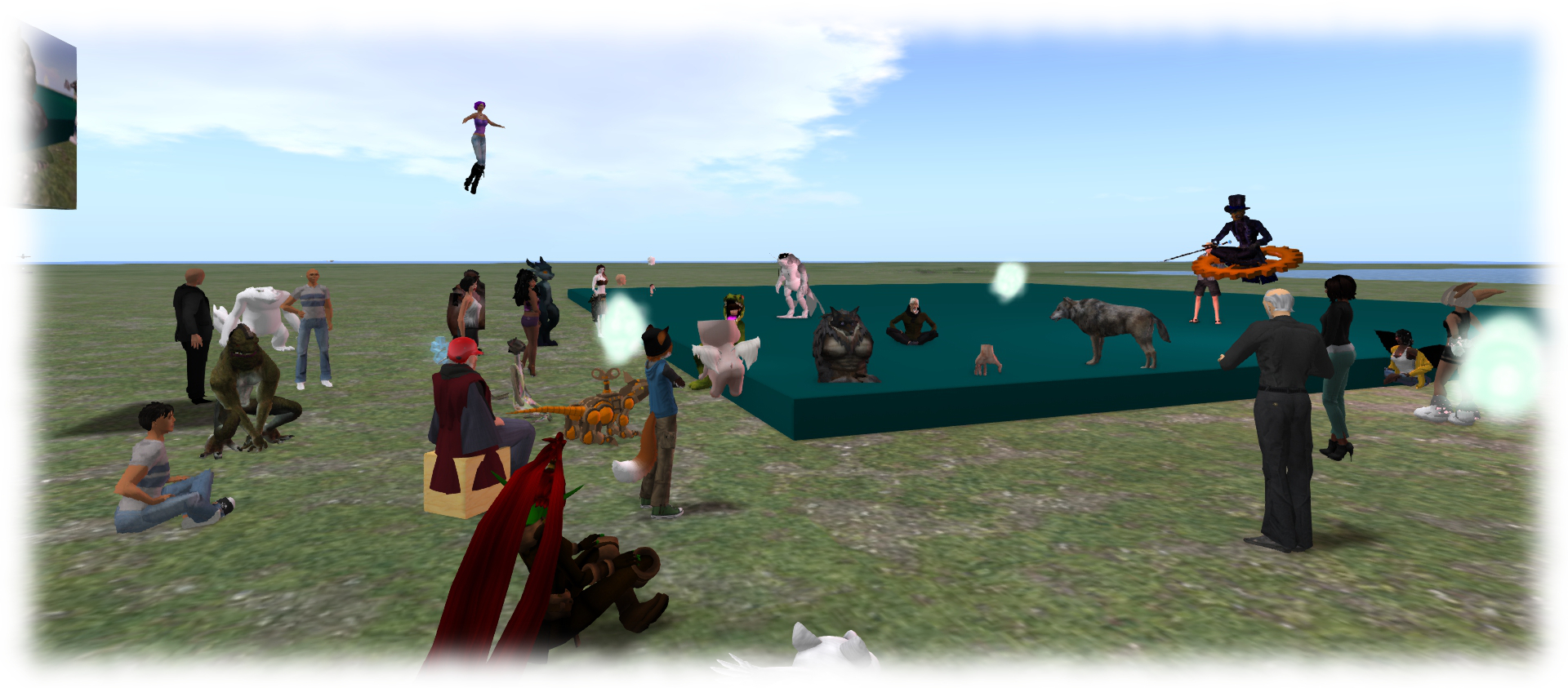
People arrive for the first public Bento user group meeting on Aditi
Translation vs. Rotation
As I’ve previously reported, there has been an ongoing discussion about providing bone translation rather than just rotation in order to better handle facial expressions (see BUG-1090, “[Bento] A formal method of bone-translating animations is vital for the creation of proper facial expressions”), with the initial disallowing of translations within Bento (where they had previously been possible by means of a workaround) being a particular point of contention. Medhue Simoni was one of those particularly concerned at the lack of available translation capabilities, and as I noted in my coverage of the 100th Drax Files podcast, he has produced a fairly comprehensive video explaining the issue.
Given the amount of conversation that has been generated, it should not be that surprising to learn that this was the first item up for discussion in the meeting. In particular, Vir announced that the Lab has revised its thinking on the matter pointing to a Bento forum posted providing more of the Lab’s original concerns. So with this change, animations using translations can now be uploaded to most regions on Aditi.
Vir on the rethink concerning allowing bone translations
So does this mean translations will be allowed going forward? Vir was cautious in his reply, noting that nothing about Bento will be finalised until such time as it goes to the main grid, so there is no definitive decision on the matter at present. However, based on the way things are going, it would seem likely that translations will be enabled and there is nothing the Lab currently has planned which might cause them to be disallowed. However, Vir did warn that were this to be the case, there may be bugs / limitations in how they work.
Vir on whether or not translations will be allowed going forward
Stretching and Scaling Bones
The current mechanism for stretching / scaling bones is via the shape slider, and Vir indicated that it is not likely that the Lab will be moving to support scaling in animations as a part of this phase of Bento, although they might revisit doing so at some point in the future (without any guarantee they would).
As a part of the explanation for why this is the case, Oz indicated that the Lab’s belief in approaching Bento was that for most non-human avatars and shapes, their expectation was that creators would do the basic repositioning of joints as a part of the mesh prior to upload, and then adjust them as needed, and so the need for translation would be marginalised.
However, as several of those present at the meeting pointed out, effectively “baking” positions into a mesh in this manner prior to upload is itself limiting, and translations can help handle odd glithes in the avatar shape which can occur. Given this, and the shift in stance on translation mentioned above, Oz indicated he’s very interested to hear back from people on what might be considered “best practice” for handling bone repositioning, scaling, stretching, etc.
Vir and Oz on scaling and stretching bones and the Lab’s initial approach to Bento
Avatar Deformation and Resetting
One of the things the Lab is trying to achieve through Bento is a means of more reliably providing a mechanism by which avatars suffering from deformations as a result of rigged meshes, complex shapes, etc., can be reliably restored.
One of the things the Lab would like to do is offer a consistent means of resetting avatars deformed by things like multiple joint repositions to a “default” state which includes adjustment to bones made via mesh and attachments
As Vir noted in the meeting, the Lab has been working on trying to make mesh positions behave better, but there is still a lot going on under the hood, such as changes made by sliders or attachments or animations, or a combination thereof,, the initial values defined by the skeleton, etc., which can influence the overall shape / appearance in an unpredictable order which can leave someone in a difficult to resolve state.
In particular, and as stated by Oz, the Lab would like to be able to offer the capability that if a user experiences deformations as a result of running animations, they can be reliably reset to a default position that includes and joint position movements implied by any mesh attachments worn at the time the issue occurred (with the exception of those implied by animations).
To this end, he and Vir urged people to file bug reports on any issues of deformation they encounter when using the Bento project viewer (as well as any other issues they encounter), even if the issue has been previously encountered prior to Bento but has remained unresolved, and to provide specific examples of the problem with related models, etc., so that the Lab can use the project to attempt to investigate and resolve as many issues of this kind as they can. The Lab cannot promise that everything will be fixed, but by the same standard, it shouldn’t be assumed that just because something hasn’t been addressed thus far, effort won’t be put into trying to see if it can be resolved.
Vir and Oz on bug resolutions and seeking a means to consistently reset deformed avatars
The weekly scheduled server deployments will not resume until week #2 of 2016 (week commencing Monday, January 11th), when there should be a deployment to the three release candidate channels.
SL Viewer
The Maintenance RC viewer was updated on Tuesday, January 5th to version 4.0.1.309460. This sees MAINT-5760 “Favourites sort order reverts every session and no favourites display at the login screen for single name “Resident” accounts” removed from the resolved issues list.
The Quick Graphics RC viewer (graphics preset options and Avatar Complexity) updated to version 4.0.1.309320, also on Tuesday, January 5th. This sees the addition of two further fixes to the resolved issues list:
MAINT-5541 “[QuickGraphics] 0 complexity avatar renders as jelly”
MAINT-5567 “[QuickGraphics] A mesh attachment causes avatar to be jellybaby while Avatar complexity is set to No Limit”.
Login Failures – Friends List Updates
People have been experiencing log-in failures recently, which appear to be related to issues as the viewer loads / updates the Friends list as a part of the log-in process (see BUG-11032 and BUG-11127).
The log-in failure issue generates s generic error message
The problem is account-specific, and when I asked Oz and Simon Linden about the problem, and whether a more permanent resolution might be forthcoming, during the simulator User Group meeting on Tuesday, January 5th, Oz replied, “yes, we think we understand what’s up with that… fix is in the works”, although he declined to elaborate further.
In the meantime the advice remains as specified by Alexa Linden on BUG-11032: if you are unable to log in as a result of the problem, you will need to file a support ticket explaining the problem and noting it is a Friends List Login Failure. Support should then be able to fix your account.
Project Bento
There’s no major news on Project Bento beyond what I’ve already reported to date. However, given the project is now in a public beta, user group meetings associated with the project are now open to all as well.
Meetings will take place on Aditi at Mesh Sandbox 2 (note that is an Aditi, location, not the main grid) at 13:00 SLT every Thursday, with the first public meeting scheduled for Thursday, January 7th. In announcing the meetings, Oz Linden also requested those who have any available, to bring example content using the new avatar skeleton extensions along to the meetings (but do notes the region is rated General!).
In the meantime, Cathy Foil, one of the content creators involved in Bento has produced video explaining how the work was handled within the initial development group,
Aditi Password Changes
As I noted in my 2015 week #51 project updates report, there are changes coming in the way Aditi inventory syncs with Agni are handled, which will also affect Aditi password changes. These changes are still to be deployed, so in the meantime, anyone wishing to change their password on Aditi should do so via a support ticket.
Those wishing to attend the Project Bento meeting on Aditi and who have not logged into the beta grid for a while, many want to check that they can in advance of Thursday, January 7th, and if necessary file a support ticket requesting a password update, as noted above.
Object_Rezzer_Key
Object_Rezzer_Key is a new parameter which is to be added to llGetObjectDetails() early in the New Year. It will allow a rezzed object to find the key of its parent rezzer, then use llRegionSayTo() to chat back to that parent – see my 2015 Project updates: server and Project Bento report for more.
Commenting on this work at the Simulator User Group meeting, Simon said:
OBJECT_REZZER_KEY is in QA and the release process … if things go steady, it would see the beta grid later this week or next, and possibly RC in 2 weeks. That’s all tentative, of course. … OBJECT_TOTAL_INVENTORY_COUNT and OBJECT_PRIM_COUNT are in the next release (before that one).
On Tuesday, December 22nd, the Main (SLS) channel received the same server maintenance project previously deployed to the three RC channels. This comprises crash and internal simulator fixes; LSL HTTP requests accessing data sources that require non-text Accept headers (such as the Destination Guide); and updates to group member counts to help deal with recent group database issues.
SL Viewer
With the no change window now in effect, no updates are anticipated with any of the current crop of official viewers until after Monday, January 4th, 2016. These are:
Release viewer, version: 4.0.0.309247, dated December 17th – formerly the Chromium Embedded Framework RC viewer – release notes
Project Azumarill (HTTP updates) RC viewer, version 3.8.7.308134 dated November 25th – release notes
Vivox (voice fixes) RC viewer, version 3.8.7.307744, dated November 17th – release notes
Quick Graphics (Avatar Complexity and graphics presets) RC viewer, version 3.8.7.306758, dated November 12th – release notes
Maintenance RC viewer, version 3.8.7.308556, dated December 3rd – release notes
Project Bento (avatar skeleton enhancement) viewer, version 5.0.0.309171, dated December 17th – release notes
Oculus Rift project viewer, version 3.7.18.295296, dated October 13th – release notes
Obsolete platform viewer (for users of Windows XP and OS X versions below 10.7), version 3.7.28.300847 dated May 8th – release notes
It is anticipated the HTTP RC viewer and the Vivox RC viewer will be released as a single RC viewer very early in 2016.
Project Bento
Abramelin Wolfe of Abranimations fame has issued a viewer demonstrating the enhanced Project Bento skeleton using mocap finger data – watch the avatar’s fingers!
Commenting on the video at the last Simulator User Group meeting for 2015, Simon Linden said, “that video is cool :)”!
Bone Translation and Rotation
As reported in my week 51 project updates, I reported how the Lab was asking for more detailed feedback on specific requirements animators and creators felt they might need with the Bento skeleton. The comment, made by Oz Linden, came after Vir Linden responded to feedback relating to bone translation through animations, rather than relying purely on rotation with the facial bones (as is currently the case).
These comments have led to more comprehensive feedback through the Bento discussion forum thread, including two videos by Raz Welles, and animated GIF examples from others, demonstrating the need for translation as well as rotation to achieve various results with facial expressions. However, the Lab would still prefer specific examples to be reported in detail (e.g. on the JIRA), with the appropriate files supplied, as Oz Linden again notes on the forum. He goes on to point out as well, that it isn’t just “new stuff” the Lab is looking to offer through Bento:
I’ve seen a number of posts here that include some variation on “we have always had to do XYZ this way because of the SOMETHING bug, and so we can’t do SO-AND-SO” (for example, joint offsets not loading correctly). If there are existing issues that are directly related to Bento (like joint offsets not loading correctly), we’d like to get them fixed so that we can get some of these obstacles out of the way. So, if you’ve got one, please describe it (see previous paragraph – concrete examples we can experiment with) by filing a BUG in JIRA (put [Bento] in the Summary). References to long-standing issues are ok; we’re not only trying to do new things, we’re trying fix at least some old ones too.
Some attending the Simulator User Group meetings have expressed a hope that Bento might offer (or pave the way for) animated objects which could use the skeleton. This would provide a means to provide NPCs and creatures which are not necessarily reliant on bots (see SH-2642 as a rough example of this kind of suggestion as well). responding to this at the Simulator User Group meeting on Tuesday, December 22nd, Oz said:
Skeletons for non-avatar objects are out of scope for this round. It’s an obvious improvement that would be good to do someday; whether and when is not currently knowable.
Asked if filing a feature request would be appropriate, he added, “I’m pretty sure we’ve got several variations on that request, but one more certainly won’t hurt.”
Overall the Bento discussion is healthy, although how it all translates into actionable items with regards to the new avatar skeleton extensions remains to be seen. As the Lab has indicated, hopefully there will still be plenty of opportunity to put forward and test further ideas, examples and suggestions during the first part of the New Year to help improve what is currently being offered.
Object_Rezzer_Key
Object_Rezzer_Key is a new parameter which is to be added to llGetObjectDetails() early in the New Year. It will allow a rezzed object to find the key of its parent rezzer, then use llRegionSayTo() to chat back to that parent. It’s an option which has come up for discussion at User Group meetings a number of times, and at the meeting on Tuesday, December 22nd, Simon Linden indicated that it is something he is currently working on.
The parameter will only work with new objects within a region (existing objects will return a null_key when queried), but it should work after restarts and region crossings (incl. teleports), and with objects which are initially attached and then dropped. Full details will be available when the parameter is officially added to llGetObjectDetails() – Simon offered this news at the User Group meeting by way of being a small gift to those who have been requesting it.
Further Scripting Options for Experiences?
Another set of requests frequently put forward is for further scripted capabilities to be added to Experiences – such as more permissions, camera function additions / fixes further attach / detach / switch object options and an increase in memory for compiling Experience scripts. On these, Simon would only say that he has been looking into increasing script memory for Experience, “and ran into a really sticky problem … how to deal with it when the object goes outside the experience… how it should behave when you go outside the experience area.”
Oz Linden also stated, “Without trying to guess which changes we might make (because I have no idea yet), it has been noted that Experiences gives us some more latitude to provide script capabilities we would not have before because of griefing potential.”
So, it will be interesting to see what might lie in store for Experiences once the Lab are willing to reveal more about what they have planned, and what actually made it into those plans.
Vir Linden (foreground) and Matrice Laville, Rider Linden and Flea Bussy (right) at a Bento project meeting
On Wednesday, December 16th, the Lab issues the Project Bento viewer, version 5.0.0.309171. This viewer introduces extensions to the standard Second Life avatar skeleton providing dozens of new bones to support both rigging and animation, and accompanying new attachment points. It is fully backwards-compatible with existing avatars, rigging and animation. The skeleton extensions include:
11 extra limb bones for wings, which could also be used for additional arms, or extra legs.
6 tail bones
30 bones in the hands
30 bones for facial expressions
2 other new bones in the head for animating ears or antennae
13 new attachment points associated with the new bones
Read the official announcement for more (my report is here). I’ll be providing more updates and background notes to the project in due course.
There has already been some detailed discussion on the Bento forum, including some concerns raised about the nature of the initial work being a “closed beta”. This is something of a misconception, as the project has been an iterative and shared process between the Lab and the content creators invited to participate in defining how the avatar skeleton could best be improved, what needed to be considered for backwards compatibility, etc., As such, it is only now that any beta can be considered to have been initiated – as Oz Linden explains in the forum, with Vir Linden also noting:
Nothing is final until we go to the main grid. The purpose of the testing period on Aditi is to identify and if possible fix any issues with the proposed skeleton. It’s possible we will add, remove or change bones as a result of feedback from the project viewer – so bone suggestions or bug reports are both very much fair game.
Project Bento also came in for significant discussion at the TPV Developer meeting on Thursday, December 18th, as noted below (see also the meeting video).
Potential Non-Bento Viewer Crashes
Concerns have been raised over avatars using Bento updates potentially crashing viewers which do not yet have the updates. however, the Lab has indicated that uploads using the new Bento skeleton will remain blocked on the main grid until the viewer code reaches RC status (see below), which should limit the risk of issues.
In addition, the Lab indicates it has pro-actively incorporated a range of bug fixes into recent versions of their viewer, up to and including the 4.0.0 CEF release, which are intended to handle a number of situations where a crash might result from a viewer without the Bento updates encountering an avatar using the Bento skeleton. It is hoped that by the time the Bento viewer does reach RC status, these fixes will have propagated out to TPVs, and will help prevent any potential clashes between viewers lacking the Bento updates and avatars using the new skeleton until such time as all viewers and release versions with the Bento code.
An avatar using the Bento skeleton, as modelled by Matrice Laville
Bone Translation as Well as Rotation
One concern / suggestion already raised is on the matter of providing bone translation rather than just rotation in order to better handle facial expressions (see BUG-1090, “[Bento] A formal method of bone-translating animations is vital for the creation of proper facial expressions”). This bug was raised at the TPV Developer meeting, with Vir Linden commenting:
This is obviously a very complicated and controversial topic; there’s been a lot of feedback about it in the forums. Where we are right now is, animating positions is not something we ever supported on purpose, which means that our code for it … it doesn’t work particularly well in the viewer. And our hope is, with adding the new joints, that workaround would no longer be needed to do interesting, alternate avatar shapes.
So the plan, and the way I believe it is currently configured is that on Aditi, uploads of animations that alter positions shouldn’t be allowed. And the intent there is to make sure we’re exercising the alternative pathway and making sure we actually can create the kinds of avatar people want to create using the new Bento skeleton without positions.
That’s where we are right now, but obviously, we’re in the very early stages of testing Bento, and we don’t really know for sure yet whether there are cases where this is required or not until people have actually exercised it. So that’s the kind of feedback we’re hoping to get: people trying different things and letting us know what can and can’t be done in this alternate paradigm which we think is a bit better supported.
As to the specific proposal to have translations for facial expressions, I’m really curious to how that would work. We talked about it when we were putting together the skeleton, and it seemed like it would be kind-of incompatible with the notion of any kind of avatar scaling. If you make the head bigger, or the whole avatar bigger, your translation-based facial animation, it seems like, is not going to scale up with the size of the head. So I’m not sure how well that would work. In any case, I’ll take a look at the report in more detail, and may want to respond to specifics in there, but that’s where we are overall with position animations right now.
It is just disabled on Aditi … for testing Bento, and nothing is final until we go to the main grid. But our hope is that this is just a temporary work-around that you’re not going to have to have, since it doesn’t work particularly well currently.
To this, Oz Linden added:
I think it will help inform that, and any other discussion of how the new skeleton extensions and restrictions work, [is] to try to make everything very concrete. That is, the assertion that “A” cannot be done, or that given the current restrictions, “A” cannot be done well, I think would be well-informed by having people share, publish what exactly they tried to do and exactly what the results are, and share the animation files and the meshes and the rigging and all that; so that everyone can see very, very specifically, what’s going on.
And it may be that there are different ways to do what people are trying to do, and that they can accomplish a satisfactory result in a different way, and we can all learn what that is, or collectively discover that they can’t, and we need to make some adjustments.
But the assertion that XYZ can never be done, in general and with no specific example, doesn’t really help us to make good decisions.
Potential Timeline for Bento
Uploading of content designed to use the Bento skeleton to Agni (the main gird) will remain blocked until such time as the Bento viewer reaches release candidate status.
This is unlikely to be much before the end of February 2016, partially because of the Christmas / New Year break, but also to give plenty of time for testing on Aditi and to provide feedback which may help the Lab in making further changes if needed, as per the comments above. It is also hoped the long lead-in time will give everyone the confidence that Bento is going to be something content creators are able to effectively use.
The following notes are primarily taken from the Server Beta User Group meeting of Thursday, December 17th and the TPV Developer (TPVD) meeting held on Friday, December 18th 2015. A video of the meeting is included at the end of this report, my thanks as always to North for the video recording and providing it for embedding.
Server Deployments – Recap
On Tuesday, December 15th, the Main (SLS) channel received the server maintenance package previously deployed to all three RC channels, comprising simulator crash fixes, and implementing feature request BUG-10192.
On Wednesday, December 16th the three RC channels all received the same new server maintenance package, comprising crash and internal simulator fixes, LSL HTTP requests accessing data sources that require non-text Accept headers (such as the Destination Guide), updates to group member counts to help deal with recent group database issues.
There will be a further main (SLS) deployment on Tuesday, December 22nd, which will mark the final scheduled deployment for 2015.
SL Viewer Updates
Release Viewer
On Thursday, December 17th, the Chromium Embedded Framework viewer was promoted to the de facto release viewer, version 4.0.0.309247. This viewer replaces the ageing LLQTWebKit system used in the Web media plugin with a new one based on the Chromium Embedded Framework (CEF) that supports modern web technologies.
RC Viewers
The Vivox and HTTP RC viewers, currently version 3.8.7.307744 and 3.8.7.308134 respectively, are being merged into a single release candidate. This RC will also include the CEF updates, and the remaining Maintenance (currently version ) and Quick Graphics (currently version 3.8.7.308556) RCs will also be updated to include the CEF changes.
However, again due to the annual Christmas / New Year no change window, no further viewer releases are anticipated before the week commencing Monday, January 4th, 2016.
TLS 1.2 Implementation
As well as supporting the Chromium Embedded Framework capabilities for media, the latest release viewer (4.0.0.309247, as noted above) also sees the LL viewer fully support TLS 1.2, which is an important point for TPVs to note, as Oz explained at the TPV Developer meeting:
That is going to be critical by next spring. Anything that does not support TLS 1.2, will not be able to do any interactions with cashier or anything that involves money. This isn’t optional on our part or just an arbitrary choice on our part, this is a compliance requirement. so, be looking for that in your own stuff; if you don’t support TLS 1.2, your users won’t be able to do anything that involves money, because we will have switched off everything earlier than that server-side.
When this change comes into effect, it will mean those users accustomed to using very old versions of viewers are going to have to move to currently supported versions of those viewer if they wish to do anything involving money.
Project Bento
On Wednesday, December 16th, the Lab issues the Project Bento viewer, version 5.0.0.309171, offering an enhanced Second life avatar skeleton. This viewer and the associated support for it, is currently in open beta, and can be tested using the Aditi (beta grid). You can read the Lab’s announcement, and my own initial coverage as background.
The project did come up for discussion at the Third Party Developer meeting on Thursday, December 18th, and I’ve provided a separate report on the matters discussed.
Aditi Inventory Syncing
Recently, people have been experiencing assorted issues when attempting to log-in to Aditi, the beta grid (see here for an example). As a result of these various issues, the Lab has made changes to the Aditi log-in process, and one of these changes will affect how inventory is synced between the two grids.
Up until now, inventory syncing between the two grids (so that your inventory on Aditi matches your inventory on Agni) has been a manual process: change your Second Life log-in password and this triggers an update to your Aditi inventory (which could take 24-48 hours to apply).
With the new update, which will be coming into effect in the near future, changing your password no longer triggers an Aditi inventory update. Instead, a new methodology is employed, as Coyot Linden explained at the Server Beta meeting on Thursday, December 17th:
The current method of syncing accounts from Agni to Aditi has … issues, even when you wanted it to happen, it sometimes wouldn’t and when it did it overwrote inventory. Now, there are two major differences: 1. It MERGES AGNI inventory into ADITI inventory instead of overwriting; 2. It is based on whoever has logged into ADITI in the last 24 hours when it runs in the middle of the night SLT. No changing passwords any more.
The merging means that items unique to people’s inventories on Aditi (items they have created there but not replicated on Agni) will no longer be overwritten. However, duplicates of items will not result from the merge, as Oz Linden explained:
If an item is only on Aditi, it will still only be on Aditi; if it was only on Agni, it will be added to Aditi, if it was on both you will have just one copy on each grid … When you “modify” an object, you’re really making a new object, so yes, it knows that it has been modified… they are no longer the same object.
The upshot of this is that as this update comes into effect, changing your SL password will no longer trigger your Aditi inventory being overwritten by your Agni inventory; instead, a nightly process will run automatically, and anyone who has logged into Aditi since the last time the process ran will have their Agni inventory merged into their Aditi inventory. If you are logged-in when the process runs, a re-log will be necessary to see the updated inventory.