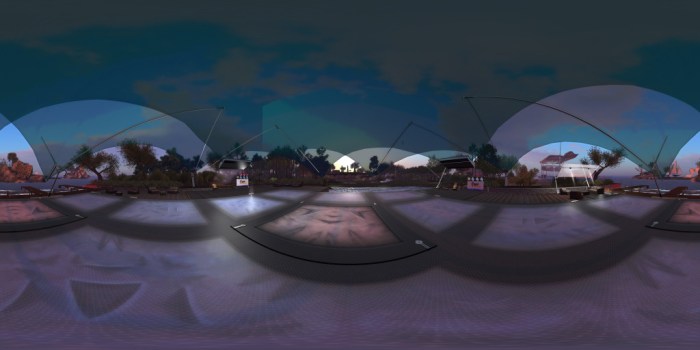
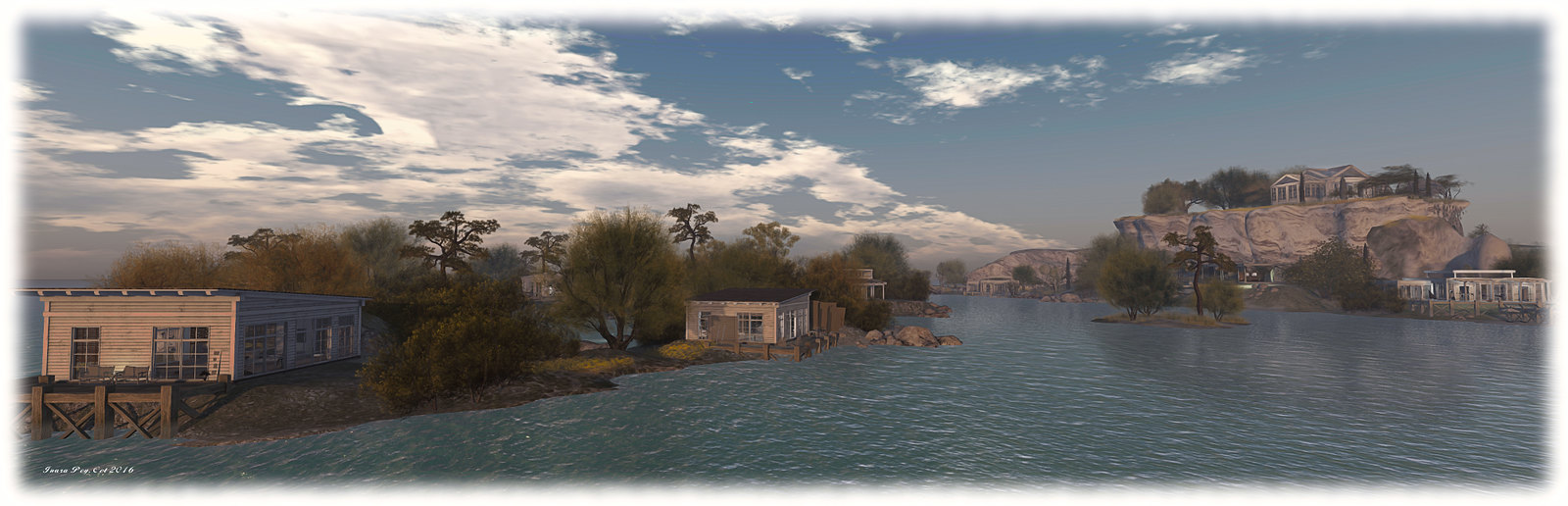
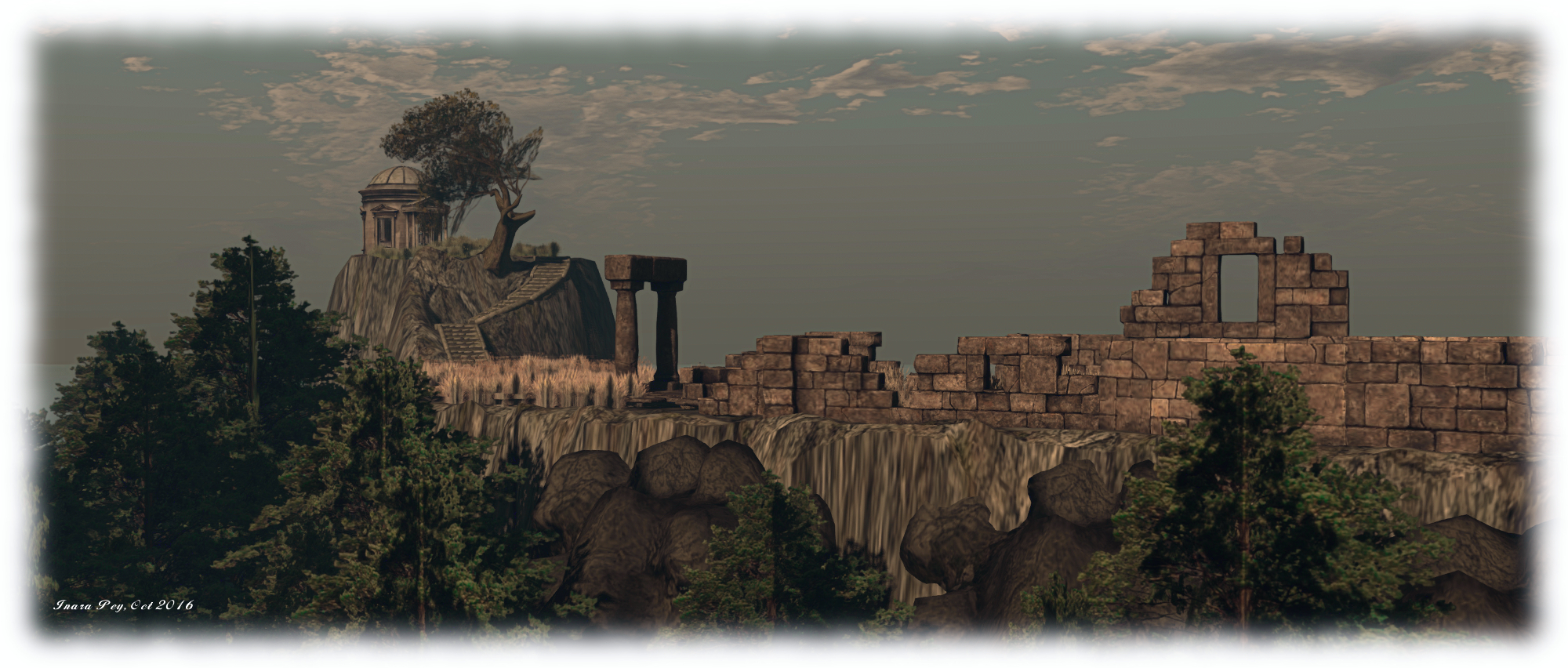
A panoramic image of Holly Kai Park’s events pavilion, captured in the news 360-degree snapshot viewer – click on the image to view in 360 via Flickr, and see my article here
Server Deployment
The RC deployment in week #42 introduced a bug, so there was no Main (SLS) channel deployment on Tuesday, October 25th.
The three RC all received the same server maintenance package, comprising: a fix for the bug introduced in week #42 – see BUG-40735 “Paying an object with [slgaming] in the object name (most skill game machines) fails on the RC 16.10.14.320687”; two fixes for issues with the new llSit function for Experiences, and additional internal updates.
SL Viewer
360 Snapshot Viewer
The new 360-degree snapshot project viewer arrived on Wednesday, October 26th, with the release of the first iteration of the project viewer, version 4.1.2.320965. There is an accompanying wiki page for the viewer, and I have a hands-on look.
Other than this, the viewer pipeline remains as per my TPV Developer meeting summary of October 21st:
Current Release version: 4.1.1.320331 (dated October 4), promoted October 10 – formerly the VLC media plug-in for Windows RC
Release candidates:
Project Bento RC (avatar skeleton extensions), version 5.0.0.320815, dated October 20th
Maintenance RC viewer, version 4.1.2.320804 dated October 20th
Project viewers:
None.
Obsolete platform viewer version 3.7.28.300847 dated May 8, 2015 – provided for users on Windows XP and OS X versions below 10.7.
Aditi Weekend Issues
Some people trying to access Aditi, the beta grid, encountered problems over the weekend of the 22nd / 23rd October after a database for that grid failed. As Aditi doesn’t have either the same level of redundancy or the same urgency of repair that Agni (the main grid) has, the database didn’t get sorted out until Monday, October 24th.
The majority of the notes in this update are taken from the TPV Developer meeting held on Friday, October 21st. The video of that meeting is embedded at the end of this update, and references to it are indicated through the use of time stamps in the paragraphs below. My thanks as always to North for recording and providing it.
Server Deployment Recap
On Tuesday, October 18th, the Main (SLS) channel was updated with the server maintenance package previously deployed to the 3 RC channels, comprising the new Experience Key scripted sitting. Details: Google overview; wiki page.
On Wednesday, October 19th, the three RC channels were all be updated with the same new server maintenance package, comprising internal simulator changes and a fix for (non-public) BUG-37758 “OBJECT_REZZER_KEY returns creator key of root key with all in-world copied objects instead of the agent who copied it.”
SL Viewer Status
[02:35] On Thursday October 20th, the current RC viewers were both updated for parity with the release viewer:
Project Bento RC (avatar skeleton extensions), updated to version 5.0.0.320815
Maintenance RC viewer updated to version 4.1.2.320804
As per my Bento update #31, there are still issues being addressed within that viewer, which some affecting existing content on the grid, which the Lab is gradually addressing.
There is no “release date” for Bento, as with all of the RC viewers, it will remain in the viewer release channel until such time as the Lab feel confident in promoting to release, something dependent on a number of factors (crash rates, remaining issues, other viewers in the release channel, etc). However, the hope is it could reach release status be US Thanksgiving.
So, if you are a mesh avatar / accessories content maker, and you haven’t tested for issues with your content on the Bento viewer (e.g. possible deformations of avatars) – now is the time to install the viewer and test your products and JIRA issues; this is especially true of rigged mesh. If issues aren’t reported, the Lab cannot investigate them.
64-Bit Viewer
[04:46] Work on the 64-bit versions of the viewer is progressing, and they should be appearing “soon”. [11:15] More than half of the required libraries are now built ready for the new build process, out of a total of around 50. When available, the plan remains to offer the viewer on Windows as 32-bit and 64-bit, and on Mac OSX and Linux as 64-bit only.
Snapshot Viewer
[06:50] As I’ve previously reported, the Lab is working on a 360-degree photosphere capability built into the viewer. The initial test version of this viewer is progressing and may be appearing in the next week.
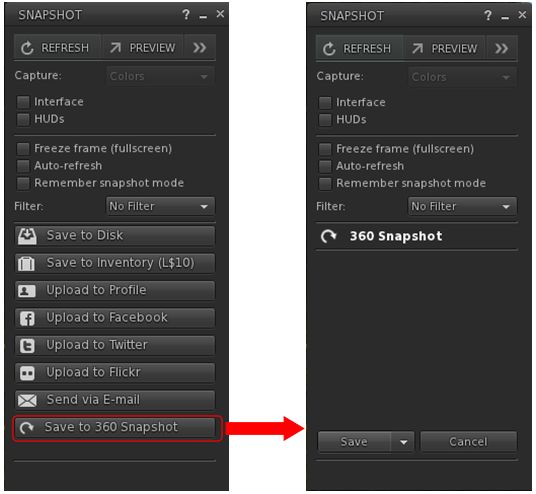
The new 360-snapshot option in the test viewer
It works by capturing 6 images (zenith+ 4×90-degree wide images around the horizon + nadir), which are saved to your hard drive as a .ZIP file, together with a JSON file. [23:46] When issued, the viewer will be an extremely “first cut” version which will have flaws in it, but the idea is to get it in front of the community and work with the community to make the capability something useful to everyone.
I’ll have more on this, hopefully in week #43, once I’ve been able to play with it.
The viewer also includes some contributed capabilities, some of which appear to break snapshots under certain conditions – see BUG-40745.
During the TPVD meeting, Oz floated the idea that in order to make Linux support somewhat easier, would be to stop providing an integrated binary, distributed as a TAR file with links to all the required Linux libraries maintained by the Lab directly (some of which are broken or have odd requirements). Instead, the Lab would focus on providing the means to build the viewer specific to one version of Debian Linux, then distribute that package, but not distribute or build all the various dependencies required for the viewer, and instead leave these to TPVs to provide as a part of their Linux platform.
This is seen as beneficial, as it would remove many of the idiosyncrasies involved in building the Linux viewer, and eliminate the overhead of having to build and maintain multiple libraries associated with the viewer, transitioning the build process back towards a more “Debian like” means of providing a basic viewer package.
The downside is, the work would initially require a lot of input and upstream contributions from open-source developers. However, Oz indicated that if sufficient interest is show, the Lab would – other priorities allowing – be willing to work with the viewer community to put such a mechanism for Linux builds in place, providing it doesn’t result in changes with break the Windows or Mac viewer build process or result in a functionally different viewer.
Other Items
Voice Updates
[05:03] The voice updates are awaiting an issue resolution following testing between the Lab and Vivox. These updates will include support for a new codec, includes better error handling and addresses some of the more serious Voice exploits to make it “much, much” harder for Voice to be abused. The latter is seen as a “step on the path” to a larger solution for Voice exploit issues.
Inventory UI
[08:00] The Lab is interested in receiving recommendations on how to improve the inventory UI in the viewer. However, such recommendations should be “well-considered and carefully described”, and which should preferably include implementations of the ideas stated in the recommendation, or at least screen shots (captured using the official viewer) and clear descriptions of the recommendation.
Such ideas may then be included in the upcoming round of work the Lab is planning with regards to eliminating more of the common inventory problems people can experience, and make inventory handling more robust. As such, ideas that are simply cosmetic in nature (e.g. ideas for different inventory icons, etc.), are unlikely to be seen as high priority.
Viewer Code Clean-Up
[25:02] An under-the-hood project with the viewer is to clean-up a lot of the code. Some of this work in the current Maintenance viewer, with further work still being carried out. Among other things, it is hoped that these changes will reduce things like shut-down crashes and other issues, as the are released into the viewer.
General Chit-Chat
[29:58-end] There is a general discussion session covering assorted topics, including:
The fix so that people banned from a group are booted from an active group chat, although ejecting them from the group will not kick them from any active group chat; so ejecting then banning can fail, although the Lab will likely examine this
The windows version detection issue and Intel HD2000 and HD3000 graphics, which can cause severe issues for users. This is apparently an Intel OpenGL implementation failing to recognise Win 10, but one solution the Lab is considering is have the 32-bit version of their Windows viewer won’t opt-in to the Win 10 features, and thus avoid the issue for 32-bit users.
The following notes and audio were taken from the weekly Bento User Group meeting, held on Thursday, October 20th at 13:00 SLT at the the Hippotropolis Campfire Circle. and chaired by Vir Linden. For details on the meeting agenda, please refer to the Bento User Group wiki page.
Note that this update is not intended to offer a full transcript of the meeting, nor does it present the discussion points in chronological order. Rather, it represents the core points of discussion, grouped together by subject matter were relevant / possible, whilst maintaining the overall context of the meeting.
Bento Viewer Status
The 4th iteration of the Bento RC viewer appeared on Thursday, October 20th, ahead of the meeting. Version 5.0.0.320815 is primarily an update to keep the viewer on a par with the release viewer code (VLC Media plug-in for Windows), although it does include a rendering bug fix.
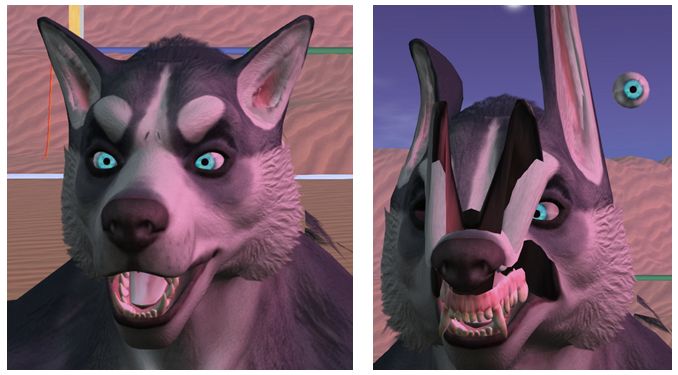
The fix including in the new RC version is for some existing Haste Coy assets, which were reported on BUG-40672 (the deformed werewolf issue noted in my previous Bento update).
There has been no decision on what to do about the werewolf deformation issue itself (the result of a change in viewer behaviour – see my previous update, linked to above). It’s not clear how widespread this issue is – at the moment it appears to be somewhat limited. The problem here is whether the viewer behaviour is maintained for Bento or rolled back to how it was, it will mean some content will have to be re-worked and re-uploaded. Thus, a deciding factor for the Lab in determining what to do will be discovering exactly how much existing content is actually impacted.
The focus is now on bug fixing with the viewer. There is no date being considered for promoting Bento to release status; as previously indications, this will depend on bugs and fixes, the viewer’s crash rate, and the relative priority it has when compared with other viewers in the release channel (there being only one at the time from writing).
Reported Issues
Scale Locking Bug
A bug was reported just prior to the previous Bento meeting about an issue with the new scale locking capability. This allows creators to disable shape sliders from having any influence over joint positions when uploading their models. However, it had been reported as working intermittently, Vir has developed a fix for this issue, but it will not be available until the next RC update for the viewer.
Skin Weight Viewer Crash
BUG-40725 reports that checking the Skin Weights option when previewing joint positions will crash the viewer (Bento RC 5.0.0.320160). This has yet to be investigated. This is actually one of two places where skin weights can be checked, the other being in the upload option, so the preview doesn’t have to be used. However, the Lab will be looking into the issue.
Feet Resizing
There was some confusion as to whether feet on models could be resized or not using the sliders. It appears that they can, providing the model is rigged to the L_FOOT and R_FOOT collision volumes for the feet.
MayaStar
Cathy Foil reports that MayaStar has been updated completely to Bento. Those using it should rez their update Checker to get the latest version. Report are that it handles sliders really well. This represents the culmination of several long months of work for Cathy in updating her product to be fully Bento compliant – congratulations to her!
On Tuesday, October 18th, the Main (SLS) channel was updated with the server maintenance package previously deployed to the 3 RC channels, comprising the new Experience Key scripted sitting:
On Wednesday, October 19th, the three RC channels should all be updated with the same new server maintenance package, comprising internal simulator changes and a fix for (non-public) BUG-37758 “OBJECT_REZZER_KEY returns creator key of root key with all in-world copied objects instead of the agent who copied it.”
SL Viewer Updates
The Maintenance RC viewer updated to version 4.1.2.320461 on October 11th, shortly after my SL projects update for week #41. Since then, there have been no further viewer updates, leaving the list of available official viewers as:
Current Release version: 4.1.1.320331 (dated October 4), promoted October 10 – formerly the VLC media plug-in for Windows RC
Maintenance RC viewer version 4.1.2.320461, dated October 11th – over 70 crash fixes, improvements and other fixes
Project Bento RC (avatar skeleton extensions), version 5.0.0.320160, dated October 7th
Obsolete platform viewer version 3.7.28.300847, dated May 8, 2015 – provided for users on Windows XP and OS X versions below 10.7.
Other Items
There has been discourse over feature requests via the JIRA, with some concern that requests are being closed without “proper” consideration, and that once closed, there is no further recourse for discussion outside of the weekly in-world meetings. The Lab gives assurances that all requests are considered and weighed by developers, QA team members and product people on a weekly basis. Things aren’t simply closed on receipt.
While they do not guarantee success, Simon Linden provided some pointers on filing feature requests which might help them gain attention:
Make sure it’s one idea per JIRA. multiple ideas (even if related) can cause confusion
The idea needs to be clear and specific and somewhat reasonable
Most important: explain why the idea is of benefit to Second Life as a whole – make a case that will stand out against the 10 or 20 other ideas that might be vying for the Lab’s attention at the time of submission.
The following notes and audio were taken from the weekly Bento User Group meeting, held on Thursday, October 13th at 13:00 SLT at the the Hippotropolis Campfire Circle. and chaired by Vir Linden. For details on the meeting agenda, please refer to the Bento User Group wiki page.
Note that this update is not intended to offer a full transcript of the meeting, nor does it present the discussion points in chronological order. Rather, it represents the core points of discussion, grouped together by subject matter were relevant / possible, whilst maintaining the overall context of the meeting.
RC Viewer
The Bento viewer is now on its third version as a release candidate (version 5.0.0.320160 at the time of writing). It is performing well crash-wise in comparison with the current release viewer, so the hope is – bugs allowing – it might not be too long before the viewer moves up to release status.
The first of the bugs mentioned by Vir in the audio is that the scale locking capability recently added to disable shape sliders from having any influence over joint positions has been reported as working intermittently at times. Vir is still looking into this.
The second is a report instance of pre-Bento content being deformed when viewed on the Bento viewer – see BUG-40672.
The problem appears when a sub-mesh contains bad joint position overrides for various joints that the model is rigged to. Prior to Bento, these joint position overrides were not applied, because the Lab was enforcing a 20-joint minimum: if a sub-mesh was rigged to fewer than 20 joints, then it was not treated as rigged, and the joint positions were ignored.
The BUG-40672 issue as seen in the Bento viewer, and apparently the result of “bad” joint overrides defined in the pre-Bento model, and changes made to how overrides are handled in the Bento viewer
For Bento, this restriction has been relaxed to make it easier to produce meshes only affecting part of the avatar (wings affecting wing joints positions, head that affects only head join positions, etc.), making it possible to “mix and match” different meshes. Unfortunately, it also means that any model with “bad” (but previously “invisible”) joint positions defined may now appear deformed.
Reverting the viewer to its previous behaviour is not seen as optimal, because of the potential to break some Bento models and make the extended skeleton less useful (no more mix and match of meshes). Similarly, it is currently unclear as to how much content might be affected if the updated behaviour is retained, so the Lab is still considering what to do.
Makers of pre-Bento mesh avatars are asked to check BUG-40672 and then test their avatars using the current Bento viewer to see if similar issues manifest themselves. The most direct way to “fix” things is for affected content being re-uploaded with the bad joint positions removed, or by adding an animation to fix the joint positions after the fact (assuming said animation doesn’t conflict with others the model is using). Of course, if the model does not require joint positions at all then the option could also simply be unchecked at upload time.
Animating Hands
A complex discussion has been unfolding on the discussion forum concerning animating hands (from around page 122 onwards), and which also encompassed a part of the user group meeting (in text). It’s a convoluted subject involving several elements, of which perhaps the most important thing is understanding how best to animate hands.
To try to address this, Cathy Foil has produced a comprehensive video on hand animations, which anyone developing mesh hands for Bento may find informative and helpful, and so is embedded below.
Cathy also provided some hints and tips during the meeting.
Feet
There has also been forum discussion on feet. Bento doesn’t add and further joints to feet, and there are no plans to change the rig specifically to a support for animating feet. However, as Vir pointed out, there are more joints than the system avatar does not use – mToe and possibly mFoot – which might offer a degree of flexibility for mesh creators. If these are used, a point to keep in mind is that they are not used in the avatar height calculations, so some unexpected results my occur.
Other Items
Bounding Box Clipping / LODs
A non-Bento issue which can be frequently seen at Bento meetings due to the number of meshes being worn is that of bounding box clipping – part of the avatar appears to vanish as a camera is pulled back.
This generally occurs when the viewer is operating at the limit of its imposter avatars setting, and a conflict occurs trying to both display the avatar mesh (which the viewer will try to render at a united LOD (level of detail) whilst also trying to switch to displaying an avatar as an imposter. It can be overcome by setting the imposter slider to No Limit in Preference > Graphics.
While fixing this issue is not part of Bento, it raised the subject of why LODs aren’t used rather than the imposter setting. Vir explained that one reason is this idea that the viewer will try to render avatars and their attachments at a high LOD, rather than stepping down through LOD models, as is the case with in-world mesh objects. Another isse us that many creators tend to only use high LOD models, and incentivising people to use the LOD system correctly isn’t easy, although there are tools (e.g. Decimator in Blender) which help in the creation of LODs for models.
As the whole issue of rendering and associated costs and calculations is now being looked at by the Lab, changes might be forthcoming to help with matters – time will tell on that.
There was no deployment to the Main (SLS) channel on Tuesday, October 11th.
On Wednesday, October 12th, all three RC channels should receive a new server maintenance package comprising the new Experience Key scripted sitting (Project Espeon). Note that at the time of writing, the release notes were awaiting update to reflect this.
SL Viewer
The VLC Media Plugin RC viewer was promoted to de facto release status on Monday, October 10th. Version 4.1.1.320331 includes a new media plug-in based on LibVLC, which replaces QuickTime as the media player in the WINDOWS version of the viewer. Other versions of the viewer will be updated to use VLC when their 64-bit versions are issued.
The leaves the current viewer pipeline as follows:
Project Bento RC (avatar skeleton extensions) viewer version 5.0.0.320160, dated October 7th
Maintenance RC viewer version 4.0.9.320231, dated on October 4th – over 70 crash fixes, improvements and other fixes
Obsolete platform viewer version 3.7.28.300847 dated May 8, 2015 – provided for users on Windows XP and OS X versions below 10.7.
Premium Weapons Testing and New Sandbox Quad
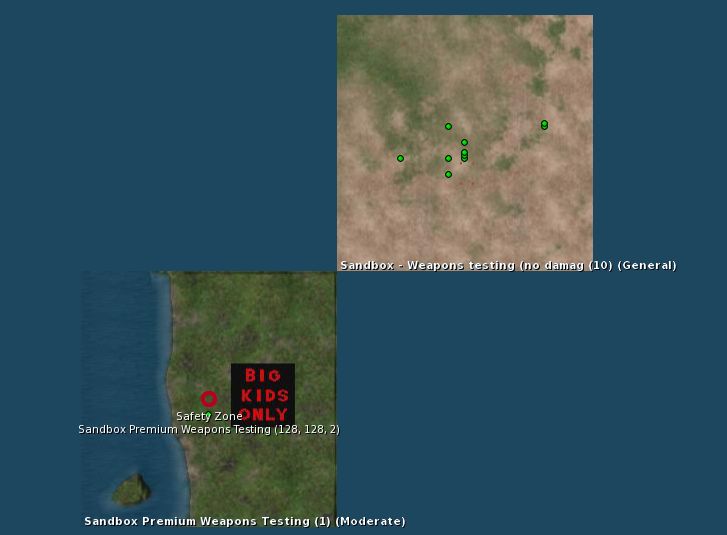
There is a new Premium users Weapons Testing sandbox available, which has been requested numerous times by Premium users. It sits kitty-corner with the existing Weapons Test sandbox.
The new Premium Weapons Testing Sandbox on the world map
There is also a new 4×4 group of general sandboxes coming on-stream, with each of the regions is running on one of the four simulator channels (Main SLS, BueSteel RC, Le Tigre RC, and Magnum RC). These are designed to make easier for creators to make comparisons between the four underpinning simulator versions during product testing, etc. They are:


 Inara Pey: Living in a Modemworld