Linden Lab remove 1.2x and Snowglobe from Downloads

It went unannounced and pretty much unnoticed – except possibly by Boy Lane.

The end of the official Viewer 1.x moved a step closer mid-February, when both it and Snowglobe were removed from the official Viewer download page.

LL have apparently informed TPV developers that the date they officially stop supporting Viewer 1.x hasn’t been agreed as yet, but this move suggests it is drawing closer.

Viewer 2 – one year on

One year ago today Linden Lab finally launched Viewer 2. I say “finally” because the project was originally called “Viewer 2009”, and was running several months late to warrant that name; however, the more accurate definition might have been “prematurely”.

Reactions to the launch announcement were fairly mixed. Leaving aside the fact that generally, people don’t react well to change and all bar the freshest of new users were very, very grounded in Viewer 1.x – so Viewer 2 was going to have an uphill battle to start with, no matter what functionality it offered – it was fairly clear there were issues with the Viewer. Issues that went beyond people’s personal likes / dislikes in terms of UI; things simply didn’t work – and basic things at that. Worse, some decisions had been made concerning the interface that made common tasks a lot more obscure – such as the lack of any CREATE option in the initial Context menus, as well a terms – such as APPEARANCE –  meaning different things depending on where you encountered them within the Viewer. There were other issues as well – basic usability issue that should have been more comprehensively considered prior to simply springing the Viewer on an unsuspecting audience, as I commented on at the time.

The biggest criticism concerning Viewer 2 – other than it apparently having been developed by people who spent very little time actively in-world – was no so much that it wasn’t ready for prime time (it was in fairness launched as a “beta”, and therefore was expected to have rough edges), but rather that for a time it appeared as if Linden Lab were not prepared to accept any form of criticism for the major faults within the Viewer, be they technical or with usability. For example, repeated complaints concerning the way the Sidebar both violently interfered with the world view and took up far too much screen real estate were ignored until well after Kristenlee Cinquetti’s S20 hybrid demonstrated just how easy it would be to make this feature both less intrusive and less jarring on the eye.

Beyond this there were security issues with the Viewer raised from day one relating to media usage which are – even now – entirely unresolved. And while it is true to say these vulnerabilities existed in Viewer 1.x – the situation with Viewer 2 is a lot worse, given the way the Viewer has been set-up to enable shared media and the like. Indeed, these issues are currently the focus of much concern among the user community because of the way they are being abused – and rightly so – and that LL apparently considered and dismissed them from the outset in their desire to push ahead with media sharing within the Viewer, has always been something of a bone of contention.

Indeed, such is the situation at the moment that these issues look set to overshadow any celebrations around the launch of Viewer 2. In some respects a shame because – to be fair – it cannot be denied that in many areas, the five iterations we’ve had with the Viewer since its launch have seen significant improvements made on many fronts, such that many early negative issues with the Viewer have (however grudgingly on the part of LL) now been eradicated.

Speaking as one who has taken the time to get to know Viewer 2 through its various iterations, I do appreciate the effort that has been put into it since the premature launch a year ago. However: and here’s the rub – it is still not a Viewer I will use full-time.

This is not because I refuse to learn the new interface – far from it, or that I simply “hate” the Sidebar. I’ve learned the essentials of using Viewer 2 by spending time with with it, with Kirstenlee’s S20 and S21 and with Firestorm; so actually finding my way around the Viewer isn’t an issue: I actually have no preference for pie menus over context menus (both work fine for me) or anything else of this ilk.

No, the reason I won’t use Viewer 2 is that compared to the likes of Kirstenlee’s hybrids and even the “pre-alpha” Firestorm, and despite the improvements made, it is still far too incongruous and intrusive; rather than form a part of my world-view, it remains something that sits between me and whatever I’m, and making its presence felt, rather than remaining largely invisible to me.

Oddly, this is something I don’t find so much with Viewer 2 TPVs like Kirstenlee’s and Firestorm, both of which – while resembling Viewer 2 – offer a flexibility in use that far exceeds anything seen within either Viewer 2 or Viewer 1.x. In this, the developers have shown themselves to be far more responsive to user feedback than Linden Lab has demonstrated in a very long time.

Beyond this, there is the question of information security. The Client Detection System farrago is not going to go away; and while it is true that the answer does not only reside in a technical solution – we need, as has been stated previously a policy to resolve these issues once and for all – the fact remains that it is through technical approach that people are going to feel more comfortable. As reported, one solution is already on its way. As such, the first Viewer 2 TPV that can offer the same options and capabilities is going to gain my support and adoption at least until Linden Lab demonstrate that user privacy is a genuine matter of concern for them, and provide similar technical capabilities as well as a decent policy on these matters.

Doubtless, there will be other issues along the way that will affect things like security and privacy. But as long as Linden Lab respond to them be either going entirely dark (rather than even give a simple, “We hear your concerns, and we are looking into things and will get back to you”), or by becoming somewhat hostile towards concerns (such as by threatening to revoke JIRA privileges), I will always sway towards a Viewer that, when combined with my own common sense, will help me minimise my exposure to situations where people opt to exploit the Viewer code for their own questionable ends.

And, I rather suspect, such matters will cut to the overall take-up of Viewer 2 compared to TPVs as Viewer 1.x code is wound down and deprecated.

Phoenix media & audio security filter

The concerns about RedZone et al continue. Qie Niangao echoing my concerns over the potential impact on the in-world economy thus:

“There are, however, two other self-victimizing effects of Redzone use, besides losing one’s own customers.

“First, it’s driving everybody’s customers from LL’s grid.  As this plague spreads, the in-world consumer economy shrinks, leaving less and less room for shopkeepers to recoup the cost of doing business in Second Life.  This, ultimately, is what will doom Redzone.  Either LL acts, or there’s nothing left worth “protecting” — just a bunch of increasingly desperate Redzone users and the disposable griefer accounts that don’t have any reason to care if they’re scanned… and there’s no money in that for anybody, including Linden Lab….”

Quite. The levels of paranoia and fear – coupled with outrage and concern – potentially mean that in-world shopping will be the overall loser in this sorry mess, as I’ve previously mentioned.

However, while people are absorbing Prokofy Neva’s well-placed thoughts on the matter  – and even echoing them within the thread linked to here – Innula Zenovka relays welcome news that at least one team of Viewer makers are reacting to the the fact that a vulnerability in the Viewer code itself makes tools such as RedZone possible.

Now developers have created a a media and audio security filter which intercepts the incoming media streams and flags up unknown domains encountered with a series of options the user can take as actions. The filter is being adopted by the Phoenix team, and is available to other TPV developers.

The filter is still being worked on at present, but for those whole compile their own versions of the Phoenix Viewer, an initial patch is available. The completed version of the filter will hopefully be available in the next maintenance release of Phoenix – and again, hopefully, will be included in Firestorm.

One hopes that the code also finds its way back into Snowstorm, and that Linden Lab are encouraged to adopt it as well.

Note: updated to reflect feedback from Innula – with thanks.

Phoenix update released

Phoenix have issued a new Viewer release – .908 – potentially one of the last maintenance releases as work gathers pace on Firestorm and we approach the end-of-the-line for Viewer1.2x-based clients.

The release is timely, given the rising issues users have been experiencing, particularly those that use the Restrained Love Viewer/a extensions.

Here’s a bullet-list of key fixes:

  • Improved overall performance and stability
  • RLVa Assertion Failure fix
  • 42 group auto detection, no need to enable via debug
  • Showcase TP links have been fixed to work properly for Windows & Mac, Linux to follow in the next release
  • Updated Webkit helping webpages load faster in the web browser, improved memory handling etc.
  • The momentary viewer lock-ups experienced on 373, 725 and 818 should be a thing of the past
  • Texture jumping issues (where textures load, then unload, load, then unload) resolved
  • Updated Viewer tags
  • Built in IRC client has been fixed! No more ??? ???  names in IRC rooms
  • Huge improvement to ‘De-render’, which now permanently de-renders items until they are removed from the Asset Blacklist
  • Skin downloader fixes
  • Improved installer, no more downloading additional files during the install process.

Of these, I have a bias towards the De-render option fix, and I hope this finds its way into Firestorm. Having recently suffered the blight of a view-blocking eyesore popping up (or perhaps pooping up) my home sim, having to constantly de-render it from my view each time I logged in / returned home was a complete and perishing nuisance.

The updated Viewer is now available on the Phoenix wiki.

Firestorm: take two

So, I’ve been working with Firestorm for a few days now, and I have to say, I’m still enjoying it. I’ve not had any significant issues, although there have been a few things that had caused passing annoyance:

  • The CONTACTS list seems a bit ropey at times: on logging in, name frequently appear either in reverse alphabetical order or completely jumbled, and require the window to be closed and re-opened to correct
  • I still cannot figure out how to enable Map for friends, should I wish (or indeed, disable it)
  • Some Preferences seem to fail on persistence occasionally – although this could simply be the age of my graphics card

But…these aside, I’ve have no crashes or other major upsets attributable to the Viewer itself. True, I’d like a more powerful graphics card to run all the nice things, but sadly, due to power supply limitations, that’s not going to happen on my current PC.

I really do like seeing shadows rendered, tho. After tweaking and playing, I’ve managed to up my frame rate to an average of 12-13fps – with peaks around 15-16 and troughs around 10fps. not perfect, but workable with only one or two other avatars near me. Any more than that, and things crawl to a near standstill.

Anyway, a couple of shots to demonstrate why I’m coming to love shadows – nothing new or radical for those who are already familiar with them.

Me – without shadows

This is probably the way most of us see one another in SL, so no big surprises. However, turn shadowing on, and not only does the house and the trees cast nice shadows, but…

Me…with shadows active

…I get much better facial definition, and shadows cast across my feature from my hair – shadows with move in time to any hair movement.

One thing I have found is that shadows, like Windlight, demonstrate the need for subtle face lighting: illumination points really need to be considered carefully, and face lights are best “turned down low”, rather than being left full-on. I’d especially avoid lights that are very face-on: a couple of friends have these, and under Windlight it’s like having a car headlight shining during the dusk / night / dawn. With shadows and lighting combined, it’s like having a set of mobile spotlight illuminating anything within a 10-15 metre range, to say nothing of washing-out facial detail.

Now if only I could take courage and upgrade my power supply and then get a higher specification graphics card….

Firestorm: take one

This is a look at the PRE-RELEASE of the Viewer 2-based Phoenix Firestorm Viewer. As such, certain things should be borne in mind both if you are reading this piece and / or using the software:

  • This is not intended as a comprehensive review OR comparison with Viewer 2.x OR an in-depth investigation of bugs, etc. Rather it is an initial look at Firestorm. More details examinations will come as the Viewer stabilises and more features / functions are implemented
  • If you are trying out the pre-release for yourself, please make sure you have joined the Support Group for it, and have watched the introductory video
  • Please don’t expect this review to be a comprehensive list of bugs (see above) or for the software to work *perfectly*.

Download and Installation

I use a PC, and so downloaded the Windows version of the pre-release, which installed smoothly into its own dedicated folders, well away from Phoenix .818 (my primary Viewer). This installer quoted around 116Mb of disk space being required for the Viewer – but as with Phoenix, it ended up grabbing 217Mb of space, far more than the 92Mb required by Viewer 2 or the 198Mb used by Kirstenlee’s S21. Nevertheless, the installation was fast and smooth, and finished with an option to start Firestorm directly.

It *is* pre-release!

As a precaution, I’d cleared cache beforehand, and so hit YES to fire-up Firestorm from the prompt. May not have been necessary, but did so all the same.

On starting, got a new splash screen which again – wisely – hammers home the point that this is a pre-release, and as such will not contain absolutely every function one might expect of a Viewer, nor will it always work as anticipated…

Give the status of the software, writing a blow-by-blow review at this point in time is relatively pointless; anyway, Jessica’s intro video pretty much lays out what the user needs to know in accessing Firestorm. Clearly, given it is based on Viewer 2.x, Firestorm is going to have elements that people aren’t going to like – context menus rather than pie menus; the revised camera and movement controls, etc. Some of these the Phoenix team have tried to address, others they haven’t – and nor should they be expected to. This *is* a new Viewer, based on new software – as such, things are going to change and – frankly – people should show some willing and be prepared to change as well, rather than harping on about X not being Y, and how much they like Y in Viewer 1.2x….

The Good

  • Clean UI
  • Much tidier Sidebar
  • No Sidebar mini-tabs on down the right of the screen (unless you want them)
  • Persistent Sidebar tab behaviour – unlock and move a specific tab (say, Inventory) – it will remember where it was last displayed on your screen and re-open there (rather than back in the Sidebar), just like Viewer 1.2x menus
  • Buttons to Sidebar now contained in the Toolbar, and can be independently turned off / on
  • Chat bar in Toolbar can be resized
  • Ability to remove chat “headings” so that chat resembles 1.2x (date stamp and name, no little icon as per Viewer 2.x)
  • Improved Viewer 2.x Navigation Bar and new options in the LAND heading at the top of the Viewer Window
  • Improved skin options (with more to come)
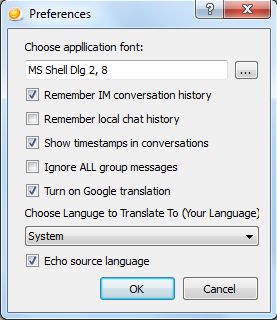
  • Google translation tool retained (moved to the CHAT tab of Preferences and appears as an icon in IM tabs)
  • RLV/a support
  • Double-click teleports, etc.
  • Nearby chat window now includes a chat entry box AND has vertical IM tabs by default

The (Currently) Missing (that I use)

  • No client-side AO
  • No Radar tool
  • No real privacy options
  • No ability to click on the LAND information at the top of the Viewer window and bring up ABOUT LAND
  • No MU poses or auto-complete
  • No build enhancements in terms of highlighting prims, changing the default appearance of new prims, etc.
  • No client tag colours
  • Display Names are not displayed if chat headers are turned off in Preferences
  • Flexibility of use with MY OUTFITS

The Buggy

  • Had initial issues with the CONTACTS list in the Chat window:
    • Not all friends appeared on first logging
    • Options in FRIENDS list (see when you’re online, locate you on the Map, etc.), did not carry over from settings made in 1.2x. Some Friends lost the ability to locate me on the Map, others that did not have that privilege under 1.2x did in Firestorm, etc. I was also unable to change the options at all
    • Both issues were cleared by a couple of relogs
  • Scrolling up in Group chat caused incoming IMs to appear to “overwrite” text I was scrolling through – this was persistent through several log-ins and tests
  • Some people have reported crashing when editing their shape or outfit – although I haven’t encountered this
  • Not all the skins work – Jessica warns that there might be issues with some of the Starlight skins, and I found that some skins wouldn’t display LAND information at the top of the Viewer windows (e.g. MetaHarper Modern)
  • Disabling the teleport screen doesn’t actually work at present

Continue reading “Firestorm: take one”