Landscaping in Second Life is fun; I enjoy building home environments and landscape parcels and properties for friends and anyone interested.
However, when it comes to coastal areas, things can be a little tricky. Whilst there are a number of coastal and beach building kits available in Second Life, they don’t always fit the bill as fully as we might like; the sand colour might not always be suitable or retexturing prove a little tricky or the ebb and flow of the tide doesn’t look quite right. All of this now changes courtesy of the Cube Republic Coastal System.

Now, in the interests of transparency, I will note that Cube is a long-standing friend in Second Life, a person I admire for his outlook on life as well as for his creativity. As such, my opinion might be considered biased; however, Cube has always, with the likes of Alex Bader (Studio Skye) and Sasaya Kayo (HPMD) been one of my go-to landscaping creators for pretty much all of my projects.
This is because, simply put, Cube is a passionate creator; his plants and trees are modelled with care and attention to detail such that they reflect their physical world opposites pretty much perfectly. Similarly, his terrain kits – rocks, caves, landforms and so on – offer a huge amount of realism.

With the Coastal System, Cube brings a new level of realism to coastal waters. Comprising 34 beach sections, 6 rocks and making use of PBR, this kit brings together everything any landscaper needs for creating superb coastal areas and beaches with the most realistic ebb and flow of tide every seen in SL.
The 34 beach elements have a choice of 8 looks for the sand, allowing them to be used in pretty much any environment from tropical to volcanic, with the rock elements having a five finishes. This is enough to make the system highly flexible in and of itself – but it is not the most outstanding aspect of the kit.
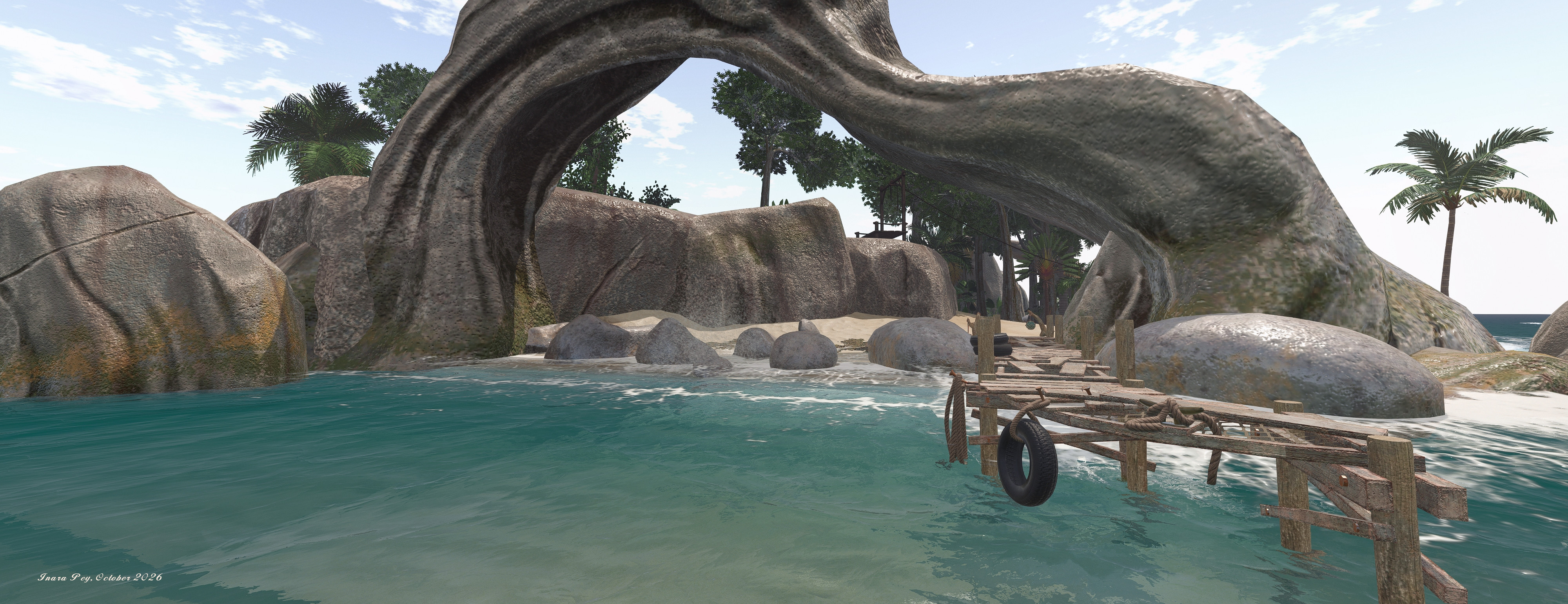
That lies with the ebb and flow of the tide as it runs up and down the beach – it is the most realistic effect I’ve witnessed in SL, and worlds away from other systems. The way in which the incoming wave crests foam, the surface of the water rolling up the sand even as underneath, it is being sucked back out to leave steamers of latte-like foam behind is incredibly life-like.
Achieving this level of dynamic movement has not been easy; Cube has been working to perfect it for well over six months, modelling tidal motion first using fluid simulation – requiring some 30 hours of baking to achieve for a region – prior to moving on to actual rendering and video editing to produce the finished result as seen in the kit. The result is remarkable and well beyond anything which can be demonstrated in still photos; hence why I’ve included a short video, captured at Cube’s Tropical Island demonstration region, where the kit has been used – and which should be visited by any landscaper wishing to see the tide effect first-hand.

This is not the only innovation Cube has included in his kit. Also included is a bioluminescence feature. Managed via the system’s HUD, this allows the ghostly glow created by micro-organisms which can be visible along stretches of beach unpolluted by nearby lights to be present along beaches built with this kit. The effect can be toggled on or off – or set to follow the day/night cycle of a parcel or region.
And if all this weren’t enough, the kit’s rocks include tidal sounds and spray effects which can be enabled and adjusted by direct touch, whilst PBR allows some superb effect with sea water washing over shoreline rocks. To further help extend / integrate elements into a coastal scene, Cube has included a total of 16 PBR materials – 8 terrain and 8 feathered sand and a comprehensive user guide to help even the most inexperienced user make sense of things (although some familiarity with SL’s in-world building / editing tools is required to put things together).
The Coastal Kit is currently exclusively available at Famished for L$1249, after which it will be generally available through Cube’s in-world and Marketplace stores.
Related Links and SLurls
- Cube Republic Main Store (Vibrant Eden, rated Moderate)
- Cube Republic Tropical Demonstration Island (rated: Moderate)
- Cube Republic at Famished October 2026
- Cube Republic on the SL Marketplace