2015 viewer release summaries: week 15

Updates for the week ending: Sunday, April 12th, 2015

This summary is published every Monday, and is a list of SL viewer / client releases (official and TPV) made during the previous week. When reading it, please note:

  • It is based on my Current Viewer Releases Page, a list of all Second Life viewers and clients that are in popular use (and of which I am aware), and which are recognised as adhering to the TPV Policy. This page includes comprehensive links to download pages, blog notes, release notes, etc., as well as links to any / all reviews of specific viewers / clients made within this blog
  • By its nature, this summary presented here will always be in arrears, please refer to the Current Viewer Release Page for more up-to-date information.

Official LL Viewers

  • Current Release version updated to version 3.7.26.299635 on March 24th (formerly the Avatar Hover Height viewer) download page, release notes, wiki page, AHH overview
  • Release channel cohorts (See my notes on manually installing RC viewer versions if you wish to install any release candidate(s) yourself):
    • Maintenance RC viewer updated to version .7.27.300636 on April 9th – multiple fixes and improvements (download and release notes)
    • Avatar Layer Limits RC viewer version 3.7.27.300567 released on April 9th– allows users to wear up to 60 wearable layers (jackets, shirts, tattoo, alpha, etc.) in any combination  (download and release notes)
  • Project viewers:
    • Viewer-managed Marketplace project viewer updated to version 3.7.27.300470 on April 7 – allows Merchants to manage inventory associated with Marketplace Listings from within the viewer + sale of items which Merchants do not have the right copy will now be supported with the Direct Delivery purchase mechanism (download and release notes)

LL Viewer Resources

Third-party Viewers

V3-style

  • Restrained Love Viewer updated to version 2.9.9  on April 8th – core updates: re-enabling HTTP Inventory as a default (previously disabled by default), linking the hover height slider at the top of the viewer to the Lab’s Avatar hover Height capability (release notes)

V1-style

Mobile / Other Clients

  • Group Tools updated to version 2.2.33.3 on April 9th – core updates: unknown, release notes  / change log not supplied
  • CasperTech announce their withdrawal from curating and maintaining Metabolt – see my post here.

Additional TPV Resources

Related Links

CasperTech cease Metabolt client development

Metabolt, the 3rd-party text-based client appears to have ceased development, this time possibly permanently.

Rumours that development work on the client had ceased first arose in late 2013, after an extended period which had seen no updates or releases. However, in February 2014, news circulated that CasperTech were set to take over the curation of the project and continue it in the spirit in which it had been started.

The updated METAbolt log-in / splash screen from February 2014, the first indication that Metabolt would be continuing after several months of what appeared to be suspended development.
The updated METAbolt log-in / splash screen from February 2014 gave the first indication that Metabolt would be continuing after several months of what appeared to be suspended development.

The announcement was followed in June 2014 with an update to the client – version 0.9.71.0. However, since then, there haven’t been any further releases, which had again left some wondering if the client was still being actively developed.

It now appears the reason for the more recent lack of releases may in part be due to a dispute between CasperTech and the original developer of Metabolt over the use of the client’s name. A dispute which has resulted CasperTech withdrawing from active development of the client, as a recent terse announcement on the Metabolt web page makes clear:

The recent CasperTech announcement

Obviously, whatever arrangement (if any) had originally been reached between CasperTech and the original developer on how the client might be continued under its original branding is a matter for the two parties concerned, and not something for idle speculation. However, given a disagreement has now arisen on the matter, then as the CasperTech announcement states, this would appear to be the end of the line for the client in its current form at this point in time.

As can be seen from the notice, CasperTech are intending to issue an alternative client in the near future, although no time frames appear to be available at the time of writing this article. I’ll of course provide a review of any new client from them once it does appear.

Firestorm: counting down to the next release

firestorm-logoThe Firestorm team are working towards  their next major release. This has been in the works for a while now, and will represent a significant step forward for the viewer, as it will bring it up to parity with  the Lab 3.7.26, and also includes a number of cherry-picked fixes and updates from the more recent maintenance fixes, etc..

This means the viewer will include updates such as the revised snapshot floater, as originally re-designed by Niran V Dean as a contribution to Linden Lab, together with additional effects filters; the new Avatar Hover Height capability, the latest updates for HTTP pipelining and fastpipe changes, plus the recent AIS v3 changes, and much, much more, including numerous updates and improvements made by the Firestorm team and  from other TPVs.

Preview Testers Wanted

Beta versions of the release have been undergoing assorted tests for the last several weeks. However, prior to it reaching a formal release status, the team want to expose it to more extensive testing among users. To this end, a call has been put out through the Firestorm blog requesting more people to consider joining their Preview group.

Things you can expect in Firestorm 4.7.0: the revised snapshot floater (as developed by Niran V Dean), complete with an expanded set of default filter effects

If you are a Firestorm user and have a good working knowledge of the viewer, do please read the blog post and consider joining the Preview group. However, do keep in mind the following guidelines:

  • You will be required to give feedback on any Preview release you receive. This includes being prepared to report them through the Preview group and raise bug reports on the Firestorm JIRA – if you’ve never filed a bug report before, you can find guidelines on the Firestorm wiki. There is also a Reporting Bugs class which may also help
  • Please, do not join the group simply to get your hands on shiny new versions of the viewer – not only will this defeat the object of trying to test the viewer and uncover any issues possibly missed during QA and beta testing, you could find yourself running a viewer than has bugs, etc., and for which you cannot get assistance through the normal Firestorm support channels
  • Please do not share any links you are given to Preview versions of the viewer to people outside of the Preview group. Again, this defeats the object of controlled testing, and it runs the risk that if there is a significant issue with the viewer, then it means limiting the impact of the issue is that much harder (if not impossible).
Things you can expect in Firestorm 4.7.0: Avatar Hover Height

The Current Release Plan

As it stands, Firestorm hope to ramp-up to a formal release over the next few weeks as follows:

  • A further release to the Beta test group ready for the week commencing Monday, April 13th
  • If no significant issues with this release are found by the Beta testers, it will be released to the Preview group for wider testing
  • A further release is then likely to be made to the Beta and Preview groups for final testing and assessment.

Assuming nothing major is found to be a problem with the second preview release, a formal release of the viewer will then be made – potentially around three weeks (ish) from the date of this article.

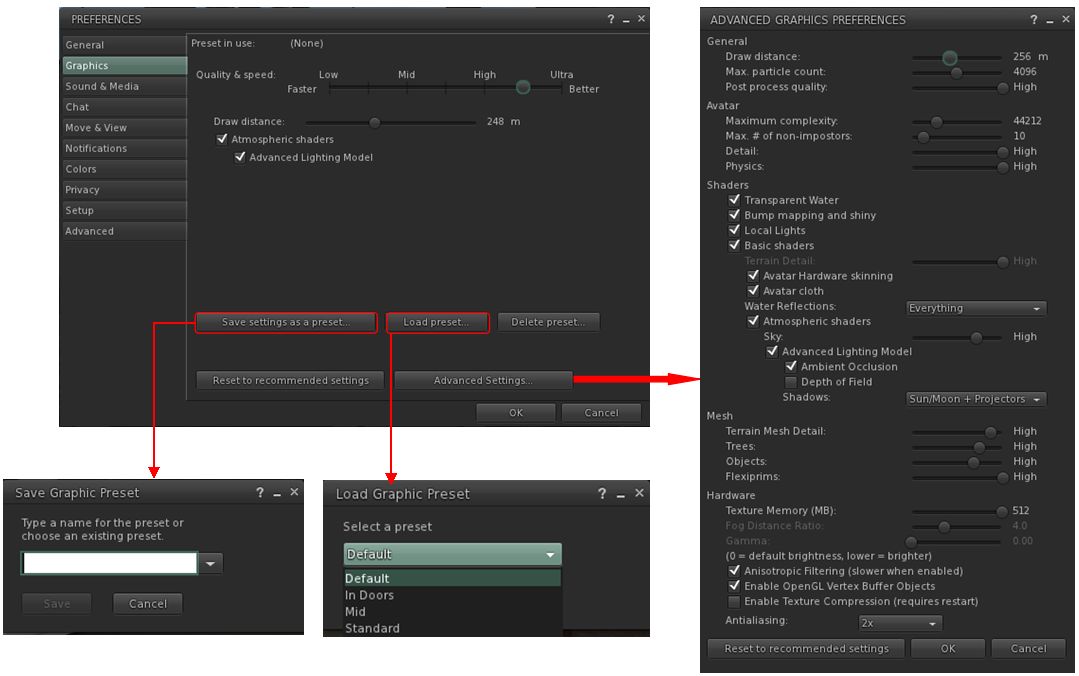
Things you can expect in Firestorm 4.7.0: the Preferences floater has been completely overhauled and sub-tabs / options rationalised for easier use

It is possible that when it is made, the formal release will be classified as a “Public Beta”, rather than a “full” release. Part of the reason for this is that there are a number of further updates coming out of the Lab – such as the new Viewer-Managed Marketplace (VMM) functionality, once it has cleared its beta testing – and the Firestorm team will want to incorporate these updates as soon as they can into a follow-up release, allowing for the Lab’s own release schedule.

However, whether a “Public Beta” or a “full” release, I’ll of course be providing an overview / review of the viewer once it is available to everyone.

SL Project updates week 15/2: TPV Developer meeting

Tillicum Island; Inara Pey, March 2015, on FlickrTillicum Island (Flickr) – blog post

The following notes are primarily taken from the TPV Developer (TPVD) meeting held on Friday, April 10th, and from the Server Beta meeting held on Thursday, April 9th. A video of the TPVD meeting is included below, with any time stamps in the following text referring to the video. My thanks as always to North for the recording and providing it for embedding,

Server Deployments Week 15 – Recap

As always, please refer to the server deployment thread in the forums for the latest information and updates.

  • On Tuesday, April 7th the Main (SLS) channel received the server maintenance update previously deployed to the three RC channels, which sees UDP inventory messaging deprecated (HTTP Inventory in the viewer MUST be enabled for your inventory to fetch correctly / your avatar to render in your view –  details here and further notes below)
  • On Wednesday, April 8th all three RC channels received a new server maintenance package comprising a crash fix, minor CDN configuration updates and an internal server configuration update.

HTTP Inventory

[15:18] The Lab is still planning to remove the HTTP Inventory option and setting from their viewer “soon”. In addition, as a part of their overall work on improving inventory handling, the Lab is planning on removing the viewer-side code for UDP inventory fetching from their viewer, citing the time frame in which this is likely to happen as being “weeks or months, more likely months”.

Firestorm has already removed the option in preparation for their upcoming release, and has set that viewer so that if anyone currently has HTTP Inventory disabled, it will automatically be re-enabled in installing the new release over their older version.

Forthcoming Deployment

A new change destined for the RC channels is an update to llGetObjectDetails(), which adds new functions for avatar shape identification and hover height:

  • OBJECT_BODY_SHAPE_TYPE – returned list entry is a float between 0.0 and 1.0, -1.0 if the avatar is not found
  • OBJECT_HOVER_HEIGHT – returned list entry is a float, -1.0 if the avatar is not found.

SL Viewer

Avatar Layer Limits

[03:00] The Avatar Layer Limits viewer updated from project to RC status with the release of version 3.7.27.300567 on April 9th. This allows users to wear up to 60 wearable layers (jackets, shirts, tattoo, alpha, etc.) in any combination. Until these updates reach the main viewer (and all TPVs), those using it will find their layers will only adhere to the new global limit whilst using this RC viewer.

A update to the baking service which will enforce the new global limit  will be deployed once it has passed LL’s QA testing.

[05:23] Again, please note that this update only applies to avatar wearing (clothing) layers; it does not apply to attachments, which remain at the global limit of 38. The Lab currently has no plans to alter this, not only because they’re work to resolve a series of attachment issues, but also because large numbers of attachments on avatars can impact viewer performance due to the way in which they are handled.

[11:38] The above notwithstanding, a further update to the attachment fixes project viewer (currently at version 3.7.27.300377) is expected soon, possibly in week #16.

Maintenance Viewer

[06:36] The Maintenance RC viewer updated to version 7.27.300636 on April 9th. This viewer includes multiple fixes and improvements. It now appears that all of the issues reported against this viewer when first released have now been resolved, and subject to the performance of this new version as an RC, it looks set to be promoted as the next de facto release viewer.

Tools Update Viewer

[08:50] The “final” set of fixes and updates for the Tools Update RC viewer (currently version 3.7.27.300242) are with the Lab’s QA team. If all goes according to plan, these should be appearing shortly in an update to the RC viewer, which should then place it as the next-in-line for promotion to the de facto release viewer  after the Maintenance RC has been promoted.

Once this viewer does reach release status, it will mean the Lab will have switched to the new viewer build process. As a result, the official viewer will no longer install on Windows XP or versions of Mac OS X below 10.7. This will also be true of any TPVs which fully switch to the the new build process in the future.

Viewer-Managed Marketplace

[00:00] The first element of the server-side deployment occurred in week #15. However, there are two further elements awaiting deployment, which will roll-out to the servers over the next two weeks. So the Lab is hoping that things might be ready for wider beta testing to commence in the week #17 (commencing Monday, April 20th).

Continue reading “SL Project updates week 15/2: TPV Developer meeting”

Could the Lab use Amazon AppStream to “replace” SL Go?

Sl Go proved itself very popular among SL users running low-end hardware
SL Go proved itself very popular among SL users running low-end hardware

On Thursday, April 2nd, it was announced that SL Go, the streaming service for accessing SL  provided by OnLive, is to shut-down on April 30th alongside OnLive’s other consumer services. The reason for this is because OnLive has sold the IP and patents associated with the services to Sony Computer Entertainment.

Since the news broke, there have been numerous calls made for Sony to maintain SL Go as a service, including  an on-line petition. However, as painful as it is, all such calls and petitions to  Sony are unlikely to succeed, as I explained in a recent blog post.

In that article, I also considered whether or not the Lab might invest time and effort in offering something that might fill the void. At the time, I thought the answer to this would most likely be “no”, as the Lab seem to have enough on its plate already with Second Life and its next generation platform.

But the more I think about it, the more I feel that the Lab should endeavour to offer some kind of “SL Go replacement”.

One potential means by which they might do so could be via Amazon AppStream.

Obviously, there are issues involved in providing such a service beyond the physical provisioning. Anything which requires some form of external hosting is going to incur costs, for example. However, the flip side to this is it’s fair to say the SL Go has demonstrated that if users believe they are getting a beneficial service, they are willing to pay for it, providing the price is not prohibitively high.

Certainly, there are a wide range of potential benefits to be had from such an endeavour, particularly if implemented through something like Amazon AppStream:

  • It offers an easily scaled means by which the Lab could provide an “SL streaming service” to users on low-end hardware and those on mobile devices – something long demanded by SL users
  • It could provide the means by which SL could be accessed through web browsers – again, a long-desired means of attracting new users to the platform who might otherwise be put off by having to download and install the viewer
  • It obviously means that those SL users on low-end systems can enjoy the full graphical richness of SL in the manner LL would like to see all users experience it
  • It could help those preferring to run older operating systems – such as Windows XP – to continue accessing SL even after they might otherwise be unable to even install the viewer
  • It might even help the Lab map and test options which might be beneficial for their nascent next generation platform.

While developing such a service might not necessarily be easy, the Lab isn’t entirely without any experience in this area. As I and many others have pointed out, in 2010 they did experimenting with streaming the viewer, using the Japanese company Gaikai (coincidentally purchased by Sony Computer Entertainment in 2012), which delivered the viewer to web browsers, as shown in the video below. If there is anything remaining of this work at the Lab, it might possible to put it to work through something like Amazon AppStream.

That said, there is a lot for the Lab to consider in attempting to fill the forthcoming void that will be left by SL Go. And while I would not be at all surprised to learn they are already doing so, they might still require some encouragement to take things beyond just considering options. Something which might encourage them, or at least demonstrate to them that there really could be a worthwhile demand for such a service, could be for users to politely speak up.

One way to do this might be to add your name to the existing petition – I would hope someone at the Lab is keeping an eye on it.

Another could well be to leave a positive and polite comment on the subject following this article, as (and all ego aside) I do know eyes at the Lab pass over this blog (just as they do many others).

There is no guarantee that Lab will move to provide some kind of “SL Go replacement”, but on the other hand, as someone once said, nothing ventured, nothing gained.

SL project updates week 15/1: server, viewer, HTTP Inventory reminder

... and don't miss out on the merfolk's beach, complete with pier and fun fair!
Don#t forget you can plunge into learning about SL’s extensive merfolk and undersea community this week, thanks to the folk at Fanci’s Deep and the Safe Waters Foundation. There’s undersea tours, dances, dolphin rides, shopping opportunities, freebies and a whole lot more. You can even visit the mer beach and fun fair (above)! To find out more, read the blog post on the event, which runs through until April 11th

Server Deployments Week 15

As always, please refer to the server deployment thread in the forums for the latest information and updates.

  • On Tuesday, April 7th the Main (SLS) channel will receive the server maintenance update previously deployed to the three RC channels. This is primarily focused on trying to prevent  inventory loss issues, and sees UDP inventory messaging deprecated (see HTTP Inventory, below, for more important information)
  • On Wednesday, April 8th all three RC channels should receive a new server maintenance package comprising:
    • A fix for a server crash when rezzing an object
    • A minor change for CDN configuration
    • Adjusted internal server configuration.

SL Viewer Updates

A new release candidate viewer was released towards the end of last week. The HeatWave viewer, version 3.7.27.300424. This is essentially the maintenance RC viewer with an additional URI parser fix to prevent a viewer crash bug, but has retained a project name to differentiate the two RCs from one another.

 HTTP Inventory

With the Tuesday deployment (noted above), the main grid now only supports HTTP Inventory fetching. This means you must have the HTTP Inventory option enabled in the viewer (it can be found under the Develop(er) menu).

Should you disable it for any reason, you will encounter two issues:

  • Your avatar will not render, but will remain a cloud
  • Should you refresh your inventory for any reason (clear cache), your viewer will never complete the process of inventory fetching.

Unfortunately, and coincidentally, the Main channel deployment on Tuesday, April 7th came at a time when asset server / inventory issues were being experienced across the grid, and inventory database maintenance was carried out as a result.

Note that from Tuesday, April 6th, you must ensure HTTP Inventory is enabled in the Develop menu (sometimes called the Developer menu in TPVs) in order to help avoid inventory and / or avatar rendering problems

These issues and the maintenance may have masked any problems some people may have been having purely as a result of HTTP Inventory being disabled in their viewer.

Therefore, if you are encountering problems with your avatar remaining a cloud, or your inventory failing to load, please try the following steps to see if they resolve your situation:

  1. Make sure you have the Develop(er) menu enabled in your menu bar at the top of the viewer. Press CTRL-ALT-Q if you cannot see it.
  2. Click on Develop(er) to list the menu options.
  3. Make sure there is a tick in front of the HTTP Inventory option.
  4. If HTTP Inventory does not have a tick in front of it, then it is disabled. Click on it to enable it (and display the tick).
  5. Closed the Develop menu and re-log.
  6. Hopefully, following your re-log, your avatar will render / your inventory load properly.

UDP Inventory Messaging Deprecated

The reason for this is that the Lab has now deprecated the “old” method of inventory messaging (referred to as UDP messaging). However, if you disable the HTTP Inventory option in your viewer, the viewer will still attempt to use the “old” method, and thus you’ll have problems.

There are plans in hand for the Lab to remove the HTTP Inventory option from the viewer, and some TPVs may opt to remove it ahead of any update from the Lab. Until that time, it is essential you keep the option enabled to assist with the smooth functioning of your inventory.

Experience Keys / Tools

Not a lot to report on this project. Simon Linden has been working on the Key Value (KVP) database store used by Experiences. This work appears to be related to the Lab working to ensure the when deployed Experience Keys / Tools can be properly scaled to meet the anticipated demand for them. Commenting in general terms on the work, Oz Linden said during the Simulator User Group meeting on Tuesday, April 7th, “if we are as successful as we’d like to be with Experiences being adopted, it would run into problems. So we’re trying to solve them before we get to that point.”