This summary is published every Monday, and is a list of SL viewer / client releases (official and TPV) made during the previous week. When reading it, please note:
It is based on my Current Viewer Releases Page, a list of all Second Life viewers and clients that are in popular use (and of which I am aware), and which are recognised as adhering to the TPV Policy. This page includes comprehensive links to download pages, blog notes, release notes, etc., as well as links to any / all reviews of specific viewers / clients made within this blog
By its nature, this summary presented here will always be in arrears, please refer to the Current Viewer Release Page for more up-to-date information.
Official LL Viewers
Current Release version: 4.0.5.315117 (dated May 11), May 18th – no change: formerly the Quick Graphics RC viewer download page, release notes
Maintenance RC viewer updated to version 4.0.6.315924 release on June 2 – fixes and updates and a much better set of release notes (download and release notes)
Project viewers:
Project VLC Media Plugin Viewer version 4.0.6.316087, released on June 3rd – replaces the QuickTime media plugin for the Windows version of the viewer with one based on LibVLC (download and release notes)
The following notes are taken from the TPV Developer (TPVD) meeting held on Friday, June 3rd, 2016. A video of the meeting is embedded at the end of this report, my thanks as always to North for supplying it. Time stamps in the text relate to this recording.
Server Deployments
As always, for the latest information, please refer to the server deployment thread.
On Tuesday, May 31st, the Main (SLS) channel was updated with the same server maintenance package previously deployed to all three RC channels, which included a server crash fix.
On Wednesday, June 1st, all the RC channels were updated with a new server maintenance package, comprising the addition of mnemonic names to be used in LSL scripts when attaching to the new attachment points on the Bento skeleton extensions and minor internal changes.
The next RC deployment, scheduled for Wednesday, June 8th will including further anti-griefing measures, one of which will be if you try to rez a group of coalesced objects which between them have more the 10,000 items within their contents, the rezzing will fail on regions on the RC channels once this update has been deployed.
SL Viewer
Release Candidates
[00:45] there are currently two RC viewers in the release channel:
Maintenance RC viewer, version 4.0.6.315551, dated May 23rd
Inventory Message RC viewer, version 4.0.6.315555, dated May 23rd – removal of deprecated and unused UDP inventory messaging mechanisms from the viewer
[01:05] The Lab is hoping that TPVs will be picking-up the changes on the Inventory Message RC viewer ASAP, as they are hoping to be able to deprecate and removed the back-end support for the old messaging mechanisms completely as well, so that all inventory operations will go via AIS (Advanced Inventory System).
This will provide the Lab with a single point of enforcement for things like which folders in inventory are mandatory and cannot be deleted; which folders cannot be moved inside other folders, etc), in order to help eliminate points of potential inventory issues users may experience.
There are concerns over remaining bugs within the AIS system.
[12:14-17:20] BUG-9506, for example, remains open, although a fix which may help in part with in, relating to how AIS operations are threaded in the viewer, in the current Maintenance RC release, together with fixes for both BUG-10391 and BUG-11929. However, it may be that to deal specifically with the likes of BUG-9506, further tests are to be carried out to see if it still occurs on in the Inventory Message RC viewer, and if so, it may be that it might be merged with the Maintenance RC to see if issues can be resolved that way. The Lab will also re-examine what fixes have been recently made and where they reside within the viewer development pipeline.
Oculus Rift Project Viewer
[05:54] The Lab is still working on the Oculus Rift project viewer, but there are still assorted bugs to be dealt with. The time frame for this project viewer, which will support the latest SDKs and the consumer version of the headset, appearing remains as “pretty soon”.
64-bit Viewer Versions
[24:00] Work on the 64-bit versions of the official viewer is still “on hold”.
QuickTime Replacement
[24:09] A version of the viewer without any QuickTime support may be appearing in the next couple of weeks. This is as a result of Apple deprecating QuickTime for Windows without offering patches for a couple of potentially serious vulnerabilities, leading to the recommendation that Windows users uninstall QuickTime. As a result of this, the Lab has decided to completely replace QuickTime across all flavours of viewer. When made available, it will likely be called the Project VLC viewer, as some of the media handling will be through libVLC
Project Bento
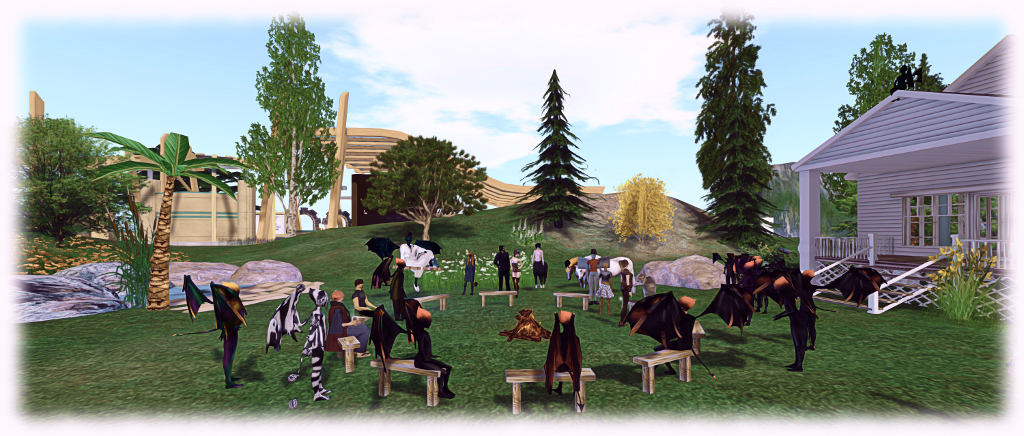
With the move of Bento to the main grid, Bento User Group meetings will now take place at the Hippotropolis Campfire Circle at 13:00 SLT on Thursdays. Unfortunately, I was unable to make the meeting on Thursday, June 2nd, so there is no dedicated report in this blog for this week.
The male and female avatar skeletons have also been updated to support the most recent changes to Bento, and can be downloaded from the Bento Testing wiki page.
Work is continuing on bugs and issues, such as BUG-11538 (“Front legs crossing on Bento Mesh quad(animal) avatars”), and while new appearance shape sliders have been considered out-of-scope for the current iteration of Bento, issues have been raised with scaling limb sizes when trying to produce avatar add-on, rather than full avatars, which may in fact be in part solved through the use of a set of generic sliders. Further discussion on these ideas will likely come through the Bento forum thread, and potentially at the in-world meetings.
[05:15] Regardless of thoughts on slider sets and overall project scope, Bento will be progressing at its own pace, rather than trying to meet any specific deadline. There are a number of known issues still to be addressed, and it is anticipated that further issues are likely to be reported now Bento is available for more widespread testing.
Other Items
TLS 1.2
18:25] As per a blog post from the Lab, which I also reported here, users are being advised to update (if necessary) their web browser and their SL viewer to a version that supports TLS 1.2 by June 15th, 2016. After that date, any web browser or viewer that does not should TLS 1.2 will no longer be able to access Second Life cashier services to send, receive, or exchange L$.
The change is apart of the Lab’s efforts to improve its compliance needs for handling money, but some confusion has remained over exactly what will be affected in terms of L$ transactions, which still persists around matters of in-world purchases. The confusion prompted Oz Linden to comment during this meeting:
I believe that it will affect being able to purchase items in-world and to send and receive Linden dollars to other avatars, because it’s all interactions with the cashier.
So again, if you are using an older version of the viewer, it is essential you check to ensure it is TLS 1.2 complaint before June 15th.
To do this, use the viewer’s built-in web browser to visit How’s My SSL? and check the Version information displayed in the top left of the page. You may also wish to check your web browser as well, if you are using an older version of a browser and wish to ensure you can continue to make SL Marketplace transactions, etc. However, do be aware that some ad blockers can prevent the TLS 1.2 checks performing correctly.
In order to further confirm what may “break” as a result of this change, it has been suggested the Lab enable some form of testing on Aditi. This will be looked into.
“Feature Surprise”
[6:35] A further hint of an upcoming “feature surprise” was given at the meeting. I’m assuming this is actually the Visual Outfits Browser, designed to provide a means by which users can store and browse images associated with their outfits in inventory, simplifying the act of identifying an outfit prior to wearing it.
Lumiya is an Android client for Second Life which is really quite remarkable. I’ve followed its development through these pages at length since it first appeared back in 2012, all the way through to the most recent 2.6 iterations; and while things have been quiet for a while, rest assured, development work is continuing, although developer Alina Lyvette has been very caught-up with physical world matters.
But did you know you can also run Lumiya on Windows*?
I suspect the responses to this question would be a combination of “No,” and “Why would I want it to?” The former is to be expected, and the latter not unreasonable; after all if you have a computer capable of running the Second Life viewer reasonably well why would you want to try anything else?
One possible “why” might be if you have a relatively low-end laptop you use when on the move, and would like to use it on occasion to access SL, but don’t want to meet the costs involved in running Bright Canopy’s (very excellent) service (which I’ve also covered in these pages), and would prefer something bigger than the average android device screen when accessing SL.
While I’ve not played at length with things, I did come across an Android emulator called Bluestacks which runs on the PC, and used to be available for Mac*. It makes running Lumiya on Windows a breeze in four easy steps:
Download and run the Bluestacks installer
Run the Bluestacks player and sync it to your Google Android account
Run Google Play and install Lumiya (note the app does have a one-off purchase fee if you have not previously installed it)
Launch Lumiya.
Running Lumiya via Bluestacks on a Windows notebook
There are a few things to note when running Lumiya in this way. Obviously, being built for Android, it is intended for touch screen use. While Bluestacks does a credible job of allowing mouse and pointer control and the use of keyboard controls such as the arrow keys and WASD, I tended to find that things did sometimes “stick”, prompting a return to the on-screen movement / camera focus keys (lower right corner of the screen).
Given Lumiya is running on a “standard” computer, it’s also easy to slip into the expectation that it will respond to things like ALT-camming when it obviously won’t – this is still an Android app running through an emulator, after all! Given this, it goes without saying that if you’re new to Lumiya, you have a lot to learn via the UI and options – feel free to use my reviews linked to above 🙂 .
Also keep in mind that as Lumiya is an Android app, the graphics don’t have the same fidelity as the viewer, and running it through an emulator isn’t going to magically give you that kind of fidelity. If that is what you’re looking for when on the move and don’t have a good laptop, then Bright Canopy is your best option outside of a new computer / GPU.
Lumiya may not have the same graphics fidelity as a full viewer, but if you’re looking for something that can provide you with an in-world view while on the move with a low-end laptop and for whatever reason, don’t want to use Bright Canopy, running it in through the Bluestacks emulator might be a viable option
Also, as you are running through a laptop there might be a temptation to push Lumiya’s settings to the max. I’d actually suggest some caution here; your little laptop / notebook may appear to have more umph that an Android device, but you will take a performance hit in driving things too high.
Overall, I found running Lumiya on an Asus PCee 1201N to be pretty acceptable – certainly a lot less tasking than running a full-blown viewer. I wouldn’t want to do it all the time, but as an alternative and occasional means of access, it’s more than acceptable. The UI, intended for touch screens, works well with mouse and pointer, and while there were occasional niggles (sometimes I had to swap back to using the on-screen movement keys via mouse, for example), my biggest issue came down to trying to use conventional SL keyboard shortcuts simply because I was sitting in front of a keyboard!
Whether this kind of approach would appeal or not is down to the individual – but as noted above, if you are looking for the occasional access to SL from a low-end laptop / notebook whilst on the go and either don’t want to fiddle with the small screen of and android device or would prefer not to use Bright Canopy, then this might be an option for you.
Addendum, June 3rd: While Bluestacks was promoted as a “free” emulator, some 36 hours after installing it, I received a notification requiring a subscription payment of either US 2.00 per month or to install sponsoring games in order to keep using it to access Android apps.
*Note: Bluestacks used to offer an emulator for Mac systems as well. It’s no longer available through their own website, but can be obtained from this review on the TechApple website. However, as I’m not a Mac user, I have no idea how up-to-date it is compared with the latest Windows version of the emulator or whether it is a viable option.
Lumiya on Bluestacks was tested using an Asus PCee 1201N with 2 Gb RAM, Intel Atom 330 processor and Nvidia Ion 2 GPU using shared memory.
As always, for the latest information, please refer to the server deployment thread.
On Tuesday, May 31st, the Main (SLS) channel was updated with the same server maintenance package previously deployed to all three RC channels, which included a server crash fix.
On Wednesday, June 1st, all the RC channels should be updated with a new server maintenance package, comprising the addition of mnemonic names to be used in LSL scripts when attaching to the new attachment points on the Bento skeleton extensions and minor internal changes.
SL Viewer
There have been no changes to any of the viewer channels so far this week, leaving things as per the end of week #21:
Maintenance RC viewer, version 4.0.6.315551, dated May 23rd – a modest but useful set of 24 fixes and updates to the viewer
Inventory Message RC viewer, version 4.0.6.315555, dated May 23rd – removal of deprecated and unused UDP inventory messaging mechanisms from the viewer
Project viewers:
Project Bento (avatar skeleton extensions), version 5.0.0.315657, dated May 26th – this build includes the “reset Skeleton” option and additional slider updates
Oculus Rift project viewer, version 3.7.18.295296, dated October 13th, 2014 – Oculus Rift DK2 support
Obsolete platform viewer version 3.7.28.300847 dated May 8, 2015 – provided for users on Windows XP and OS X versions below 10.7.
Project Bento
As anticipated, Project Bento, the avatar skeleton enhancements project, was deployed to the main grid to mark the start of more widespread testing, on Tuesday, May 31st. You can find out more via the following posts:
Project Bento, the Lab-initiated, collaborative project involving Second Life content creators to bring greater capabilities to mesh avatars and – potentially – rigged attachments – is now available on Agni, the Second Life main grid.
The news – not entirely unexpected, as the Lab has been gearing-up to make the move for the last few weeks – came via an official blog post on Tuesday, May 31st.
Project Bento has been in development for over a year, the initial phases of the work being carried out by the Lab behind closed doors, before a period of closed development involving a number of expert creators and tool makes – notably the Avastar team who produce the avatar plug-in for Blender, and Cathy Foil, who produces Mayastar, a similar plug-in for Maya. I was also invited to observe this initial work – my sincere thanks to Oz Linden for the opportunity – so that I could follow the project and report on its development, which I was able to start doing in December 2015, once the project had been publicly announced, and the project opened to greater input from content creators and animators.
An early Project Bento meeting. The project has involved staff from Linden Lab, notably Troy Linden, Oz Linden and Vir Linden, together with assistance from Alexa Linden, Simon Linden, Rider Linden, Aura Linden and others. It has also involved the folk from Avastar and Mayastar as well as many content creators and animators
At that time, Bento introduced over 90 additional bones to the avatar skeleton, with no fewer that 30 being added to avatars hands to allow for finger manipulation, and another 30 to the head for facial expressions. To further support the new additions, new attachment points were added to the skeleton and – most recently of all – a good number of the bones (particularly those in the face) were hooked-up the viewer appearance sliders, allowing them to adjust elements of suitably rigged mesh heads, etc.
Net result: the ability for mesh avatars to be far more expressive and customisable than before, and much, much better support for non-human avatars. There’s also the potential for a wide range of other uses – such as Aki Shichiroji’s wyvern pictured below, or rigged attachable pets – even the potential for gowns and other clothing to move naturally with an avatar’s movement.
Aki Shichiroji demonstrates a wearable wyvern utilising Bento bones for animation. Inset: the model under development at a Bento meeting (main image courtesy of Linden Lab)
Many of the possibilities for Bento are highlighted in a special promotional video released by the Lab and embedded at the end of this article, made with the full support for the creators who have been actively engaged in the project for the last 6-12 months.
It is important yo note that – as the official blog post states, this still a testing release of Project Bento: making it available to a wider audience than is possible when it is constrained to Aditi, and thus allowing further testing of things like overall simulator / grid performance with larger numbers of Bento avatars operating, looking out for other issues, etc., which may not have come to light during the Aditi testing, and also further refining and improving the viewer so it might progress to a release status.
Which brings up a further important point, again as the official blog post notes:
If you encounter Bento avatars and are not using the Bento Project Viewer, you may see some strangely behaving avatar animations and meshes. If you’re using a very old (i.e. no longer supported) viewer, encountering Bento content may even cause a crash.
Some TPVs have already starting integrating the Bento code into experimental versions of their viewers. However, if you are testing Bento, working with content which leverages Bento capabilities, you are best off using the official project viewer for the purposes of bug reporting, etc.
There is also a Project Bento User Group wiki page for those wishing to get involved in the project. However, please note that the meeting venue will likely be changing from Aditi to Agni now the project is available on the main grid.
Note, as well, that Project Bento is intended for use with mesh avatars and models – the capabilities are not intended to work with the default avatar form, as it was felt that attempting to do so risked potential content breakage and / or other issues which could impact the project.
Nevertheless, the new capabilities could herald a new era for mesh avatars within Second Life, with more realistic non-human avatars, greater dexterity with human-style avatars and even the potential for expressive, customisable mesh heads! So, welcome to the start of a new era for mesh avatars in Second Life.
This summary is published every Monday, and is a list of SL viewer / client releases (official and TPV) made during the previous week. When reading it, please note:
It is based on my Current Viewer Releases Page, a list of all Second Life viewers and clients that are in popular use (and of which I am aware), and which are recognised as adhering to the TPV Policy. This page includes comprehensive links to download pages, blog notes, release notes, etc., as well as links to any / all reviews of specific viewers / clients made within this blog
By its nature, this summary presented here will always be in arrears, please refer to the Current Viewer Release Page for more up-to-date information.
Official LL Viewers
Current Release version: 4.0.5.315117 (dated May 11), May 18th – no change: formerly the Quick Graphics RC viewer download page, release notes
Maintenance RC viewer, version 4.0.6.315551 release on May 23 – a modest but useful set of 24 fixes and updates to the viewer (download and release notes)
Inventory Message RC viewer updated to version 4.0.6.315555 on May 23 – removal of deprecated and unused UDP inventory messaging mechanisms from the viewer (download and release notes)
Project viewers:
Project Bento (avatar skeleton extensions) updated to version 5.0.0.315657 on May 26 – this build includes the “reset Skeleton” option and additional slider updates (download and release notes).